

A platform dedicated to providing unbiased reviews of newly launched applications, analyzing everything from their features to their full potential.
info@scoutforge.net© 2026 Scoutforge. All rights reserved.
A platform dedicated to providing unbiased reviews of newly launched applications, analyzing everything from their features to their full potential.
info@scoutforge.net© 2026 Scoutforge. All rights reserved.
A platform dedicated to providing unbiased reviews of newly launched applications, analyzing everything from their features to their full potential.
info@scoutforge.net© 2026 Scoutforge. All rights reserved.
Is this your app?
Claim Stealthly to manage its page, add your badge and see your traffic — free, and it stays free.
Cycling through all six. Tap any point to stop.
Measured on six things
Stealthly is a macOS app that automatically protects your privacy during screen sharing by hiding notifications, desktop icons, and more.
1.4-year-old domain with minimal reviews and mentions. No GitHub, funding, or large community; early-stage indie trajectory with trial helping adoption.
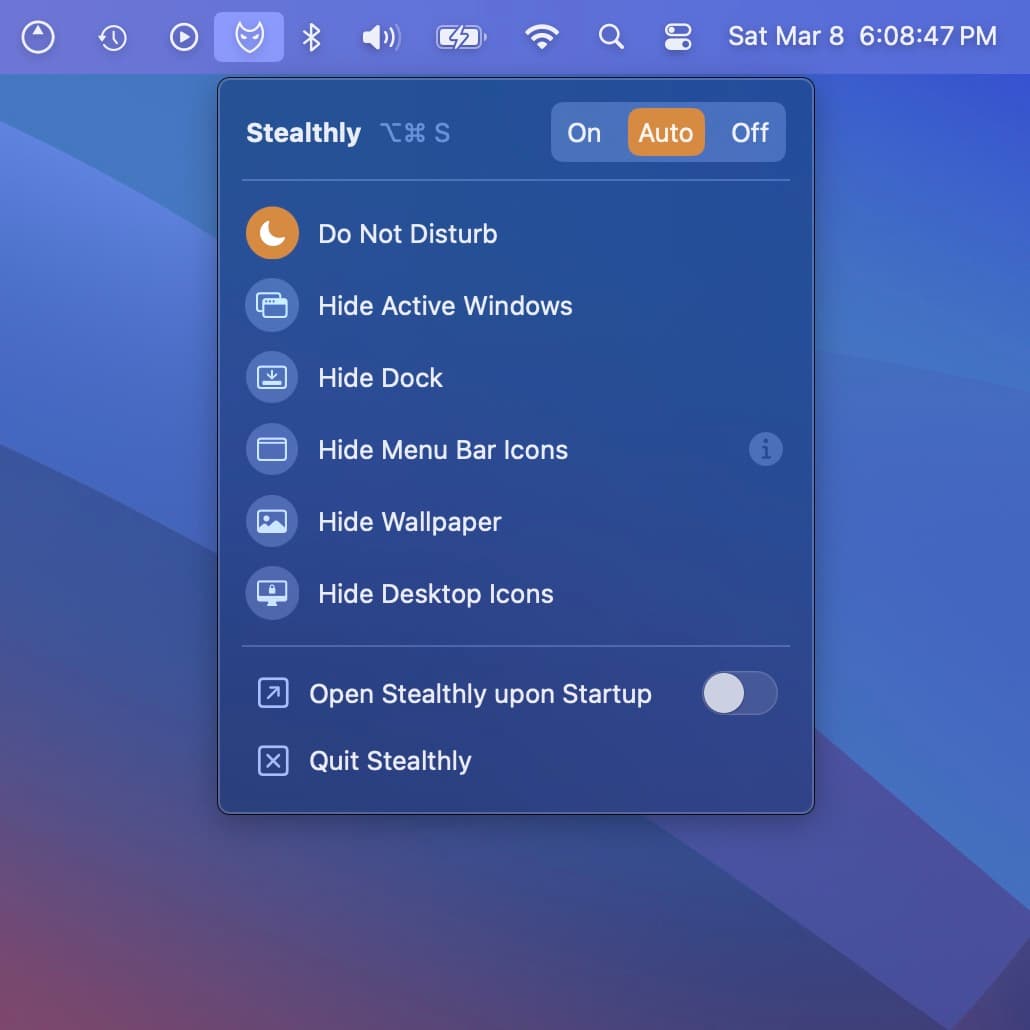
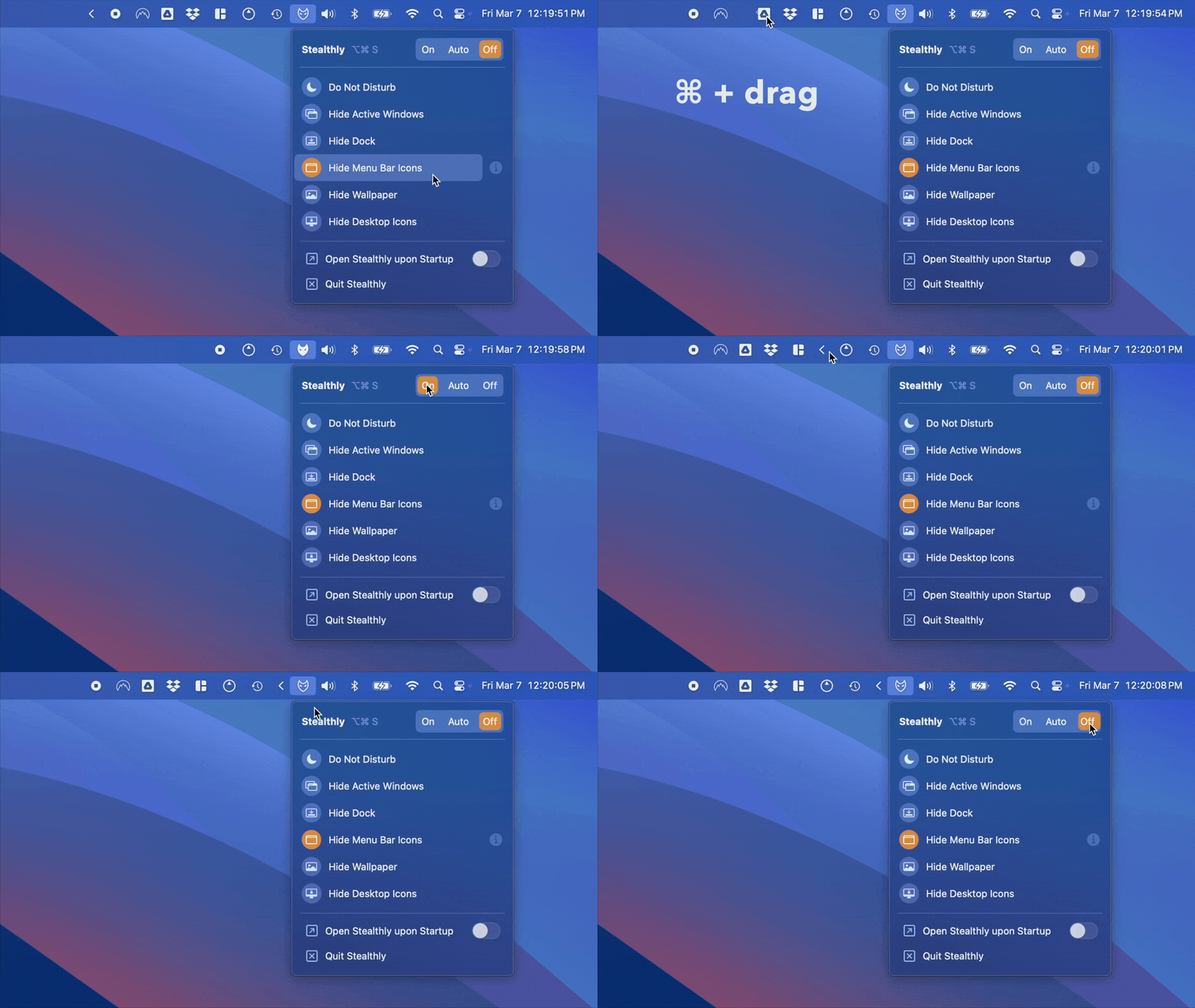
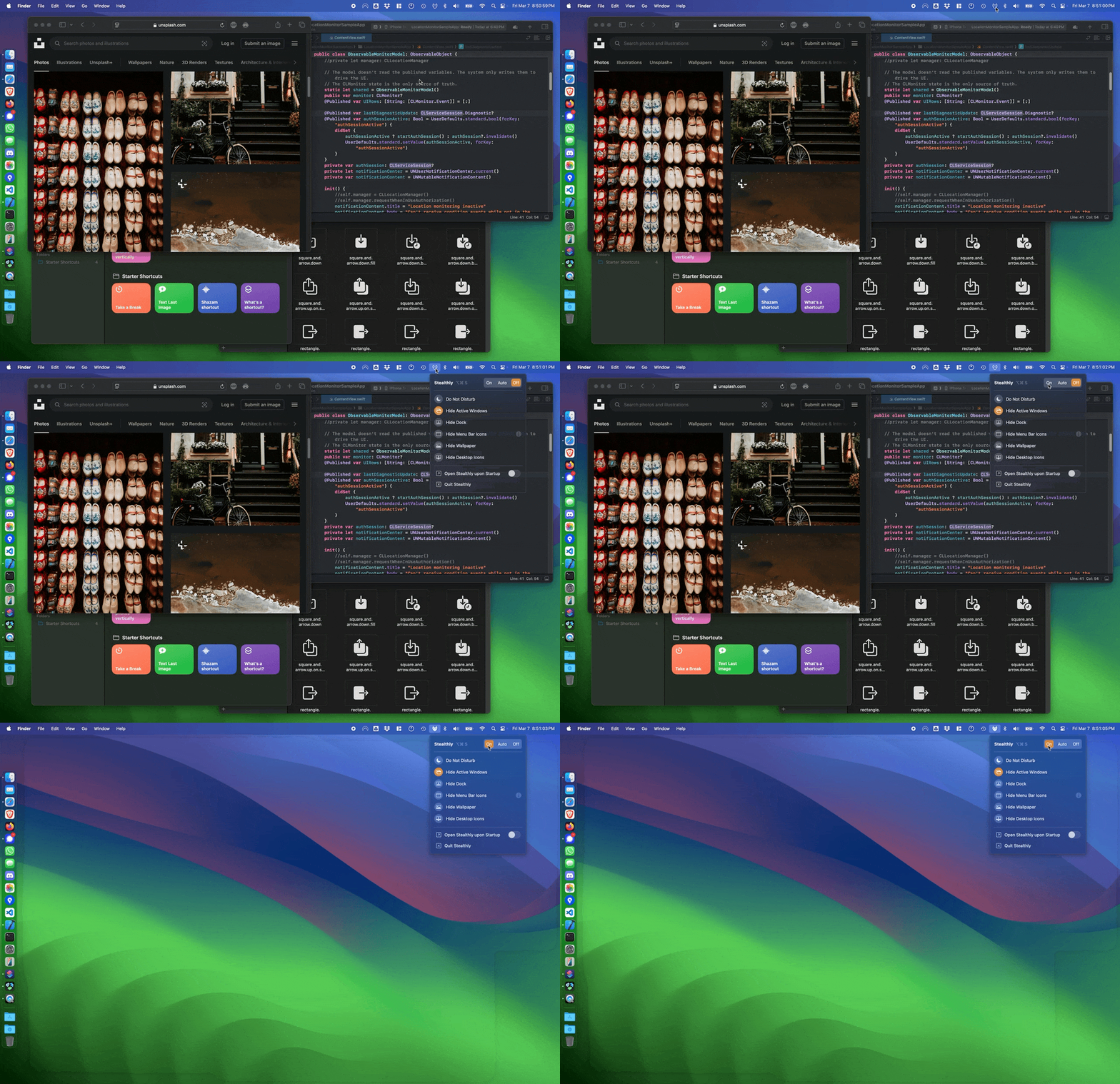
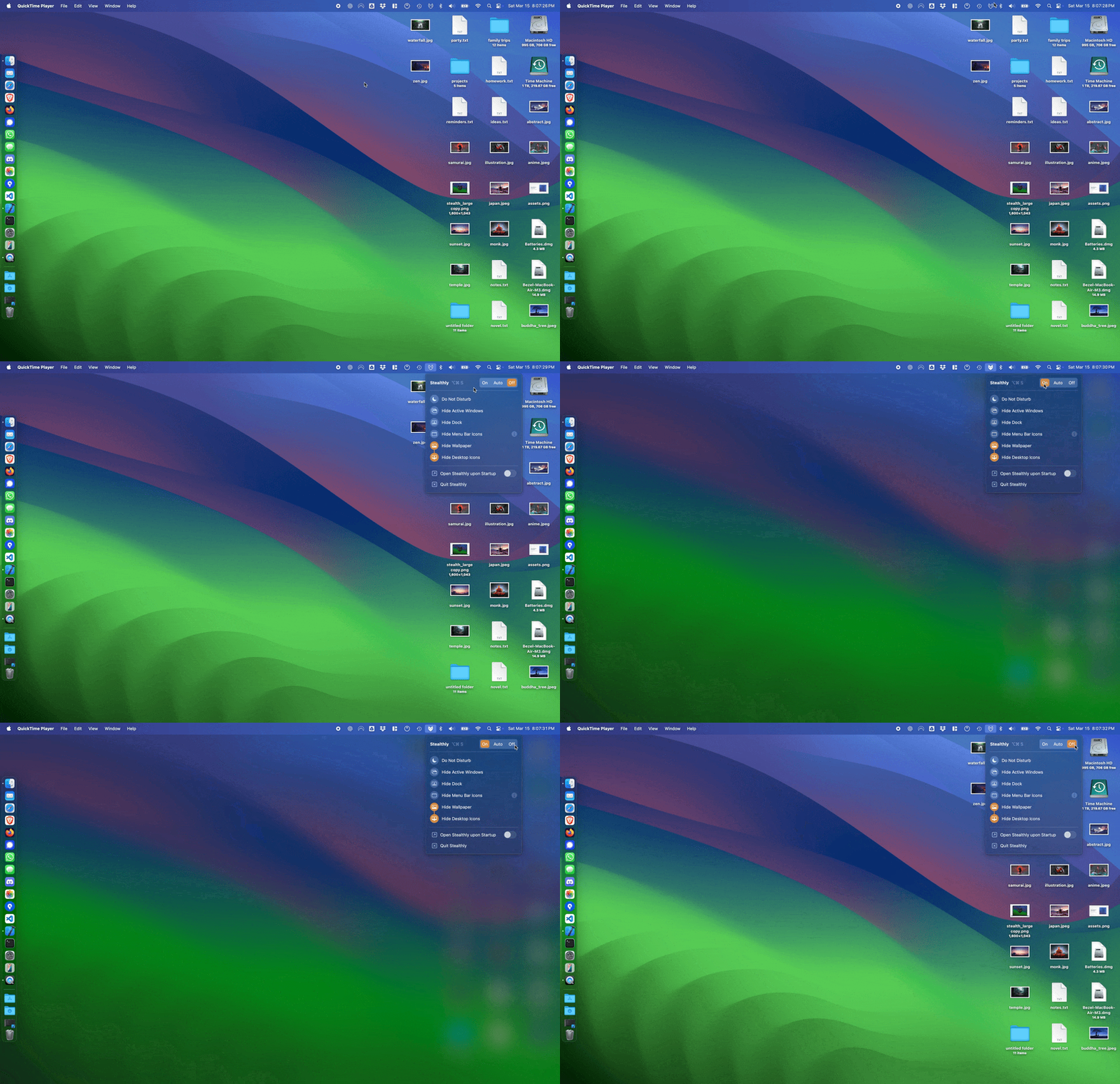
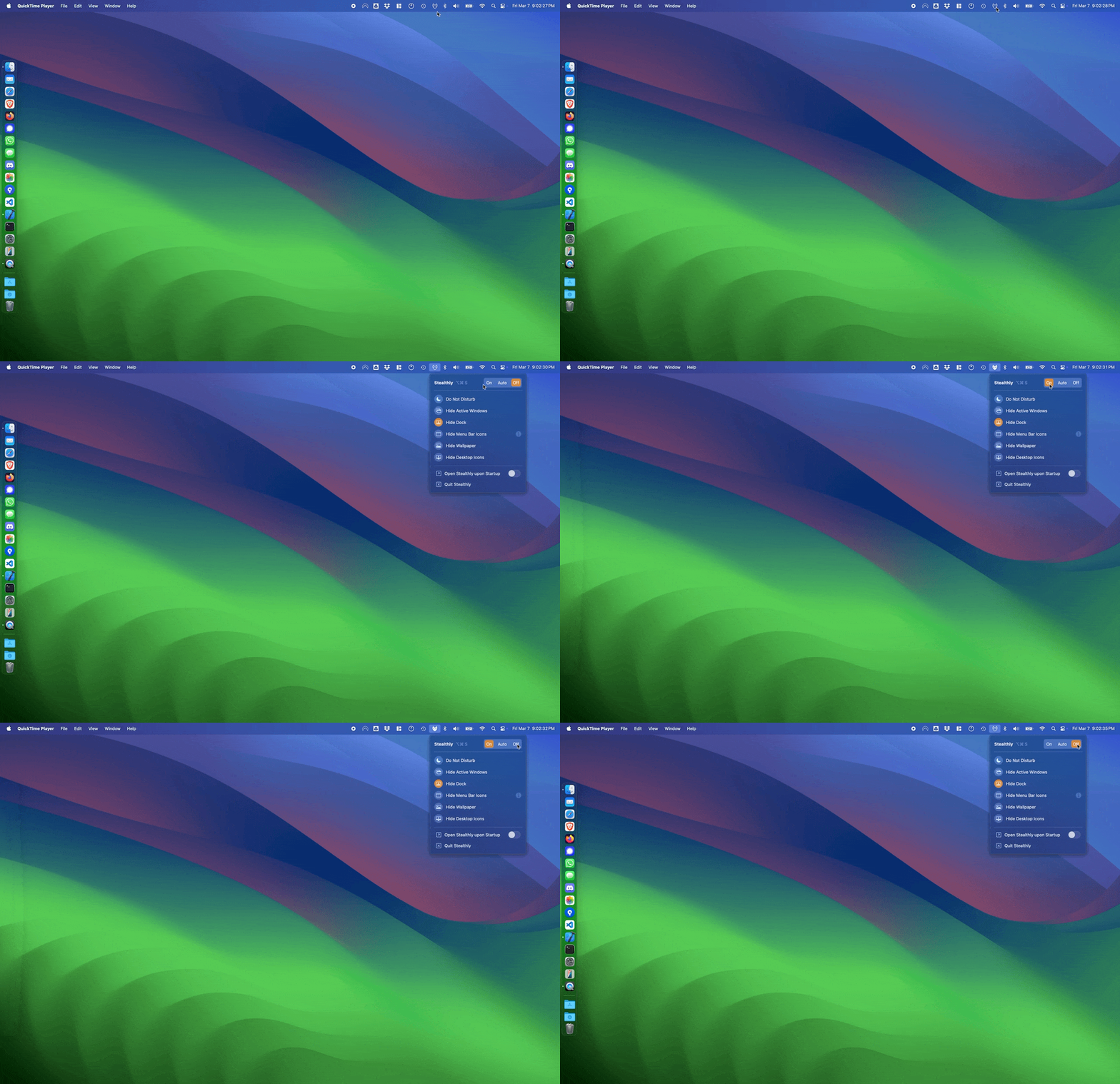
As a tech enthusiast who's navigated countless virtual meetings, I've found Stealthly to be a game-changer for maintaining professionalism and privacy on macOS. This clever app detects when you're screen sharing in apps like Zoom or FaceTime and automatically activates privacy measures—silencing notifications, hiding your dock, desktop icons, wallpaper, and even specific application windows. What sets it apart is its seamless automation; you don't have to remember to toggle settings manually. With options for automatic detection, app-specific triggers, or scheduled sessions, it adapts to any workflow. While the Mac App Store version lacks auto-detection, the direct download delivers robust features that remote workers, educators, and content creators will love for keeping sensitive info under wraps. It's lightweight, secure with sandboxing, and integrates smoothly into macOS, making screen sharing stress-free and polished.
Drawn from the product itself, not from a survey.
Demographic
Remote professionals and corporate users
Pain points
Embarrassing notification pop-ups during important presentations, accidental exposure of personal information or messy desktop
Primary needs
Maintain professional appearance during screen sharing, protect sensitive data from unintended exposure
Demographic
Content creators and streamers
Pain points
Distractions from system alerts during recordings, time-consuming manual cleanup before sharing screen
Primary needs
Automated screen preparation, consistent branding without desktop clutter
Demographic
Privacy-conscious Mac users
Pain points
Worry about accidentally sharing personal information during impromptu screen shares
Primary needs
Automatic privacy protection, peace of mind during digital interactions
Written by AI from measured evidence, scored out of 100.
Stealthly solves a real pain point for Mac users who frequently share screens by automating privacy and clutter removal. Its native feel and flexible triggers stand out, though limited traction and basic security transparency reflect its indie scale. The direct version offers the strongest experience for power users.
Trial available, clear toggles, and automatic detection in the direct version. Limited App Store auto-features noted; positive user feedback on quick setup.
Clean native macOS aesthetic with consistent orange accents and scannable feature icons. Stacked CTAs and faint background texture reduce polish slightly.
Lightweight native app with no reported lag. Simple menu-bar popover implies fast activation; no benchmarks published.
Sandboxed, signed, and notarized with basic HTTPS. No compliance reports, advanced headers, or audits; standard for small indie macOS tool.
Strong Lighthouse 94/100 despite contrast and landmark issues. Multi-language support and native macOS a11y inheritance help; no dedicated statement.
1.4-year-old domain with minimal reviews and mentions. No GitHub, funding, or large community; early-stage indie trajectory with trial helping adoption.
Stealthly delivers a polished native macOS experience with consistent branding and intuitive toggles that make privacy features feel effortless. The direct download version shines with full auto-detection, while the App Store edition trades some automation for easier installation. Users praise the instant clutter-hiding, though the three competing CTAs on the homepage create minor decision friction. Overall it feels purpose-built for frequent screen sharers who want set-and-forget behavior.
The app positions itself as lightweight and sandboxed, aligning with macOS security norms for menu-bar utilities. HTTPS and basic DNS hygiene are present, but the absence of advanced headers or third-party audits keeps it at a typical indie level. No performance complaints surfaced, and the simple popover UI suggests quick activation without heavy resource use. For a privacy tool, the security posture is competent yet unremarkable compared to peers with published audits.
Accessibility benefits from a high automated score and native platform support, offset by minor contrast issues and lack of explicit documentation. Growth remains early-stage with a 1.4-year domain, sparse reviews, and no visible community hubs. Positive coverage in niche outlets and a trial offering provide modest momentum, but the product has yet to achieve broader visibility or review volume typical of established macOS utilities.
Conclusion
For remote workers tired of pre-call desktop rituals, Stealthly delivers reliable automation at a fair one-time price. Early users report it just works, making it a worthwhile niche tool despite its modest footprint.
Named competitors, point by point. Nobody paid to appear here or to be left out.
 Stealthly Stealthly |  Manual macOS Do Not Disturb Manual macOS Do Not Disturb |  Custom OBS scenes Custom OBS scenes | |
|---|---|---|---|
| Automatic screen sharing detection | Yes (website version); limited in App Store edition | No - manual Focus mode activation only | No - OBS scenes do not detect or affect other apps like Zoom |
| Hide desktop icons and wallpaper | Yes, automatic or manual | No - Focus modes do not hide desktop elements | Partial - custom scenes can crop or replace desktop but not system-wide |
| Hide dock and menu bar icons | Yes, automatic during sessions | No | No - OBS does not control system dock or menu bar |
Manual macOS Do Not Disturb
The built-in macOS Focus modes require manual activation and don't automatically hide desktop elements or application windows
Custom OBS scenes
Streamers can create custom scenes in OBS, but this doesn't protect against notifications in other apps like Zoom or FaceTime
Comparing options? See Stealthly alternatives, scored side by side
What the review was written against. A verdict with no sources is an opinion.

An all-in-one hospitality software for restaurants and ba...

A weekly newsletter delivering curated tech jobs, intervi...

White-label reputation management software for agencies s...

Privacy-first open source journal app with a continuous t...

Puzzly is an all-in-one B2B lead generation platform that...

All-in-one AI workspace for docs, projects, and knowledge...

A free, open-source platform offering 110 AI agent skills...

Open-source desktop app for switching AI coding providers...

One verified handle for your online identity, readable by...

Frame-perfect video-to-GIF maker that runs entirely in yo...

White-label website audits that close deals for digital a...

PERM Processing Time is an independent data analysis platform that helps users navigate the U.S. Department of Labor’s permanent labor certification process.
A platform dedicated to providing unbiased reviews of newly launched applications, analyzing everything from their features to their full potential.
info@scoutforge.net© 2026 Scoutforge. All rights reserved.
