Cycling through all six. Tap any point to stop.
Measured on six things
Share tables instantly with a link. No signup. Free CSV &...
Growth
58Real problem (Sheets is overkill for a quick table), specific wedge (no signup, auto-expiry, pastebin-for-tables), clear Pro upsell. But the category is crowded and the moat is thin.
Screenshots
1 / 5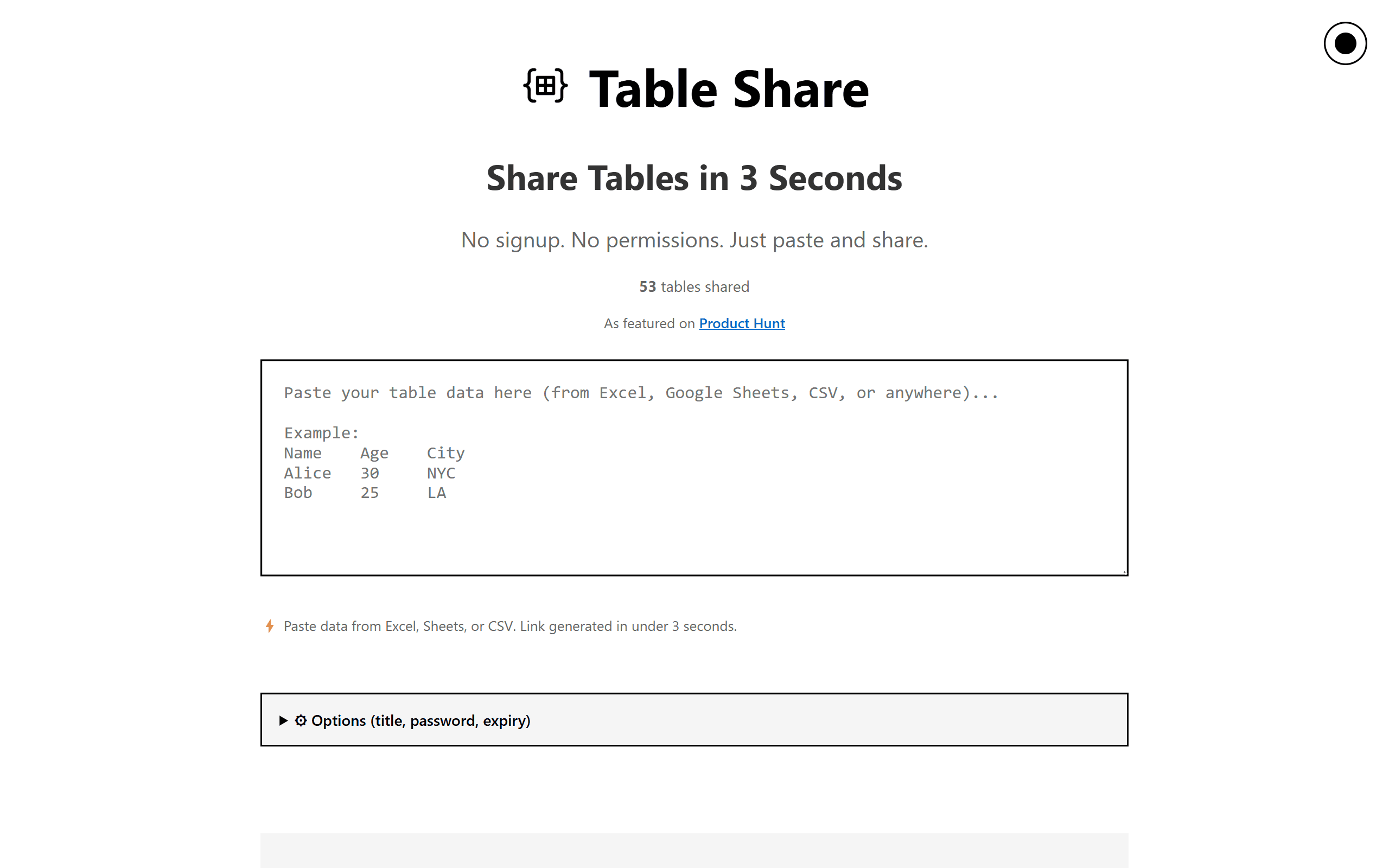
About this app
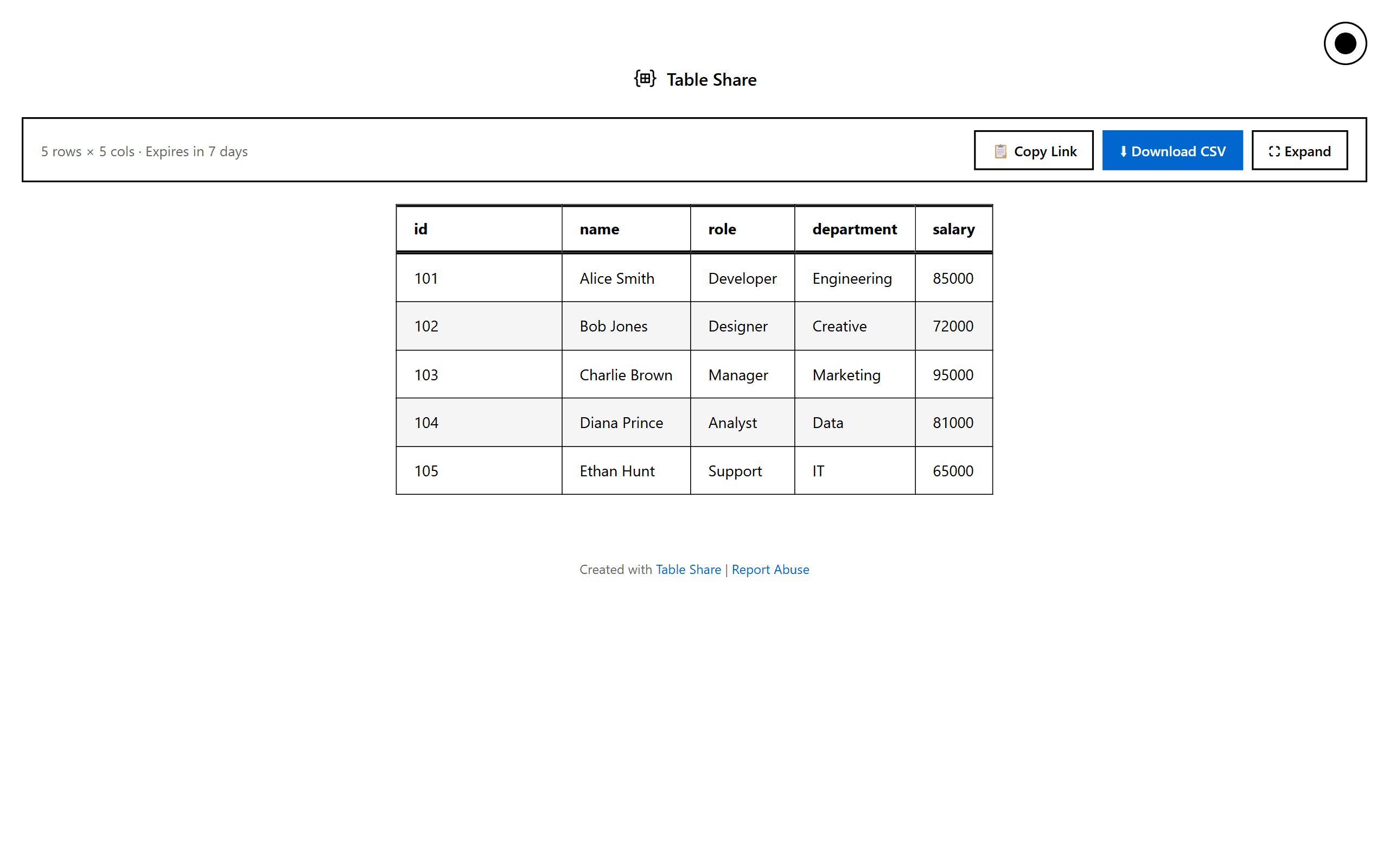
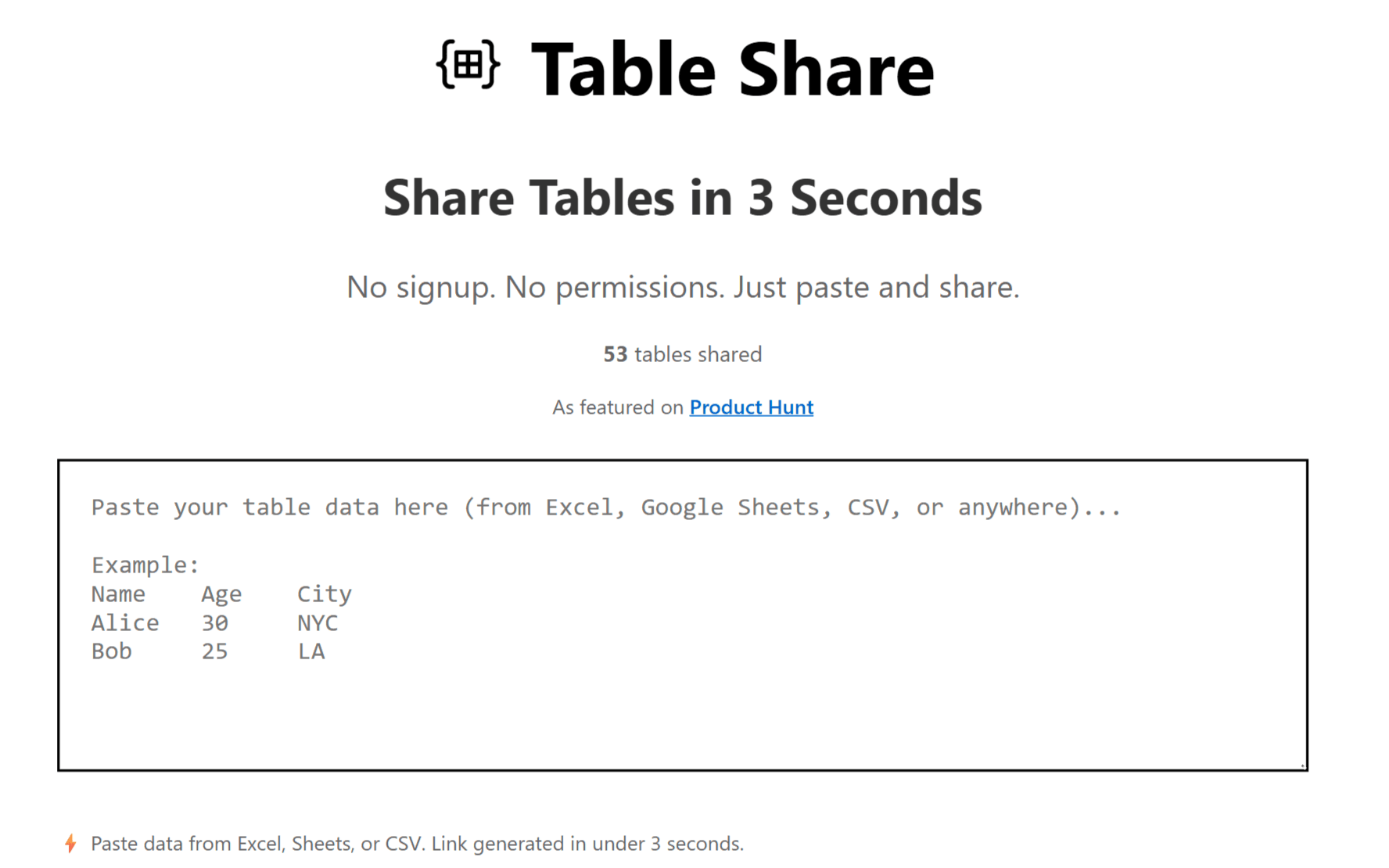
Table Share is a web-based tool that lets you share tabular data (CSV, Excel, Google Sheets) in seconds by pasting the data and generating a shareable link. No signup required for you or recipients, making it the fastest way to share tables online. It's perfect for developers sharing query results, freelancers sending pricing tables, teams sharing data snapshots, and analysts sharing DataFrames. Key features include instant link generation, auto-expiry (7 days free, 90 days Pro), password protection (Pro), mobile-friendly tables, CSV download, and URL fetching (Pro). It's a lightweight alternative to Google Sheets for quick, temporary data sharing, eliminating permission requests and file clutter. With a one-time $5 Pro upgrade, you get 5,000 rows, password protection, 90-day expiry, and branding removal. Whether you're a developer, freelancer, team, or data analyst, Table Share streamlines data sharing with speed and simplicity.
Key features
- 1Paste CSV/Excel/Sheets data and get a shareable link in under 3 seconds — no signup for creator or recipient.
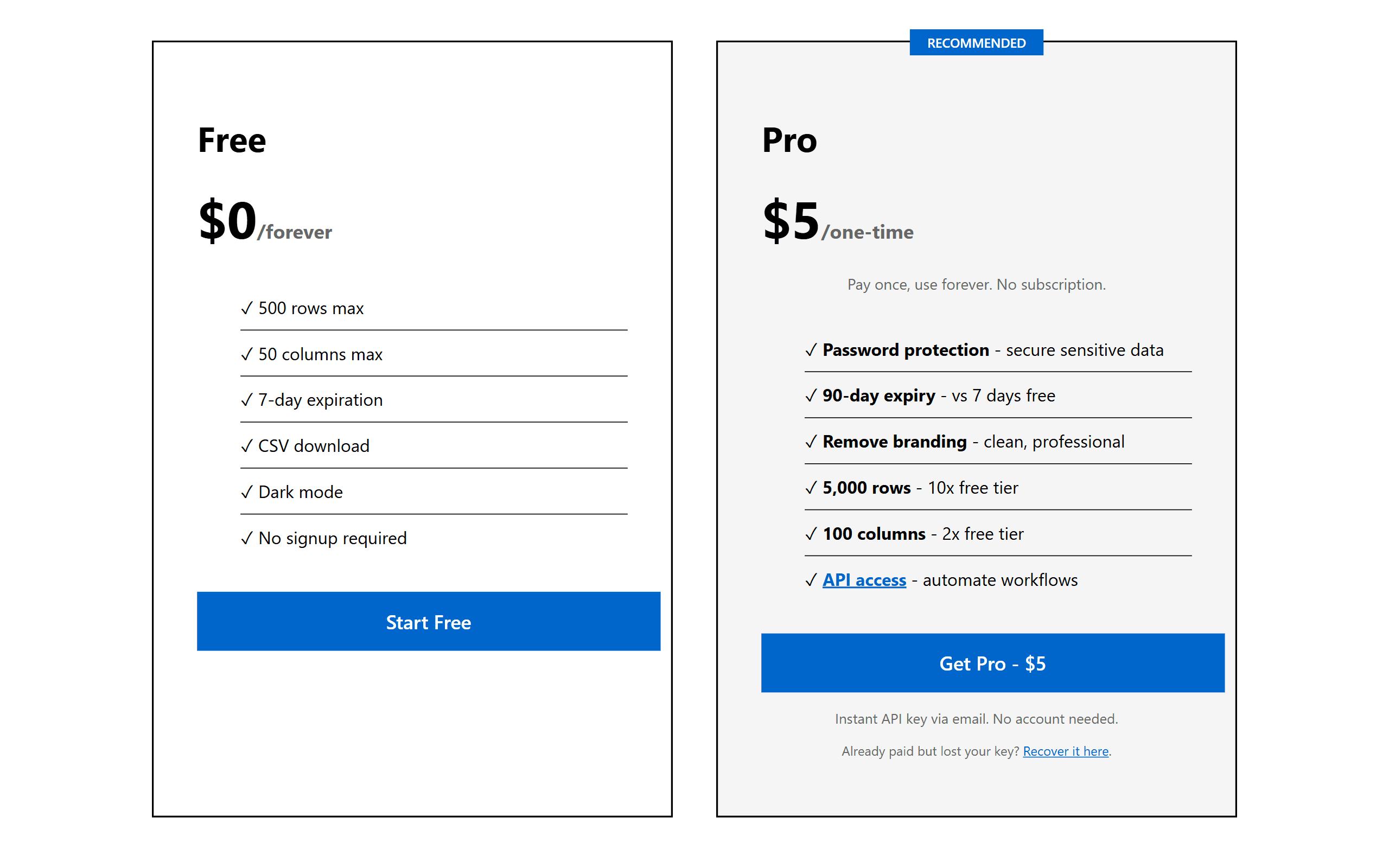
- 2Auto-expiring links (7 days free, 90 days Pro) with optional password protection on Pro.
- 3Mobile-friendly table rendering with CSV download for recipients.
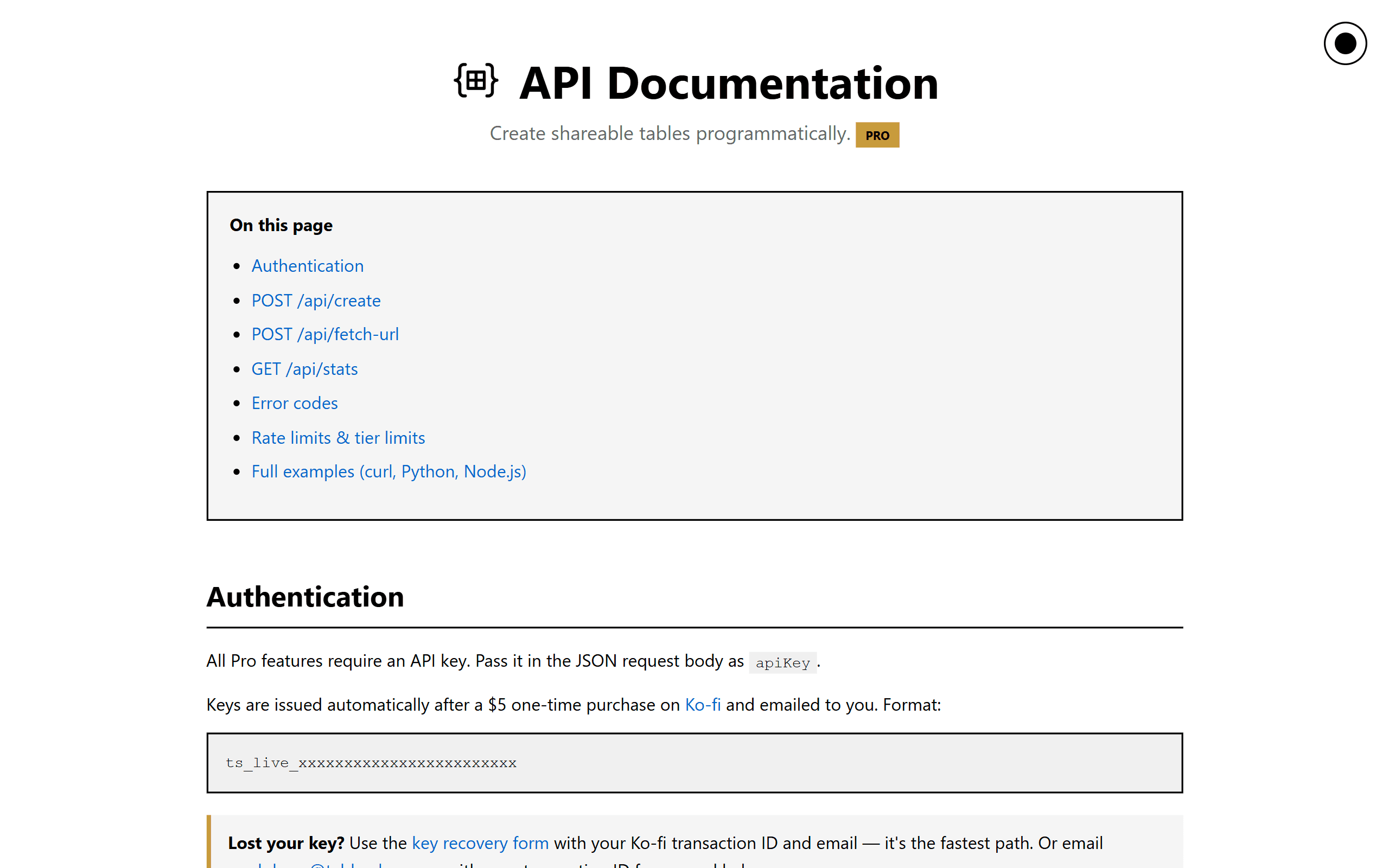
- 4Pro tier ($5 one-time): 5,000 rows, 100 columns, password protection, branding removal, URL fetching, API access.
Target customer profile
Drawn from the product itself, not from a survey.
Demographic
Developers and Engineers
Pain points
Sharing SQL results or logs via email or Slack is messy and insecure; Google Sheets requires signup and permissions.
Primary needs
Quick, secure, and link-based sharing of tabular data without account creation.
Demographic
Freelancers and Consultants
Pain points
Sending pricing tables or project timelines as attachments leads to formatting issues and version control problems.
Primary needs
Professional, instantly shareable tables that recipients can view without friction.
Demographic
Data Analysts and Scientists
Pain points
Sharing analysis outputs (e.g., pandas DataFrames) requires cumbersome export/import steps or granting access to sensitive systems.
Primary needs
A fast pastebin-like tool for tables that supports large datasets and easy export.
Scout Review
Written by AI from measured evidence, scored out of 100.
Table Share is a focused, fast, no-signup tool for sharing tabular data via link. It nails the core promise — paste, generate, share — with a 100/100 Lighthouse score and a full security-header sweep. The design is functional if generic, usability is genuinely frictionless, and the Pro tier ($5 one-time) is priced to convert. The weaknesses are the 500-row free cap, the Pro-only password protection, and the absence of any published security or accessibility certifications. Growth potential is real but capped by a crowded category and a thin moat.
Measure by measure
Usability
72Zero-signup paste-and-share is the whole pitch and it delivers: options panel, recent tables, CSV export, and Pro key recovery all live on one page. Free tier's 500-row cap is the main friction.
Design
68Clean, focused single-page tool with a clear paste-to-link flow, emoji-led feature cards, and a tidy two-tier pricing page. Functional and on-brand for a developer utility, if a bit generic.
Speed
88Lighthouse 100/100 on both mobile and desktop with LCP 1.5s, TBT 0ms, and CLS 0.022. Genuinely one of the snappiest utility sites you'll load — the '3 seconds' claim is not marketing fluff.
Security
74Full security-header sweep (HSTS, CSP, frame protection, Referrer-Policy, Permissions-Policy) plus SPF and DMARC — 12/12 on the probe. Password protection is Pro-only and there's no published audit or bug bounty.
Accessibility
78Lighthouse accessibility 100/100, dark mode included free, and mobile-friendly tables. No WCAG statement or multi-language support published, so the automated score is the ceiling of what's verified.
Growth
58Real problem (Sheets is overkill for a quick table), specific wedge (no signup, auto-expiry, pastebin-for-tables), clear Pro upsell. But the category is crowded and the moat is thin.
Improvement areas
- Free tier capped at 500 rows / 50 columns — below typical SQL or DataFrame output.
- No published security certifications (SOC 2, ISO, pen-test) despite 'secure sharing' positioning.
- No WCAG conformance statement or multi-language support.
- No CLI or public API on the free tier — paste step blocks developer automation.
Design & Usability
Table Share's design is honest about what it is: a single-purpose utility with a paste box, an options panel, and a recent-tables list. The homepage leads with the value prop ('Share Tables in 3 Seconds'), backs it with a 3-step explainer, and the pricing page is a clean FREE vs PRO card layout. It won't win design awards, but it doesn't get in the way. Usability is where the product earns its keep — no signup for creator or recipient, options (title, headers, password, expiry, branding, URL fetch) all in one view, and a Pro key recovery flow for people who lose their email. The 500-row free cap is the one real friction point, and it's the first thing a developer sharing a real SQL result will hit.
Speed & Security
Speed is the standout: Lighthouse 100/100 on both mobile and desktop, LCP 1.5s, TBT 0ms, CLS 0.022. The '3 seconds' tagline is backed by real numbers, not vibes. Security is solid on the plumbing — HTTPS enforced, HSTS, CSP, frame protection, Referrer-Policy, Permissions-Policy, SPF, DMARC, 12/12 on the header probe. What's missing is the trust layer: no SOC 2, no ISO, no pen-test report, no bug bounty. Password protection is a Pro feature, which means free-tier links are open to anyone with the URL. For a tool whose pitch is 'secure sharing,' that's a gap worth naming.
Accessibility & Growth
Accessibility scores a clean 100/100 on Lighthouse, dark mode is free, and tables are mobile-friendly — solid automated coverage. What's not published: a WCAG conformance statement, multi-language support, or any manual a11y notes. Growth is the interesting question. The problem is real (Sheets is overkill, Pastebin doesn't do tables, Gist needs an account), the wedge is specific (no signup, auto-expiry, pastebin-for-tables), and the $5 one-time Pro is a clean upsell. But the category is crowded, the moat is thin, and the domain is barely a year old with only a LinkedIn profile listed. It can grow — it just needs a sharper reason to exist beyond 'faster than Sheets.'
Conclusion
If you regularly paste SQL results, pandas outputs, or pricing tables into Slack and hate the 'request access' dance, Table Share is a genuinely useful $5 tool. If you need compliance paperwork, audit trails, or enterprise-grade sharing, look elsewhere. It's a sharp little utility that knows exactly what it is — and that's more than most SaaS landing pages can say.
Suggestions for improvement
- Raise the free row cap to 1,000–2,000 — 500 rows is below a typical SQL result and kills the first-use moment.
- Publish a security page with a pen-test summary or bug-bounty program to back the 'secure sharing' positioning.
- Add a WCAG conformance statement and keyboard-navigation notes to match the 100/100 Lighthouse score.
- Ship a public API or CLI so developers can pipe query results straight into a share link without the paste step.
Alternatives comparison
Named competitors, point by point. Nobody paid to appear here or to be left out.
 Table Share Table Share |  Google Sheets Google Sheets | Pastebin |  GitHub Gist GitHub Gist | |
|---|---|---|---|---|
| Signup required to share | No — paste and share instantly | Yes — Google account required | Optional — anonymous paste allowed | Yes — GitHub account required |
| Native table/CSV rendering | Yes — formatted tables with CSV download | Yes — full spreadsheet UI | No — plain text only | Partial — Markdown tables only |
| Auto-expiring links | Yes — 7 days free, 90 days Pro | No — files persist until deleted | Yes — configurable expiry | No — gists persist |
| Password protection | Pro only ($5 one-time) | Yes — via sharing permissions | Yes — on paid tiers | Yes — secret gists |
| Pricing | Free tier + $5 one-time Pro | Free with Google account | Free tier + $5/mo Pro | Free with GitHub account |
Google Sheets
A full-featured spreadsheet tool with real-time collaboration but requires signup, permissions, and is overkill for quick sharing.
Pastebin
A text-sharing service that supports code and plain text but lacks table formatting and CSV preview.
GitHub Gist
A code-sharing platform that can display tables but requires a GitHub account and is not optimized for non-technical users.
Comparing options? See Table Share alternatives, scored side by side
More Productivity apps
View all Productivity
Qamarero
92An all-in-one hospitality software for restaurants and ba...

The Stack Newsletter
92A weekly newsletter delivering curated tech jobs, intervi...

EmbedMyReviews
92White-label reputation management software for agencies s...

StoryPad
92Privacy-first open source journal app with a continuous t...

Puzzly – B2B Lead Generation & Sales Intelligence Platform
92Puzzly is an all-in-one B2B lead generation platform that...

Notion
92All-in-one AI workspace for docs, projects, and knowledge...

Vibe Coding Agent Skills
92A free, open-source platform offering 110 AI agent skills...

CC Switch
91Open-source desktop app for switching AI coding providers...

username.md
90One verified handle for your online identity, readable by...

PitchWhip
90AI cold call scripts & direct dials from LinkedIn

What the GIF
89Frame-perfect video-to-GIF maker that runs entirely in yo...

AuditCloser
89White-label website audits that close deals for digital a...


A platform dedicated to providing unbiased reviews of newly launched applications, analyzing everything from their features to their full potential.
info@scoutforge.net© 2026 Scoutforge. All rights reserved.
