Cycling through all six. Tap any point to stop.
Measured on six things
Make your Mac sound like a real mechanical keyboard. Every key plays its own recording, 22 switches, quiet on calls. $4.99 once.
Security
41HTTPS enforced and SPF present, but no HSTS, CSP, frame protection, or DMARC — 3/12 checklist points. The privacy story (records nothing, silent in password fields) is strong, but no audit or compliance claims back it.
Screenshots
1 / 3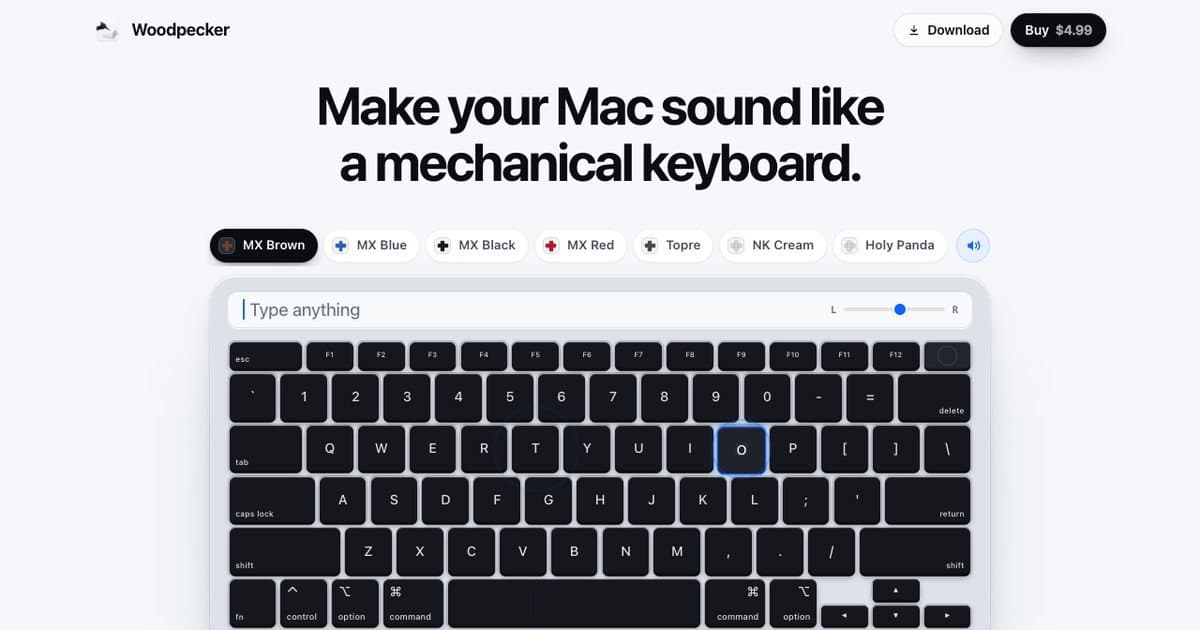
About this app
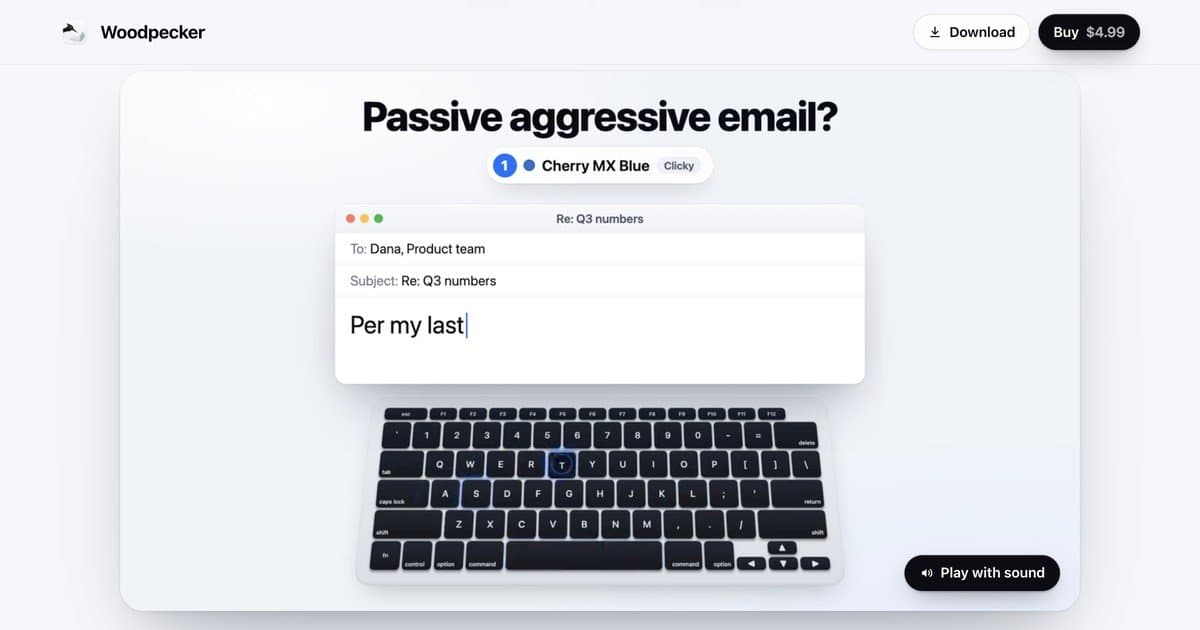
Woodpecker is a Mac menu bar app that makes your keyboard sound like a real mechanical keyboard. Every key plays a recorded mechanical switch and each key has its own sound: the space bar is deep, Return is heavy, every letter is its own. Each key plays its press going down and its release coming up, panned by where it sits on the keyboard. 22 switches, 12 of them recorded key by key. Tone goes from deep to bright, and Room adds a little of the space around a keyboard. It works with the MacBook's own keys or a plugged-in keyboard. It stays quiet when it should: silent while your mic is in use, silent in password fields, and Control-Option-K mutes it from anywhere. It records nothing you type. $4.99 once, 24 hours free, up to 3 Macs. macOS 13 or later.
Key features
- 122 mechanical switch sounds, 12 recorded key-by-key with per-key panning and press/release variants
- 2Silent while mic is in use, silent in password fields, Control-Option-K global mute
- 3Records nothing you type; works with MacBook keys or external keyboards; $4.99 once for up to 3 Macs
Target customer profile
Drawn from the product itself, not from a survey.
Scout Review
Written by AI from measured evidence, scored out of 100.
Woodpecker is a polished, honest little Mac utility that does one thing well: make your keyboard sound like a mechanical one. The 22-switch catalog, per-key recordings, and privacy-first design (silent on mic, silent in password fields, records nothing) are genuinely thoughtful. The landing page is clean and the interactive demo sells it fast. The weak spots are a dense switch list, a 3.6s LCP, and a thin security posture (3/12 header checklist). At $4.99 once for up to 3 Macs with a 24-hour trial, it's an easy try — just don't expect enterprise-grade hardening.
Measure by measure
Usability
68Fixed high-contrast CTAs, an interactive typing demo, and an FAQ that preempts the Accessibility-permission and AirPods-latency questions. 24-hour trial and 7-day refunds make trying it frictionless.
Design
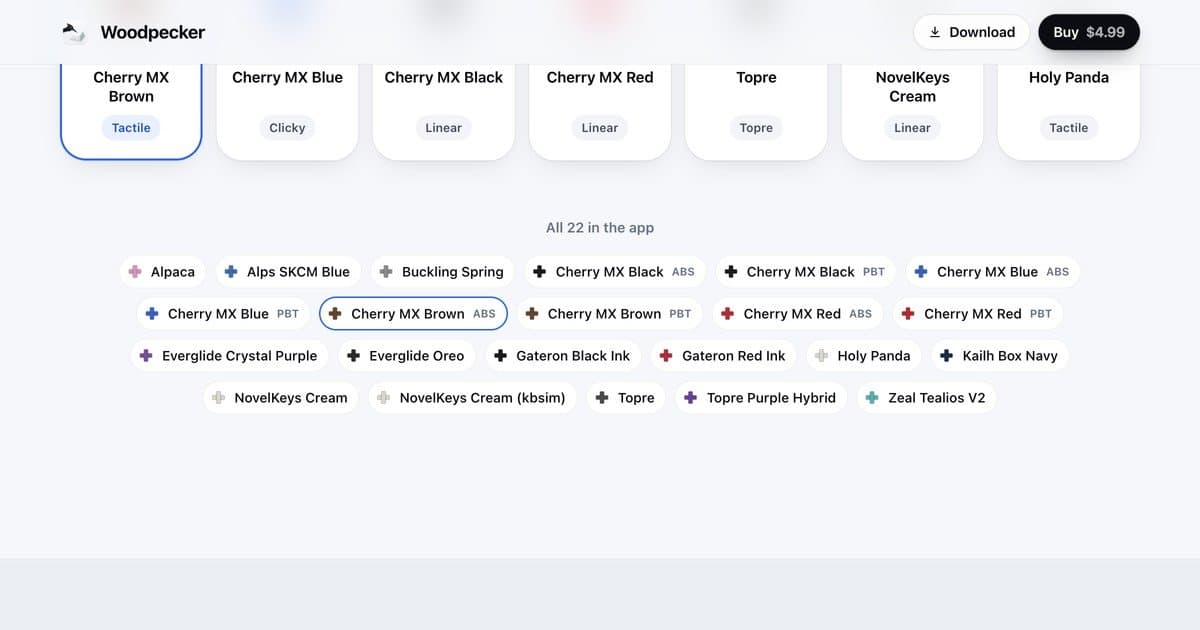
71Clean, confident landing page with crisp keyboard renders, pill switch selectors, and clear hierarchy. The dense 22-switch list at the bottom is low-contrast and hard to scan, and two keyboard renders feel repetitive.
Speed
74Lighthouse 86 mobile / 90 desktop with CLS 0 and TBT 30ms. LCP 3.6s is the weak spot, likely the large keyboard renders. The 34.1 MB app download is reasonable for audio assets.
Security
41HTTPS enforced and SPF present, but no HSTS, CSP, frame protection, or DMARC — 3/12 checklist points. The privacy story (records nothing, silent in password fields) is strong, but no audit or compliance claims back it.
Accessibility
79Lighthouse accessibility 100/100 with one failing audit on visible-text/accessible-name mismatches. No WCAG statement or multi-language support, but the site is keyboard-navigable and contrast is solid.
Growth
58Real niche (Mac users who miss mechanical feel), a concrete 22-switch differentiator, and a privacy wedge. But it's a $4.99 one-time utility in a category with free keyclick apps — headroom is real but narrow.
Improvement areas
- Dense, low-contrast 22-switch list on the homepage needs a searchable or filterable grid
- LCP 3.6s — compress or lazy-load hero keyboard renders to get under 2.5s
- Security headers missing (HSTS, CSP, DMARC, frame protection) — 3/12 checklist points
- No WCAG statement or multi-language support; fix visible-text/accessible-name mismatch
Design & Usability
Woodpecker's landing page is a cut above the typical indie Mac utility. The hero pairs a crisp keyboard render with seven pill-shaped switch selectors, and the interactive typing demo with a 'Sound on' toggle gives you the product's value in about three seconds. The FAQ is unusually honest — it explains the Accessibility permission, admits Bluetooth adds 150-250ms of latency, and spells out what happens when the trial ends. Where it slips: the full 22-switch list at the bottom is a dense, low-contrast wall of tiny colored text that's hard to scan, and the page uses two large keyboard renders back-to-back when one would have done the job. The fixed Download/Buy CTAs and 24-hour trial keep friction low.
Speed & Security
Measured Lighthouse scores land at 86 mobile and 90 desktop, with CLS 0 and TBT 30ms — the page is stable and responsive. The 3.6s LCP is the one soft spot, almost certainly the large keyboard hero images. On security, the story is thinner: HTTPS is enforced and SPF is present, but HSTS, CSP, frame protection, X-Content-Type-Options, Referrer-Policy, Permissions-Policy, and DMARC are all missing — 3 of 12 checklist points. The product's privacy claims (records nothing, silent in password fields, silent on mic) are the right instincts, but there's no audit, no compliance page, and no security.txt to back them up. For a $4.99 utility that's not disqualifying, but it's the weakest dimension.
Accessibility & Growth
Lighthouse accessibility scores a clean 100/100, with one failing audit around visible-text labels not matching accessible names — a common, fixable issue. There's no WCAG statement or multi-language support, but the site is keyboard-navigable and contrast is solid. Growth is the more interesting question: Woodpecker targets a real, specific niche (Mac users who miss mechanical keyboard feel) with a concrete differentiator — 22 switches, 12 recorded key-by-key, per-key panning, and a privacy wedge (silent on mic, silent in password fields). The $4.99 one-time price with 3-Mac licensing is refreshingly honest. The limit is category headroom: free keyclick apps exist, and the addressable market is narrow. It's a well-executed niche product, not a platform.
Conclusion
If you've ever missed the thock of a real keyboard while typing on a MacBook, Woodpecker is the most thoughtful take on that nostalgia I've seen. The per-key recordings and panning are a cut above the generic keyclick apps, and the privacy guardrails show the maker actually thought about when NOT to make noise. The $4.99 one-time price is fair. The caveats are real but small: a dense switch list, a slow LCP, and no security headers worth bragging about. Try the 24-hour trial, pick your switch, and see if the thock sticks.
Suggestions for improvement
- Break the 22-switch list into a searchable or filterable grid with larger, higher-contrast labels
- Compress or lazy-load the hero keyboard renders to bring LCP under 2.5s
- Add HSTS, CSP, and DMARC headers — cheap wins for a privacy-focused app
- Publish a short accessibility statement and fix the visible-text/accessible-name mismatch
Alternatives comparison
Named competitors, point by point. Nobody paid to appear here or to be left out.
 Woodpecker Woodpecker | ||
|---|---|---|
| Price model | $4.99 one-time, up to 3 Macs, 24-hour free trial | Not specified in provided data |
| Switch sound library | 22 switches, 12 recorded key-by-key with per-key panning | Not specified in provided data |
| Privacy guardrails | Silent on mic, silent in password fields, records nothing typed | Not specified in provided data |
| Platform support | macOS 13+, Apple silicon and Intel, MacBook or external keyboard | Not specified in provided data |
Comparing options? See Woodpecker alternatives, scored side by side
More Entertainment & Fun apps
View all Entertainment & Fun
Pushup RPG: Fitness Quest
90Pushup RPG is a camera-based push-up counter and fitness RPG for home workouts. Real push-ups and squats become attacks as you defeat 48 foes across 8 biomes, earn XP and loot, join guilds, and battle in live 40-second duels. Free on iOS and Android.

TUNL - Cave Flyer
89A hold-to-thrust cave flyer with a new daily level, ghost races, and a global leaderboard.

How Long Timer
88HowLongHowManyDays.com is a free online countdown timer that lets you track the time remaining until specific times, dates, holidays, and special even

FaceSwapAI
87AI face swap for photos, videos, GIFs with free trial.

manga translator AI
87Manga Translator AI translates manga and comics into the languages readers choose.

DeepSwapAI
87AI face swap online with no subscription, pay per use.

VibeBot
86AI-powered no-code Discord bot maker

「自听」MyListen
86Turn AI articles into natural audio, locally on your iPhone

67ez
86Free viral 67 (Six Seven) browser games, world counter & ...

TheBean.ai
84Adaptive AI personal trainer that evolves with your progr...

unscene
84A movie-night planner for friends choosing what to watch together.

MathIt
83MathIt turns math practice into a daily habit: a personalized plan, 29 mental-math lessons, 113 games, logic puzzles and live multiplayer.


A platform dedicated to providing unbiased reviews of newly launched applications, analyzing everything from their features to their full potential.
info@scoutforge.net© 2026 Scoutforge. All rights reserved.
