Cycling through all six. Tap any point to stop.
Measured on six things
Live support chat for your website. One inbox for your team.
Growth
58Real problem (small teams drowning in Intercom pricing), specific wedge (flat $19 for 10 seats, no bots/tickets), clear target (SaaS startups, agencies). Category is crowded and the moat is thin.
Screenshots
1 / 4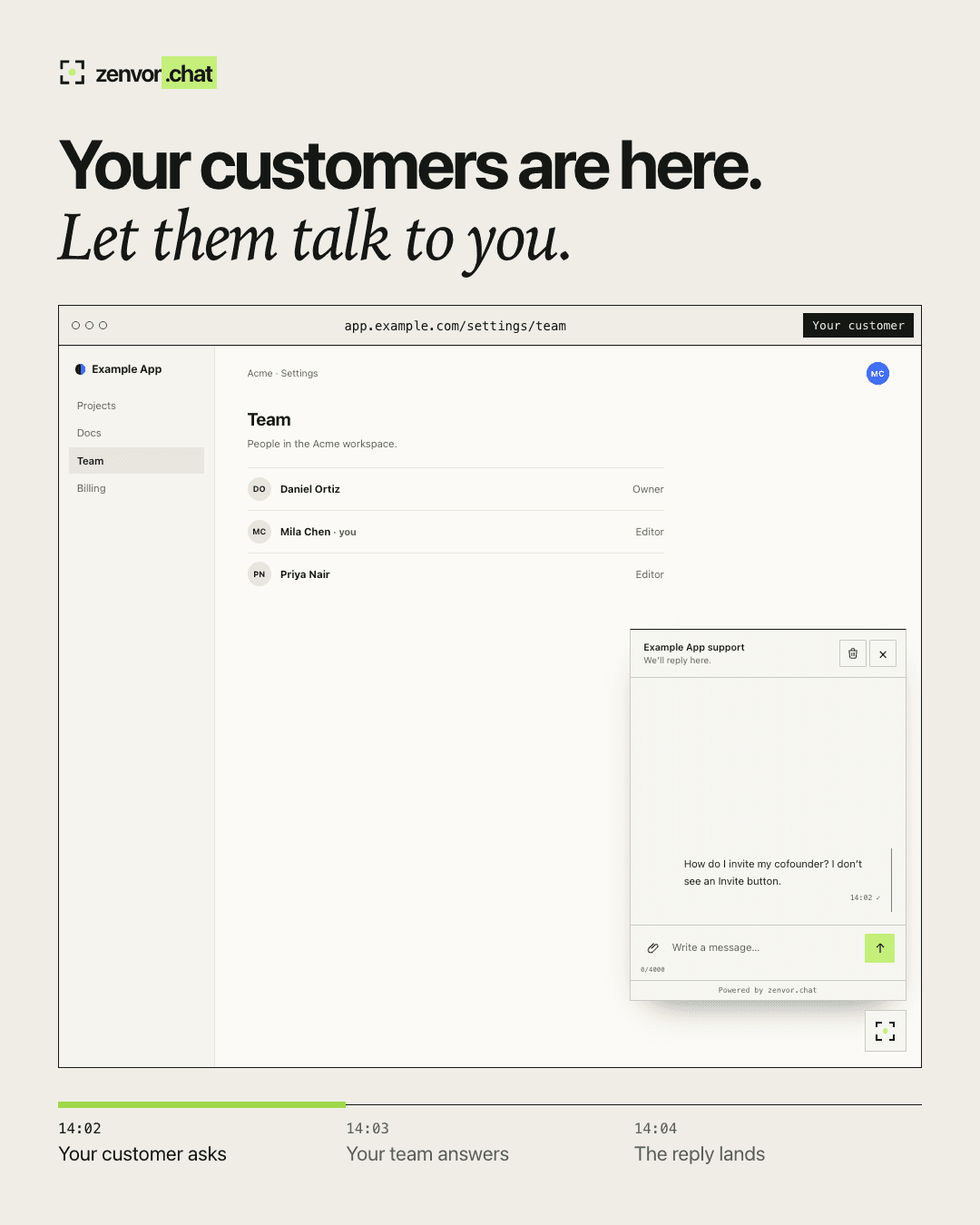
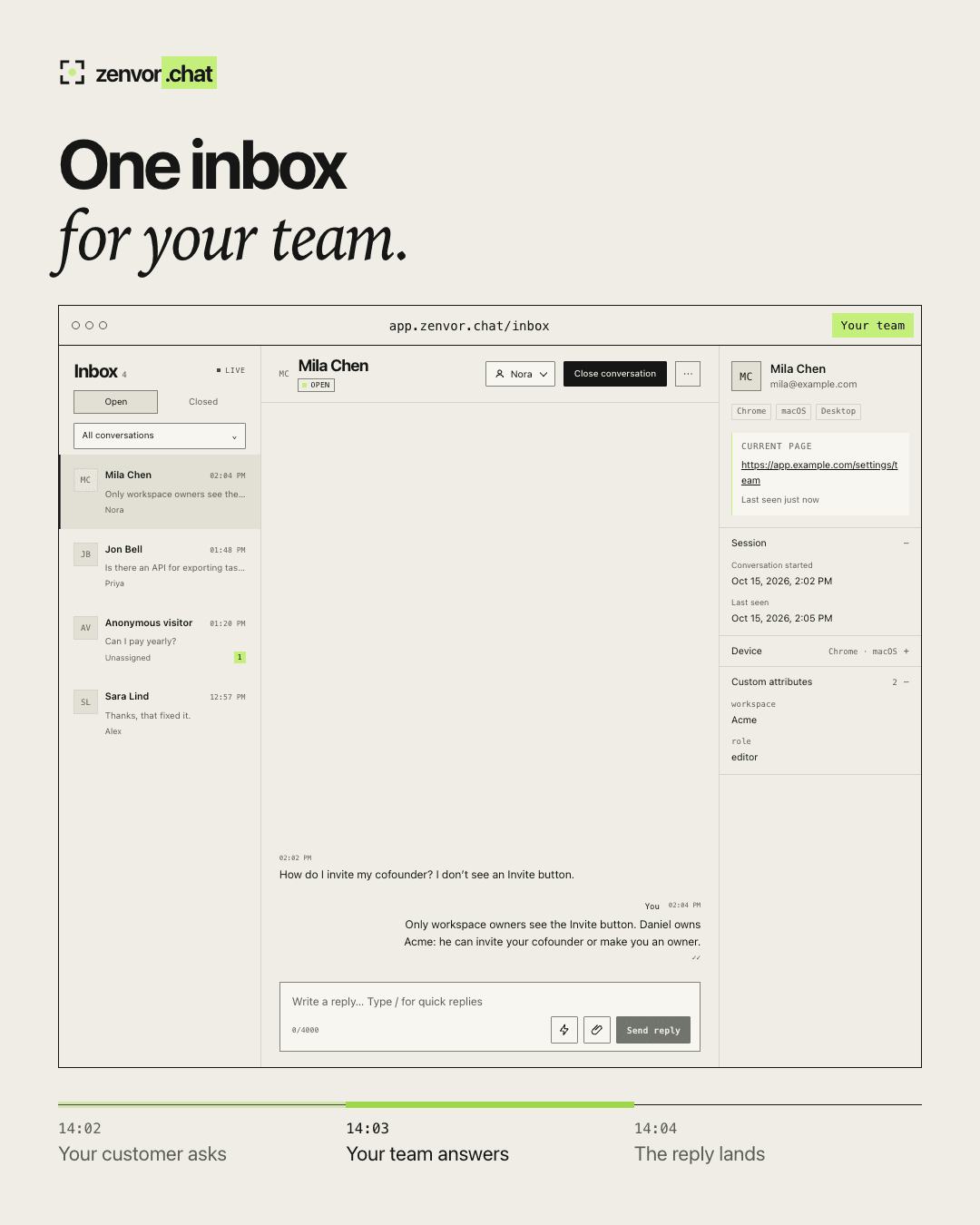
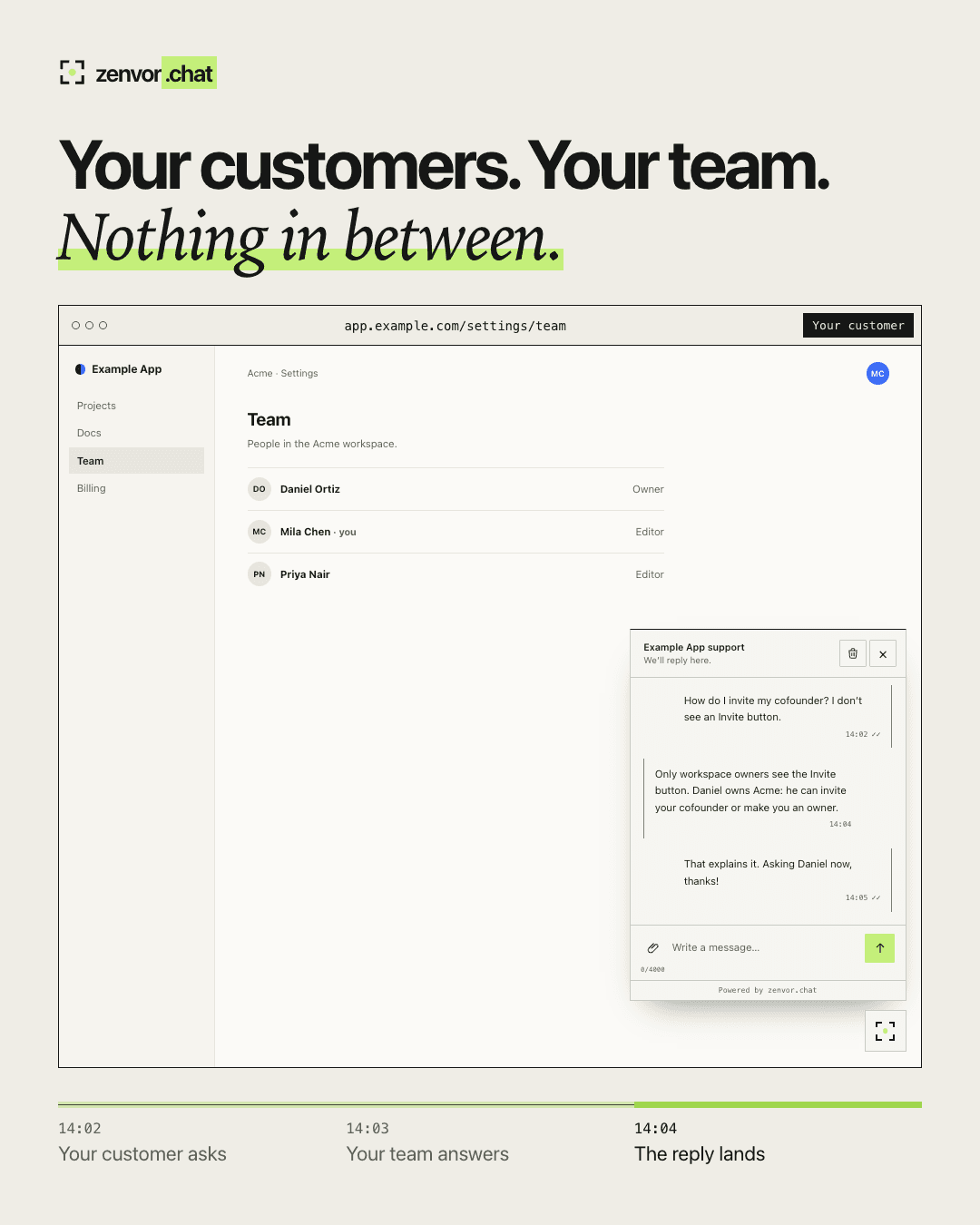
About this app
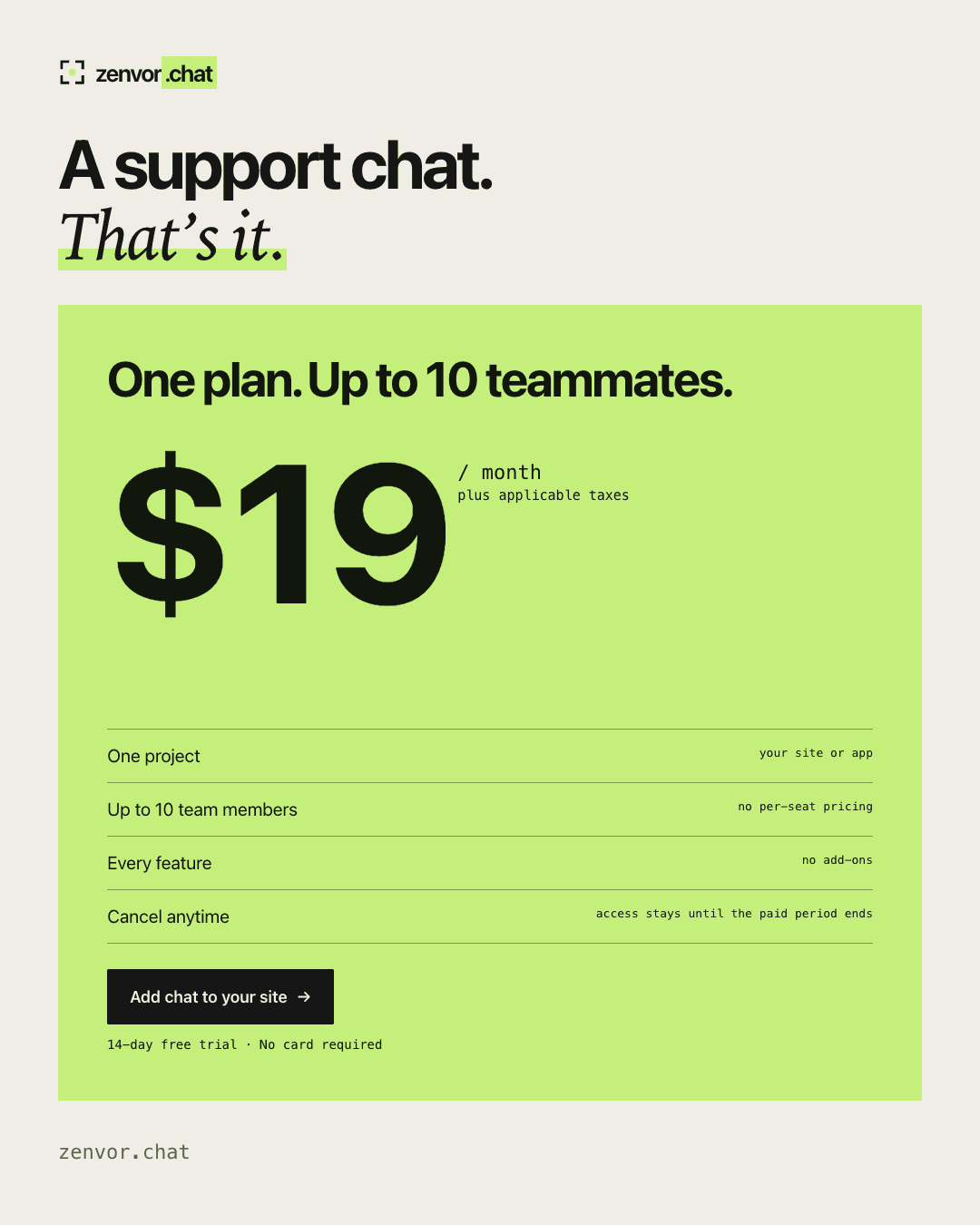
zenvor.chat is a support chat for websites and web apps: a widget for your customers and one shared inbox for your team. It covers the live chat part of tools like Intercom, Crisp or Tidio without bots, tickets or a support platform to configure. - One script tag; works with plain HTML, React, Next.js and Vue - Widget theme, color, launcher position and welcome text - Shared inbox with assignment, quick replies and open/closed conversations - The signed-in user's name, email, plan, seats and current page next to each conversation - Screenshots, videos and documents in both directions - Telegram alert when a message waits for a minute - Data stored in the EU Every reply is written by a person. One plan: $19 per month, up to 10 team members, no per-seat pricing. 14-day free trial, no card required.
Key features
- 1One-script live chat widget with theme, color, launcher position, and welcome text controls
- 2Shared team inbox with assignment, quick replies, and open/closed conversation states
- 3Visitor context per conversation: name, email, plan, seats, current page, device, custom attributes
- 4File sharing both ways (screenshots, videos, documents) and Telegram alerts for waiting messages
- 5Flat $19/month for up to 10 team members, 14-day free trial, no card required, EU data storage
Target customer profile
Drawn from the product itself, not from a survey.
Demographic
SaaS startups and small tech companies
Pain points
Need to offer real-time support but overwhelmed by complex, expensive helpdesk tools
Primary needs
A simple, affordable chat solution with a shared team inbox and easy integration
Demographic
E-commerce website owners
Pain points
Losing sales due to unanswered customer questions and slow email support
Primary needs
Live chat widget that matches site design and allows quick responses from a small team
Demographic
Web development agencies
Pain points
Clients request chat features but existing solutions are hard to customize and maintain
Primary needs
A white-label, easy-to-install chat widget with flexible styling and team collaboration
Scout Review
Written by AI from measured evidence, scored out of 100.
zenvor.chat is a deliberately narrow live-chat tool: one script tag, one shared inbox, one flat price. The execution on the surface is strong — a fast site, a real interactive widget demo, a clean inbox mockup, and a full security header stack. The gaps are the supporting layers: no docs or help center, no accessibility statement despite failing contrast and ARIA audits, and no compliance certifications. Against Intercom it wins on price and simplicity; against Tawk.to it loses on free; against Crisp it wins on focus. Whether that middle position holds depends on whether small teams actually want fewer features or just cheaper ones.
Measure by measure
Usability
62Free trial with no card, one-script install with framework examples, and a live widget demo make signup-to-value short. But no help center, docs site, or changelog surfaced — support for the support tool is thin.
Design
74Clean single-page marketing site with a genuinely interactive widget demo (theme, color, launcher position) and a detailed inbox mockup. Consistent typography and a lime accent. Lacks a dedicated product tour or screenshot gallery.
Speed
88Lighthouse mobile 96/100 (LCP 1.8s, CLS 0, TBT 0ms) and desktop 100/100. The marketing site is genuinely fast — no heavy SPA, no layout shift. Widget script weight on customer sites is not published.
Security
76Full security header stack (HSTS, CSP, frame protection, Permissions-Policy), secure cookies, SPF and DMARC — 13/13 on the probe. EU data storage claimed. No SOC 2, ISO, pen-test, or bug bounty published.
Accessibility
68Lighthouse a11y 93/100, but two real failures: prohibited ARIA attributes and insufficient color contrast. No accessibility statement, no WCAG claim, English-only. Keyboard and screen-reader support for the widget itself unverified.
Growth
58Real problem (small teams drowning in Intercom pricing), specific wedge (flat $19 for 10 seats, no bots/tickets), clear target (SaaS startups, agencies). Category is crowded and the moat is thin.
Improvement areas
- No docs site, help center, or changelog — self-serve support for the support tool is missing
- Two Lighthouse a11y failures (prohibited ARIA, contrast) and no accessibility statement
- No SOC 2, ISO 27001, pen-test report, or bug bounty published for compliance-minded buyers
- English-only UI and no visible integrations beyond the script tag and Telegram
Design & Usability
The marketing site is well-crafted: a live widget demo you can actually restyle, a detailed inbox mockup showing assignment, quick replies, and visitor metadata, and consistent typography throughout. Design lands above the indie-SaaS median. Usability is where it thins out — the 14-day no-card trial and one-script install are genuinely frictionless, and the inline data-attribute examples for HTML/React/Next.js/Vue are exactly what a developer wants. But there is no help center, no docs site, no changelog in the collected content. For a product whose entire job is answering customer questions, having no self-serve answers for your own customers is a conspicuous gap. Onboarding to first message is probably fast; onboarding to 'how do I do X' is a guess.
Speed & Security
Speed is the standout: Lighthouse mobile 96/100 with LCP 1.8s, CLS 0, and TBT 0ms, and a perfect 100 on desktop. The site is static-feeling, snappy, and free of layout shift — no complaints to report. Security is solid on the mechanical side: HTTPS enforced with HSTS, a real CSP, frame protection, Permissions-Policy, secure cookies, and both SPF and DMARC configured, passing 13/13 on the header probe. EU data storage is claimed on the homepage. What's missing is the paperwork layer — no SOC 2, no ISO 27001, no published pen-test, no bug bounty. For a startup selling to SaaS companies and agencies that may have their own compliance questions, that's the next thing to build.
Accessibility & Growth
Accessibility scores 93/100 on Lighthouse but fails two real audits: prohibited ARIA attributes and insufficient color contrast. The contrast failure is the kind of thing that ships because the lime accent looked good in Figma. There's no accessibility statement and no WCAG conformance claim, and the site is English-only. The widget's own keyboard and screen-reader behavior is unverified from outside. Growth is a judgement on the idea: the problem is real (small teams priced out of Intercom), the wedge is specific (flat $19 for 10 seats, no bots or tickets to configure), and the target customer is named. But the category is crowded — Tawk.to is free, Crisp is established, Intercom is the default — and 'we removed features' is a positioning, not a moat. Domain registered April 2026, so this is early; traction isn't the question, defensibility is.
Conclusion
If you're a small SaaS team that wants chat without a helpdesk platform, the $19 flat price and one-script install are genuinely attractive, and the 14-day no-card trial costs nothing to test. Go in expecting to figure things out yourself — there's no docs site to lean on — and check the widget's keyboard and screen-reader behavior against your own accessibility bar before you ship it to customers. The product is honest about what it is: a chat widget and an inbox, nothing more. That's either the pitch or the limitation, depending on what you needed.
Suggestions for improvement
- Publish a real docs site or help center — a support tool with no self-serve answers is a hard sell.
- Fix the two Lighthouse a11y failures: prohibited ARIA attributes and the contrast ratio on the lime accent.
- Add an accessibility statement and a WCAG conformance target; agencies will ask.
- Publish a security page with data handling, subprocessors, and a path to SOC 2 or a pen-test summary.
Alternatives comparison
Named competitors, point by point. Nobody paid to appear here or to be left out.
 zenvor.chat zenvor.chat |  Intercom Intercom |  Tawk.to Tawk.to |  Crisp Crisp | |
|---|---|---|---|---|
| Pricing model | Flat $19/mo for up to 10 seats, no per-seat pricing | Per-seat tiers, significantly higher entry cost | Free with unlimited agents; paid add-ons remove branding | Tiered per-workspace pricing, higher entry point |
| Installation | One script tag; HTML, React, Next.js, Vue examples inline | Script tag plus platform configuration and onboarding | Script tag, dashboard setup required | Script tag plus workspace configuration |
| Bots / automation | None — every reply is written by a person | AI agent, chatbots, workflows, ticketing | Basic triggers and automated greetings | Chatbots, automation scenarios, multi-channel |
| Team inbox | Shared inbox with assignment, quick replies, open/closed | Full inbox with routing, SLAs, and reporting | Shared inbox with agent management | Shared inbox across chat, email, and other channels |
| Visitor context | Name, email, plan, seats, current page, device, custom attributes | Rich user profiles, events, segments | Basic visitor info and page tracking | Visitor profiles with custom data and events |
| Compliance certifications | None published; EU data storage claimed | SOC 2, ISO 27001, GDPR, HIPAA options | GDPR-focused; limited public certifications | GDPR, SOC 2, ISO 27001 published |
Intercom
A comprehensive customer messaging platform with chat, bots, and ticketing, but more complex and expensive.
Tawk.to
A free live chat widget with unlimited agents, but includes ads and limited customization.
Crisp
A multi-channel customer support platform with chat, email, and bots, starting at a higher price point.
Comparing options? See zenvor.chat alternatives, scored side by side
More Productivity apps
View all Productivity
Qamarero
92An all-in-one hospitality software for restaurants and ba...

The Stack Newsletter
92A weekly newsletter delivering curated tech jobs, intervi...

EmbedMyReviews
92White-label reputation management software for agencies s...

StoryPad
92Privacy-first open source journal app with a continuous t...

Puzzly – B2B Lead Generation & Sales Intelligence Platform
92Puzzly is an all-in-one B2B lead generation platform that...

Notion
92All-in-one AI workspace for docs, projects, and knowledge...

Vibe Coding Agent Skills
92A free, open-source platform offering 110 AI agent skills...

CC Switch
91Open-source desktop app for switching AI coding providers...

username.md
90One verified handle for your online identity, readable by...

PitchWhip
90AI cold call scripts & direct dials from LinkedIn

What the GIF
89Frame-perfect video-to-GIF maker that runs entirely in yo...

AuditCloser
89White-label website audits that close deals for digital a...


A platform dedicated to providing unbiased reviews of newly launched applications, analyzing everything from their features to their full potential.
info@scoutforge.net© 2026 Scoutforge. All rights reserved.
