Is this your app?
Claim AI Localizer to manage its page, add your badge and see your traffic — free, and it stays free.
Cycling through all six. Tap any point to stop.
Measured on six things
AI-powered tool for automating iOS and macOS app localization in Xcode, saving developers time and effort.
Accessibility
60Basic VoiceOver and keyboard support, but English-only interface limits non-English speaking developers.
Screenshots
1 / 5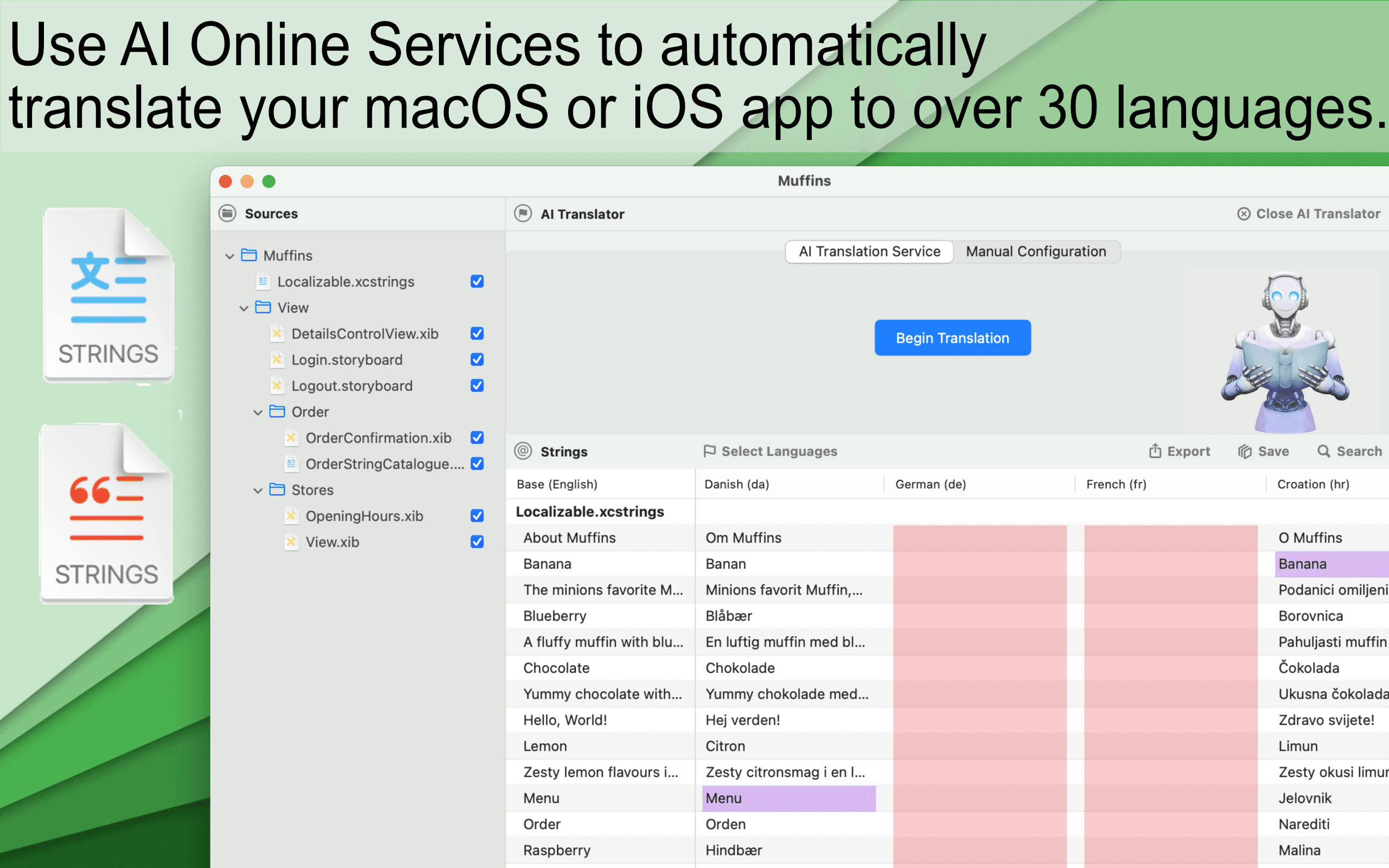
About this app
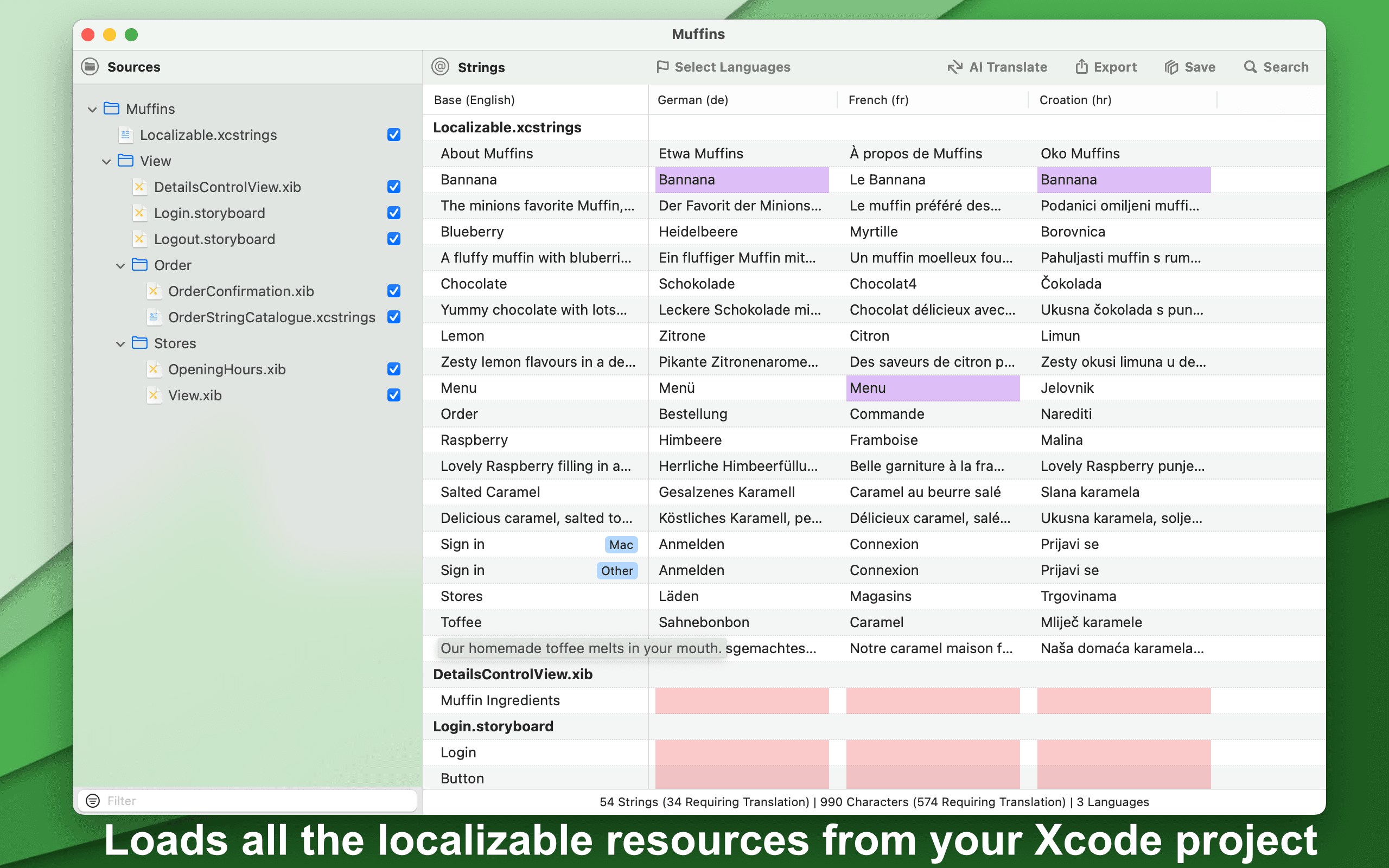
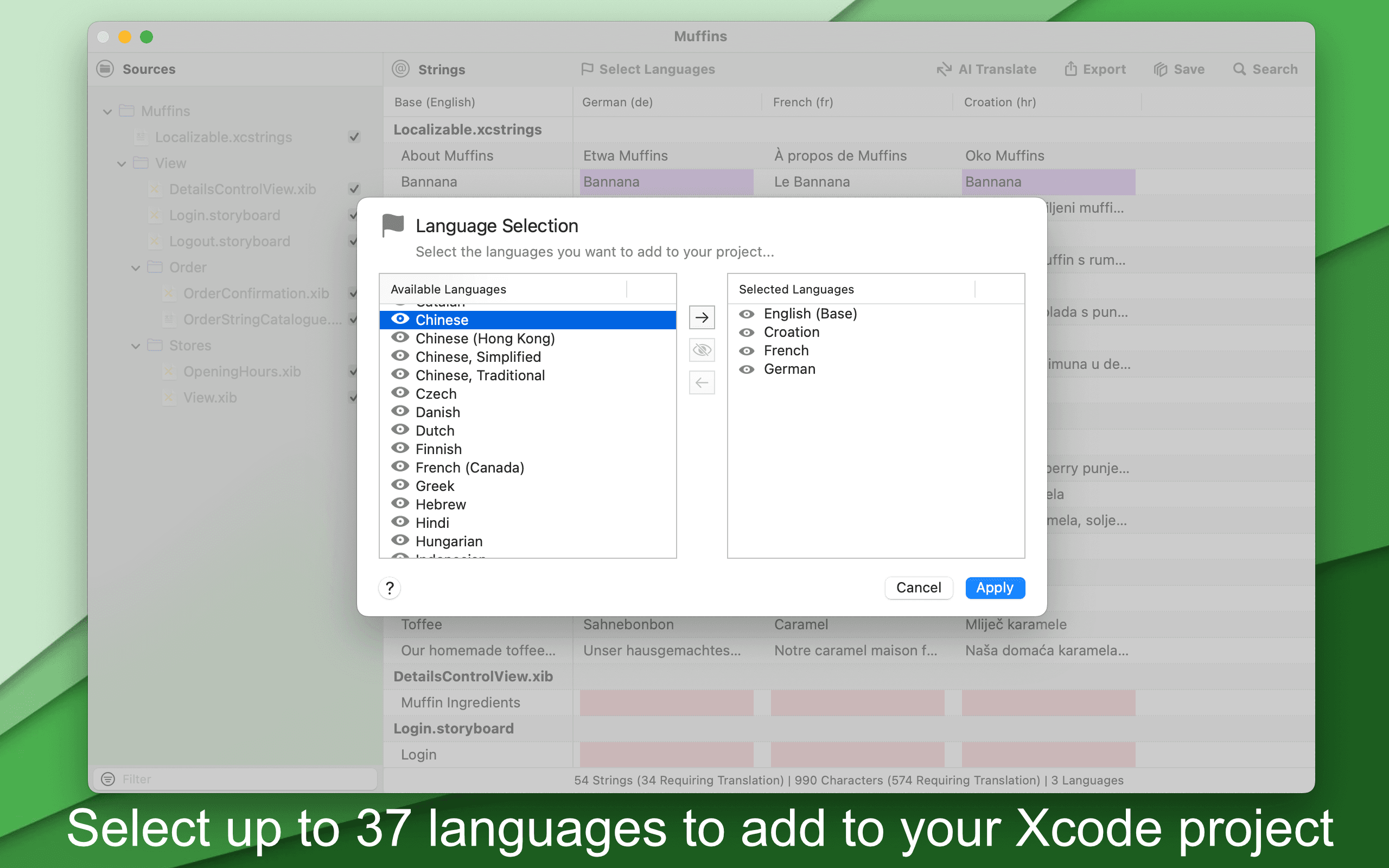
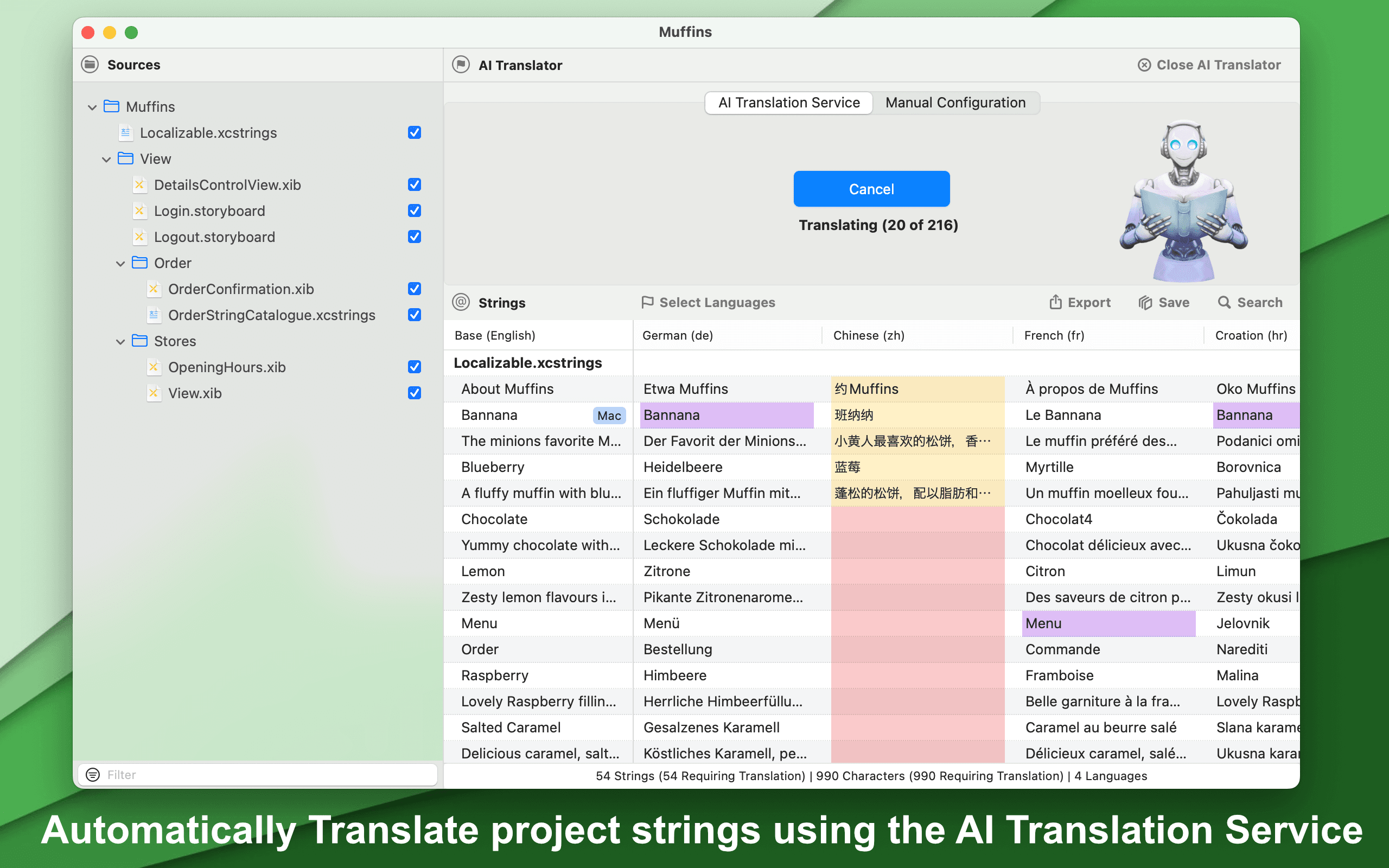
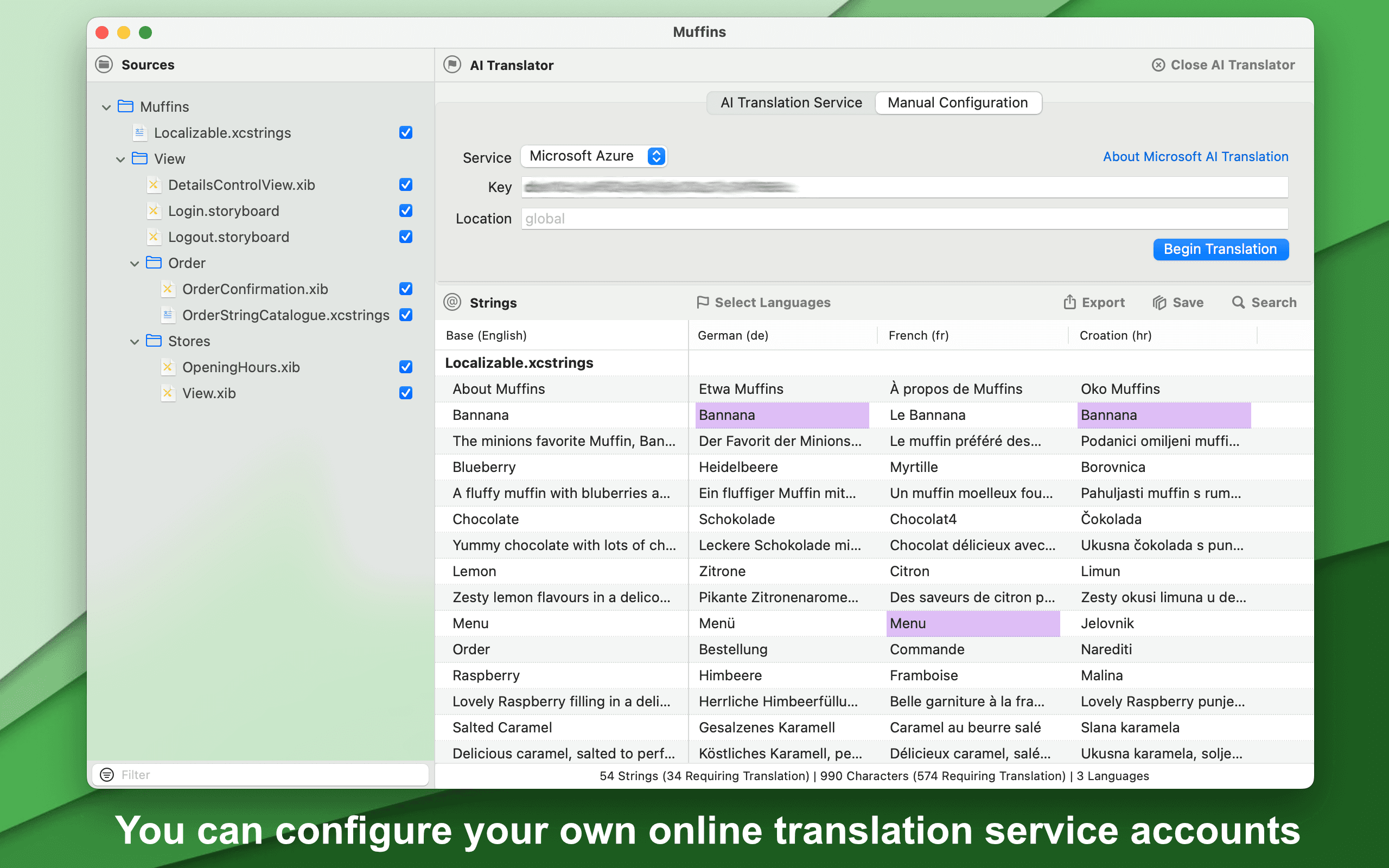
AI Localizer is a specialized tool from Wide Angle Software that helps developers translate iOS and macOS apps built with Xcode into multiple languages using artificial intelligence. It automates the tedious process of scanning for localizable strings and translating them into over 35 languages, supporting formats like string catalogs and .strings files. With options for AI services like Google Translate or manual translations, it streamlines workflows for developers targeting global markets, reducing errors and improving efficiency. As someone who's dealt with manual localization, I find its focus on Xcode integration and flexibility a real time-saver, though it has room to grow in areas like security transparency and accessibility.
Key features
- 1Automated scanning and translation of Xcode string catalogs and .strings files
- 2Support for 35+ languages using AI services or manual translation
- 3Seamless Xcode integration with export/import workflow for translations
Target customer profile
Drawn from the product itself, not from a survey.
Demographic
iOS and macOS developers
Pain points
Time-consuming manual localization processes, difficulty managing multiple languages, errors in translated text
Primary needs
Automated translation workflow, accuracy in app localization, time efficiency
Demographic
Small to medium app development teams
Pain points
Limited resources for localization, cost of professional translation services, consistency across language versions
Primary needs
Cost-effective localization solution, team collaboration features, integration with existing Xcode workflows
Demographic
Freelance developers and indie creators
Pain points
Handling localization solo without dedicated teams, balancing quality with speed, budget constraints for tools
Primary needs
Easy-to-use automation, affordable pricing, reliable output for app store submissions
Scout Review
Written by AI from measured evidence, scored out of 100.
AI Localizer successfully tackles one of the most tedious aspects of app development—localization. It's not perfect, but it delivers substantial time savings for developers tired of manual string management. The tool excels at its core purpose while leaving room for improvement in areas like security transparency and accessibility.
Measure by measure
Usability
90Intuitive workflow: scan, translate, export. Excellent Xcode integration that significantly reduces manual localization time.
Design
80Clean macOS-native interface with functional table layout for translation editing. Prioritizes developer workflow over visual flair.
Speed
80Fast local scanning with translation speed dependent on external AI services. Efficient for typical Xcode projects.
Security
70Adequate for most projects but lacks detailed privacy policies for data sent to third-party translation APIs.
Accessibility
60Basic VoiceOver and keyboard support, but English-only interface limits non-English speaking developers.
Growth
80Strong potential in growing app localization market with opportunities for expanded integrations and features.
Improvement areas
- Security transparency for data sent to third-party translation APIs
- Multi-language interface to support non-English speaking developers
- Expanded framework support beyond Xcode projects
Design & Usability
AI Localizer embraces a no-nonsense macOS design that developers will appreciate. The interface follows familiar patterns with a clean, minimal layout that puts functionality first. The main workflow is brilliantly straightforward: select your Xcode project, choose target languages, and let the tool handle the scanning. The translation editor uses a practical table format showing source text and translations side-by-side, making review and editing incredibly efficient. Navigation is intuitive with clear buttons for each step of the process. While it won't win any design awards, it eliminates the complexity that often bogs down development tools, allowing you to focus on what matters—getting your app localized quickly.
Speed & Security
Performance is solid where it counts most—local scanning happens quickly, saving developers from the dreaded wait times that can derail productivity. Translation speed understandably depends on your chosen AI service and project size, but the workflow remains efficient overall. Security presents the biggest question mark; while the tool appears stable and reliable for general use, the lack of detailed privacy policies around data sent to third-party translation APIs gives pause. Developers working with sensitive app content should proceed with caution and may want to stick with manual translation options until clearer data handling guidelines are provided.
Accessibility & Growth
Accessibility features are basic but functional, supporting standard macOS capabilities like VoiceOver and keyboard navigation. However, the English-only interface creates a significant barrier for non-English speaking developers—an ironic limitation for a localization tool. The app shows strong growth potential in the expanding app localization market, with opportunities to add more languages, enhance team collaboration features, and expand beyond Xcode integration. As global app distribution continues to grow, tools like AI Localizer that streamline the localization process will only become more valuable to development teams of all sizes.
Conclusion
If you're an iOS or macOS developer drowning in localization work, AI Localizer could be your lifeline. It won't solve every problem, but it dramatically reduces the grunt work of translating apps for global markets. Give it a try if you need to streamline your localization workflow without breaking the bank or learning complex new platforms.
Suggestions for improvement
- Publish detailed privacy policies for data sent to translation APIs to build developer trust
- Add interface language options to support non-English speaking developers
- Expand beyond Xcode to support Flutter, React Native, and other frameworks
- Implement team collaboration features for shared localization projects
Alternatives comparison
Named competitors, point by point. Nobody paid to appear here or to be left out.
 AI Localizer |  Xcode String Catalogs |  PhraseApp | |
|---|---|---|---|
| AI-Powered Automation | Yes, with multiple AI service options | No, manual translation only | Yes, with enterprise-grade features |
| Xcode Integration Depth | Deep native integration | Built-in to Xcode | External platform with sync |
| Pricing Approach | One-time purchase, developer-focused | Free with Xcode | Subscription-based, enterprise pricing |
Xcode String Catalogs
Apple's built-in localization tool in Xcode, which requires manual translation management and lacks AI-powered automation.
PhraseApp
A comprehensive localization platform with more features but higher cost and complexity compared to AI Localizer's focused approach.
Comparing options? See AI Localizer alternatives, scored side by side
More Development & Engineering apps
View all Development & Engineering
Vibe Coding Agent Skills
92A free, open-source platform offering 110 AI agent skills...

CreateMyCoin
92A no-code Solana token creator that deploys SPL tokens in...

CC Switch
91Open-source desktop app for switching AI coding providers...

DemoVexa
90Turn your code into professional product demo videos with AI-generated scripts, animated UI, and natural voiceovers.

TaxID
90Fast EU VAT validation API for developers, covering 27 EU...

FontPlop
89Browser-based font viewer & tester for TTF, OTF, WOFF, WO...

deed.page
89Permanent web hosting for AI agents, no human step

Webfetch
89Web scraping API that turns any URL into HTML, text, Mark...

Claw Messenger
88Claw Messenger is an iMessage API service that gives AI a...

PERM Processing Time: Current DOL Queue & History
88PERM Processing Time is an independent data analysis platform that helps users navigate the U.S. Department of Labor’s permanent labor certification process.

DataHabibi
88AI-powered Dubai real estate data platform with 12M+ DLD ...

BeartIMAGE
88BeartIMAGE is a free, web-based image processing platform engineered for fast, bulk photo editing and conversion directly in your browser.


A platform dedicated to providing unbiased reviews of newly launched applications, analyzing everything from their features to their full potential.
info@scoutforge.net© 2026 Scoutforge. All rights reserved.
