Cycling through all six. Tap any point to stop.
Measured on six things
Bring AI agents and tools into managed workflows for faster execution and measurable outcomes.
Design
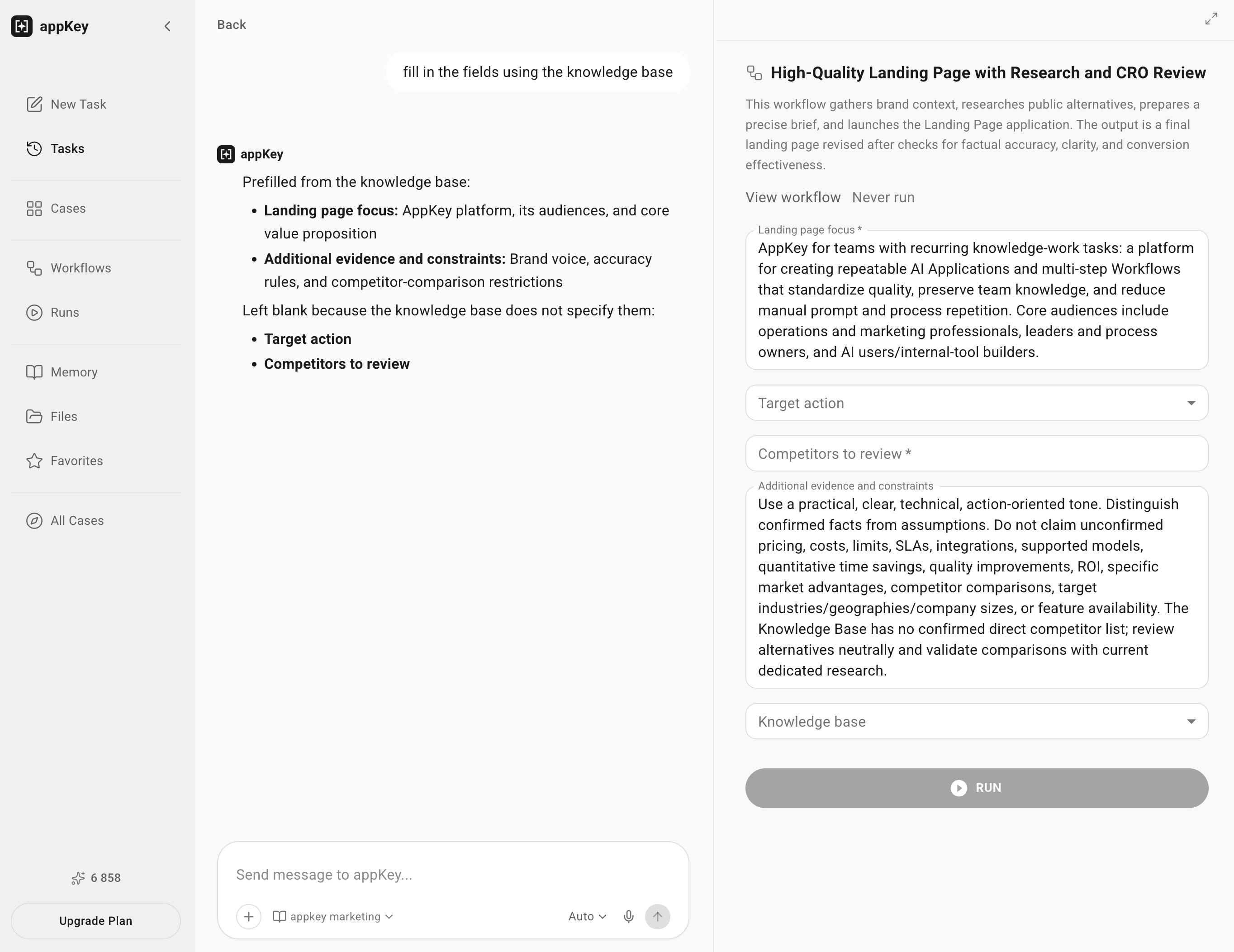
32The app workspace screenshots show a clean sidebar and readable task form, but the live homepage ships with a hero headline cut off mid-word and a broken input field. Marketing surface is not production-ready.
Screenshots
1 / 7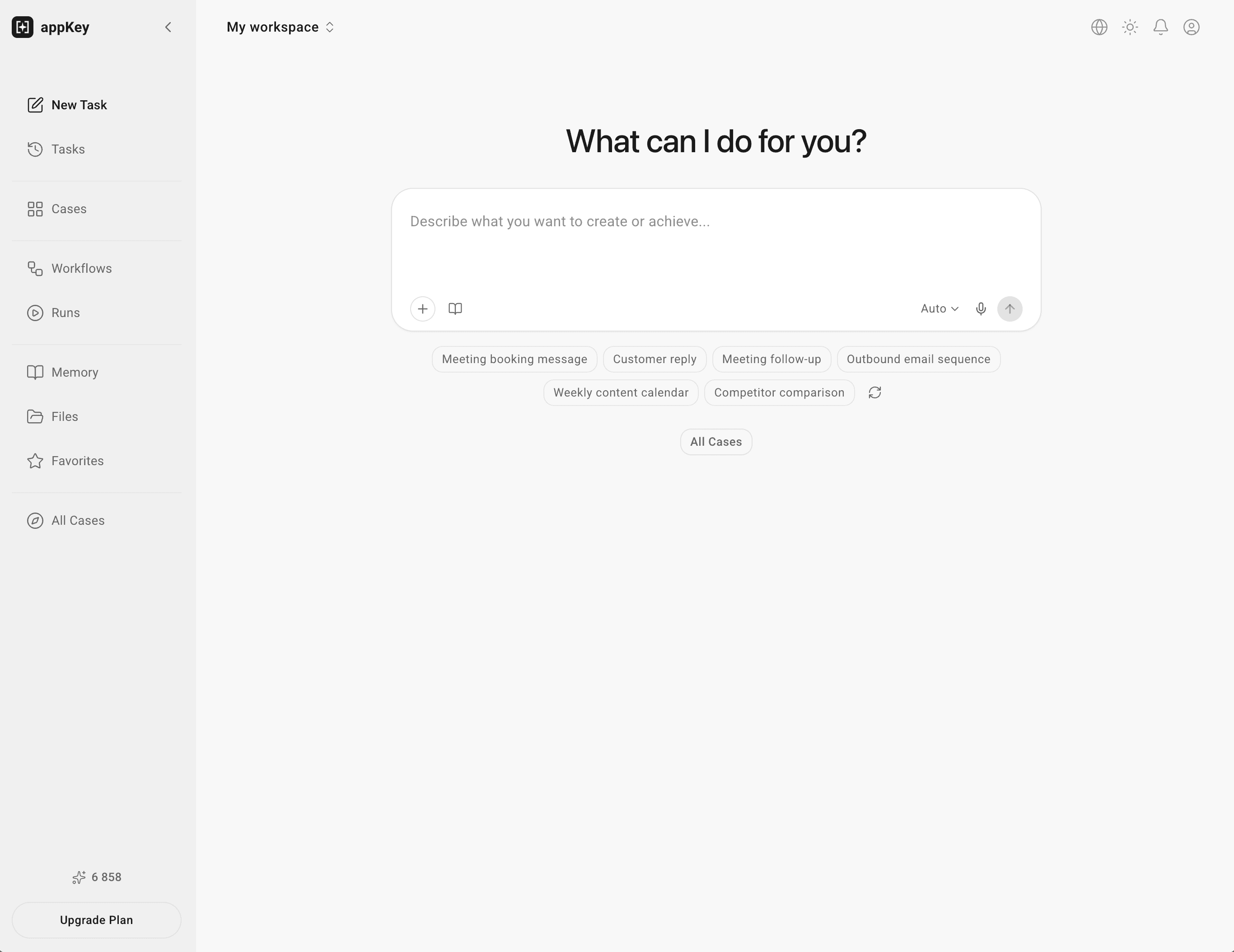
About this app
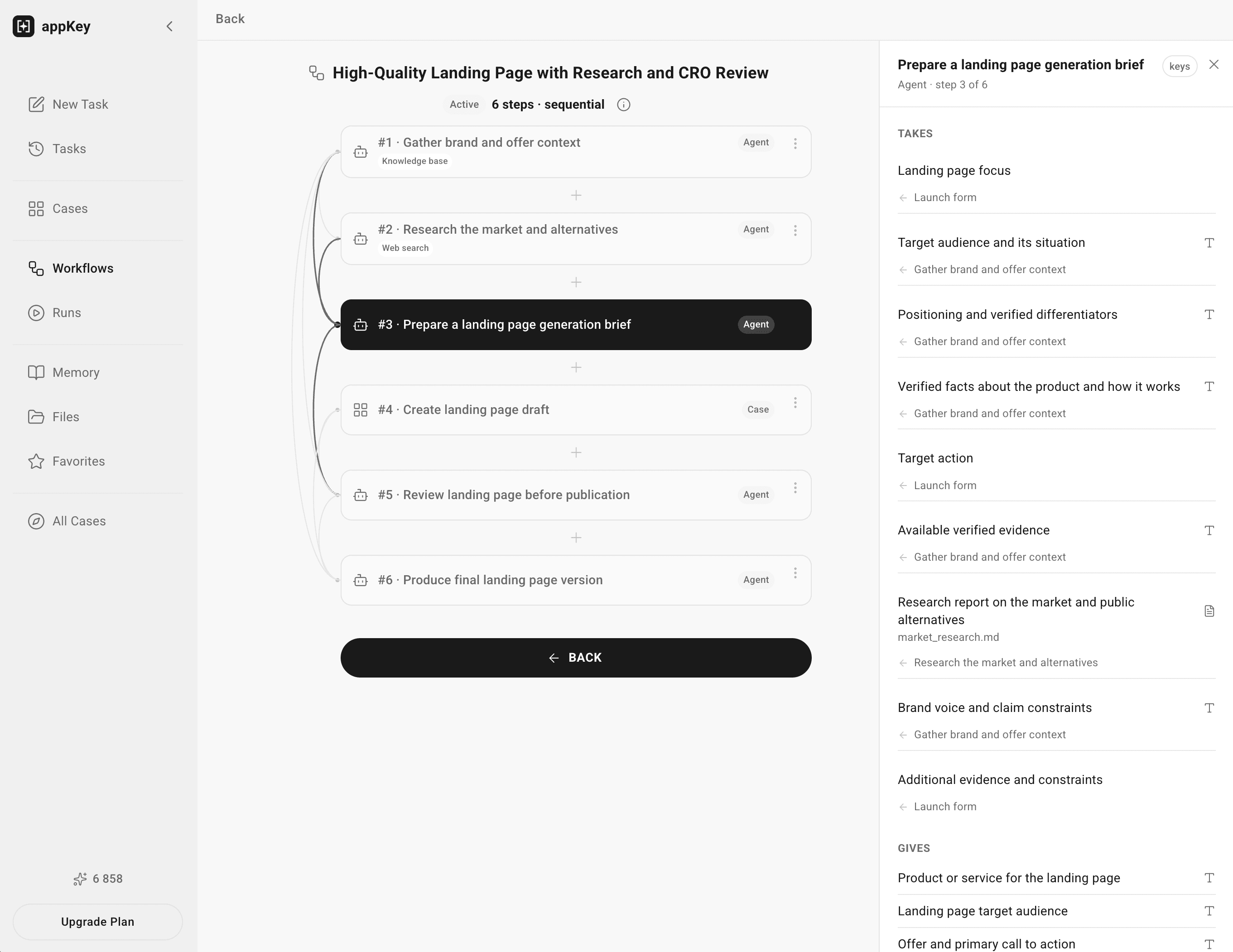
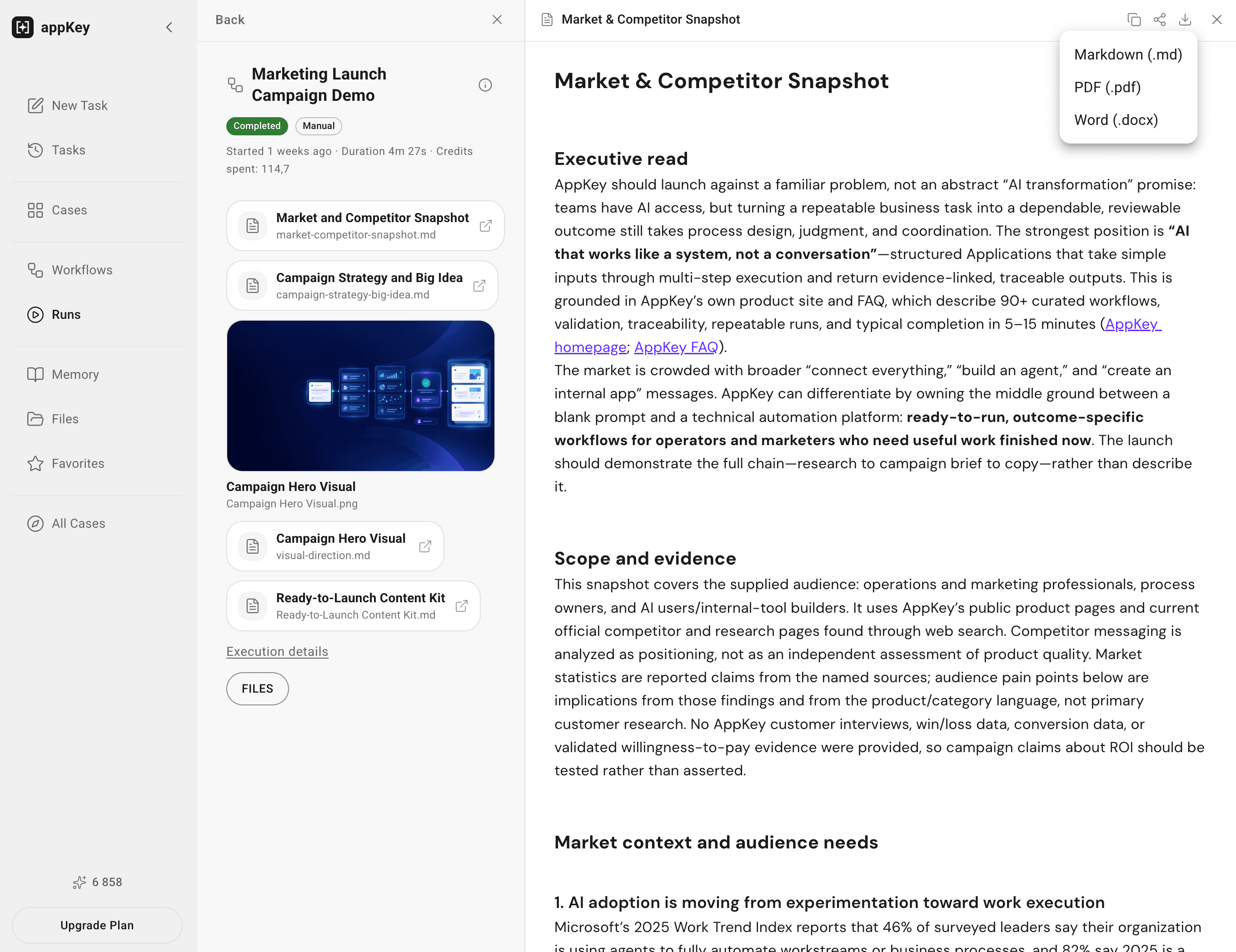
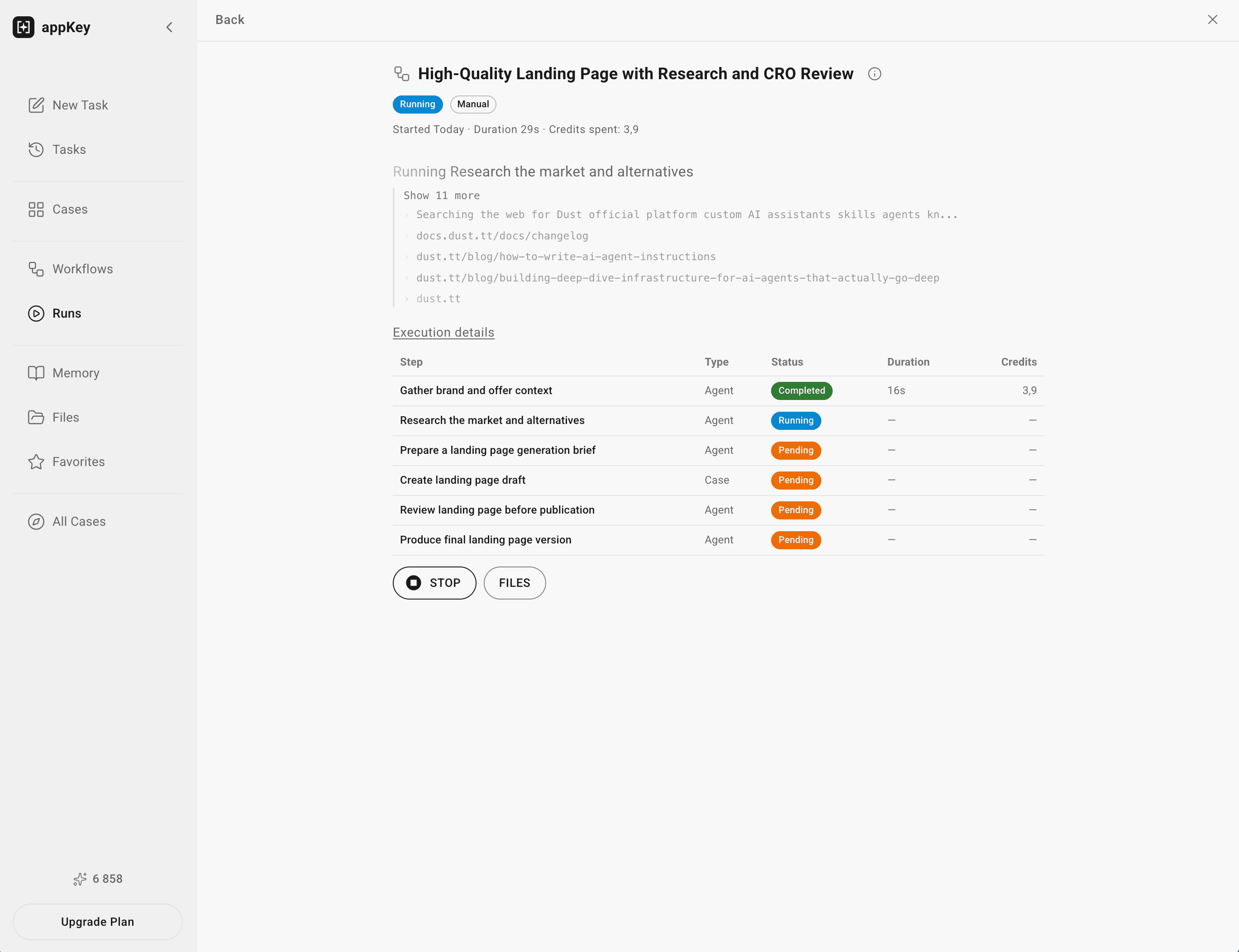
appKey.ai is an AI agent platform for marketing. It helps teams research markets, analyze competitors, develop strategies, and create content. Describe a task in plain language, and the assistant turns it into a reusable workflow. Build custom workflows or choose solutions from the library. Use appKey.ai to study competitors, explore customer needs, find content ideas, and create social posts, emails, ads, or landing pages. Turn research into workflows that put recommendations into action. Add product details, brand guidelines, and references through files and a knowledge base. Agents use this context to work consistently without repeating product, audience, or messaging information. Review results and ask the assistant to refine workflows, add research, change formats, or apply campaign feedback. Save workflows for reuse with new campaigns, products, or audiences. Shared workspaces, saved sessions, and exportable files support collaboration. Build a library from team's know-how.
Key features
- 1Plain-language task descriptions converted into reusable AI workflows
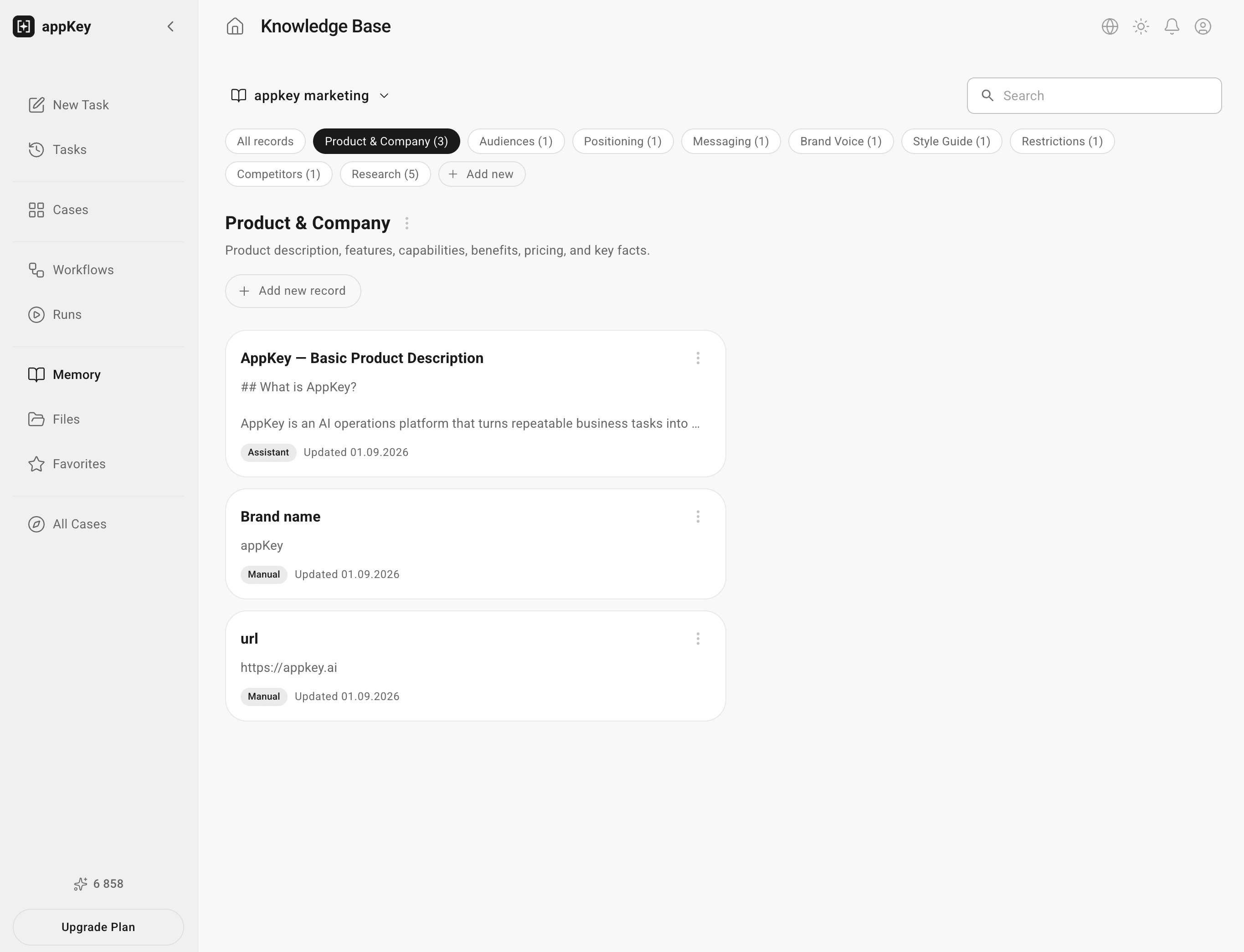
- 2Knowledge base for product details, brand guidelines, and reference files
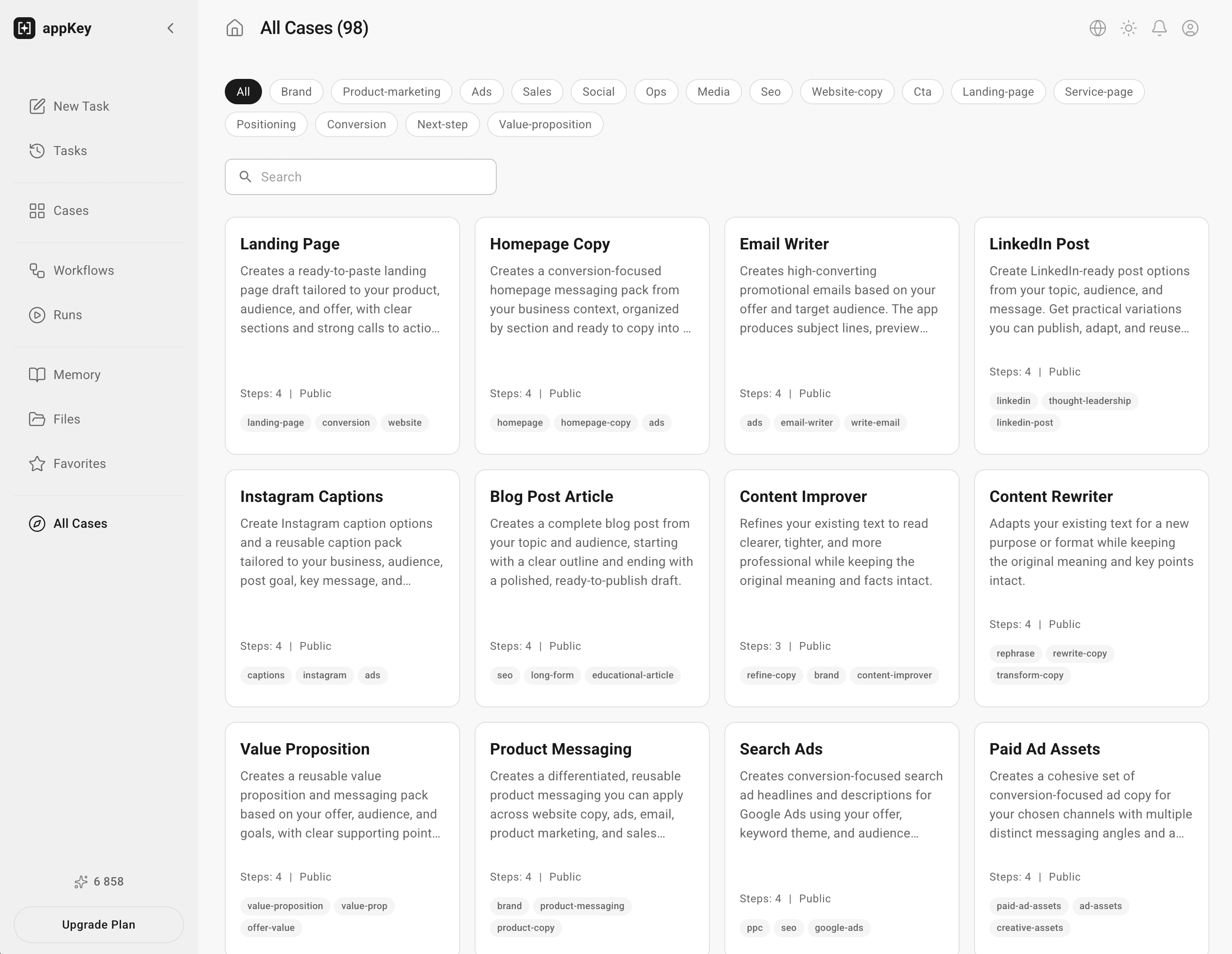
- 3Workflow library with prebuilt solutions plus custom workflow builder
- 4Shared workspaces, saved sessions, and exportable files for team collaboration
Target customer profile
Drawn from the product itself, not from a survey.
Demographic
Growth marketers at startups
Pain points
Juggling multiple AI tools; lack of integration; manual campaign management
Primary needs
Streamlined AI workflows; centralized control; measurable ROI
Demographic
Digital marketing agencies
Pain points
Scaling client campaigns; inconsistent execution; reporting complexity
Primary needs
Automation of repetitive tasks; multi-client management; performance tracking
Demographic
Sales teams in B2B companies
Pain points
Lead qualification inefficiency; personalization at scale; data silos
Primary needs
AI-driven lead scoring; automated outreach; CRM integration
Scout Review
Written by AI from measured evidence, scored out of 100.
appKey.ai has a coherent idea — plain-language task descriptions become reusable marketing workflows, with a knowledge base keeping brand context consistent. The workspace screenshots suggest a competent interior. But the live homepage is broken: truncated hero text, a half-rendered input, and a cookie banner covering the workflow cards. Speed is poor (26-second LCP), security headers are half-configured, and accessibility is good-but-not-great. The idea is the best part; the execution on the marketing surface is the worst.
Measure by measure
Usability
58Plain-language task-to-workflow conversion, a workflow library, and a knowledge base for brand context are genuinely useful primitives. But the homepage CTA is unreadable, so first-time visitors can't even find the door.
Design
32The app workspace screenshots show a clean sidebar and readable task form, but the live homepage ships with a hero headline cut off mid-word and a broken input field. Marketing surface is not production-ready.
Speed
44Lighthouse mobile 53/100 with a 26.2s LCP and 25.9s FCP. Desktop 59/100. CLS is excellent at 0.006, but a 26-second largest contentful paint means visitors stare at nothing for half a minute.
Security
50HTTPS and HSTS are in place with SPF configured, but CSP, frame protection, X-Content-Type-Options, Referrer-Policy, and Permissions-Policy are all missing, and DMARC isn't set. 5/12 header checklist points.
Accessibility
70Lighthouse accessibility scores 91/100, which is solid. Two real failures remain: buttons without accessible names and insufficient color contrast. No WCAG statement published, so the ceiling is capped.
Growth
62Real problem (marketers juggling disconnected AI tools), specific segments (growth teams, agencies, B2B sales), and a real wedge: reusable workflows plus persistent brand knowledge. Early-stage but well-aimed.
Improvement areas
- Homepage hero text truncation and broken input field on live render
- 26.2-second LCP and 25.9-second FCP on mobile Lighthouse
- Missing CSP, frame protection, X-Content-Type-Options, Referrer-Policy, and DMARC
- Buttons without accessible names and insufficient color contrast
Design & Usability
The product's interior — the workspace with its sidebar, prompt card, and two-column task form — looks competent and scannable. The problem is the storefront. The live homepage render shows a hero headline truncated mid-word, an input field stuck at 'Syn|', and a cookie banner parked on top of the workflow cards. For a product whose pitch is 'describe a task in plain language,' the homepage fails to describe itself. Usability inside the app is reasonable: suggested prompt chips, a workflow library, and a knowledge base for brand context are the right primitives for the target buyer. But a visitor who can't read the CTA never gets to see any of it.
Speed & Security
Speed is the weakest measured dimension. Lighthouse mobile scores 53/100 with a 26.2-second LCP and 25.9-second FCP; desktop is 59/100. CLS is excellent at 0.006, so the layout is stable — it's just stable and empty for half a minute. Security sits at 5/12 on the header checklist: HTTPS and HSTS are enforced and SPF is configured, but CSP, frame protection, X-Content-Type-Options, Referrer-Policy, and Permissions-Policy are all absent, and DMARC isn't published. No SOC 2, ISO, or bug bounty signals appear in the collected evidence. For a tool that ingests brand guidelines and product details into a knowledge base, the missing CSP and DMARC are worth fixing before pitching enterprise buyers.
Accessibility & Growth
Accessibility lands at 91/100 on the Lighthouse axe audit, which is above average. Two real failures remain — buttons without accessible names and insufficient color contrast — and no WCAG conformance statement is published, so the score is capped in the low 70s rather than higher. Growth is the strongest dimension: the problem (marketers stitching together disconnected AI tools) is real, the segments are specific (growth teams, agencies, B2B sales), and the wedge — reusable workflows plus persistent brand context — is a genuine differentiator against Jasper, Copy.ai, and Gumloop. The category is crowded, but the 'build once, reuse across campaigns' angle is defensible if execution catches up to the pitch.
Conclusion
If you're evaluating appKey.ai, judge it on the workspace, not the homepage — the interior looks more finished than the storefront. Before recommending it to a team, ask about CSP and DMARC, and check whether the 26-second load time is a hosting issue or a systemic one. The workflow-reuse concept is worth a trial; the current public-facing experience is not yet worth a screenshot in a pitch deck.
Suggestions for improvement
- Fix the homepage hero truncation and broken input field — this is the single highest-leverage fix.
- Move the cookie banner out of the workflow cards section or delay it until after scroll.
- Add CSP, frame protection, X-Content-Type-Options, Referrer-Policy, and DMARC to the header set.
- Investigate the 26-second LCP — likely a blocking script or unoptimized hero asset on the critical path.
Alternatives comparison
Named competitors, point by point. Nobody paid to appear here or to be left out.
 appKey.ai appKey.ai | Jasper | Copy.ai | Gumloop | |
|---|---|---|---|---|
| Core approach | Plain-language task to reusable workflow with knowledge base | AI content generation with brand voice and templates | AI copywriting and content generation workflows | Visual no-code AI workflow automation platform |
| Knowledge base / brand context | Yes — files, product details, brand guidelines | Yes — brand voice and style guide | Yes — brand voice profiles | Limited — via connected data sources |
| Reusable workflow library | Yes — prebuilt plus custom workflows | Templates and campaigns, not full workflows | Workflow templates for content tasks | Yes — visual flow builder with templates |
| Target audience | Growth marketers, agencies, B2B sales teams | Enterprise marketing teams | Marketers and content teams | Ops and automation-focused teams |
| Collaboration features | Shared workspaces, saved sessions, exportable files | Team workspaces and brand asset sharing | Team workspaces and shared projects | Shared flows and team collaboration |
Comparing options? See appKey.ai alternatives, scored side by side
More Marketing Automation apps
View all Marketing Automation
NudgeWin
89Automated quote follow-up for trades and service businesses.

Spotwise
88AI-powered radio ad monitoring platform that tracks compe...

TranscriptYou
88Free YouTube transcript generator with timestamps and AI ...

Spek
88Grow your app with self-learning ASO agents

CraftPilot
87AI tools for Etsy sellers — keyword research, listing optimization, and shop insights

Mygom SEO
87MygomSEO is an AI marketing agent that audits your site, writes SEO content, publishes to 12+ CMS platforms, posts to social, and monitors rankings 24/7.

The Salon Ads Studio
87Salon Ads Studio builds and runs your Google Ads. Right now, people a few streets from your door are on Google looking for exactly what you do.

QRocodile
87Design And Animate QR Codes People Want to Scan

Plori
87Cloud AI agents with persistent disk, memory, and real CL...

BlueVeta
86One product photo in. A full multi-platform marketing campaign out.

BlueVetaUpright
86API that detects product photo rotation and tells you how...

SnitchFeed
85AI-powered social listening for startups & SMBs to find h...


A platform dedicated to providing unbiased reviews of newly launched applications, analyzing everything from their features to their full potential.
info@scoutforge.net© 2026 Scoutforge. All rights reserved.
