Cycling through all six. Tap any point to stop.
Measured on six things
BlueHumanizer turns AI-generated text into clear, natural writing in one click. Better flow, sharper phrasing, your meaning intact. Free to start.
Growth
32No reviews, GitHub activity, or third-party mentions found despite '100k writers' claim; new or low-visibility product with pricing tiers live.
Screenshots
1 / 1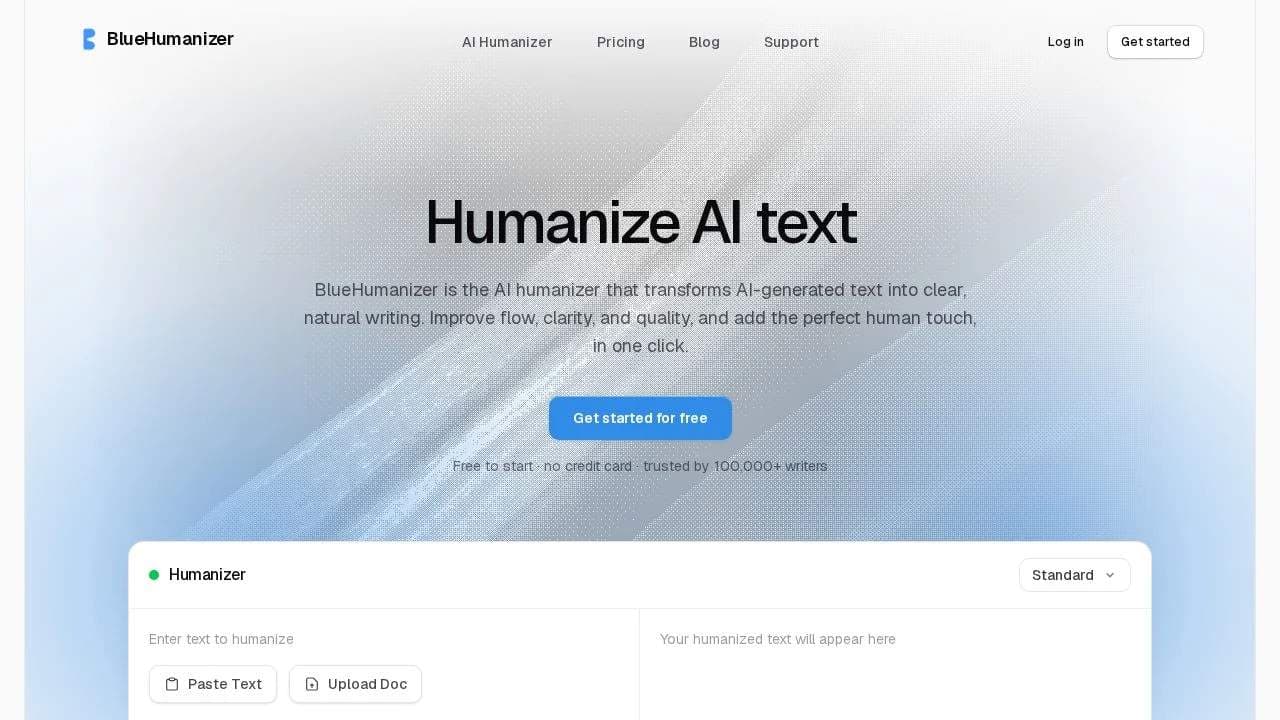
About this app
BlueHumanizer is an AI humanizer that transforms AI-generated text into clear, natural writing in one click. Paste output from ChatGPT, Claude, Gemini, or any AI writer, and BlueHumanizer rewrites it into polished, human-sounding prose with better flow and sharper phrasing, all while keeping your meaning, tone, and key points intact. Unlike basic tools that just swap words for synonyms, it reshapes sentence structure and restores the natural rhythm that makes writing feel real. Quotes and citations stay untouched. With 50+ language support, adjustable humanization levels, and tone controls, it's built for students, researchers, marketers, and anyone who writes with AI. Whether you're refining an essay, polishing a research paper, shipping on-brand marketing copy, or warming up everyday emails and reports, BlueHumanizer delivers writing that reads clean, natural, and ready to publish. Free to start, no credit card required.
Key features
- 1One-click humanization with adjustable strength, tone, and restructuring while preserving meaning and citations.
- 250+ language support with automatic detection and output for non-native writers.
- 3Document upload, detection score checker (Pro+), and API access (Max) across three paid tiers.
Target customer profile
Drawn from the product itself, not from a survey.
Demographic
Students (ages 18-30) writing essays and assignments
Pain points
AI-generated drafts sound robotic and get flagged by detectors
Primary needs
Humanize text to avoid detection while preserving academic integrity
Demographic
Content marketers and bloggers (25-45) producing daily articles
Pain points
Raw AI output is flat and lacks brand voice
Primary needs
Quickly turn AI drafts into engaging, on-brand copy
Demographic
Non-native English speakers (20-50) writing professionally
Pain points
AI-generated English still feels unnatural and lacks fluency
Primary needs
Get natural-sounding English text without heavy editing
Scout Review
Written by AI from measured evidence, scored out of 100.
BlueHumanizer delivers a functional, instant-gratification AI humanizer with a live demo and clear pricing, but its design, security, and growth dimensions remain average or below because of generic visuals, missing compliance signals, and complete absence of external validation. It sits comfortably in the middle of the pack for a niche writing tool—usable for students and marketers who want quick rewrites, yet not differentiated enough on polish or trust to stand out from Quillbot or Undetectable AI.
Measure by measure
Usability
64Instant demo without signup delivers quick value; clear 3-step flow and pricing transparency, but lacks docs or help resources.
Design
58Clean hero with instant demo and clear hierarchy, but generic styling, low-contrast background, and duplicate CTAs reduce polish.
Speed
78Strong Lighthouse mobile score of 93 with fast LCP and zero CLS; lightweight site loads snappily with no reported performance issues.
Security
60Solid HTTPS and header basics (8/12), but zero published audits, compliance claims, or transparency docs found.
Accessibility
68Lighthouse 90/100 with 50+ language support, but contrast, label, and name mismatches flagged; no WCAG statement.
Growth
32No reviews, GitHub activity, or third-party mentions found despite '100k writers' claim; new or low-visibility product with pricing tiers live.
Improvement areas
- Zero published security audits or compliance documentation despite handling user text.
- No help center, docs, or onboarding beyond the three-step marketing page.
- No visible reviews, community, or third-party validation despite growth claims.
Design & Usability
BlueHumanizer's landing page puts a working demo front and center, letting users paste text immediately without friction. The visual hierarchy is straightforward with a bold headline and primary CTA, though duplicate buttons and a low-contrast wave background keep the design feeling average rather than premium. Usability benefits from the no-signup trial and clear three-step explanation, making the core value obvious in seconds. Pricing is transparent with word limits and mode differences spelled out, but the absence of any documentation or help resources means users are left to figure out advanced features like tone controls or batch processing on their own. Overall it feels competent for a simple tool but lacks the depth that would make it feel polished or enterprise-ready.
Speed & Security
Performance is a bright spot: Lighthouse reports a 93 mobile score with excellent LCP and zero layout shift, indicating the lightweight marketing site and embedded demo load quickly even on slower connections. Security is strictly baseline—HTTPS and several recommended headers are present, yet there are no published audits, SOC 2 reports, or detailed privacy commitments. The product makes no security or compliance claims on its site, which is common for early-stage tools but leaves it behind peers that publish penetration test results or GDPR specifics. Speed wins here while security remains unremarkable and unverified beyond the technical headers.
Accessibility & Growth
Accessibility scores 68 thanks to a 90 Lighthouse rating and genuine 50+ language support, but three failing audits around contrast and form labeling prevent a higher mark. Growth is the weakest dimension at 32: despite the site's claim of 100,000+ writers, no independent reviews, GitHub presence, Product Hunt launch, or community signals appear in searches. The product is priced and functional, yet it has essentially zero visible traction or third-party validation compared with established alternatives. This profile is typical of a very new or low-marketing indie tool that has not yet built external proof points.
Conclusion
The product works as advertised for one-click humanization and keeps citations intact, which is genuinely useful. Until it publishes audits, gathers reviews, or refines the visual details, it will stay a competent but unremarkable option in a crowded category.
Suggestions for improvement
- Add a public security page with SOC 2 or GDPR details to build trust.
- Create a short help center or tooltip explanations for tone and restructuring options.
- Fix the three accessibility audit failures around contrast and form labels.
- Launch on Product Hunt or collect verified user reviews to generate visible traction.
Alternatives comparison
Named competitors, point by point. Nobody paid to appear here or to be left out.
 BlueHumanizer |  Undetectable AI |  Quillbot |  WriteHuman |  Humanize AI | |
|---|---|---|---|---|---|
| One-click humanization with structure rewrite (not just synonyms) | Yes - reshapes sentences and flow | Yes - focuses on detector bypass | Partial - paraphrasing mode | Yes - claims human-like output | Yes - basic humanization |
| Tone control and adjustable humanization levels | Yes - tone dropdown + strength modes | Limited - mainly bypass settings | Yes - multiple modes | No - fixed output | No - basic only |
| 50+ language support | Yes - 50+ with auto detection | English primary | Multiple languages | English focused | English only |
| Citation and quote preservation | Yes - explicitly keeps citations untouched | Not emphasized | Partial - depends on mode | Not specified | Not specified |
Undetectable AI
Popular AI humanizer with bypassing features, but often focuses on detection evasion rather than writing quality.
Quillbot
Paraphrasing tool with a humanizer mode; good for rewording but doesn't fully restructure for natural flow.
WriteHuman
Another AI humanizer that claims to produce human-like text, but often results in less polished output.
Humanize AI
Free tool that bypasses AI detectors but may not offer the same level of tone and language support.
Comparing options? See BlueHumanizer alternatives, scored side by side
Sources
What the review was written against. A verdict with no sources is an opinion.
More Writing Assistants apps
View all Writing Assistants
Gerty
91Private, local AI assistant for Mac that runs offline

Voqusa
89Transcribe social media video and audio links into text (free signup, 5 free credits, then pay-as-you-go)

English Test Coach
89English Test Coach checks your IELTS essays and letters, gives an estimated band score across all four criteria, and tells you exactly what to revise next.

Remove AI Traces
87Scans text for AI traces and removes them: invisible characters, AI watermarks, citation leftovers, AI-style punctuation. Runs in your browser.

Book Cover Generator
87AI book cover generator for indie authors—turn your story...

ContentIQ
87AI writer that fact-checks before writing, with real sour...

WhimKid
87AI storybook generator that turns ideas and photos into i...

eety.ai — AI Patent Drafting Assistant
87An AI-powered patent drafting assistant that acts like a ...

Voice Memo Exporter
87Export all your Apple Voice Memos to one text file.

Prizm
87Your CV and cover letter tailored to every job offer in a minute.

Opus Rank
87AI SEO article generator that turns keywords into publish...

Boost My Resume
85Build and export a base resume for free, then use AI to tailor it and a matching cover letter to each job from your real experience.


A platform dedicated to providing unbiased reviews of newly launched applications, analyzing everything from their features to their full potential.
info@scoutforge.net© 2026 Scoutforge. All rights reserved.
