Cycling through all six. Tap any point to stop.
Measured on six things
Free online gamepad tester for drift, buttons, triggers &...
Security
54HTTPS enforced with HSTS, secure cookies, X-Content-Type-Options and Referrer-Policy set. No CSP, frame protection, Permissions-Policy, SPF or DMARC. Client-side-only design genuinely limits data exposure, but header hygiene is incomplete.
Screenshots
1 / 1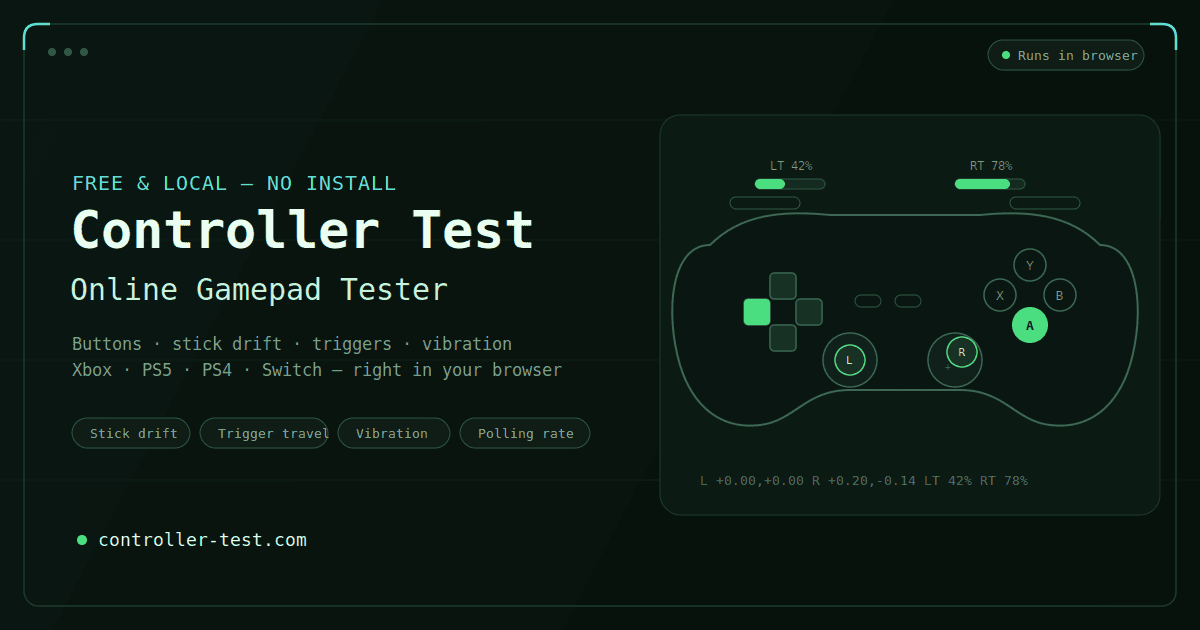
About this app
Controller Test is a free, browser-based diagnostic tool that instantly checks your gamepad's health. It runs entirely client-side using the Gamepad API, so your button presses and stick movements never leave your device. Whether you're a competitive gamer, a repair technician, or shopping for a used controller, this tool provides accurate readings for stick drift, button mapping, vibration motors, polling rate, and input latency. It supports Xbox, PlayStation, Switch, and generic USB/Bluetooth controllers. The interface is clean and intuitive, with dedicated pages for each test and clear pass/fail verdicts. No downloads, no accounts, no data collection. It's like having a professional bench tool right in your browser.
Key features
- 1Client-side gamepad diagnostics via W3C Gamepad API — no upload, no account, no install
- 2Dedicated pages for stick drift, button mapping, vibration, polling rate, latency and circularity
- 3Pass/fail verdicts per test with troubleshooting guides and fix links
- 4Supports Xbox, PlayStation, Switch, Joy-Con, 8BitDo and generic USB/Bluetooth HID controllers
Target customer profile
Drawn from the product itself, not from a survey.
Demographic
Competitive gamers (18-35)
Pain points
Need to ensure controller performance before tournaments; stick drift can ruin gameplay.
Primary needs
Quick, reliable diagnostics without installing software.
Demographic
Repair technicians
Pain points
Require a fast way to verify controller fixes and diagnose issues accurately.
Primary needs
Detailed component tests (stick, buttons, rumble) with clear pass/fail results.
Demographic
Used controller buyers
Pain points
Risk of purchasing a faulty controller; want to test before buying.
Primary needs
Portable, easy-to-use tool to check drift, buttons, and connectivity on the spot.
Scout Review
Written by AI from measured evidence, scored out of 100.
Controller Test is a browser-based gamepad diagnostic tool that runs entirely client-side via the W3C Gamepad API. It covers stick drift, button mapping, vibration, polling rate, latency and circularity across Xbox, PlayStation, Switch and generic HID controllers, with a dedicated page per test and pass/fail verdicts. The design is coherent and tool-appropriate, usability is genuinely thoughtful (real troubleshooting, no account, no install), and the privacy story is architecturally sound. The gaps are speed on mobile (Lighthouse 60/100, LCP 3.6s), incomplete security headers, and two accessibility failures despite a 95/100 automated score. Against Gamepad Tester and Hardware Tester, it wins on depth and verdicts, loses on nothing structural. A solid, honest indie tool that does what it says.
Measure by measure
Usability
68Four-step setup guide, per-test troubleshooting, and dedicated pages for each diagnostic make this genuinely usable. No account, no install, immediate CTA. Docs are decent but the FAQ tap targets and dense tables hurt on mobile.
Design
71Coherent dark theme with restrained neon green accents suits a diagnostic tool. Live gamepad SVG showing real-time axis values is a genuine functional touch, not decoration. Small FAQ tap targets and cramped troubleshooting tables hold it back.
Speed
57Lighthouse mobile 60/100 with LCP 3.6s and TBT 1.1s; desktop 89/100. Client-side-only processing keeps runtime light, but the mobile first paint is slow enough to notice on a phone at the bench.
Security
54HTTPS enforced with HSTS, secure cookies, X-Content-Type-Options and Referrer-Policy set. No CSP, frame protection, Permissions-Policy, SPF or DMARC. Client-side-only design genuinely limits data exposure, but header hygiene is incomplete.
Accessibility
79Lighthouse accessibility 95/100. Two real failures: insufficient color contrast and non-sequential heading order. No published a11y statement or WCAG claim. Strong automated score, but the contrast issue is user-visible, not theoretical.
Growth
58Real problem, three named segments (competitive players, repair techs, used-pad buyers), and a concrete wedge: one focused page per test with pass/fail verdicts. Category is crowded with free alternatives, so the ceiling is real but not tall.
Improvement areas
- Mobile Lighthouse performance is 60/100 with LCP 3.6s — slow first paint on phones
- Missing CSP, frame protection, Permissions-Policy, SPF and DMARC headers
- Accessibility: insufficient color contrast and non-sequential heading order
- FAQ accordion tap targets are too small and troubleshooting tables are hard to scan
Design & Usability
Controller Test's design is competent and on-brand: a dark theme with restrained green accents, a live gamepad SVG that mirrors real input, and a clean 2x3 grid of diagnostic cards. It reads as a tool, not a landing page, which is the right call. Usability is the stronger half — a four-step setup guide, per-test troubleshooting that names real culprits (Steam Input, DS4Windows, Bluetooth re-pairing), and dedicated pages for drift, buttons, triggers, vibration, latency, polling rate and circularity. The weak spots are small: FAQ accordion tap targets are tiny, the troubleshooting table crams text into narrow cells, and the hero's 'controllers tested' stat sits unanchored under the connection panel. Nothing here is broken; it's a well-executed indie tool that could tighten its mobile ergonomics.
Speed & Security
Speed is a split verdict. Lighthouse desktop scores 89/100, but mobile lands at 60/100 with an LCP of 3.6s and TBT of 1.1s — noticeable on a phone, which is exactly where a repair tech or a used-pad buyer would use this. The client-side-only architecture keeps runtime work light, so the cost is mostly first paint. Security is honest but incomplete: HTTPS is enforced with HSTS, secure cookies, X-Content-Type-Options and Referrer-Policy set, but there's no CSP, no frame protection, no Permissions-Policy, and no SPF or DMARC. The product's core claim — that button presses never leave the browser — is architecturally true and genuinely reduces risk surface. But 'we don't collect data' is a design choice, not a security program, and the header hygiene reflects that.
Accessibility & Growth
Accessibility scores 95/100 on Lighthouse, which is strong, but two real failures remain: insufficient color contrast and non-sequential heading order. The contrast issue is user-visible, not theoretical, and the heading order will confuse screen reader navigation. There's no published accessibility statement or WCAG conformance claim, which is normal for an indie tool but limits how far the score can go. Growth is a judgement call, not a traction read. The problem is real — stick drift ruins controllers and nobody wants to install software to check — and the site names three specific segments: competitive players pre-match, repair techs verifying fixes, and used-pad buyers checking before purchase. The wedge is one focused page per test with pass/fail verdicts, versus the single-page alternatives. That's a genuine differentiator, but the category is crowded with free tools and the domain is only months old. The idea has room; the moat is thin.
Conclusion
If you're a repair tech, a competitive player, or someone staring at a used DualSense on Marketplace wondering if the sticks are cooked, this is the tool to open. It's free, it's fast on desktop, it never uploads your inputs, and it tells you pass or replace instead of leaving you to interpret a scatter plot. The mobile experience and the accessibility contrast issue are the two things worth fixing next. Everything else is a small indie tool doing its job without pretending to be a platform.
Suggestions for improvement
- Fix the color contrast failure flagged by Lighthouse — it's the one automated a11y check you're failing and it's user-visible.
- Correct heading order on the homepage so screen reader navigation follows a logical hierarchy.
- Improve mobile LCP (3.6s) — defer non-critical JS and inline critical CSS for the hero panel.
- Add a Content-Security-Policy and frame-ancestors header; both are cheap and close real gaps.
Alternatives comparison
Named competitors, point by point. Nobody paid to appear here or to be left out.
 Controller Test Controller Test |  Gamepad Tester Gamepad Tester |  Hardware Tester Hardware Tester | |
|---|---|---|---|
| Price | Free | Free | Free |
| Stick drift test with pass/fail verdict | Yes — dedicated page with per-stick verdict | Live axis readout, no verdict | Live axis readout, no verdict |
| Vibration / rumble motor test | Yes — strong and weak motors fired independently | Not offered | Not offered |
| Polling rate measurement | Yes — Hz readout, wired vs Bluetooth comparison | Not offered | Not offered |
| Input latency measurement | Yes — ms readout over multiple runs | Not offered | Not offered |
| Stick circularity / accuracy trace | Yes — rim trace with quadrant weakness detection | Basic circularity display | Basic circularity display |
| Dedicated page per test | Yes — 16+ separate tester pages | No — single-page tool | No — single-page tool within a larger suite |
| Data privacy (client-side only) | Yes — no upload, no account, no tracking of inputs | Client-side; ad-supported | Client-side; ad-supported |
| Troubleshooting / setup guidance | Yes — 4-step guide plus per-test troubleshooting | Minimal | Minimal |
| Account required | No | No | No |
Gamepad Tester
A similar online gamepad testing tool with basic button and stick checks.
Hardware Tester
Comprehensive hardware testing suite that includes gamepad diagnostics.
Comparing options? See Controller Test alternatives, scored side by side
More Lifestyle & Entertainment apps
View all Lifestyle & Entertainment
Factory Direct Mattress Overland Park
92A locally-owned mattress store in Overland Park, KS offer...

RoomCreator
92An AI-powered interior and exterior design tool that tran...

SheetScroll
90> You play; SheetScroll turns the page. It listens through the microphone or a MIDI piano and holds the page until it's sure where you are.

TUNL - Cave Flyer
89A hold-to-thrust cave flyer with a new daily level, ghost races, and a global leaderboard.

Roami eSIM
88A global travel eSIM app offering instant activation, no ...

TranscriptYou
88Free YouTube transcript generator with timestamps and AI ...

Portrait Gift
88AI-powered personalized face swap art platform creating c...

FaceSwapAI
87AI face swap for photos, videos, GIFs with free trial.

youtubetomp3.ink
87Free online YouTube to MP3 converter with no signup or so...

InviteVia
87InviteVia is a digital invitation platform for creating beautiful online invitations for weddings, birthdays, engagements, parties, and special events. Choose a template, customize your invitation, collect RSVPs, and share it instantly through WhatsApp, Instagram, SMS, or a simple link. No guest accounts or app downloads required.

Coloring Pages Pro
87A massive collection of free printable coloring pages for...

TaroMind AI Tarot Birth Card Calculator
87Free, private tool to find your tarot birth cards instantly.


A platform dedicated to providing unbiased reviews of newly launched applications, analyzing everything from their features to their full potential.
info@scoutforge.net© 2026 Scoutforge. All rights reserved.
