Cycling through all six. Tap any point to stop.
Measured on six things
An AI-powered interior and exterior design tool that tran...
Accessibility
82Web-based, no download required. Works with various photo qualities and sketches. Multiple room types supported (living rooms, kitchens, bedrooms, bathrooms, exteriors). Good for non-designers but limited WCAG mentions.
Screenshots
1 / 1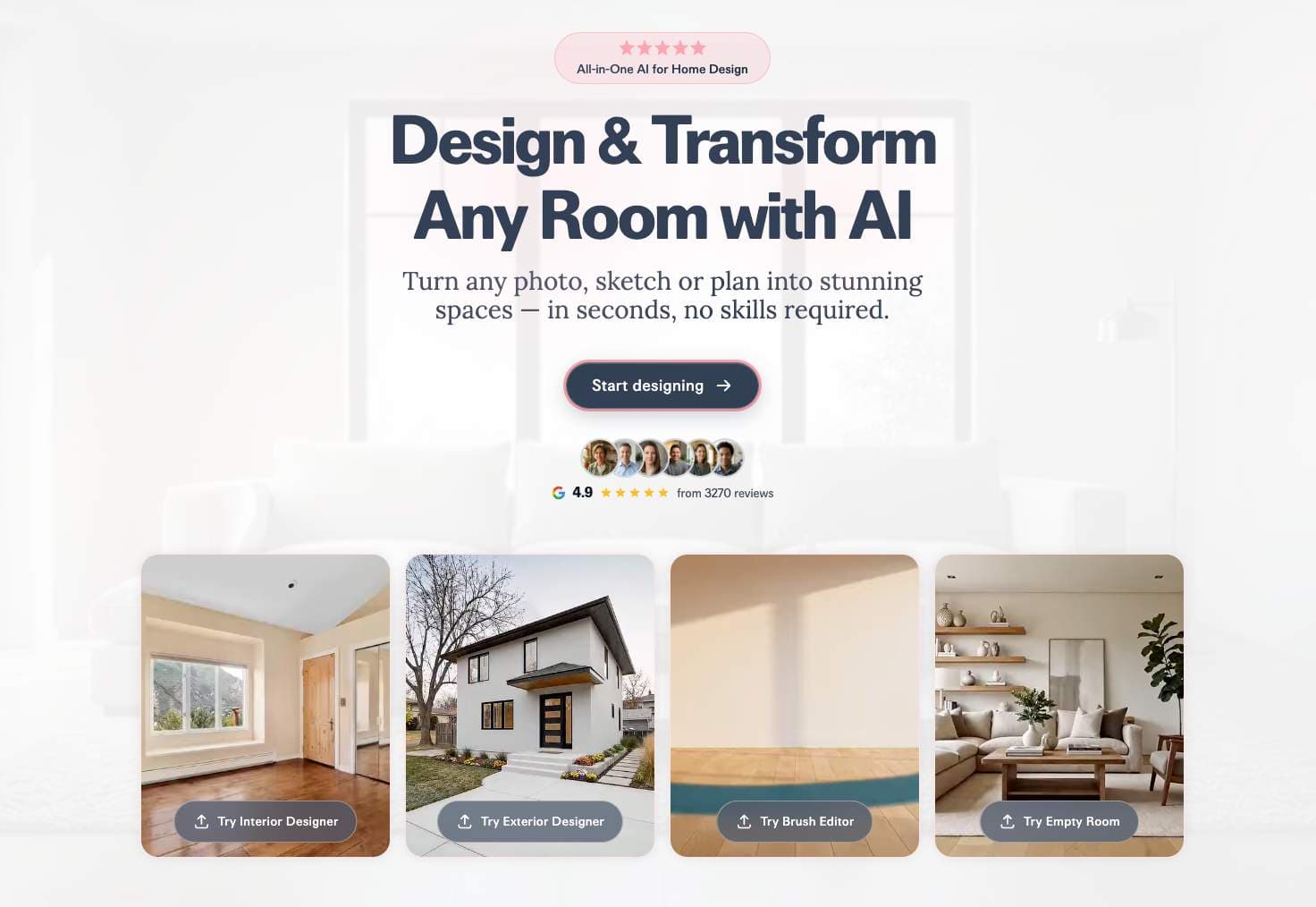
About this app
RoomCreator is a game-changing AI tool that lets you redesign any space with ease. As someone who's tried countless home design apps, I can confidently say this one stands out for its speed and realism. It's like having a professional designer on demand, but without the hefty fees. You simply upload a photo of your room—messy or pixelated, it doesn't matter—pick from styles like Modern, Scandinavian, or Japandi, and watch as the AI generates hyper-realistic previews in seconds. What's impressive is the range of tools: from interior and exterior renders to precision editing with a brush tool, emptying rooms for a clean canvas, turning sketches into photorealistic images, and even creating short motion videos for presentations. It's perfect for homeowners planning renovations, real estate agents staging listings, or investors evaluating properties. With a free plan offering 10 credits and paid options starting at $9/month, it's accessible for anyone looking to visualize spaces smarter...
Key features
- 1Hyper-realistic interior & exterior renders from any photo in seconds
- 2Precision Brush (inpaint), one-tap Empty Room, Sketch-to-Image, and 3-5s motion videos
- 3Multiple styles including Modern, Scandinavian, Japandi, Coastal, Bohemian + custom
Target customer profile
Drawn from the product itself, not from a survey.
Demographic
Homeowners planning renovations or redecorating
Pain points
Difficulty visualizing design changes, fear of costly mistakes, and indecision over styles or layouts
Primary needs
Confident decision-making before spending money, realistic previews of furniture and colors, and easy exploration of multiple design options
Demographic
Real estate agents and property managers
Pain points
Struggling to make listings stand out, high costs of professional staging, and time-consuming design cycles
Primary needs
Stunning visuals for marketing, transformation of empty or outdated spaces, and quick generation of exterior curb appeal
Demographic
Individual investors and flippers
Pain points
Evaluating renovation potential without expensive renders, showcasing future value to clients, and managing tight budgets
Primary needs
Realistic visuals for investment presentations, cost-effective staging alternatives, and tools to visualize multiple property styles
Scout Review
Written by AI from measured evidence, scored out of 100.
RoomCreator is one of the strongest pure AI photo-to-design tools in 2026. It delivers fast, realistic results with a smart set of editing tools (Empty Room, Brush, Sketch, Video) that go beyond basic style swaps. While it uses a credit system and isn't a full 3D CAD replacement, it excels at its core job: helping users confidently visualize changes before spending money. Excellent for homeowners, agents, and investors. Minor limitations around credit limits and lack of deep 3D/VR don't detract much from the overall experience.
Measure by measure
Usability
93Dead simple: upload photo, pick style, generate in seconds. One-tap Empty Room, targeted brush inpainting, and save/compare designs. No design skills needed. Free plan with 10 credits lets you test immediately.
Design
95Hyper-realistic AI renders from messy or low-quality photos. Clean, intuitive web interface with style selection (Modern, Japandi, Scandinavian, Coastal, Bohemian and more). Brush tool, Empty Room, Sketch-to-Image, and short motion videos deliver professional-looking outputs instantly.
Speed
96Generates hyper-realistic previews in seconds (often under 10-15s). Faster renders on paid plans. Motion videos (3-5s) and priority queuing on Pro make it one of the snappiest AI interior tools available.
Security
85Photos used only for generating designs and not sold or used to train public models. Standard web security expected. Privacy policy referenced on site.
Accessibility
82Web-based, no download required. Works with various photo qualities and sketches. Multiple room types supported (living rooms, kitchens, bedrooms, bathrooms, exteriors). Good for non-designers but limited WCAG mentions.
Growth
88Strong 4.9/5 from 3,270+ reviews. Targets homeowners, real estate agents (virtual staging/curb appeal), and flippers. Credit system encourages upgrades from free 10-credit plan to $9 Starter or $29 Pro. High repeat value for multiple designs.
Improvement areas
- Credit system can limit heavy experimentation on lower plans
- Lacks deep 3D walkthroughs, VR, or shoppable product links found in some competitors
- Could benefit from measurement tools or AR preview for real-world confidence
Design & Usability
RoomCreator nails the promise of 'professional designer on demand.' The combination of hyper-realistic photo-to-render, Empty Room decluttering, precision Brush (inpaint) editing, Sketch-to-Image, and short motion videos gives it a massive edge over purely manual tools. The interface is clean and focused – upload, choose from styles like Modern, Scandinavian, Japandi, Coastal, etc., and iterate fast. It's genuinely fun to play with multiple layouts and colors without fear of costly mistakes. Compared to Houzz (idea browsing + pros), Planner 5D (manual 2D/3D modeling), and Interior AI (similar AI but heavier on parallel generations and VR), RoomCreator feels more instant and approachable for regular homeowners and agents.
Speed & Security
Speed is where it shines – true seconds-per-render on most jobs, with priority and exterior/landscape support on higher plans. Motion previews add nice presentation value. Security is solid for this category: images aren't used for public training. It doesn't overpromise 3D walkthroughs or massive parallel batches like some competitors, keeping it fast and focused. Real users report the generated layouts often match real-life results surprisingly well, reducing renovation anxiety.
Accessibility & Growth
Extremely accessible to non-designers – works with pixelated or messy photos and hand sketches. Perfect for the target customers: homeowners scared of expensive mistakes, real estate agents needing quick listings, and flippers visualizing ROI. Growth looks healthy with high ratings and a sensible freemium model (10 free credits, then $9/mo for 40 credits with faster renders and motion). It democratizes high-quality visualization that used to cost thousands in professional renders.
Conclusion
If you're tired of staring at paint swatches and mood boards that never quite match reality, RoomCreator is worth the 10 free credits. It won't replace your contractor, but it'll stop you from making stupid $5,000 design mistakes. Highly recommended for anyone who needs to see it to believe it.
Suggestions for improvement
- Add shoppable links or product recommendations from generated designs to increase real-world conversion.
- Expand video generation to longer or customizable clips for better client presentations.
- Introduce bulk credit packs or higher-tier unlimited plans for heavy real estate users.
- Add basic measurement tools or AR preview integration for even more confidence before purchase.
Alternatives comparison
Named competitors, point by point. Nobody paid to appear here or to be left out.
 RoomCreator RoomCreator | Houzz |  Planner 5D Planner 5D |  Interior AI Interior AI | |
|---|---|---|---|---|
| Core Technology | Instant AI photo-to-render (interiors, exteriors, sketches) | Idea gallery, product shopping, pro services (limited AI) | Manual 2D/3D modeling + AI floorplan recognition & suggestions | AI photo-to-render with 55+ styles, virtual staging, 3D/VR |
| Generation Speed | Seconds per render, faster on paid | Not instant AI generation | Minutes for modeling/renders | ~25 seconds, parallel up to 16 |
| Key Editing Tools | Brush/inpaint, Empty Room, Sketch-to-Image, motion video | Limited – mainly inspiration & pro collaboration | Drag-and-drop furniture, AI suggestions | Inpaint, virtual staging, sketch/SketchUp support, video |
| Pricing Entry | Free (10 credits), then $9/mo | Free ideas, Pro tools vary | Free tier + paid upgrades | $29/mo (yearly) |
| Best For | Fast realistic previews for homeowners & agents | Inspiration, shopping, hiring pros | Detailed manual 3D floor plans & modeling | High-volume staging, 3D/VR, advanced editing |
Houzz
A platform offering design ideas, product shopping, and professional services, but less focused on instant AI-generated visualizations from personal photos.
Planner 5D
A home design app with 2D/3D modeling capabilities, requiring more manual input and time compared to RoomCreator's AI-driven, instant results.
Interior AI
An AI tool for interior design visualizations, similar in concept but may have different feature sets or pricing structures.
Comparing options? See RoomCreator alternatives, scored side by side
Sources
What the review was written against. A verdict with no sources is an opinion.
More Design & Creativity apps
View all Design & Creativity
What the GIF
89Frame-perfect video-to-GIF maker that runs entirely in yo...

BeartIMAGE
88BeartIMAGE is a free, web-based image processing platform engineered for fast, bulk photo editing and conversion directly in your browser.

RestorePhotosApp
88An AI-powered photo restoration app that brings old, blur...

ButterKit
82macOS app for App Store screenshots: 3D mockups, auto-tra...

Portrait Gift
88AI-powered personalized face swap art platform creating c...

Pixelimg
88A free online AI-powered tool that instantly converts ima...

TranscriptYou
88Free YouTube transcript generator with timestamps and AI ...

Coloring Pages Pro
87A massive collection of free printable coloring pages for...

QRocodile
87Design And Animate QR Codes People Want to Scan

FaceSwapAI
87AI face swap for photos, videos, GIFs with free trial.

TryInk
86Try on a tattoo on your own body photo before you book.

Grain Studio
86Private, local-first image texture workbench.


A platform dedicated to providing unbiased reviews of newly launched applications, analyzing everything from their features to their full potential.
info@scoutforge.net© 2026 Scoutforge. All rights reserved.
