Cycling through all six. Tap any point to stop.
Measured on six things
Free, private browser-based PDF, Word, Excel, and study t...
Growth
62Real, specific wedge — no upload, no account, no watermarks, offline — aimed at a crowded but genuinely frustrated market. Multi-segment targeting broadens reach but risks thin depth.
Screenshots
1 / 4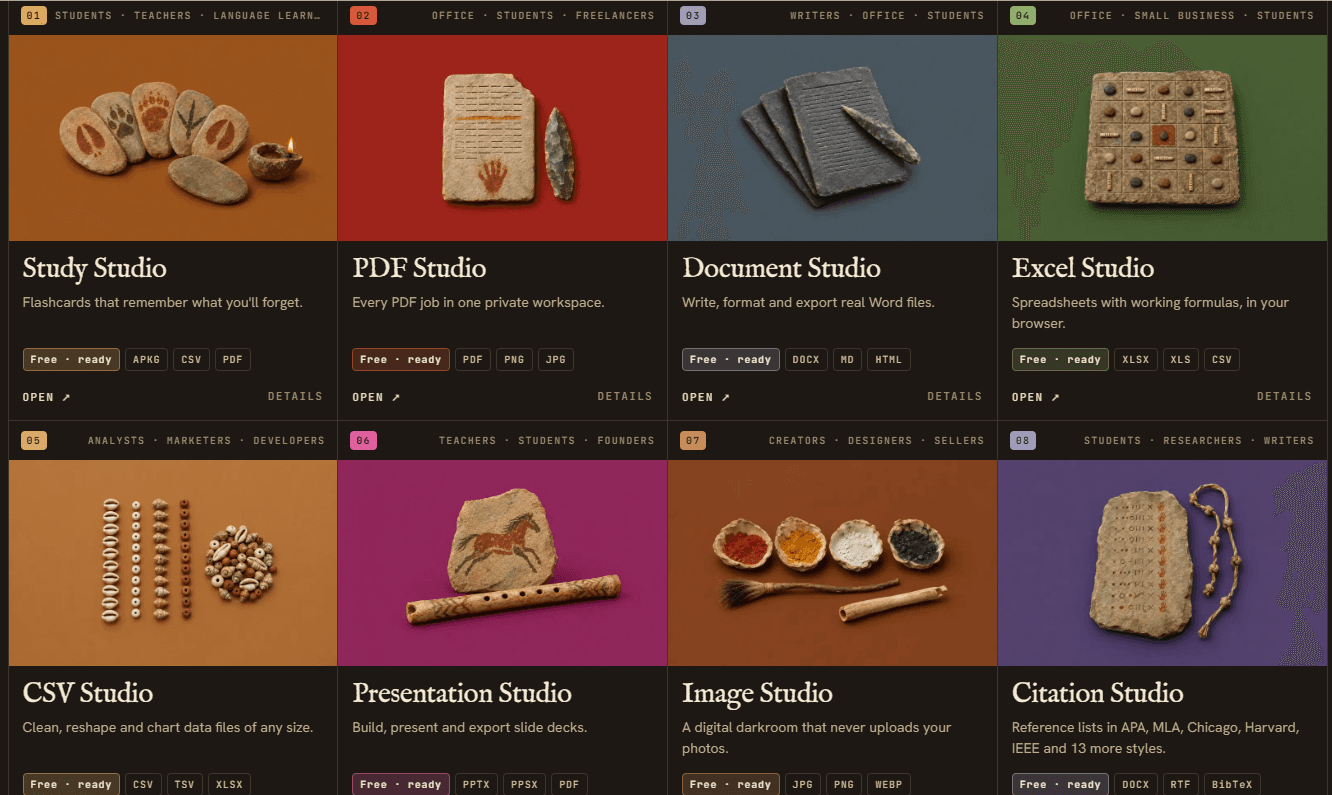
About this app
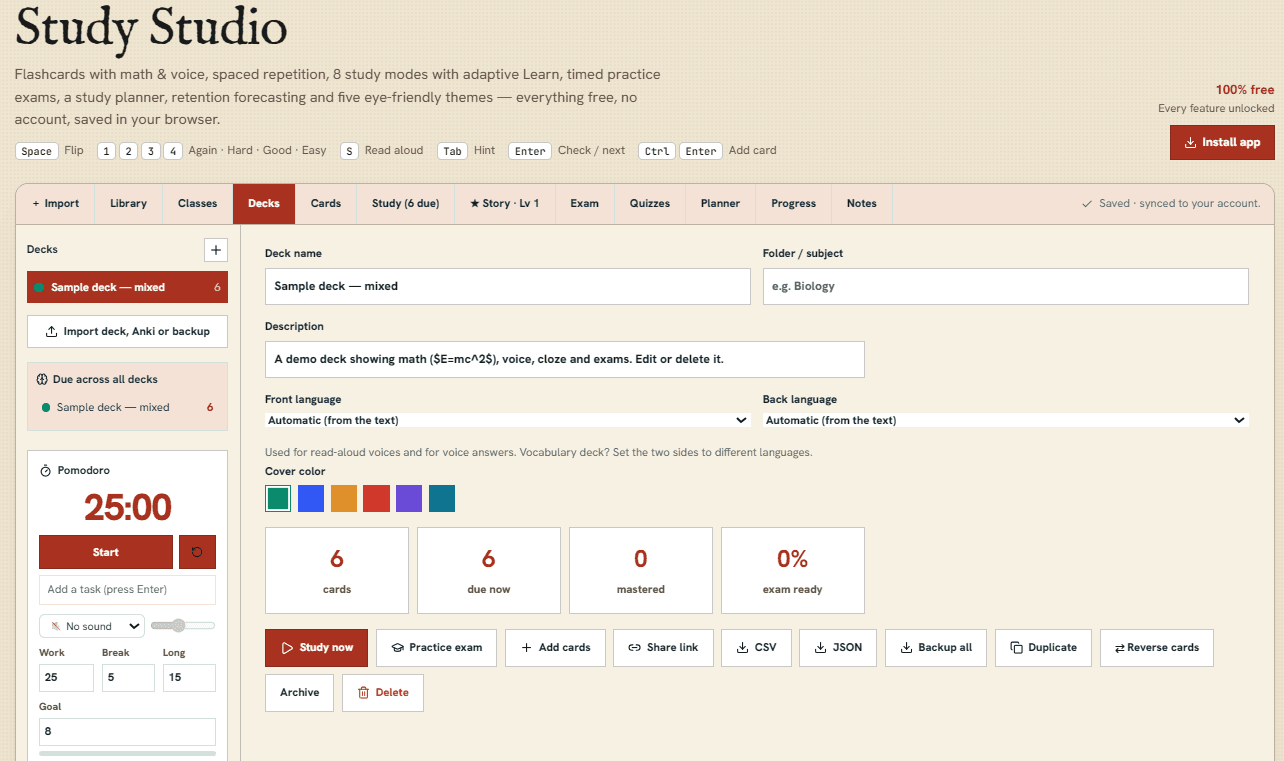
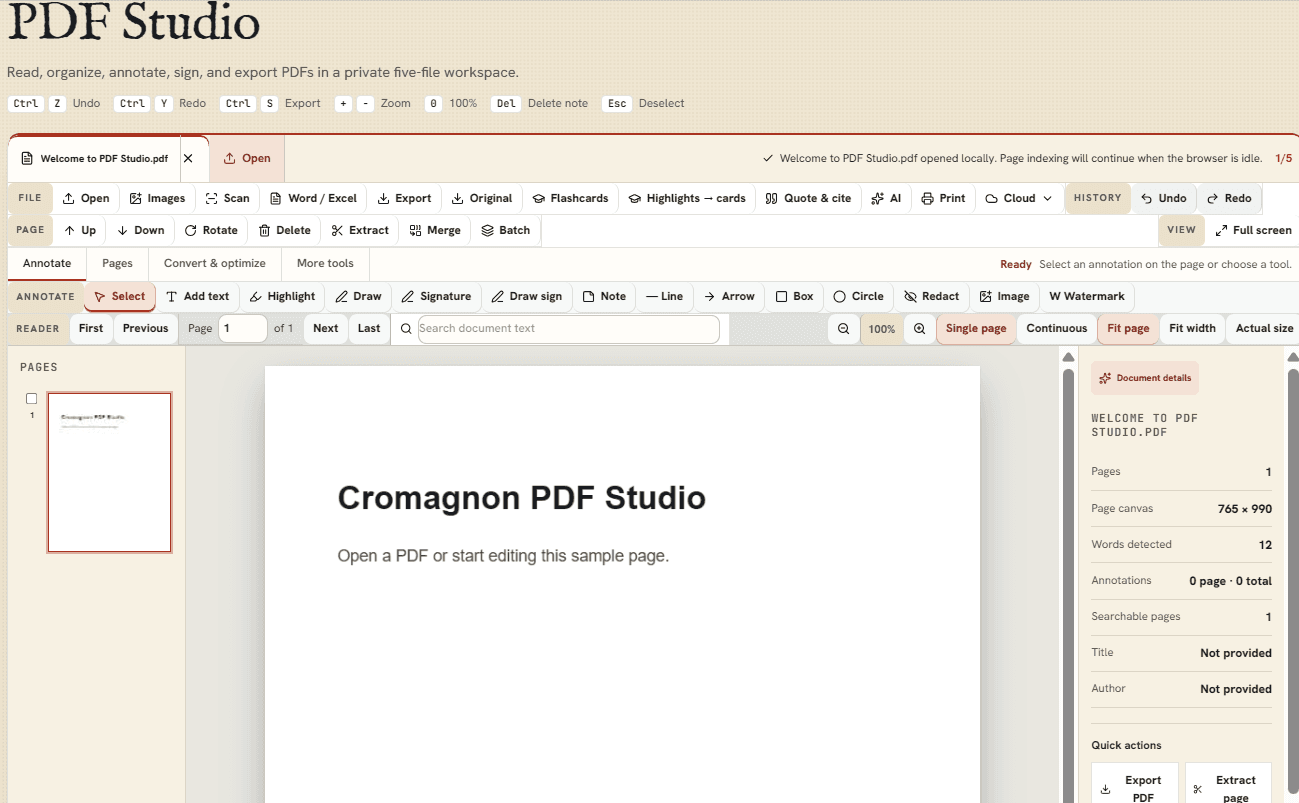
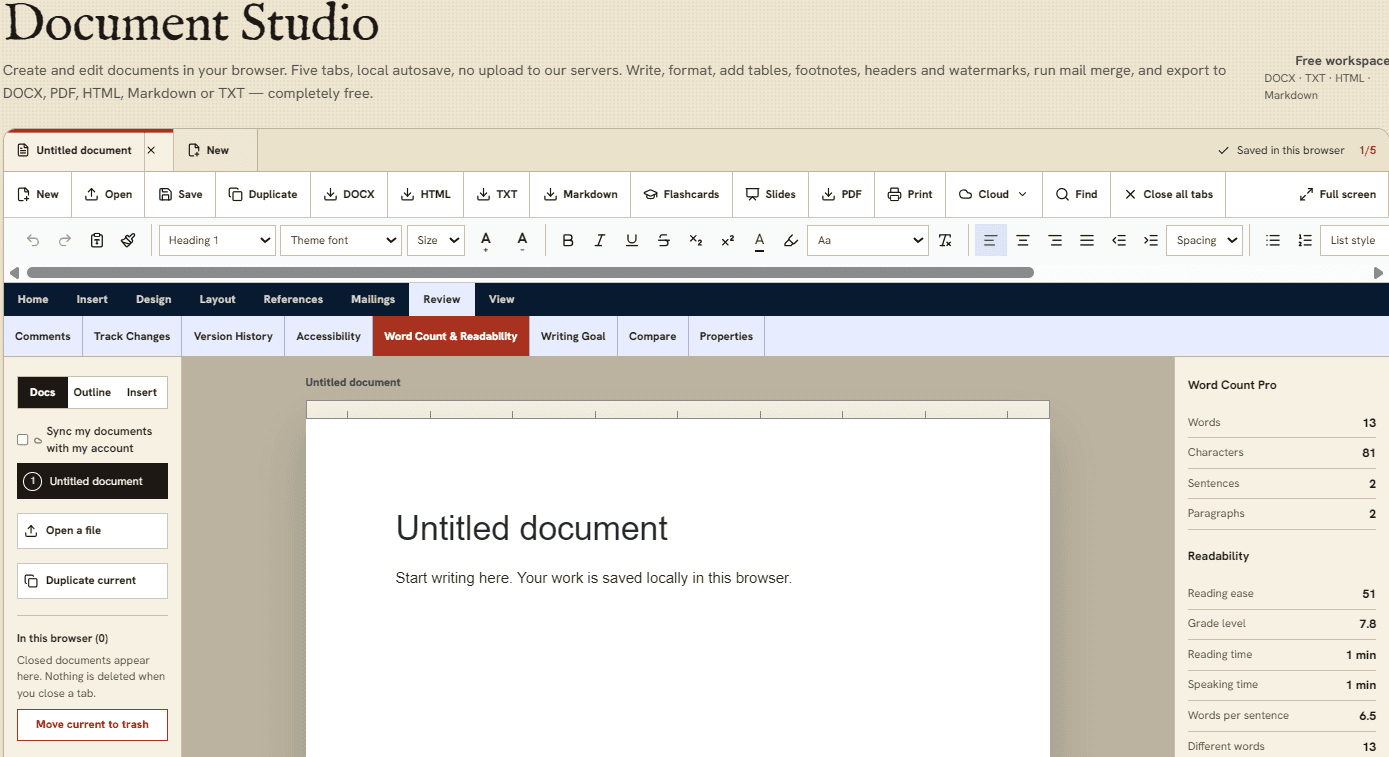
Meet Cromagnon, a free toolkit that brings useful everyday tools together in one place. Instead of visiting different websites for different tasks, you can use Cromagnon's 10 studios to work with documents, spreadsheets, presentations, images, flashcards, and more. Cromagnon is designed to be simple, fast, and easy to use. There is no account to create and no software to install. Your files stay on your device while you use the browser-based tools, helping you keep your work private. Whether you are a student organizing study materials, a professional handling documents, a developer looking for practical utilities, or a creator working with digital content, Cromagnon gives you a convenient toolkit for everyday tasks.
Key features
- 110 studios and 76+ tools covering PDF, DOCX, XLSX, CSV, PPTX, images, flashcards, citations, maths and invoices.
- 2Client-side processing: files stay on the device, no upload required, works offline as an installable app.
- 3Free with no account, no watermarks, no daily limits; optional free account adds sync, shared links and 50 MB cloud.
- 4Study Studio uses the FSRS memory model with 8 study modes and 107-language support.
Target customer profile
Drawn from the product itself, not from a survey.
Demographic
Students and lifelong learners
Pain points
Expensive study apps, uploading personal notes, limited free tiers
Primary needs
Free flashcards, PDF annotation, citation tools, offline access
Demographic
Office professionals and small businesses
Pain points
Sensitive documents uploaded to third-party servers, subscription fatigue
Primary needs
Secure PDF editing, Excel/Word compatibility, no-upload privacy
Demographic
Developers and tech workers
Pain points
Quick utilities require network requests, risking data exposure
Primary needs
Offline JSON formatter, regex tester, JWT decoder, no tracking
Demographic
Teachers and educators
Pain points
Sharing materials with students without costly platforms
Primary needs
Class codes, slide decks, worksheet creation, quiz generation
Scout Review
Written by AI from measured evidence, scored out of 100.
Cromagnon is a free, browser-based toolkit bundling 10 studios and 76+ tools — PDF, Word, Excel, CSV, slides, images, flashcards, citations, maths, invoices — with a privacy-first pitch: files never leave your device. The measured evidence backs the speed claim (98 mobile / 100 desktop Lighthouse) and the accessibility score (100/100 with one label mismatch). Security is competent (10/12 headers, no DMARC, no published audit). The design has a real identity rather than template SaaS. The honest caveats: two studios are 'coming soon', the changelog shows heavy recent bug-fixing, and the 'free forever' model has no visible revenue path. For students and privacy-conscious office users tired of upload-and-pray tools, it's a genuinely interesting option.
Measure by measure
Usability
68No sign-up, drag-and-drop file opening, autosave, and an explicit free-forever pricing page make onboarding near-zero friction. Breadth across 10 studios risks shallow depth per tool.
Design
74Distinctive cave-toolmaker branding with plate/figure numbering, consistent type pairing, and scannable studio cards with format badges. Two 'coming soon' studios slightly undercut the polish.
Speed
88Lighthouse mobile 98/100 (LCP 1.2s, CLS 0, TBT 147ms) and desktop 100/100. Client-side processing means file work never waits on a server round-trip.
Security
76HTTPS enforced with HSTS, CSP, frame protection and Referrer-Policy; 10/12 on header probe. Missing Permissions-Policy and DMARC. No published SOC 2 or audit found.
Accessibility
80Lighthouse accessibility 100/100 with one flagged label/accessible-name mismatch. Claims 107-language support. No published WCAG statement found in the fetched content.
Growth
62Real, specific wedge — no upload, no account, no watermarks, offline — aimed at a crowded but genuinely frustrated market. Multi-segment targeting broadens reach but risks thin depth.
Improvement areas
- Two studios (Resume, Contract) are still 'coming soon' on the homepage.
- Missing Permissions-Policy and DMARC headers; no published SOC 2/ISO/pen-test.
- One accessibility label/accessible-name mismatch flagged by Lighthouse.
- No visible revenue model behind the 'free forever' promise.
Design & Usability
Cromagnon's design leans into a cave-toolmaker theme with plate numbering and a disciplined serif/display pairing — unusual for a utility suite and mostly well-executed. Studio cards carry format badges (PDF, DOCX, XLSX) so you can scan what opens where. Usability is the stronger story: no sign-up, drag-and-drop file opening, autosave, and a pricing page that plainly says everything is free with no watermarks or daily limits. The risk is breadth — 10 studios and 76 tools with two still 'coming soon' means depth per tool is the open question, and the changelog's 244 fixes in 25 days suggests the surface is still settling.
Speed & Security
Speed is the standout measured result: Lighthouse mobile 98/100 with LCP 1.2s, CLS 0 and TBT 147ms, and desktop at a clean 100/100. That tracks with the architecture — files are processed in the browser, so there's no upload round-trip to wait on. Security is solid but not exceptional: HTTPS enforced with HSTS, CSP, frame protection and Referrer-Policy, scoring 10/12 on the header probe, with Permissions-Policy and DMARC missing. No SOC 2, ISO or pen-test report surfaced in the fetched material. The privacy model — files stay local unless you opt into sync — is a genuine differentiator, but the changelog's own admission that file names are logged is worth reading before you assume total invisibility.
Accessibility & Growth
Accessibility scores 100/100 on Lighthouse with a single flagged issue: one element whose visible label doesn't match its accessible name. The site claims 107-language support across studios, which is unusually broad for a free tool. No published WCAG conformance statement appeared in the fetched content, so the automated score is the main evidence. On growth: the category is crowded — Smallpdf for PDFs, Quizlet and Anki for flashcards, Google Docs for documents — but Cromagnon's wedge is concrete and defensible on principle: no upload, no account, no watermarks, offline-capable, free. The multi-segment pitch (students, teachers, office, developers) widens the funnel but risks shallow depth per studio. The domain is brand new (registered October 2026), so traction is context, not a verdict — the idea has room, the execution depth is the question.
Conclusion
If you've ever hesitated before dropping a contract, a payslip or a lecture PDF into a random online converter, Cromagnon's local-processing model is the pitch that matters — and the Lighthouse numbers suggest it isn't just marketing. The trade-off is maturity: a brand-new domain, two studios still in the oven, and a free-forever promise that will eventually need a business model. Worth trying today for the PDF, CSV, image and study workflows; worth watching to see whether the depth catches up to the breadth.
Suggestions for improvement
- Publish a WCAG conformance statement and fix the one flagged label/accessible-name mismatch.
- Add DMARC and Permissions-Policy headers to close the two gaps in the security probe.
- Ship Resume and Contract studios or move them off the homepage until they're ready.
- Publish a clear sustainability plan for the free-forever model so users can trust the long-term promise.
Alternatives comparison
Named competitors, point by point. Nobody paid to appear here or to be left out.
 Cromagnon Cromagnon |  Smallpdf Smallpdf |  Quizlet Quizlet |  Anki Anki |  Google Docs Editors Google Docs Editors | |
|---|---|---|---|---|---|
| Price | Free, all studios and tools | Free with daily limits; paid plans | Free tier limited; paid Plus | Free, open source | Free with Google account |
| Files uploaded to servers | No — processed in browser | Yes | Yes | Local; optional sync | Yes — Google Drive |
| Account required | No | Often | Yes | No (desktop install) | Yes — Google account |
| Works offline | Yes — installable app | No | No | Yes | Limited |
| Watermarks on free output | Never | Often on free plans | N/A | No | No |
| Flashcards / spaced repetition | Yes — FSRS, 8 modes | No | Yes | Yes — FSRS | No |
| PDF editing / annotation | Yes — annotate, sign, redact, OCR | Yes | No | No | Limited |
| Spreadsheet / document editing | Yes — XLSX, DOCX, CSV | Conversion only | No | No | Yes — full editors |
Smallpdf
A popular online PDF toolkit with editing, conversion, and compression, but requires uploading files to their servers and has daily limits.
Quizlet
Flashcard and study tool with spaced repetition, but free tier is limited and requires an account; content is stored on their servers.
Anki
Powerful open-source flashcard app with FSRS, but requires desktop installation and manual sync; less user-friendly for quick study.
Google Docs Editors
Free online word processing, spreadsheets, and slides, but requires uploading files to Google Drive and an internet connection.
Comparing options? See Cromagnon alternatives, scored side by side
More Education apps
View all Education
The Stack Newsletter
92A weekly newsletter delivering curated tech jobs, intervi...

SheetScroll
90> You play; SheetScroll turns the page. It listens through the microphone or a MIDI piano and holds the page until it's sure where you are.

English Test Coach
89English Test Coach checks your IELTS essays and letters, gives an estimated band score across all four criteria, and tells you exactly what to revise next.

Tracé slides
89Interactive math & physics slides with live graphs and an...

Startup Science
88A unified platform replacing 12-20 disconnected tools for...

TranscriptYou
88Free YouTube transcript generator with timestamps and AI ...

Coloring Pages Pro
87A massive collection of free printable coloring pages for...

CertWorthIt
87Data-driven tool revealing which certifications actually ...

RBQ Exam
87Online practice for the RBQ contractor licence exams in Québec: original questions, timed mock exams and lessons, in French or English.

HireVue Practice
85AI-powered HireVue practice with timed mock interviews, role-specific questions, transcripts, scoring, and actionable feedback.

Case Cub
85AI-powered law school study platform with 20,000+ case br...

Ciroexam
84All-in-one CIRO exam prep for CIRE and 8 other exams, wit...


A platform dedicated to providing unbiased reviews of newly launched applications, analyzing everything from their features to their full potential.
info@scoutforge.net© 2026 Scoutforge. All rights reserved.
