Cycling through all six. Tap any point to stop.
Measured on six things
CLI-first developer utilities: zero-setup tools you curl ...
Growth
32Launched on Product Hunt three days ago. Zero GitHub presence, no reviews, minimal mentions. Early trajectory only.
Screenshots
1 / 1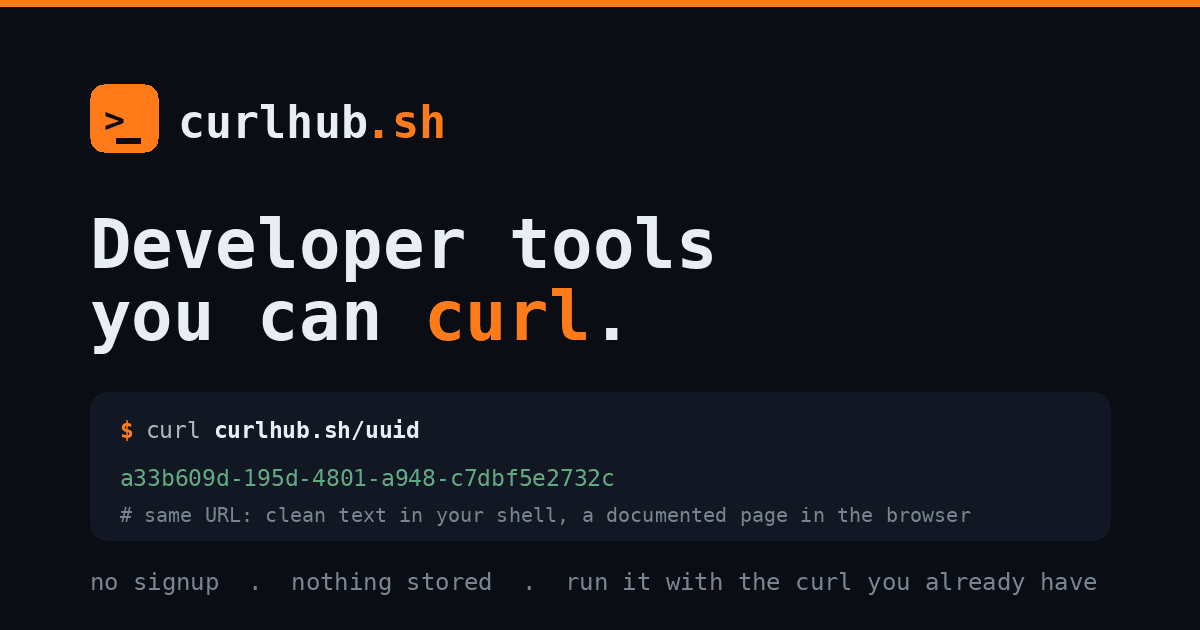
About this app
curlhub.sh is a brilliant collection of CLI-first developer utilities that require zero setup—you simply curl them straight from your terminal. It's like having a Swiss Army knife for common dev tasks: generating UUIDs, passwords, API keys, QR codes, encoding/hashing, JSON validation, JWT decoding, cron expression translation, User-Agent parsing, and even ephemeral file transfers. Every tool is designed for speed and privacy—server-side CSPRNG for secrets, no logging of tokens or data, and client-side processing where possible. For web developers, it's a lifesaver for quick debugging without leaving the command line. The security tools (SSL decode, whois, port scanning via qsa.sh) add a nice ops flavor. I found myself using `/uuid`, `/pass`, and `/json` constantly. The pastebin (`/p`) and hook inspector (`/hook`) are also incredibly useful for testing webhooks. It's open-source friendly and completely free. If you live in the terminal, this is a must-bookmark.
Key features
- 1Zero-setup CLI tools via curl (UUID, passwords, JWT decode, webhook inspector, QR, etc.)
- 2Privacy-first: server CSPRNG, no logging, client-side processing where possible
- 3Ephemeral file transfer, port/SSL scanning, cron translation, and /hook inspector
Target customer profile
Drawn from the product itself, not from a survey.
Demographic
Full-stack developers, DevOps engineers
Pain points
Need quick, secure random values (UUIDs, tokens) without leaving terminal; tired of installing separate tools
Primary needs
Zero-setup utilities, privacy-focused, CLI-native
Demographic
Security auditors, penetration testers
Pain points
Need to generate high-entropy passwords/API keys, inspect SSL certs, perform quick IP/port scans
Primary needs
Cryptographically secure random generation, SSL inspection, quick network diagnostics
Demographic
API testers, webhook developers
Pain points
Testing webhooks requires setting up endpoints; need quick JSON/JWT debugging
Primary needs
Webhook inspector, JSON prettifier, JWT decoder, no log retention
Demographic
Sysadmins, IT support staff
Pain points
Need to parse cron expressions, explain HTTP status codes, decode CIDR notation quickly
Primary needs
Command-line reference tools, quick lookups, minimal dependencies
Scout Review
Written by AI from measured evidence, scored out of 100.
A genuinely useful Swiss-army-knife of curlable dev utilities that delivers on the zero-setup, privacy-first promise for terminal users. Strong speed and solid usability are let down by a brand-new growth profile and a few polish gaps in design and accessibility. Best for devs who already live in the shell and want quick UUIDs, JWT decoding, webhook inspection, and more without leaving the prompt.
Measure by measure
Usability
72True zero-setup CLI experience with dozens of documented tools. Email CTA feels misplaced for the audience; /help and /spec provide solid reference.
Design
68Clean terminal aesthetic with consistent orange accents and realistic code mockups. Grid feels cramped and header spacing is tight.
Speed
88Excellent Lighthouse scores (97 mobile / 100 desktop) with fast LCP and zero layout shift. CLI responses feel instant by design.
Security
72Strong header set and explicit no-log/privacy claims. HTTPS not enforced per probe; no third-party audits or certifications published.
Accessibility
70Solid 89 auto score undercut by contrast, heading order, and link-color failures. No manual a11y docs or statements found.
Growth
32Launched on Product Hunt three days ago. Zero GitHub presence, no reviews, minimal mentions. Early trajectory only.
Improvement areas
- Enforce HTTPS and add published security/audit documentation
- Improve color contrast, heading order, and link accessibility per Lighthouse
- Build visible GitHub presence and community docs to accelerate growth
Design & Usability
curlhub.sh nails the CLI-first aesthetic with believable terminal mockups and consistent orange branding that ties the logo, headline keyword, and CTA together. The grid of two dozen tools feels a bit cramped below the fold, but the dark code examples make copy-paste commands immediately usable. Usability shines through true zero-setup access—no installs, no accounts for core features—and extensive in-terminal documentation via /help, /spec, and /man. The misplaced email signup CTA is the main friction for an audience that lives in the terminal.
Speed & Security
Performance is excellent per Lighthouse (97 mobile, 100 desktop) with near-instant LCP and perfect CLS/TBT, matching the promise of snappy CLI responses. Security posture includes a solid set of headers (CSP, HSTS, etc.) and strong privacy claims around CSPRNG secrets and no logging, though HTTPS enforcement is missing per the probe and no external audits are published. For a free, privacy-focused utility this is table-stakes competent rather than enterprise-grade.
Accessibility & Growth
Accessibility lands in the middle thanks to an 89 Lighthouse score offset by real failures in color contrast, heading hierarchy, and link styling. No dedicated a11y statement or multi-language support appears on the site. Growth is predictably low for a product launched on Product Hunt just three days ago—zero GitHub activity, no reviews, and only thin family-site mentions. Early days, but the trajectory depends on whether the terminal crowd actually bookmarks it.
Conclusion
If you spend your days in the terminal, curlhub.sh is worth bookmarking right now. Just don't expect a mature community or audited compliance yet.
Suggestions for improvement
- Add a visible focus state and better contrast to the email input and nav links.
- Enforce HTTPS redirects and publish a short security or privacy page.
- Create a public GitHub repo with the tool list and invite community contributions to /man.
- Fix the three failing Lighthouse a11y audits before the next Product Hunt wave.
Alternatives comparison
Named competitors, point by point. Nobody paid to appear here or to be left out.
 curlhub.sh curlhub.sh |  httpbin.org httpbin.org |  uuidgenerator.net uuidgenerator.net |  jwt.io jwt.io | |
|---|---|---|---|---|
| CLI / curl native access | Yes - all tools invoked directly via curl | Partial - HTTP inspection only, no generators | No - web-only UUID generator | No - web-only JWT debugger |
| JWT decoding | Yes - /jwt endpoint, no verify, never logged | No | No | Yes - full web debugger with verify |
| UUID generation | Yes - /uuid RFC 4122 v4 via curl | No | Yes - web only | No |
| Webhook inspection | Yes - /hook mints temp endpoint | Partial - request inspection only | No | No |
httpbin.org
HTTP request debugging service, but lacks UUID, QR, and security tools. More web-focused.
uuidgenerator.net
Web-based UUID generator, not CLI native and doesn't offer the range of utilities.
jwt.io
JWT debugging tool with more features, but web-only and not available via curl.
Comparing options? See curlhub.sh alternatives, scored side by side
Sources
What the review was written against. A verdict with no sources is an opinion.
More Development & Engineering apps
View all Development & Engineering
CreateMyCoin
92A no-code Solana token creator that deploys SPL tokens in...

Vibe Coding Agent Skills
92A free, open-source platform offering 110 AI agent skills...

CC Switch
91Open-source desktop app for switching AI coding providers...

TaxID
90Fast EU VAT validation API for developers, covering 27 EU...

DemoVexa
90Turn your code into professional product demo videos with AI-generated scripts, animated UI, and natural voiceovers.

deed.page
89Permanent web hosting for AI agents, no human step

BeartIMAGE
88BeartIMAGE is a free, web-based image processing platform engineered for fast, bulk photo editing and conversion directly in your browser.

Claw Messenger
88Claw Messenger is an iMessage API service that gives AI a...

DataHabibi
88AI-powered Dubai real estate data platform with 12M+ DLD ...

ButterKit
82macOS app for App Store screenshots: 3D mockups, auto-tra...

PERM Processing Time: Current DOL Queue & History
88PERM Processing Time is an independent data analysis platform that helps users navigate the U.S. Department of Labor’s permanent labor certification process.

StockFit API
87A developer-first financial data API providing structured...


A platform dedicated to providing unbiased reviews of newly launched applications, analyzing everything from their features to their full potential.
info@scoutforge.net© 2026 Scoutforge. All rights reserved.
