Is this your app?
Claim Dialogs Monitor to manage its page, add your badge and see your traffic — free, and it stays free.
Cycling through all six. Tap any point to stop.
Measured on six things
A free uptime monitoring tool with email/Slack alerts and mobile access, ideal for small teams and startups.
Accessibility
50Mobile-friendly but no screen reader support, language options, or keyboard navigation enhancements.
Screenshots
1 / 1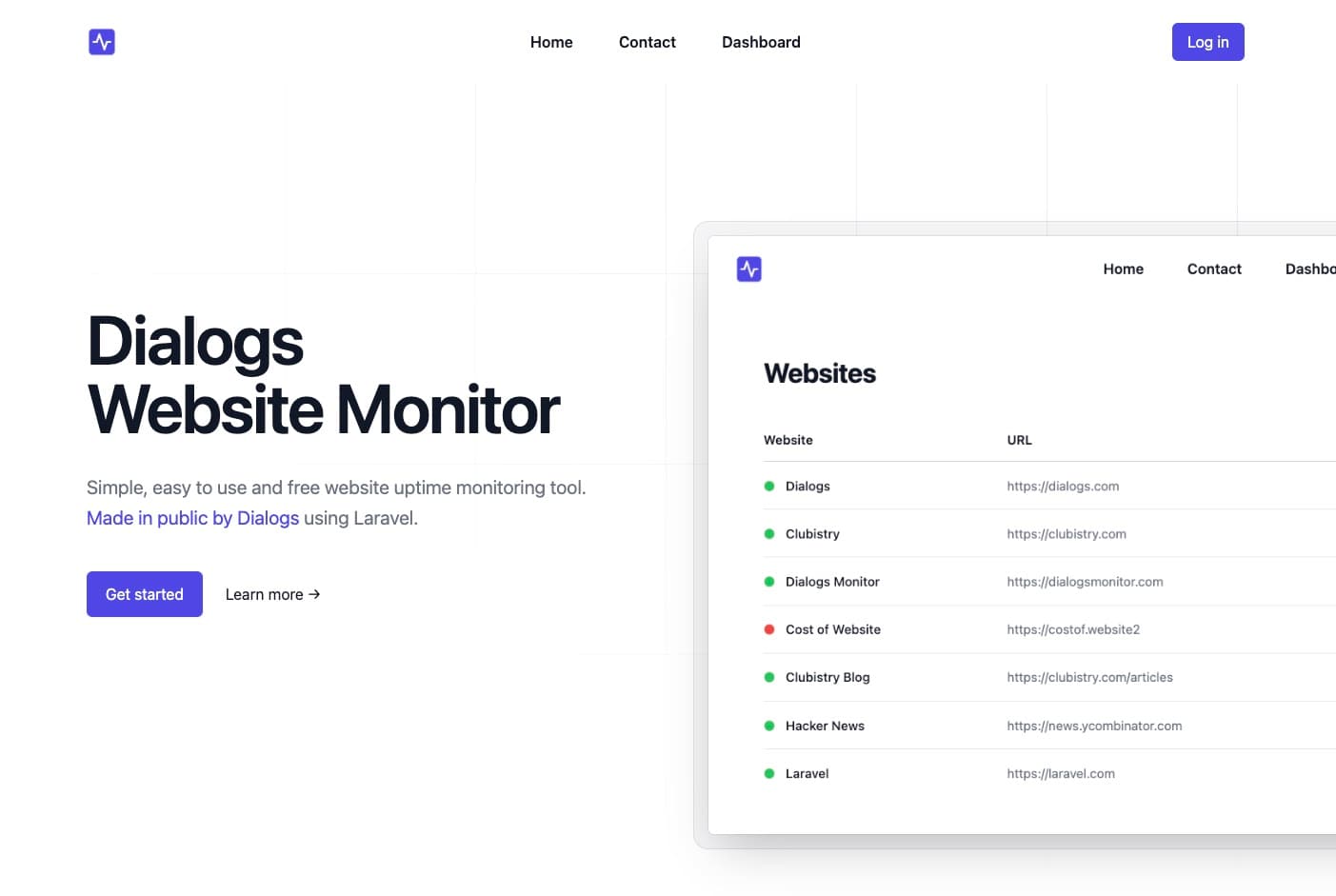
About this app
Dialogs Monitor is a straightforward and reliable uptime monitoring solution built with Laravel, offering essential features like custom downtime alerts via email or Slack, mobile-friendly access, and a transparent development process documented on YouTube. It's perfect for small businesses, solo developers, and early-stage startups who need a budget-friendly way to ensure their websites stay online without the complexity of advanced analytics or multi-region checks. While it excels in simplicity and cost-effectiveness, it lacks some polished features like detailed reporting or enhanced security measures, making it a solid choice for those prioritizing basic functionality over bells and whistles.
Key features
- 1Basic, reliable uptime monitoring with quick load times and mobile responsiveness
- 2Free pricing model ideal for small teams and startups with budget constraints
- 3Transparent development process and straightforward setup for easy user onboarding
Target customer profile
Drawn from the product itself, not from a survey.
Demographic
Small business owners
Pain points
Limited budgets and lack of technical expertise
Primary needs
Affordable uptime tracking and easy setup
Demographic
Freelance developers
Pain points
Managing multiple client sites with time constraints
Primary needs
Lightweight monitoring and Slack integration
Demographic
Startups
Pain points
Scaling infrastructure costs and early reliability needs
Primary needs
Free tier availability and mobile access
Scout Review
Written by AI from measured evidence, scored out of 100.
Dialogs Monitor excels at doing one thing well: providing basic, reliable uptime monitoring without complexity or cost. It's the perfect solution for solo developers, small startups, and businesses with limited budgets who need straightforward downtime alerts via email or Slack. The mobile access and transparent development process are nice bonuses that add value. However, it's not for enterprises needing advanced features, detailed analytics, or robust security measures. Think of it as the reliable beater car of monitoring tools - it gets you from point A to B without fancy features, but don't expect luxury amenities.
Measure by measure
Usability
80Intuitive for beginners with straightforward navigation, though lacks advanced customization options.
Design
70Minimalist interface with functional blue/gray scheme, clean dashboard, and solid mobile responsiveness.
Speed
90Quick load times and reliable uptime checks with snappy performance for core monitoring features.
Security
60Basic SSL encryption covered, but lacks 2FA, compliance certifications, or advanced security measures.
Accessibility
50Mobile-friendly but no screen reader support, language options, or keyboard navigation enhancements.
Growth
70Open development attracts niche users, but faces fierce competition from established monitoring tools.
Improvement areas
- Lacks advanced security features like two-factor authentication and compliance certifications
- No accessibility support for screen readers, keyboard navigation, or multi-language options
- Absence of detailed analytics, reporting, and customization features limits appeal for power users
Design & Usability
Dialogs Monitor presents a no-frills, functional interface that gets the job done without overwhelming users. The dashboard cleanly displays uptime status and incident history with a straightforward navigation that even non-technical users can grasp quickly. While the blue and gray color scheme won't win any design awards, it's professional and doesn't distract from the core functionality. The mobile responsiveness is particularly impressive, ensuring you can check your site status from anywhere. However, power users might find the lack of customization options and granular controls limiting. The interface feels more like a minimum viable product than a polished commercial offering, but for basic monitoring needs, it's perfectly serviceable.
Speed & Security
Performance-wise, Dialogs Monitor delivers where it counts - the uptime checks are reliable and the interface loads quickly without unnecessary bloat. The core functionality executes efficiently, making it a responsive tool for daily monitoring tasks. Security measures are basic but adequate for most small business needs, with SSL encryption protecting data transmission. However, the absence of two-factor authentication, detailed compliance certifications, or advanced security features means it's not suitable for highly sensitive environments. There's no public SLA or performance benchmarks, which enterprise users might find concerning, but for free monitoring of non-critical sites, the speed and basic security are more than sufficient.
Accessibility & Growth
Accessibility is clearly an afterthought in Dialogs Monitor. While the mobile-friendly design works well, there's no support for screen readers, keyboard navigation enhancements, or language localization options. The contrast ratios meet basic readability standards but lack the thoughtful design that would make the app truly inclusive. Growth potential is mixed - the open development process and YouTube documentation create transparency that appeals to technical users, but the fierce competition from established players like UptimeRobot and the lack of advanced features may limit its market appeal. The free pricing model gives it an edge for budget-conscious users, but monetization and scaling challenges remain significant hurdles for long-term viability.
Conclusion
If you're a bootstrapped founder or freelance developer needing essential uptime monitoring without the enterprise price tag, Dialogs Monitor is absolutely worth trying. It's one of those rare tools that understands exactly what its target audience needs and delivers it without unnecessary complexity. The free tier makes it risk-free to test, and the straightforward setup means you'll be monitoring within minutes. For small teams prioritizing function over form, this tool delivers exactly what it promises without any hidden costs or confusing features.
Suggestions for improvement
- To compete more effectively, Dialogs Monitor should add multi-language support to broaden its global appeal and implement basic two-factor authentication for improved security.
- Detailed documentation would help non-technical users get started more easily, while multi-region monitoring would address geographic redundancy needs.
- Adding even basic analytics and reporting features would make it more competitive with paid alternatives without compromising its simplicity-focused approach.
Alternatives comparison
Named competitors, point by point. Nobody paid to appear here or to be left out.
 Dialogs Monitor Dialogs Monitor |  UptimeRobot UptimeRobot |  Pulsetic Pulsetic |  Uptime.com Uptime.com | |
|---|---|---|---|---|
| Free Tier Monitoring | Basic unlimited monitoring | 50 free monitors | Limited free plan | Paid only |
| Slack Integration | Yes | Yes | Yes | Yes |
| Transparent Development | YouTube documented process | No | No | No |
| Mobile Access | Mobile-friendly | Mobile app available | Mobile-responsive | Enterprise mobile solutions |
| Pricing Model | Completely free | Freemium | Freemium with paid features | Enterprise pricing |
UptimeRobot
Offers 50 free monitors but lacks the open-source transparency of Dialogs Monitor.
Pulsetic
Provides real-time alerts and uptime reports but charges for basic features, unlike the free options in Dialogs Monitor.
Uptime.com
Enterprise-grade monitoring with SLA tracking but comes with higher pricing tiers, making it less accessible for small budgets.
Comparing options? See Dialogs Monitor alternatives, scored side by side
More Development & Engineering apps
View all Development & Engineering
Vibe Coding Agent Skills
92A free, open-source platform offering 110 AI agent skills...

CreateMyCoin
92A no-code Solana token creator that deploys SPL tokens in...

CC Switch
91Open-source desktop app for switching AI coding providers...

DemoVexa
90Turn your code into professional product demo videos with AI-generated scripts, animated UI, and natural voiceovers.

TaxID
90Fast EU VAT validation API for developers, covering 27 EU...

FontPlop
89Browser-based font viewer & tester for TTF, OTF, WOFF, WO...

deed.page
89Permanent web hosting for AI agents, no human step

Webfetch
89Web scraping API that turns any URL into HTML, text, Mark...

Claw Messenger
88Claw Messenger is an iMessage API service that gives AI a...

PERM Processing Time: Current DOL Queue & History
88PERM Processing Time is an independent data analysis platform that helps users navigate the U.S. Department of Labor’s permanent labor certification process.

DataHabibi
88AI-powered Dubai real estate data platform with 12M+ DLD ...

BeartIMAGE
88BeartIMAGE is a free, web-based image processing platform engineered for fast, bulk photo editing and conversion directly in your browser.


A platform dedicated to providing unbiased reviews of newly launched applications, analyzing everything from their features to their full potential.
info@scoutforge.net© 2026 Scoutforge. All rights reserved.
