

A platform dedicated to providing unbiased reviews of newly launched applications, analyzing everything from their features to their full potential.
info@scoutforge.net© 2026 Scoutforge. All rights reserved.
A platform dedicated to providing unbiased reviews of newly launched applications, analyzing everything from their features to their full potential.
info@scoutforge.net© 2026 Scoutforge. All rights reserved.
A platform dedicated to providing unbiased reviews of newly launched applications, analyzing everything from their features to their full potential.
info@scoutforge.net© 2026 Scoutforge. All rights reserved.
Cycling through all six. Tap any point to stop.
Measured on six things
Dated, checkable website security and change records
Free scan and clear module split (Preflight/Handover) lower the entry barrier, and pricing is stated upfront. But no docs, help center, or demo means users learn by doing — or by bouncing.
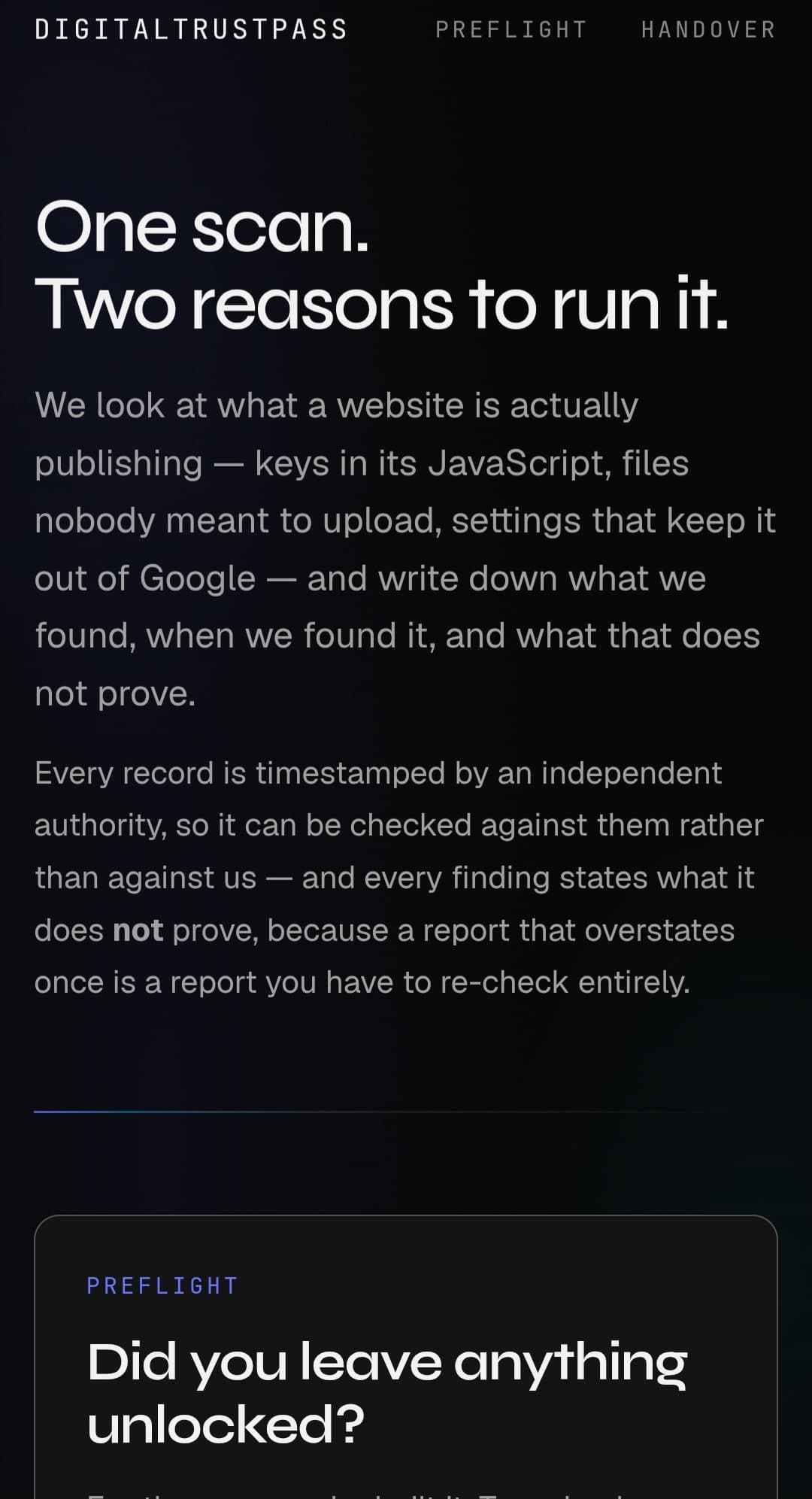
DigitalTrustPass is a web security and verification tool that scans websites from the outside to uncover exposed API keys, sensitive files (like .env or .git), and misconfigurations such as noindex settings. Each scan produces a timestamped, independently verifiable record of what was found and when, along with a clear statement of what the scan does not prove. The platform offers two main modules: Preflight for developers to assess their own sites and code exposures (committed secrets, vulnerable dependencies), and Handover for agencies and freelancers to document a site's state upon delivery, giving clients a checkable baseline. Pricing starts with a free site scan, a $29 detailed report, and $9/month monitoring. It is not a penetration test but provides valuable external visibility and evidence for security questionnaires. In my view, DigitalTrustPass fills a niche for teams needing trustworthy, client-friendly proof of web security posture without invasive testing.
Drawn from the product itself, not from a survey.
Demographic
Freelance web developers and small agencies
Pain points
Difficulty proving the security state of delivered sites; clients skeptical of self-reported fixes.
Primary needs
A dated, third-party verifiable record of site security at handover to build trust and reduce disputes.
Demographic
DevOps and security engineers at startups
Pain points
Accidental exposure of API keys, .env files, or .git directories; lack of continuous monitoring for misconfigurations.
Primary needs
External scanning and monitoring to catch leaks and misconfigurations, with evidence for compliance and audits.
Demographic
IT managers and compliance officers in SMBs
Pain points
Struggling to provide proof for security questionnaires; need to demonstrate due diligence without full audits.
Primary needs
Affordable, timestamped evidence of external website security to answer client and regulatory inquiries.
Demographic
Vibe devs
Pain points
Security
Primary needs
Securing keys
Written by AI from measured evidence, scored out of 100.
DigitalTrustPass is a web security scanner with a genuinely interesting angle: it does not just find exposed keys and misconfigured files, it produces timestamped, client-checkable records of what was found and — crucially — what was not checked. That honesty is the product's best feature. The site is fast (100/100 Lighthouse), the pricing is clear ($29 report, $9/mo monitoring), and the Preflight/Handover split maps cleanly to two real audiences: developers checking their own sites and agencies documenting handovers. But the execution has gaps. There is no documentation, no help center, no product screenshots, and no accessibility statement. The security headers are good but incomplete (no CSP, no Permissions-Policy), and there is no published audit or bug bounty. The category is crowded — Intruder and Detectify offer deeper active scanning, SecurityTrails offers broader intelligence — and DigitalTrustPass's wedge is documentation, not detection. That is a defensible niche, but a copyable one. For a 0.4-year-old product, the foundation is solid. The question is whether 'we tell you what we did not check' is enough to win against tools that simply do not mention it.
Free scan and clear module split (Preflight/Handover) lower the entry barrier, and pricing is stated upfront. But no docs, help center, or demo means users learn by doing — or by bouncing.
Bold editorial layout with strong typographic hierarchy and a consistent 'what this does not prove' motif. Dense copy and zero product screenshots make it feel more like a manifesto than a tool.
Lighthouse 100/100 on both mobile and desktop. LCP 902ms, CLS 0, TBT 0ms — genuinely fast, likely a static or lightly-hydrated page with no framework bloat.
HTTPS enforced with HSTS, frame protection, X-Content-Type-Options, Referrer-Policy, SPF and DMARC all present. Missing CSP and Permissions-Policy, and no published audit or bug bounty.
Lighthouse 91/100 with contrast and missing main landmark as the only failures. No a11y statement or WCAG claim, but the lightweight page structure keeps keyboard navigation plausible.
Real problem (exposed secrets, handover disputes) with a specific honesty wedge — timestamped, client-checkable evidence. But the category is crowded and the wedge is copyable.
DigitalTrustPass has a deliberate, editorial design language — large type, a two-column module split, and a recurring 'what this does not prove' motif that doubles as brand identity. It reads like a security manifesto, which is charming but leaves the actual product invisible: no screenshots, no UI previews, no demo video. Usability is similarly split. The free scan and clear Preflight/Handover separation lower the barrier, and pricing is stated upfront ($29 report, $9/mo monitoring). But there is no documentation, help center, or API reference linked from the homepage, which for a developer-facing security tool is a real gap. The onboarding is 'scan and see,' which works for a free tier but leaves paying users guessing at what the $29 report actually contains. The design earns points for conviction; the usability loses them for leaving users to reverse-engineer the product from marketing copy.
Speed is the standout: Lighthouse 100/100 on both mobile and desktop, LCP 902ms, CLS 0, TBT 0ms. This is a genuinely fast, lightweight page — no heavy SPA framework, no render-blocking bloat. For a security tool that wants to feel trustworthy, a snappy site is a quiet credibility signal. Security is solid but not exceptional. HTTPS is enforced with HSTS, frame protection, X-Content-Type-Options, Referrer-Policy, SPF, and DMARC are all present — 9/12 on the header checklist. The gaps are CSP and Permissions-Policy, both absent, which is a noticeable omission for a company whose entire pitch is web security posture. There is also no published SOC 2, ISO 27001, pen-test report, or bug bounty program. For an early-stage product that is not disqualifying, but it means the security score sits in the 'good, not great' band rather than the top tier. The irony of a security scanner shipping without a Content-Security-Policy header is not lost.
Accessibility lands at 91/100 on the Lighthouse audit, with two failures: insufficient color contrast and a missing main landmark. Both are fixable in an afternoon, but both matter — contrast affects readability for low-vision users, and the missing landmark hurts screen reader navigation. There is no accessibility statement, no WCAG conformance claim, and no multi-language support indicated. For a product targeting compliance-conscious buyers, an a11y statement would be cheap credibility. Growth is a judgment call on the idea. The problem is real: exposed API keys, readable .env files, and handover disputes between agencies and clients are genuine pain points. The wedge — timestamped, independently verifiable records with explicit 'what this does not prove' language — is specific and honest. But the category is crowded with Intruder, Detectify, and SecurityTrails, all of which offer more active scanning depth. DigitalTrustPass's differentiator is documentation and verifiability, not detection capability. That is a real niche, but it is a niche that incumbents could copy with a reporting feature update. The domain is 0.4 years old, so traction is minimal — context, not a penalty. The idea can grow, but the moat is thin.
Conclusion
DigitalTrustPass is early, honest, and technically competent. The speed is excellent, the security fundamentals are mostly in place, and the core idea — verifiable, timestamped evidence of external web security posture — addresses a real gap between 'trust me' and 'here is the proof.' But the product is invisible on its own homepage, the docs are absent, and the differentiator is a reporting philosophy rather than a technical moat. If you are a freelancer or small agency who needs to hand a client a checkable baseline, this is worth a free scan. If you need active vulnerability detection, Intruder or Detectify will serve you better. The honesty is refreshing. The execution needs another lap.
Named competitors, point by point. Nobody paid to appear here or to be left out.
 DigitalTrustPass DigitalTrustPass |  Intruder Intruder |  Detectify Detectify |  SecurityTrails SecurityTrails | |
|---|---|---|---|---|
| Primary function | External scanning for exposed keys, files, and misconfigurations with timestamped, client-checkable evidence. | Automated vulnerability scanning and continuous monitoring with active assessment. | DAST-style web security scanner mimicking hacker techniques, with CI/CD integration. | DNS and domain intelligence with historical records and exposure data. |
| Timestamped, independently verifiable records | Yes — core feature; every scan produces a dated record checkable by third parties. | Reports are dated but not positioned as independently verifiable evidence. | Scan results are timestamped but focused on remediation, not client-checkable proof. | Historical DNS data is dated but not framed as verifiable handover evidence. |
| Explicit 'what this does not prove' statements | Yes — every report states what was and was not checked. | No — reports focus on findings, not explicit limitations. | No — DAST output is findings-oriented. | No — intelligence data, not a scoped report with disclaimers. |
| Free tier | Yes — free site scan; $29 detailed report; $9/mo monitoring. | No free tier; demo/trial available on request. | No free tier; trial available. | Limited free API access; paid plans for full data. |
| Target audience | Freelance devs, small agencies, SMB compliance officers needing handover evidence. | Security teams and DevOps needing continuous vulnerability management. | Security engineers and AppSec teams integrating scanning into CI/CD. | Security researchers, threat intel analysts, and recon specialists. |
Intruder
Intruder is an automated vulnerability scanner that checks for misconfigurations, exposed services, and common vulnerabilities. It provides continuous monitoring and detailed reports, but focuses more on active vulnerability assessment.
Detectify
Detectify is a web security scanner that mimics hacker techniques to find vulnerabilities. It offers continuous monitoring and integrates with CI/CD, but is a full DAST tool rather than a documentation and verification service.
SecurityTrails
SecurityTrails provides DNS and domain intelligence, including historical records and exposure data. While it helps identify some misconfigurations, it lacks the timestamped, client-checkable verification and reporting focus of DigitalTrustPass.
Comparing options? See DigitalTrustPass alternatives, scored side by side

A no-code Solana token creator that deploys SPL tokens in...

A free, open-source platform offering 110 AI agent skills...

Open-source desktop app for switching AI coding providers...

Fast EU VAT validation API for developers, covering 27 EU...

Claw Messenger is an iMessage API service that gives AI a...

PERM Processing Time is an independent data analysis platform that helps users navigate the U.S. Department of Labor’s permanent labor certification process.

AI-powered Dubai real estate data platform with 12M+ DLD ...

BeartIMAGE is a free, web-based image processing platform engineered for fast, bulk photo editing and conversion directly in your browser.

macOS app for App Store screenshots: 3D mockups, auto-tra...

Real-time monetization infrastructure for AI products tha...

A native macOS process explorer and advanced monitor that...

A developer-first financial data API providing structured...
A platform dedicated to providing unbiased reviews of newly launched applications, analyzing everything from their features to their full potential.
info@scoutforge.net© 2026 Scoutforge. All rights reserved.
