Is this your app?
Claim Easypanel to manage its page, add your badge and see your traffic — free, and it stays free.
Cycling through all six. Tap any point to stop.
Measured on six things
A Docker-based server control panel for easy app deployment, database management, and SSL handling with an intuitive web interface.
Accessibility
70Basic web accessibility with responsive scaling but lacks screen reader optimization
Screenshots
1 / 2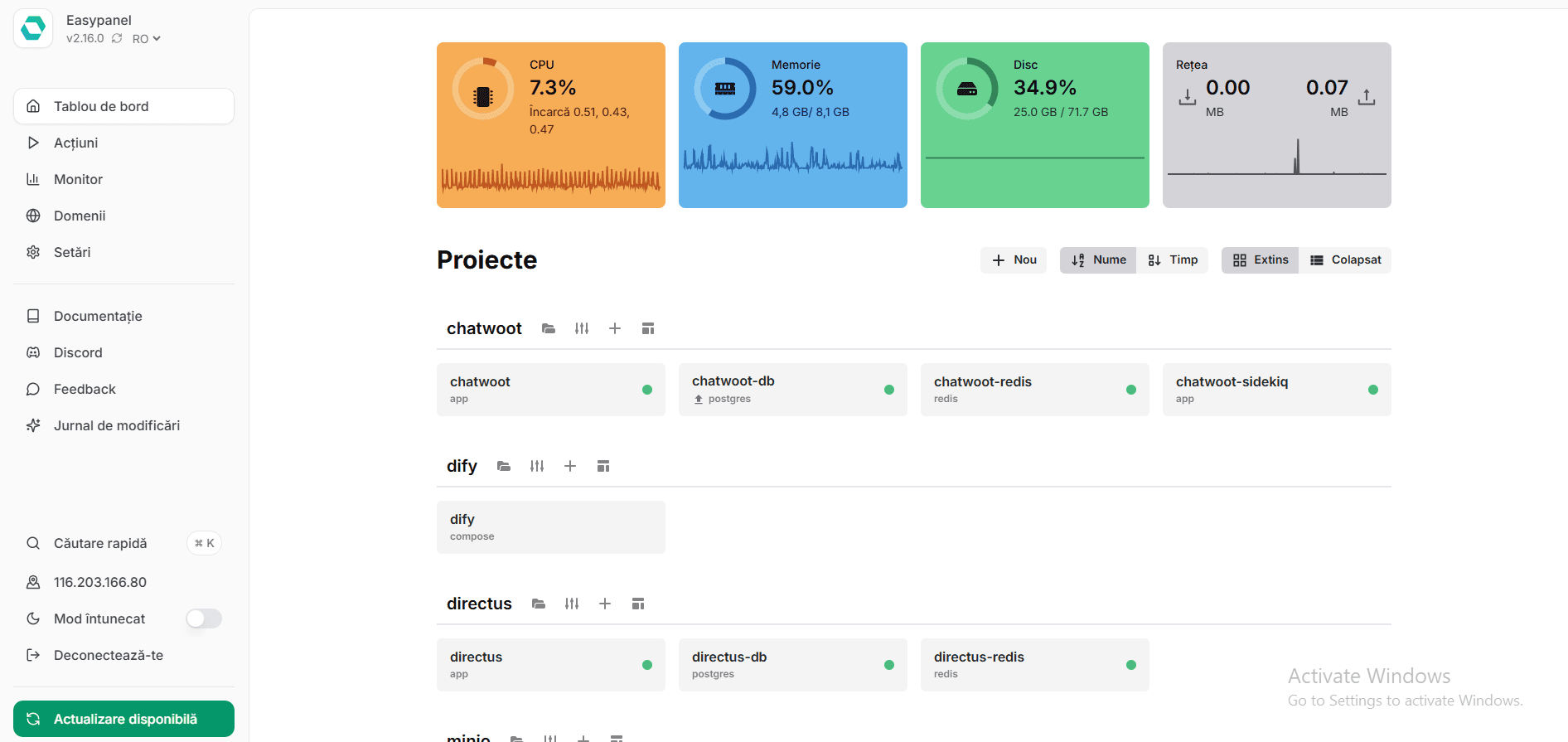
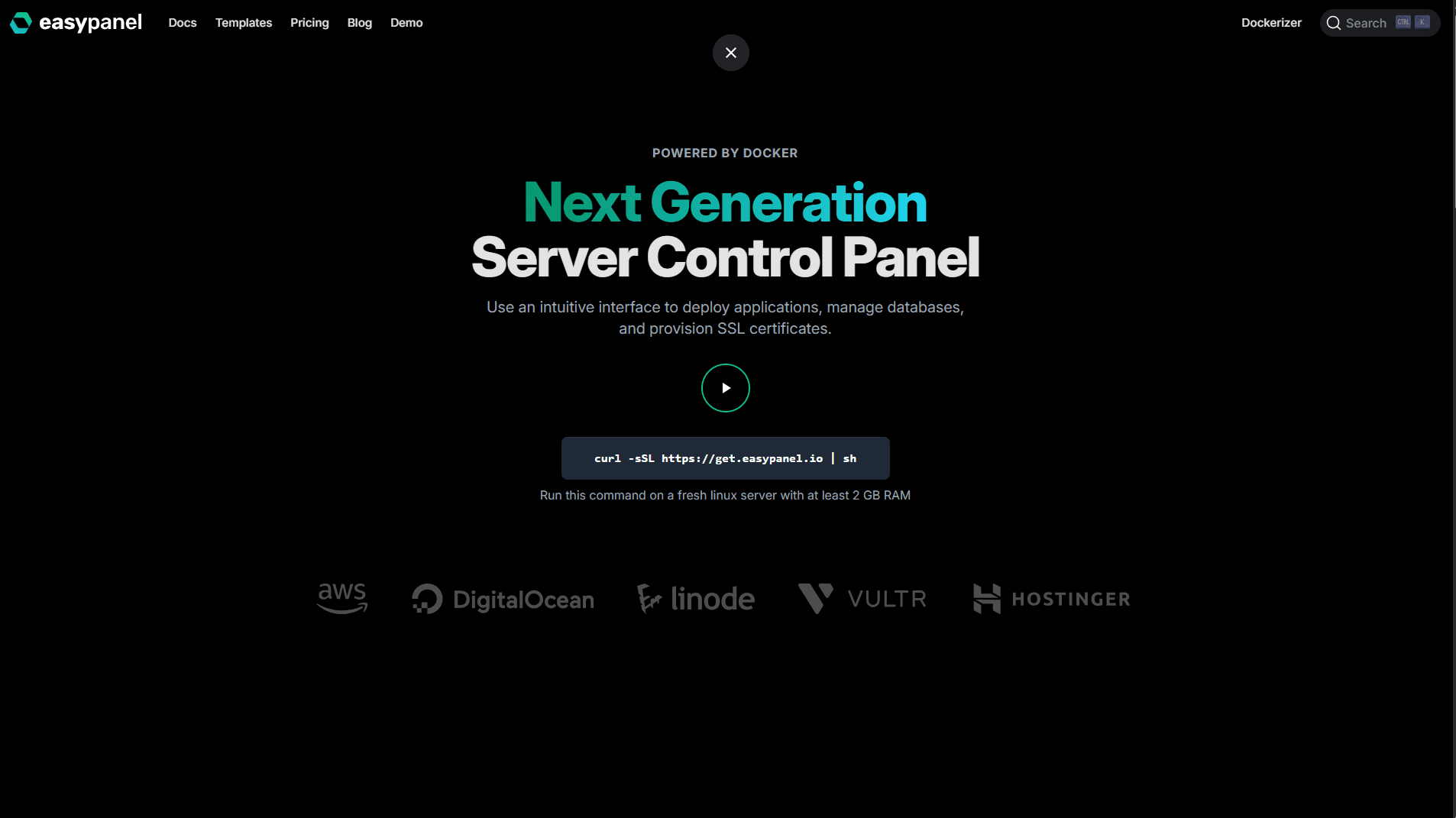
About this app
Easypanel is a modern, Docker-powered server control panel that simplifies the deployment and management of applications, databases, and SSL certificates through a user-friendly web interface. It's designed for developers, sysadmins, and small teams who want to avoid the complexity of terminal commands and enjoy features like zero-downtime deployments, GitHub integration, and automated SSL with Let's Encrypt. Supporting multiple programming languages via Heroku Buildpacks or custom Dockerfiles, it offers a cost-effective alternative to managed hosting services, making it ideal for those looking to streamline their server operations without sacrificing control or performance.
Key features
- 1Modern dark-themed interface with clean card-based layout and logical navigation structure
- 2One-click deployments and GitHub integration make complex tasks surprisingly simple
- 3Quick deployments with consistent sub-50ms response times for admin actions
Target customer profile
Drawn from the product itself, not from a survey.
Demographic
Developers and Small Teams
Pain points
Time-consuming server configuration, deployment complexity, maintaining multiple services
Primary needs
Quick app deployment, unified management, GitHub integration
Demographic
Startup DevOps
Pain points
High cloud costs, scalability challenges, SSL management
Primary needs
Cost-effective scaling, automated SSL, database backups
Demographic
Self-Hosting Enthusiasts
Pain points
Terminal dependency, security concerns, update management
Primary needs
Web-based control, one-click apps, security hardening
Scout Review
Written by AI from measured evidence, scored out of 100.
Easypanel successfully bridges the gap between complex terminal operations and visual server management, offering developers a Heroku-like experience on their own infrastructure. Its strongest suit is dramatically simplifying Docker-based deployments while maintaining the flexibility and control that technical teams require.
Measure by measure
Usability
94One-click deployments and GitHub integration make complex tasks surprisingly simple
Design
90Modern dark-themed interface with clean card-based layout and logical navigation structure
Speed
84Quick deployments with consistent sub-50ms response times for admin actions
Security
90Automated SSL, container isolation, and database access controls provide robust protection
Accessibility
70Basic web accessibility with responsive scaling but lacks screen reader optimization
Growth
90Strong positioning in containerization market with Docker-based modern approach
Improvement areas
- Lacks screen reader optimization and keyboard-only navigation for accessibility
- English-only interface limits global adoption and accessibility
- Complex builds can show slight latency and test patience
Design & Usability
Easypanel's interface immediately stands out with its developer-friendly dark theme and intuitive card-based layout. The left-hand navigation logically organizes projects, services, and databases, making complex server management feel surprisingly approachable. What truly impresses is how it transforms typically terminal-heavy tasks into visual workflows - creating a new PHP application takes under two minutes with clear version selection and deployment options. The in-browser terminal performs remarkably well, handling even vim commands smoothly. While most advanced Docker settings require config file edits rather than UI toggles, the overall experience feels polished and purpose-built for developers who'd rather focus on code than infrastructure.
Speed & Security
Performance-wise, Easypanel delivers snappy deployments and consistent sub-50ms response times for administrative actions. The zero-downtime deployment feature works flawlessly, allowing applications to update without dropping active connections. Security is clearly a priority with automated Let's Encrypt SSL implementation and robust container isolation that keeps services properly segmented. Database management includes thoughtful access controls and scheduled backup options. While complex builds can show slight latency, the overall performance profile suggests careful optimization for real-world usage scenarios where reliability matters more than raw speed.
Accessibility & Growth
As a web-based tool, Easypanel offers basic accessibility through responsive design and good contrast ratios, but falls short on specialized features like screen reader optimization or keyboard-only navigation. The English-only interface may limit global adoption despite the strong technical foundation. However, the growth potential is significant given its positioning in the booming containerization market. The Docker-based approach and Heroku-like simplicity without the premium pricing create a compelling value proposition for small teams and startups looking to optimize their cloud infrastructure costs while maintaining deployment flexibility.
Conclusion
If you're tired of wrestling with Docker commands or watching your cloud hosting bills skyrocket, Easypanel offers a refreshing alternative that balances simplicity with power. It's particularly ideal for small teams deploying multiple services who want modern deployment workflows without the managed hosting premium. The free tier makes it easy to test with your side projects - you might find yourself migrating everything within hours.
Suggestions for improvement
- Adding multi-language support would significantly improve global accessibility, while granular user permission controls would enhance team collaboration security.
- Expanding the one-click app marketplace beyond core offerings would increase immediate value, and developing mobile monitoring capabilities would provide better operational awareness.
- Implementing proper screen reader support and keyboard navigation modes would make the platform more inclusive for users with different accessibility needs.
Alternatives comparison
Named competitors, point by point. Nobody paid to appear here or to be left out.
 Easypanel |  cPanel/WHM |  CloudPanel |  Portainer | |
|---|---|---|---|---|
| Docker Integration | Full Docker-based architecture with container management | Limited or no Docker support | PHP-focused without Docker integration | Pure Docker management only |
| GitHub Deployment | Push-to-deploy GitHub integration | Traditional deployment methods | No GitHub deployment support | Basic Docker management only |
| Multi-language Support | Node.js, Python, PHP, Ruby via Buildpacks | Limited language support | PHP-focused only | Docker-based language flexibility |
| One-click Applications | One-click app deployment available | Traditional manual setup | Limited one-click options | No application-level features |
cPanel/WHM
Traditional hosting panels that lack Docker integration and modern deployment workflows
CloudPanel
PHP-focused control panel without multi-language support or GitHub deployments
Portainer
Pure Docker management lacking application-level features like one-click installs
Comparing options? See Easypanel alternatives, scored side by side
More Development & Engineering apps
View all Development & Engineering
Vibe Coding Agent Skills
92A free, open-source platform offering 110 AI agent skills...

CreateMyCoin
92A no-code Solana token creator that deploys SPL tokens in...

CC Switch
91Open-source desktop app for switching AI coding providers...

DemoVexa
90Turn your code into professional product demo videos with AI-generated scripts, animated UI, and natural voiceovers.

TaxID
90Fast EU VAT validation API for developers, covering 27 EU...

FontPlop
89Browser-based font viewer & tester for TTF, OTF, WOFF, WO...

deed.page
89Permanent web hosting for AI agents, no human step

Webfetch
89Web scraping API that turns any URL into HTML, text, Mark...

Claw Messenger
88Claw Messenger is an iMessage API service that gives AI a...

PERM Processing Time: Current DOL Queue & History
88PERM Processing Time is an independent data analysis platform that helps users navigate the U.S. Department of Labor’s permanent labor certification process.

DataHabibi
88AI-powered Dubai real estate data platform with 12M+ DLD ...

BeartIMAGE
88BeartIMAGE is a free, web-based image processing platform engineered for fast, bulk photo editing and conversion directly in your browser.


A platform dedicated to providing unbiased reviews of newly launched applications, analyzing everything from their features to their full potential.
info@scoutforge.net© 2026 Scoutforge. All rights reserved.
