Is this your app?
Claim Format JSON Online to manage its page, add your badge and see your traffic — free, and it stays free.
Cycling through all six. Tap any point to stop.
Measured on six things
A free web-based toolkit with over 60 JSON utilities for formatting, validation, conversion, and AI-powered error correction.
Accessibility
60Basic keyboard navigation and color contrast, but lacks screen reader optimization and multi-language support for global accessibility.
Screenshots
1 / 3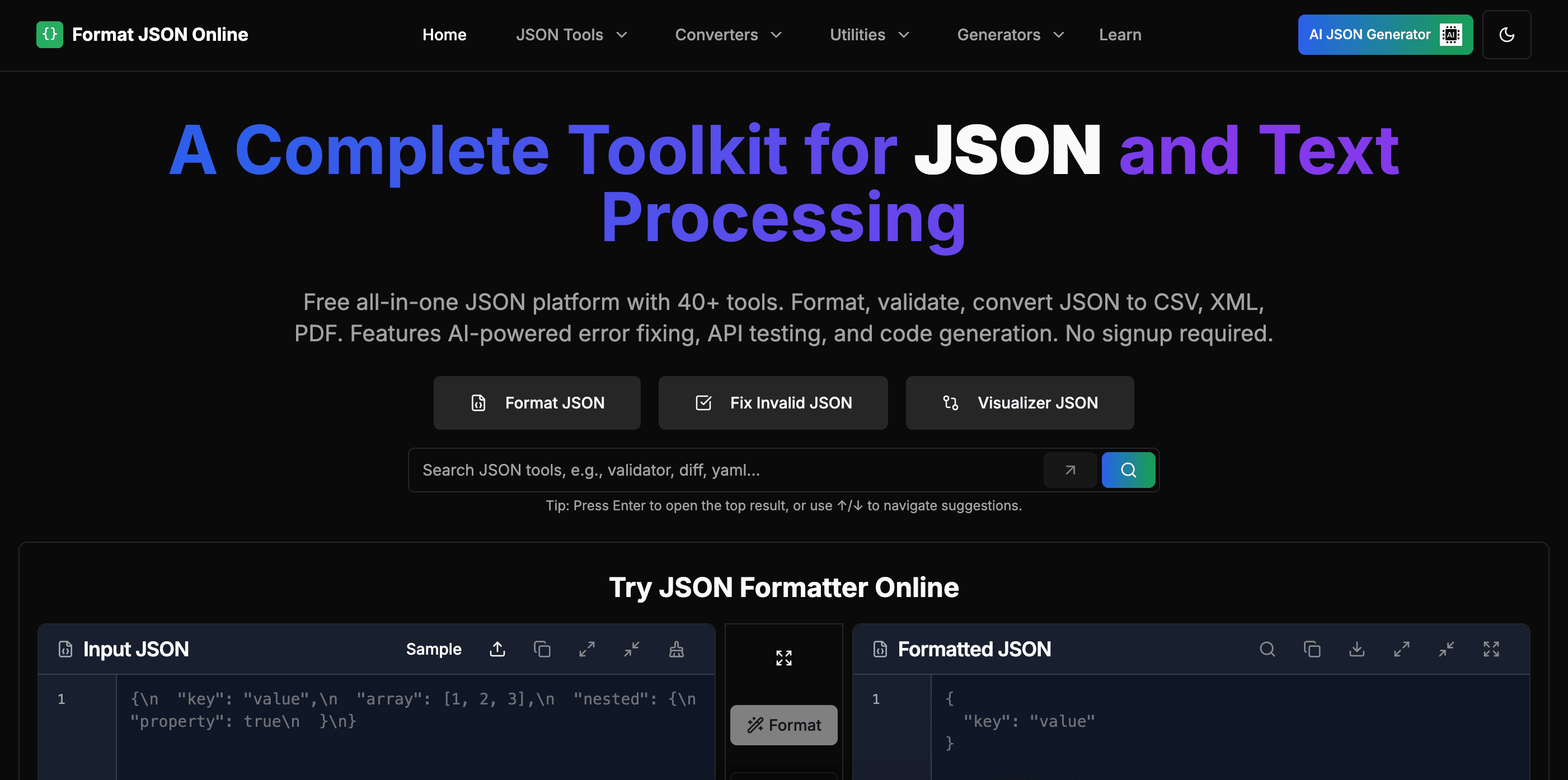
About this app
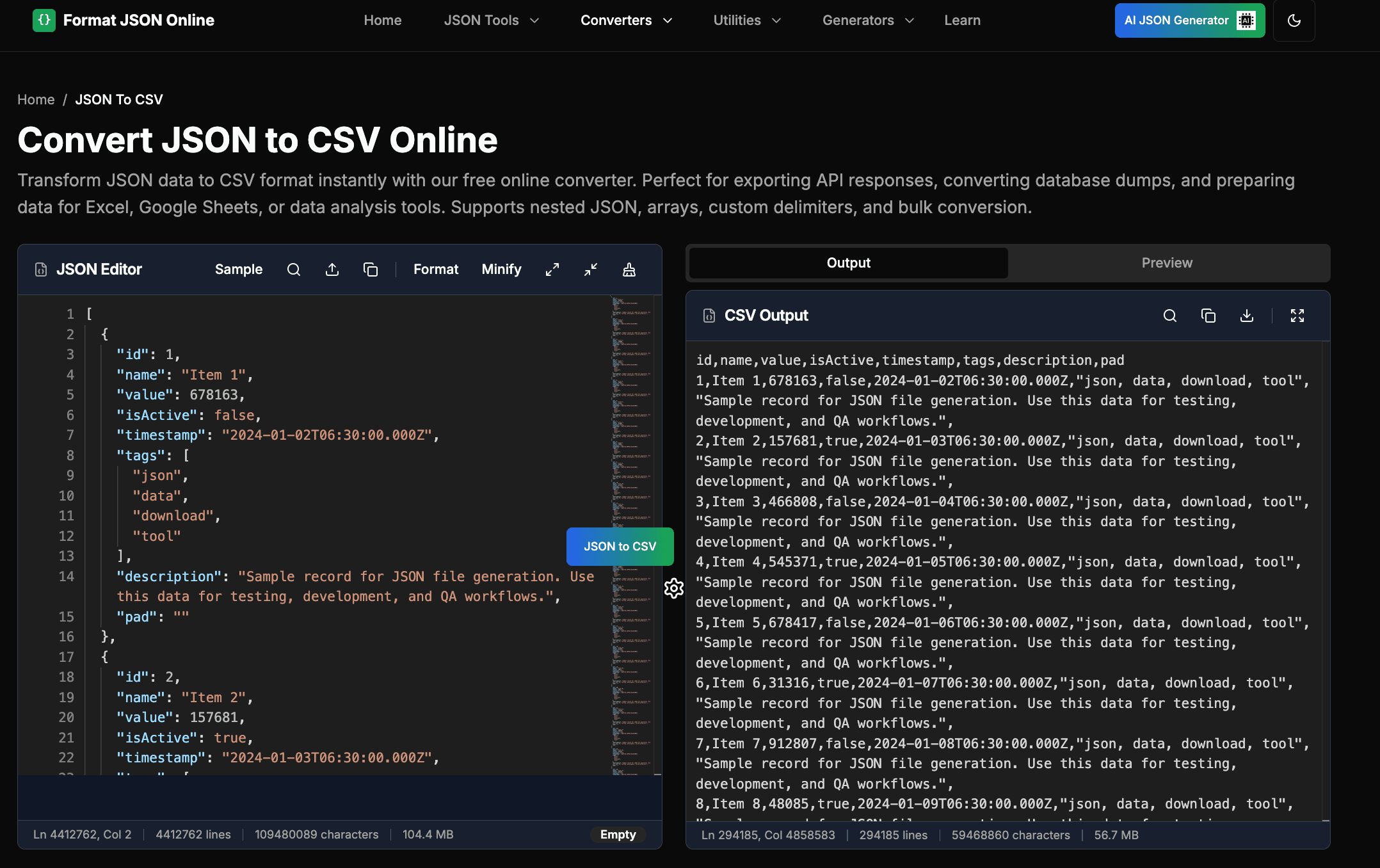
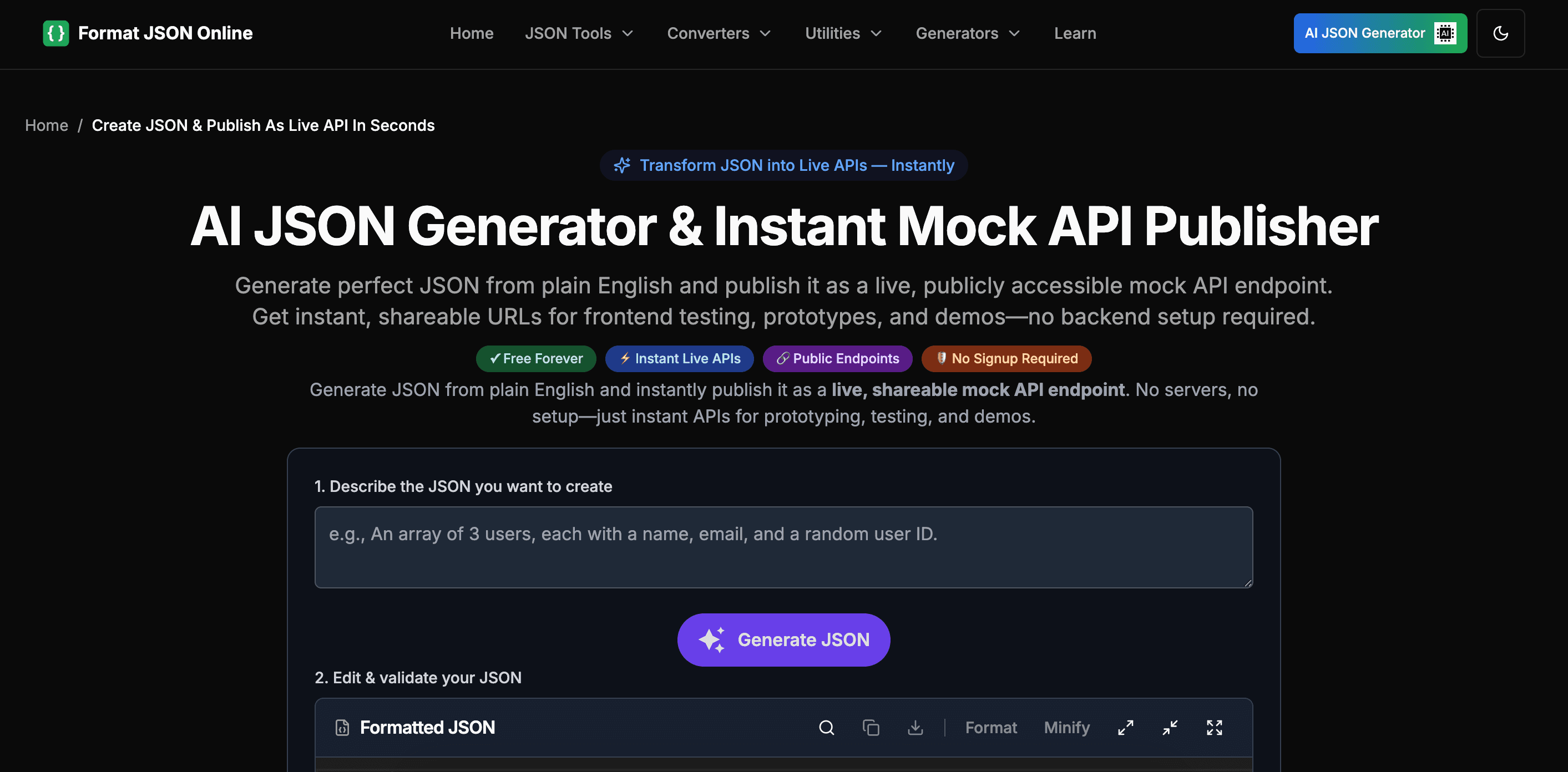
As a developer who frequently deals with messy JSON data, I've found Format JSON Online to be an incredibly versatile resource. It goes beyond basic formatting to offer a full suite of tools, from validators and converters to mergers and comparators, all accessible through a clean interface. What impressed me most was the AI-powered error fixing, which intelligently suggests corrections for common JSON syntax issues. The platform's availability as browser extensions and CLI tools makes it seamlessly integrable into any workflow, whether you're debugging API responses or preparing data for analysis. The interface employs a clean, minimalistic design with a dark mode option that reduces eye strain during extended use. Tools are logically categorized into sections like Formatters, Validators, and Converters, with a prominent search bar for quick access. The main workspace features a split-panel layout where you can input raw JSON and see formatted results side-by-side, making comparisons effortless. While the extensive toolset is impressive, newcomers might find the abundance of options slightly overwhelming without introductory guides. The platform uses HTTPS encryption for all data transfers, and since processing occurs primarily client-side, your JSON data isn't stored on external servers, a significant privacy advantage. Performance is snappy, with formatting and validation completing near-instantly thanks to optimized JavaScript. The tools load quickly without unnecessary bloat, ensuring a smooth experience even with large datasets. Basic accessibility features include keyboard navigation and sufficient color contrast for readability. However, the site lacks screen reader optimization and multi-language support, which limits its inclusivity. The interface is functional but doesn't cater to users with visual impairments or non-English speakers, representing an area for growth. Format JSON Online excels as a one-stop solution for developers and data professionals needing reliable JSON manipulation tools. Its breadth of features, combined with security and speed, makes it a standout in the crowded space of online utilities. If you're looking for a comprehensive JSON toolkit that grows with your needs, this is definitely worth exploring.
Key features
- 1AI-powered JSON error correction with intelligent syntax fixing suggestions
- 260+ utilities including formatters, validators, converters, mergers, and comparators
- 3Browser extensions and CLI tools for seamless workflow integration
Target customer profile
Drawn from the product itself, not from a survey.
Demographic
Web Developers
Pain points
Unformatted JSON from APIs, validation errors during development, time-consuming manual data cleaning
Primary needs
Quick formatting, syntax validation, error detection, data transformation
Demographic
Data Analysts
Pain points
Converting JSON to CSV/XML for analysis, handling nested structures, ensuring data integrity
Primary needs
Format conversion tools, data extraction, validation for accuracy
Demographic
Students & Educators
Pain points
Understanding JSON syntax, debugging practice projects, learning data formats
Primary needs
Educational tools, simple validation, clear error messages
Scout Review
Written by AI from measured evidence, scored out of 100.
Format JSON Online delivers an impressive suite of JSON manipulation tools that cater perfectly to developers, data analysts, and students. Its comprehensive feature set, combined with excellent performance and thoughtful security measures, makes it a standout choice in the crowded JSON utility space. The platform's strengths in usability, speed, and feature breadth outweigh its accessibility limitations for most target users.
Measure by measure
Usability
90Intuitive navigation with 60+ tools organized into clear categories. Search functionality and browser extensions enhance workflow integration.
Design
80Clean, minimalistic interface with dark mode support and logical tool categorization. Split-panel layout enables efficient side-by-side JSON comparison.
Speed
90Near-instant processing with optimized JavaScript. Client-side operations ensure rapid formatting and validation without server delays.
Security
80HTTPS encryption with client-side processing prevents data storage on external servers, ensuring privacy for sensitive JSON content.
Accessibility
60Basic keyboard navigation and color contrast, but lacks screen reader optimization and multi-language support for global accessibility.
Growth
85Strong market position with AI error correction and expanding integrations. High demand for developer tools ensures continued relevance.
Improvement areas
- Screen reader compatibility and enhanced visual accessibility features
- Multi-language support for global developer accessibility
- Beginner-friendly tutorials and interactive onboarding guides
Design & Usability
Format JSON Online strikes an excellent balance between functionality and usability. The clean, minimalistic interface with its dark mode option is perfect for extended coding sessions, reducing eye strain while maintaining clarity. Tools are intelligently organized into logical categories like Formatters, Validators, and Converters, making navigation straightforward for experienced developers. The split-panel workspace is particularly effective, allowing users to input messy JSON on one side and see perfectly formatted results on the other in real-time. While the sheer volume of 60+ tools might initially overwhelm beginners, the prominent search bar and logical categorization help mitigate this learning curve. The availability as browser extensions and CLI tools demonstrates thoughtful integration into developer workflows.
Speed & Security
Performance is where Format JSON Online truly shines. Thanks to optimized JavaScript and client-side processing, formatting and validation happen almost instantaneously, even with large datasets. The tools load quickly without unnecessary bloat, ensuring a smooth experience whether you're debugging API responses or preparing data for analysis. Security-wise, the platform uses HTTPS encryption for all data transfers, and since processing occurs primarily client-side, your JSON data isn't stored on external servers—a significant privacy advantage for developers working with sensitive information. This combination of speed and security makes it ideal for both quick validations and extensive data manipulation tasks.
Accessibility & Growth
Accessibility represents the platform's primary area for improvement. While basic features like keyboard navigation and sufficient color contrast exist, the lack of screen reader optimization and multi-language support limits its inclusivity. The interface functions well for able-bodied English speakers but doesn't adequately serve users with visual impairments or non-English speaking developers. However, the growth potential is substantial—the AI-powered error correction feature positions it ahead of competitors, and the expanding toolset addresses real developer pain points. With the increasing importance of JSON in web development and data analysis, the platform is well-positioned for continued expansion and feature development.
Conclusion
For developers and data professionals seeking a reliable, feature-rich JSON toolkit that integrates seamlessly into their workflow, Format JSON Online is an excellent choice. The combination of 60+ utilities, AI-powered error correction, and client-side security creates a compelling package that grows with your needs. If you regularly work with JSON data and want a comprehensive solution that saves time and reduces frustration, this platform is definitely worth exploring.
Suggestions for improvement
- Add interactive tutorials or guided walkthroughs to help beginners navigate the extensive toolset effectively
- Implement screen reader compatibility and higher contrast modes to improve accessibility for visually impaired users
- Introduce multi-language support to serve the global developer community more inclusively
- Create a detailed privacy policy to increase transparency about data handling practices
Alternatives comparison
Named competitors, point by point. Nobody paid to appear here or to be left out.
 Format JSON Online Format JSON Online |  JSON Formatter & Validator JSON Formatter & Validator |  JSON Editor Online JSON Editor Online |  JSON Lint JSON Lint | |
|---|---|---|---|---|
| Number of JSON Tools Available | 60+ tools | 15-20 tools | 10-15 tools | 5-10 tools |
| AI Error Correction | Yes | No | No | No |
| Browser Extensions Available | Yes | No | No | No |
| Client-Side Processing | Yes | Mixed | Mixed | Mixed |
JSON Formatter & Validator
A popular tool for beautifying and validating JSON with advanced formatting but fewer additional utilities.
JSON Editor Online
Focuses on editing and querying JSON with a tree view interface, though it has fewer conversion tools.
JSON Lint
A straightforward validator and formatter ideal for quick checks but lacking advanced features like AI error correction.
Comparing options? See Format JSON Online alternatives, scored side by side
More Development & Engineering apps
View all Development & Engineering
Vibe Coding Agent Skills
92A free, open-source platform offering 110 AI agent skills...

CreateMyCoin
92A no-code Solana token creator that deploys SPL tokens in...

CC Switch
91Open-source desktop app for switching AI coding providers...

DemoVexa
90Turn your code into professional product demo videos with AI-generated scripts, animated UI, and natural voiceovers.

TaxID
90Fast EU VAT validation API for developers, covering 27 EU...

FontPlop
89Browser-based font viewer & tester for TTF, OTF, WOFF, WO...

deed.page
89Permanent web hosting for AI agents, no human step

Webfetch
89Web scraping API that turns any URL into HTML, text, Mark...

Claw Messenger
88Claw Messenger is an iMessage API service that gives AI a...

PERM Processing Time: Current DOL Queue & History
88PERM Processing Time is an independent data analysis platform that helps users navigate the U.S. Department of Labor’s permanent labor certification process.

DataHabibi
88AI-powered Dubai real estate data platform with 12M+ DLD ...

BeartIMAGE
88BeartIMAGE is a free, web-based image processing platform engineered for fast, bulk photo editing and conversion directly in your browser.


A platform dedicated to providing unbiased reviews of newly launched applications, analyzing everything from their features to their full potential.
info@scoutforge.net© 2026 Scoutforge. All rights reserved.
