Cycling through all six. Tap any point to stop.
Measured on six things
Free Word Unscramble for scrabble and words games.
Growth
58A real, evergreen need (every Scrabble player gets stuck) with concrete differentiators — blank-tile highlighting, WW points sorting, anagram mode. But it's a commodity query against WordHippo and YourDictionary with no moat.
Screenshots
1 / 1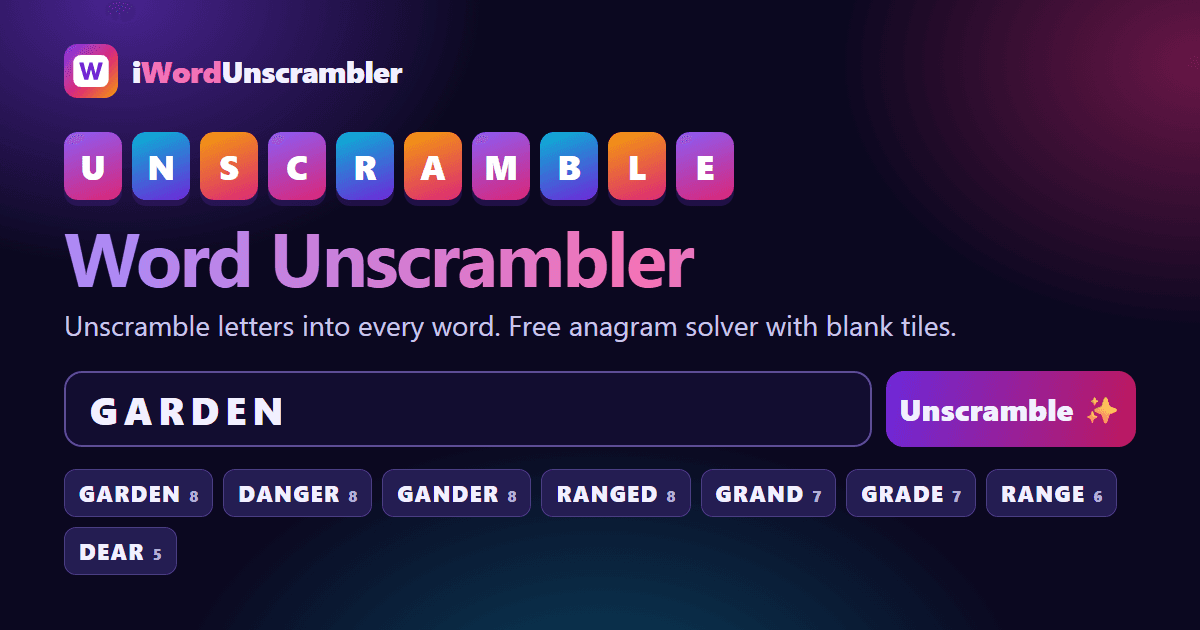
About this app
Free Word Unscrambler for scrabble and words games. Use our free tool to find answers to word games using the letters provided.
Key features
- 1Instant unscrambling of up to 15 letters with Scrabble and Words With Friends point scores per word
- 2Blank tile support via ? or * (up to three) with blank-supplied letters highlighted
- 3Anagram solver mode for exact-match rearrangements plus prefix/suffix/contains filters and sort options
Target customer profile
Drawn from the product itself, not from a survey.
Demographic
Scrabble & Words With Friends players aged 18-55
Pain points
Stuck with high-point tiles and need quick word ideas under time pressure
Primary needs
Instant word lists sorted by score to maximize points
Demographic
Wordle & daily puzzle enthusiasts aged 20-45
Pain points
Frustrated when letter combinations don't yield obvious words
Primary needs
Fast unscrambling of 5-letter words with blank tile support
Demographic
Students & teachers (K-12 and ESL) aged 12-60
Pain points
Limited vocabulary or spelling difficulties during assignments
Primary needs
A free, family-friendly tool to explore word patterns and anagrams
Scout Review
Written by AI from measured evidence, scored out of 100.
iWordUnscrambler is a fast, clean, no-nonsense word unscrambler that does exactly what it says with zero friction. The measured performance is genuinely excellent — 100/100 Lighthouse on both mobile and desktop — and the security headers are better than most tools twice its age. The differentiators (blank-tile highlighting, WW points sorting, anagram mode, on-page FAQ) are real and useful. The weaknesses are structural: an unpaginated results wall that gets tedious on common letter sets, filters hidden behind a click, no accessibility documentation, and a commodity positioning against entrenched competitors. It's a well-built utility that will serve Scrabble and Wordle players well today; whether it grows beyond that depends on finding an edge the incumbents can't copy.
Measure by measure
Usability
74Zero-friction: type letters, hit Unscramble, get scored results. Blank tiles, prefix/suffix filters, and sort-by-points are genuinely useful. On-page FAQ answers the real questions without a support portal.
Design
71Clean, coherent purple-gradient identity with a strong input-card-to-results hierarchy. Loses points for a wall of unpaginated result pills and monotonous feature/how-to card styling.
Speed
88Lighthouse 100/100 on both mobile and desktop: LCP 1.9s, CLS 0, TBT 15ms, FCP 804ms. Client-side search means results appear instantly. Genuinely one of the snappiest tools in this category.
Security
74Full header stack — HSTS, CSP, frame protection, Referrer and Permissions policies — on a 10/12 probe. No SPF/DMARC on the domain and no published audit, but no accounts means no user data to leak.
Accessibility
79Lighthouse a11y 100/100 with large tap targets, a dark/light toggle, and readable contrast throughout. No WCAG statement or documented keyboard/screen-reader testing, so the automated score is the ceiling of what's proven.
Growth
58A real, evergreen need (every Scrabble player gets stuck) with concrete differentiators — blank-tile highlighting, WW points sorting, anagram mode. But it's a commodity query against WordHippo and YourDictionary with no moat.
Improvement areas
- Results list needs pagination or collapsible word-length groups to avoid endless pill scrolling
- Core filters and sort-by-points are buried behind a 'More options' toggle instead of surfaced
- No published accessibility statement or WCAG conformance documentation behind the perfect audit score
Design & Usability
The homepage does the job a word tool should: big colorful tiles, one input, one obvious button. The purple-gradient identity is consistent from hero to promo card, and the results are grouped by word length with score badges so you can scan fast. Where it stumbles is the sheer volume — 26 four-letter words and 25 three-letter words dumped as pills with no collapse or pagination, which turns a helpful list into a scroll marathon. Usability is the stronger half: no signup, no install, blank-tile support via ? or *, prefix/suffix/contains filters, and sort-by-Scrabble-or-WW-points all present. The on-page FAQ preempts the real questions (dictionary source, blank scoring, anagram vs. unscramble). The one miss is burying the good filters behind 'More options' when they're the reason to use this over a plain unscrambler.
Speed & Security
Speed is the standout: Lighthouse 100/100 on mobile and desktop, LCP 1.9s, CLS 0, TBT 15ms, FCP 804ms. The site claims in-browser search and the metrics back it — results land the instant you click. For a tool people use mid-game under time pressure, that snappiness is the actual product. Security is solid for what it is: HTTPS enforced with HSTS, a real Content-Security-Policy, frame protection, and Referrer/Permissions policies, scoring 10/12 on the header probe. The gaps are SPF and DMARC records on the domain and the absence of any published audit or security page — but with no accounts, no logins, and no stored user data, the blast radius is close to zero. This is a static-ish utility with a hardened edge, and that's the right shape for it.
Accessibility & Growth
Accessibility is quietly strong: a perfect 100/100 Lighthouse audit, large tap targets, a dark/light toggle, and readable contrast across the palette. What's missing is documentation — no WCAG conformance statement, no note on keyboard or screen-reader testing — so the automated score is as far as the proof goes. Growth is the honest weak spot. The problem is real and evergreen (everyone gets stuck on a rack), and the differentiators are concrete: blank-tile highlighting, Words With Friends point sorting, an anagram mode, and a 170k-word ENABLE dictionary with offensive terms stripped. But this is a commodity search query going head-to-head with WordHippo and YourDictionary, both of which have years of domain authority and broader dictionary features. There's no network effect, no data moat, no reason a user wouldn't just pick whichever result ranks first. It can carve a niche on speed and clean UX, but the ceiling is a good utility, not a category winner.
Conclusion
If you're mid-game with a rack of junk tiles and need answers now, this is a genuinely good place to land — it's faster and cleaner than most of what ranks above it. Bookmark it, use it, and don't expect it to reinvent word games. The bones are solid; the next move is pagination on results, surfacing the filters, and publishing an accessibility statement so the perfect audit score has something behind it.
Suggestions for improvement
- Add pagination or collapsible groups to the results list — 26 four-letter pills in a row is a scroll marathon on common letter sets.
- Surface the starts-with/ends-with/contains filters and sort-by-points outside the 'More options' toggle; they're the reason to use this over a plain unscrambler.
- Publish a short accessibility statement documenting keyboard and screen-reader testing to back up the perfect Lighthouse score.
- Add SPF and DMARC DNS records to complete the email/domain security posture the header stack already implies.
Alternatives comparison
Named competitors, point by point. Nobody paid to appear here or to be left out.
 i Word Unscrambler i Word Unscrambler |  WordHippo WordHippo |  YourDictionary Word Unscrambler YourDictionary Word Unscrambler | |
|---|---|---|---|
| Unscrambles letters into valid words | Yes — up to 15 letters, grouped by length | Yes — plus thesaurus and definitions | Yes — backed by a full dictionary |
| Scrabble / Words With Friends point scoring | Yes — both, with sort-by-points | Partial — word tools, not score-focused | Limited — dictionary-first, not score-first |
| Blank tile / wildcard support | Yes — ? or *, up to three, highlighted | Yes — wildcard patterns supported | Yes — wildcard support available |
| Anagram solver mode | Yes — dedicated exact-match mode | Yes — anagram and word tools | Yes — anagram resources included |
| Sign-up required | No — free, no account | No — free to use | No — free to use |
| Definitions and thesaurus | No — word lists only | Yes — core strength | Yes — dictionary and language resources |
WordHippo
A comprehensive word finder and thesaurus offering unscrambling, definitions, and more.
YourDictionary Word Unscrambler
A word unscrambler tool with a strong dictionary and additional language resources.
Comparing options? See i Word Unscrambler alternatives, scored side by side
More Entertainment & Fun apps
View all Entertainment & Fun
Pushup RPG: Fitness Quest
90Pushup RPG is a camera-based push-up counter and fitness RPG for home workouts. Real push-ups and squats become attacks as you defeat 48 foes across 8 biomes, earn XP and loot, join guilds, and battle in live 40-second duels. Free on iOS and Android.

TUNL - Cave Flyer
89A hold-to-thrust cave flyer with a new daily level, ghost races, and a global leaderboard.

How Long Timer
88HowLongHowManyDays.com is a free online countdown timer that lets you track the time remaining until specific times, dates, holidays, and special even

FaceSwapAI
87AI face swap for photos, videos, GIFs with free trial.

manga translator AI
87Manga Translator AI translates manga and comics into the languages readers choose.

DeepSwapAI
87AI face swap online with no subscription, pay per use.

VibeBot
86AI-powered no-code Discord bot maker

「自听」MyListen
86Turn AI articles into natural audio, locally on your iPhone

67ez
86Free viral 67 (Six Seven) browser games, world counter & ...

VHS Camera — Retro Camcorder
85Turn your phone into a real VHS camcorder with live analo...

TheBean.ai
84Adaptive AI personal trainer that evolves with your progr...

unscene
84A movie-night planner for friends choosing what to watch together.


A platform dedicated to providing unbiased reviews of newly launched applications, analyzing everything from their features to their full potential.
info@scoutforge.net© 2026 Scoutforge. All rights reserved.
