Cycling through all six. Tap any point to stop.
Measured on six things
Free AI-powered tool to turn photos into cartoon art with...
Security
42HTTPS only; missing HSTS, CSP, frame protection, and DMARC. Privacy policy promises 2-hour deletion, but no third-party audits found.
Screenshots
1 / 1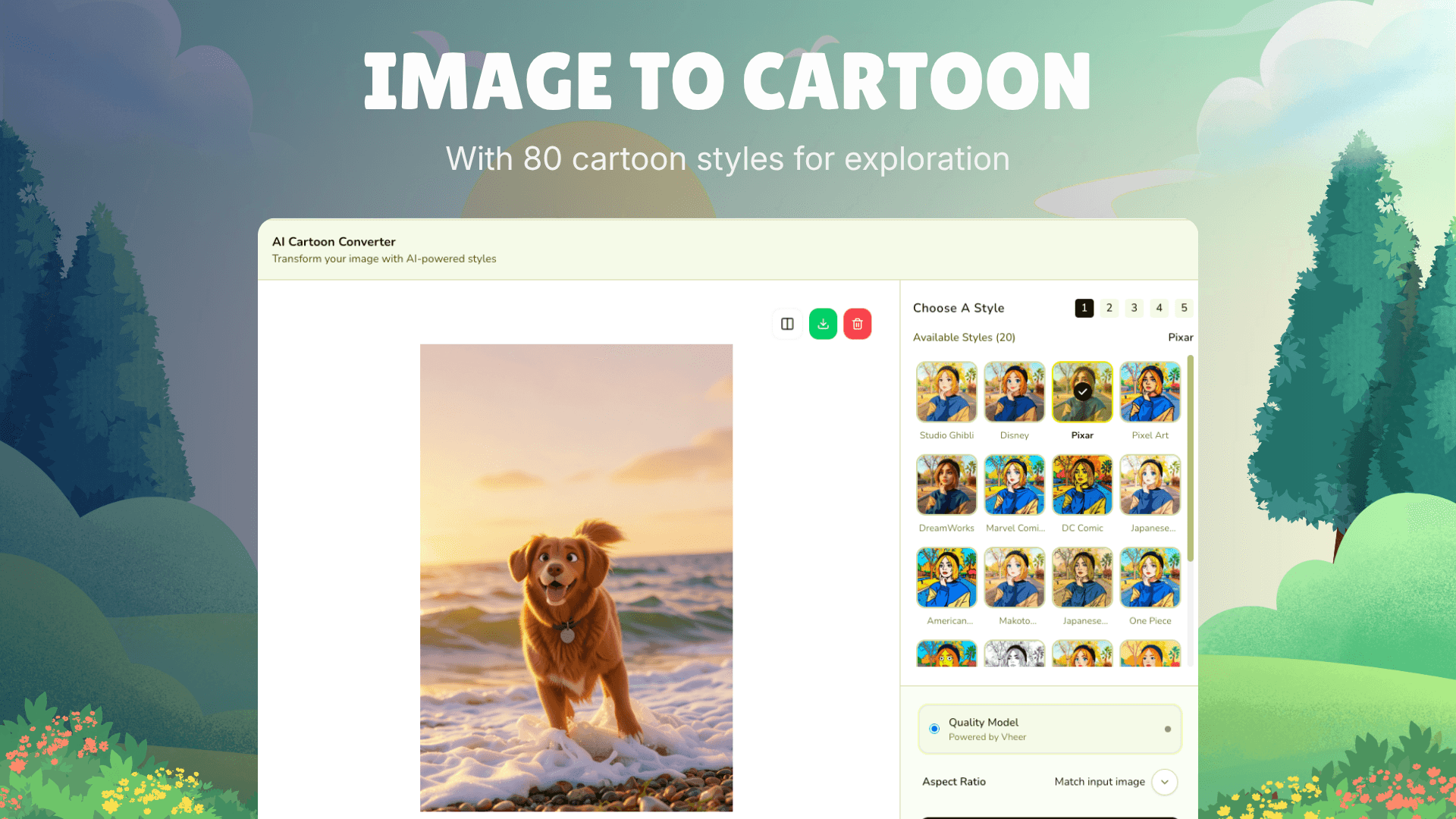
About this app
Overview ImageToCartoon is a free AI-powered online tool that transforms your photos into high-quality cartoon art in seconds, with no sign-up or login required. Key features 1. 80+ unique cartoon styles including anime, manga, comic, 3D, claymation, and more. 2. Supports JPG, PNG, and WebP uploads up to 10MB, with automatic deletion of images within 2 hours. 3. Works on any device via browser, mobile-friendly, and supports group photos and pets. Workflow 1. Upload your image or paste from clipboard/URL. 2. Choose a style and adjust aspect ratio. 3. Download your cartoon result instantly.
Key features
- 180+ cartoon styles including anime, manga, comic, 3D, claymation, and more.
- 2No sign-up or login required; free to use with automatic image deletion within 2 hours.
- 3Supports JPG, PNG, WebP up to 10MB; works on any device via browser or mobile app.
Target customer profile
Drawn from the product itself, not from a survey.
Demographic
Social media enthusiasts aged 16-30
Pain points
Want unique profile pictures but lack design skills
Primary needs
Easy, free, and quick cartoon avatars for social platforms
Demographic
Content creators and influencers
Pain points
Need eye-catching visuals to stand out but have limited time
Primary needs
High-quality cartoon images to boost engagement and brand identity
Demographic
Pet owners
Pain points
Want to create fun pet portraits but struggle with traditional editing tools
Primary needs
Simple tool to cartoonize pet photos for sharing or gifts
Scout Review
Written by AI from measured evidence, scored out of 100.
ImageToCartoon is a fast, free, and easy way to cartoonize photos, with a solid app UI and strong performance. However, security headers are lacking, accessibility has gaps, and the homepage design is repetitive. It's a competent tool that could improve with better security practices and a cleaner landing page.
Measure by measure
Usability
72No sign-up, instant upload-to-download flow, and a persistent bottom bar on mobile make it easy. Style labels hidden until hover is a minor hiccup.
Design
58App UI is clean and focused (dark theme, vibrant outputs), but homepage repeats badges and uses generic filler illustrations. Overall average.
Speed
68Lighthouse mobile 89/100 (LCP 2.7s, CLS 0), desktop 95/100. Fast, snappy site; no lag complaints found.
Security
42HTTPS only; missing HSTS, CSP, frame protection, and DMARC. Privacy policy promises 2-hour deletion, but no third-party audits found.
Accessibility
70Lighthouse 90/100 but fails button names, contrast, and heading order. No WCAG statement, but responsive and multi-language (7 locales).
Growth
62Real need, clear differentiators (free, no sign-up, 80+ styles), but crowded market with established rivals. Room to grow if it nails niche.
Improvement areas
- Add security headers (HSTS, CSP, frame protection) and DMARC to protect user data.
- Improve accessibility by fixing button names, contrast, and heading order.
- Reduce homepage repetition and add labels to style thumbnails for better UX.
Design & Usability
The app's dark theme and vibrant style grid are genuinely appealing, making cartoon outputs pop. The homepage, however, is a mess of repeated badges and generic illustrations that add noise. Usability shines with no sign-up and a straightforward flow, though style labels hidden until hover and a split CTA could confuse. Overall, a functional but unpolished experience.
Speed & Security
Performance is a clear strength: Lighthouse scores of 89 mobile and 95 desktop, with fast LCP and zero layout shift. Security is the weak link — only HTTPS is enforced, with critical headers like HSTS and CSP missing. The 2-hour auto-delete policy is a plus, but lack of audits and DMARC is concerning for a tool handling user photos.
Accessibility & Growth
Accessibility is decent (90/100) but fails on button names, contrast, and heading order, with no WCAG statement. Growth potential is moderate: the problem is real and the free, no-sign-up angle is compelling, but the market is crowded with ToonMe and Fotor. The 80+ styles and pet focus could carve a niche, yet differentiation is thin.
Conclusion
For a quick, no-frills cartoon fix, it delivers. Just don't expect enterprise-grade security or a design award. If they tighten security and polish the homepage, it could stand out in a crowded niche.
Suggestions for improvement
- Add HSTS, CSP, and frame protection headers to improve security posture.
- Label style thumbnails directly to reduce guesswork and improve usability.
- Fix heading order and contrast issues to boost accessibility score.
- Consolidate homepage CTAs and reduce repetitive badges for cleaner design.
Alternatives comparison
Named competitors, point by point. Nobody paid to appear here or to be left out.
 Image to Cartoon Converter |  ToonMe | Cartoonify |  Fotor | |
|---|---|---|---|---|
| Sign-up required | No sign-up or login required | Requires sign-up | Not specified, likely optional | Requires account for full features |
| Number of styles | 80+ unique styles | Limited styles, some premium | Basic effects, fewer options | Many filters, but paywalled |
| Pricing model | Free, no payment | Freemium with in-app purchases | Free with watermark, paid for removal | Freemium, many features behind paywall |
| Platform availability | Web, iOS, Android | Mobile app (iOS/Android) | Web-based | Web, iOS, Android, desktop |
| Image privacy | Auto-delete within 2 hours | Not specified | Not specified | Stored per privacy policy |
ToonMe
Mobile app for cartoon avatars with AI, but requires sign-up and has limited free features.
Cartoonify
Online tool with basic cartoon effects, but fewer style options and watermark on free version.
Fotor
Comprehensive photo editor with cartoon filters, but many features are behind a paywall.
Comparing options? See Image to Cartoon Converter alternatives, scored side by side
More AI Generations apps
View all AI Generations
Uni-1 by Luma AI
92Uni-1 is an advanced multimodal text-to-image AI model th...

Gerty
91Private, local AI assistant for Mac that runs offline

LTX 2.3 AI Video Generator
91Fast, open-source AI video generator with 4K support, mul...

DemoVexa
90Turn your code into professional product demo videos with AI-generated scripts, animated UI, and natural voiceovers.

All of Us
89Add deceased loved ones to photos with AI and see free pr...

AI Vocals Generator
89Add AI singers or rappers to your own beat, get two takes...

Voqusa
89Transcribe social media video and audio links into text (free signup, 5 free credits, then pay-as-you-go)

PodRescale
89Every episode becomes two weeks of posts. In your voice. Posted for you.

HeyVid AI
88HeyVid AI is a free all-in-one AI video and image generat...

IraVoice
88Private on-device dictation for Apple-silicon Macs.

Pixelimg
88A free online AI-powered tool that instantly converts ima...

Cantoro
88Custom AI songs with a name, heard free before paying $4....


A platform dedicated to providing unbiased reviews of newly launched applications, analyzing everything from their features to their full potential.
info@scoutforge.net© 2026 Scoutforge. All rights reserved.
