Cycling through all six. Tap any point to stop.
Measured on six things
AI-powered desktop app for bulk email marketing and outre...
Usability
44No self-serve signup, no free trial, no public checkout — pricing page says licensing is 'manually arranged' and evaluation is gated to 'qualified teams'. Onboarding friction is severe for a small-business target.
Screenshots
1 / 4
About this app
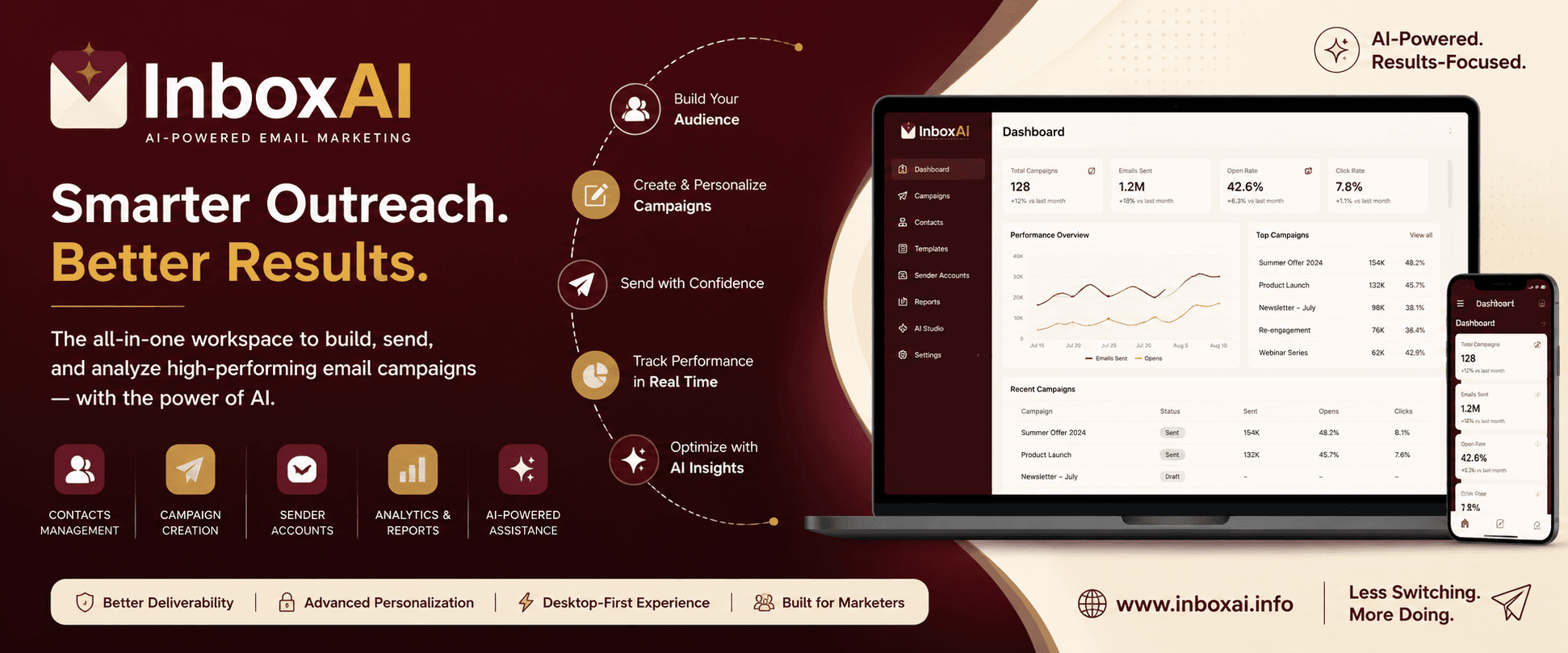
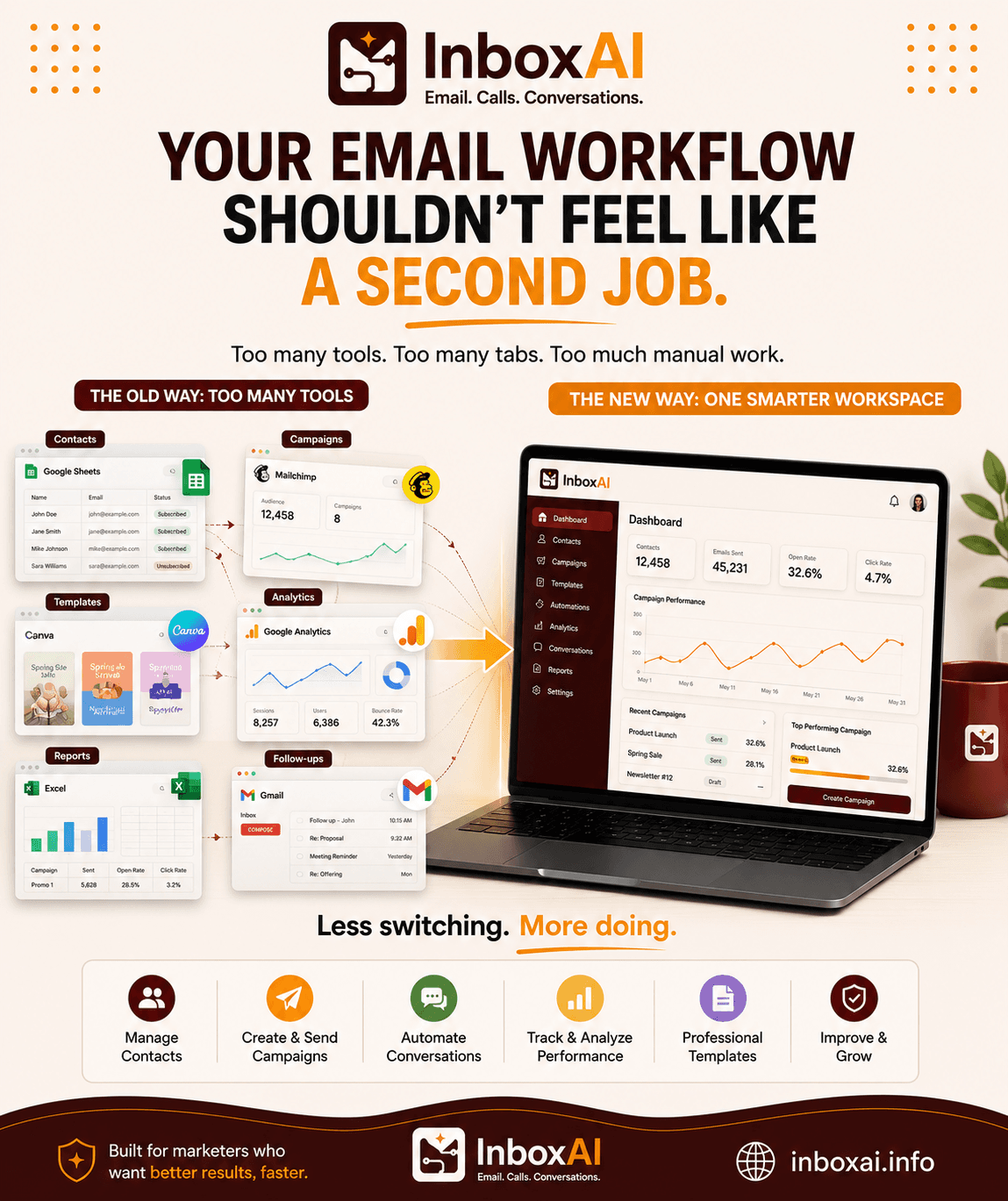
InboxAI is a desktop-first, AI-powered bulk email marketing and outreach platform that brings campaigns, contacts, sender accounts, email design, sender health monitoring, and analytics into one cohesive workspace. It's designed for teams and individuals who want to run professional email campaigns without juggling multiple tools. The app supports popular email providers like Google Workspace, Microsoft 365, Zoho Mail, and custom SMTP, making it easy to connect the sender accounts you already use. With a focus on responsible sending, InboxAI combines AI-assisted content creation with human oversight—you stay in control of recipients, claims, and final send decisions. Key features include a campaign workspace for organizing and scheduling outreach, an email design studio with reusable blocks and responsive controls, sender health diagnostics to ensure deliverability, and analytics to track performance. The desktop nature of the app means your data and workflows stay local, providing ...
Key features
- 1Desktop-first workspace combining campaigns, contacts, sender accounts, email design studio, sender health and analytics in one app.
- 2Connects to Google Workspace, Microsoft 365, Zoho Mail and custom SMTP sender accounts.
- 3AI-assisted email drafting and refinement with explicit human oversight over recipients, claims and final send decisions.
- 4Sender health diagnostics covering provider acceptance, daily quota, warm-up status and recommended actions.
- 5SHA-256 installer verification with published checksums for Windows x64 and Apple Silicon builds.
Target customer profile
Drawn from the product itself, not from a survey.
Demographic
Small Business Owners
Pain points
Limited budget for marketing tools; need to manage email campaigns without technical expertise.
Primary needs
Affordable, all-in-one solution for bulk email outreach with easy setup and sender health monitoring.
Demographic
Marketing Agencies
Pain points
Managing multiple client campaigns across different platforms; ensuring high deliverability and engagement.
Primary needs
Centralized desktop workspace for campaign management, analytics, and AI-assisted content creation.
Demographic
Outreach Specialists
Pain points
Time-consuming manual email preparation; risk of spam filters and low inbox placement.
Primary needs
AI-powered email drafting, sender health diagnostics, and inbox placement testing to maximize response rates.
Scout Review
Written by AI from measured evidence, scored out of 100.
InboxAI is a desktop-first bulk email marketing and outreach platform that bundles campaigns, contacts, sender accounts, an email design studio, sender-health diagnostics and analytics into one workspace. It supports Google Workspace, Microsoft 365, Zoho Mail and custom SMTP, and leans hard on 'AI-assisted, human-controlled' messaging. The marketing site is polished and fast — Lighthouse 95 mobile, 99 desktop, 96 accessibility, 12/12 security headers. The product screenshots look like a real, considered desktop app. The problem is everything between a visitor and that app: no self-serve signup, no free trial, no public pricing, and evaluation access gated behind a manual approval conversation. For a tool aimed at small businesses with limited budgets, that is a lot of friction before anyone sees value. The idea is sound and the wedge — local data plus sender health — is real. The execution on distribution is not.
Measure by measure
Usability
44No self-serve signup, no free trial, no public checkout — pricing page says licensing is 'manually arranged' and evaluation is gated to 'qualified teams'. Onboarding friction is severe for a small-business target.
Design
74Clean, modern dark landing page with disciplined typography and real app screenshots labeled 'Demo data'. Desktop UI shown across campaigns, contacts, sender health and analytics reads cohesive and deliberate.
Speed
88Lighthouse mobile 95/100 (LCP 2.9s, CLS 0, TBT 0ms, FCP 1.2s) and desktop 99/100. The marketing site is genuinely fast and stable; no measured lag complaints found.
Security
76Full 12/12 header checklist: HTTPS enforced, HSTS, CSP, frame protection, Referrer-Policy, Permissions-Policy, plus SPF and DMARC. SHA-256 installer verification published. No SOC 2/ISO claim found.
Accessibility
79Lighthouse accessibility 96/100 with one failing audit: insufficient background/foreground contrast. No WCAG statement or a11y page found. Automated checks only cover part of WCAG.
Growth
58Real problem (deliverability + tool sprawl), specific segments named, and a genuine wedge: desktop-local data plus sender-health diagnostics. But manual licensing caps the top of the funnel hard.
Improvement areas
- No self-serve signup, free trial or public pricing — evaluation is gated behind manual approval, severely limiting adoption.
- No third-party security validation (SOC 2, ISO 27001, pen-test report or bug bounty) despite handling contact data and sending rights.
- Accessibility gap: Lighthouse flags insufficient color contrast and no WCAG conformance statement or a11y documentation is published.
Design & Usability
InboxAI's marketing site is the strongest part of the package: a disciplined dark layout, numbered workflow sections, and screenshots explicitly labeled 'Real product interface · Demo data' rather than vague renders. The desktop UI shown across campaigns, contacts, sender health and analytics looks cohesive and considered. Usability is where it falls apart. The pricing page states plainly that InboxAI 'is licensed directly rather than sold through a self-service checkout', that payment is 'manually arranged', and that evaluation access 'may be arranged for qualified teams'. For a product whose stated target is small business owners with limited budgets and no technical expertise, requiring a human approval conversation before anyone can touch the software is a serious mismatch. There is no free trial, no live demo, no self-serve path — just a 'Discuss evaluation access' link. The workflow guides and product tour are decent, but they cannot substitute for actually trying the thing.
Speed & Security
Speed is a genuine strength. Google Lighthouse measured mobile performance at 95/100 with LCP 2.9s, CLS 0, TBT 0ms and FCP 1.2s, and desktop at 99/100. The site is light, stable and snappy, and no user complaints about lag surfaced in the collected evidence. Security is also above average for an early-stage product: the HTTP probe returned a full 12/12 on the header checklist — HTTPS enforced, HSTS, CSP, frame protection, X-Content-Type-Options, Referrer-Policy and Permissions-Policy all present — plus SPF and DMARC records on the domain. The pricing page advertises SHA-256 installer verification with published checksums, which is a thoughtful touch for a desktop app. What is missing is third-party validation: no SOC 2, no ISO 27001, no pen-test report or bug bounty found in the collected content. For a tool that handles contact lists and sends email on your behalf, that gap matters more than usual.
Accessibility & Growth
Accessibility scored 96/100 on Lighthouse, with a single failing audit for insufficient background/foreground contrast — an easy fix that has not been made. No accessibility statement, WCAG conformance claim or keyboard-navigation documentation was found on the site, so the automated score is the only signal available. On growth, the idea holds up reasonably well. The problem is real: bulk outreach teams genuinely struggle with deliverability, sender reputation and tool sprawl, and InboxAI names specific segments (small business owners, agencies, outreach specialists). The wedge is concrete — desktop-local data, AI drafting with explicit human oversight, and sender-health diagnostics that Mailchimp and Sendinblue do not foreground. The category has headroom. What caps the score is the go-to-market: manual licensing, gated evaluation and no self-serve path mean the top of the funnel is throttled by hand. The domain is only months old and the social footprint is thin, but that is context, not the verdict — the idea can grow; the distribution model is what is holding it back.
Conclusion
InboxAI has the bones of something useful. The desktop-first angle is a legitimate differentiator in a category dominated by cloud-only tools, sender-health diagnostics address a pain that Mailchimp and Sendinblue largely leave to third parties, and the site itself is fast, clean and honest about using demo data. But a product that cannot be tried without a conversation is a product that will lose to whatever the buyer can sign up for in ninety seconds. If the team wants this to grow, the priority is not more features — it is a self-serve evaluation path, transparent pricing, and a published security posture. Until then, InboxAI is a well-built app behind a door most of its target market will not bother knocking on.
Suggestions for improvement
- Ship a self-serve free trial or time-limited evaluation download — the manual approval gate is the single biggest conversion killer.
- Publish actual pricing tiers on the pricing page instead of 'manually arranged' quotes; small businesses need a number before they engage.
- Fix the contrast failure flagged by Lighthouse and add an accessibility statement with WCAG conformance level.
- Pursue at least one third-party security validation (SOC 2 Type I or a pen-test summary) — you handle contact lists and send on users' behalf.
Alternatives comparison
Named competitors, point by point. Nobody paid to appear here or to be left out.
 InboxAI |  Mailchimp |  Sendinblue | |
|---|---|---|---|
| Deployment model | Desktop-first app for Windows x64 and Apple Silicon; data and workflows stay local | Cloud-based web platform only; no dedicated desktop application | Cloud-based web platform only; no desktop-first workspace |
| AI-assisted content creation | Built-in AI drafting and refinement with human oversight over final send decisions | AI features exist but are not the core drafting workflow | No built-in AI assistance for content creation highlighted |
| Sender health and deliverability diagnostics | Dedicated sender health module: provider acceptance, quota, warm-up status, recommendations | Deliverability reporting exists but no dedicated sender-health workspace | Basic deliverability tools; no advanced sender health monitoring |
| Pricing and trial access | Manual licensing; no public pricing, no self-serve checkout, evaluation gated to qualified teams | Public tiered pricing with a free plan and self-serve signup | Public tiered pricing with a free plan and self-serve signup |
| Sender account integrations | Google Workspace, Microsoft 365, Zoho Mail and custom SMTP | Broad integration ecosystem including Google, Microsoft and many third-party apps | Email and SMS integrations with major providers and CRM connectors |
| Channel coverage | Email outreach only | Email marketing with some SMS and social posting add-ons | Email marketing plus SMS campaigns and transactional messaging |
Mailchimp
A popular web-based email marketing platform with automation, templates, and analytics, but lacks a dedicated desktop app and advanced sender health features.
Sendinblue
Cloud-based email marketing and automation tool with SMS capabilities, but no desktop-first workspace or built-in AI assistance for content creation.
Comparing options? See InboxAI alternatives, scored side by side
More Marketing Automation apps
View all Marketing Automation
QRBliss
91Branded QR codes with AI Brand Sync, 15 free dynamic code...

WAButton
90WhatsApp website leads, forms and contact routing

NudgeWin
89Automated quote follow-up for trades and service businesses.

Opus Growth
89Opus Growth is a single MCP server for Google Ads, Meta Ads, TikTok Ads, LinkedIn Ads, Microsoft Ads and ChatGPT Ads. ChatGPT, Claude, Codex, Perplexity, Cursor and other assistants connect with the same address.

Fenn
88AI visibility tracker that checks if ChatGPT recommends y...

Spotwise
88AI-powered radio ad monitoring platform that tracks compe...

TranscriptYou
88Free YouTube transcript generator with timestamps and AI ...

Spek
88Grow your app with self-learning ASO agents

Indexaro
88AI visibility tracker for SEO, AEO, and GEO

Mygom SEO
87MygomSEO is an AI marketing agent that audits your site, writes SEO content, publishes to 12+ CMS platforms, posts to social, and monitors rankings 24/7.

CraftPilot
87AI tools for Etsy sellers — keyword research, listing optimization, and shop insights

The Salon Ads Studio
87Salon Ads Studio builds and runs your Google Ads. Right now, people a few streets from your door are on Google looking for exactly what you do.


A platform dedicated to providing unbiased reviews of newly launched applications, analyzing everything from their features to their full potential.
info@scoutforge.net© 2026 Scoutforge. All rights reserved.
