Is this your app?
Claim InterviewCoder to manage its page, add your badge and see your traffic — free, and it stays free.
Cycling through all six. Tap any point to stop.
Measured on six things
An AI-powered desktop app that helps users ace coding interviews undetected with real-time assistance.
Accessibility
40No screen reader support, localization, or accessibility features - focused exclusively on stealth coding assistance
Screenshots
1 / 1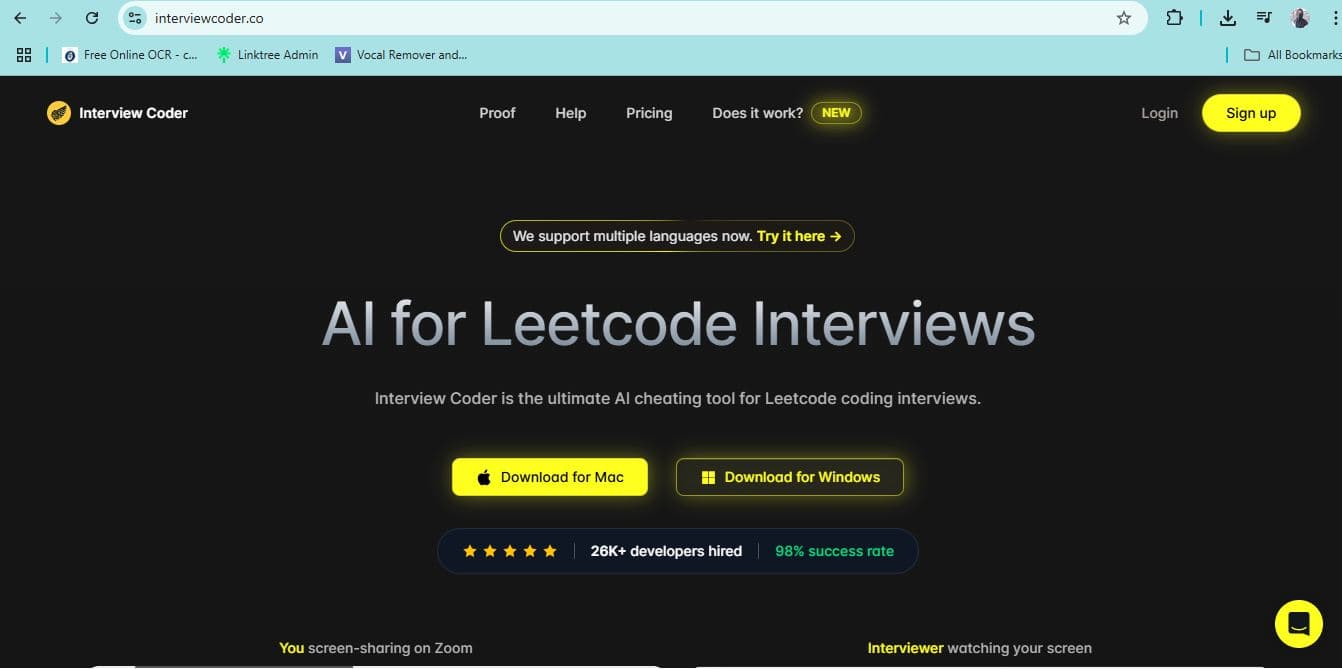
About this app
InterviewCoder is a stealth-focused desktop application for Mac and Windows designed to assist users during live coding interviews on platforms like Zoom, HackerRank, and Google Meet. It uses AI to capture screenshots, generate step-by-step solutions, and provide code reasoning without being detected by screen-sharing tools. With a minimalist interface controlled via keyboard shortcuts, it's trusted by over 87,000 developers for its speed and discretion, though it faces some compatibility issues on newer MacOS versions and lacks accessibility features.
Key features
- 1Minimalist floating overlay with intuitive keyboard shortcuts for stealth operation
- 2Fast AI-powered screenshot capture and response generation during interviews
- 3Strong stealth features to avoid detection on most platforms
Target customer profile
Drawn from the product itself, not from a survey.
Demographic
Anxious job seekers in tech
Pain points
Interview anxiety, coding under pressure, gap between actual skills and interview requirements
Primary needs
Passing technical interviews despite skill gaps, reducing interview stress, securing job offers
Demographic
Bootcamp graduates and career switchers
Pain points
Limited coding experience, imposter syndrome, competitive job market
Primary needs
Leveling the playing field, overcoming experience gaps, quick entry into tech roles
Demographic
Developers preparing for high-stakes interviews
Pain points
Time constraints, need for quick solutions, fear of failure in live coding sessions
Primary needs
Real-time assistance, stealthy support, confidence boosting during interviews
Scout Review
Written by AI from measured evidence, scored out of 100.
InterviewCoder fills a very specific niche in the stressful world of technical interviews. It's not a learning tool - it's a tactical advantage for those moments when preparation meets panic. The app excels at its primary function: providing undetectable real-time coding assistance. However, it comes with significant caveats including Mac compatibility issues, zero accessibility features, and obvious ethical considerations. For developers who understand these limitations and risks, it can be a valuable last-resort tool.
Measure by measure
Usability
80Keyboard-driven workflow with simple shortcuts makes it efficient, though Mac compatibility issues create reliability concerns
Design
84Minimalist floating overlay with intuitive keyboard shortcuts that never steals focus during interviews
Speed
90Lightweight performance with fast screenshot capture and AI response generation that won't slow down your interview
Security
70Strong stealth features with screen recording interception, but known detection issues on newer MacOS versions reduce reliability
Accessibility
40No screen reader support, localization, or accessibility features - focused exclusively on stealth coding assistance
Growth
80High demand for interview assistance tools, though ethical concerns and platform compatibility may limit mainstream adoption
Improvement areas
- Enhance MacOS compatibility to address reliability issues on newer versions
- Add accessibility features such as screen reader support and high contrast modes
- Improve user feedback mechanisms without compromising stealth functionality
Design & Usability
InterviewCoder's design philosophy is 'maximum stealth, minimum distraction.' The floating overlay interface is intentionally sparse - no flashy animations or complex menus that might draw attention during screen sharing. Keyboard shortcuts (Command+B to hide/show, Command+H for screenshots) create a muscle-memory workflow that feels natural after minimal practice. The app never steals focus, which is crucial when you're trying to maintain the illusion of actually solving problems yourself. While the minimalist approach works for its intended purpose, some users might wish for more visual feedback or customization options.
Speed & Security
Performance is where InterviewCoder truly shines. The app operates with impressive speed - capturing screenshots, processing them through AI, and generating step-by-step solutions happens almost instantaneously. This lightning-fast response is critical during live interviews where every second counts. Security-wise, the app employs sophisticated techniques to avoid detection: it intercepts screen recording attempts, monitors active tabs, and even watches webcam activity to maintain stealth. However, the Achilles' heel is MacOS compatibility - users report issues on newer versions like Sonoma where these stealth features can fail, potentially exposing the user during critical moments.
Accessibility & Growth
Accessibility is clearly not InterviewCoder's priority. The app lacks screen reader support, high contrast modes, keyboard navigation beyond its specific shortcuts, or multilingual interfaces. This narrow focus on its core stealth functionality means it excludes users with visual impairments or those who need alternative interaction methods. Growth potential, however, remains strong given the massive demand for technical interview assistance. The app has already gained traction with over 87,000 developers, but its growth may be capped by ethical concerns and the ongoing cat-and-mouse game with detection systems on interview platforms.
Conclusion
If you're facing high-stakes technical interviews and want an AI co-pilot that operates in stealth mode, InterviewCoder delivers exactly what it promises. Just be aware of the compatibility limitations and ethical implications. For bootcamp graduates or career switchers facing impossible interview bars, this tool might provide the edge needed to break into the industry. Test it thoroughly on your system before any real interview, and maybe actually learn some algorithms too.
Suggestions for improvement
- Improve MacOS compatibility with clear version support documentation and automatic updates for new OS releases.
- Add basic accessibility features like screen reader compatibility and high contrast mode.
- Consider developing a 'practice mode' that positions the app as a learning tool rather than purely stealth assistance.
- Create better user feedback mechanisms within the overlay without compromising stealth.
- Offer customizable keyboard shortcuts for different workflow preferences.
Alternatives comparison
Named competitors, point by point. Nobody paid to appear here or to be left out.
 InterviewCoder |  LeetCode |  HackerRank |  Interview.Codes | |
|---|---|---|---|---|
| AI-powered real-time assistance | Yes - provides live coding help during interviews | No - self-paced practice only | No - practice platform without live assistance | Simulation only - no real-time coding help |
| Stealth/undetectable operation | Yes - designed to avoid detection | N/A - not designed for live interviews | N/A - not designed for live interviews | N/A - practice environment only |
| Interview platform compatibility | Zoom, HackerRank, CodeSignal, Teams, Google Meet | Own platform only | Own platform only | Own simulation environment |
| Learning focus vs assistance | Assistance-focused (real-time help) | Learning-focused (practice) | Learning-focused (practice) | Learning-focused (simulation) |
LeetCode
A platform for practicing coding problems without AI assistance, focusing on self-driven learning and skill development.
HackerRank
Offers coding challenges and interview preparation tools, but lacks the stealth AI features for live assistance.
Interview.Codes
Provides mock interview simulations with AI or human evaluators, emphasizing practice over stealth aid.
Comparing options? See InterviewCoder alternatives, scored side by side
More Development & Engineering apps
View all Development & Engineering
Vibe Coding Agent Skills
92A free, open-source platform offering 110 AI agent skills...

CreateMyCoin
92A no-code Solana token creator that deploys SPL tokens in...

CC Switch
91Open-source desktop app for switching AI coding providers...

DemoVexa
90Turn your code into professional product demo videos with AI-generated scripts, animated UI, and natural voiceovers.

TaxID
90Fast EU VAT validation API for developers, covering 27 EU...

FontPlop
89Browser-based font viewer & tester for TTF, OTF, WOFF, WO...

deed.page
89Permanent web hosting for AI agents, no human step

Webfetch
89Web scraping API that turns any URL into HTML, text, Mark...

Claw Messenger
88Claw Messenger is an iMessage API service that gives AI a...

PERM Processing Time: Current DOL Queue & History
88PERM Processing Time is an independent data analysis platform that helps users navigate the U.S. Department of Labor’s permanent labor certification process.

DataHabibi
88AI-powered Dubai real estate data platform with 12M+ DLD ...

BeartIMAGE
88BeartIMAGE is a free, web-based image processing platform engineered for fast, bulk photo editing and conversion directly in your browser.


A platform dedicated to providing unbiased reviews of newly launched applications, analyzing everything from their features to their full potential.
info@scoutforge.net© 2026 Scoutforge. All rights reserved.
