

A platform dedicated to providing unbiased reviews of newly launched applications, analyzing everything from their features to their full potential.
info@scoutforge.net© 2026 Scoutforge. All rights reserved.
A platform dedicated to providing unbiased reviews of newly launched applications, analyzing everything from their features to their full potential.
info@scoutforge.net© 2026 Scoutforge. All rights reserved.
A platform dedicated to providing unbiased reviews of newly launched applications, analyzing everything from their features to their full potential.
info@scoutforge.net© 2026 Scoutforge. All rights reserved.
Cycling through all six. Tap any point to stop.
Measured on six things
Automatically generate JSON transformations by example, n...
HTTP probe scores 1/12: no enforced HTTPS, no HSTS, CSP, frame protection or referrer policy. Client-side processing is a genuine privacy win, but the transport layer is wide open.
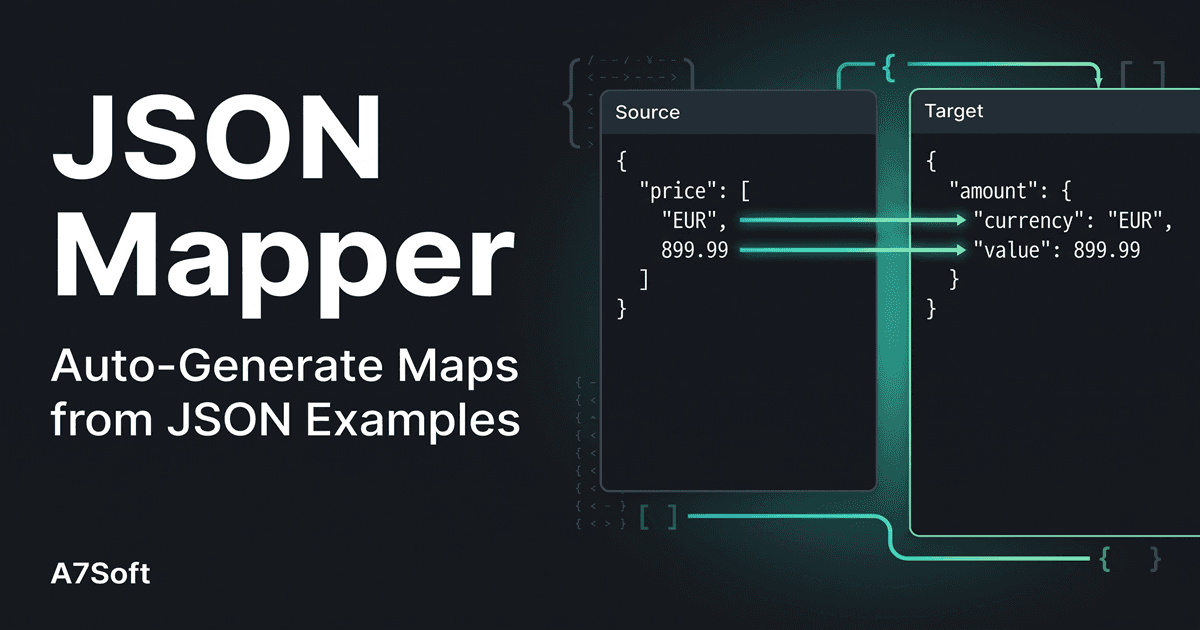
JSON Mapper is a browser-based tool that simplifies the often tedious task of transforming JSON data from one structure to another. Instead of writing custom code or complex scripts, you simply provide an example of your source JSON and the desired target JSON. The tool analyzes both structures and automatically generates a mapping, linking fields based on identical paths, values, name similarities, and even common formats like dates or emails. You can then fine-tune these mappings using a visual editor, build a reusable transformation map, and apply it to any JSON data. The entire process is 100% client-side, ensuring complete privacy and security for sensitive data. Key features include smart auto-mapping, multi-level array flattening, wildcard processing, and the ability to save and reuse maps (for subscribers). Whether you're integrating APIs, migrating data, or reshaping JSON for a new application, JSON Mapper streamlines the workflow, saving hours of manual effort and reducing...
Drawn from the product itself, not from a survey.
Demographic
Software Developers & Engineers
Pain points
Writing repetitive JSON transformation code; handling complex nested structures; debugging manual mappings.
Primary needs
Efficient data transformation; reusable mapping templates; error-free conversion between API formats.
Demographic
Data Engineers & Analysts
Pain points
Integrating data from disparate sources; reshaping JSON for analytics or storage; ensuring data consistency.
Primary needs
Quick schema mapping; handling large arrays; flattening/unflattening data without coding.
Demographic
IT Professionals in SMEs
Pain points
Limited coding resources; need to integrate third-party services; ensuring data privacy.
Primary needs
No-code tool; secure client-side processing; affordable solution for occasional data transformations.
Written by AI from measured evidence, scored out of 100.
JSON Mapper does one thing and does it without ceremony: give it a source JSON and a target JSON, and it builds the transformation map for you. The auto-mapping is documented in a four-tier priority order — identical paths, identical values, matching short names, common formats — and manual override works in both directions. Everything runs client-side, which is a genuine privacy win for anyone moving sensitive payloads. The problems are structural rather than functional. The landing page is a wall of instructions with no logo, no screenshot and no hero, so the product has to explain itself in prose before you ever see it work. Mobile performance is sluggish at an 8.0s LCP. And the security headers are essentially absent — 1/12 on the probe, no enforced HTTPS, no CSP, no HSTS — which is a rough look for a tool whose pitch is data privacy. Accessibility is nearly perfect at 98/100 with a single missing main landmark. The idea itself is well-aimed: Altova is expensive and desktop-bound, Jolt is code-only, Transformy won't auto-map. There's a real gap here. It just needs to look and ship like it believes that.
No signup wall — paste JSON and go. Auto-mapping priority is documented step by step, with two tutorial videos. Text-heavy onboarding and a dense single-screen layout cost it points.
Utilitarian single-page tool UI: two JSON panels, mapping editor and map output all on one screen. No logo, no hero, no product screenshots — the instructions do the marketing. Functional, not polished.
Lighthouse mobile 63/100 with an 8.0s LCP and 3.4s FCP; desktop 85/100. Client-side processing keeps server latency out of the loop, but the page itself is slow to paint on mobile.
HTTP probe scores 1/12: no enforced HTTPS, no HSTS, CSP, frame protection or referrer policy. Client-side processing is a genuine privacy win, but the transport layer is wide open.
Lighthouse accessibility 98/100 with a single failing audit (no main landmark). No WCAG statement or multi-language support, but automated checks are near-clean.
Real, recurring developer pain with a demonstrated wedge: auto-map from two JSON examples, a 4-tier matching priority, and client-side privacy. Altova is paid desktop, Jolt is code-only, Transformy won't auto-map.
JSON Mapper is a browser tool that turns 'here's my source JSON, here's my target JSON' into a working transformation map. The design is unapologetically utilitarian: one dense screen holding two input panels, a manual mapping editor and the generated map, with numbered instructions stacked above it. There's no logo, no hero image, no product screenshot — the copy is the marketing. That's a defensible choice for a developer tool, but it means the first impression is a wall of text rather than a product. Usability is where it earns its keep: there is no signup wall, no trial timer, no 'book a demo.' You paste JSON, click Parse JSON(s), and the tool links fields in a documented priority order — identical paths, then identical values, then matching short names, then common formats like date or email. That transparency is rare and genuinely helpful. Manual override works both source-first and target-first, and the tutorial is broken into three numbered steps with two videos. The cost is density: everything lives on one screen and the onboarding asks you to read before you click. A first-run sample dataset would fix most of that.
Speed is a mixed bag. Lighthouse desktop performance lands at 85/100, but mobile drops to 63/100 with an 8.0s LCP and 3.4s FCP — the page is slow to paint on phones, which is awkward for a tool whose whole pitch is speed. On the plus side, CLS is 0 and TBT is a modest 278ms, and because all transformation work happens client-side, the actual JSON processing never waits on a server round-trip. Security is the weak spot. The HTTP probe scores 1/12: HTTPS is not enforced, and there's no HSTS, no Content-Security-Policy, no frame protection, no X-Content-Type-Options, no Referrer-Policy and no Permissions-Policy. SPF is present but DMARC is not. The product's privacy story — 'all processing happens in your browser, nothing is sent to a server' — is a real and meaningful architectural choice for anyone handling sensitive payloads, and it's the strongest security argument the tool has. But the transport layer serving that page is wide open, and there's no SOC 2, ISO, pen-test report or bug bounty to point to. For a tool that markets itself on data privacy, the headers are an easy, embarrassing miss.
Accessibility is the quiet strength: Lighthouse scores 98/100 with exactly one failing audit — the document has no main landmark. That's a one-line fix standing between this and a clean sheet. There's no WCAG conformance statement and no multi-language support, so the claim is unverified beyond automated checks, but the automated picture is strong. Growth is a judgement about the idea, and the idea is sound. JSON transformation is a recurring, unglamorous tax on developers, data engineers and SME IT staff, and the alternatives each leave a gap: Altova MapForce is a paid desktop app with a steep curve, Jolt requires writing transformation specs by hand in Java, and Transformy makes you learn its own syntax without auto-mapping. JSON Mapper's wedge is concrete and demonstrated on the page — paste two examples, get a map, with a documented four-tier matching priority and client-side privacy as a bonus. The limits are real: the category is crowded with free libraries and one-off scripts, the paid tier only gates saving and URL loading, and there's no visible community or ecosystem to compound adoption. It's a good tool with a clear reason to exist; whether it becomes a habit rather than a bookmark depends on execution it hasn't shown yet.
Conclusion
If you're a developer who regularly hand-writes JSON transformation code for API integrations or data migrations, JSON Mapper is worth an afternoon. The auto-mapping is genuinely useful, the priority order is documented rather than magic, and the client-side architecture means you can throw real production payloads at it without worrying where they go. If you're evaluating it for a team or a regulated environment, pump the brakes: there's no SOC 2, no ISO, no pen-test report, and the transport layer isn't even enforcing HTTPS. The free tier is generous enough to evaluate honestly — saving maps and loading from URL are the only real gates. Start there, bring your messiest nested JSON, and see whether the auto-mapper earns its keep before you pay for anything. It probably will. It just won't look good doing it.
Named competitors, point by point. Nobody paid to appear here or to be left out.
 JSON Mapper JSON Mapper |  Altova MapForce Altova MapForce |  Jolt Jolt |  Transformy Transformy | |
|---|---|---|---|---|
| Auto-mapping from two JSON examples | Yes — paste source and target JSON, tool links fields automatically in 4-tier priority order | No — mappings built manually in a graphical desktop editor | No — transformation specs written by hand in JSON | No — transformations defined manually via a custom syntax |
| Runs in browser with no install | Yes — fully browser-based, no install required | No — desktop application requiring installation | No — Java library integrated into a codebase | Yes — online browser-based tool |
| Client-side data privacy (no server upload) | Yes — all processing happens in the browser, nothing sent to a server | Yes — desktop app, data stays local | Yes — runs in your own JVM | Not stated — online tool, data handling unclear |
| Reusable saved transformation maps | Yes — save and reuse maps (subscribers only) | Yes — mappings saved as project files | Yes — specs stored as JSON files in your repo | Limited — depends on tool session/account |
| No coding required | Yes — visual editor plus auto-mapping, no code needed | Mostly — graphical, but steep learning curve | No — requires writing JSON transformation specs | Mostly — simple syntax, but still hand-written rules |
| Cost model | Free core tool; saving maps and URL loading gated to subscribers | Paid commercial license, higher cost | Free open-source library | Free online tool |
Altova MapForce
A graphical data mapping tool that supports JSON, XML, databases, and more, but is a desktop application with a steeper learning curve and higher cost.
Jolt
A Java-based JSON transformation library that requires writing transformation specs in JSON, suitable for developers comfortable with code.
Transformy
An online JSON transformation tool that allows you to define transformations using a simple syntax, but lacks auto-mapping features.
Comparing options? See JSON Mapper alternatives, scored side by side

A no-code Solana token creator that deploys SPL tokens in...

A free, open-source platform offering 110 AI agent skills...

Open-source desktop app for switching AI coding providers...

Fast EU VAT validation API for developers, covering 27 EU...

Claw Messenger is an iMessage API service that gives AI a...

PERM Processing Time is an independent data analysis platform that helps users navigate the U.S. Department of Labor’s permanent labor certification process.

AI-powered Dubai real estate data platform with 12M+ DLD ...

BeartIMAGE is a free, web-based image processing platform engineered for fast, bulk photo editing and conversion directly in your browser.

macOS app for App Store screenshots: 3D mockups, auto-tra...

Real-time monetization infrastructure for AI products tha...

A native macOS process explorer and advanced monitor that...

A developer-first financial data API providing structured...
A platform dedicated to providing unbiased reviews of newly launched applications, analyzing everything from their features to their full potential.
info@scoutforge.net© 2026 Scoutforge. All rights reserved.
