Cycling through all six. Tap any point to stop.
Measured on six things
A Shopify app that shows or hides theme sections on a schedule, so campaign content does not have to be toggled by hand.
Security
52HTTPS enforced with SPF and DMARC, and it works via Shopify theme APIs with nothing left behind on uninstall. But no HSTS, CSP or frame protection and no published audit.
Screenshots
1 / 3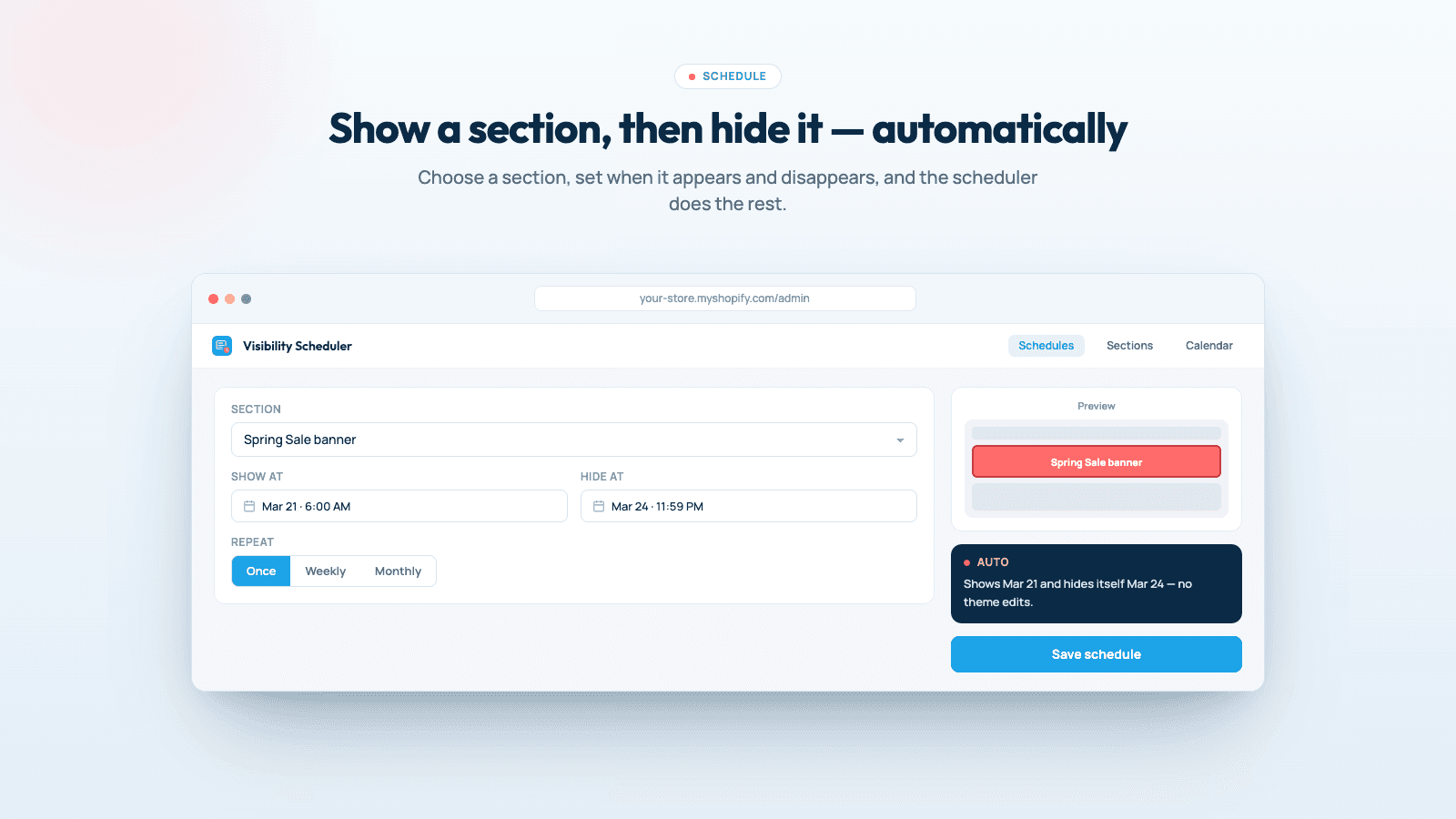
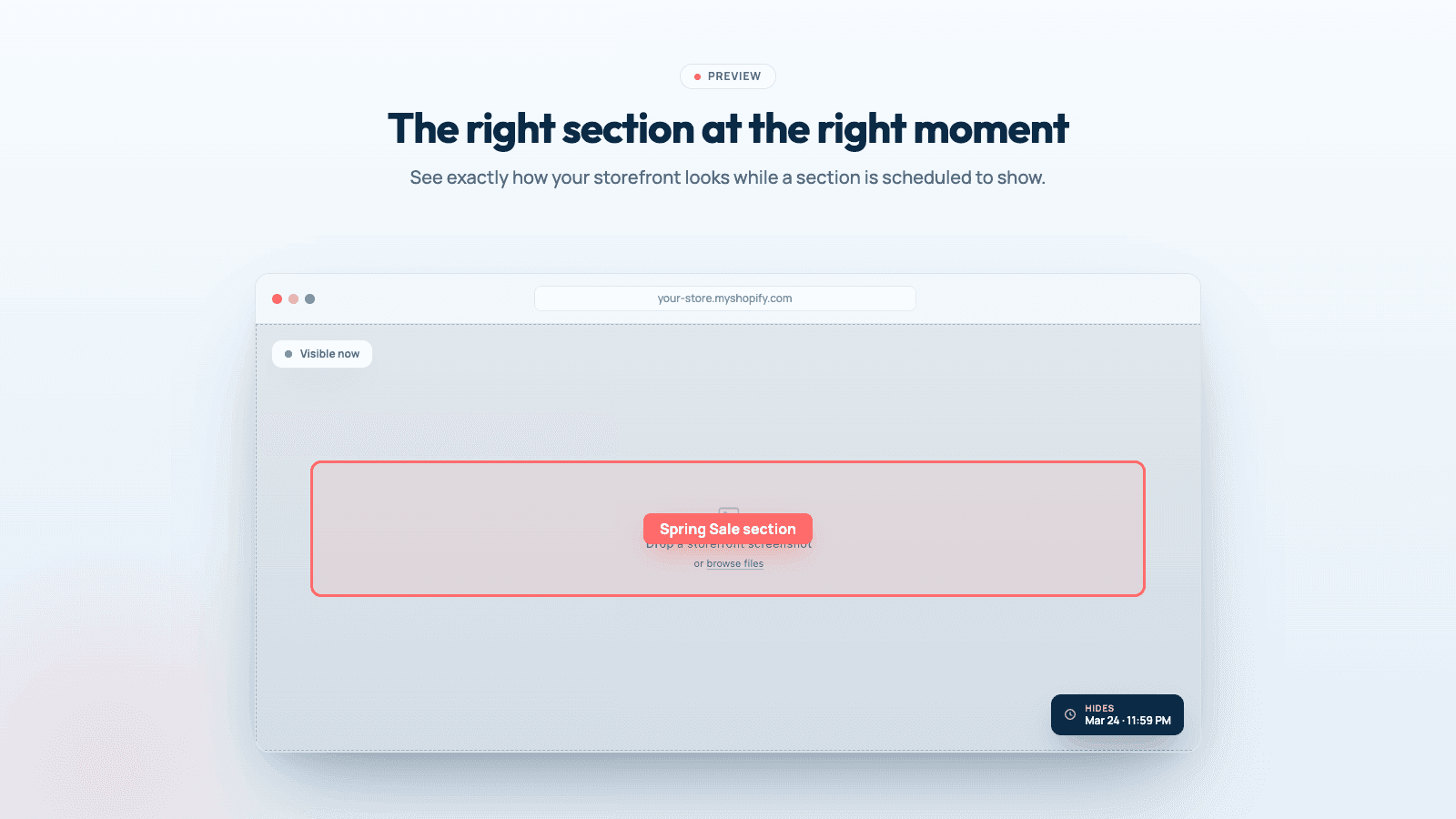
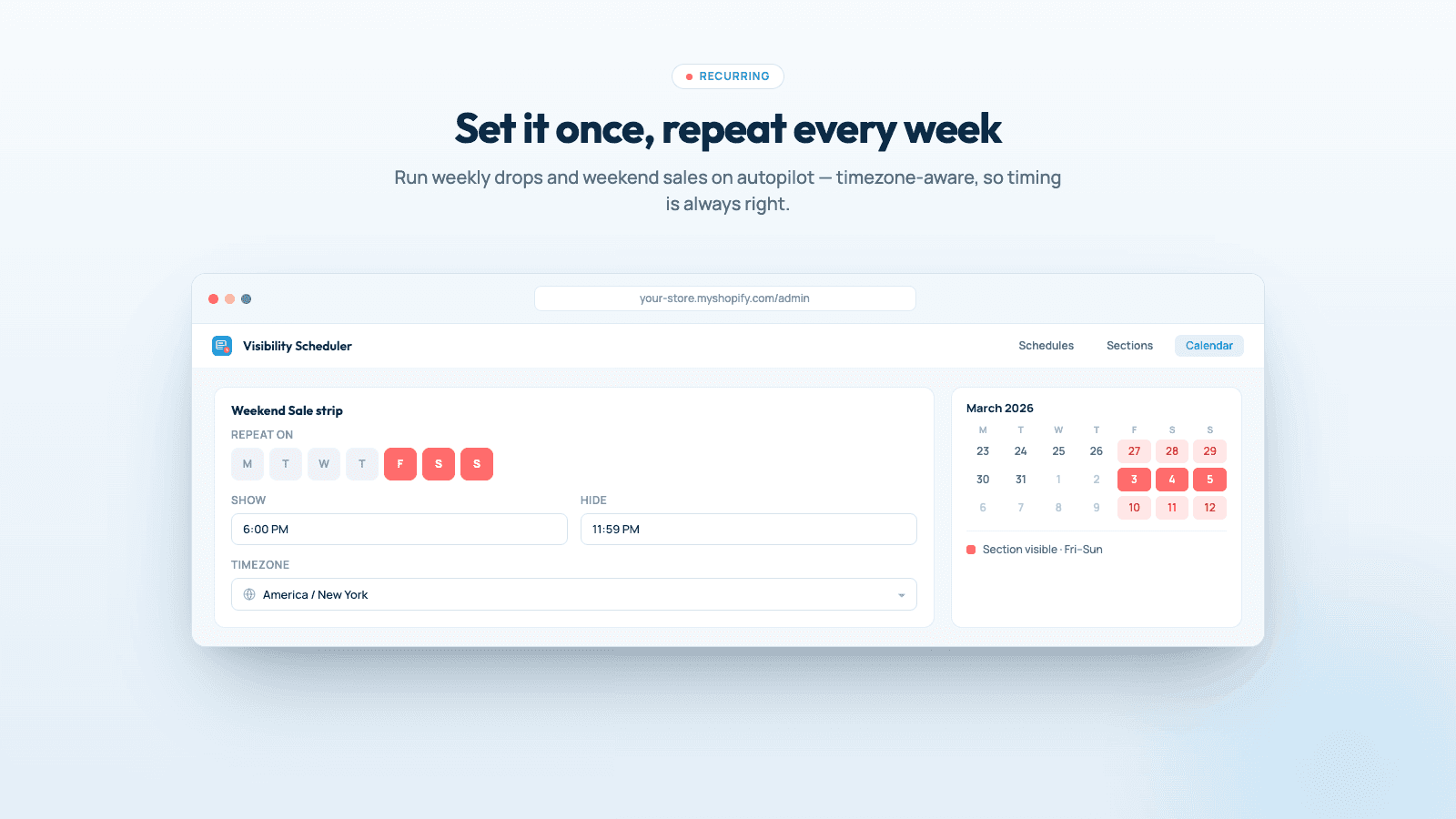
About this app
Maestro Visibility Scheduler automates section visibility on a Shopify theme. A merchant picks a section and a time window, and the section appears or disappears when the schedule runs. That is meant for timed promotions, announcements, and seasonal blocks. The app is listed on the Shopify App Store with a free trial. Marketing site: https://theme-visibility.xco.agency/ . App Store: https://apps.shopify.com/theme-visibility-scheduler
Key features
- 1Section and block-level visibility scheduling down to the minute, in the store's timezone.
- 2Recurring schedules (hourly, daily, weekly, bi-weekly, monthly) with optional end times.
- 3Theme publishing on a schedule plus a history log of every run and its outcome.
- 4Shopify Flow integration and API access for Make, n8n, Zapier or custom code.
Target customer profile
Drawn from the product itself, not from a survey.
Demographic
Shopify store owners running frequent flash sales and promotions
Pain points
Manually publishing sales at midnight or odd hours; forgetting to remove expired banners
Primary needs
Automated section visibility and theme publishing on a precise schedule
Demographic
E-commerce managers handling seasonal storefront changes
Pain points
Duplicating themes for every holiday; repetitive manual updates under time pressure
Primary needs
Recurring schedules and one-theme automation for seasonal content swaps
Demographic
Marketing teams coordinating product launches with email campaigns
Pain points
Mismatched timing between campaign emails and storefront updates; timezone confusion
Primary needs
Minute-level scheduling in store timezone and integration with automation tools
Scout Review
Written by AI from measured evidence, scored out of 100.
Maestro Visibility Scheduler is a focused Shopify app that does one thing well: show, hide or publish theme sections on a precise schedule in the store's timezone, with recurring patterns and a history log. The marketing site is fast and clear, the pitch is specific, and the FAQ answers the right questions. The rough edges are craft-level — emoji icons, a broken preview mockup, a hero that leads with a 3.1-star rating — plus a thin security posture and a single pricing tier. It's a competent, well-positioned indie tool that needs polish and a wider moat.
Measure by measure
Usability
63Clear install CTA, logical section flow, an FAQ that answers real objections and a stated 3-day trial. Small light-grey body copy is the main friction.
Design
58Tidy, conventional SaaS page with a consistent purple accent and scannable before/after copy, but emoji icons and an overlapping-text mockup bug hold it at average.
Speed
88Lighthouse mobile 98/100 (LCP 1.5s, CLS 0, TBT 10ms) and desktop 100/100. The app also injects no storefront script, so merchant page speed is untouched.
Security
52HTTPS enforced with SPF and DMARC, and it works via Shopify theme APIs with nothing left behind on uninstall. But no HSTS, CSP or frame protection and no published audit.
Accessibility
79Lighthouse accessibility 95/100 with a single failing audit for insufficient color contrast. No WCAG statement published, but the automated baseline is strong.
Growth
62Real, specific pain (midnight publishes, stale banners) with a genuine wedge: section-level and recurring scheduling that Flow and Theme Scheduler don't do at that granularity.
Improvement areas
- Security headers (HSTS, CSP, frame protection) and a published security page.
- Design craft: replace emoji icons, fix the overlapping preview mockup, resolve contrast.
- Social proof: the 3.1-star hero rating undercuts trust; build reviews before featuring them.
- Pricing: a single $19 tier limits revenue from larger, higher-volume merchants.
Design & Usability
The site is a competent, conventional SaaS page: a purple-accented hero, a scannable before/after problem section, six feature cards, a three-step how-it-works and an FAQ that actually addresses objections like busy-store timing and timezone behavior. Navigation is clear and the install CTA is always in reach. What drags it down is craft detail — emoji icons standing in for real iconography, a preview mockup with overlapping text, an orphaned use-case card, and a hero that leads with a 3.1-star rating from three reviews. Small light-grey body copy hurts readability. It works, it just doesn't look finished.
Speed & Security
Speed is the standout: Lighthouse mobile 98/100 with a 1.5s LCP, zero layout shift and 10ms total blocking time, desktop a clean 100. The app also claims no storefront script, so merchant page speed is genuinely unaffected — a real selling point for a scheduling tool. Security is the weak flank: HTTPS is enforced with SPF and DMARC, and the theme-API approach with clean uninstall is sensible, but the header probe found no HSTS, CSP, frame protection or Referrer-Policy, and there's no published audit, security page or bug bounty. For an app that touches live theme publishing, that's thin.
Accessibility & Growth
Accessibility scores 95/100 on Lighthouse with one failing audit — insufficient color contrast, matching the light-grey body copy a human would also flag. There's no WCAG statement or a11y page, but the automated baseline is strong and the layout is responsive. Growth is a judgment on the idea: the problem is real and specific (midnight publishes, forgotten expired banners, timezone confusion), and the wedge — section and block-level visibility plus recurring schedules — is something Shopify Flow and Theme Scheduler don't offer at that granularity. The limit is that it's a feature gap, not a moat, and the single $19 tier leaves little room to expand revenue.
Conclusion
If you run frequent flash sales or seasonal swaps and you're tired of publishing at odd hours, this solves a real problem at a fair $19/month with a 3-day trial. Go in expecting a young product: three reviews, no published security audit, and a site that still looks a bit unfinished. The core automation is the reason to try it — just don't expect the surrounding polish of a mature app yet.
Suggestions for improvement
- Fix the overlapping-text preview mockup and replace emoji icons with a consistent icon set.
- Add HSTS, CSP and frame-protection headers, and publish a short security page.
- Resolve the color-contrast failure and bump the small light-grey body copy size.
- Consider a tier above $19 to capture larger merchants running many schedules.
Alternatives comparison
Named competitors, point by point. Nobody paid to appear here or to be left out.
 Maestro Visibility Scheduler |  Shopify Flow | Theme Scheduler by Considerable | |
|---|---|---|---|
| Section/block-level visibility scheduling | Yes — core feature, down to the minute | No — theme changes via conditions, not section scheduling | Limited — fewer section-level features |
| Recurring schedules | Yes — hourly to monthly | Via workflow triggers, more setup | Limited recurring content updates |
| Store timezone scheduling | Yes — uses Shopify store timezone | Depends on workflow config | Not emphasized |
| Shopify Plus requirement | No — works on every Shopify plan | Yes — Flow is Plus-focused | No |
| Pricing | $19/month or $190/year, 3-day trial | Included with Shopify Plus | App-specific pricing |
Shopify Flow
Native automation platform for Shopify Plus that can trigger theme changes based on conditions, but lacks dedicated section-level scheduling and requires more setup.
Theme Scheduler by Considerable
Another Shopify app for scheduling theme publishing, but with fewer features for section-level visibility and recurring content updates.
Comparing options? See Maestro Visibility Scheduler alternatives, scored side by side
More E-commerce apps
View all E-commerce
Qamarero
92An all-in-one hospitality software for restaurants and ba...

Portrait Gift
88AI-powered personalized face swap art platform creating c...

Creastor
88An all-in-one platform for creators to sell digital produ...

StoreToAds
87AI ad generator that turns real product photos into multi...

CraftPilot
87AI tools for Etsy sellers — keyword research, listing optimization, and shop insights

Stripdo
87Stripdo is a smart invoicing tool that automatically gene...

Nano Banana 2.1 AI Image Generator
86Create and edit 4K images with AI, fuse up to 14 referenc...

BlueVetaUpright
86API that detects product photo rotation and tells you how...

Scale Ova
86AI agent that builds & runs your Shopify

Kaniva
85Your business is hard enough. Your software shouldn’t be.

EchoWi
83Track and optimize your brand's visibility in AI answers.

Avenum
82Avenum is a self-checkout app that streamlines retail shopping with QR code scanning and payments.


A platform dedicated to providing unbiased reviews of newly launched applications, analyzing everything from their features to their full potential.
info@scoutforge.net© 2026 Scoutforge. All rights reserved.
