Is this your app?
Claim NeuralSide to manage its page, add your badge and see your traffic — free, and it stays free.
Cycling through all six. Tap any point to stop.
Measured on six things
Free Chrome extension with GPT-5 and Mistral AI in sidebar for seamless assistance.
Accessibility
60Basic text interfaces work at different zoom levels, but lacks screen reader optimization, high contrast mode, or keyboard shortcuts.
Screenshots
1 / 2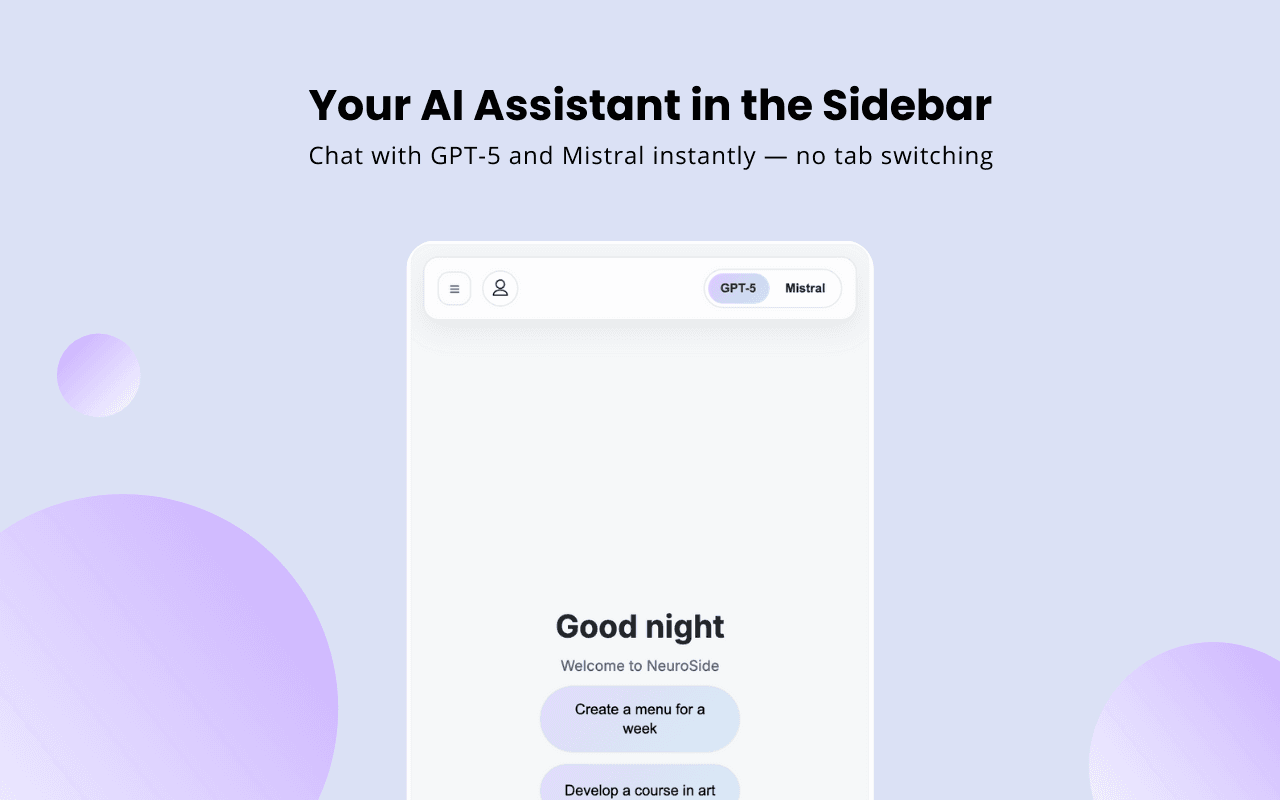
About this app
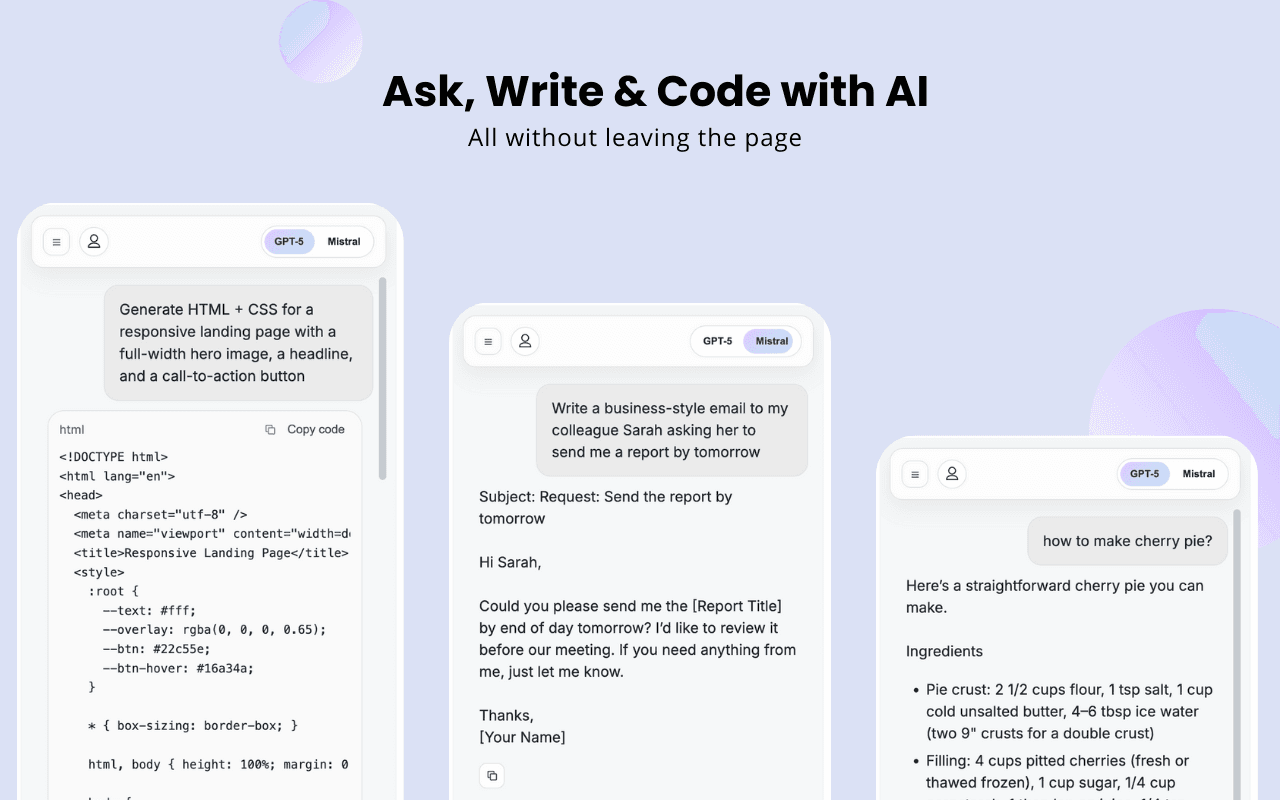
NeuralSide is a game-changing Chrome extension that integrates GPT-5 and Mistral AI directly into your browser sidebar, eliminating the need for constant tab switching. As a tech enthusiast who's tried numerous AI tools, I find NeuralSide's approach incredibly intuitive—it keeps you focused on your current task while offering instant AI support for chatting, writing, coding, translation, and research. The minimalist design slides in unobtrusively, and the claim of free access to advanced models like GPT-5 is a standout feature that sets it apart from many paid alternatives. It's perfect for developers, writers, and students who need quick, integrated AI help without disrupting their workflow. While it excels in usability and core functionality, areas like chat history persistence and advanced accessibility could use improvement. Overall, it's a must-try for anyone looking to boost productivity with AI.
Key features
- 1Free access to GPT-5 and Mistral AI models in browser sidebar
- 2Seamless integration without tab switching disruption
- 3Minimalist design that maintains browsing workflow focus
- 4Quick one-click access from browser toolbar
Target customer profile
Drawn from the product itself, not from a survey.
Demographic
Students and learners
Pain points
Information gathering across multiple tabs, study distractions
Primary needs
Quick answers, research assistance, learning support
Demographic
Developers and programmers
Pain points
Constant context switching between code editor and AI tools, debugging challenges
Primary needs
Quick code assistance, debugging help, documentation lookup
Demographic
Content writers and researchers
Pain points
Disrupted writing flow, research tab overload, translation needs
Primary needs
Writing assistance, research help, language translation, brainstorming
Scout Review
Written by AI from measured evidence, scored out of 100.
NeuralSide delivers exactly what it promises: seamless AI assistance without workflow disruption. The sidebar approach is genius for productivity, and the free access to advanced models is a game-changer if sustainable. While it excels at core functionality, areas like accessibility and feature depth need attention.
Measure by measure
Usability
90Excellent one-click access and seamless integration that eliminates tab switching. Perfect for maintaining workflow focus while accessing AI assistance.
Design
80Clean, minimalist sidebar interface with neutral colors that doesn't overwhelm browsing experience. Professional gradients and straightforward navigation.
Speed
80Lightweight extension with quick loading sidebar, though actual AI response speed depends on external GPT-5 and Mistral API performance.
Security
70Minimal data collection stated in privacy policy, but limited information about encryption or detailed data handling practices.
Accessibility
60Basic text interfaces work at different zoom levels, but lacks screen reader optimization, high contrast mode, or keyboard shortcuts.
Growth
90Strong market position with claimed free GPT-5 access, growing demand for integrated AI tools across developer, writer, and student markets.
Improvement areas
- Limited accessibility features and language support
- No persistent chat history between sessions
- Minimal information about data encryption practices
- Lacks keyboard shortcuts and power user customization
Design & Usability
NeuralSide's design philosophy centers on staying out of your way while being instantly available. The collapsible sidebar slides in smoothly without disrupting your browsing flow, using a professional color palette that won't assault your retinas. Navigation is intuitive with clear model toggles between GPT-5 and Mistral AI. What really shines is the UX - one click from the browser toolbar and you're chatting with advanced AI without ever leaving your current webpage. This seamless integration addresses the primary pain point of constant tab switching that plagues most AI tool workflows.
Speed & Security
Performance-wise, NeuralSide loads quickly and feels lightweight, though actual AI response times depend on the backend APIs. The extension collects minimal user data according to its privacy policy, which is reassuring for a free tool. However, there's limited information about encryption methods or detailed data handling practices. The lack of local conversation storage means your chats vanish between sessions, which is privacy-positive but inconvenient for ongoing work. Overall, it strikes a reasonable balance between speed and basic security for a browser extension.
Accessibility & Growth
Accessibility is NeuralSide's weakest area - while the simple interface works at various zoom levels, it lacks screen reader optimization, high contrast modes, and keyboard navigation. Language support appears primarily English-focused despite built-in translation capabilities. However, the growth potential is enormous. With claimed free access to GPT-5 alongside Mistral AI, it positions itself uniquely in a market crowded with subscription-based alternatives. The target markets - developers, writers, and students - represent massive growth opportunities as AI integration becomes essential rather than optional.
Conclusion
If you're tired of the tab-switching dance between your work and AI tools, NeuralSide offers a refreshingly integrated solution. Developers will appreciate the instant coding help, writers will love the uninterrupted flow, and students will benefit from quick research access. The free GPT-5 claim makes it worth trying immediately - just be prepared for basic but functional accessibility.
Suggestions for improvement
- Implement chat history persistence with optional local storage
- Add keyboard shortcuts and screen reader compatibility
- Include customizable sidebar positioning and sizing options
- Expand AI model selection beyond current two options
Alternatives comparison
Named competitors, point by point. Nobody paid to appear here or to be left out.
 NeuralSide |  Monica AI Assistant |  Microsoft Copilot sidebar | |
|---|---|---|---|
| Pricing Model | Free with claimed GPT-5 access | Subscription required for full features | Free basic version available |
| Sidebar Integration | Full collapsible sidebar functionality | Comprehensive sidebar with multiple features | Search results integration only |
| AI Model Variety | GPT-5 and Mistral AI | GPT-4o, Claude 3.7, and multiple models | Primarily ChatGPT models |
| Workflow Integration | Seamless no-tab-switching design | Comprehensive workflow tools | Search-focused integration |
Monica AI Assistant
A comprehensive AI assistant with multiple model support including GPT-4o and Claude 3.7, but requires subscription for full features.
Microsoft Copilot sidebar
Integrated into some browsers but may not offer the same level of free access to advanced models like GPT-5.
Comparing options? See NeuralSide alternatives, scored side by side
More AI Chatbots apps
View all AI Chatbots
Notion
92All-in-one AI workspace for docs, projects, and knowledge...

Gerty
91Private, local AI assistant for Mac that runs offline

MindMarks
88A free browser extension that organizes AI conversations ...

Claw Messenger
88Claw Messenger is an iMessage API service that gives AI a...

Evoriqa
88White-label AI customer service agent for small businesse...

robodocxs.ai
87AI-agents work right inside your systems. You decide what they handle on their own and what your team approves.

Nautis
87Nautis is an AI-native operating system that helps founders manage finance, fundraising, sales, teams, and operations with an AI Chief of Staff.

Plori
87Cloud AI agents with persistent disk, memory, and real CL...

UncensoredLabs
87Uncensored language models through an OpenAI-compatible API.

VibeBot
86AI-powered no-code Discord bot maker

Trust Me Bro
86Trust Me Bro checks one claim against published research and publishes a public receipt: a verdict, sources for and against, and the limits of the check. Free: 5 checks a month, no card. Also Chrome extension, API, MCP.

EntreDash
860-1 Founder workspace, from idea to business


A platform dedicated to providing unbiased reviews of newly launched applications, analyzing everything from their features to their full potential.
info@scoutforge.net© 2026 Scoutforge. All rights reserved.
