Cycling through all six. Tap any point to stop.
Measured on six things
Native Apple website, domain, and uptime monitoring
Security
41HTTPS is enforced, but the probe found no HSTS, CSP, frame protection, X-Content-Type-Options, Referrer-Policy, or Permissions-Policy — 2/12 checklist points. No SPF/DMARC, no SOC 2 or audit claims.
Screenshots
1 / 7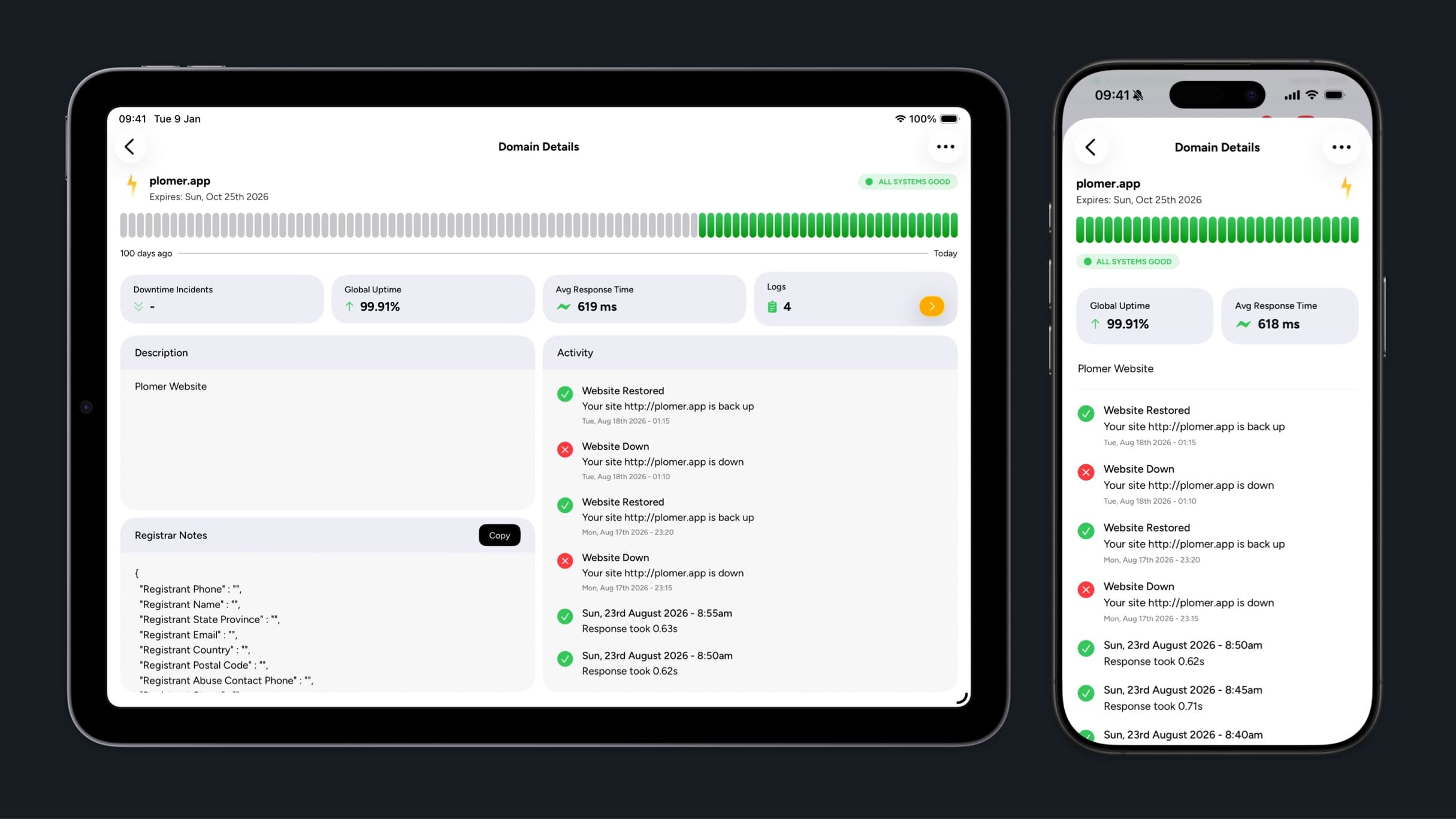
About this app
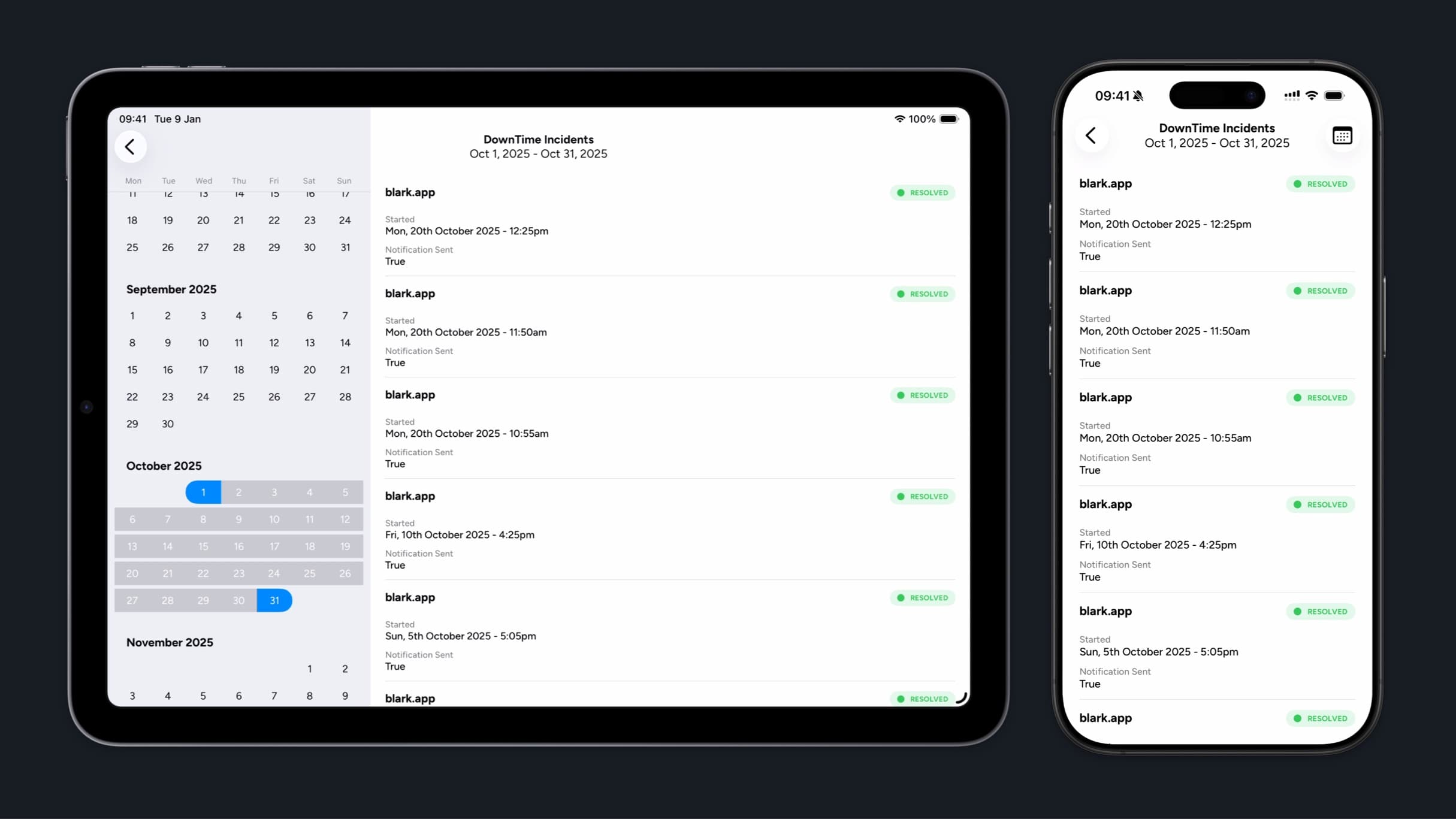
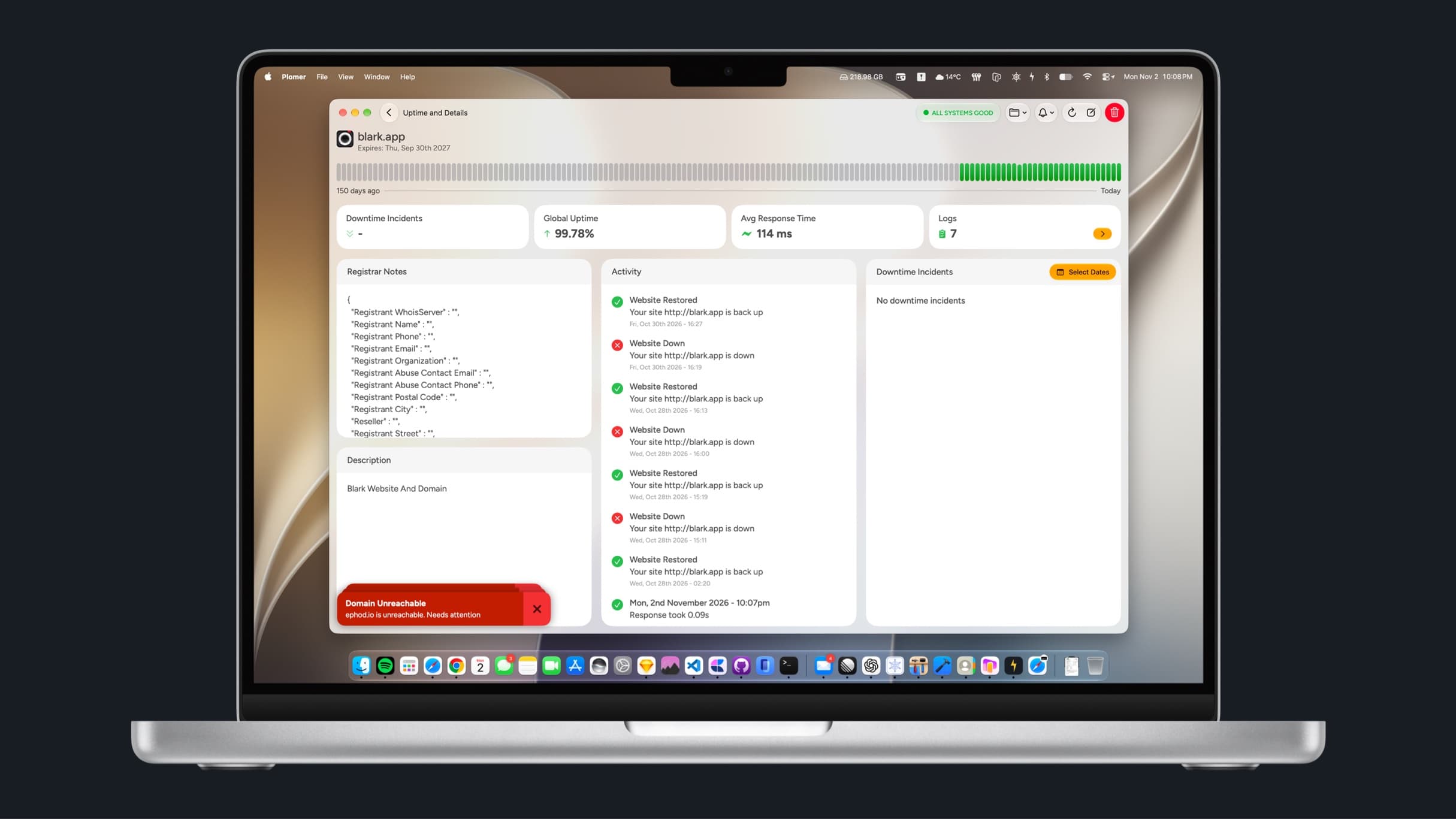
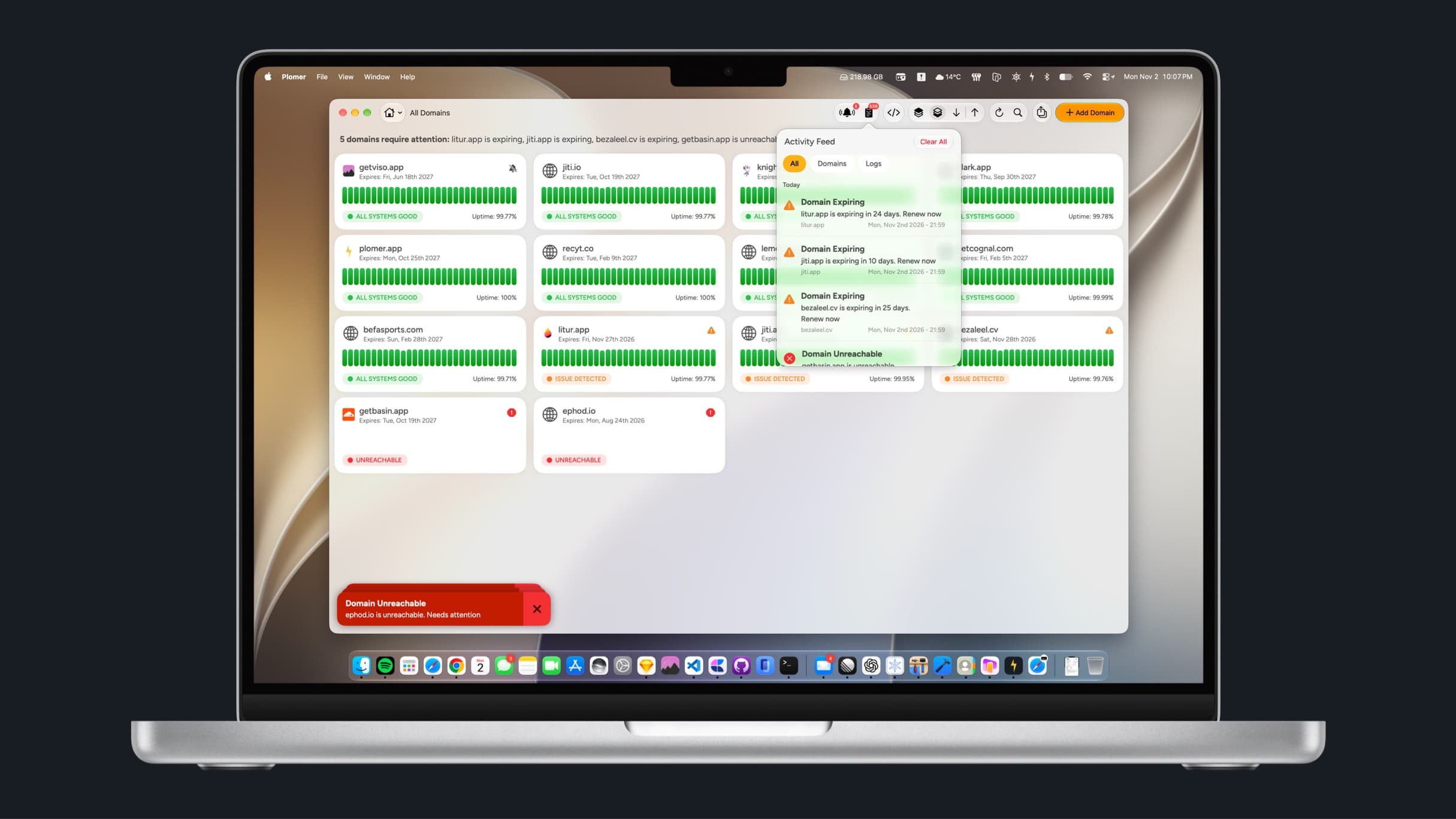
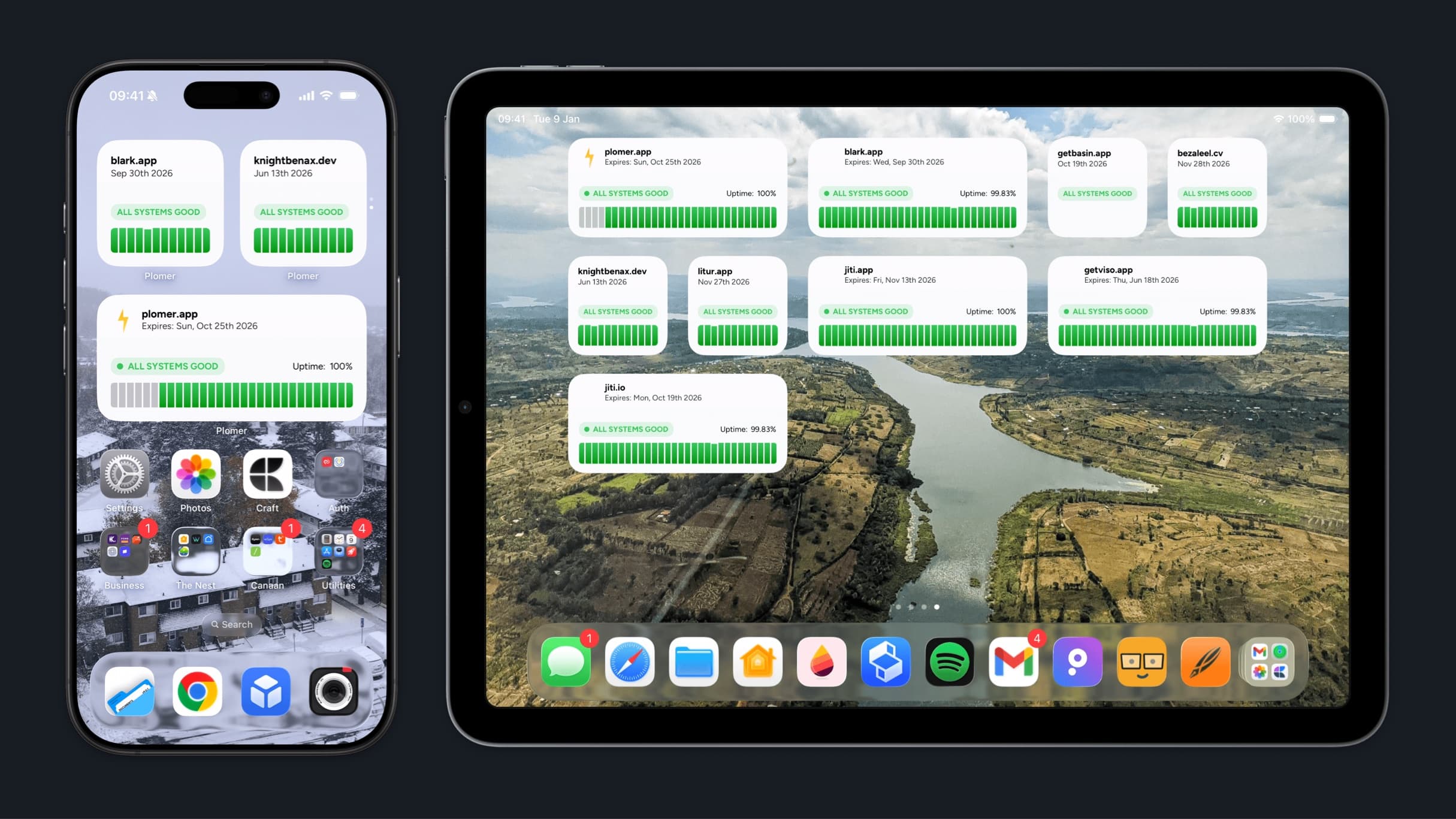
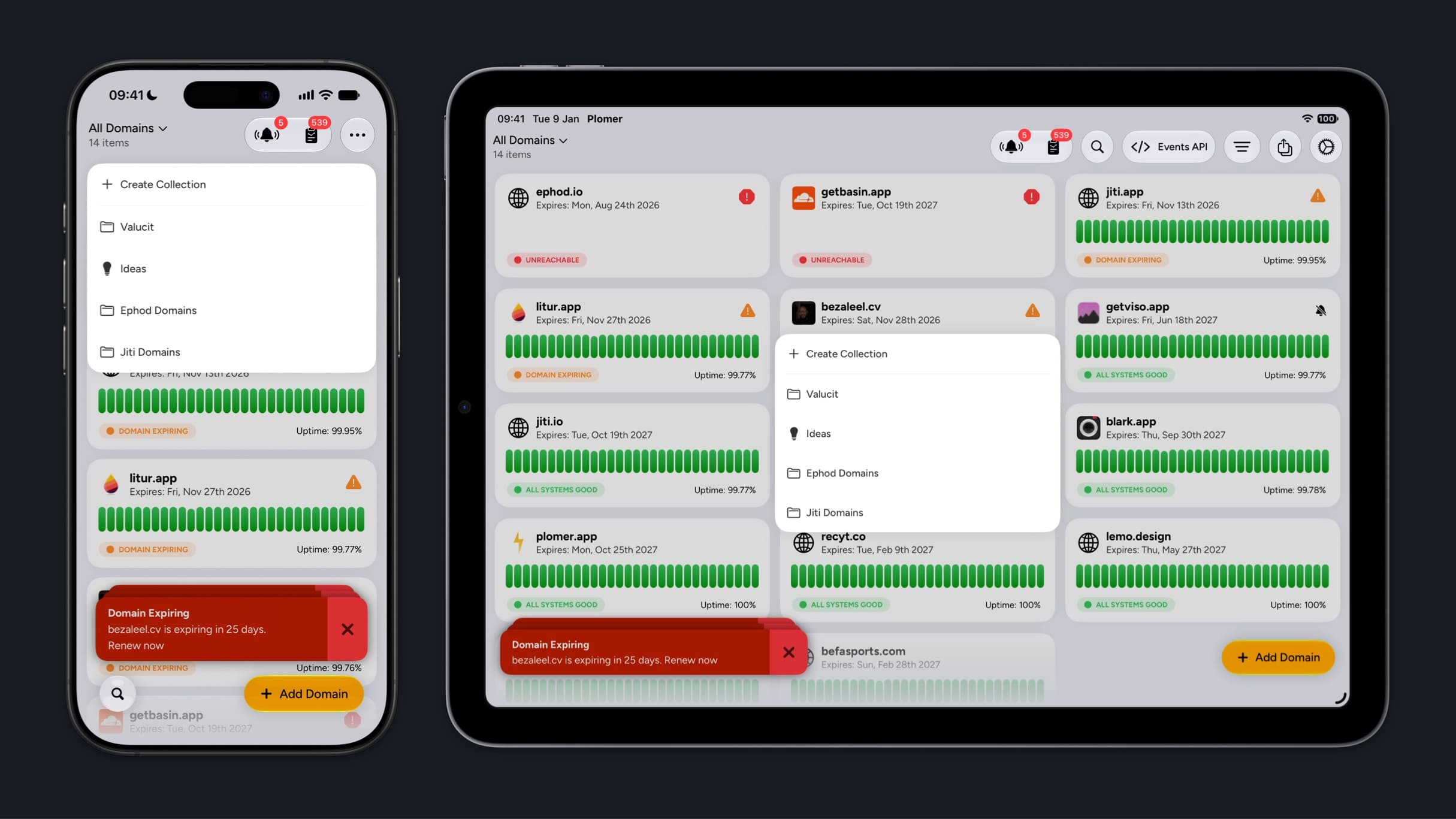
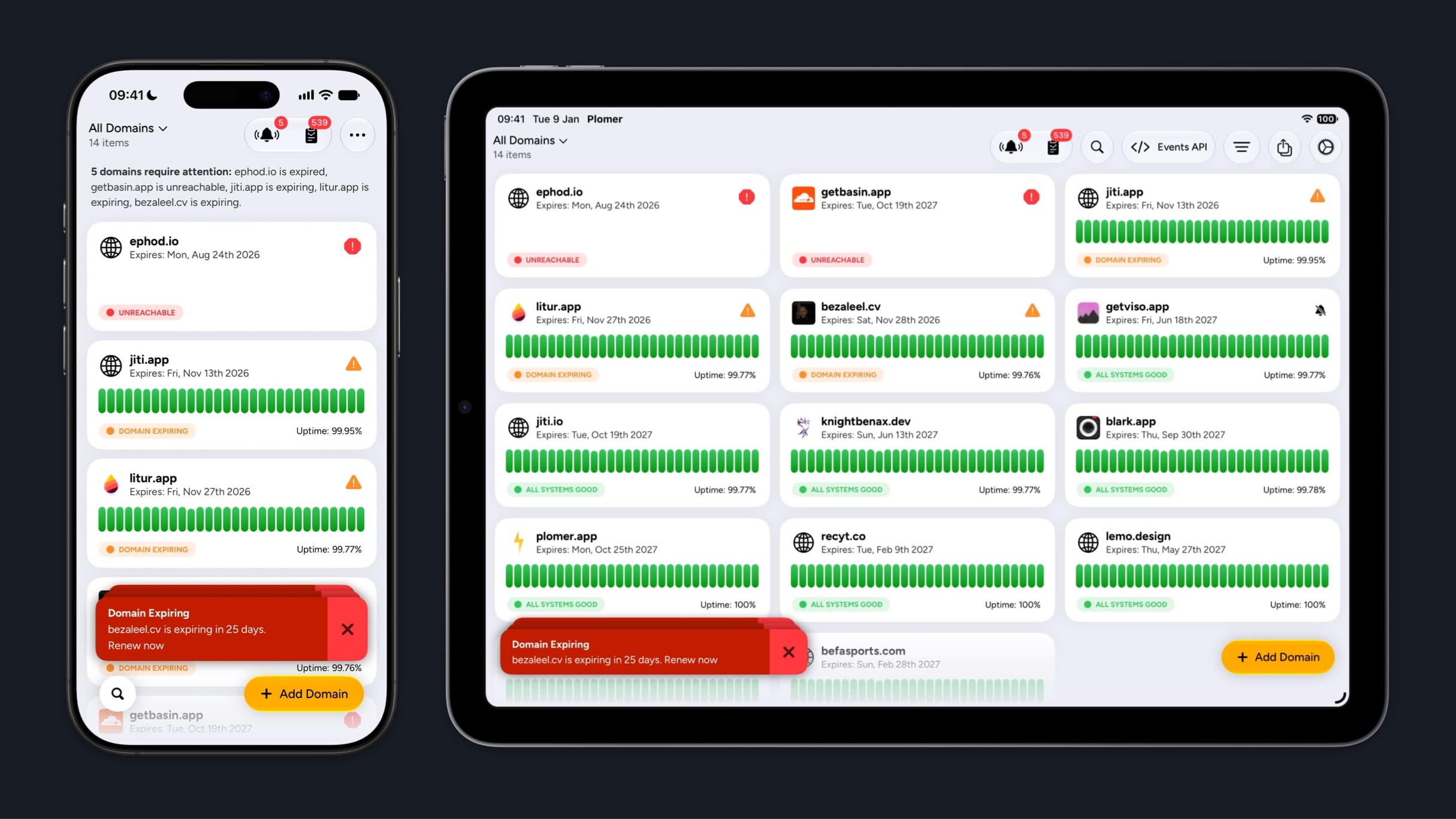
Plomer is a native Apple-platform website and domain monitoring app that combines real-time uptime checks, DNS and SSL watch, domain expiry alerts, and webhook event ingestion in one iOS, iPadOS, and macOS experience. It provides push notifications, a unified activity feed, downtime history, widgets, and custom event logging so indie developers and small teams can act as their own first responder without juggling multiple dashboards.
Key features
- 1Real-time uptime checks with timestamps and response times across monitored domains.
- 2DNS and SSL watch plus domain expiry/renewal alerts with push notifications.
- 3Inbound webhook event ingestion with a unified, searchable activity feed and widgets.
Target customer profile
Drawn from the product itself, not from a survey.
Demographic
Indie developers and solo founders building and hosting multiple sites or APIs
Pain points
Missing downtime, expired domains, or SSL issues while away from a laptop; juggling several monitoring dashboards
Primary needs
Fast mobile alerts, simple domain and SSL monitoring, webhook event logging, and Apple-native widgets
Demographic
Small startup engineering teams without a dedicated SRE or on-call rotation
Pain points
Limited visibility across services, no centralized incident history, and slow response to outages or DNS changes
Primary needs
Real-time uptime checks, downtime history for pattern spotting, and push notifications for critical incidents
Demographic
Apple-centric sysadmins and DevOps engineers managing domains on the go
Pain points
Clunky web-only tools on mobile, fragmented logs, and unreliable alerting across devices
Primary needs
Native iOS/iPadOS/macOS apps, unified searchable logs, webhook ingestion, and customizable multi-size widgets
Scout Review
Written by AI from measured evidence, scored out of 100.
Plomer is a native Apple-platform monitoring app for indie devs and small teams, combining uptime checks, DNS/SSL watch, domain expiry alerts, and webhook ingestion in one iOS/iPadOS/macOS experience. The design is cohesive and the mobile site is fast (97/100 Lighthouse). The gaps are security hardening (2/12 header checklist points, no SPF/DMARC), accessibility (missing alt text, unnamed links, no main landmark), and thin documentation. Growth rests on a real but narrow Apple-native wedge against established competitors.
Measure by measure
Usability
64Clear single CTA and obvious in-app 'Add Domain' button suit the monitoring use case. But mockup text is too small to read and there's no real docs/help center beyond a 'Support' link.
Design
71Judging the app UI and store material: consistent yellow brand system, scannable status pills and uptime bars, clean device mockups. Homepage has orphaned headline words and duplicated 'Collections' copy.
Speed
88Lighthouse mobile 97/100 with LCP 1.6s, TBT 0ms, CLS 0.083 — genuinely snappy. Desktop drops to 74/100, so the desktop payload is heavier than it needs to be.
Security
41HTTPS is enforced, but the probe found no HSTS, CSP, frame protection, X-Content-Type-Options, Referrer-Policy, or Permissions-Policy — 2/12 checklist points. No SPF/DMARC, no SOC 2 or audit claims.
Accessibility
46Lighthouse a11y 74/100 with missing alt attributes, unnamed links, and no main landmark. App is localized in 11 languages, but no WCAG statement or keyboard-support evidence found.
Growth
63Real problem (missed downtime/expiry while mobile) with a specific Apple-native wedge and webhook ingestion. Differentiated vs UptimeRobot/Better Stack, but the wedge is narrow and copyable.
Improvement areas
- Security hardening: missing HSTS, CSP, frame protection, Referrer-Policy, Permissions-Policy, SPF, and DMARC.
- Accessibility: missing alt text, unnamed links, no main landmark; no WCAG statement.
- Documentation and onboarding: no real help center beyond a 'Support' link.
Design & Usability
Plomer's design is genuinely cohesive: the yellow brand system, lightning-bolt mark, and status pills carry from homepage into the app UI, and the store screenshots make domain health scannable at a glance. Usability is competent — a single clear CTA, an obvious 'Add Domain' button, and a short nav. The weak spots are execution details: orphaned headline words, a duplicated 'Collections' section, and mockup text so small it can't be read at page scale, which undercuts the feature explanation. There's also no real documentation beyond a 'Support' link, which matters for a tool people rely on during outages.
Speed & Security
Speed is the standout: Lighthouse mobile 97/100 with LCP 1.6s and zero total blocking time, though desktop falls to 74/100, suggesting a heavier desktop payload. Security is the weak flank. HTTPS is enforced, but the probe found no HSTS, CSP, frame protection, X-Content-Type-Options, Referrer-Policy, or Permissions-Policy — 2/12 checklist points — and no SPF/DMARC records. For a monitoring product that ingests inbound webhooks and holds domain/SSL data, the absence of hardening headers and email authentication is a real gap, not just a missing badge.
Accessibility & Growth
Accessibility scores 74/100 on Lighthouse with concrete failures: images missing alt attributes, links without discernible names, and no main landmark. The app is localized in 11 languages, which is a genuine plus, but there's no WCAG statement or keyboard-support evidence. Growth is a judgement on the idea: the problem — missing downtime, expired domains, or SSL issues while away from a laptop — is real and specific, and the Apple-native wedge plus webhook ingestion distinguishes it from UptimeRobot, Better Stack, and Pingdom. But the wedge is narrow and structurally copyable; the incumbents could ship a decent mobile app and widgets. It's a competent, clearly positioned product with a real but limited moat.
Conclusion
If you're an Apple-centric indie dev who wants downtime alerts on your wrist and a unified feed instead of five browser tabs, Plomer is a credible, well-designed option. If you need hardened security posture, documented compliance, or deep observability, the incumbents still win. The product is early — no App Store ratings yet — but the core idea and execution are solid enough to watch.
Suggestions for improvement
- Add HSTS, CSP, X-Content-Type-Options, Referrer-Policy, and Permissions-Policy headers, plus SPF/DMARC records.
- Fix accessibility failures: add alt text to images, give links discernible names, and add a main landmark.
- Publish real documentation or a help center instead of a bare 'Support' link.
- Fix the orphaned headline words and remove the duplicated 'Collections' copy on the homepage.
Alternatives comparison
Named competitors, point by point. Nobody paid to appear here or to be left out.
 Plomer |  UptimeRobot | Better Stack |  Pingdom | |
|---|---|---|---|---|
| Native Apple app (iOS/iPadOS/macOS) | Yes — built for Apple platforms from the ground up | Web-first; mobile app limited | Web-first; no native Apple app focus | Web-first; mobile app limited |
| Webhook event ingestion / custom event logging | Yes — inbound webhooks into unified feed | Limited; alert integrations, not event ingestion | Yes — log management and event ingestion | No dedicated webhook event ingestion |
| DNS and SSL expiry monitoring | Yes — DNS, SSL, and domain expiry alerts | SSL expiry yes; DNS monitoring limited | Yes — SSL and DNS checks | SSL expiry yes; DNS limited |
| Home screen widgets | Yes — multiple sizes for iOS/iPadOS | No native widget focus | No native widget focus | No native widget focus |
| Security hardening (HSTS/CSP/DMARC) | HTTPS only; no HSTS, CSP, or DMARC | Established hardening and compliance posture | Established hardening and compliance posture | Established hardening and compliance posture |
UptimeRobot
Established website and uptime monitoring service with broad check types, status pages, and alerting; web-first and often used by teams needing multi-channel integrations.
Better Stack
Developer-focused observability suite combining uptime monitoring, incident management, on-call scheduling, and log management; powerful but heavier for simple mobile monitoring.
Pingdom
SolarWinds uptime and performance monitoring with global probes, real user monitoring, and reporting; geared toward businesses needing deep performance analytics.
Comparing options? See Plomer alternatives, scored side by side
More Development & Engineering apps
View all Development & Engineering
Vibe Coding Agent Skills
92A free, open-source platform offering 110 AI agent skills...

CreateMyCoin
92A no-code Solana token creator that deploys SPL tokens in...

CC Switch
91Open-source desktop app for switching AI coding providers...

TaxID
90Fast EU VAT validation API for developers, covering 27 EU...

DemoVexa
90Turn your code into professional product demo videos with AI-generated scripts, animated UI, and natural voiceovers.

FontPlop
89Browser-based font viewer & tester for TTF, OTF, WOFF, WO...

Webfetch
89Web scraping API that turns any URL into HTML, text, Mark...

deed.page
89Permanent web hosting for AI agents, no human step

BeartIMAGE
88BeartIMAGE is a free, web-based image processing platform engineered for fast, bulk photo editing and conversion directly in your browser.

Claw Messenger
88Claw Messenger is an iMessage API service that gives AI a...

DataHabibi
88AI-powered Dubai real estate data platform with 12M+ DLD ...

Cachely
88Managed remote cache for monorepos to slash CI time.


A platform dedicated to providing unbiased reviews of newly launched applications, analyzing everything from their features to their full potential.
info@scoutforge.net© 2026 Scoutforge. All rights reserved.
