Cycling through all six. Tap any point to stop.
Measured on six things
Send a test Apple push from your Mac with a certificate
Security
30HTTP probe shows HTTPS not enforced, no HSTS, CSP, frame protection or Referrer-Policy — 1/12 checklist points. The app keeps data local and links a privacy policy, but the site's header hygiene is poor.
Screenshots
1 / 1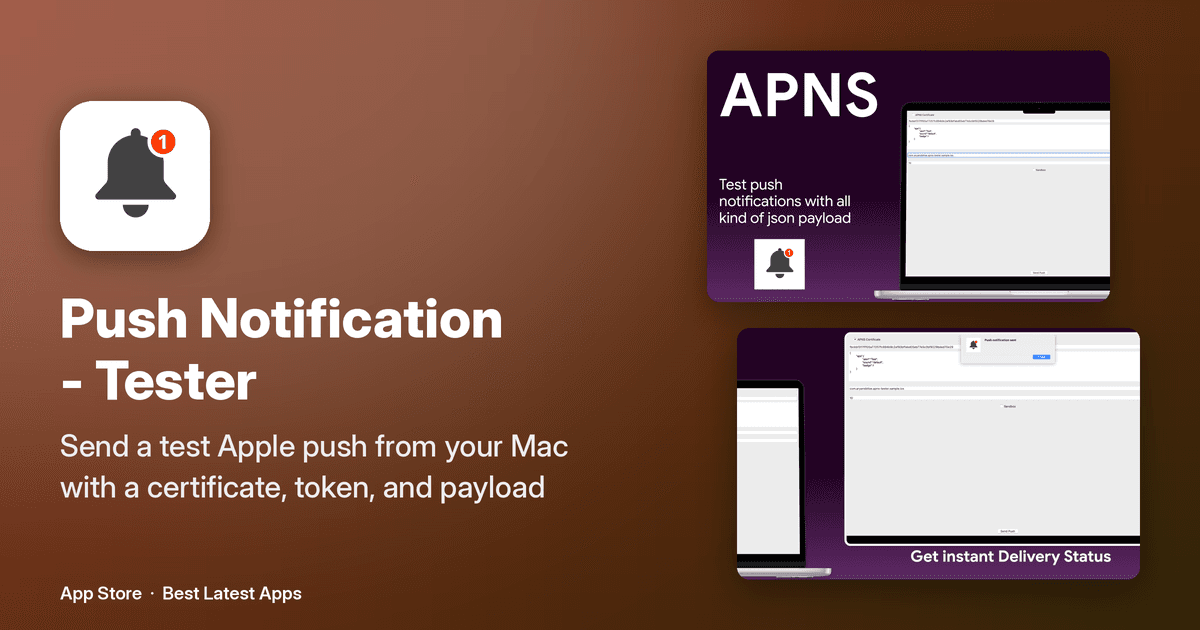
About this app
Push Notification is a free macOS application that simplifies testing Apple Push Notification Service (APNS) for iOS and macOS apps. It allows developers to send push notifications directly from their Mac without relying on a backend server. The app leverages certificates stored in the macOS Keychain, making it easy to select the appropriate certificate and configure payload details. Key features include sending push notifications to APNS, selecting push certificates from the Keychain, and a straightforward interface for entering device tokens and payloads. The app is designed for developers who need a quick and efficient way to test push notifications during app development. It requires macOS 14.6 or later and is available for free on the Mac App Store. Privacy is a priority, with data kept on the device and only anonymous analytics and ads (via Google AdMob) used. The app supports 33 languages and has a 4+ age rating. Regular updates ensure bug fixes and performance improvements. ...
Key features
- 1Send APNS push notifications directly from a Mac without a backend server.
- 2Select push certificates straight from the macOS Keychain.
- 3Simple interface for entering device tokens and JSON payloads with a Sandbox toggle.
- 4Free on the Mac App Store, requires macOS 14.6+, localized in 95 languages.
Target customer profile
Drawn from the product itself, not from a survey.
Demographic
iOS/macOS developers
Pain points
Relying on backend servers for push testing; complex setup for APNS testing
Primary needs
Quick, standalone push notification testing from Mac
Demographic
Mobile app development teams
Pain points
Coordinating push notification tests across team members; lack of simple local testing tools
Primary needs
Easy sharing and use of push certificates; consistent testing environment
Demographic
Independent app developers and freelancers
Pain points
Limited budget for testing tools; need for efficient solo testing
Primary needs
Free, lightweight tool that integrates with existing Keychain certificates
Scout Review
Written by AI from measured evidence, scored out of 100.
Push Notification - Tester is a focused, free Mac utility that does one thing: send APNS pushes from your desktop using Keychain certificates, no backend required. The app UI is clean and the three-step flow is easy to follow. The marketing site is fast (98/100 mobile Lighthouse) but visually noisy with badge walls and logo grids, and its security headers are nearly absent (1/12 checklist points). Accessibility scores 93/100 with one contrast miss, and localization is broad. Growth is limited by a narrow niche but the wedge is real. A competent, honest tool that needs polish on the web side and delivery feedback in the app.
Measure by measure
Usability
62Three-step onboarding (get cert, install in Keychain, send) is genuinely simple for the narrow task. Primary action stays visible. But screenshots show no delivery feedback or error states, and the homepage buries the guide under badge clutter.
Design
58Judging the Mac app UI: a clean, single-purpose NSWindow with labeled certificate field, JSON editor, Sandbox toggle and Send Push button. The marketing homepage is weaker — badge walls and a 50+ logo grid dilute focus.
Speed
88Lighthouse mobile 98/100 (LCP 2.4s, TBT 0ms, CLS 0.036) and desktop 100/100. The marketing site is genuinely fast; no user complaints about lag found in the collected evidence.
Security
30HTTP probe shows HTTPS not enforced, no HSTS, CSP, frame protection or Referrer-Policy — 1/12 checklist points. The app keeps data local and links a privacy policy, but the site's header hygiene is poor.
Accessibility
70Lighthouse a11y 93/100 with a single contrast failure. App localized in 95 languages per the store. No WCAG statement or accessibility page found, so the score sits mid-band on solid automated results.
Growth
55A real, narrow problem — APNS testing without a backend — with a clear wedge (free, local, Keychain-native) against Firebase/OneSignal. But it's a single-purpose utility with no ratings yet and a small addressable niche.
Improvement areas
- No visible delivery confirmation or error states in the app UI.
- Website security headers nearly absent (1/12 checklist points; no HSTS/CSP).
- Homepage cluttered with badge walls and a 50+ logo grid.
- Language count inconsistency between site (33) and store (95).
Design & Usability
The Mac app is the product here, and its UI is appropriately minimal: a certificate field, a JSON payload editor, a Sandbox checkbox, and a Send Push button. For a single-purpose APNS tester, that restraint is correct — no dashboard bloat, no wizard. The homepage is where design discipline collapses: stacked 'FEATURED ON' badges, six template-feeling 'Why you'll love' cards, and a 50+ logo grid that reads as template reuse rather than curation. Usability is decent for the happy path — the three-step guide (get cert, install in Keychain, send) is clear and the primary action never scrolls away. The gap is feedback: no visible delivery confirmation or error state in the screenshots, which is exactly what a tester needs when a push silently fails.
Speed & Security
Speed is the standout: Lighthouse mobile 98/100 with a 2.4s LCP, 0ms total blocking time, and a 100/100 desktop score. The marketing site loads instantly, and nothing in the collected evidence suggests lag complaints. Security is the weak flank. The HTTP probe found HTTPS not enforced, no HSTS, no CSP, no frame protection, no Referrer-Policy, and no Permissions-Policy — 1 of 12 checklist points, with only SPF present and DMARC missing. The app's own posture is better than the site's: it keeps data on-device, uses Keychain certificates, and discloses AdMob and anonymous analytics with linked privacy and terms pages. But a developer tool that handles push certificates should hold its web surface to a higher bar than 'no headers at all.'
Accessibility & Growth
Accessibility lands well on automated checks: 93/100 with a single contrast failure, and the app ships in 95 languages per the store listing (the site claims 33 — a discrepancy worth reconciling). There's no WCAG statement or dedicated accessibility page, so the score stays mid-band rather than climbing. Growth is a judgment on the idea: testing APNS without a backend is a real, specific pain for iOS/macOS developers, and the free, local, Keychain-native approach is a genuine wedge against Firebase, OneSignal, and Pusher. But it's a narrow utility in a niche where the alternatives are a curl script and a certificate, with no ratings yet and a young domain. It can win its slice; the slice is just small.
Conclusion
If you're an iOS or macOS developer who tests pushes regularly and is tired of spinning up a backend just to fire one notification, this earns a spot in your dock — it's free, local, and fast. Before you rely on it, though, check that the app gives you clear success/failure feedback for each send, since the screenshots don't show any. And if you're evaluating the vendor, note the site's thin security headers. For a solo or small-team workflow, it's a sensible shortcut; for team-wide testing infrastructure, pair it with a proper CI-integrated push testing setup.
Suggestions for improvement
- Add visible delivery confirmation and error states in the app so failed pushes aren't silent.
- Enforce HTTPS with HSTS, CSP, and Referrer-Policy on bestlatestapps.com — 1/12 headers is too thin.
- Fix the failing contrast ratio flagged by Lighthouse to clear the last accessibility audit.
- Reconcile the language count (site says 33, store says 95) and trim the badge/logo walls on the homepage.
Alternatives comparison
Named competitors, point by point. Nobody paid to appear here or to be left out.
 Push Notification - Tester Push Notification - Tester |  Notify Tester Notify Tester |  APNS Tester APNS Tester | |
|---|---|---|---|
| Price | Free | Not verified | Free (open source) |
| Interface | Native Mac GUI with JSON editor | Mac GUI, multiple certificates | Command-line tool |
| Certificate handling | Selects from macOS Keychain | Supports multiple certificates | Manual certificate and token setup |
| Backend dependency | None — sends directly from Mac | None (standalone Mac app) | None (local CLI) |
| Platform | macOS 14.6+ | macOS | Cross-platform CLI |
Notify Tester
A Mac app for testing APNS with a user-friendly interface and support for multiple certificates.
APNS Tester
A simple command-line tool for sending push notifications via APNS, requiring certificate and token setup.
Comparing options? See Push Notification - Tester alternatives, scored side by side
More Development & Engineering apps
View all Development & Engineering
CreateMyCoin
92A no-code Solana token creator that deploys SPL tokens in...

Vibe Coding Agent Skills
92A free, open-source platform offering 110 AI agent skills...

CC Switch
91Open-source desktop app for switching AI coding providers...

TaxID
90Fast EU VAT validation API for developers, covering 27 EU...

BeartIMAGE
88BeartIMAGE is a free, web-based image processing platform engineered for fast, bulk photo editing and conversion directly in your browser.

Claw Messenger
88Claw Messenger is an iMessage API service that gives AI a...

DataHabibi
88AI-powered Dubai real estate data platform with 12M+ DLD ...

ButterKit
82macOS app for App Store screenshots: 3D mockups, auto-tra...

PERM Processing Time: Current DOL Queue & History
88PERM Processing Time is an independent data analysis platform that helps users navigate the U.S. Department of Labor’s permanent labor certification process.

StockFit API
87A developer-first financial data API providing structured...

ProcessSpy
87A native macOS process explorer and advanced monitor that...

Credyt
87Real-time monetization infrastructure for AI products tha...


A platform dedicated to providing unbiased reviews of newly launched applications, analyzing everything from their features to their full potential.
info@scoutforge.net© 2026 Scoutforge. All rights reserved.
