Cycling through all six. Tap any point to stop.
Measured on six things
Free browser-based rent ledger generator with PDF, Excel ...
Security
52HTTPS enforced with SPF and DMARC, Stripe handles payments, and data stays in-browser. But zero security headers beyond the basics — no HSTS, CSP, frame protection, or Referrer-Policy — and 4/12 on the header checklist.
Screenshots
1 / 1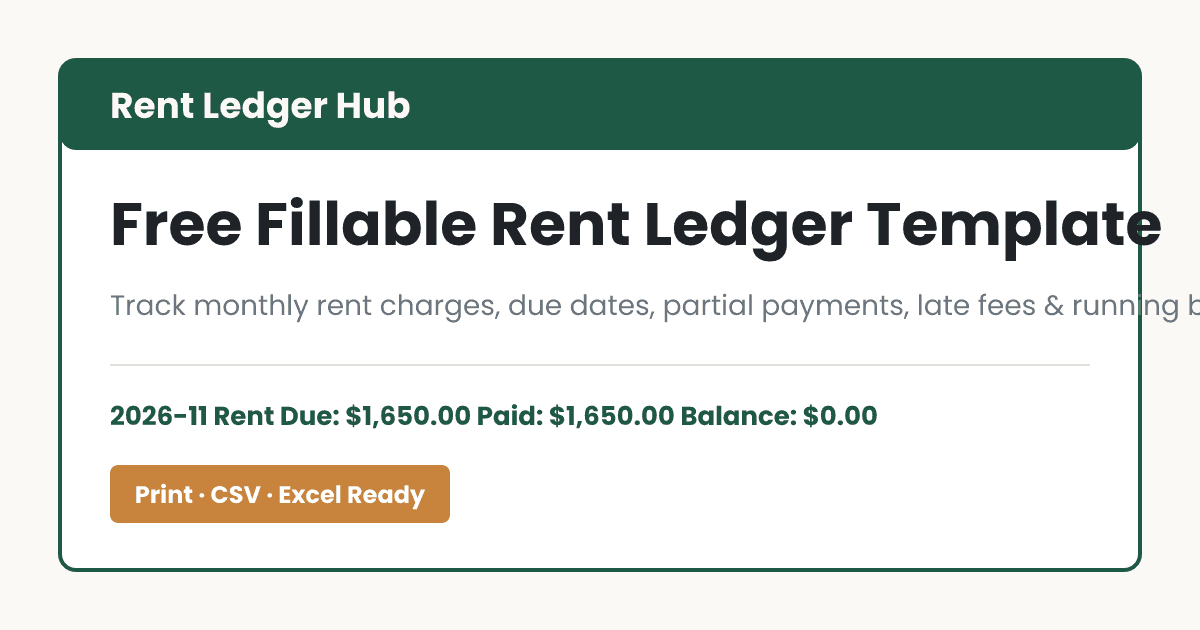
About this app
Rent Ledger Hub is a free, no-signup online rent ledger generator and template hub built for US landlords, property managers, and tenants. It lets you enter monthly rent charges, utility rebills, late fees, and payments, then automatically computes a running balance and status (Paid, Partial, Unpaid, Credit). You can export watermark-free PDFs via a Statement & Export Studio (Classic Ledger, Formal Notice, Modern Executive layouts), a formula-driven Excel (.xlsx) workbook with a Schedule E tab, or CSV. All calculations and exports run locally in your browser—no account, no uploads, no install—and there's an option to save a draft in local storage. It also includes a blank Excel/PDF template download, worked examples for partial payments and arrears carryover, and practical guidance on applying payments under lease/state rules, handling bounced checks, and reconciling to IRS Schedule E. It's a focused, privacy-friendly tool for documenting rent collection and overdue balances.
Key features
- 1No-signup browser-local rent ledger with automatic running balance and Paid/Partial/Unpaid/Credit status
- 2Statement & Export Studio with three PDF layouts (Classic Ledger, Formal Notice, Modern Executive)
- 3Formula-driven Excel (.xlsx) export with Schedule E tab, plus CSV and blank template downloads
Target customer profile
Drawn from the product itself, not from a survey.
Demographic
Independent landlords and small property owners (1–10 units)
Pain points
Messy spreadsheets and receipts; unclear past-due balances; fear of disputes or audits
Primary needs
Quick, defensible rent ledger with running balances and professional PDF/Excel exports
Demographic
Property managers handling multiple units or tenants
Pain points
Tracking partial payments, late fees, and utility rebills across tenants; keeping per-unit records clean
Primary needs
Per-tenancy schedules, automatic carryover of arrears, and exportable statements for records
Demographic
Tenants who need proof of rent payment history
Pain points
Scattered payment confirmations; difficulty proving on-time payments for applications or underwriting
Primary needs
Organized, printable rent payment ledger with dates, methods, and running balance
Scout Review
Written by AI from measured evidence, scored out of 100.
Rent Ledger Hub is a focused, privacy-first rent ledger that does one job well and shows its work before asking for anything. The live sample statement, no-signup flow, and client-side calculations are the strongest parts; the dense table, thin security headers, and early-stage traction are the honest limits. For a landlord with a handful of units who wants a clean PDF or Excel statement without another account, it's a genuinely useful tool. For anyone needing multi-unit management, integrations, or compliance documentation, it's not there yet.
Measure by measure
Usability
68No signup, sample data preloaded, blank templates downloadable above the fold, and a PDF Studio with live preview. Pricing tiers are clear but the free-vs-paid export split needs reading twice.
Design
71Editorial serif-and-cream identity with a live sample ledger that demonstrates the product before signup. Dense nine-column table and keyword-stuffed article copy drag it down.
Speed
74Lighthouse mobile 87/100 with 1.5s LCP and 1.5s FCP; desktop 96/100. Client-side calculations mean no server waits for core work. CLS 0.17 and 253ms TBT keep it out of the top tier.
Security
52HTTPS enforced with SPF and DMARC, Stripe handles payments, and data stays in-browser. But zero security headers beyond the basics — no HSTS, CSP, frame protection, or Referrer-Policy — and 4/12 on the header checklist.
Accessibility
79Lighthouse accessibility 100/100 with one failing audit on accessible-name mismatches. Responsive across desktop and mobile browsers. No published WCAG statement or a11y documentation to confirm beyond automated checks.
Growth
58Real problem (defensible rent records), specific audience (1-10 unit landlords, tenants proving payment history), and a genuine wedge: no signup, local processing, Schedule E export. Category has room but incumbents are entrenched.
Improvement areas
- Security headers missing: no HSTS, CSP, frame protection, Referrer-Policy, or Permissions-Policy (4/12 checklist)
- Dense nine-column ledger table with small type and low-contrast helper text hurts readability
- No multi-unit or multi-tenant management; no accessibility statement or WCAG documentation
Design & Usability
The homepage does the hardest thing well: it shows the product working before asking for anything. A live tenant statement with realistic data — Jordan Rivera, $1,850 rent, a partial payment, a $725 carryover — sits right under the headline, and the green/amber/red status pills make the ledger scannable at a glance. The serif headings over a cream-and-green palette give it an editorial feel that's a cut above the usual SaaS template. Usability follows the same logic: no signup, sample data preloaded, blank Excel and PDF templates downloadable above the widget, and a PDF Studio with three layouts and a live preview. Where it slips is density — a nine-column table with two-line memo cells and small type — and a pricing page that stacks a 'free launch access' banner over three tiers with credit packs and annual renewals, which takes more reading than it should.
Speed & Security
Speed is a genuine strength. Lighthouse mobile scores 87/100 with a 1.5s LCP and 1.5s FCP; desktop hits 96/100. Because all calculations and exports run client-side, there's no server round-trip for the core work — the tool feels instant in a way server-rendered competitors often don't. The 0.17 CLS and 253ms TBT are the only blemishes. Security is the weaker half of the pair. HTTPS is enforced, SPF and DMARC are in place, payments run through Stripe Checkout, and the privacy story is credible because data genuinely stays in the browser. But the HTTP header probe found no HSTS, no CSP, no frame protection, no X-Content-Type-Options, no Referrer-Policy, and no Permissions-Policy — 4/12 on the checklist. For a tool handling tenant names and payment amounts, that's a gap worth closing.
Accessibility & Growth
Accessibility scores 100/100 on the Lighthouse axe run, which is rare and worth acknowledging — the site is responsive across desktop and mobile browsers and the visual audit didn't flag structural a11y failures. One audit fails on accessible-name mismatches, and there's no published WCAG statement or a11y documentation, so the automated pass is the only evidence. The visual audit also flagged low-contrast grey helper text in the scenario cards and footnote, which automated tools often miss. Growth is a judgement on the idea: the problem is real (landlords need defensible records, tenants need payment proof), the audience is specific (1-10 unit landlords, property managers, tenants), and the wedge — no signup, browser-local processing, watermark-free PDF/Excel with a Schedule E tab — is concrete. Against Google Sheets, Excel, and Stessa, it wins on friction and privacy but not on ecosystem or trust. The category has room; the moat is shallow.
Conclusion
The product's best argument is its own homepage: a working ledger with realistic data, three export layouts, and a Schedule E tab, all without a login. That's a real wedge against Stessa's account wall and Google Sheets' setup tax. The question is whether 'no signup' is enough to pull landlords away from tools they already know. For a first release, the execution is solid; the next step is depth — security headers, a11y documentation, and multi-unit support — to turn a good utility into a product people return to.
Suggestions for improvement
- Add HSTS, CSP, frame protection, and Referrer-Policy headers — the 4/12 checklist score is the easiest win on the page.
- Publish a short accessibility statement and fix the one failing accessible-name audit plus the low-contrast helper text.
- Simplify the pricing page: one free tier, one paid tier, and a clear line on what 'free launch access' means for early users.
- Add multi-unit / multi-tenant support and a saved-property workflow to compete with Stessa for property managers.
Alternatives comparison
Named competitors, point by point. Nobody paid to appear here or to be left out.
 Rent Ledger Hub |  Google Sheets |  Microsoft Excel | Stessa | |
|---|---|---|---|---|
| Signup required | No — works entirely in browser | Yes — Google account required | Yes — Microsoft account or license | Yes — account required |
| Automatic running balance & status | Built-in, auto-computed per row | Manual formula setup required | Manual formula setup required | Built-in with rent collection |
| PDF statement export | Three layouts, watermark-free | Basic print/PDF only | Print/PDF via Excel | Reports and statements |
| Schedule E / tax reporting | Schedule E tab in .xlsx export | Manual setup | Manual setup | Tax-ready reports built in |
| Multi-unit / multi-tenant management | Single ledger per session | Via separate sheets/tabs | Via separate workbooks | Full portfolio management |
| Pricing | Free core; paid export credit packs | Free with Google account | Paid license or subscription | Free tier; paid plans for landlords |
Google Sheets
Free spreadsheet alternative; you can build a rent ledger with formulas, but it requires setup and manual formatting for statements.
Microsoft Excel
Desktop spreadsheet software; Rent Ledger Hub offers a downloadable .xlsx template for those who prefer Excel-based tracking.
Stessa
Landlord-focused financial tracking platform with rent collection and reporting features; more comprehensive but typically requires an account.
Comparing options? See Rent Ledger Hub alternatives, scored side by side
More Finance apps
View all Finance
CalcFi
92A free, comprehensive financial calculator platform with ...

CreateMyCoin
92A no-code Solana token creator that deploys SPL tokens in...

Flicker: Crypto & Stock Analysis
90Flicker reads any coin or stock and gives you a verdict, its reasons, and the exit before the entry.

Olevx
89112 free client-side web tools plus a private autosaving ...

Redstone
89Portfolio optimization and risk metrics for investors.

Stellar Staff
88A top-rated virtual assistant agency that matches busines...

Receipt Bot
88Automated bookkeeping software that extracts data from re...

Prop Firm Consistency Calculator
88Check your prop firm consistency rule and best-day percen...

Critivest
88Stock analysis based on your own criteria

BringMe Money
88AI invoice follow-up that drafts reminders and tracks next steps.

ArbPlay
88Real-time sure bets scanner for Greek bookmakers, exchang...

Home Care Revenue Leakage Calculator
88See what denials and slow AR cost your home care agency


A platform dedicated to providing unbiased reviews of newly launched applications, analyzing everything from their features to their full potential.
info@scoutforge.net© 2026 Scoutforge. All rights reserved.
