Cycling through all six. Tap any point to stop.
Measured on six things
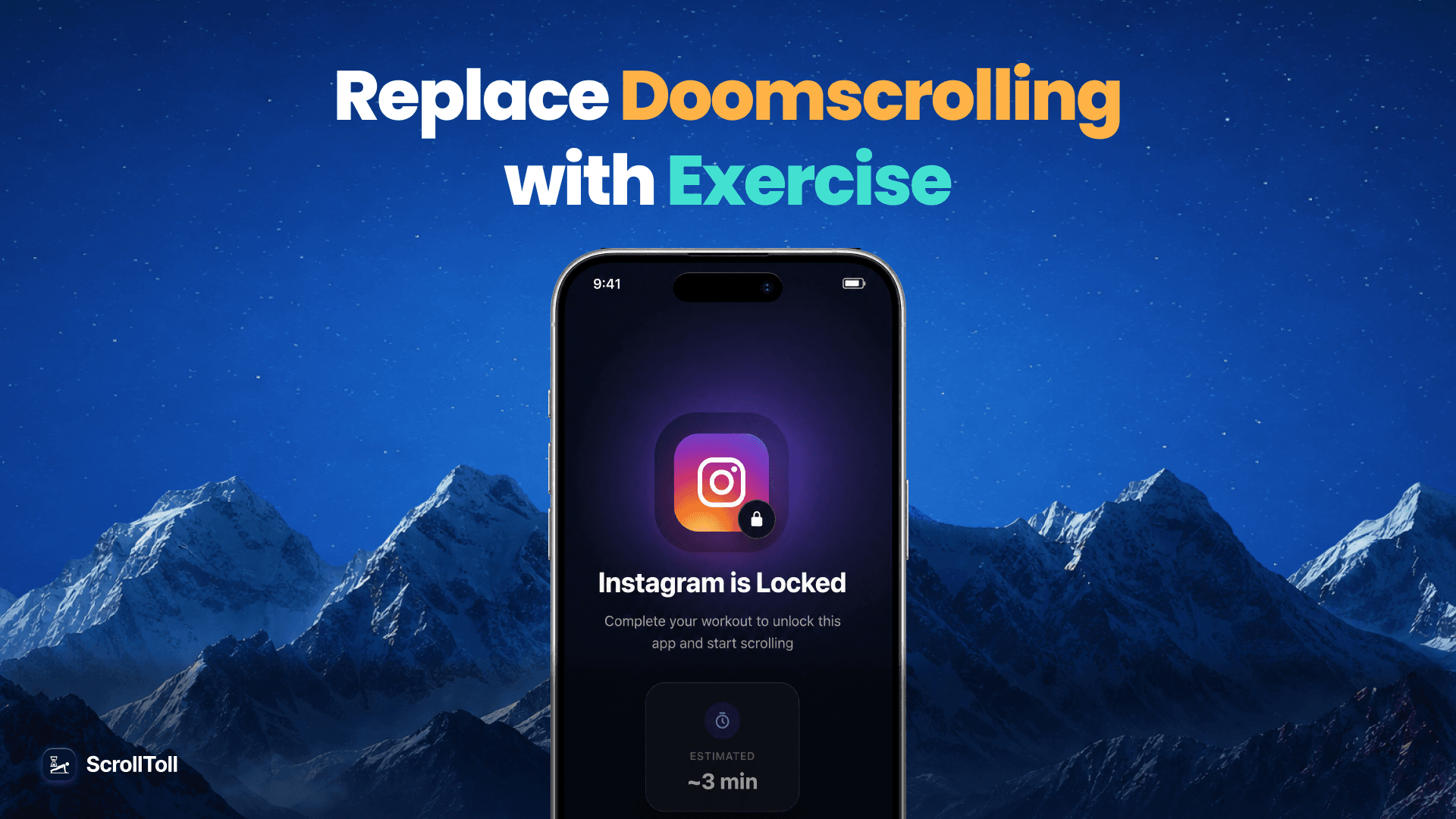
Lock distracting apps and unlock them by exercising.
Security
52HTTPS is enforced and SPF/DMARC are set, but the header probe found no HSTS, CSP, frame protection, X-Content-Type-Options, Referrer-Policy or Permissions-Policy — 4/12 checklist points. No published SOC 2 or audit.
Screenshots
1 / 3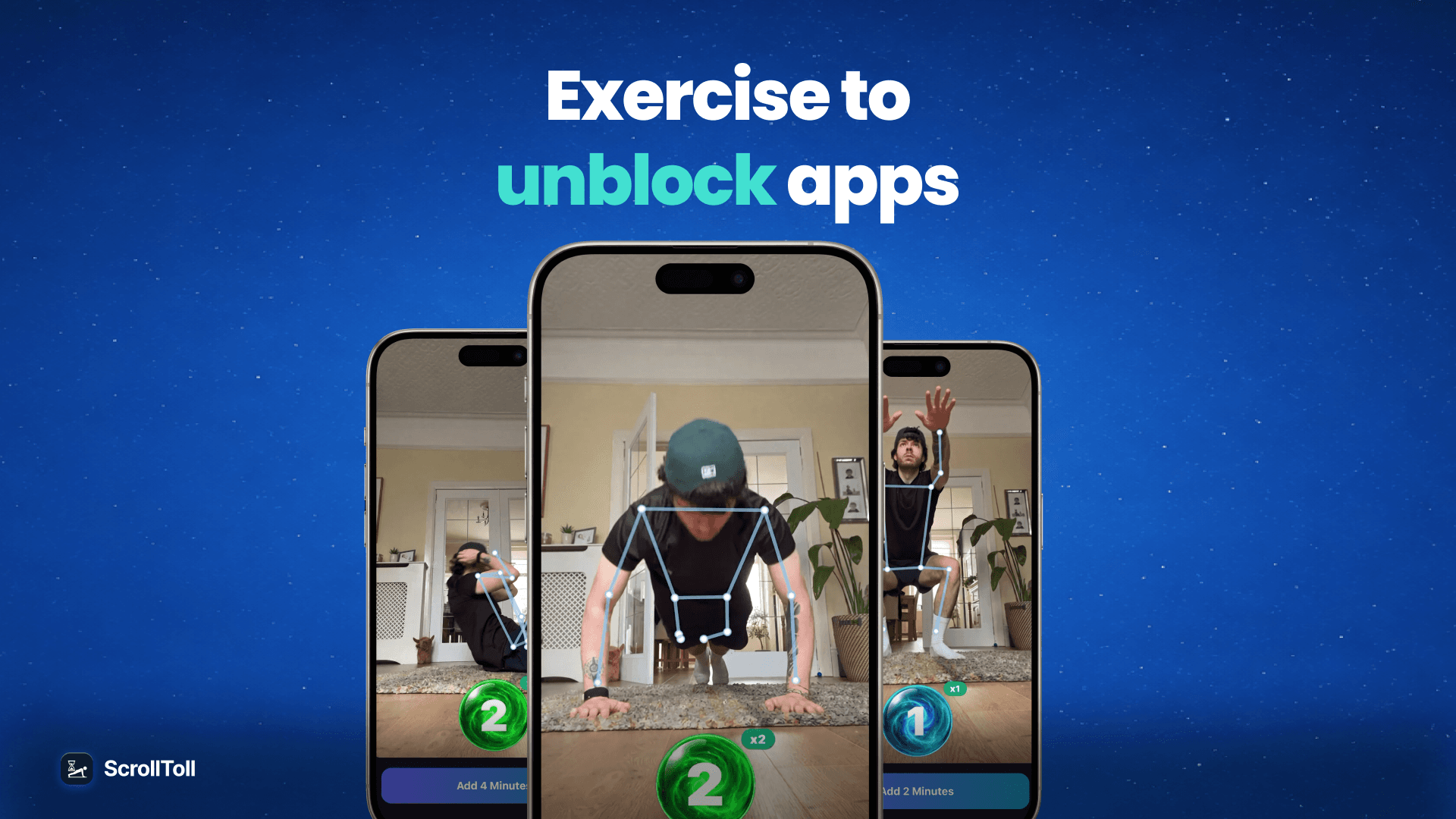
About this app
ScrollToll: Screen-Time Gym is a unique app blocker that requires you to exercise before unlocking distracting apps like TikTok, Instagram, and YouTube. Using AI pose detection, it counts your pushups, squats, and other exercises in real time, earning you screen time. With features like Strict Mode, a time bank, and a variety of exercises, it helps break phone addiction and build healthier habits. Trusted by over 40,000 users, ScrollToll is available on iOS and Android with a 3-day free trial.
Key features
- 1AI pose detection counts pushups, squats, lunges, crunches and jumping jacks in real time via the phone camera, with a live skeleton overlay and form feedback.
- 2App blocker locks specific apps or categories until you earn screen time; time bank holds up to 120 minutes per day with an adjustable earning rate.
- 3Strict Mode adds friction to removing a blocked app — verified exercise or a cool-down timer that resets if you leave early.
- 4Nine ways to earn screen time including step counting and a camera-free memory tile game, plus a 3-day free trial on iOS and Android.
Target customer profile
Drawn from the product itself, not from a survey.
Demographic
Students and young professionals (18-30)
Pain points
Excessive screen time, procrastination, lack of motivation to exercise
Primary needs
Reduce mindless scrolling, integrate exercise into daily routine, improve focus
Demographic
Parents concerned about kids' screen time
Pain points
Children addicted to devices, difficulty enforcing screen time limits
Primary needs
Effective parental control, encourage physical activity, promote healthy habits
Demographic
Fitness enthusiasts and health-conscious individuals
Pain points
Sedentary lifestyle, difficulty staying active throughout the day
Primary needs
Incorporate micro-workouts, track fitness progress, reduce sedentary behavior
Scout Review
Written by AI from measured evidence, scored out of 100.
ScrollToll is a genuinely clever take on app blocking: instead of a timer or a tree, it makes you do pushups. The AI pose detection works, the skeleton overlay is a nice touch, and the lock screen tells you exactly which apps are blocked and how much time you need to earn. The app UI is polished and the core loop is tight. The problems are elsewhere: a 9.1s mobile LCP on the landing page, a security header checklist at 4/12 with no published audit, and a paywall that skips the free tier entirely. The 4.7/5 from 479 ratings suggests people who install it like it. Whether they keep doing squats in month three is the open question.
Measure by measure
Usability
68Judging the app: blocking flow is scannable with category toggles and an earned-time preview, and the camera view gives instant rep feedback. Onboarding leans on a 3-day trial with no free tier.
Design
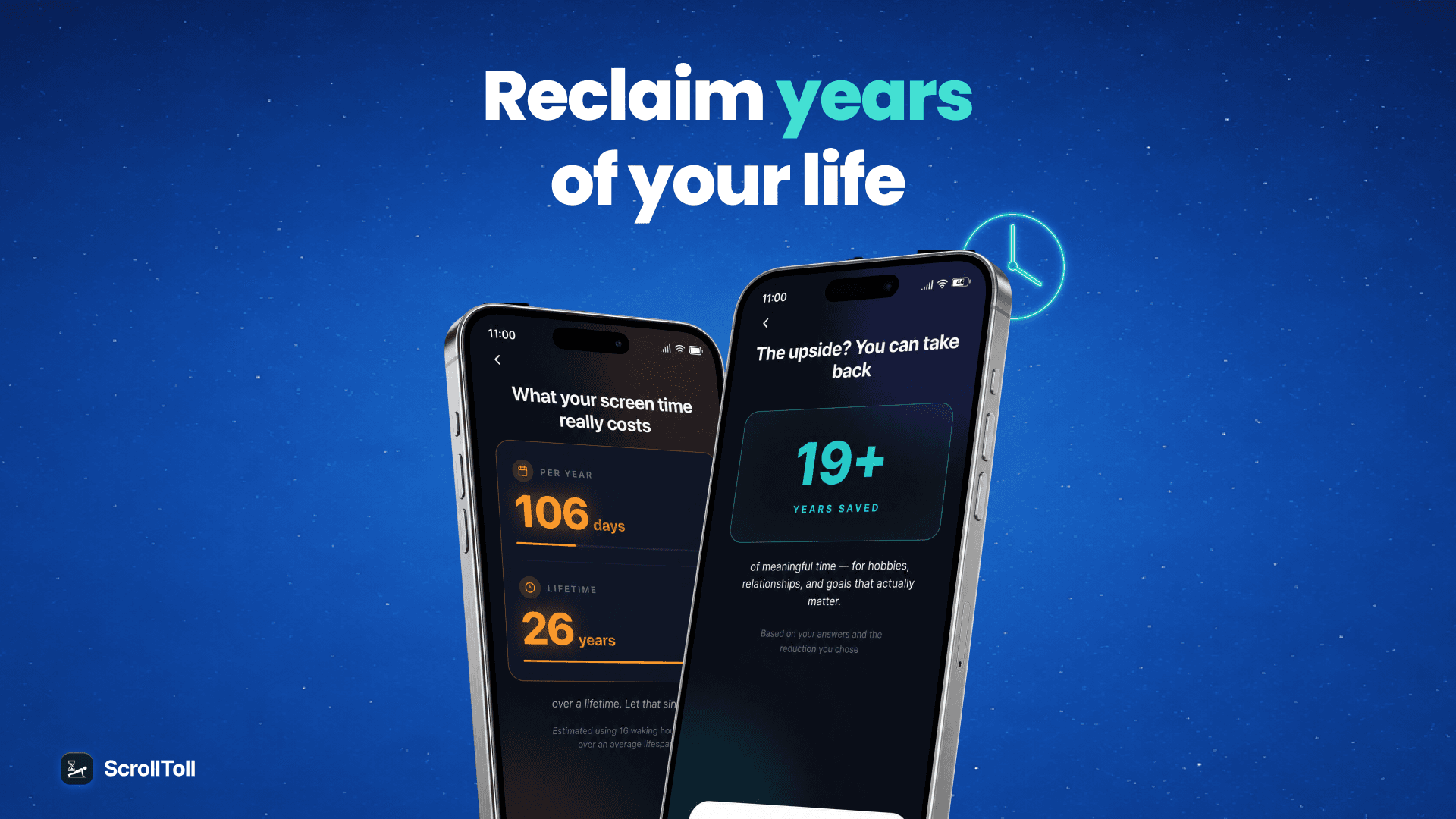
71Judging the app UI: dark theme, purple/blue gradients, and a live skeleton-overlay camera screen read as modern and intentional. Store screenshots are clean; homepage hero phones overlap and obscure some UI text.
Speed
58Lighthouse mobile 61/100 with a 9.1s LCP and 297ms TBT; desktop is a clean 97/100. The mobile landing page is heavy enough that the first paint drags well past the 'good' threshold.
Security
52HTTPS is enforced and SPF/DMARC are set, but the header probe found no HSTS, CSP, frame protection, X-Content-Type-Options, Referrer-Policy or Permissions-Policy — 4/12 checklist points. No published SOC 2 or audit.
Accessibility
70Lighthouse a11y 94/100, with failing audits on color contrast, heading order, and accessible names. The app ships in 17 languages, which is a real reach signal, but no published WCAG statement.
Growth
62A real problem (mindless scrolling) with a specific wedge — exercise as the unlock key — and a clear target in students and parents. Differentiated from Opal, Forest and Freedom, though the category is crowded.
Improvement areas
- Mobile page performance: Lighthouse mobile 61/100 with a 9.1s LCP versus 97/100 on desktop — the landing page needs image and JS optimization.
- Security headers: probe found no HSTS, CSP, frame protection, X-Content-Type-Options, Referrer-Policy or Permissions-Policy (4/12 checklist points).
- Accessibility: Lighthouse flagged insufficient color contrast, non-sequential heading order, and visible text labels without matching accessible names.
- Pricing funnel: no free plan and only a 3-day trial, which is a short window for an app asking users to change a daily habit.
Design & Usability
Judged on the app itself, not the marketing site: the dark UI, purple/blue gradients, and live skeleton-overlay camera screen are modern and confident. The blocking flow is scannable with category toggles and an earned-time preview, and the camera view returns instant rep feedback with a large 'Add 2 Minutes' CTA. Weaknesses are on the marketing side — overlapping hero phones obscure UI text, and lower homepage sections get cramped. Usability is solid for the core loop but the paywall is aggressive: a 3-day trial with no free plan, and the memory-tile game feels like a consolation prize next to the AI-verified exercises.
Speed & Security
Speed is split: desktop Lighthouse 97/100 but mobile 61/100 with a 9.1s LCP and 297ms TBT — the landing page is heavy enough that mobile visitors wait. Security is the weakest dimension. HTTPS is enforced and SPF/DMARC are configured, but the header probe found no HSTS, CSP, frame protection, X-Content-Type-Options, Referrer-Policy or Permissions-Policy, landing at 4/12 checklist points. There is no published SOC 2, ISO, or pen-test report. The site does claim camera data is processed on-device and never uploaded, which is the right architecture for a pose-detection app, but it is a claim, not a verified control.
Accessibility & Growth
Accessibility scores 94/100 on Lighthouse, with failing audits on color contrast, heading order, and accessible names — the last one matters for a camera-driven app where buttons carry the whole interaction. The app is localized in 17 languages, which is a real reach signal, but there is no published WCAG statement. Growth is the most interesting dimension: the problem (mindless scrolling) is real and the wedge — exercise as the unlock key — is concrete and hard for Opal, Forest or Freedom to copy without looking silly. The target (students, young professionals, parents) is specific. The limit is retention: the idea is novel enough to try and demanding enough to quit, and the category is crowded with cheaper or free alternatives.
Conclusion
ScrollToll is one of the more interesting products in the screen-time category because it refuses to be passive. Opal and Freedom ask you to decide once and trust yourself; Forest gamifies the wait. ScrollToll asks for your body, which is a harder ask and a better hook. The execution is above average for an indie app — the pose detection is real, the UI is clean, and the store rating backs it up. The gaps are unglamorous: mobile page weight, missing security headers, no accessibility statement, and a trial-only funnel that will filter out the curious. Fix the boring stuff and this is a strong niche product rather than a clever demo.
Suggestions for improvement
- Cut mobile LCP from 9.1s by compressing hero images and deferring non-critical JS; desktop already scores 97.
- Add HSTS, CSP, X-Content-Type-Options, Referrer-Policy and Permissions-Policy — the probe found none of them.
- Publish an accessibility statement and fix the contrast, heading-order and accessible-name failures Lighthouse flagged.
- Consider a limited free tier or a longer trial; a 3-day window with no free plan is a hard sell for a habit-change app.
Alternatives comparison
Named competitors, point by point. Nobody paid to appear here or to be left out.
 ScrollToll: Screen-Time Gym |  Opal |  Forest | Freedom | |
|---|---|---|---|---|
| Core blocking mechanism | Apps locked until you complete AI-verified exercise reps to earn screen time | Blocks distracting apps with focus sessions, timers and screen-time insights | Gamified focus: plant a virtual tree that dies if you leave the app | Cross-device site and app blocking with scheduled sessions |
| Physical activity requirement | Yes — camera-based pose detection counts pushups, squats, lunges, crunches, jumping jacks | No physical activity component | No physical activity component | No physical activity component |
| Free tier | No free plan; 3-day free trial on yearly plan | Free tier available with limited features | Paid app with one-time purchase; no subscription | Free tier with limited sessions; premium subscription |
| Platform coverage | iOS and Android; localized in 17 languages | iOS and Android | iOS, Android, browser extension, desktop | iOS, Android, macOS, Windows, Chrome extension |
| Strict / hard mode | Strict Mode requires verified exercise or a cool-down timer to remove a blocked app | Deep Focus and hard mode with limited override options | Strict mode kills the tree if you leave; no override | Locked mode prevents disabling sessions before they end |
Opal
A screen time management app that helps you focus by blocking distracting apps and providing insights.
Forest
Stay focused and plant virtual trees; earn coins by not using your phone.
Freedom
Comparing options? See ScrollToll: Screen-Time Gym alternatives, scored side by side
More Health & Wellness apps
View all Health & Wellness
StoryPad
92Privacy-first open source journal app with a continuous t...

Pushup RPG: Fitness Quest
90Pushup RPG is a camera-based push-up counter and fitness RPG for home workouts. Real push-ups and squats become attacks as you defeat 48 foes across 8 biomes, earn XP and loot, join guilds, and battle in live 40-second duels. Free on iOS and Android.

Gryper
89Workout tracker with muscle heatmaps and volume landmarks

Sensecast
88Weather app that explains the forecast

Snapkin: Photo Calorie Counter
88Snapkin is a calorie tracker you use by photographing your plate.

Innermost
87An AI-powered emotional support app that acts as a person...

Cat Years to Human Years
86Free cat age calculator converting cat years to human years.

MyCookingCalendar
86Free meal planning calendar with 4,600+ recipes and grocery lists

Mantra Meditation Timer
85A minimalist, distraction-free meditation timer for mantr...

TDEE Calculator
84Free TDEE calculator that estimates maintenance calories, weight loss targets, muscle gain calories, and macro recommendations based on your body stats and activity level.

FitLifeBud
84AI meal plans for your week, with one aisle-sorted shopping list

WellWired
84AI explained simply for older adults, with safety lessons...


A platform dedicated to providing unbiased reviews of newly launched applications, analyzing everything from their features to their full potential.
info@scoutforge.net© 2026 Scoutforge. All rights reserved.
