Cycling through all six. Tap any point to stop.
Measured on six things
Try the new app first, without handing over your real inbox.
Security
52HTTPS enforced with frame protection, nosniff, and Referrer-Policy in place. Missing HSTS, CSP, and Permissions-Policy, and no SPF/DMARC on the domain — 5/12 on the header checklist, no audits published.
Screenshots
1 / 3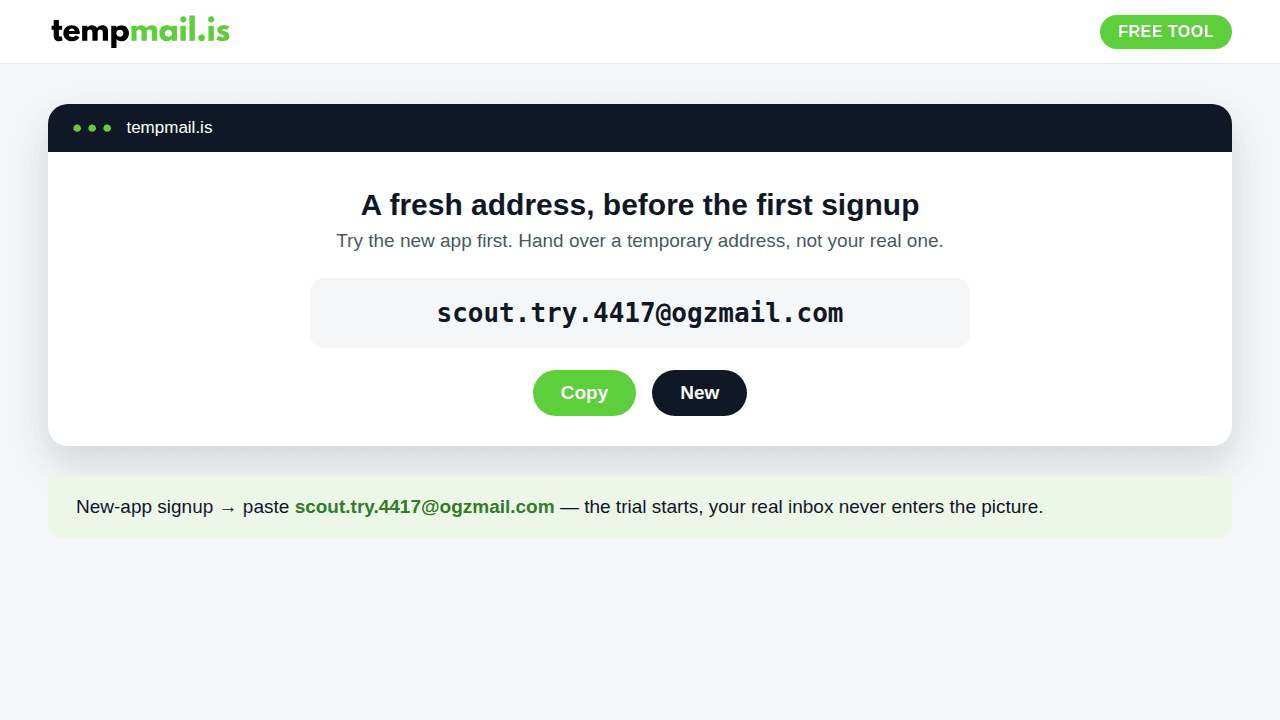
About this app
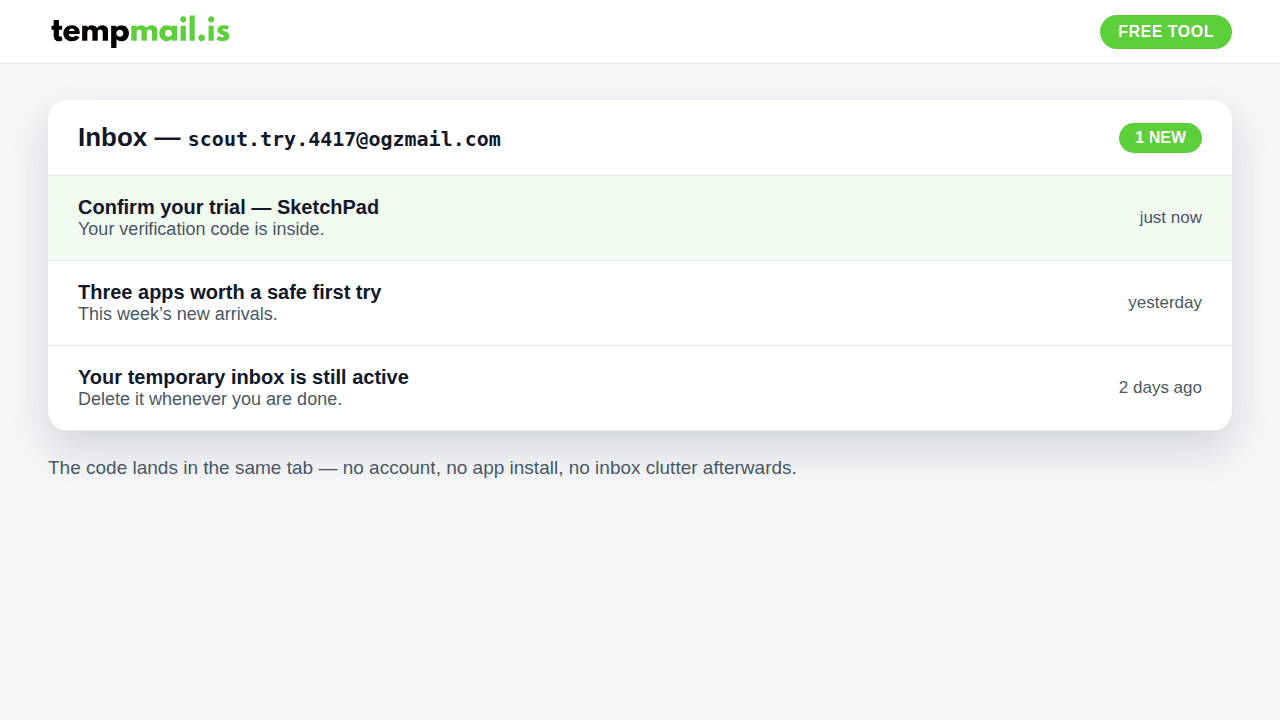
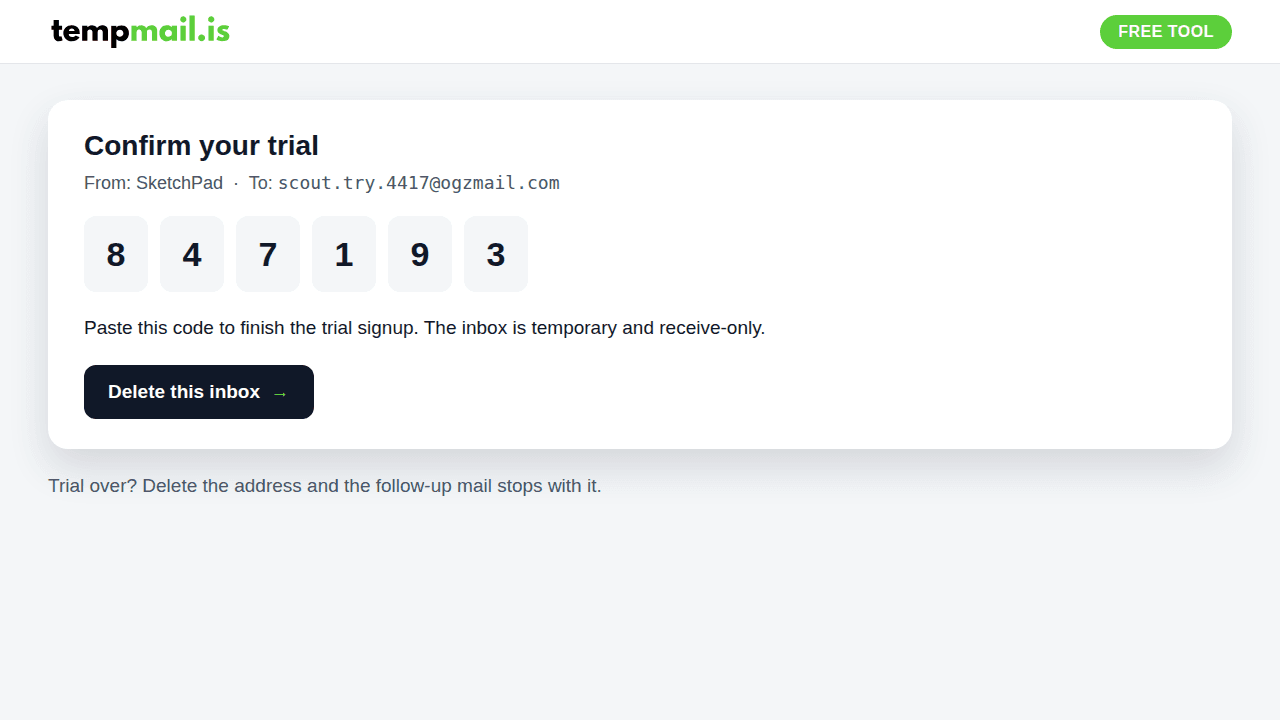
Every new app asks for an email before it shows you anything. TempMail.is gives you a free temporary address in seconds, so you can try the app on its merits and read its verification code in the same tab, without letting its mail follow you home. New apps all start the same way: an email field, a verification code, and then weeks of mail you never asked to keep. TempMail.is breaks that chain. Open the page and a free temporary address is already waiting. Paste it into the app signup, read the code where it lands, and judge the app for what it does. When you are done, delete the inbox. There is no account behind it and nothing to cancel. The address is temporary and receive-only. It cannot send mail, and it is not for banking or anything you need to keep.
Key features
- 1Instant temporary address on page load with no signup or captcha wall.
- 2Addresses persist until you delete them, unlike fixed-timer disposable services.
- 3Custom aliases, multiple domains, and one-click switching between inboxes.
Target customer profile
Drawn from the product itself, not from a survey.
Demographic
Privacy-conscious individuals
Pain points
Spam flooding personal inbox, phishing risks
Primary needs
Anonymous email for one-time signups, spam blocking
Demographic
Developers & QA testers
Pain points
Need to test email flows without polluting real inbox
Primary needs
Multiple disposable addresses, custom aliases, reliable delivery
Demographic
Freelancers & indie hackers
Pain points
Frequent signups for trials and tools, inbox clutter
Primary needs
Quick temp mail, easy management of multiple inboxes
Scout Review
Written by AI from measured evidence, scored out of 100.
TempMail.is is a competent, fast disposable-inbox tool with a genuinely useful twist: your address sticks around until you delete it, so delayed OTPs and multi-step signups don't break. Custom aliases, multiple domains, and inbox switching put it ahead of the one-trick timer sites. The gaps are polish and trust — a text-dense homepage, a JS-required gate, an empty inbox demo, thin security headers on a privacy product, and two easy accessibility misses. None are fatal; all are fixable.
Measure by measure
Usability
63Address is ready on load with no signup or captcha, plus custom aliases, multiple domains, and one-click inbox switching. The JS-required gate and an empty inbox preview that shows no real mail hold it back.
Design
58Clean hero with the address and Copy/New buttons front and center, consistent green accent, and tidy browser-frame promo cards. Undercut by a text-dense page and a 10+ question FAQ stacked as one long wall.
Speed
70Lighthouse 87 mobile / 99 desktop, LCP 1.5s and CLS 0.045 — genuinely quick to paint. The 485ms mobile TBT is the tell that it's a client-rendered app doing real work on the main thread.
Security
52HTTPS enforced with frame protection, nosniff, and Referrer-Policy in place. Missing HSTS, CSP, and Permissions-Policy, and no SPF/DMARC on the domain — 5/12 on the header checklist, no audits published.
Accessibility
70Lighthouse a11y 91/100 with most basics passing. Two real failures: insufficient color contrast and links distinguishable only by color. No accessibility statement or WCAG claim found, and content is English-only.
Growth
58Real, evergreen problem with a specific wedge: addresses persist until you delete them, unlike 10 Minute Mail's timer. Custom aliases and multi-inbox switching add depth, but the category is crowded and free.
Improvement areas
- Missing HSTS, CSP, Permissions-Policy, and SPF/DMARC on the domain.
- Two accessibility failures: low contrast and color-only links.
- Text-dense homepage and an inbox preview that shows no real mail.
Design & Usability
The homepage does the one thing that matters: an address is sitting there on load, with Copy and New right under it and a green accent tying the page together. Custom aliases, multiple domains, and one-click inbox switching push it past the basic random-string tools. What drags it down is the page itself — four long sections re-explaining disposable email, a FAQ of ten-plus questions stacked with no visual separation, and an inbox preview that shows an empty gray envelope instead of a real message. The all-caps JavaScript-required gate is a rough first impression for a tool whose entire value is speed.
Speed & Security
Speed is a genuine strength: Lighthouse 87 mobile and 99 desktop, LCP 1.5s, CLS 0.045. The 485ms mobile TBT confirms it's a client-rendered app, which also explains the JS gate. Security is the weak flank. HTTPS is enforced and frame protection, nosniff, and Referrer-Policy are present, but there's no HSTS, no CSP, no Permissions-Policy, and no SPF or DMARC on the domain — 5/12 on the header checklist. For a product whose pitch is privacy, that's a gap worth closing, and no audit or bug bounty was found to offset it.
Accessibility & Growth
Accessibility lands at 91/100 with two concrete failures: insufficient color contrast and links that rely on color alone to be distinguishable. Both are cheap to fix and both hit exactly the users a privacy tool should care about. No accessibility statement or WCAG claim exists, and the content is English-only. On growth, the problem is real and evergreen, and the wedge is specific — addresses persist until you delete them, versus 10 Minute Mail's timer — with custom aliases and multi-inbox switching adding depth. But the category is crowded with free competitors, so the ceiling depends on execution and trust, not the idea.
Conclusion
If you need a throwaway inbox that survives past ten minutes, this does the job and loads fast doing it. Before it competes on privacy, it should ship HSTS, a CSP, and DMARC on its own domain — a privacy tool that skips email authentication is asking for trust it hasn't earned. Fix the contrast and color-only links, trim the homepage to the three steps that matter, and put a real message in the inbox preview. The foundation is solid; the follow-through is what's missing.
Suggestions for improvement
- Add HSTS, a Content-Security-Policy, and SPF/DMARC records to back up the privacy positioning.
- Resolve the two Lighthouse a11y failures: insufficient contrast and color-only link distinction.
- Show a real sample email in the homepage inbox preview to demonstrate delivery.
- Condense the homepage — collapse the FAQ and merge the repetitive 'why use temp mail' sections.
Alternatives comparison
Named competitors, point by point. Nobody paid to appear here or to be left out.
 TempMail.is — A Free Temporary Inbox for Trying New Apps Safely TempMail.is — A Free Temporary Inbox for Trying New Apps Safely |  Guerrilla Mail Guerrilla Mail |  10 Minute Mail 10 Minute Mail | Mailinator | |
|---|---|---|---|---|
| Address lifetime | Persists until manually deleted | Expires after a set time | Self-destructs after 10 minutes | Public inboxes, persistent |
| Custom aliases / multiple inboxes | Yes — custom username, multiple domains, inbox switching | Limited alias options | No custom aliases | Named public inboxes |
| Signup required | No account, no signup | No signup | No signup | No signup |
| Free tier | Free | Free | Free | Free |
Guerrilla Mail
Another popular disposable email service with similar features, but addresses may expire after a set time.
10 Minute Mail
Provides temporary email addresses that self-destruct after 10 minutes, ideal for very short-term use.
Mailinator
Free disposable email service with public inboxes, often used for testing and signups.
Comparing options? See TempMail.is — A Free Temporary Inbox for Trying New Apps Safely alternatives, scored side by side
More E-Mail apps
View all E-Mail
youtubetomp3.ink
87Free online YouTube to MP3 converter with no signup or so...

PCDOTS PST Converter
85Convert Outlook PST files to 16 formats and clouds withou...

EmailFig
85Email marketing that gets out of your way, with all featu...

Mailwell
83A calm, fast Mac mail app for all your accounts. Your mail stays on your Mac, with no servers in between.

CaptainVerify
82.5CaptainVerify is a powerful email and mobile number verif...

VerifiedEmail
82A specialized tool for real-time email verification and list cleaning, boosting deliverability and compliance.

Mailmodo
82Mailmodo revolutionizes email marketing with AMP-powered interactive emails, AI tools, and automation to boost engagement and ROI.

Harmony AI Email Voice Assistant
81A voice-controlled email assistant for hands-free inbox management, ideal for multitaskers and privacy-conscious users.

Leadsgram
81All-in-one business growth platform with AI landing pages...

Mailto Live
81AI-driven email management tool for Gmail that automates tasks like unsubscribing and organizing emails to boost productivity.

PromptLy
81An AI-powered email assistant that automates drafting, personalizes replies, and streamlines inbox management for professionals and teams.

Gblock
81A Chrome extension that blocks hidden email trackers in Gmail, ensuring privacy by detecting spy pixels and anonymizing links.


A platform dedicated to providing unbiased reviews of newly launched applications, analyzing everything from their features to their full potential.
info@scoutforge.net© 2026 Scoutforge. All rights reserved.
