Cycling through all six. Tap any point to stop.
Measured on six things
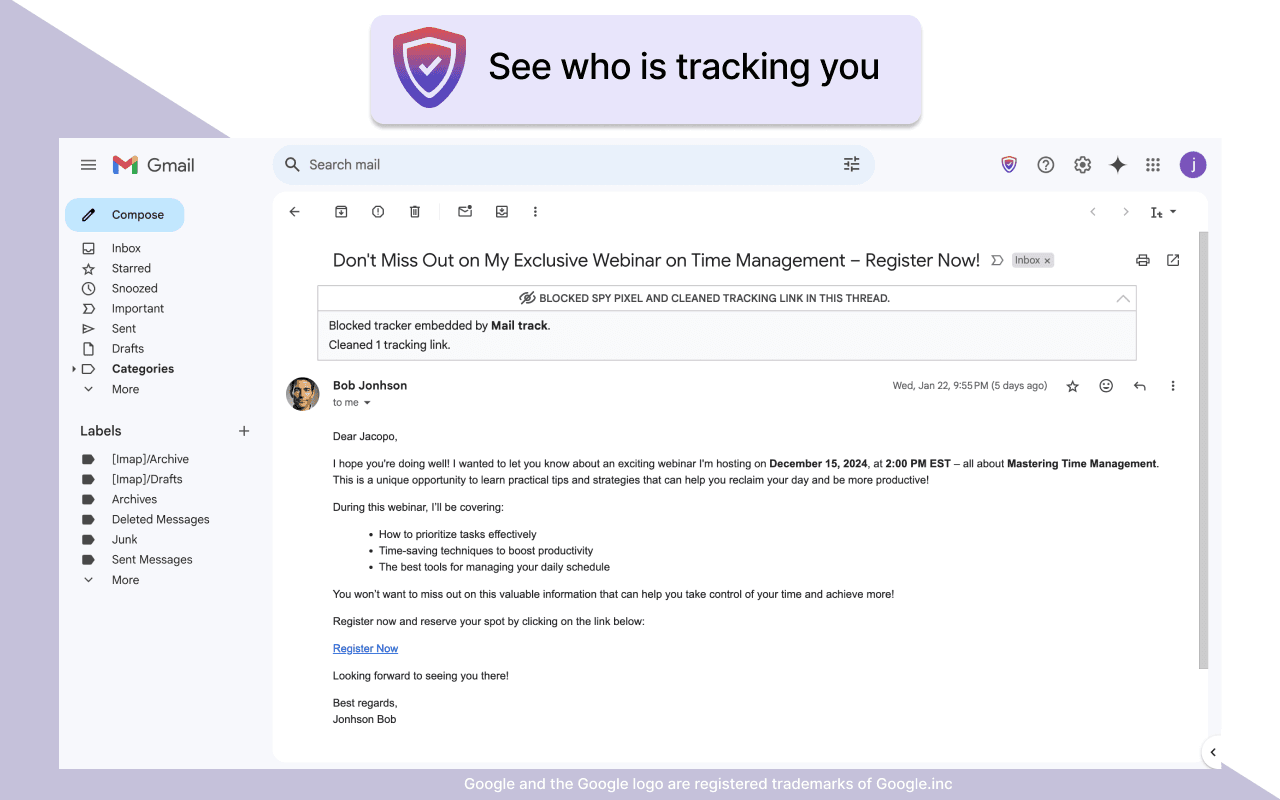
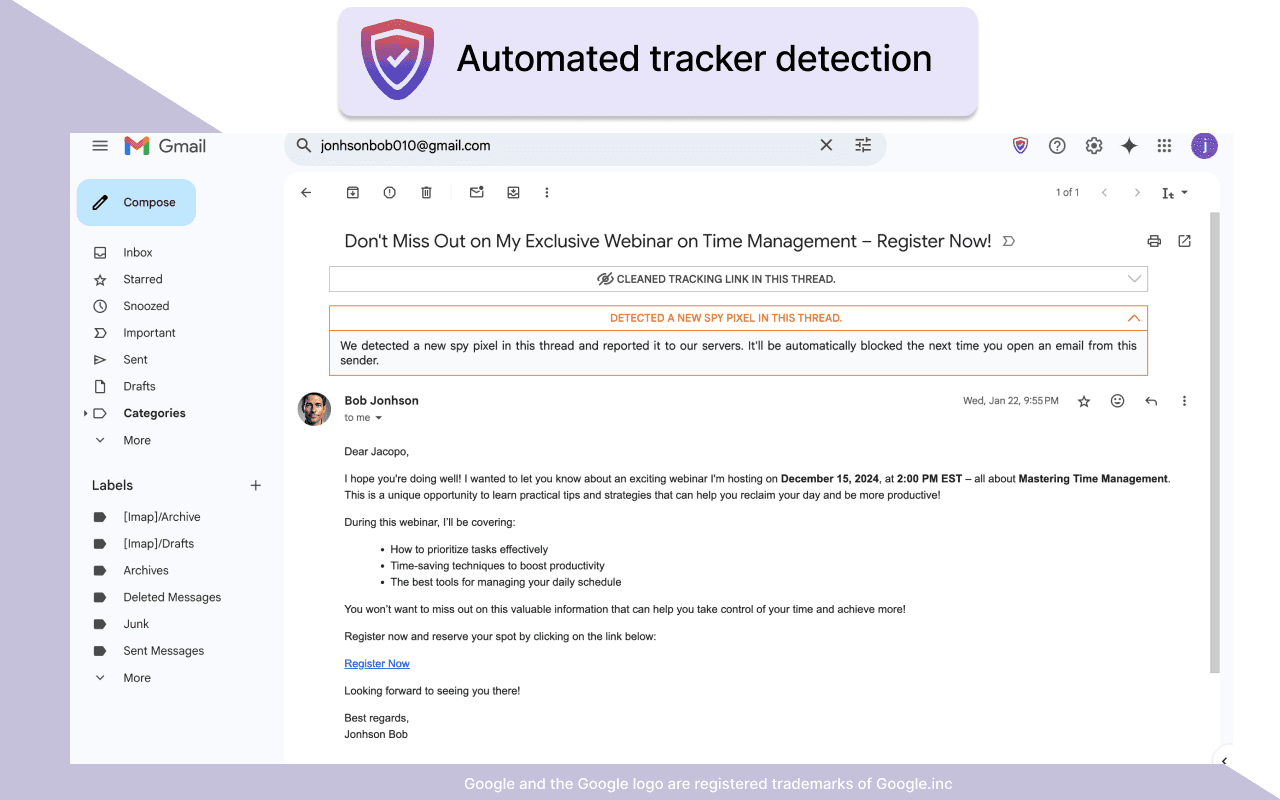
A Chrome extension that blocks hidden email trackers in Gmail, ensuring privacy by detecting spy pixels and anonymizing links.
Accessibility
60Relies solely on Chrome's native accessibility features without dedicated screen reader optimization or multilingual interfaces.
Screenshots
1 / 4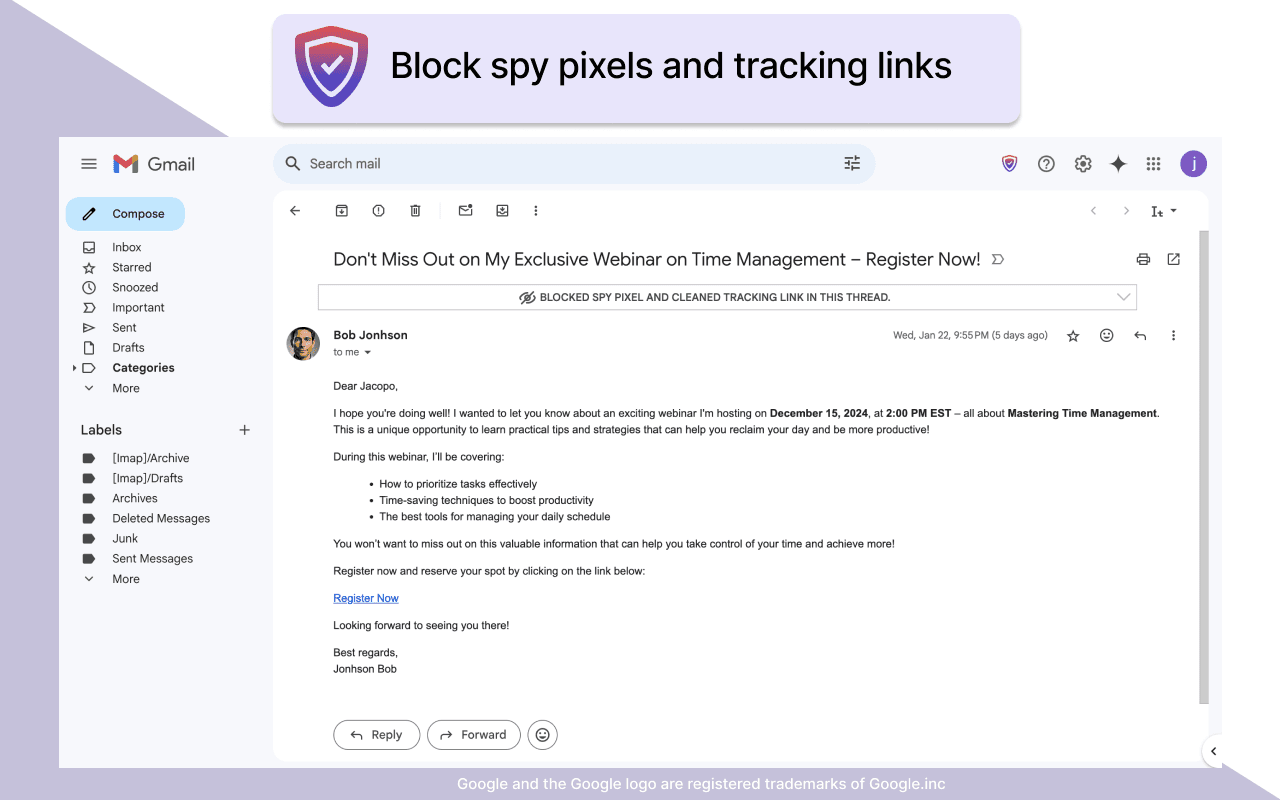
About this app
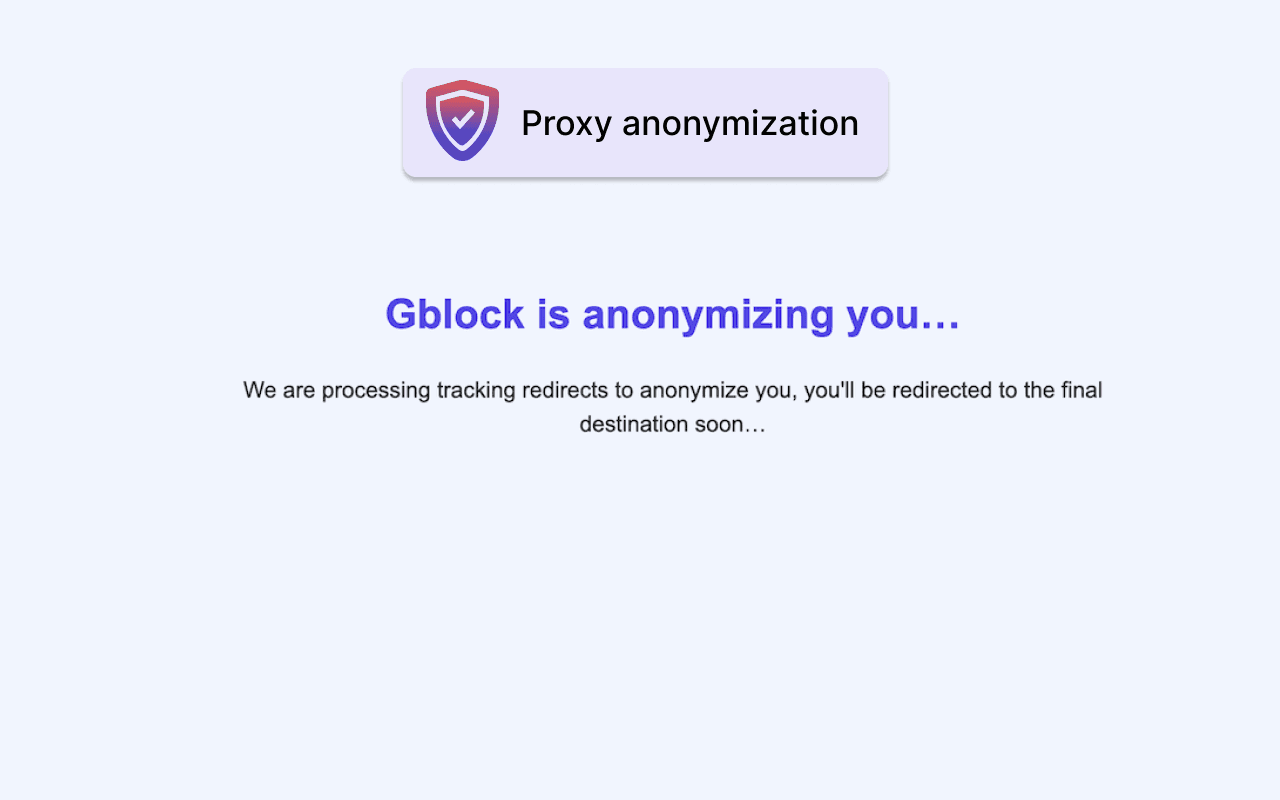
Gblock is a powerful and lightweight browser extension designed to protect your privacy in Gmail. It automatically identifies and neutralizes email tracking techniques, such as spy pixels and tracking parameters in links, while masking your IP address to prevent senders from monitoring your activity. With real-time detection and dynamic updates, it evolves to counter new tracking methods without requiring manual intervention. The extension integrates seamlessly with Gmail, offering a minimalist interface that doesn't disrupt your workflow. It's perfect for privacy-conscious users who want to reclaim control over their email interactions and avoid unwanted surveillance.
Key features
- 1Minimalist UI integrates seamlessly with Gmail, featuring a non-intrusive shield icon and clean settings popup.
- 2Zero-learning curve installation with sensible defaults, working silently without disrupting Gmail workflow.
- 3Negligible <0.1s load time impact and ≈200ms proxy delay for strong IP masking and UTM parameter stripping.
Target customer profile
Drawn from the product itself, not from a survey.
Demographic
Privacy-conscious professionals
Pain points
Unwanted data collection through emails, feeling monitored by senders, spam triggered by engagement tracking
Primary needs
Anonymous email interaction, control over personal data, prevention of behavioral profiling
Demographic
Frequent email communicators
Pain points
Aggressive sales follow-ups based on open rates, intrusive tracking by newsletters and services
Primary needs
Reduced spam, boundary control with senders, clean link-clicking without surveillance
Demographic
Remote workers and HR personnel
Pain points
Employers or external vendors monitoring engagement with sensitive emails
Primary needs
Private communication verification, protection from corporate surveillance tools
Scout Review
Written by AI from measured evidence, scored out of 100.
Gblock delivers exceptional value for anyone concerned about email privacy without compromising the Gmail experience. It successfully addresses the invisible surveillance problem that affects nearly every email user today. The extension works so seamlessly that you'll forget it's there while it actively protects you from tracking pixels and monitored link clicks. For professionals handling sensitive communications, frequent email users tired of targeted follow-ups, or anyone wanting to reclaim their digital privacy, Gblock provides essential protection that should arguably be built into email services by default.
Measure by measure
Usability
94Zero-learning curve installation with sensible defaults enabled, working silently without disrupting Gmail workflow.
Design
90Minimalist UI that integrates seamlessly with Gmail's interface, featuring a non-intrusive shield icon and clean settings popup.
Speed
96Negligible <0.1s load time impact on Gmail with only ≈200ms delay when clicking links through proxy protection.
Security
90Strong proxy-based IP masking, automatic UTM parameter stripping, and explicit no-data-collection privacy policy.
Accessibility
60Relies solely on Chrome's native accessibility features without dedicated screen reader optimization or multilingual interfaces.
Growth
80High market demand for email privacy solutions but currently limited to Gmail-only ecosystem expansion needed.
Improvement areas
- Expand beyond Gmail to support Outlook and Apple Mail to increase market reach.
- Improve accessibility with dedicated screen reader support and multilingual interfaces.
- Add detailed tracking reports and whitelisting for trusted senders to enhance user engagement and flexibility.
Design & Usability
Gblock's design philosophy centers on staying out of your way while providing essential privacy protection. The extension integrates so seamlessly with Gmail that you'd hardly know it's there, except for the subtle shield icon that serves as your privacy guardian. The interface is intentionally minimalist - no flashy notifications or disruptive elements that would compromise the clean Gmail experience. Installation follows the standard Chrome Web Store process, and the developers have made smart choices with default settings that work effectively immediately after installation. The settings popup uses simple toggle switches for core features, making configuration accessible to users of all technical levels without overwhelming options.
Speed & Security
Performance is where Gblock truly excels. Despite actively scanning every email for tracking elements, the impact on Gmail's loading times is virtually undetectable at less than 0.1 seconds. The proxy system adds a minimal 200ms delay when clicking links, which is a small price to pay for complete IP address anonymity. Security features are robust with three-layer protection: spy pixel detection, link parameter stripping, and IP masking through privacy proxies. The privacy policy clearly states no email content collection, which builds trust. While independent security audits would provide additional assurance, the current implementation demonstrates strong attention to privacy fundamentals without compromising performance.
Accessibility & Growth
Accessibility represents Gblock's most significant area for improvement. The extension relies entirely on Chrome's built-in accessibility features rather than offering dedicated support for screen readers or alternative navigation methods. Language support is limited to Chrome's translation capabilities rather than native multilingual interfaces. However, the growth potential is substantial given the increasing market demand for email privacy solutions. The current Gmail-only focus limits its reach, but expansion to Outlook and Apple Mail could significantly broaden its user base. The core technology demonstrates sophisticated real-time detection capabilities that could easily adapt to other email platforms and evolving tracking methods.
Conclusion
If you're tired of feeling like every email interaction is being monitored and analyzed, Gblock offers a simple yet powerful solution. It's particularly valuable for professionals, remote workers, and anyone who values their digital privacy. The lightweight implementation means you get robust protection without performance trade-offs. For those considering email privacy tools, this extension stands out for its seamless integration and effective tracking prevention. Give Gblock a try if you want to browse your inbox without wondering who's watching your every click.
Suggestions for improvement
- To enhance Gblock's offering, expanding beyond Gmail to support Outlook and Apple Mail would significantly increase its market reach.
- Adding detailed tracking reports would provide users with visibility into blocked attempts, creating more engagement with the privacy features.
- Whitelisting functionality for trusted senders would offer flexibility for users who want protection without completely blocking legitimate senders.
- Improving accessibility through screen reader support and dedicated multilingual interfaces would make the tool more inclusive.
- Finally, publishing third-party security audit results would build additional trust and transparency around the privacy claims.
Alternatives comparison
Named competitors, point by point. Nobody paid to appear here or to be left out.
 Gblock |  PixelBlock |  Tracker Blocker |  Email Privacy Protector | |
|---|---|---|---|---|
| Proxy Protection | Yes - IP masking through privacy proxies | No - lacks proxy protection | Basic - limited proxy features | Yes - but heavier performance impact |
| Dynamic Detection | Yes - real-time evolving detection | Limited - static detection methods | No - requires manual configuration | Yes - with tracker alerts |
| Performance Impact | Lightweight - <0.1s load impact | Minimal - similar lightweight approach | Variable - depends on configuration | Heavier - noticeable browser impact |
| Ease of Use | Zero-configuration defaults | Simple visual indicators | Manual configuration required | Feature-rich but complex |
PixelBlock
A simpler tracker blocker with visual indicators but lacks proxy protection and dynamic detection capabilities.
Tracker Blocker
An open-source alternative offering basic blocking features but requires manual configuration for optimal use.
Email Privacy Protector
A feature-rich option that provides tracker alerts but may have a heavier impact on browser performance.
Comparing options? See Gblock alternatives, scored side by side
More Security apps
View all Security
issued.live
89Free certificate transparency search and SSL lookup with ...

kosa8
88Sealed VMs for AI agents with instant rewind, audit trails & zero key exposureSealed VMs for AI agents with instant rewind and audit tr...

OBVELO
88Privacy gateway that masks personal data in LLM traffic

C2PA Lab
87Free C2PA Content Credentials Checker

Xsilent Vault: Hide Photos
87Private Android vault for photos, videos, PDFs and files, with no required account, no ads and no mandatory cloud.

ProcessSpy
87A native macOS process explorer and advanced monitor that...

Magery Forge
87Weekly security audits for vibe-coded sites, explained in...

Sidenty
87Sidenty is a professional digital identity protection ser...

Basalt
86Eighteen PDF tools in one native Mac window: merge, split, compress, OCR, Bates numbering, forms, signing and redaction. Offline. $29 once.

PromptTrace
85Free hands-on AI security labs for prompt injection and L...

Sanctix
85Sanctions screening with verifiable SHA-256 audit trails.

Privacy Requests
84DSAR management software for small teams.


A platform dedicated to providing unbiased reviews of newly launched applications, analyzing everything from their features to their full potential.
info@scoutforge.net© 2026 Scoutforge. All rights reserved.
