Cycling through all six. Tap any point to stop.
Measured on six things
Let your AI agents work in the apps and accounts already on your iPhone — from your Mac, with no Xcode or developer setup.
Security
29Header probe scores 1/12: no enforced HTTPS, no HSTS, no CSP, no frame protection, no DMARC. Local-only architecture and Keychain passcode storage are real strengths, but the public site is wide open.
Screenshots
1 / 5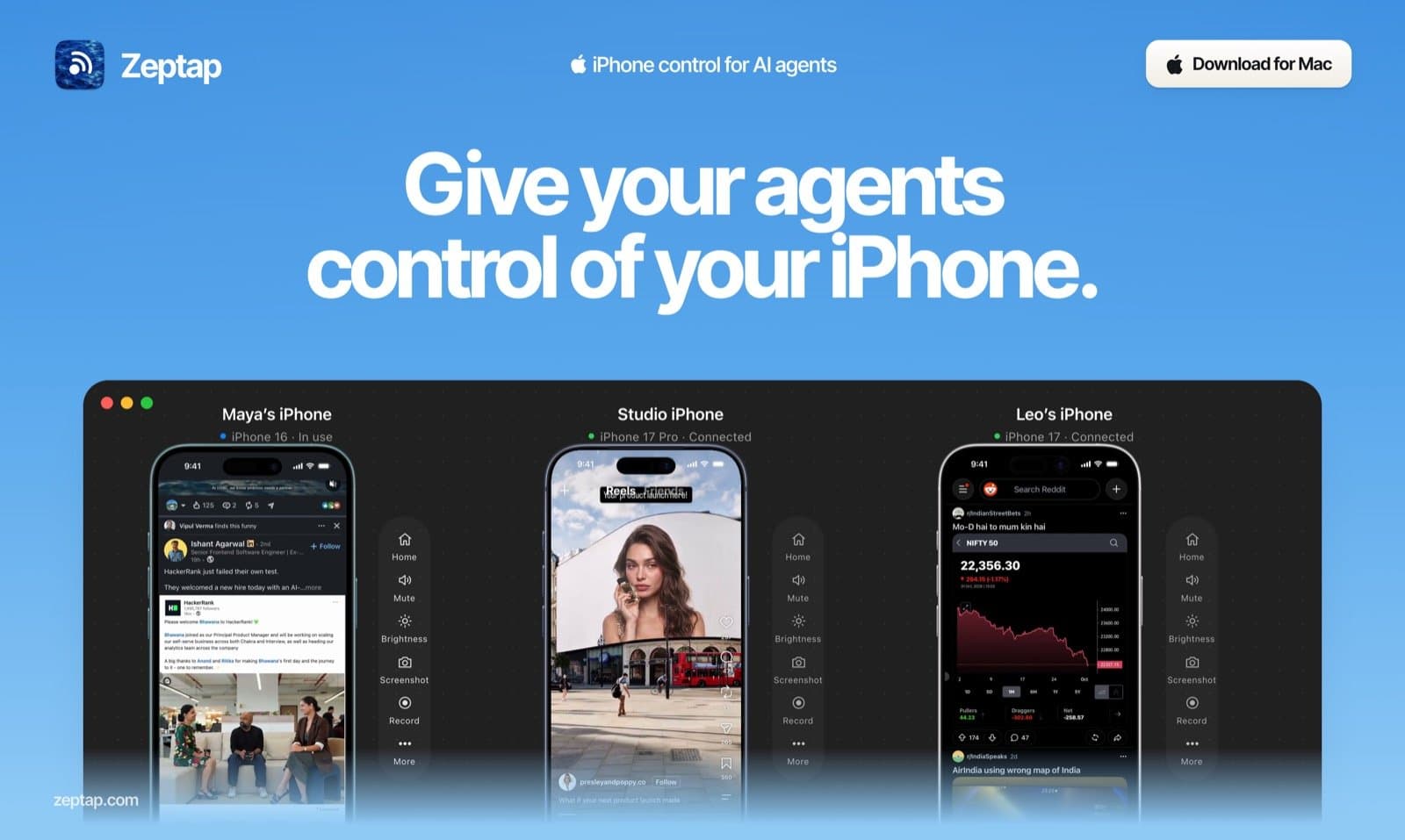
About this app
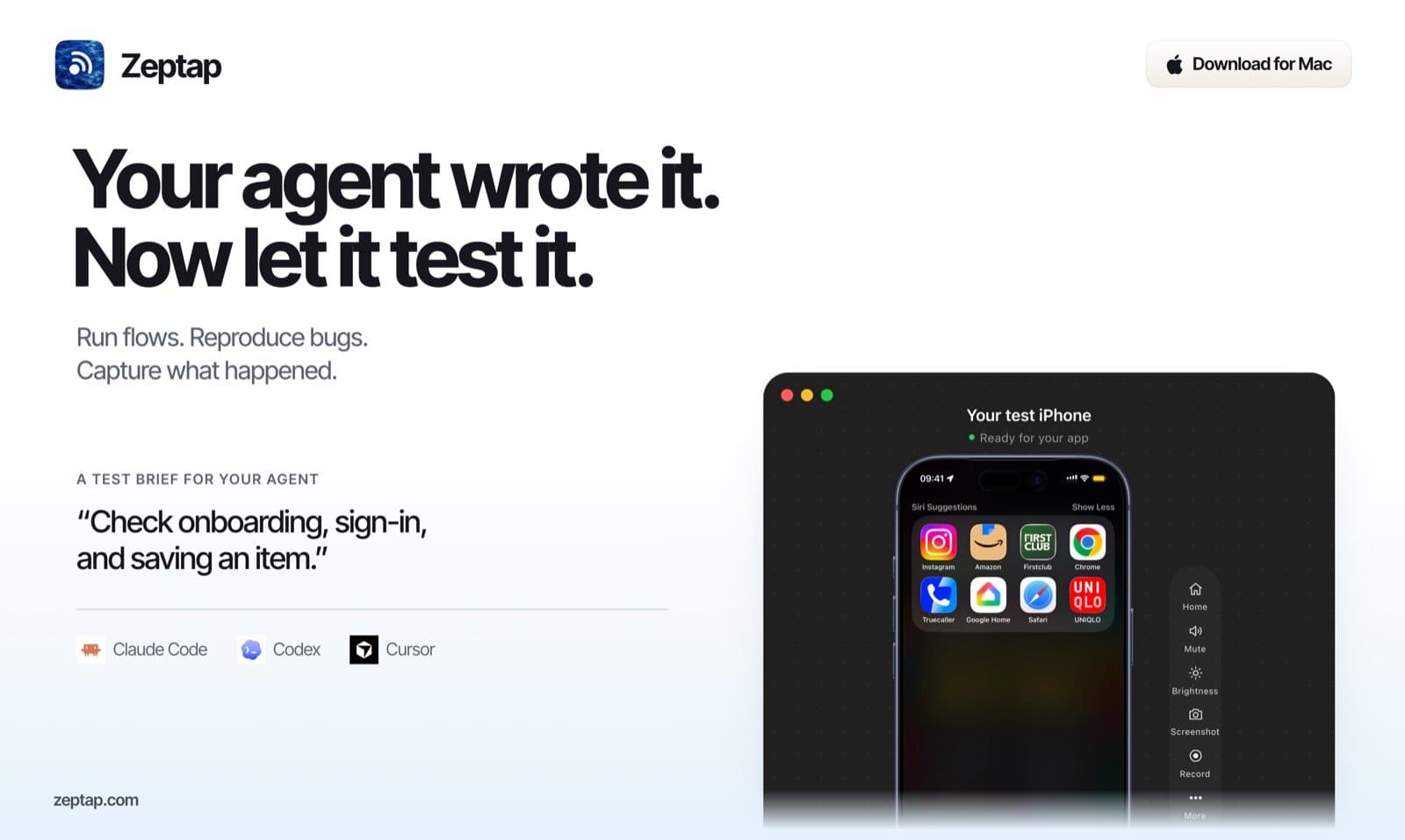
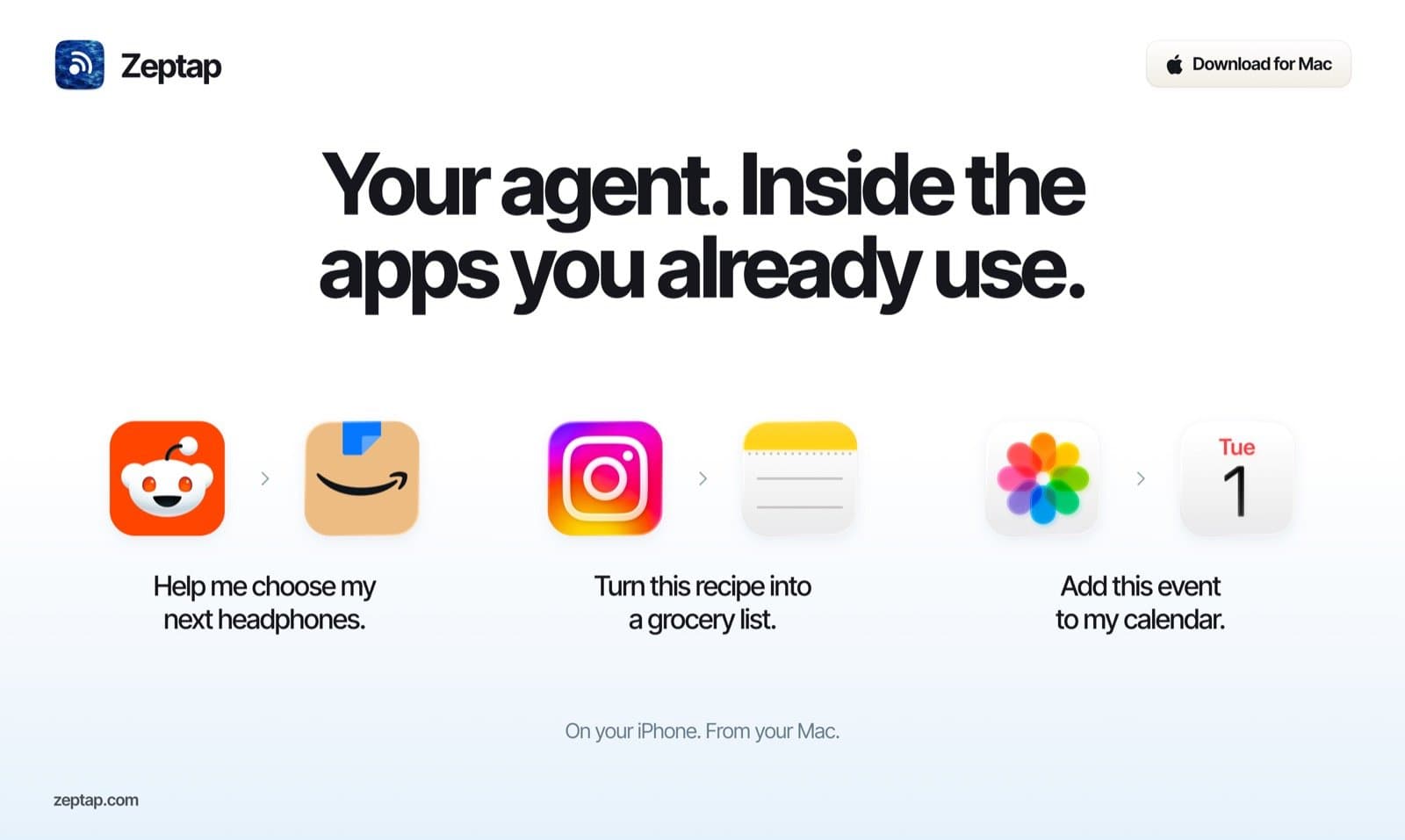
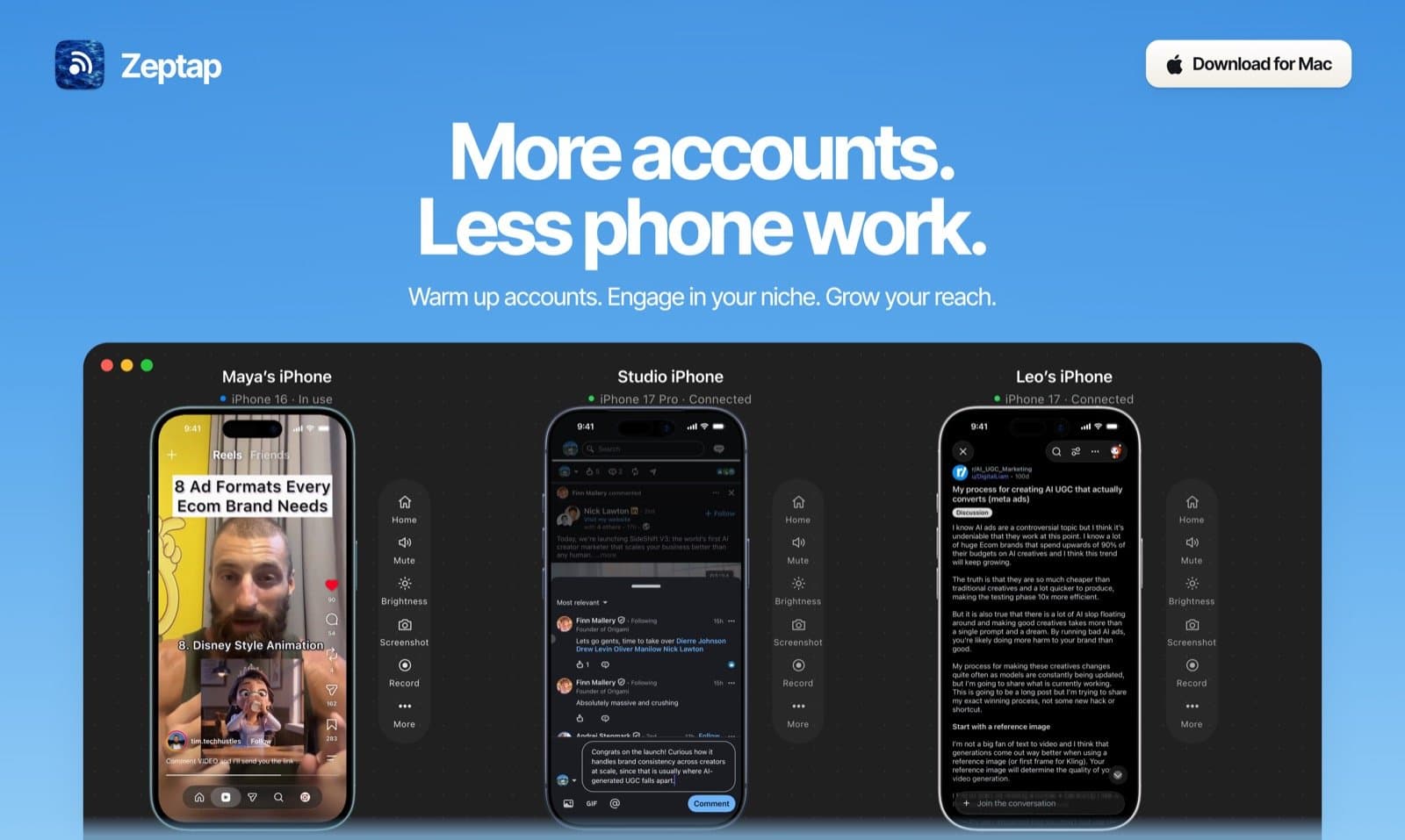
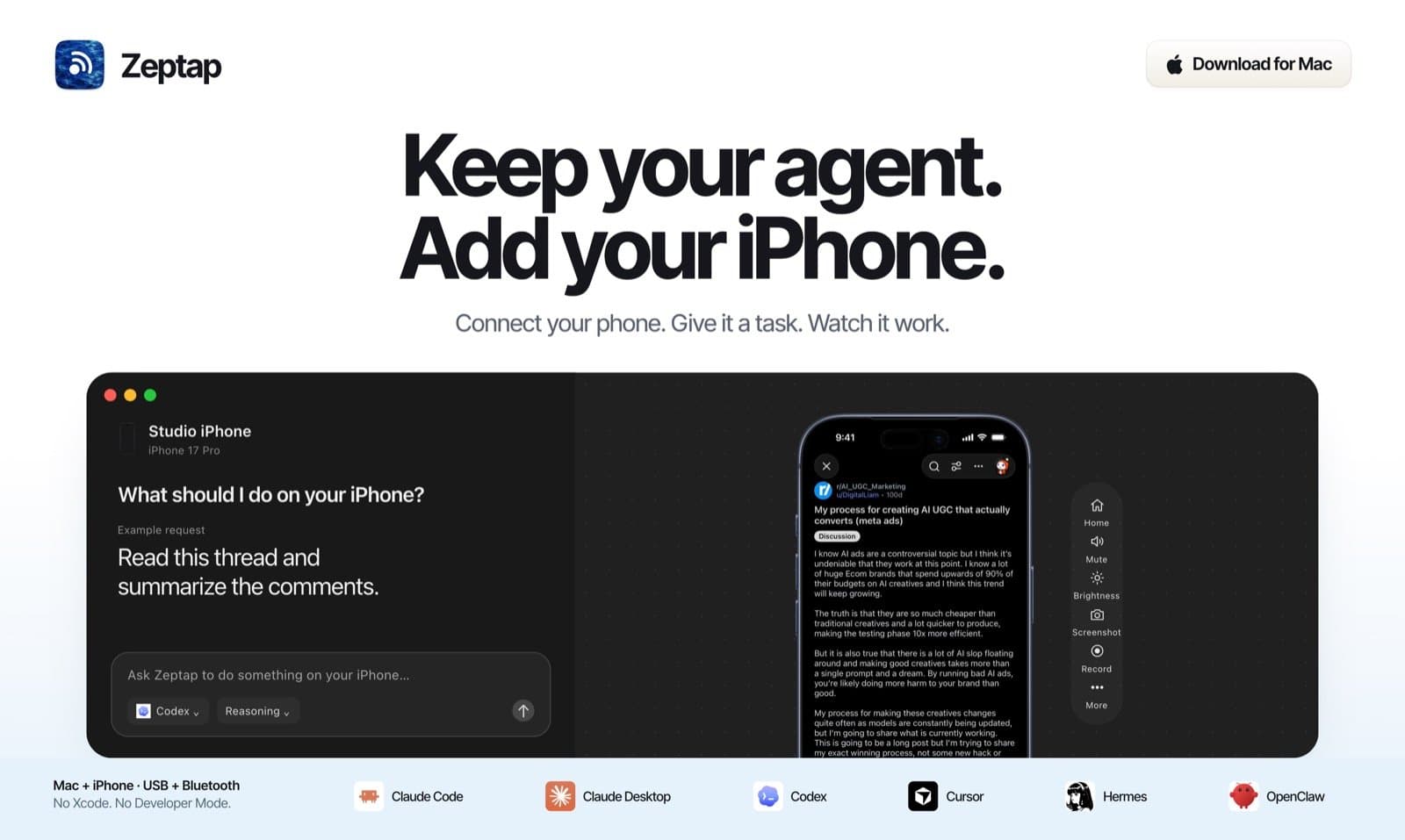
Zeptap is a Mac app that lets AI agents like Claude Code, Codex and Cursor see, tap, swipe and type on your real iPhone — no Xcode, no Developer Mode, nothing installed on the phone. Hand your agent the phone work you keep picking up your iPhone for. Prepare Instagram Stories and TikTok drafts, reply to customer messages, move an approved video and caption from WhatsApp into Instagram, or have your coding agent test the app you're building on a real device. Chat in Zeptap with your own Claude Code or Codex subscription, or connect any MCP agent. Watch it work from your Mac, ask it to pause before posting, sending or paying, and run up to five iPhones at once. Monthly or lifetime licenses; AI access is separate.
Key features
- 1Drive a real iPhone from Claude Code, Codex, Cursor, or any MCP agent — no Xcode, no Developer Mode, nothing installed on the phone.
- 2Local-only architecture: MCP server on loopback (127.0.0.1:47801), passcode in macOS Keychain, no Zeptap cloud or account.
- 3Bring your own AI: chat runs on your existing Claude or ChatGPT plan, or an OpenRouter key — no credits, no token markup.
Target customer profile
Drawn from the product itself, not from a survey.
Demographic
AI agent power users and developers
Pain points
Simulators and device farms can't touch real accounts, 2FA, or App Store apps
Primary needs
Drive real iPhone apps from Claude Code, Codex, or Cursor with zero dev setup
Demographic
Social media and growth marketers
Pain points
Preparing posts, drafts and replies inside mobile-only apps takes hours of manual phone work
Primary needs
Have an AI agent prepare drafts and replies in the apps on their iPhone, pausing before anything is posted or sent
Demographic
QA and mobile app testers
Pain points
Device farms are pricey, simulators miss real-device behavior and real apps
Primary needs
Automate real-device testing via MCP without Xcode, signing, or Developer Mode
Scout Review
Written by AI from measured evidence, scored out of 100.
Zeptap is a Mac app that lets AI agents drive a real iPhone — tap, swipe, type, read the screen — with no Xcode, no Developer Mode, and nothing installed on the phone. The pitch is sharp and the docs are unusually good for a product this young. The site is polished, the free first hour is a smart trial, and the local-only architecture is a real privacy story. The gaps are concrete: mobile page speed is sluggish, the public site is missing every standard security header, and there's no accessibility statement. For agent power users and mobile QA teams tired of simulators, the wedge is real. For everyone else, it's a niche tool with a niche price.
Measure by measure
Usability
74Deep, agent-readable docs with install, pairing, tool reference, playbooks and troubleshooting. Free first hour unlocked, no account needed, license key by email. Onboarding path is unusually clear.
Design
71Polished, cohesive landing page with a strong three-iPhone-in-Mac-window motif and consistent blue-accent palette. Hero CTAs compete for attention and device-screen text is too small and low-contrast to read.
Speed
57Desktop Lighthouse 98/100, but mobile 68/100 with LCP 6.8s and CLS 0.155 — both past the 'good' thresholds. Fast on a Mac, sluggish on a phone, which is ironic for a product about phones.
Security
29Header probe scores 1/12: no enforced HTTPS, no HSTS, no CSP, no frame protection, no DMARC. Local-only architecture and Keychain passcode storage are real strengths, but the public site is wide open.
Accessibility
79Lighthouse accessibility 96/100 with one failing audit: insufficient color contrast. No WCAG statement or a11y page found. Markdown docs and llms.txt help machine and assistive reading.
Growth
63Sharp wedge: real iPhone control for agents with no Xcode, no Developer Mode, no device install. Clear segment (agent power users, mobile QA, social marketers) and concrete pricing. Category is early but real.
Improvement areas
- Public site security headers: enforce HTTPS, add HSTS, CSP, X-Content-Type-Options, Referrer-Policy, and DMARC (probe scores 1/12).
- Mobile performance: LCP 6.8s and CLS 0.155 are past Google's 'good' thresholds — compress hero assets and reserve layout space.
- Accessibility: fix the color-contrast failure flagged by Lighthouse and add a WCAG conformance statement to the site.
Design & Usability
Zeptap's site is well-crafted for its stage. The three-iPhone-in-a-Mac-window hero is a strong, repeatable motif, the palette is consistent, and the feature sections scan cleanly. The weak spots are real but small: the two hero CTAs fight for attention, and the device-screen text in the mockup is too small and low-contrast to actually read. Usability is where Zeptap punches above its weight. The docs are genuinely deep — install, pairing, agent connection, tool reference, playbooks, troubleshooting — and they ship markdown and llms.txt endpoints so agents can read them directly. The free first hour with everything unlocked, no account, and license-key-by-email activation is a clean onboarding path. For a product this new, the documentation quality is the standout signal.
Speed & Security
Speed is split: desktop Lighthouse 98/100, mobile 68/100 with LCP 6.8s and CLS 0.155. The mobile numbers are past Google's 'good' thresholds, which matters for a product whose audience is likely browsing on a phone. Security is the weakest dimension. The HTTP probe scores 1/12 — no enforced HTTPS, no HSTS, no CSP, no frame protection, no DMARC. The product's own architecture is more careful: the MCP server binds to loopback only, the passcode lives in the macOS Keychain, and nothing is installed on the iPhone. But the public site serving the download is missing every standard hardening header, which is a real, fixable gap.
Accessibility & Growth
Accessibility scores 96/100 on Lighthouse with a single failing audit: insufficient color contrast. No WCAG statement or dedicated a11y page was found, but the markdown docs and llms.txt endpoints are a genuine assistive-reading win. Growth is a judgement on the idea. Zeptap names a real problem — simulators and device farms can't touch real accounts, 2FA, or App Store apps — and offers a specific wedge: real iPhone control with no Xcode, no Developer Mode, no install on the phone. The target segments (agent power users, mobile QA, social marketers) are named and plausible. The alternatives list shows the field: BrowserStack for device farms, TapKit for agent iPhone control, Buffer for social scheduling. Zeptap's differentiator is the zero-setup real-device angle, which is concrete and defensible. The category is early, and the domain is brand new, so the ceiling depends on execution.
Conclusion
Zeptap is early, focused, and honest about what it is: a bridge between your AI agent and your actual iPhone. The docs are the best part — deep, agent-readable, and clearly written by someone who actually uses the thing. The pricing is straightforward: $25/mo, $99 lifetime, $199 for up to five iPhones. The free first hour is a fair trial. If you're already paying for Claude Code or Codex and you've ever wished your agent could just tap the damn button on your phone, this is the tool. If you're not, the $99 lifetime is a reasonable bet on a category that's still figuring itself out.
Suggestions for improvement
- Enforce HTTPS and add HSTS, CSP, X-Content-Type-Options, Referrer-Policy, and DMARC to the public site — the probe scores 1/12.
- Fix mobile LCP (6.8s) and CLS (0.155) — compress hero images and reserve layout space for the device mockups.
- Fix the color-contrast failure flagged by Lighthouse and increase the size/contrast of text inside the hero device mockups.
- Add an accessibility statement and a WCAG conformance target to the site; the docs are already markdown-friendly, so this is low effort.
Alternatives comparison
Named competitors, point by point. Nobody paid to appear here or to be left out.
 Zeptap Zeptap | BrowserStack | TapKit | Buffer | |
|---|---|---|---|---|
| Real iPhone control for AI agents | Yes — core feature; drives a real iPhone via MCP with no Xcode or Developer Mode | No — cloud device farm for manual and automated testing, not agent-driven real-phone control | Yes — gives AI agents control of an iPhone; closest direct competitor | No — social media scheduling and publishing, not device control |
| Requires Developer Mode or Xcode | No — explicitly avoids Developer Mode, Xcode, code signing, and Apple Developer fee | No — cloud-hosted devices, no local dev setup required | Not verified from fetched content | No — SaaS scheduling tool, no device setup |
| Pricing model | $25/mo, $99 lifetime (1 iPhone), $199 lifetime plus (up to 5 iPhones); free first hour | Subscription tiers based on parallel sessions and minutes; not verified in this review | Not verified from fetched content | Free tier plus paid plans per social channel; not verified in this review |
| Bring your own AI model | Yes — uses your Claude Code, Codex, or OpenRouter key; no credits or token markup | No — testing platform, not an AI agent host | Not verified from fetched content | No — scheduling tool, not an AI agent host |
| Local-only / no cloud account | Yes — no Zeptap account, no cloud; MCP server listens on loopback only | No — cloud platform; devices are hosted remotely | Not verified from fetched content | No — cloud SaaS; requires an account |
BrowserStack
Cloud platform for testing web and mobile apps on real devices.
TapKit
Tool for giving AI agents control of an iPhone.
Buffer
Social media scheduling and publishing tool.
Comparing options? See Zeptap alternatives, scored side by side
More Development & Engineering apps
View all Development & Engineering
CreateMyCoin
92A no-code Solana token creator that deploys SPL tokens in...

Vibe Coding Agent Skills
92A free, open-source platform offering 110 AI agent skills...

CC Switch
91Open-source desktop app for switching AI coding providers...

TaxID
90Fast EU VAT validation API for developers, covering 27 EU...

BeartIMAGE
88BeartIMAGE is a free, web-based image processing platform engineered for fast, bulk photo editing and conversion directly in your browser.

ButterKit
82macOS app for App Store screenshots: 3D mockups, auto-tra...

DataHabibi
88AI-powered Dubai real estate data platform with 12M+ DLD ...

Claw Messenger
88Claw Messenger is an iMessage API service that gives AI a...

PERM Processing Time: Current DOL Queue & History
88PERM Processing Time is an independent data analysis platform that helps users navigate the U.S. Department of Labor’s permanent labor certification process.

Credyt
87Real-time monetization infrastructure for AI products tha...

ProcessSpy
87A native macOS process explorer and advanced monitor that...

StockFit API
87A developer-first financial data API providing structured...


A platform dedicated to providing unbiased reviews of newly launched applications, analyzing everything from their features to their full potential.
info@scoutforge.net© 2026 Scoutforge. All rights reserved.
