Cycling through all six. Tap any point to stop.
Measured on six things
Fictional chat screenshots with free watermark-free PNG export, no signup. Video export is Pro.
Security
52HTTPS enforced with SPF and DMARC, but no HSTS, CSP, frame protection, or Referrer-Policy — 4/12 header checklist points. No SOC 2, pen-test, or bug bounty published. AI prompt handling is disclosed.
Screenshots
1 / 1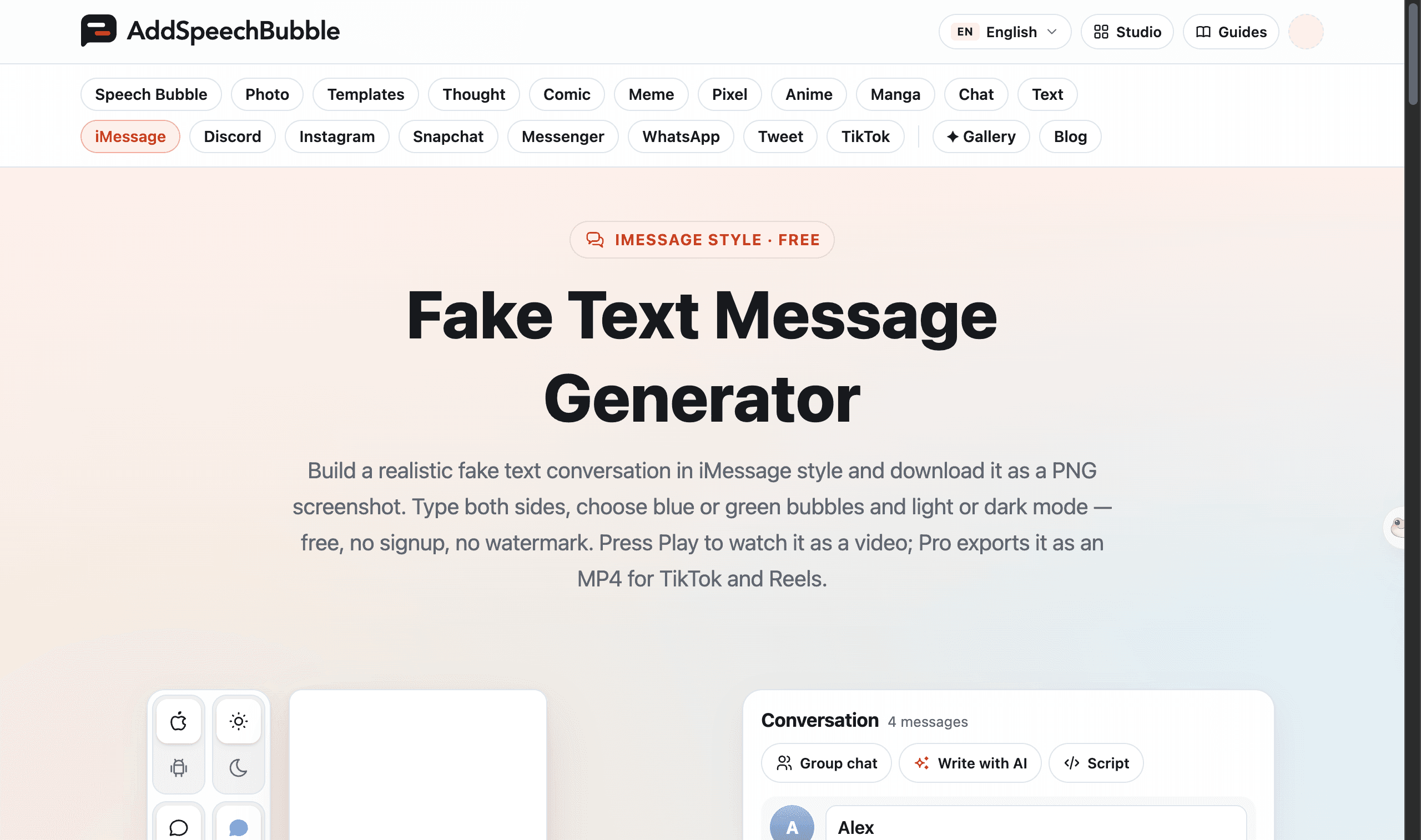
About this app
AddSpeechBubble creates fictional chat screenshots for stories, mockups, and writing exercises. Supported styles include iMessage, SMS, WhatsApp, Telegram, Google Messages, Discord, Instagram DMs, Snapchat, and Messenger. PNG download is free without signup or watermarks. Video preview is free; MP4/WebM/GIF export is Pro. Manual rendering happens in the browser; the optional Write with AI feature sends the entered prompt to the server. Use invented dialogue and label shared examples as fictional.
Key features
- 1Free PNG export with no signup and no watermark; Pro unlocks MP4/WebM/GIF video export.
- 2Nine chat styles: iMessage, SMS, WhatsApp, Telegram, Google Messages, Discord, Instagram, Snapchat, Messenger.
- 3Live preview with editable conversation panel, blue/green bubbles, light/dark mode, and group chat support.
Target customer profile
Drawn from the product itself, not from a survey.
Demographic
Social media content creators (TikTok, Reels, YouTube Shorts)
Pain points
Need visual layouts for fictional dialogue.
Primary needs
Editable chat layouts and free PNG export. Video export is Pro.
Demographic
UI/UX designers and app developers
Pain points
Need messaging UI mockups for design work.
Primary needs
Customizable chat layouts and PNG output.
Demographic
Screenwriters, authors, and meme makers
Pain points
Need to visualize invented character conversations.
Primary needs
Editable dialogue and PNG export.
Scout Review
Written by AI from measured evidence, scored out of 100.
AddSpeechBubble is a competent, fast fake-text-message generator with a genuinely convincing iMessage preview, free PNG export without signup or watermark, and a clean guides section. Speed is excellent (Lighthouse 100/100 both platforms). Design is good but the header is cramped and below-fold copy is dense. Security is the weak spot — 4/12 header checklist points and no published audits. Accessibility is strong on automated checks with one failing label audit. Growth is plausible but the category is crowded and the moat is thin.
Measure by measure
Usability
68Free PNG with no signup and no watermark is the right call, and the 4-step how-to plus task-based /guides/ give real onboarding. Editing panel sits beside the preview but needs a scroll to reach inputs.
Design
70Live iMessage preview is genuinely convincing — correct iOS spacing, timestamps, delivered state. Nav is cramped with 14+ tabs and below-fold copy gets dense, but the core product UI reads as authentic.
Speed
88Lighthouse 100/100 on both mobile and desktop with LCP 1.1s, CLS 0, and TBT 30ms. Rendering is client-side and the page is snappy — no lag complaints surfaced.
Security
52HTTPS enforced with SPF and DMARC, but no HSTS, CSP, frame protection, or Referrer-Policy — 4/12 header checklist points. No SOC 2, pen-test, or bug bounty published. AI prompt handling is disclosed.
Accessibility
78Lighthouse a11y 100/100 with one failing audit on visible text labels without matching accessible names. EN language selector present; no WCAG statement found. Responsive across mobile and desktop.
Growth
58Real problem (creators need believable chat screenshots fast), specific segments, and a multi-platform + video-export wedge. Category is crowded with free tools, so the moat is thin.
Improvement areas
- Security headers are incomplete (4/12): no HSTS, CSP, frame protection, or Referrer-Policy.
- Header nav crams 14+ style tabs plus utility links into one ungrouped row.
- No WCAG/accessibility statement published; one failing label audit remains.
Design & Usability
The product's strongest visual asset is the live iMessage preview itself — blue and green bubbles, 9:41 status bar, delivered checkmark, all rendered with correct iOS spacing. That authenticity is the whole point of a fake-text tool, and it lands. The header is the weak spot: 14+ style tabs, a language selector, Studio, Guides, and a user icon crammed into one ungrouped row. Below the fold the page gets text-dense with repetitive card grids and 12px body copy. Usability is solid where it counts — free PNG, no signup, no watermark, a clear 4-step how-to, and a task-based guides section. The editing panel sits beside the preview but requires a scroll to reach inputs on desktop, which slows the first edit.
Speed & Security
Speed is the standout: Lighthouse 100/100 on both mobile and desktop, LCP 1.1s, CLS 0, TBT 30ms. The page is client-rendered and snappy, with no lag complaints surfacing. Security is the weak dimension. HTTPS is enforced and SPF/DMARC are present, but HSTS, CSP, frame protection, X-Content-Type-Options, Referrer-Policy, and Permissions-Policy are all missing — 4/12 on the header checklist. No SOC 2, ISO, pen-test, or bug bounty is published. The site does disclose that the optional Write with AI feature sends the prompt to the server, which is the right kind of transparency for a tool that handles user-entered text.
Accessibility & Growth
Accessibility scores 100/100 on Lighthouse with a single failing audit: visible text labels without matching accessible names. There's an EN language selector and the layout is responsive across mobile and desktop, but no WCAG statement or a11y page was found. Growth is a judgment call on the idea: the problem is real (creators, designers, screenwriters need believable chat screenshots fast), the segments are specific, and the wedge — nine platform styles plus Pro video export — is concrete. The category is crowded with free tools like iFake, so the moat is thin and the domain is only six months old. It can grow, but it needs the video and multi-platform angles to carry it.
Conclusion
If you need a believable chat screenshot in under two minutes without signing up, this does the job and does it fast. The free PNG export is the right hook, the video export is a sensible Pro upsell, and the guides show the maker actually uses the tool. The gaps are fixable: tighten the header, add the missing security headers, publish a WCAG statement. None of those are dealbreakers for the core use case — they're the difference between a good tool and a great one.
Suggestions for improvement
- Add HSTS, CSP, frame protection, and Referrer-Policy headers to move past 4/12 on the security checklist.
- Group the 14+ nav style tabs into a dropdown or mega-menu to reduce header cramping.
- Publish a short WCAG/accessibility statement and fix the failing label audit.
- Surface the editing input field higher on desktop so first-time users don't scroll to start.
Alternatives comparison
Named competitors, point by point. Nobody paid to appear here or to be left out.
 AddSpeechBubble Fake Text Message Generator | iFake | |
|---|---|---|
| Free PNG export without signup | Yes — free, no signup, no watermark | Yes — free, no signup |
| Supported chat styles | iMessage, SMS, WhatsApp, Telegram, Google Messages, Discord, Instagram, Snapchat, Messenger | iMessage-style primarily |
| Video export | Pro — MP4/WebM/GIF | Not offered |
| Dark mode support | Yes — light and dark for each style | Limited |
| Group chat support | Yes — iPhone and Android | Not offered |
Comparing options? See AddSpeechBubble Fake Text Message Generator alternatives, scored side by side
More Entertainment & Fun apps
View all Entertainment & Fun
SheetScroll
90> You play; SheetScroll turns the page. It listens through the microphone or a MIDI piano and holds the page until it's sure where you are.

Pushup RPG: Fitness Quest
90Pushup RPG is a camera-based push-up counter and fitness RPG for home workouts. Real push-ups and squats become attacks as you defeat 48 foes across 8 biomes, earn XP and loot, join guilds, and battle in live 40-second duels. Free on iOS and Android.

TUNL - Cave Flyer
89A hold-to-thrust cave flyer with a new daily level, ghost races, and a global leaderboard.

Peanut Tennis
89Find tennis courts & tournaments in Australia

How Long Timer
88HowLongHowManyDays.com is a free online countdown timer that lets you track the time remaining until specific times, dates, holidays, and special even

i Word Unscrambler
88Free Word Unscramble for scrabble and words games.

manga translator AI
87Manga Translator AI translates manga and comics into the languages readers choose.

FaceSwapAI
87AI face swap for photos, videos, GIFs with free trial.

ZombieTrend AI
87ZombieTrend AI turns two photos into an emotional zombie love story video with a heartfelt hug, memory flashback, sound, no watermark, and a free scene preview.

DeepSwapAI
87AI face swap online with no subscription, pay per use.

67ez
86Free viral 67 (Six Seven) browser games, world counter & ...

VibeBot
86AI-powered no-code Discord bot maker


A platform dedicated to providing unbiased reviews of newly launched applications, analyzing everything from their features to their full potential.
info@scoutforge.net© 2026 Scoutforge. All rights reserved.
