Cycling through all six. Tap any point to stop.
Measured on six things
Free browser bubble-shooter with guest modes.
Security
41HTTPS is enforced, but the probe found no HSTS, CSP, frame protection, or Referrer-Policy, and no SPF/DMARC on the domain — 2/12 checklist points. No security page, audit, or bug bounty is published anywhere on the site.
Screenshots
1 / 1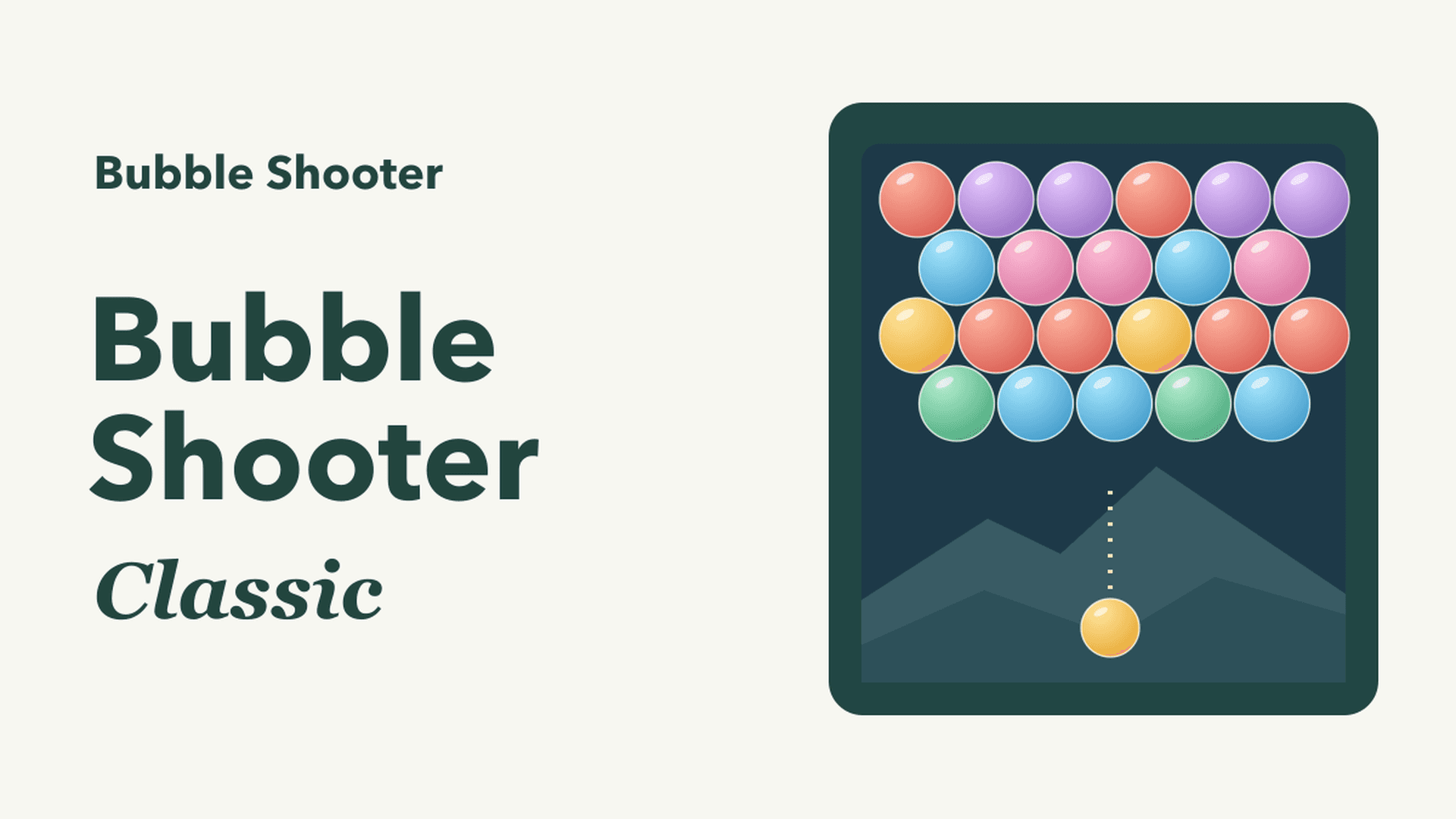
About this app
Bubble Shooter is a free browser bubble-shooter. You can play in guest modes: Classic; a 100-level / five-chapter mode with up to 300 stars; and a Daily Challenge (UTC). Optional Google sign-in exists.
Key features
- 1Three guest-playable modes: endless Classic, 100 levels across five chapters, and a UTC Daily Challenge.
- 2Playable board in the hero with keyboard, mouse, and touch controls — no download or account required.
- 3Optional Google sign-in for cloud progress and eligible Daily ranked attempts.
- 4Five-language interface (EN, DE, FR, ES, PT) with sound and color-symbol toggles.
Target customer profile
Drawn from the product itself, not from a survey.
Scout Review
Written by AI from measured evidence, scored out of 100.
Bubble Shooter Ultra is a competent, instantly playable browser game that puts the board in the hero and lets you shoot without signing up. Three modes — endless Classic, 100 levels, and a UTC Daily Challenge — plus optional Google sign-in for cloud progress cover the basics well. The design is themed but cluttered by a busy background, mobile load time is sluggish at a 5.3s LCP, and the security headers are near-default. Accessibility is the standout at 96/100 with keyboard support and five languages. The idea is sound but sits in a crowded, copyable category.
Measure by measure
Usability
64Guest play works instantly across three modes, the How to play list spells out keyboard/mouse/touch, and the FAQ pre-answers download, account, and progress questions. No account wall before the first shot.
Design
58Playable board in the hero makes the product instantly legible, and the purple ribbon headers plus cream cards give a consistent theme. The saturated cartoon background fights the text and the best-score number is duplicated.
Speed
57Desktop Lighthouse lands at 90/100, but mobile sits at 72 with a 5.3s LCP — the board takes a while to paint on a phone. CLS is a clean 0 and FCP is fast at 977ms, so it's the heavy game asset, not layout, holding it back.
Security
41HTTPS is enforced, but the probe found no HSTS, CSP, frame protection, or Referrer-Policy, and no SPF/DMARC on the domain — 2/12 checklist points. No security page, audit, or bug bounty is published anywhere on the site.
Accessibility
79Lighthouse accessibility hits 96/100 with keyboard controls, Escape-to-pause, and five languages. Two real fails remain: insufficient color contrast and visible text labels without matching accessible names — both fixable and both visible on the page.
Growth
54A real, evergreen casual-game need with a specific wedge: a shared UTC Daily Challenge and cloud progress via Google sign-in. But it's one free clone in a sea of free clones, and nothing here is hard for a competitor to copy.
Improvement areas
- Mobile LCP of 5.3s — compress or lazy-load game assets to speed up first paint.
- Near-default security headers (2/12): add HSTS, CSP, frame protection, Referrer-Policy, and DMARC.
- Two failing a11y audits: insufficient contrast and visible labels without accessible names.
- Busy cartoon background and duplicated best-score card hurt readability and waste space.
Design & Usability
Bubble Shooter Ultra leads with the game itself — the playable board sits in the hero, so there's no mystery about what you're getting. The purple ribbon headers and cream cards give the page a coherent theme, and the active Classic card reads clearly against the inactive modes. The weak spot is the saturated cartoon background running behind every section, which competes with body copy that's already small. Usability is the stronger half: three modes playable as a guest with no account wall, a How to play list that names keyboard, mouse, and touch controls, and an FAQ that pre-empts the download/account/progress questions. The page is busier than its content needs, and the best-score number appears twice for no gain.
Speed & Security
Speed is split down the middle: desktop Lighthouse scores 90/100, but mobile lands at 72 with a 5.3s LCP, meaning phone players watch 'Preparing the board…' for a while before the first shot. CLS of 0 and a 977ms FCP show the layout is stable and the shell is quick — it's the game payload that's heavy. Security is the thinnest dimension. HTTPS is enforced, but the probe found no HSTS, CSP, frame protection, Referrer-Policy, or Permissions-Policy, and no SPF or DMARC records — 2 of 12 checklist points. There's no security page, audit, or bug bounty. For a free game with optional Google sign-in the blast radius is limited, but the headers are essentially default.
Accessibility & Growth
Accessibility is a genuine bright spot: Lighthouse scores 96/100, the game supports keyboard aiming and firing with Escape to pause, and the site ships in five languages. Two real failures remain — insufficient color contrast and visible text labels without matching accessible names — both concrete and both fixable. Growth is a judgment on the idea: casual browser games are an evergreen, high-volume need, and the Daily Challenge (a shared puzzle resetting each UTC day) plus cloud progress via Google sign-in are real reasons to return. But the category is saturated with free clones, the differentiators are easy to replicate, and nothing here compounds with adoption. It can carve out a regular audience; it won't build a moat.
Conclusion
If you want a free bubble shooter you can play in the browser in ten seconds, this delivers exactly that, and the Daily Challenge gives you a reason to come back. The fixes that would move it up are unglamorous: quiet the background so text reads, trim the duplicated best-score card, cut the mobile LCP, and add the standard security headers. None of that is hard. The harder question is differentiation — in a category this crowded, the Daily Challenge and cloud progress need to become the reason people pick this one, not a footnote.
Suggestions for improvement
- Cut the mobile LCP from 5.3s by compressing or lazy-loading the game assets behind the 'Preparing the board' state.
- Add HSTS, CSP, X-Content-Type-Options, Referrer-Policy, and DMARC — cheap wins that lift the 2/12 header score.
- Fix the two failing a11y audits: raise text contrast and give labeled buttons matching accessible names.
- Remove the duplicate best-score card and calm the cartoon background so body copy stays readable.
Alternatives comparison
Named competitors, point by point. Nobody paid to appear here or to be left out.
 Bubble Shooter |  | |
|---|---|---|
| Price / free to play | Free, no download or account required | Not provided |
| Game modes | Classic, 100-level mode, Daily Challenge | Not provided |
| Account / progress sync | Optional Google sign-in for cloud progress | Not provided |
| Platform / controls | Browser; keyboard, mouse, and touch | Not provided |
| Languages | English, German, French, Spanish, Portuguese | Not provided |
Comparing options? See Bubble Shooter alternatives, scored side by side
More Lifestyle & Entertainment apps
View all Lifestyle & Entertainment
RoomCreator
92An AI-powered interior and exterior design tool that tran...

Factory Direct Mattress Overland Park
92A locally-owned mattress store in Overland Park, KS offer...

SheetScroll
90> You play; SheetScroll turns the page. It listens through the microphone or a MIDI piano and holds the page until it's sure where you are.

Seating Chart Generator
90Free seating chart maker for weddings and events

TUNL - Cave Flyer
89A hold-to-thrust cave flyer with a new daily level, ghost races, and a global leaderboard.

Hireci
89Save every recipe. Plan every meal.

Roami eSIM
88A global travel eSIM app offering instant activation, no ...

NOSTRES
88Free step-by-step guides for moving to Berlin: documents,...

Portrait Gift
88AI-powered personalized face swap art platform creating c...

TranscriptYou
88Free YouTube transcript generator with timestamps and AI ...

Random Movie Generator
88Free random movie picker from 142k+ films—no sign-up.

FaceSwapAI
87AI face swap for photos, videos, GIFs with free trial.


A platform dedicated to providing unbiased reviews of newly launched applications, analyzing everything from their features to their full potential.
info@scoutforge.net© 2026 Scoutforge. All rights reserved.
