Cycling through all six. Tap any point to stop.
Measured on six things
Free C2PA Content Credentials Checker
Growth
62A real, specific need — verifying provenance without uploading sensitive media — with a concrete local-processing wedge. Free positioning and a 10-guide library help, but the category is narrow and incumbents are moving in.
Screenshots
1 / 3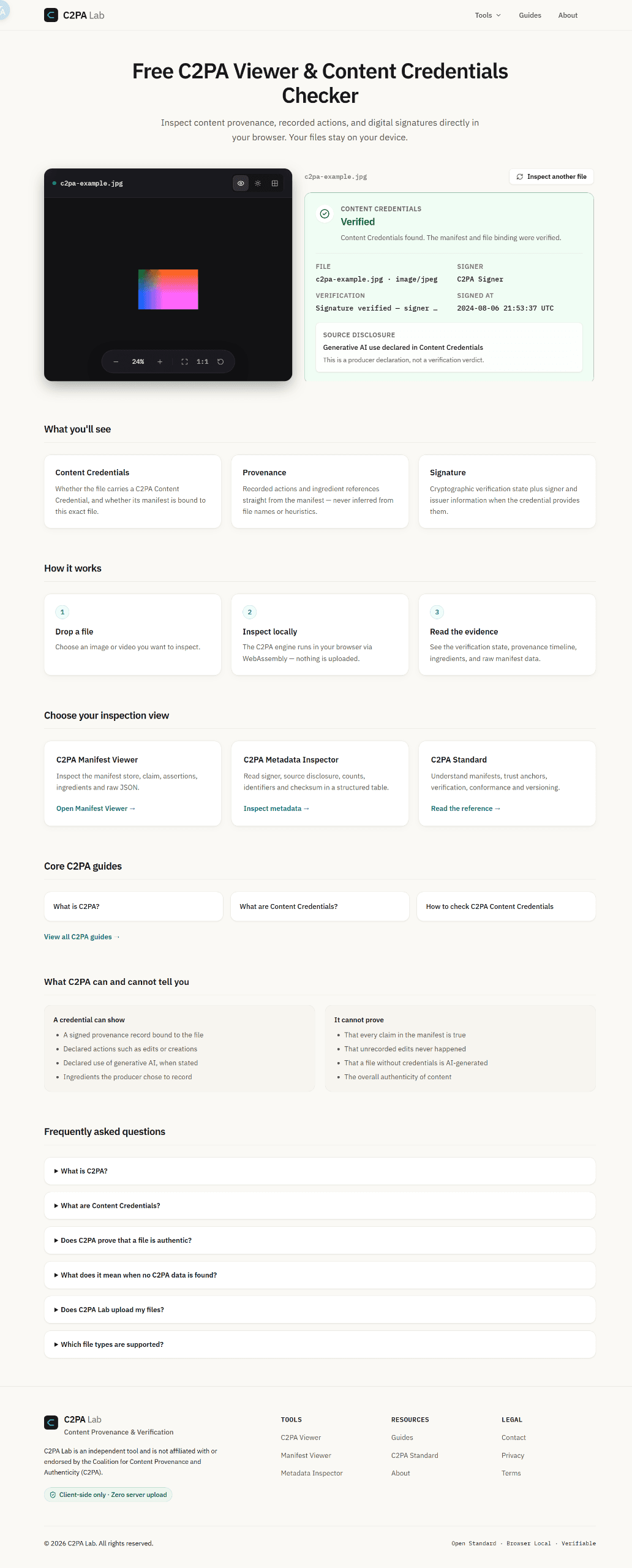
About this app
C2PA Lab is an essential tool for verifying digital content integrity. It allows you to inspect C2PA Content Credentials, content provenance, digital signatures, and recorded actions directly in your browser. The best part? Your sensitive media files are NEVER uploaded for inspection, thanks to its WebAssembly-driven local processing. Perfect for verifying the origin and history of media like JPG, MP4, or PDF files.
Key features
- 1Local WebAssembly C2PA inspection — files never uploaded, up to 200 MB across JPG, PNG, WebP, AVIF, HEIC, SVG, MP4, MOV, MP3, WAV and PDF.
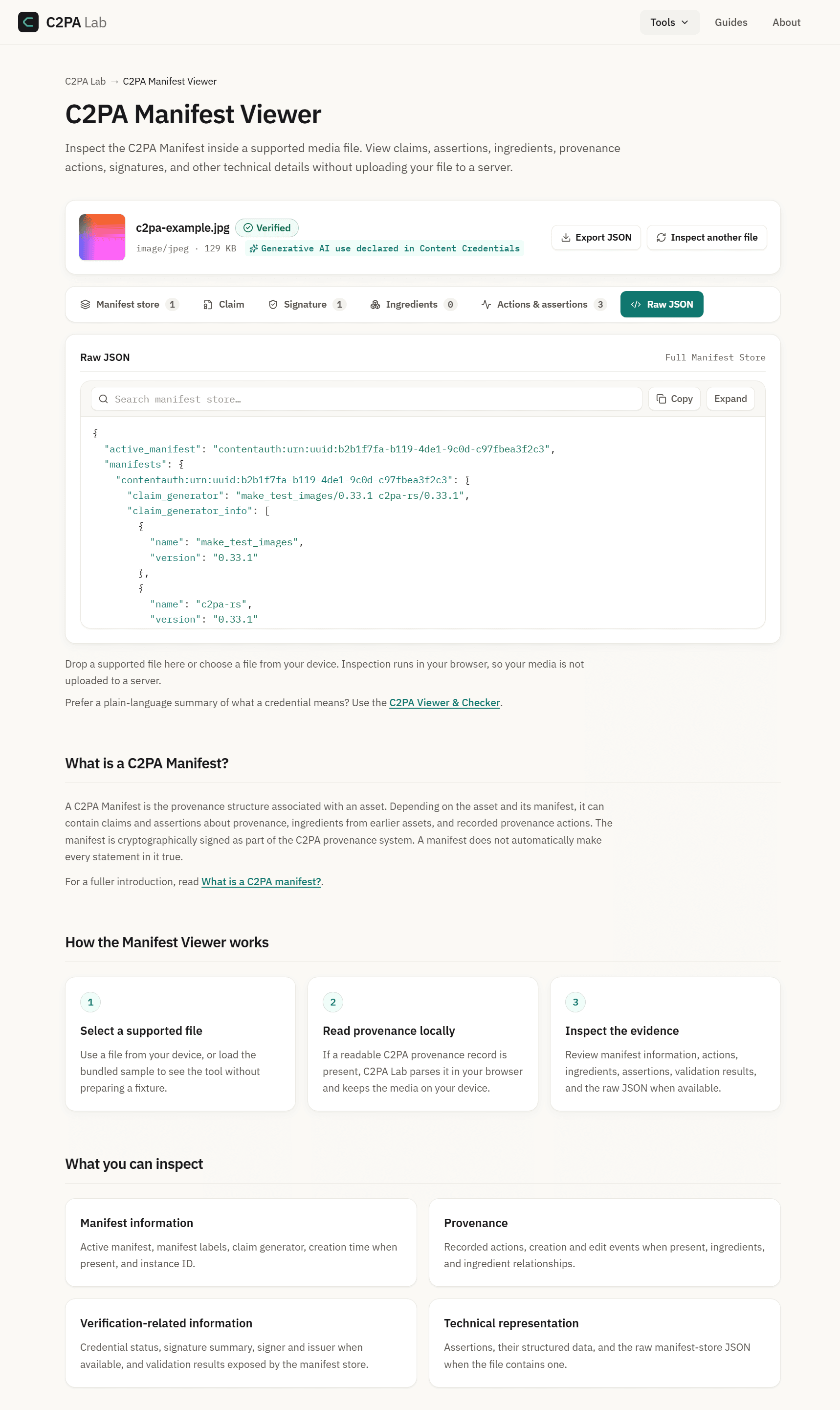
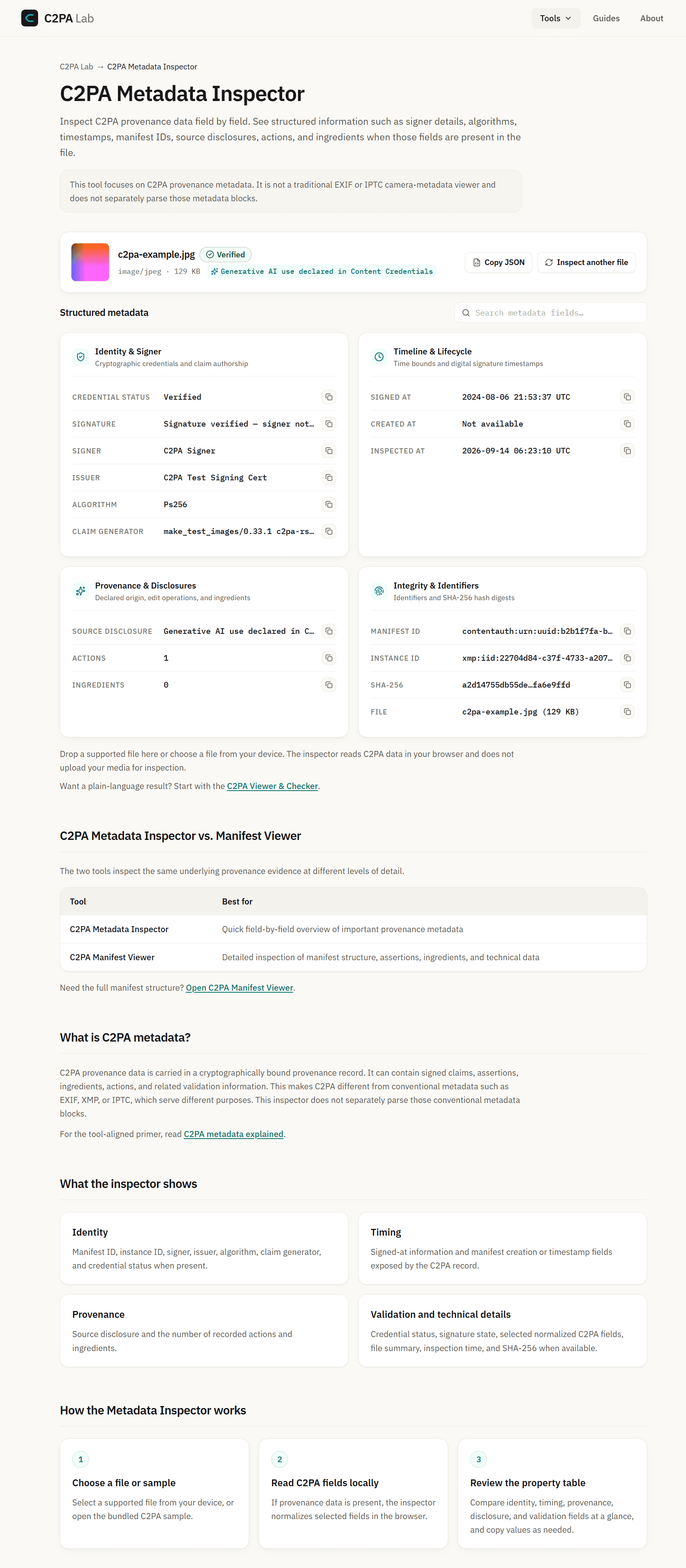
- 2Manifest Viewer, Metadata Inspector, URL Checker and PDF Checker views with raw JSON access.
- 3Ten field guides covering C2PA basics, verification layers, metadata vs EXIF/XMP, camera support and SynthID comparison.
Target customer profile
Drawn from the product itself, not from a survey.
Demographic
Journalists & Fact-Checkers
Pain points
Difficulty verifying digital content provenance and detecting tampering.
Primary needs
Reliable, local tools to check C2PA signatures and metadata.
Demographic
Content Creators & Artists
Pain points
Need to prove the origin or history of their creative work.
Primary needs
A simple way to inspect and understand content credentials embedded in media.
Demographic
Tech Auditors & Researchers
Pain points
Requiring deep insight into manifest structures without data leakage.
Primary needs
Access to C2PA Manifest Viewer, metadata inspection, and technical standards reference.
Scout Review
Written by AI from measured evidence, scored out of 100.
C2PA Lab is a focused, fast, genuinely useful viewer for Content Credentials, and its best decision is the one it leads with: files never leave the device. The site is honest about what a credential can and cannot prove, which is rarer than it should be in this space. Ten guides give it real documentation depth. What holds it back is finish — orphaned grid cards, tiny low-contrast labels, a missing CSP, and no published compliance or accessibility statements. None of these are hard to fix, and fixing them would move this from a good tool to a credible one.
Measure by measure
Usability
68Clear primary action, a no-commitment example path, and ten field guides covering manifests, verification, and camera support. Dense JSON and collapsed FAQ accordions raise the floor for non-experts.
Design
70Coherent technical identity: monospace data type, restrained green accent, and a hero drop zone that pairs the primary action with the privacy promise. Undermined by orphaned grid cards and title-only guide tiles.
Speed
88Lighthouse mobile 99/100 with 932ms LCP and 110ms TBT; desktop 93/100. WebAssembly inspection runs client-side, so there is no server round-trip once the page loads.
Security
74HTTPS enforced with HSTS, frame protection, Referrer-Policy, Permissions-Policy, SPF and DMARC — 10/12 probe points. CSP is the notable gap; no published audit or bug bounty found.
Accessibility
78Lighthouse accessibility 96/100, but contrast failures and mismatched accessible names remain, and the visual audit flagged very small light-grey micro-labels. No WCAG statement published.
Growth
62A real, specific need — verifying provenance without uploading sensitive media — with a concrete local-processing wedge. Free positioning and a 10-guide library help, but the category is narrow and incumbents are moving in.
Improvement areas
- No Content-Security-Policy header; no published SOC 2, pen-test or bug bounty information.
- Contrast failures and mismatched accessible names; very small light-grey micro-labels.
- Layout gaps: orphaned fifth example card and empty slot in the inspection-view grid.
- No accessibility statement or WCAG conformance claim anywhere on the site.
Design & Usability
The homepage does the hard part well: the drop zone is unmistakably the primary action, the privacy promise sits exactly where upload hesitation would occur, and 'Try an example file' gives newcomers a zero-commitment path. The honest 'what C2PA can and cannot tell you' panel is the best content on the page. Ten field guides cover manifests, verification layers, camera support, and SynthID comparisons — unusually deep for a tool this new. The drag is polish and density: an orphaned fifth example card, an empty slot in the inspection-view grid, title-only guide tiles, and a raw JSON block that assumes expertise.
Speed & Security
Speed is the standout: Lighthouse mobile 99/100 with a 932ms LCP, 110ms TBT and near-zero layout shift, plus desktop 93/100. Because the C2PA engine runs in WebAssembly in the browser, inspection itself involves no server round-trip. Security is solid but not finished — HTTPS enforced, HSTS, frame protection, Referrer-Policy, Permissions-Policy, SPF and DMARC all present (10/12 probe points), with Content-Security-Policy the one meaningful omission. No SOC 2, ISO, penetration test or bug bounty is published, which is normal at this stage but caps the score.
Accessibility & Growth
Accessibility scores 96/100 on Lighthouse, but the audit still flags insufficient contrast and visible labels that don't match accessible names, and the visual review found micro-labels set small and light grey. No WCAG conformance statement is published. On growth: the problem is real and the customer is specific — journalists, fact-checkers and auditors who cannot upload sensitive media to a server. Local WebAssembly inspection is a genuine differentiator against server-based forensic tools and generic security extensions. The limits are structural: the category is narrow, the tool is free, and the C2PA standard's own backers can ship similar viewers.
Conclusion
For a product this young, the fundamentals are in place: a clear primary action, a defensible privacy model, fast delivery, and documentation that respects the reader's intelligence. The next tier is about trust signals — a CSP, an accessibility pass on the micro-typography, a WCAG statement, and a published security posture. Do those and C2PA Lab becomes the default recommendation for anyone who needs to check provenance without uploading the file.
Suggestions for improvement
- Add a Content-Security-Policy header to close the one real gap in an otherwise complete header set.
- Fix the orphaned fifth example card and the empty slot in the inspection-view grid.
- Raise contrast and size on micro-labels and overlines; align visible labels with accessible names.
- Publish a short security and accessibility page stating what is and isn't claimed.
Alternatives comparison
Named competitors, point by point. Nobody paid to appear here or to be left out.
 C2PA Lab | Media Forensics Tools | Browser Extensions (Generic) | |
|---|---|---|---|
| C2PA / Content Credentials protocol support | Full C2PA manifest parsing, signature verification and provenance timeline | Specialized forensic tooling; C2PA support varies and typically requires server interaction | No specific C2PA protocol support |
| File privacy / local processing | WebAssembly in-browser; files never uploaded | Likely requires uploading media to a server | Local to browser but no provenance inspection |
| Supported file formats | JPG, PNG, WebP, AVIF, HEIC/HEIF, SVG, MP4, MOV, MP3, WAV, PDF up to 200 MB | Format support varies by tool; often image-focused | Not applicable — no media inspection |
| Cost | Free | Typically commercial licensing | Free or freemium |
| Documentation and learning resources | 10 field guides plus C2PA standard reference and FAQ | Vendor manuals, usually technical and sparse | None specific to C2PA |
Media Forensics Tools
Other specialized forensic software, though likely requiring server interaction.
Browser Extensions (Generic)
General security extensions, but lack specific C2PA protocol support.
Comparing options? See C2PA Lab alternatives, scored side by side
More Security apps
View all Security
issued.live
89Free certificate transparency search and SSL lookup with ...

kosa8
88Sealed VMs for AI agents with instant rewind, audit trails & zero key exposureSealed VMs for AI agents with instant rewind and audit tr...

OBVELO
88Privacy gateway that masks personal data in LLM traffic

Magery Forge
87Weekly security audits for vibe-coded sites, explained in...

Xsilent Vault: Hide Photos
87Private Android vault for photos, videos, PDFs and files, with no required account, no ads and no mandatory cloud.

ProcessSpy
87A native macOS process explorer and advanced monitor that...

Sidenty
87Sidenty is a professional digital identity protection ser...

Basalt
86Eighteen PDF tools in one native Mac window: merge, split, compress, OCR, Bates numbering, forms, signing and redaction. Offline. $29 once.

PromptTrace
85Free hands-on AI security labs for prompt injection and L...

Sanctix
85Sanctions screening with verifiable SHA-256 audit trails.

Privacy Requests
84DSAR management software for small teams.

Archonum
84Real-device browser automation for AI agents


A platform dedicated to providing unbiased reviews of newly launched applications, analyzing everything from their features to their full potential.
info@scoutforge.net© 2026 Scoutforge. All rights reserved.
