Cycling through all six. Tap any point to stop.
Measured on six things
Web-based Rubik’s Cube solver & voice-guided tutor. Scan and learn step-by-step.
Security
75Browser-based with only temporary camera access. No account or ads. No data collection mentioned. Standard web security applies; users must grant webcam permission.
Screenshots
1 / 3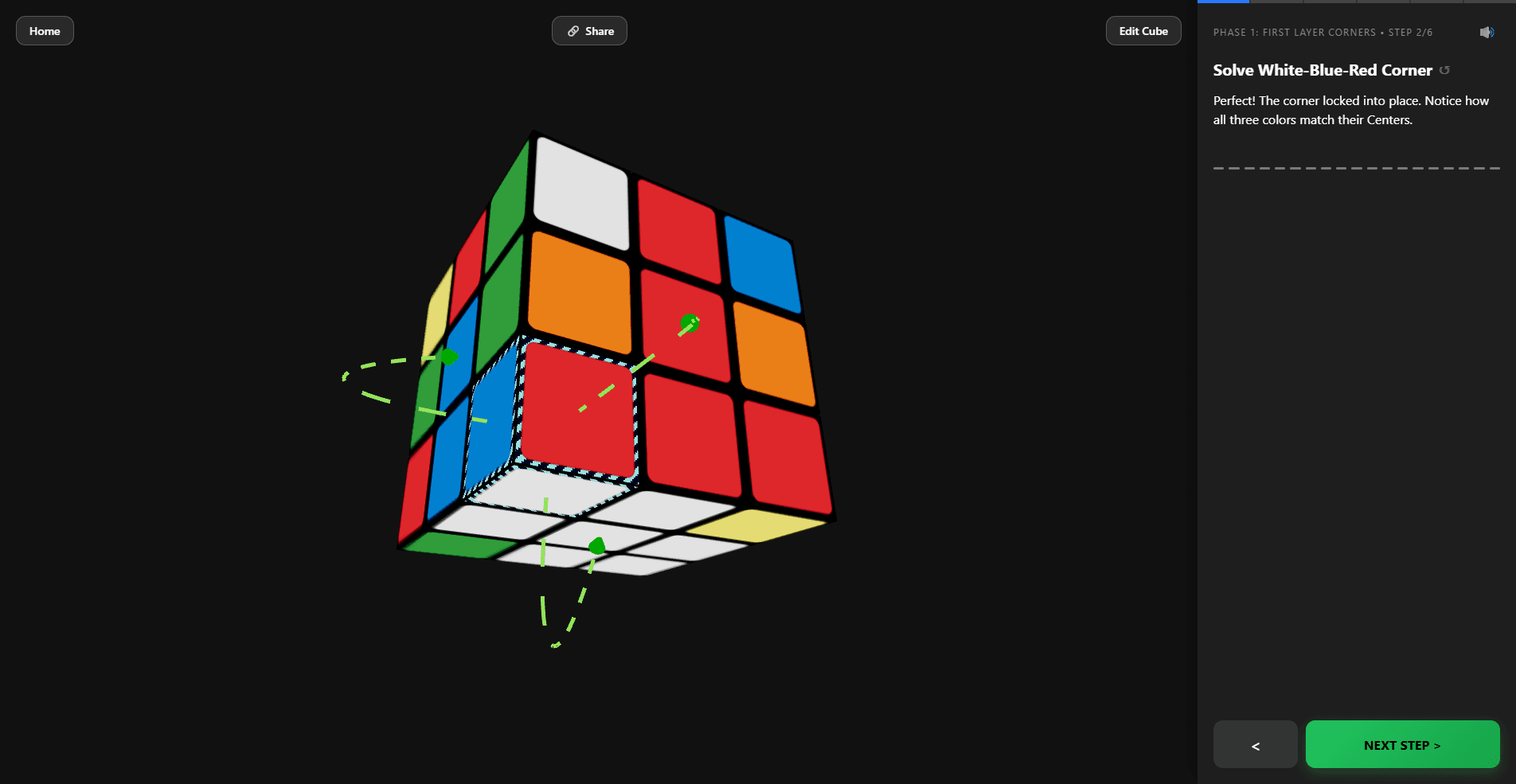
About this app
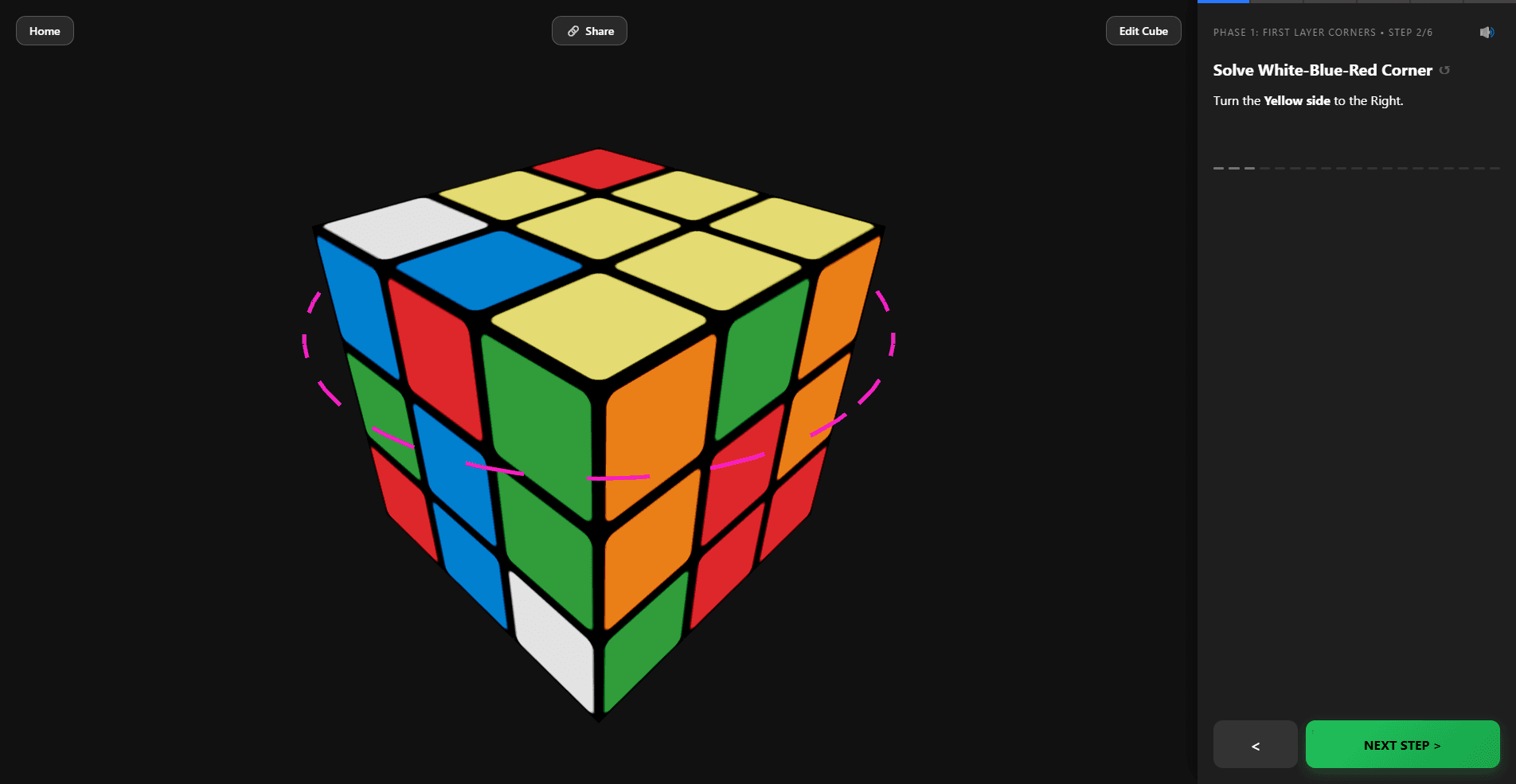
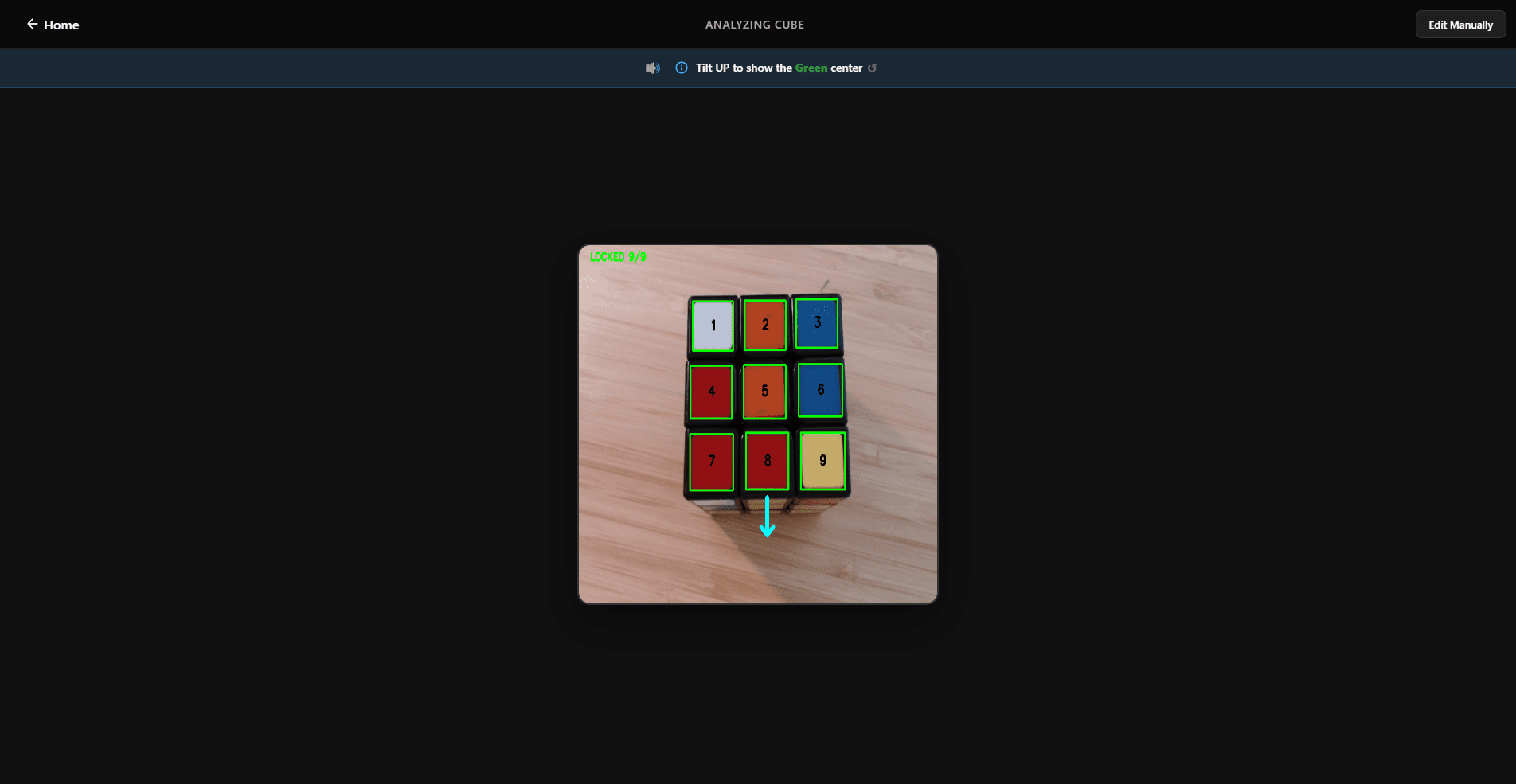
CubeUnstuck Learn is a browser-based Rubik’s Cube solver and interactive digital tutor. While most tools just spit out robot-optimized algorithms, CubeUnstuck acts like a human teacher. It bridges the gap between what people search for (a solver) and what they actually need (a way to learn). Using our superior adaptive computer vision, you simply hold your standard Rubik's Cube (with black borders around the stickers) up to your webcam. The app instantly builds a synchronized 3D "digital twin" of your exact scramble. If the lighting is off, a quick manual 3D editor lets you fix colors instantly. Unlike generic YouTube tutorials that leave you guessing how to apply steps to your unique cube, CubeUnstuck provides personalized, hands-free guidance using the beginner-friendly Layer-by-Layer method.
Key features
- 1AR webcam scan creates accurate 3D digital twin of your exact scramble
- 2Voice + glowing 3D guidance with Layer-by-Layer method and mistake recovery
- 3Detects impossible states like twisted corners and provides fixes
Target customer profile
Drawn from the product itself, not from a survey.
Demographic
Adults aged 25-50 who own a Rubik's Cube but have never solved it
Pain points
Frustrated by complex tutorials, confusing notation, and generic scrambles that don't match their cube
Primary needs
A simple, visual guide that works with their specific scramble without memorization
Demographic
Parents with children aged 5-12 who are struggling to solve a cube
Pain points
Unable to help their kids, leading to toy abandonment and family frustration
Primary needs
A tool to fix the cube together, with voice instructions and no reading required
Demographic
Casual puzzle enthusiasts and beginners looking for a quick, stress-free solution
Pain points
Overwhelmed by traditional methods that require restarting after mistakes
Primary needs
An intuitive, mistake-forgiving app that provides instant feedback and recovery
Scout Review
Written by AI from measured evidence, scored out of 100.
CubeUnstuck Learn delivers on its promise as an adaptive, human-like tutor using webcam AR to scan your exact scramble and guide you personally. It's free, no-ads, browser-based, and excels for beginners frustrated by traditional methods. Strengths include mistake-forgiving guidance, voice instructions, and 3D visualization. Minor limitations around lighting/camera quality exist but are mitigated by diagnostics.
Measure by measure
Usability
92Extremely beginner-friendly: scan with camera instead of clicking 54 squares, voice + 3D arrows, dynamic recalculation on mistakes, no notation or algorithms required. Hands-free guidance.
Design
88Clean, modern browser-based interface with prominent 3D digital twin, glowing halos/rings for guidance, and simple scan flow using on-screen arrows. Focuses on visual clarity over text-heavy notation.
Speed
82Claims most users finish in 20-30 minutes. Instant 3D twin after scanning six sides. Quick rescans and real-time mistake recovery speed up the process versus traditional tutorials.
Security
75Browser-based with only temporary camera access. No account or ads. No data collection mentioned. Standard web security applies; users must grant webcam permission.
Accessibility
85Voice instructions and visual glowing guides make it great for kids and non-readers. Works on phones, tablets, laptops via browser. Supports parents solving together with kids.
Growth
78Strong educational angle: teaches why moves work using Layer-by-Layer method. Goal is to make users independent. Free with no ads helps adoption among frustrated adults and parents.
Improvement areas
- Better handling of poor lighting conditions during scanning
- Optional manual 3D color editor for corrections
- More advanced solving methods for progression after beginner stage
Design & Usability
CubeUnstuck nails the pain point of traditional solvers — manual color entry and generic algorithms that don't match your physical cube. The AR webcam scan creates an accurate 3D digital twin quickly by holding the cube to the camera and following arrows for all six faces. Guidance uses glowing rings, 3D arrows, and voice instructions instead of notation like F2L or R'. Dynamic recalculation means messing up doesn't force a restart, and it detects impossible states like twisted corners. The interface is clean and visual, making it highly usable for the target 25-50 adults and parents with kids 5-12 who want stress-free solving.
Speed & Security
Scanning and building the twin is fast once camera permission is granted, with users typically solving in 20-30 minutes versus hours of YouTube frustration. Mistake recovery and instant rescans keep momentum high. Security is basic but appropriate — no accounts or ads, just browser camera access that can be revoked. It runs entirely client-side for the core experience. Compared to alternatives requiring manual input or app downloads with ads, this feels lighter and more private.
Accessibility & Growth
Voice guidance and visual cues excel for accessibility, especially for children or adults avoiding complex tutorials. It bridges family frustration by letting parents and kids solve together without reading. Educationally, it uses the beginner Layer-by-Layer method while explaining the 'why', promoting real learning over rote memorization. Growth potential is high as users gain confidence and independence, aligning with the app's goal of becoming obsolete for each user.
Conclusion
If you've got a dusty Rubik's Cube mocking you from the shelf, this is the least painful way to finally conquer it — and maybe even understand what you're doing. Highly recommended for the target audience.
Suggestions for improvement
- Add better lighting guidance or auto-brightness correction during scanning.
- Include optional manual color editor for tricky lighting conditions as mentioned in the original description.
- Expand to more methods beyond Layer-by-Layer for users who want to progress.
- Add progress tracking or multiple session saving for families.
Alternatives comparison
Named competitors, point by point. Nobody paid to appear here or to be left out.
 CubeUnstuck |  Rubik's Cube Solver by Grubiks |  Cube Solver app on mobile stores | |
|---|---|---|---|
| Input Method | Webcam AR scan (6 faces) | Manual color entry | Manual input (often with ads) |
| Personalization | Uses your exact physical scramble | Generic solver after manual input | Algorithm-based on input |
| Guidance Style | Voice, 3D arrows, glowing rings, explains why | Algorithm display | Basic algorithm steps |
| Mistake Handling | Dynamic recalculation, no restart | Requires re-input | Limited recovery |
Rubik's Cube Solver by Grubiks
A web-based solver where you manually input colors, but lacks camera scanning and real-time guidance.
Cube Solver app on mobile stores
Various apps offering algorithm-based solutions, often with ads and requiring manual input.
Comparing options? See CubeUnstuck alternatives, scored side by side
Sources
What the review was written against. A verdict with no sources is an opinion.
More Education apps
View all Education
The Stack Newsletter
92A weekly newsletter delivering curated tech jobs, intervi...

SheetScroll
90> You play; SheetScroll turns the page. It listens through the microphone or a MIDI piano and holds the page until it's sure where you are.

Tracé slides
89Interactive math & physics slides with live graphs and an...

English Test Coach
89English Test Coach checks your IELTS essays and letters, gives an estimated band score across all four criteria, and tells you exactly what to revise next.

Cromagnon
88Free, private browser-based PDF, Word, Excel, and study t...

Startup Science
88A unified platform replacing 12-20 disconnected tools for...

TranscriptYou
88Free YouTube transcript generator with timestamps and AI ...

CertWorthIt
87Data-driven tool revealing which certifications actually ...

RBQ Exam
87Online practice for the RBQ contractor licence exams in Québec: original questions, timed mock exams and lessons, in French or English.

Coloring Pages Pro
87A massive collection of free printable coloring pages for...

HireVue Practice
85AI-powered HireVue practice with timed mock interviews, role-specific questions, transcripts, scoring, and actionable feedback.

Case Cub
85AI-powered law school study platform with 20,000+ case br...


A platform dedicated to providing unbiased reviews of newly launched applications, analyzing everything from their features to their full potential.
info@scoutforge.net© 2026 Scoutforge. All rights reserved.
