Cycling through all six. Tap any point to stop.
Measured on six things
Turn screen annotations and voice notes into complete tic...
Growth
58A real, specific pain — feedback scattered across Looms, screenshots, and vague Jira tickets — with a genuine wedge: auto-generated specs exported to Jira/Linear/Notion. Early stage (domain ~0.2 years), so the idea carries it, not traction.
Screenshots
1 / 6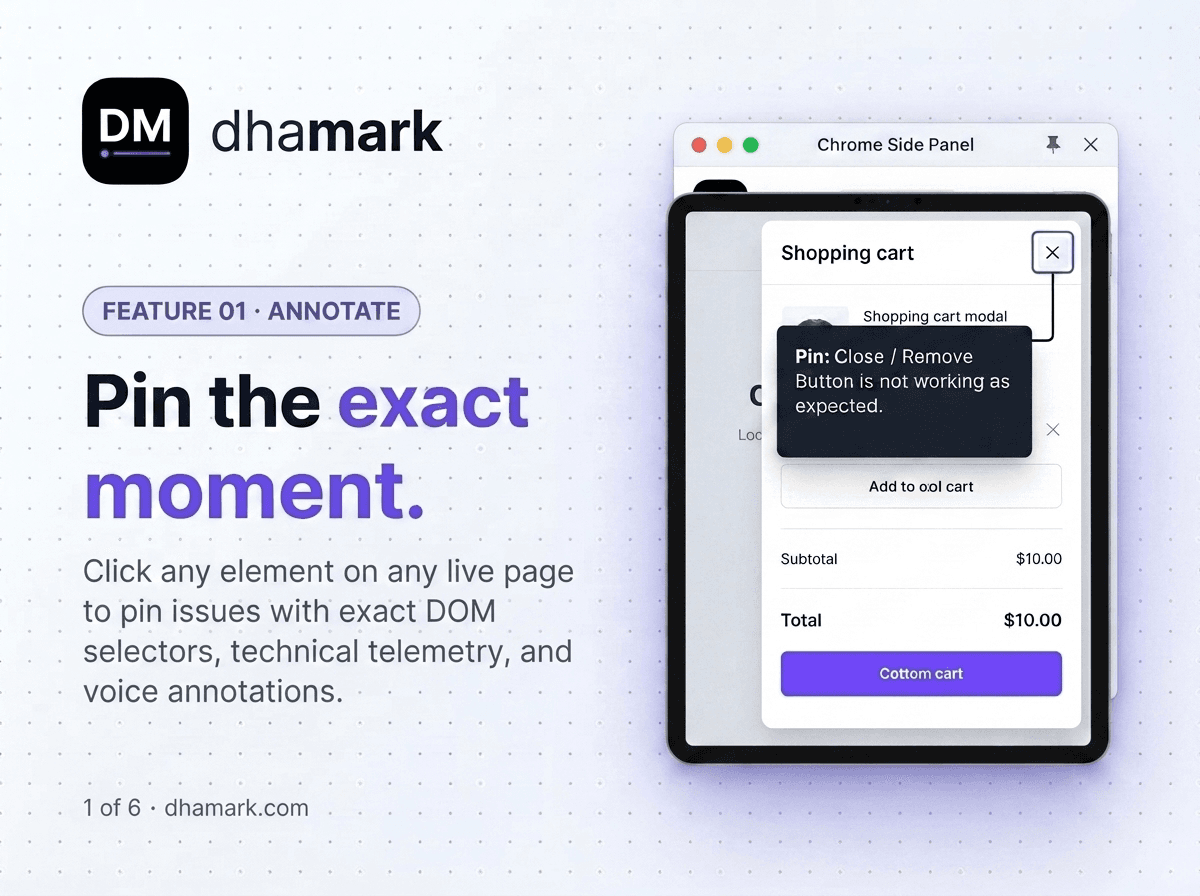
About this app
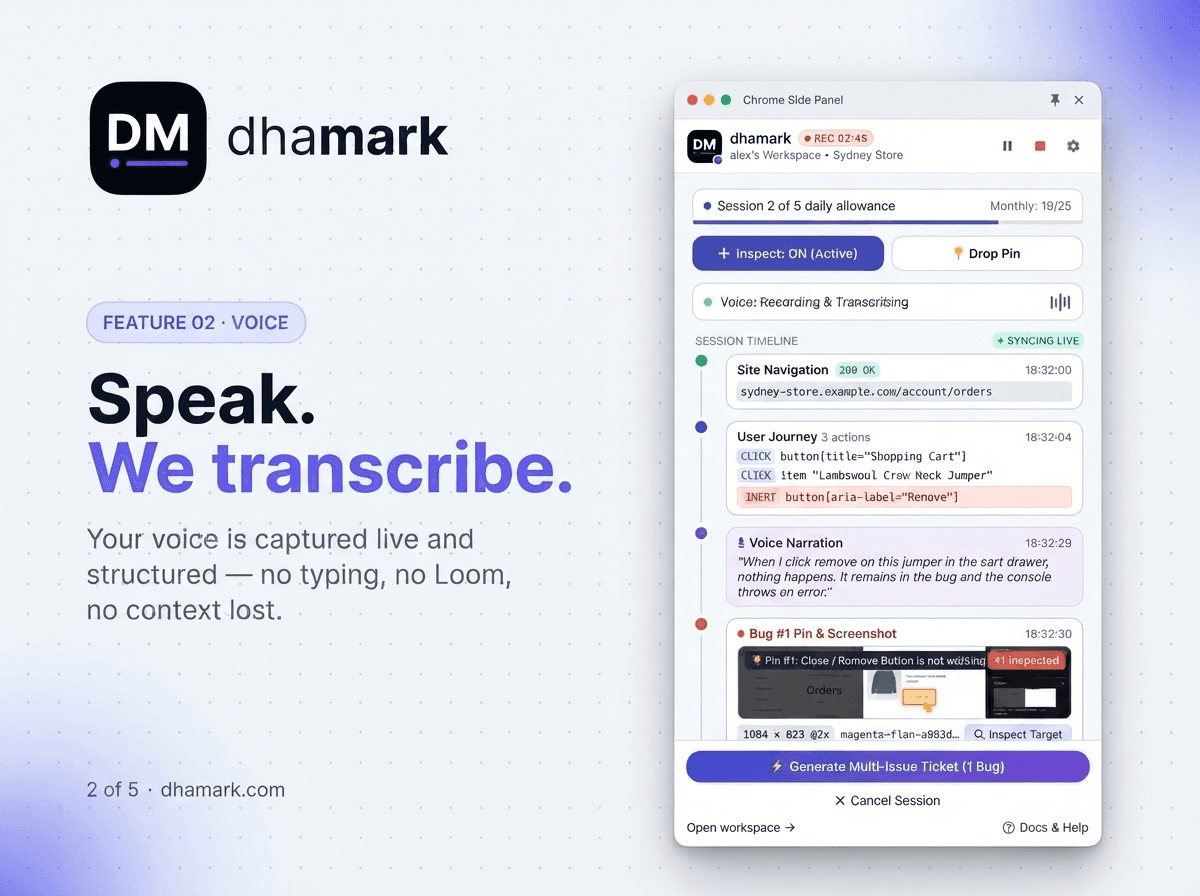
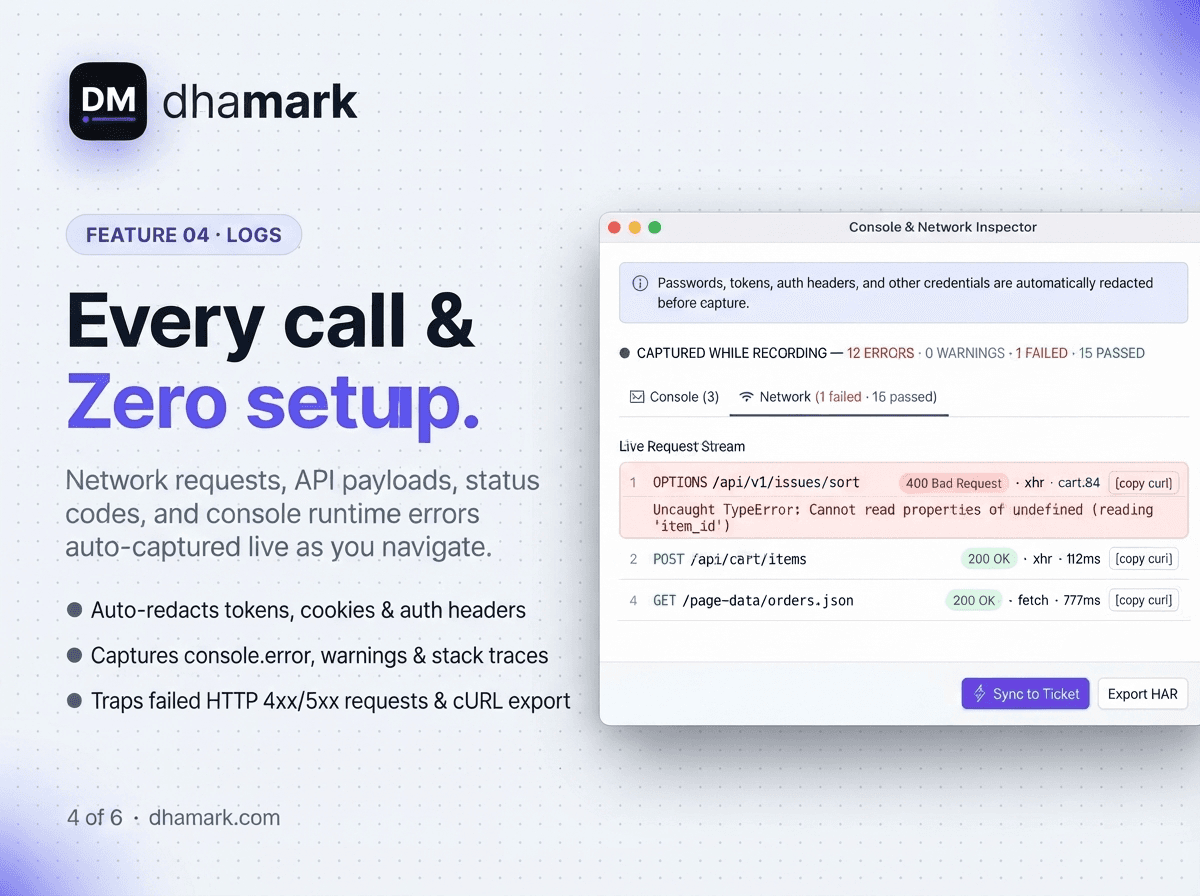
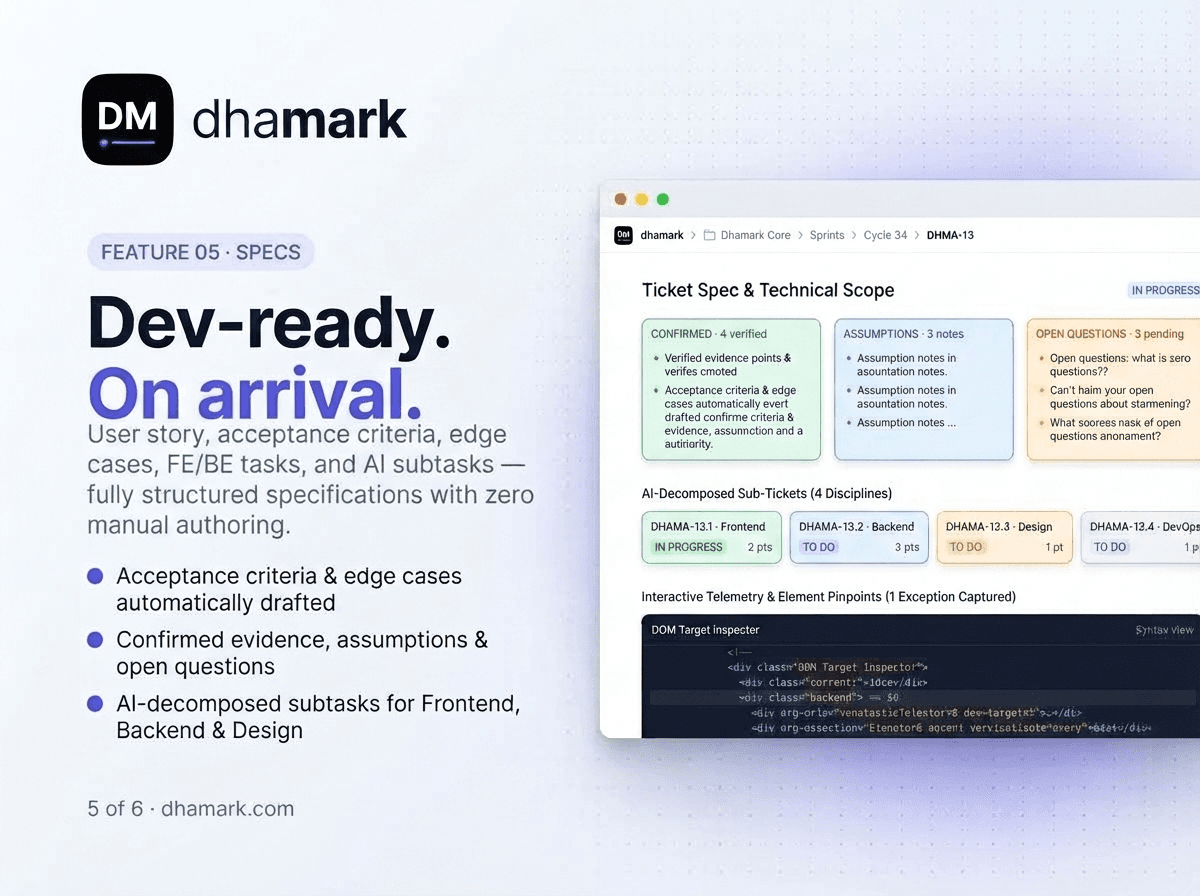
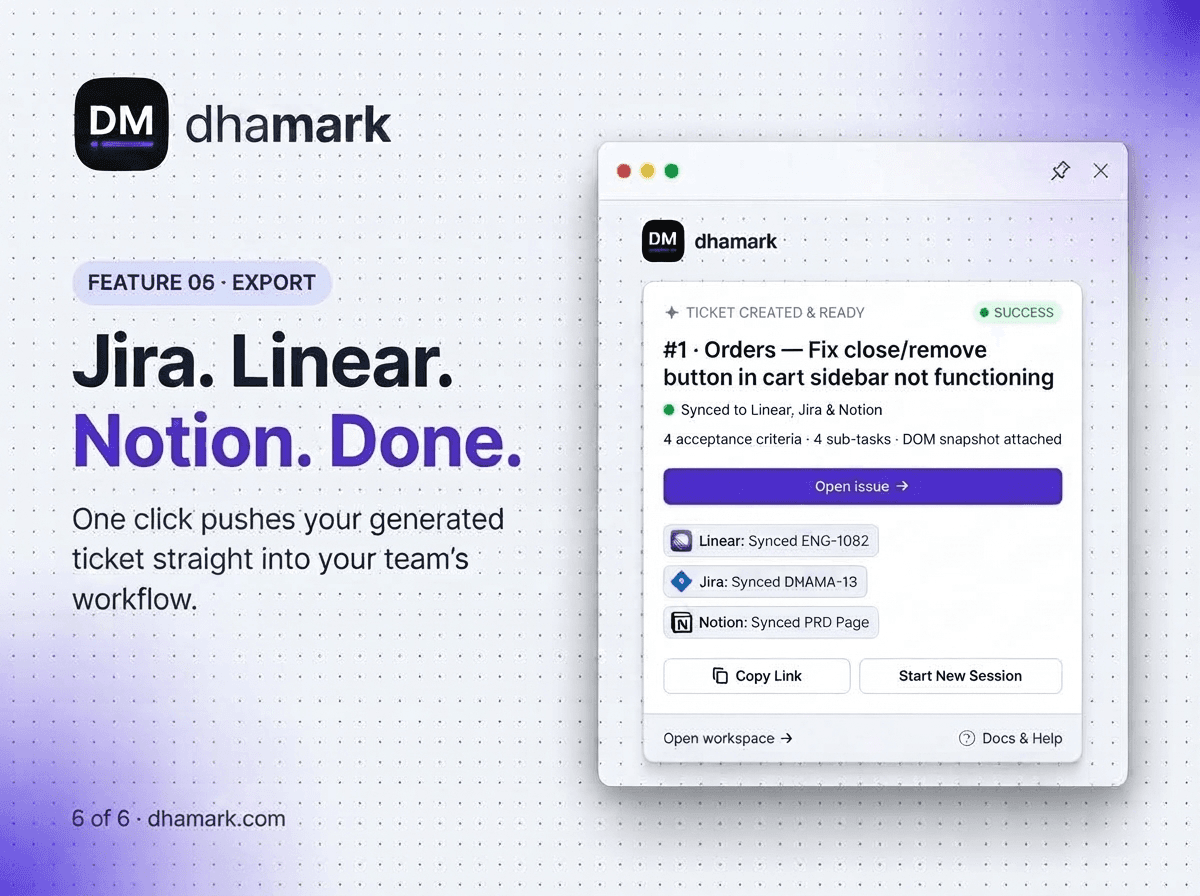
Dhamark is a Chrome extension that transforms how teams capture and communicate feedback, bugs, and feature requests. Instead of scattering screenshots, Loom videos, and vague Slack messages, Dhamark lets you mark up any live web app, record voice notes, and automatically generate structured tickets with user stories, acceptance criteria, edge cases, and even API sketches. The tool is built for product managers, QA engineers, agencies, engineering managers, business analysts, and founders who need to turn messy feedback into build-ready specs without manual writing. Dhamark captures repro steps as you click through the app, redacts sensitive data before sending anything, and exports directly to Jira, Linear, or Notion with one click. It also integrates with GitHub to suggest real file paths and branches, and offers AI-generated subtasks, story points, and design references. With a free tier (25 tickets/month) and a Pro plan at $19/month, Dhamark is a cost-effective way to eliminate ...
Key features
- 1Mark up any live web app with boxes, numbered pins, and per-region voice notes to capture exact feedback context.
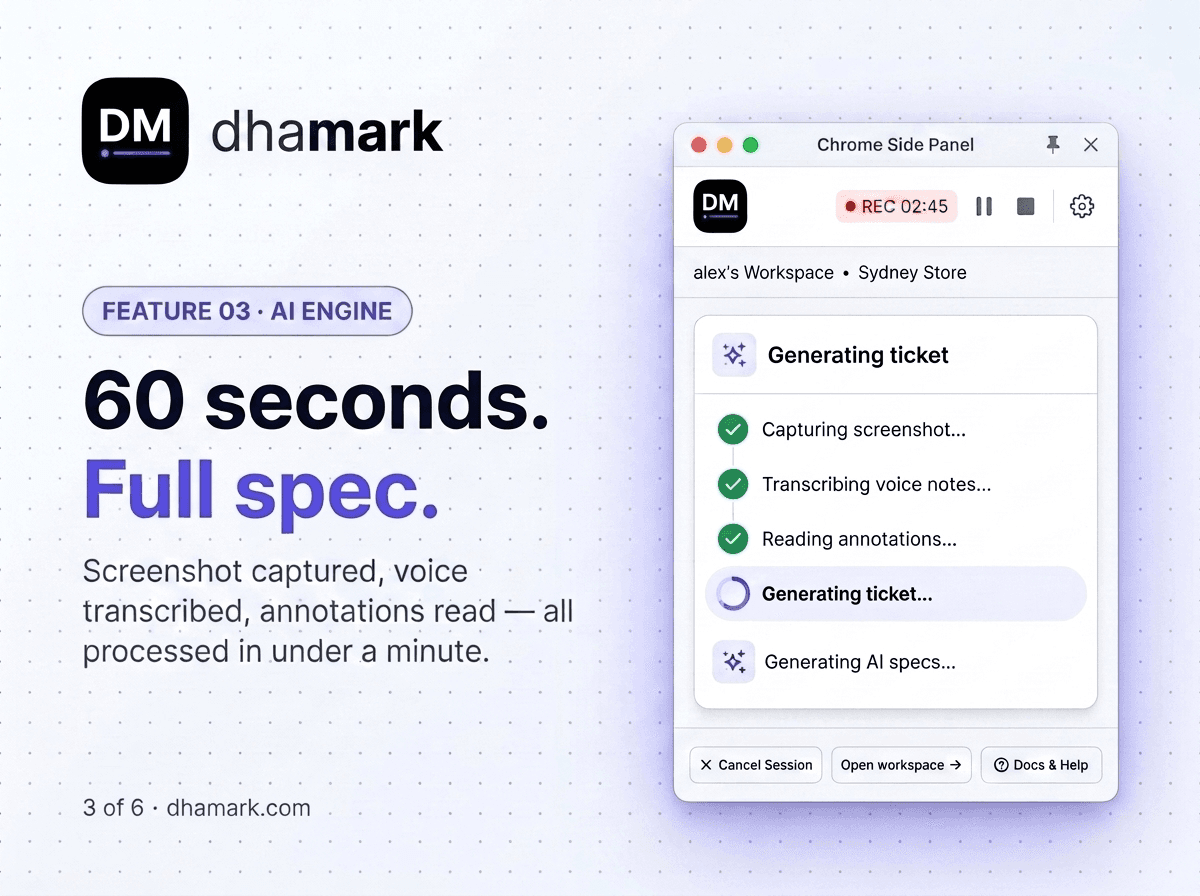
- 2Auto-generates structured tickets — user story, acceptance criteria, edge cases with severity, and API sketch — from voice annotations.
- 3One-click export to Jira, Linear, or Notion with annotated screenshots attached; GitHub integration suggests file paths and branches.
Target customer profile
Drawn from the product itself, not from a survey.
Demographic
Product Managers
Pain points
Recording Looms nobody watches; rewriting stakeholder notes; Jira tickets that say 'see screenshot above'.
Primary needs
Turn stakeholder calls into build-ready tickets without manual writing after meetings.
Demographic
QA Engineers
Pain points
Filing bugs with 'it looks wrong'; chasing devs for repro steps; hours lost writing structured reports.
Primary needs
Capture exact screen region, voice expected vs actual, and generate complete bug reports with repro steps and severity.
Demographic
Agencies & Client Teams
Pain points
Translating client voice notes, WhatsApp messages, and scattered screenshots into sprint tasks manually.
Primary needs
Provide structured tickets with subtasks, story points, and specs from client input.
Demographic
Engineering Managers
Pain points
Manually estimating story points; breaking epics into subtasks; vague specs requiring follow-up calls.
Primary needs
Receive tickets already broken into estimated subtasks with priority, so sprint planning starts from a sized backlog.
Demographic
Business Analysts
Pain points
Turning workshop notes and walkthrough recordings into requirements by hand; chasing stakeholders for clarification.
Primary needs
Capture flow once while recording, with every requirement landing with steps, acceptance criteria, and edge cases.
Demographic
Founders & Non-technical Teams
Pain points
Seeing what's wrong but not knowing technical terms; bug reports come back with 'can you share repro steps?'.
Primary needs
Point and describe in plain words, and get technical half (repro steps, AC, edge cases) written automatically.
Scout Review
Written by AI from measured evidence, scored out of 100.
Dhamark is a Chrome extension that turns marked-up screens and voice notes into structured, exportable tickets — user story, acceptance criteria, edge cases, API sketch — pushed straight into Jira, Linear, or Notion. The pitch is sharp and the problem is real: feedback dies between the demo and the ticket, and engineers build what they understood rather than what was meant. The landing page sells this well, the product is fast (Lighthouse 90 mobile / 99 desktop), and the free tier plus $19/month Pro keeps it accessible. The weaknesses are equally clear: a truncated-feeling homepage, no visible docs or live demo, missing CSP and Permissions-Policy headers, no published compliance certifications, and a single color-contrast accessibility failure. It's a competent, well-positioned early-stage tool with a genuine differentiator and a thin moat.
Measure by measure
Usability
63The 3-step Capture → Describe → Export flow is explained clearly and the free tier plus no-credit-card Pro trial keeps friction low. But there's no visible help center or live demo, so onboarding depth beyond the marketing page is unverified.
Design
70Dark theme with a disciplined purple accent and a sharp hero headline. The Chrome side-panel and timeline mockups sell the workflow well, but a near-empty below-the-fold block and low-contrast hero body text drag it down.
Speed
82Lighthouse mobile 90/100 and desktop 99/100, with CLS 0 and TBT 23ms — a genuinely stable, snappy page. LCP 3.2s on mobile is the one soft spot, but nothing here suggests lag complaints.
Security
74HTTPS enforced with HSTS, frame protection, X-Content-Type-Options, Referrer-Policy, SPF and DMARC — 9/12 probe points. Missing CSP and Permissions-Policy, and no SOC 2, ISO, or bug bounty published, which is typical for this stage.
Accessibility
80Lighthouse accessibility 96/100 with only a color-contrast failure. No a11y statement or WCAG claim, and no multi-language support, but the automated baseline is strong and the dark theme is mostly readable.
Growth
58A real, specific pain — feedback scattered across Looms, screenshots, and vague Jira tickets — with a genuine wedge: auto-generated specs exported to Jira/Linear/Notion. Early stage (domain ~0.2 years), so the idea carries it, not traction.
Improvement areas
- No public help center, docs site, or live demo — onboarding depth beyond the marketing page is unverified.
- Missing Content-Security-Policy and Permissions-Policy headers; no published SOC 2, ISO, or bug bounty for a screen-and-voice capture tool.
- Homepage below-the-fold renders as near-empty black space and hero body text fails color-contrast, per the visual and accessibility audits.
Design & Usability
Dhamark's landing page is a confident, dark-themed pitch with a purple accent and a headline that actually says what the product does: 'Record the feedback. Export the spec.' The Chrome side-panel and session-timeline mockups do more selling than most demo videos, showing the annotation-plus-voice workflow without needing a signup. The 3-step Capture → Describe → Export flow is legible at a glance, and the free tier (25 tickets/month) plus a no-credit-card Pro trial keeps the on-ramp cheap. Where it stumbles: a near-empty below-the-fold block that reads as unfinished, small low-contrast hero body text, and no visible help center or live demo. The marketing page is stronger than the documentation behind it, which is a problem the moment a user hits an edge case the homepage didn't cover.
Speed & Security
Speed is a genuine strength. Lighthouse scores 90/100 on mobile and 99/100 on desktop, with CLS 0 and TBT 23ms — the page is stable and doesn't jank while loading. The only soft metric is a 3.2s mobile LCP, which is acceptable but not elite. Security sits in solid-but-unremarkable territory: HTTPS is enforced with HSTS, frame protection, X-Content-Type-Options, Referrer-Policy, SPF and DMARC all present, landing 9 of 12 probe points. The gaps are a missing Content-Security-Policy and Permissions-Policy, plus no published SOC 2, ISO certification, or bug bounty. For a tool that captures screen regions, voice notes, and potentially sensitive app data, a CSP and a clear data-handling page would be the obvious next step — especially given the product's own redaction feature implies it knows data sensitivity matters.
Accessibility & Growth
Accessibility scores 96/100 on Lighthouse with a single failing audit: insufficient color contrast. That's a fixable, specific flaw rather than a systemic one, but it's ironic on a dark theme the team designed themselves. There's no accessibility statement, no WCAG conformance claim, and no multi-language support, so the automated baseline is strong while the documented commitment is absent. Growth is a judgement on the idea, not the traction. Dhamark names a real, expensive problem — feedback scattered across Looms, screenshots, Slack threads, and Jira tickets that say 'see screenshot above' — and targets it at PMs, QA, agencies, and founders with a specific wedge: auto-generated user stories, acceptance criteria, edge cases, and API sketches exported to Jira, Linear, or Notion. Against Loom (video only), Marker.io (visual feedback), and Userback (annotations), the structured-spec generation is a real differentiator. The limit is that Jira, Linear, and Notion are all racing to add AI ticket generation natively, and the domain is only ~0.2 years old with a single LinkedIn profile as its public footprint. The wedge is real; the moat is thin.
Conclusion
Dhamark is worth a look if your team's feedback currently lives in a graveyard of Looms nobody watches and Jira tickets that say 'see screenshot above.' The core loop — mark the screen, say what you mean, get a build-ready spec — is exactly the kind of unglamorous workflow fix that saves real hours. But go in with eyes open: there's no help center, no live demo, no SOC 2, and the below-the-fold homepage looks like someone ran out of Friday. Try the free tier on one real sprint before you commit the team. If the generated specs hold up against your actual tickets, the $19/month is a rounding error. If they don't, you've lost an afternoon and gained a very specific opinion about AI-generated acceptance criteria.
Suggestions for improvement
- Publish a real help center or docs site — the homepage currently does all the explaining, and it won't scale past the first edge case.
- Add a Content-Security-Policy and Permissions-Policy header, and publish a data-handling page given the product captures screen regions and voice.
- Fix the below-the-fold black void on the homepage and raise hero body-text contrast — the visual audit flagged both.
- Ship a live interactive demo or sandbox so prospects can try the annotation-to-spec flow without installing the extension first.
Alternatives comparison
Named competitors, point by point. Nobody paid to appear here or to be left out.
 Dhamark Dhamark |  Loom Loom |  Marker.io Marker.io |  Userback Userback | |
|---|---|---|---|---|
| Structured ticket generation (user story, acceptance criteria, edge cases) | Yes — auto-generates user story, AC, edge cases with severity, and API sketch from voice annotations | No — video messaging only; no structured spec generation | No — visual feedback and bug reports, but no auto-generated user stories or acceptance criteria | No — collects annotated visual feedback but does not generate user stories or acceptance criteria |
| Direct export to Jira, Linear, or Notion | Yes — one-click export to Jira, Linear, and Notion with annotated screenshot attached | No — shares video links; no native tracker export | Yes — integrates with Jira, Trello, and other project management tools | Yes — integrates with project management tools for feedback forwarding |
| Voice annotation per marked region | Yes — record a voice note per annotated region, transcribed into the spec | Yes — screen and voice recording, but not tied to specific marked regions | No — text comments and annotations, no per-region voice notes | No — visual annotations and screenshots, no voice-note capture |
| Automatic repro-step capture while clicking through the app | Yes — captures repro steps as you click through the live app | Partial — records the screen, but steps are not extracted as structured repro | Partial — captures console logs and environment data with bug reports | Partial — captures session and browser context with feedback |
| Free tier availability | Yes — free tier with 25 tickets/month; Pro at $19/month, no credit card required | Yes — free plan with limited video recordings and duration | Yes — free trial; paid plans for ongoing use | Yes — free plan with limited feedback submissions |
| GitHub integration for file paths and branches | Yes — integrates with GitHub to suggest real file paths and branches | No — no GitHub integration | Partial — issue sync with trackers, not code-path suggestion | No — no GitHub code-path integration |
Loom
Video messaging tool for capturing screen and voice, but lacks structured ticket generation and direct export to project trackers.
Marker.io
Visual feedback and bug reporting tool that integrates with Jira, Trello, etc., but focuses more on website feedback than full spec generation.
Userback
Collects visual feedback with annotations and screenshots, integrates with project management tools, but does not generate user stories or acceptance criteria automatically.
Comparing options? See Dhamark alternatives, scored side by side
More Development & Engineering apps
View all Development & Engineering
CreateMyCoin
92A no-code Solana token creator that deploys SPL tokens in...

Vibe Coding Agent Skills
92A free, open-source platform offering 110 AI agent skills...

CC Switch
91Open-source desktop app for switching AI coding providers...

TaxID
90Fast EU VAT validation API for developers, covering 27 EU...

DemoVexa
90Turn your code into professional product demo videos with AI-generated scripts, animated UI, and natural voiceovers.

deed.page
89Permanent web hosting for AI agents, no human step

BeartIMAGE
88BeartIMAGE is a free, web-based image processing platform engineered for fast, bulk photo editing and conversion directly in your browser.

Claw Messenger
88Claw Messenger is an iMessage API service that gives AI a...

DataHabibi
88AI-powered Dubai real estate data platform with 12M+ DLD ...

ButterKit
82macOS app for App Store screenshots: 3D mockups, auto-tra...

PERM Processing Time: Current DOL Queue & History
88PERM Processing Time is an independent data analysis platform that helps users navigate the U.S. Department of Labor’s permanent labor certification process.

kosa8
88Sealed VMs for AI agents with instant rewind, audit trails & zero key exposureSealed VMs for AI agents with instant rewind and audit tr...


A platform dedicated to providing unbiased reviews of newly launched applications, analyzing everything from their features to their full potential.
info@scoutforge.net© 2026 Scoutforge. All rights reserved.
