Is this your app?
Claim Doc2Readme to manage its page, add your badge and see your traffic — free, and it stays free.
Cycling through all six. Tap any point to stop.
Measured on six things
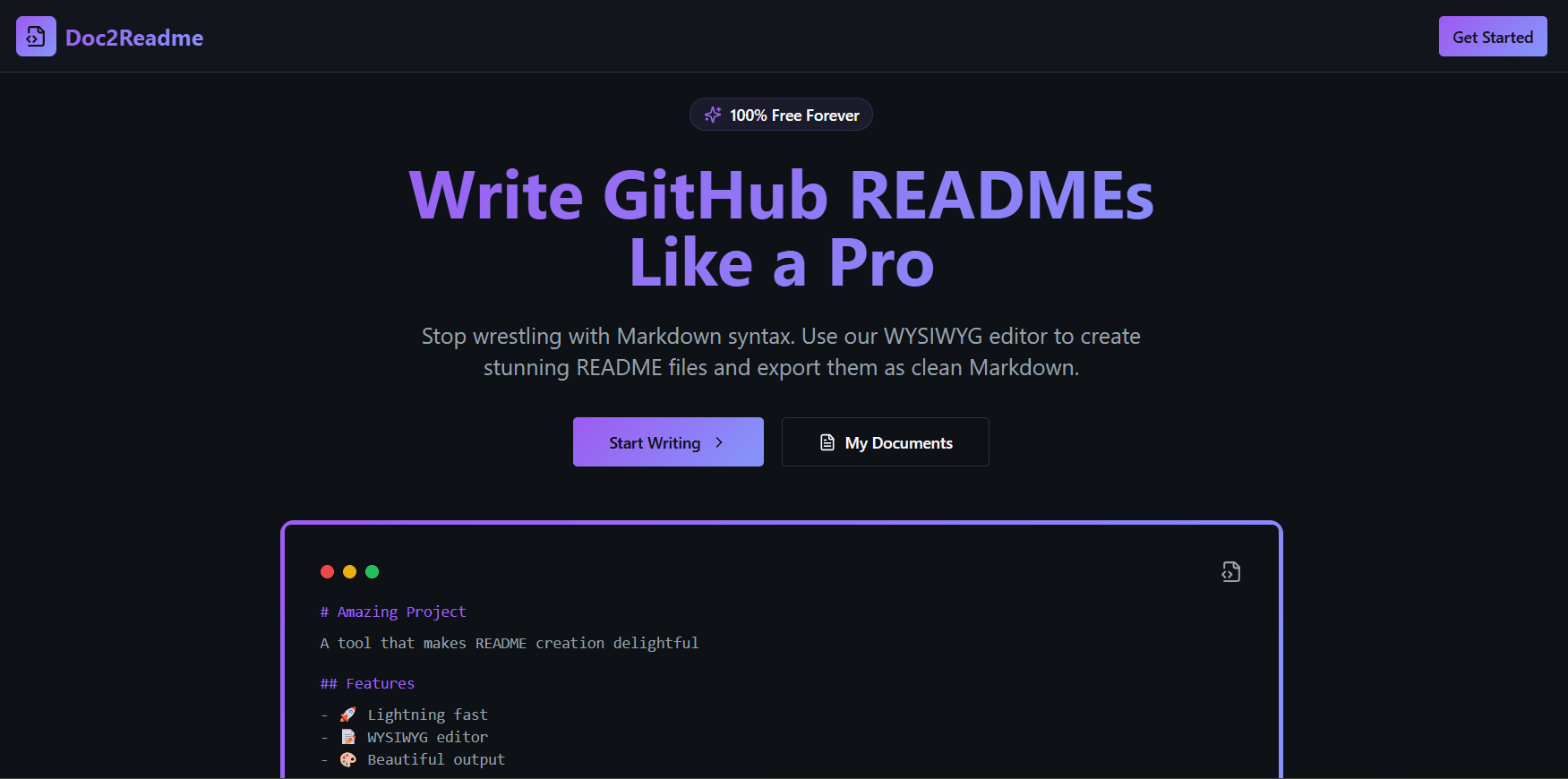
A web-based WYSIWYG editor that simplifies GitHub README creation with a familiar, word processor-like interface.
Security
60Client-side operation reduces risks, but lacks encryption for shared content and detailed privacy policies for future integrations.
Screenshots
1 / 3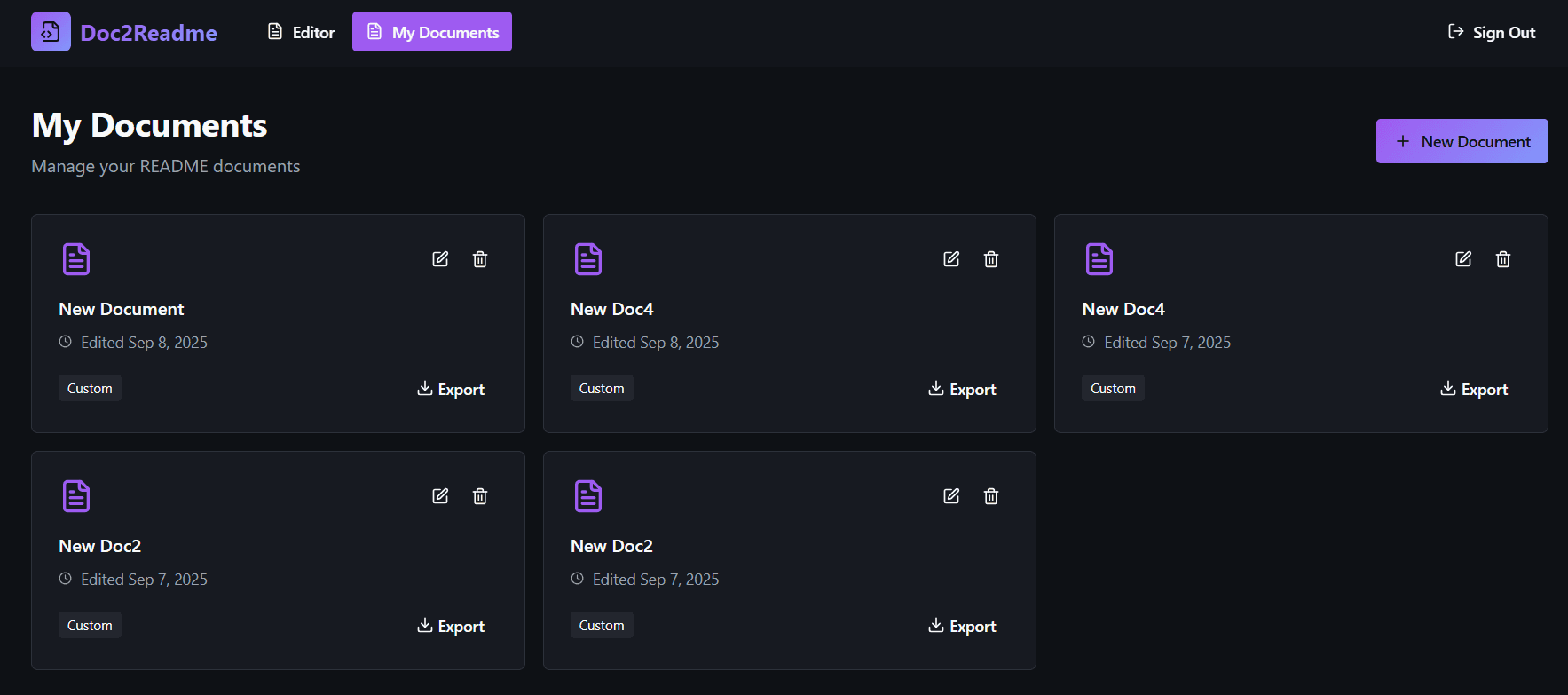
About this app
Doc2Readme is a handy tool for developers, open-source contributors, and project managers who want to create professional README files without wrestling with Markdown syntax. It offers a clean, intuitive editor with live preview, making documentation quick and accessible. While it excels in usability and speed, it could improve in areas like accessibility and security features. Overall, it's a solid choice for anyone looking to streamline their GitHub project documentation.
Key features
- 1WYSIWYG editor eliminating Markdown syntax learning curve
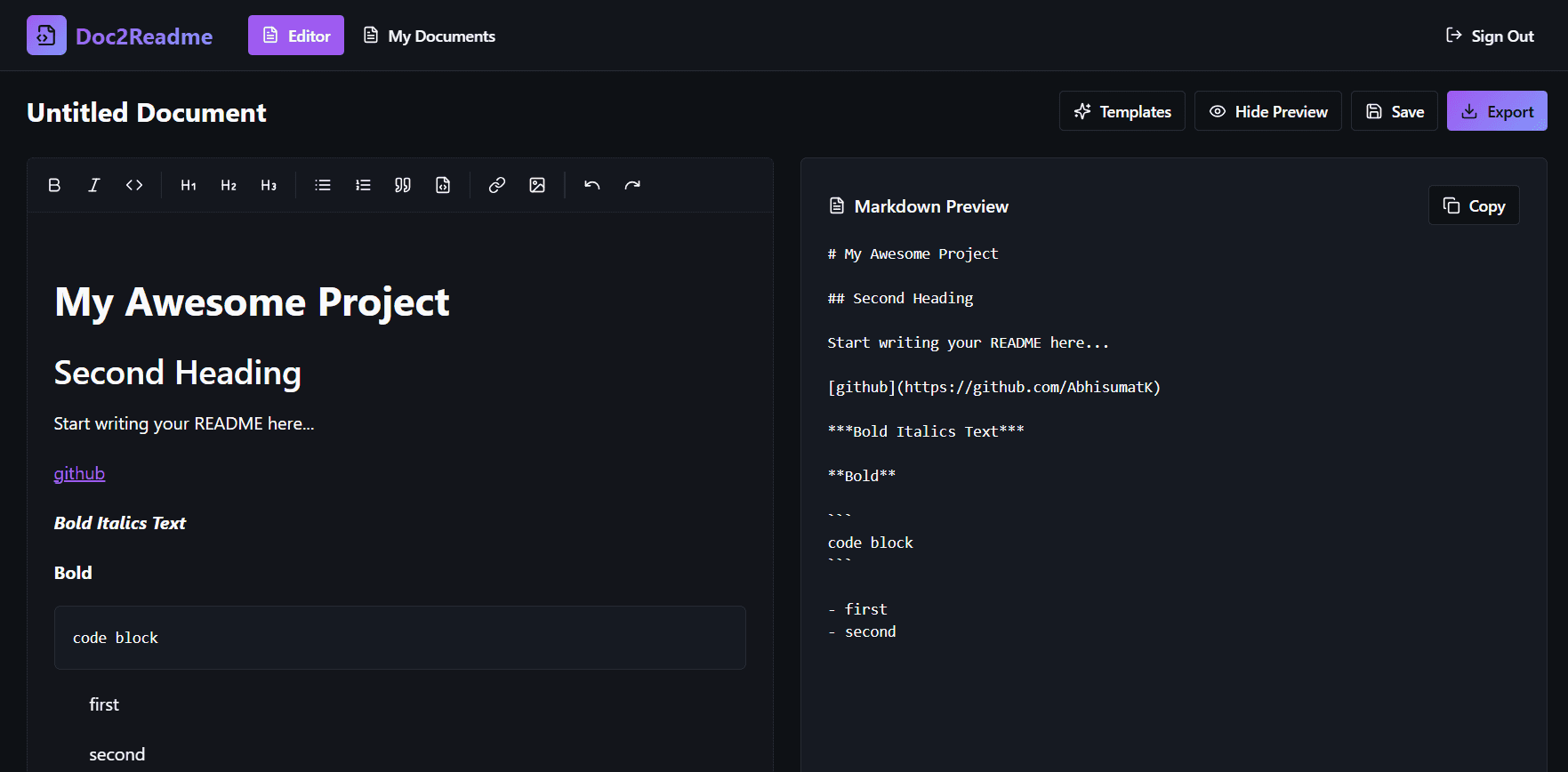
- 2Real-time split-screen preview mirroring GitHub rendering
- 3Clean, minimal interface focused on content creation
- 4Fast Vercel hosting with under 2-second load times
Target customer profile
Drawn from the product itself, not from a survey.
Demographic
Software Developers
Pain points
Time-consuming Markdown syntax, lack of visual feedback while editing, inconsistent formatting across projects
Primary needs
Quick README setup, professional formatting, seamless GitHub integration
Demographic
Open-Source Contributors
Pain points
Managing multiple project READMEs, collaboration bottlenecks, need for templates
Primary needs
Template-driven workflows, real-time previews, easy sharing options
Demographic
Project Managers & Tech Leads
Pain points
Ensuring consistent documentation standards, onboarding new contributors, time spent on revisions
Primary needs
Standardized templates, user-friendly editing, version control compatibility
Scout Review
Written by AI from measured evidence, scored out of 100.
Doc2Readme successfully addresses a genuine pain point in developer workflows by removing the Markdown barrier to quality documentation. Its strength lies in the immediate usability and focused approach to README creation, making it particularly valuable for developers, open-source contributors, and project managers who prioritize efficiency over advanced features. The tool democratizes documentation creation without requiring technical writing expertise.
Measure by measure
Usability
90Intuitive WYSIWYG editor eliminates Markdown learning curve. Live preview and straightforward navigation make documentation accessible.
Design
80Clean, minimal interface with neutral colors and organized toolbar. Functional split-preview layout enhances focus on content creation.
Speed
80Vercel hosting ensures fast loading under 2 seconds. Responsive editing with instant preview updates and no noticeable lag.
Security
60Client-side operation reduces risks, but lacks encryption for shared content and detailed privacy policies for future integrations.
Accessibility
60Basic screen reader compatibility and readable contrast, but missing keyboard shortcuts, multilingual support, and advanced accessibility features.
Growth
80Strong market position in developer tools space with clear expansion paths through templates, integrations, and collaboration features.
Improvement areas
- Limited accessibility features and keyboard navigation
- No GitHub OAuth integration for direct repository sync
- Missing README templates for common project types
- Basic security model without encryption for shared content
Design & Usability
Doc2Readme's design philosophy centers on simplicity and functionality. The interface adopts a clean, minimal aesthetic with a neutral color palette of whites and grays that keeps users focused on content creation rather than distracting UI elements. The toolbar is thoughtfully organized with intuitive icons for common formatting actions like bold, italics, headers, and code blocks, reducing the cognitive load typically associated with Markdown syntax. The standout feature is the split-screen live preview that mirrors the final GitHub rendering in real-time, creating a familiar word processor experience that dramatically lowers the barrier to entry for non-technical users. Navigation follows straightforward patterns without hidden menus or complex settings, though the layout remains quite basic compared to more advanced editors, lacking customization options or drag-and-drop functionality.
Speed & Security
Performance is one of Doc2Readme's strongest suits, thanks to its Vercel hosting infrastructure that delivers fast global CDN distribution. Pages load consistently in under 2 seconds, and editing actions apply instantly without noticeable lag, creating a smooth, responsive experience that feels almost native. The live preview updates seamlessly as you type, maintaining workflow momentum. Security considerations are minimal by design since the application operates primarily client-side without user accounts or persistent data storage. This architecture reduces attack surfaces significantly, though it lacks explicit encryption for shared content links or detailed privacy policies that would be necessary for future GitHub OAuth integrations. The absence of server-side processing means your content stays local until export, providing basic privacy assurance.
Accessibility & Growth
Accessibility implementation meets baseline web standards with semantic HTML structure that provides basic screen reader compatibility and high-contrast text for improved readability. However, the experience falls short for users requiring advanced accommodations, missing comprehensive keyboard navigation, aria-labels for toolbar icons, and voice command support. Language options are limited to English only, excluding non-native speakers from full participation. Growth potential appears strong given the increasing demand for developer productivity tools and the clear expansion opportunities through README templates for common project types, collaboration features for team workflows, and integration ecosystems with platforms like GitLab or npm. The tool's focused approach to GitHub documentation positions it well in a growing market of open-source and professional development workflows.
Conclusion
If you're tired of wrestling with Markdown syntax or need a quick-start solution for project documentation, Doc2Readme delivers exactly what it promises. It's especially well-suited for GitHub-centric workflows where speed and simplicity matter more than advanced customization. The tool represents a solid foundation that could evolve into an essential part of the developer toolkit with continued development and feature expansion.
Suggestions for improvement
- Implement GitHub OAuth for direct repository synchronization and streamlined publishing workflows
- Develop README templates for common project types like APIs, libraries, and mobile applications
- Add comprehensive keyboard shortcuts and screen reader optimizations for better accessibility
- Introduce dark mode and custom theme options for personalized user experiences
Alternatives comparison
Named competitors, point by point. Nobody paid to appear here or to be left out.
 Doc2Readme Doc2Readme |  GitHub's Built-in Editor GitHub's Built-in Editor |  StackEdit StackEdit |  Typora Typora | |
|---|---|---|---|---|
| WYSIWYG Editing Experience | Full WYSIWYG with live preview | Basic Markdown only | General Markdown with preview | Desktop WYSIWYG Markdown |
| GitHub README Focus | Specifically designed for GitHub READMEs | Native GitHub environment | General purpose Markdown | General purpose Markdown |
| Access Method | Web-based, no installation | Web-based platform | Web-based application | Desktop installation required |
| Learning Curve | Minimal, word processor-like | Requires Markdown knowledge | Requires Markdown knowledge | Requires Markdown knowledge |
GitHub's Built-in Editor
Offers basic Markdown editing but lacks a true WYSIWYG experience, making it less intuitive for non-technical users.
StackEdit
A general-purpose Markdown editor with live preview, though not tailored specifically for GitHub READMEs or project documentation.
Typora
A desktop Markdown editor with a clean interface, but requires installation and isn’t web-based for quick access.
Comparing options? See Doc2Readme alternatives, scored side by side
More Development & Engineering apps
View all Development & Engineering
Vibe Coding Agent Skills
92A free, open-source platform offering 110 AI agent skills...

CreateMyCoin
92A no-code Solana token creator that deploys SPL tokens in...

CC Switch
91Open-source desktop app for switching AI coding providers...

DemoVexa
90Turn your code into professional product demo videos with AI-generated scripts, animated UI, and natural voiceovers.

TaxID
90Fast EU VAT validation API for developers, covering 27 EU...

Webfetch
89Web scraping API that turns any URL into HTML, text, Mark...

deed.page
89Permanent web hosting for AI agents, no human step

FontPlop
89Browser-based font viewer & tester for TTF, OTF, WOFF, WO...

BeartIMAGE
88BeartIMAGE is a free, web-based image processing platform engineered for fast, bulk photo editing and conversion directly in your browser.

Claw Messenger
88Claw Messenger is an iMessage API service that gives AI a...

DataHabibi
88AI-powered Dubai real estate data platform with 12M+ DLD ...

ButterKit
82macOS app for App Store screenshots: 3D mockups, auto-tra...


A platform dedicated to providing unbiased reviews of newly launched applications, analyzing everything from their features to their full potential.
info@scoutforge.net© 2026 Scoutforge. All rights reserved.
