Is this your app?
Claim eAI to manage its page, add your badge and see your traffic — free, and it stays free.
Cycling through all six. Tap any point to stop.
Measured on six things
A desktop SaaS tool for annotating and enriching P&IDs, streamlining data organization and cost estimation for engineers.
Accessibility
50Minimal support for screen readers, limited to English only, with non-customizable keyboard shortcuts.
Screenshots
1 / 2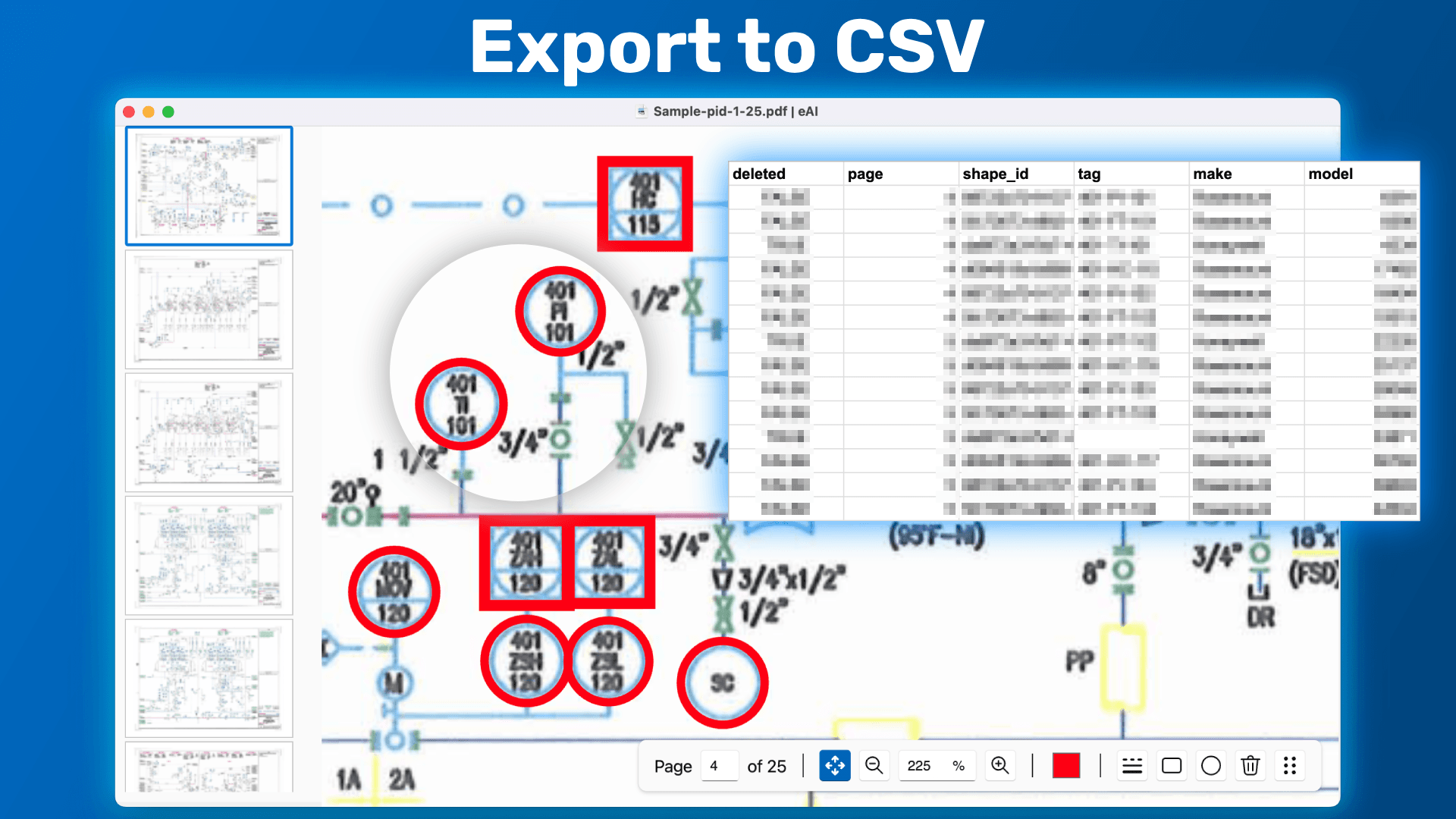
About this app
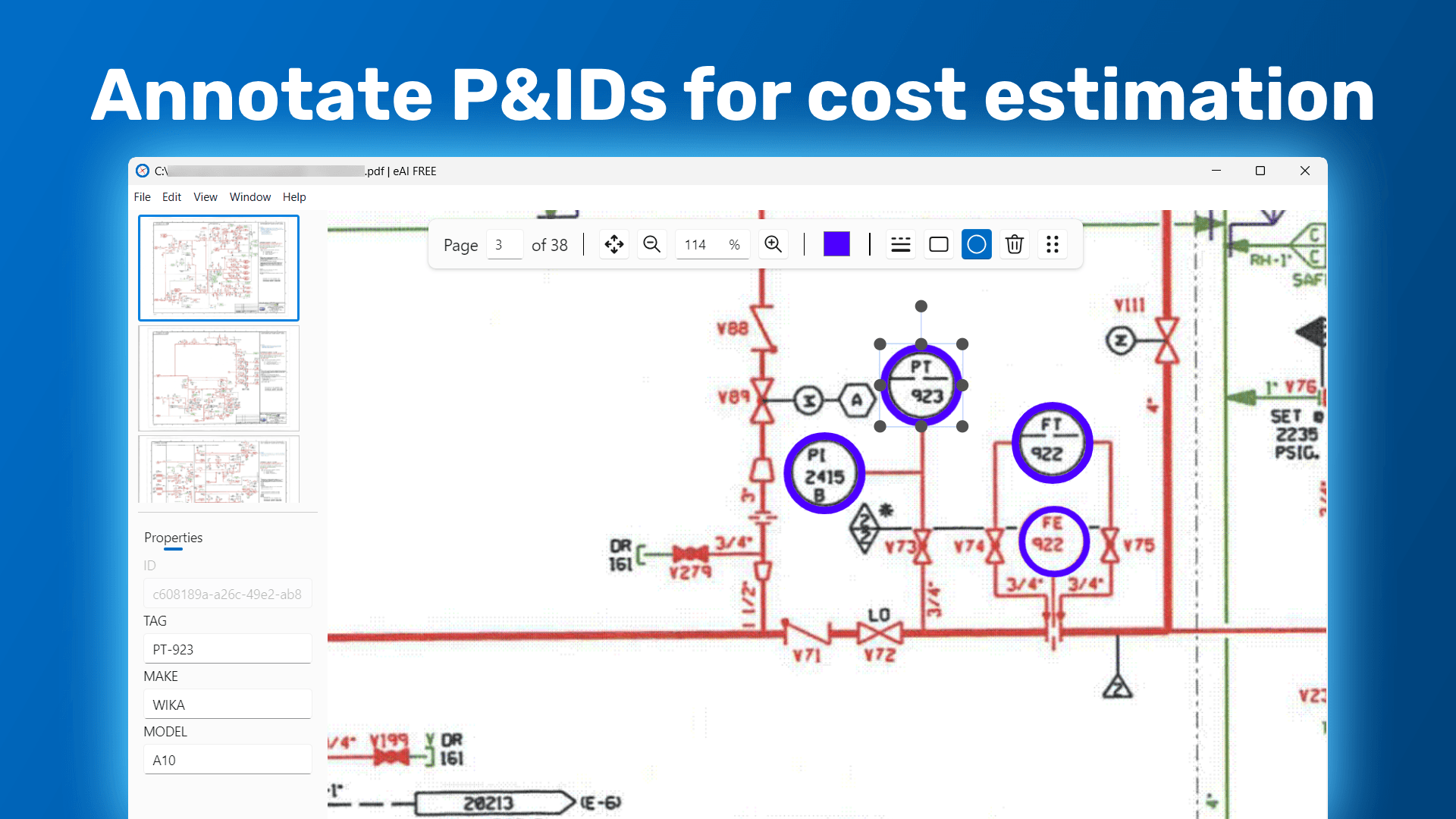
eAI is a specialized application designed for professionals in process-heavy industries like oil and gas, chemical engineering, and plant design. It addresses the tedious task of manually annotating Piping and Instrumentation Diagrams (P&IDs) by offering features such as custom data property tagging, multipage PDF support, and seamless integration with tools like PlantFCE. With offline functionality and a clean interface, it enhances efficiency in data organization, revision tracking, and cost estimation workflows. While the free version has limitations, paid tiers unlock advanced capabilities, making it a valuable asset for engineers and cost estimators seeking to optimize their diagram management processes.
Key features
- 1Functional minimalist interface with logical toolbar grouping for efficient annotation
- 2Snappy offline performance and drag-and-drop PDF loading for streamlined workflows
- 3Strong growth potential with PlantFCE integration and upcoming server-based features
Target customer profile
Drawn from the product itself, not from a survey.
Demographic
Process Engineers
Pain points
Manual annotation, disorganized P&ID data, time-consuming revisions
Primary needs
Efficient data tagging, change tracking, integration with cost estimation
Demographic
Cost Estimators
Pain points
Inconsistent markup formats, delayed project timelines
Primary needs
Structured data export (e.g., MTO), seamless PlantFCE integration
Demographic
Plant Designers
Pain points
Collaboration gaps, version control issues
Primary needs
Multipage PDF support, offline accessibility
Scout Review
Written by AI from measured evidence, scored out of 100.
eAI delivers specialized value for engineers tired of disjointed P&ID workflows, offering efficient annotation tools and valuable PlantFCE integration. Its offline capability and focused feature set make it particularly valuable for small to mid-sized engineering firms. While the basic UI and accessibility limitations need addressing, the core functionality addresses real pain points in process engineering workflows.
Measure by measure
Usability
80Intuitive for P&ID veterans with drag-and-drop PDF loading, though new users face a learning curve without tutorials.
Design
70Functional minimalist interface with logical toolbar grouping, but lacks modern customization options and dark mode support.
Speed
84Snappy offline performance for most tasks, though large multi-layered diagrams cause export lag issues.
Security
60Local storage reduces cloud risks but lacks explicit encryption details or comprehensive security documentation.
Accessibility
50Minimal support for screen readers, limited to English only, with non-customizable keyboard shortcuts.
Growth
90Strong positioning in smart engineering trends with upcoming server features and PlantFCE integration potential.
Improvement areas
- Lacks modern customization options like dark mode and adjustable workspaces
- Minimal accessibility support, including no multi-language or screen reader compatibility
- Inadequate security documentation and encryption details for saved files
Design & Usability
eAI's interface takes a strictly utilitarian approach to P&ID annotation, prioritizing function over aesthetic appeal. The minimalist layout features logically grouped toolbars that place annotation tools front and center, making it efficient for experienced engineers. The drag-and-drop PDF loading and revision history panel streamline workflow navigation, though the absence of in-app tutorials creates a noticeable learning curve for newcomers. While the design avoids overwhelming users with unnecessary elements, it lacks modern customization options like dark mode or adjustable workspaces that would enhance long working sessions.
Speed & Security
Performance-wise, eAI delivers snappy offline operation that eliminates the latency issues common in browser-based tools. The desktop application handles small to medium P&IDs efficiently, though engineers working with complex, multi-layered diagrams report occasional lag during export operations. Security presents a mixed picture - the local storage approach reduces cloud-related risks, but the absence of explicit encryption details for saved files and comprehensive security documentation leaves room for concern. The offline functionality provides inherent privacy benefits, but enterprise users might desire more robust data protection assurances.
Accessibility & Growth
Accessibility represents eAI's weakest area, with minimal support for screen readers and language options limited exclusively to English. The non-customizable keyboard shortcuts present barriers for users with motor impairments. However, the application shows strong growth potential with its strategic positioning in smart engineering workflows. The upcoming server-based template matching features and deep PlantFCE integration align perfectly with industry trends toward data-driven engineering and cost estimation automation, suggesting significant future value for process-heavy industries.
Conclusion
If you're a process engineer or cost estimator seeking to streamline P&ID annotation and data organization, eAI's 30-day trial is definitely worth exploring. The tool excels in its specialized niche, particularly for teams already using or considering PlantFCE integration. Just be prepared for some initial learning curve and the utilitarian interface approach.
Suggestions for improvement
- Implement cloud synchronization for real-time team collaboration and add role-based access control for enterprise deployments.
- Introduce multi-language support and customizable keyboard shortcuts to improve accessibility.
- Develop comprehensive security documentation detailing encryption standards and data protection measures.
- Consider creating a mobile companion app for field annotations to expand use cases beyond desktop workflow.
Alternatives comparison
Named competitors, point by point. Nobody paid to appear here or to be left out.
 eAI |  Bluebeam Revu |  AVEVA Unified Engineering |  Cognite InField | |
|---|---|---|---|---|
| P&ID-Specific Data Enrichment | Yes - Custom property tagging, PlantFCE integration | No - General PDF markup only | Yes - Enterprise-grade P&ID tools | Limited - Focused on field data access |
| Offline Functionality | Yes - Full desktop application | Limited - Primarily cloud-based | Mixed - Some offline capabilities | Mobile-focused with offline sync |
| Cost Estimation Integration | Yes - Native PlantFCE integration | No - General markup only | Yes - Comprehensive enterprise suite | Limited - Field data focus |
| Price Point | $29/month starting price | $$ - Mid-range pricing | $$$$ - Enterprise pricing | Custom enterprise pricing |
Bluebeam Revu
Popular for PDF markup but lacks P&ID-specific data enrichment and PlantFCE integration.
AVEVA Unified Engineering
Enterprise-grade suite with real-time collaboration but higher cost and complexity.
Cognite InField
Focuses on field worker data access but less tailored for P&ID annotation.
Comparing options? See eAI alternatives, scored side by side
More Development & Engineering apps
View all Development & Engineering
Vibe Coding Agent Skills
92A free, open-source platform offering 110 AI agent skills...

CreateMyCoin
92A no-code Solana token creator that deploys SPL tokens in...

CC Switch
91Open-source desktop app for switching AI coding providers...

DemoVexa
90Turn your code into professional product demo videos with AI-generated scripts, animated UI, and natural voiceovers.

TaxID
90Fast EU VAT validation API for developers, covering 27 EU...

Webfetch
89Web scraping API that turns any URL into HTML, text, Mark...

deed.page
89Permanent web hosting for AI agents, no human step

FontPlop
89Browser-based font viewer & tester for TTF, OTF, WOFF, WO...

BeartIMAGE
88BeartIMAGE is a free, web-based image processing platform engineered for fast, bulk photo editing and conversion directly in your browser.

Claw Messenger
88Claw Messenger is an iMessage API service that gives AI a...

DataHabibi
88AI-powered Dubai real estate data platform with 12M+ DLD ...

ButterKit
82macOS app for App Store screenshots: 3D mockups, auto-tra...


A platform dedicated to providing unbiased reviews of newly launched applications, analyzing everything from their features to their full potential.
info@scoutforge.net© 2026 Scoutforge. All rights reserved.
