Cycling through all six. Tap any point to stop.
Measured on six things
AI virtual try-on app for iPhone.
Accessibility
46Lighthouse a11y 68/100 with real failures: unnamed buttons, low-contrast text, skipped heading levels, undersized touch targets and no main landmark. English-only localization compounds it.
Screenshots
1 / 1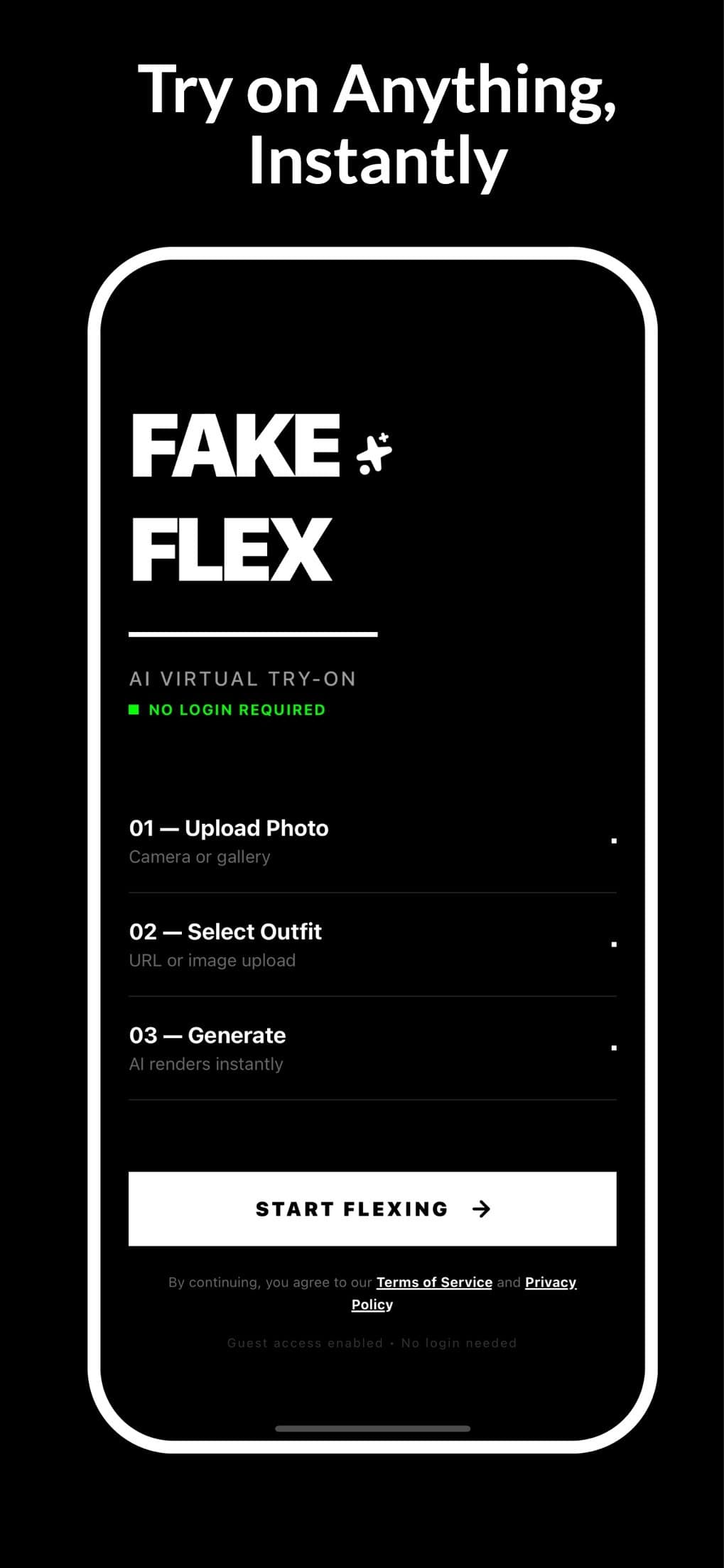
About this app
Fake Flex is an AI-powered virtual try-on app for iPhone that lets you see how clothes look on your own photo in seconds. Upload a picture of yourself and a photo of the clothing item (product shot, screenshot, or flat lay), choose from 10 poses and 5 photo shapes, and the AI generates a realistic try-on image. You can mix and match up to 4 items at once with Pro, save to your photos, and share with friends. The app offers 5 free try-ons per week with a watermark; Pro removes the watermark and increases limits to 20 per week, 100 per month, or 500 per year, with credit packs for pay-as-you-go. It's perfect for online shoppers, fashion enthusiasts, and content creators who want to visualize outfits before buying or posting. Fake Flex uses fal.ai and OpenAI's image model for processing, and asks before the first upload, ensuring privacy.
Key features
- 1Virtual try-on from your own photo plus a product shot, screenshot or flat lay — no login required for the first try.
- 2Mix and match up to 4 clothing items at once (Pro), with 10 poses and 5 photo shapes.
- 3Free tier: 5 watermarked try-ons per week; Pro raises limits to 20/week, 100/month or 500/year, plus credit packs.
Target customer profile
Drawn from the product itself, not from a survey.
Demographic
Online shoppers aged 18-35
Pain points
Uncertain about fit and style when buying clothes online
Primary needs
See how clothes look on their own body before purchasing
Demographic
Fashion influencers and content creators
Pain points
Need to showcase different outfits without physically trying them on
Primary needs
Quickly generate virtual try-on images for social media posts
Demographic
Busy professionals with limited time for shopping
Pain points
Difficulty visualizing outfits from online stores
Primary needs
Efficiently decide on clothing purchases with virtual try-on
Scout Review
Written by AI from measured evidence, scored out of 100.
Fake Flex is a focused iPhone virtual try-on app that gets the hard part right: zero-login onboarding, a clear four-step flow, and a free tier generous enough to judge output quality before paying. The app UI is disciplined and the multi-item layering is a genuine differentiator. Where it stumbles is the marketing site (button soup in the hero), mobile load time (8.2s LCP), missing security headers, and an accessibility audit with real failures. It's a competent, well-scoped product in a crowded category — good enough to use, not yet built to defend.
Measure by measure
Usability
68No login before the first try-on is the smartest thing here, and the 4-step flow is labeled clearly. Free 5/week with watermark lets you test value first. No web demo, so iPhone-less visitors bounce.
Design
70Judging the app UI and store material: a disciplined black-and-white system, numbered 3-step flow and a full-width 'START FLEXING' CTA. The homepage is weaker — four competing hero buttons and sparse black voids.
Speed
58Lighthouse mobile 62/100 with an 8.2s LCP and 4.6s FCP; desktop 79/100. CLS is a clean 0 and TBT is only 107ms, so it's heavy first paint rather than a janky page.
Security
52HTTPS and HSTS enforced, SPF and DMARC present, and the site openly names fal.ai and OpenAI as processors. But CSP, frame protection and three other headers are missing — 6/12 checklist points, no audit claims.
Accessibility
46Lighthouse a11y 68/100 with real failures: unnamed buttons, low-contrast text, skipped heading levels, undersized touch targets and no main landmark. English-only localization compounds it.
Growth
62A real problem (can't visualize fit online) with a specific wedge: no login, 4-item layering, 10 poses. Free tier plus credit packs is a sane funnel. Category is crowded, so the wedge is the whole story.
Improvement areas
- Mobile performance: 8.2s LCP and 62/100 Lighthouse — needs image optimization and deferred JS.
- Accessibility: unnamed buttons, contrast failures, skipped headings, small touch targets, no main landmark.
- Security headers: CSP, frame protection, X-Content-Type-Options, Referrer-Policy and Permissions-Policy all missing.
- Homepage hierarchy: four competing hero CTAs and sparse black voids dilute a strong app UI.
Design & Usability
The app itself is the product here, and the app UI is the stronger half: a strict black-and-white system, numbered steps, and a full-width 'START FLEXING' button that never leaves the screen. The homepage is where it slips — four competing hero buttons, big empty black regions, and a maker video that's just a recycled App Store screenshot. Usability is the standout: no login before your first try-on, a labeled four-step flow, and 5 free watermarked try-ons a week so you can judge the output before paying. The catch is reach — iPhone only, no web demo, so anyone on Android or desktop gets a landing page and nothing to touch.
Speed & Security
Speed is mediocre on mobile: Lighthouse 62/100 with an 8.2s LCP and 4.6s FCP, though CLS is 0 and TBT is a modest 107ms, so the problem is heavy first paint rather than a janky interface. Desktop scores 79/100. Security is the thinnest area: HTTPS and HSTS are enforced, SPF and DMARC are set, but CSP, frame protection, X-Content-Type-Options, Referrer-Policy and Permissions-Policy are all missing — 6 of 12 checklist points. To their credit, the site plainly states photos go to fal.ai running OpenAI's image model and that data isn't sold. No SOC 2, ISO, pen-test or bug bounty claims anywhere.
Accessibility & Growth
Accessibility is the weakest dimension: Lighthouse 68/100 with unnamed buttons, insufficient contrast, skipped heading levels, undersized touch targets and no main landmark, plus English-only localization. Growth is more interesting. The problem is real — you can't tell if clothes fit from a product photo — and the wedge is specific: no login, up to four layered items, ten poses, five photo shapes. Free 5/week plus credit packs is a sensible funnel into Pro. But virtual try-on is crowded and the incumbents can copy a pose picker. The wedge is real; it just isn't a moat.
Conclusion
If you shop online on an iPhone and want to see a jacket on your own body before checkout, this does the job and asks nothing of you first. Go in expecting a tool, not a platform: the free tier is the honest demo, the watermark is the honest upsell, and the missing headers and a11y gaps are the honest backlog. Fix the hero, fix the LCP, name your buttons — the product underneath is worth the polish.
Suggestions for improvement
- Cut the homepage hero to one primary CTA ('Download on the App Store') and demote the rest to a secondary row.
- Fix mobile LCP: compress and preload the hero image, serve WebP/AVIF, and defer non-critical JS to get under 2.5s.
- Add CSP, X-Frame-Options, X-Content-Type-Options, Referrer-Policy and Permissions-Policy headers — cheap wins.
- Give every button an accessible name, fix contrast, use sequential headings, enlarge touch targets, add a <main> landmark.
Alternatives comparison
Named competitors, point by point. Nobody paid to appear here or to be left out.
 Fake Flex Fake Flex | Style Me | TryOn AI | |
|---|---|---|---|
| Platform availability | iPhone only, iOS 16.4+ | Mobile app (iOS/Android) | Mobile app with AR fitting |
| Try-on technology | AI image generation via fal.ai + OpenAI | AI virtual try-on on your photo | Augmented reality fitting room |
| Multi-item layering | Up to 4 items at once (Pro) | Single garment per try-on | Single garment per try-on |
| Free tier | 5 try-ons/week with watermark | Limited free try-ons | Free tier with limits |
| Login required before first use | No — explicitly no login required | Account typically required | Account required |
| Pose and photo shape options | 10 poses, 5 photo shapes | Limited pose control | AR-based, pose follows camera |
Style Me
AI-powered virtual try-on app that lets you see clothes on your photo.
TryOn AI
Virtual fitting room app using augmented reality to try on clothes.
Comparing options? See Fake Flex alternatives, scored side by side
More Consumer Tools apps
View all Consumer Tools
Chickadee Bandit
87Private, all-in-one family organizer with 100+ apps, one price per household

SeatCanvas
87Drag-and-drop seating charts for weddings, quinceañeras and events. Import your guest list from Excel, export print-ready PDFs. Free up to 40 guests, no signup.

CapyToolkit
86A growing collection of free, privacy-first browser tools. Test gamepad drift, mouse polling rate, dead pixels, mics, and speakers. No install needed.

EchoWi
83Track and optimize your brand's visibility in AI answers.

Receipt Generator
82An online tool for creating realistic store receipts with...

Body Type Calculator
81Find your body shape instantly from measurements—for men ...

SoloCatalog
81Find genuine OEM auto parts with VIN-first catalogues

Aidrobe
81AI virtual try-on for confident clothes shopping

PasteDL
81Free Instagram & TikTok downloader with no login or water...

Zenor AI
80Zenor AI is a multimodal AI shopping assistant for Shopify that boosts sales with voice, image, and text search.

KAR Auto Research
80AI car research for Greece & Europe

Peel
79An AI-powered Chrome extension that automatically compares prices while you shop online, helping you find better deals across major retailers.


A platform dedicated to providing unbiased reviews of newly launched applications, analyzing everything from their features to their full potential.
info@scoutforge.net© 2026 Scoutforge. All rights reserved.
