

A platform dedicated to providing unbiased reviews of newly launched applications, analyzing everything from their features to their full potential.
info@scoutforge.net© 2026 Scoutforge. All rights reserved.
A platform dedicated to providing unbiased reviews of newly launched applications, analyzing everything from their features to their full potential.
info@scoutforge.net© 2026 Scoutforge. All rights reserved.
A platform dedicated to providing unbiased reviews of newly launched applications, analyzing everything from their features to their full potential.
info@scoutforge.net© 2026 Scoutforge. All rights reserved.
Cycling through all six. Tap any point to stop.
Measured on six things
Drag-and-drop seating charts for weddings, quinceañeras and events. Import your guest list from Excel, export print-ready PDFs. Free up to 40 guests, no signup.
Real, specific problem (seating logistics) with a clear wedge: one-time $19.99 vs. AllSeated subscriptions and PerfectTablePlan's paid desktop download. Broad event coverage dilutes focus but the free 40-guest tier is a smart funnel.
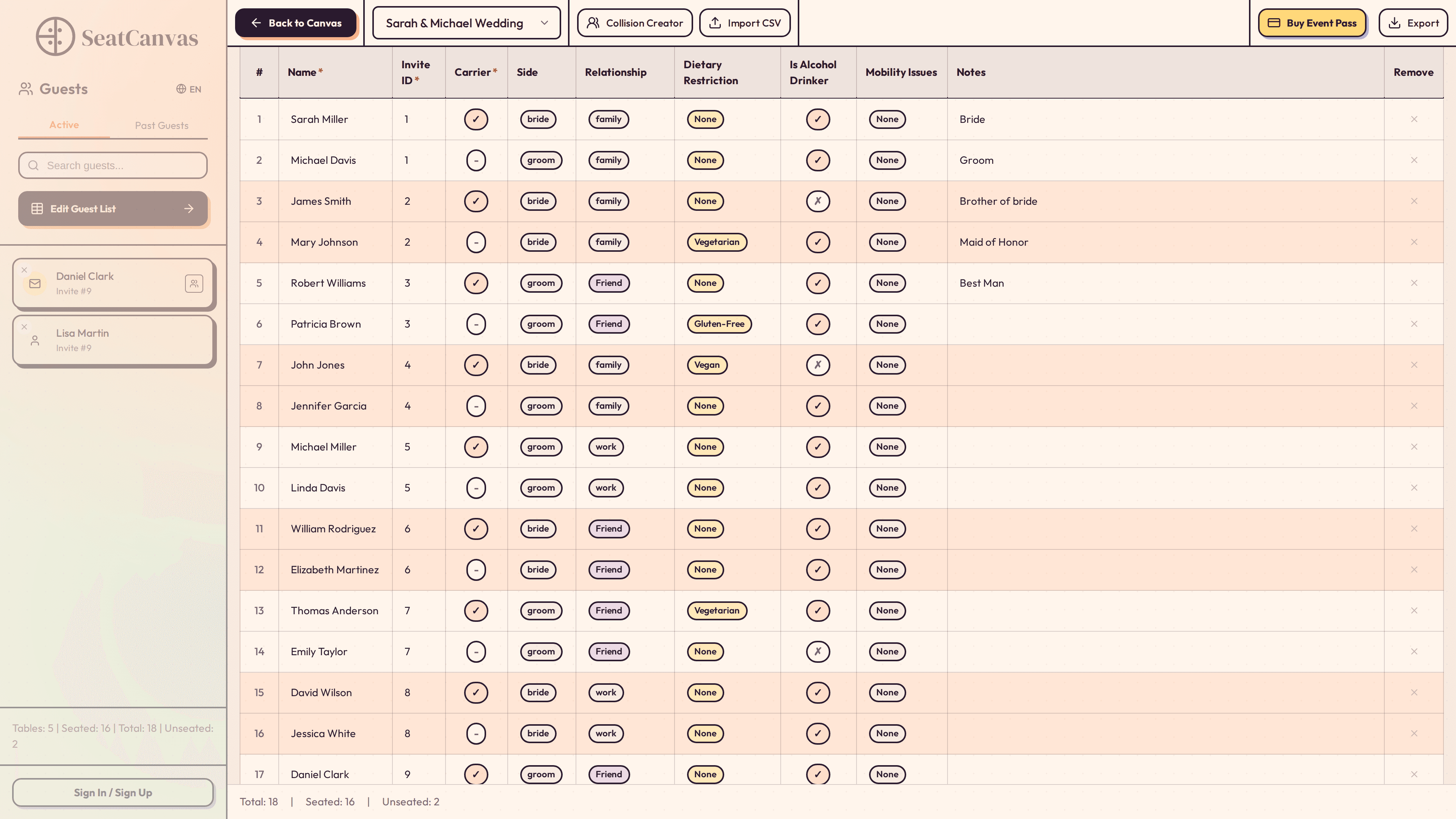
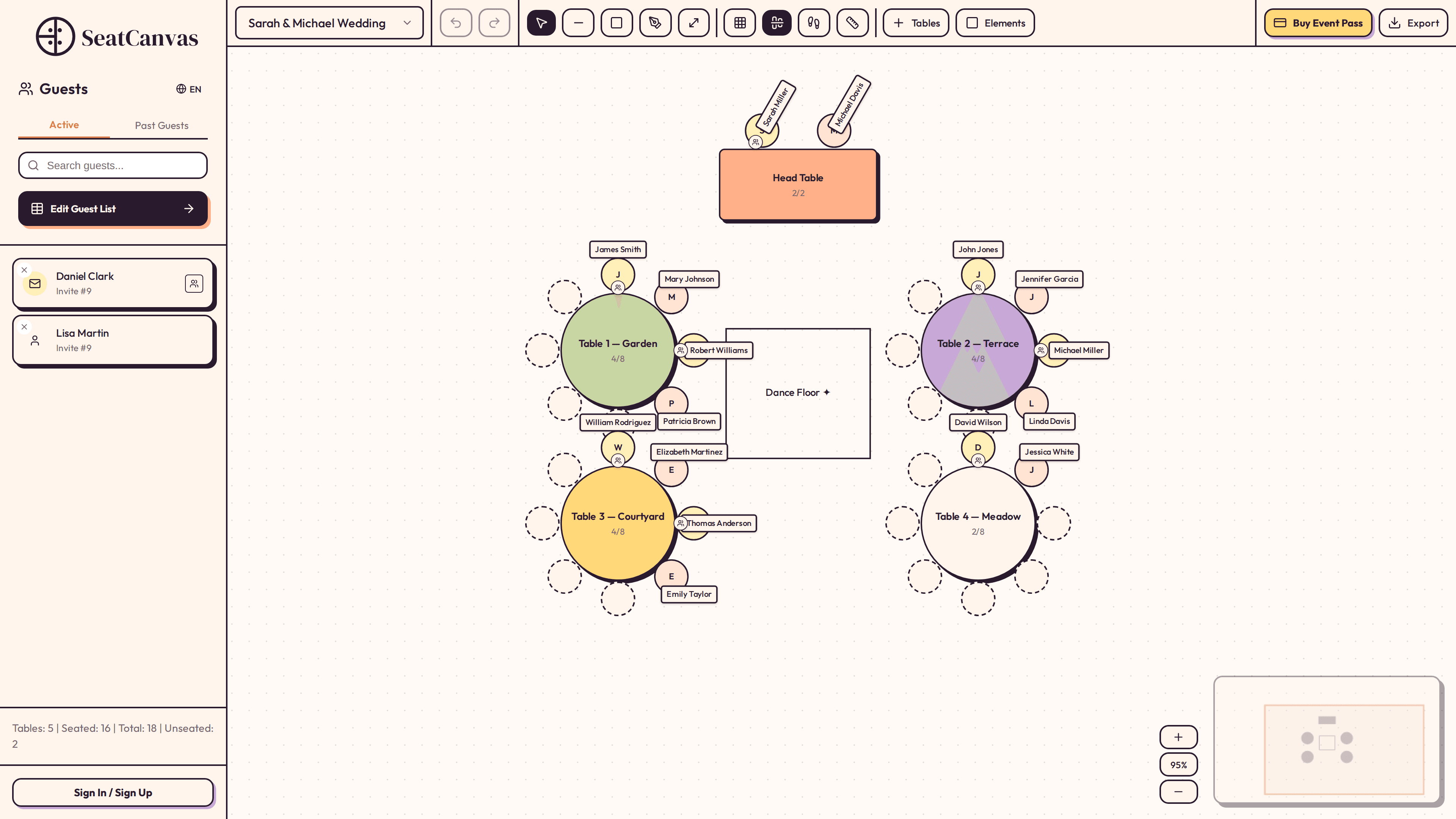
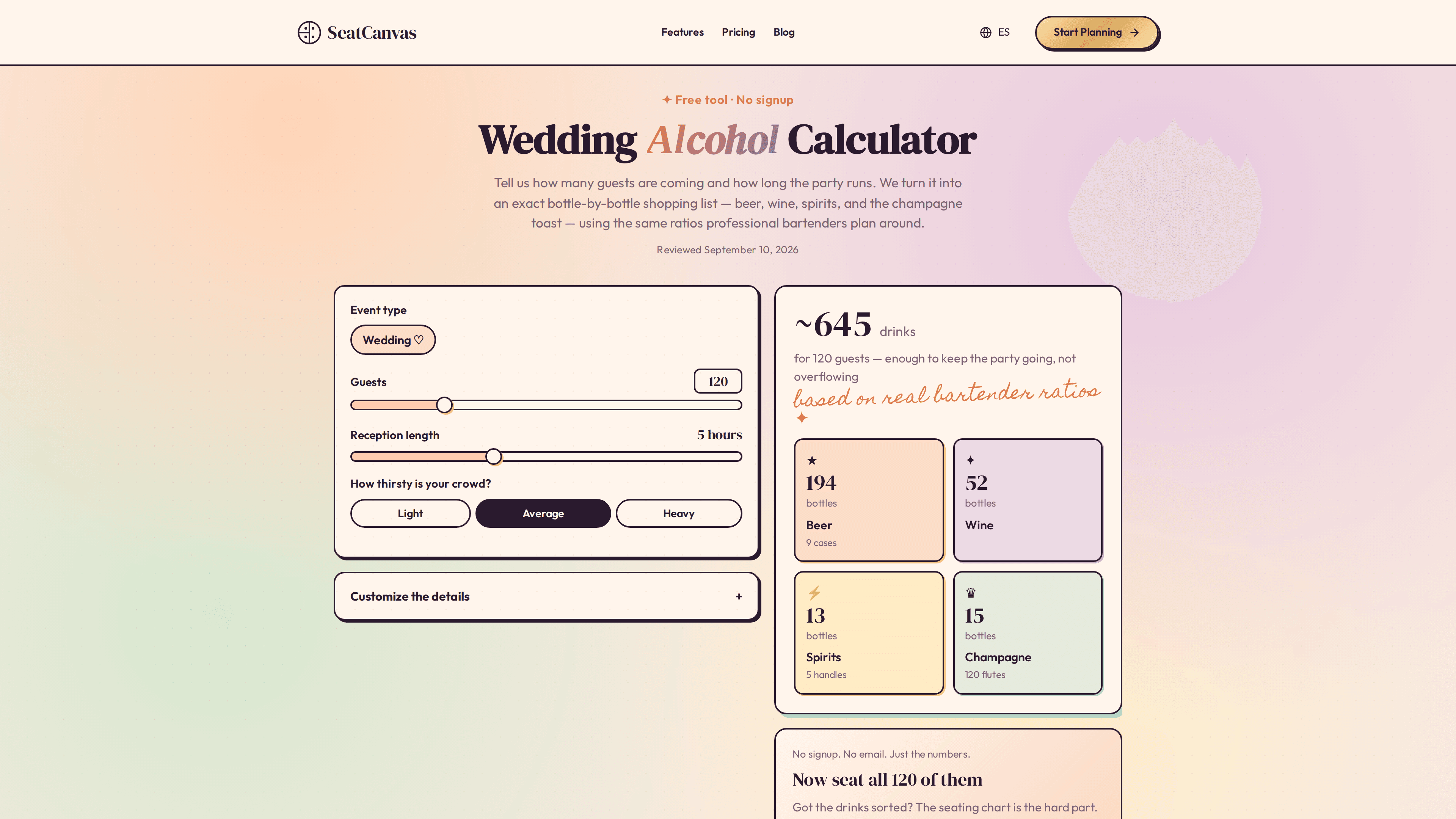
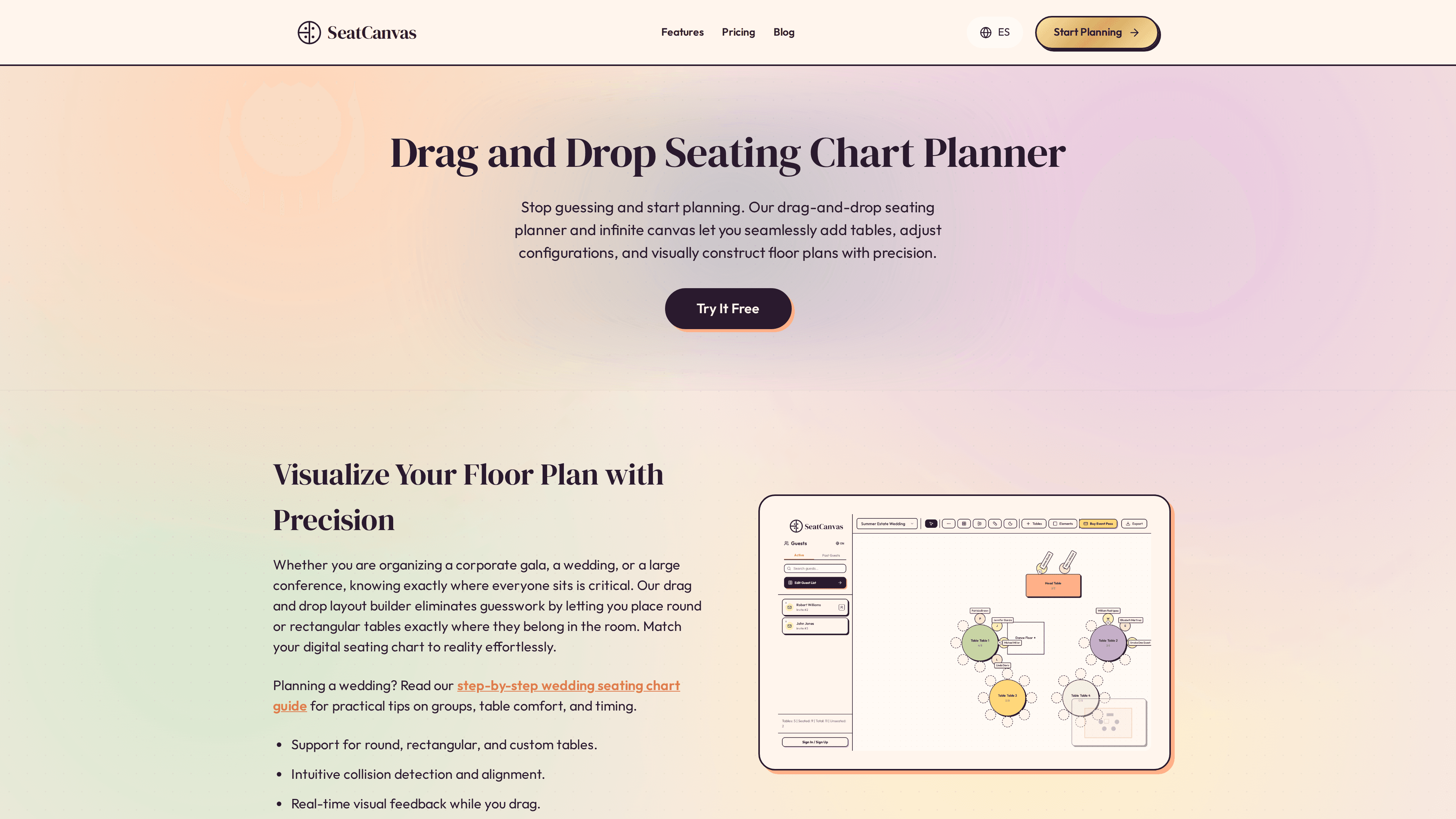
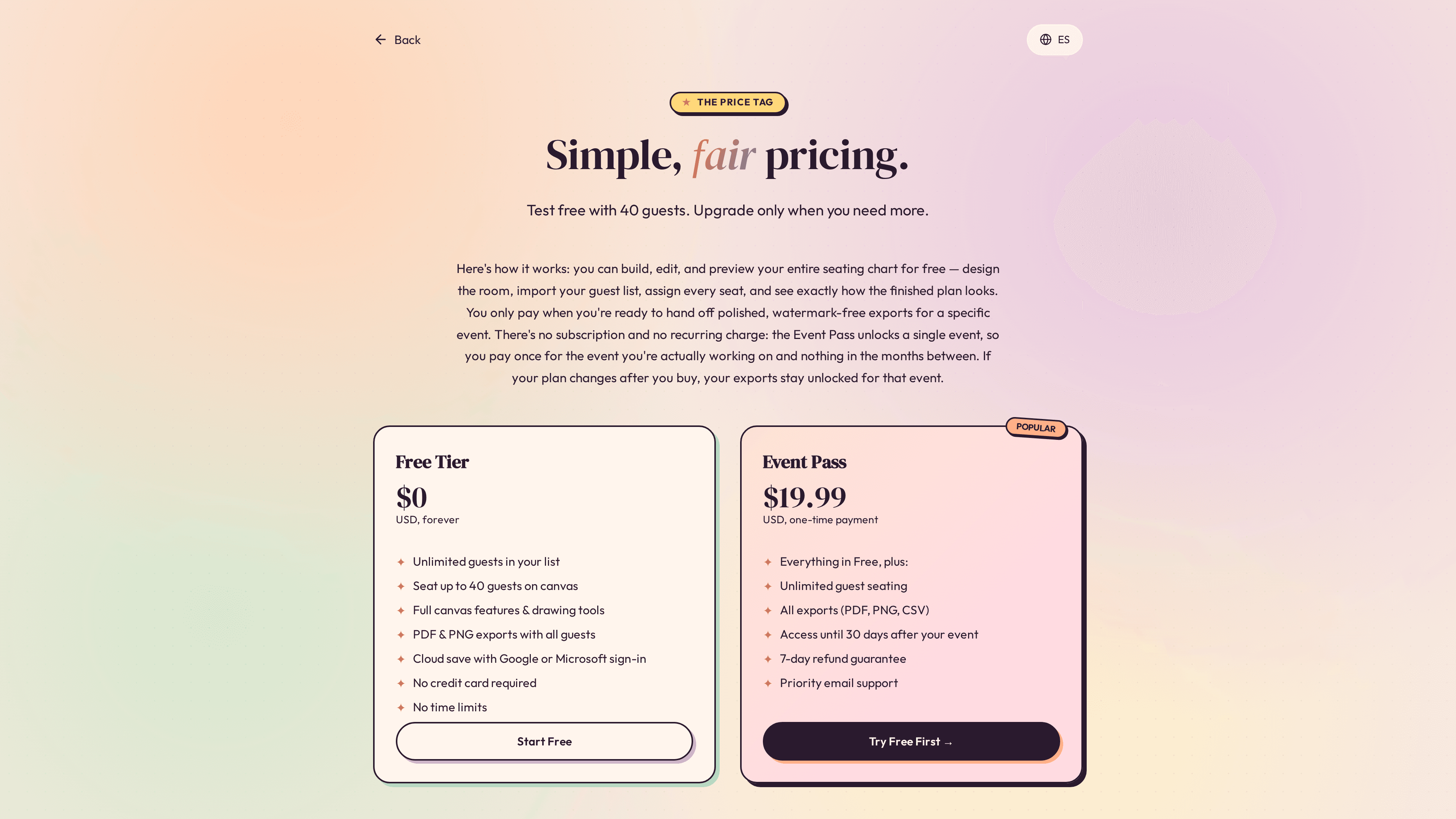
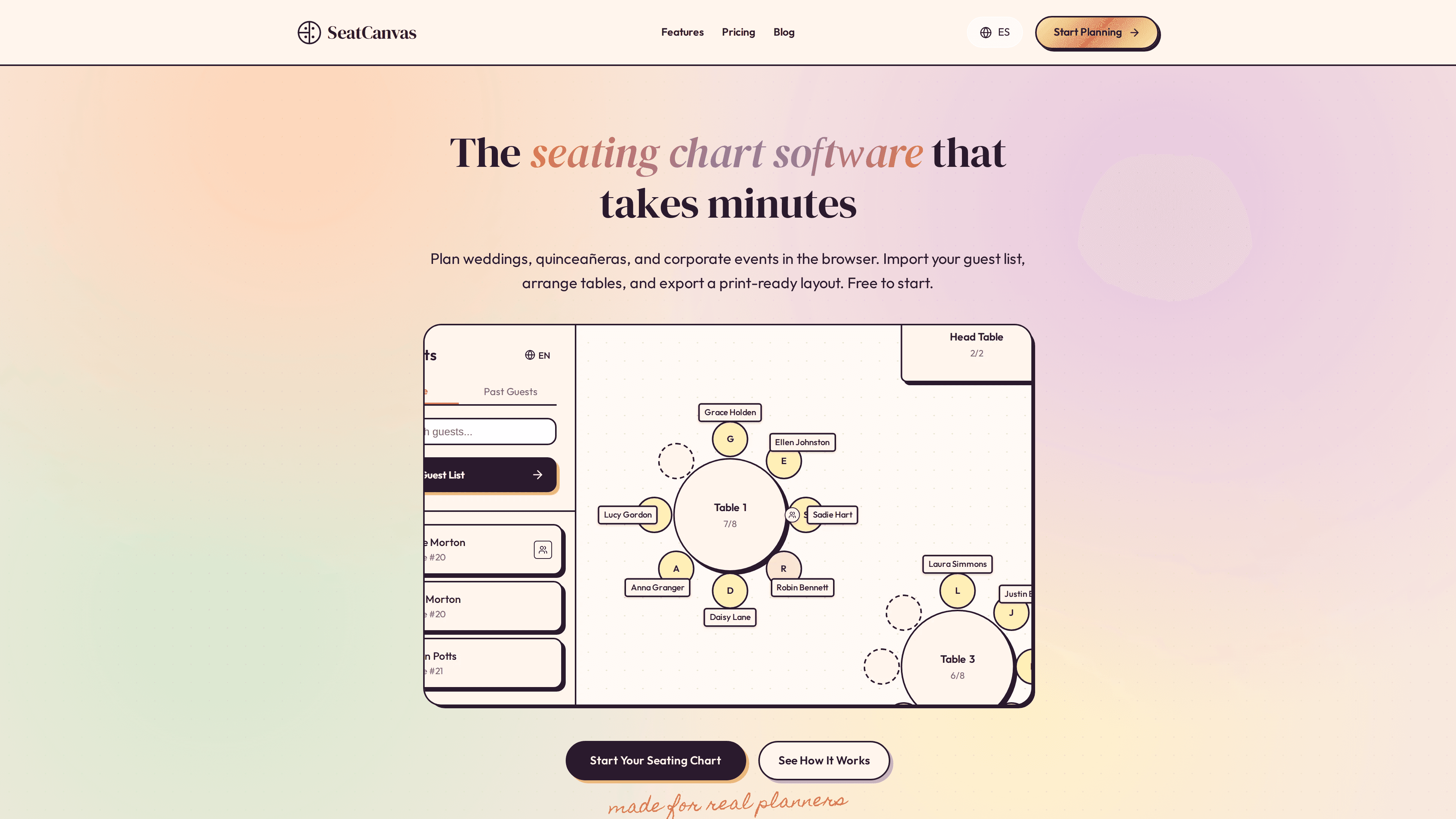
I built SeatCanvas while planning my own wedding, when our seating chart became a mess of spreadsheets. It is for couples, quinceañera families and planners who want a real floor plan, not a list. Draw your venue, drop in tables, import guests from Excel or CSV, set who can't sit together, and export a PDF for the venue. English and Spanish. Free up to 40 guests with no account; a one-time Event Pass unlocks unlimited guests. No subscription.
Drawn from the product itself, not from a survey.
Demographic
Brides and grooms planning a wedding
Pain points
Overwhelmed by seating logistics, last-minute changes, family politics
Primary needs
Easy visualization, guest import, print-ready exports
Demographic
Event planners managing corporate events
Pain points
Juggling hundreds of guests, coordinating with vendors, tight timelines
Primary needs
Scalable seating, export options, collaboration features
Demographic
Party hosts organizing quinceañeras or birthday parties
Pain points
Limited budget, complex family dynamics, desire for a polished look
Primary needs
Free or low-cost solution, simple drag-and-drop, visual appeal
Written by AI from measured evidence, scored out of 100.
SeatCanvas is a browser-based seating chart tool built by someone who actually planned a wedding and got tired of spreadsheets. The pitch is clean: draw your venue, drop in tables, import guests from CSV, set conflict rules, export a PDF for the venue. Free up to 40 seated guests with no account; a one-time $19.99 Event Pass unlocks unlimited seating for a single event, with access until 30 days after. No subscription. The technical fundamentals are strong — Lighthouse mobile 95/100, desktop 99/100, a perfect 12/12 security header checklist, and 96/100 accessibility with one contrast issue. The marketing site is polished and the pricing page even offers a real 200-guest sample PDF so you can see the export before paying. Where it falls short is focus: the site tries to be everything for every event type, and the canvas UI itself isn't demoed live in the collected evidence. For couples and quinceañera families who want a visual floor plan without a subscription, it's a genuinely compelling option at a fair price.
No-account 40-guest free tier, CSV import with auto column mapping, Google/Microsoft cloud save, and a documented 4-step flow. FAQ covers refunds, date changes, and data retention. Onboarding friction is genuinely low.
Clean pastel marketing site with consistent glyph-led section headers and a real 200-guest sample PDF export shown on the pricing page. Product canvas UI itself is not directly visible in collected evidence, so this judges the marketing surface.
Lighthouse mobile 95/100 (LCP 2.9s, CLS 0, TBT 45ms) and desktop 99/100. Browser-based with no install, so the heavy lifting is server-side. Snappy for a canvas-heavy tool.
Full 12/12 HTTP header checklist: HSTS, CSP, frame protection, Referrer-Policy, Permissions-Policy, plus SPF and DMARC. No published SOC 2, ISO, or pen-test report found, which is normal for a solo-built indie tool at this stage.
Lighthouse accessibility 96/100 with one failing audit: insufficient color contrast. Bilingual EN/ES and responsive browser-based access on laptop and tablet. No published WCAG statement found.
Real, specific problem (seating logistics) with a clear wedge: one-time $19.99 vs. AllSeated subscriptions and PerfectTablePlan's paid desktop download. Broad event coverage dilutes focus but the free 40-guest tier is a smart funnel.
SeatCanvas presents a polished, pastel-toned marketing site with consistent glyph-led section headers and — refreshingly — a real 200-guest sample PDF export you can download before paying. The product itself is a browser-based drag-and-drop canvas, so the marketing surface is what's being judged here, and it holds up. Usability is where the product earns its keep: no account needed for the free tier, 40 guests seated before any paywall, CSV import with automatic column mapping for names, dietary needs, and table preferences, plus Google/Microsoft cloud save. The FAQ is unusually honest — it covers refunds, one free date change, and exactly how long your data survives after the event. The four-step flow (import, create tables, assign seats, export) is documented clearly. The main gap is that the canvas UI itself isn't showcased in the collected evidence, so buyers are trusting the sample PDF and screenshots rather than a live demo.
Speed is a genuine strength. Lighthouse mobile performance lands at 95/100 with an LCP of 2.9s, CLS of 0, TBT of 45ms, and FCP of 1.5s; desktop hits 99/100. For a canvas-heavy drag-and-drop tool, that's impressive and suggests the rendering work is well-optimized. Security is solid on the fundamentals: the HTTP probe returned a perfect 12/12 checklist with HSTS, CSP, frame protection, X-Content-Type-Options, Referrer-Policy, and Permissions-Policy all present, plus SPF and DMARC configured for email. What's missing is the paper trail — no published SOC 2, ISO 27001, or pen-test report, and the privacy policy depth isn't verifiable from the collected content. For a solo-built indie tool handling guest names and dietary info, that's a normal stage gap, not a red flag. The FAQ's 'industry-standard security practices' line is vague but the headers back it up.
Accessibility scores 96/100 on Lighthouse with a single failing audit: insufficient color contrast. That's a fixable issue and likely tied to the pastel palette used across the marketing site. The product supports English and Spanish, runs in any browser on laptop or tablet, and requires no install — good baseline reach. No published WCAG conformance statement or a11y documentation was found, which is typical for indie tools but limits the score. Growth potential is real but unfocused. The problem — seating logistics for events — is genuine and painful, and the wedge is sharp: a one-time $19.99 Event Pass against AllSeated's subscription model and PerfectTablePlan's paid desktop download. The free 40-guest tier with no account is a smart funnel that lets couples test before committing. The weakness is positioning breadth: weddings, quinceañeras, galas, baby showers, corporate dinners, birthday parties — the site lists every event type, which dilutes the message. A tighter focus on weddings and quinceañeras (where the founder's own story lives) would sharpen the pitch. The category has headroom, but Canva's free templates and AllSeated's 3D plans are real competition.
Conclusion
If you're planning a wedding, quinceañera, or any event with assigned seating and you've been staring at a spreadsheet wondering why this is your life now, SeatCanvas is worth the 40-guest free test. The one-time $19.99 price is the real differentiator against AllSeated's subscription model and PerfectTablePlan's paid desktop download — you pay for the event you're actually planning, not a recurring charge. The 7-day refund guarantee and the ability to try 40 guests before buying lower the risk further. The caveats: no published security certifications (normal for indie tools, but worth knowing if you're handling sensitive guest data), one color contrast issue on the site, and a positioning that tries to cover every event type rather than owning one. Export your PDF before your pass expires — data is deleted 30 days after your event plus a 30-day grace period. For the price and the problem it solves, it's a solid pick.
Named competitors, point by point. Nobody paid to appear here or to be left out.
 SeatCanvas SeatCanvas |  AllSeated AllSeated |  PerfectTablePlan PerfectTablePlan |  Canva Canva | |
|---|---|---|---|---|
| Pricing model | Free up to 40 guests; one-time $19.99 Event Pass for unlimited | Subscription-based; pricing on request, generally higher cost | One-time purchase for desktop license | Free tier with basic templates; Pro subscription for premium |
| Platform | Browser-based, no install required | Browser-based with 3D floor plans | Downloadable desktop app for Windows and Mac | Browser-based graphic design tool |
| Seating logic and conflict rules | Drag-and-drop with conflict detection and who-can't-sit-together rules | Advanced seating optimization with 3D visualization | Powerful seating optimization algorithms | Basic templates only; no seating logic or guest management |
| Guest list import | CSV import with automatic column mapping | Guest list management with import options | Guest list import from spreadsheet | Manual entry only; no guest management |
| Export formats | PDF, PNG, CSV including venue briefing and service cards | PDF and image exports with 3D views | PDF and print-ready exports | PDF, PNG, JPG and other design formats |
| Language support | English and Spanish | English (primarily) | English (primarily) | Multiple languages supported |
AllSeated
A comprehensive event planning platform with 3D floor plans and seating charts, but it's more expensive and has a steeper learning curve.
PerfectTablePlan
A downloadable desktop app for Windows and Mac that offers powerful seating optimization, but it's not browser-based and requires a purchase.
Canva
While primarily a graphic design tool, Canva offers basic seating chart templates. It's free but lacks advanced seating logic and guest management.
Comparing options? See SeatCanvas alternatives, scored side by side

A growing collection of free, privacy-first browser tools. Test gamepad drift, mouse polling rate, dead pixels, mics, and speakers. No install needed.

Track and optimize your brand's visibility in AI answers.

An online tool for creating realistic store receipts with...

Free Instagram & TikTok downloader with no login or water...

AI virtual try-on for confident clothes shopping

Zenor AI is a multimodal AI shopping assistant for Shopify that boosts sales with voice, image, and text search.

AI car research for Greece & Europe

An AI-powered Chrome extension that automatically compares prices while you shop online, helping you find better deals across major retailers.

A price-tracking tool that monitors discounts across major retailers, alerting users to save money effortlessly.

Local AI meeting transcription with speaker detection

No-code AI chatbot for any website. Setup in 5 minutes with 52 industry templates, 80+ language auto-detection, and 4 selectable AI models.

Free Receipt Maker Tool
A platform dedicated to providing unbiased reviews of newly launched applications, analyzing everything from their features to their full potential.
info@scoutforge.net© 2026 Scoutforge. All rights reserved.
