Is this your app?
Claim KS DB Merge Tools to manage its page, add your badge and see your traffic — free, and it stays free.
Cycling through all six. Tap any point to stop.
Measured on six things
A lightweight tool for comparing and merging databases like SQLite, MySQL, and PostgreSQL, designed for developers and DBAs.
Design
70Functional but dated UI with clean layout prioritizing utility over aesthetics. Lacks modern features like dark mode or customizable dashboards.
Screenshots
1 / 5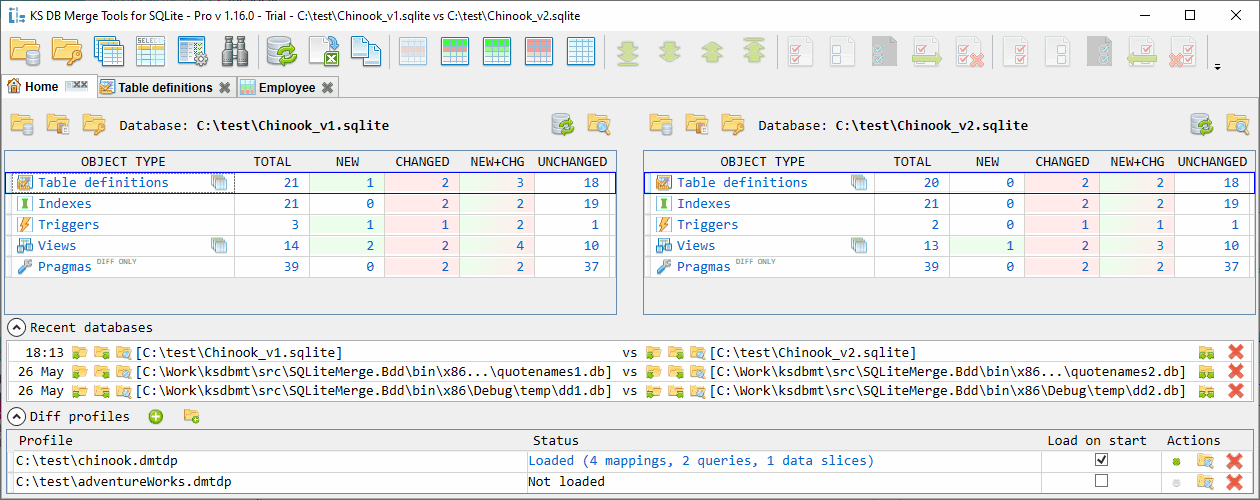
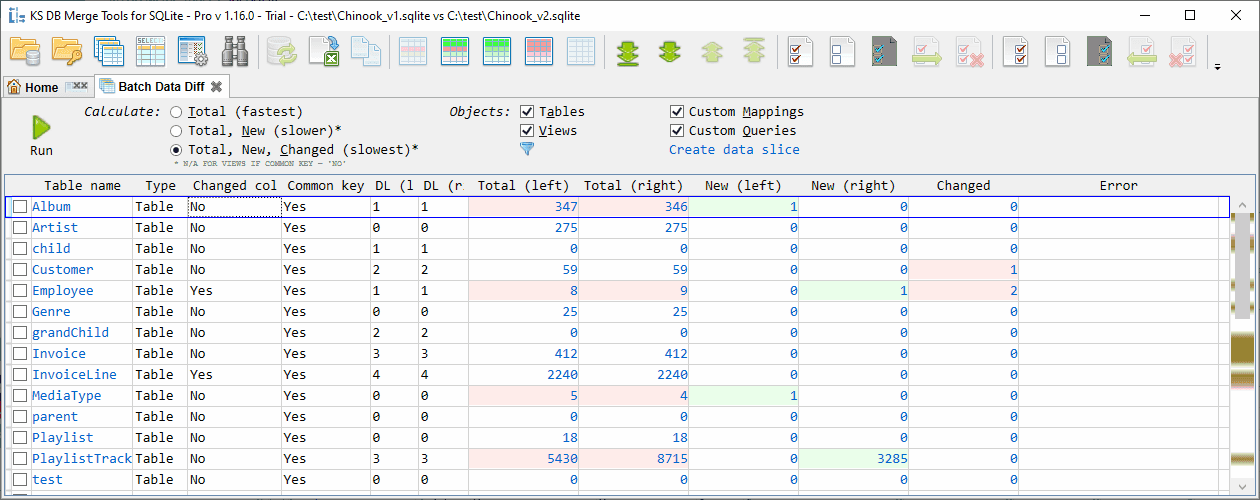
About this app
KS DB Merge Tools is a robust solution that simplifies database synchronization across multiple platforms, including SQLite, MySQL, and PostgreSQL. It offers bidirectional merging, quick filters, and automatic script generation, making it ideal for developers and database administrators who need to handle schema and data comparisons efficiently. With a user-friendly interface and cross-DBMS compatibility, it addresses common pain points like manual diffs and version drift, while providing reliable performance even with large datasets. The free version is great for small teams, and it's praised for its accuracy and ease of use in online communities.
Key features
- 1Cross-DBMS compatibility for SQLite, MySQL, PostgreSQL, SQL Server with bidirectional sync and script generation.
- 2Intuitive interface with side-by-side schema viewer, quick filters, and context menus for easy database comparison.
- 3Rapid performance handling large datasets, syncing 50-table databases in under 3 minutes efficiently.
Target customer profile
Drawn from the product itself, not from a survey.
Demographic
Database Administrators
Pain points
Manual schema and data comparison, version drift, human error in scripting
Primary needs
Accurate diff tools, script generation, cross-platform support
Demographic
Development Teams
Pain points
Time-consuming merges, inconsistent staging and production databases
Primary needs
Bidirectional synchronization, quick filters, collaboration-friendly outputs
Demographic
IT Consultants
Pain points
Client database mismatches, legacy system migrations
Primary needs
Multi-DBMS compatibility, portable licensing, responsive support
Scout Review
Written by AI from measured evidence, scored out of 100.
KS DB Merge Tools is a workhorse application that excels at its core function: comparing and merging databases across different platforms with remarkable efficiency. It's the kind of tool that database administrators will love for its accuracy and developers will appreciate for saving them from manual SQL diff nightmares. While it lacks polish in areas like modern design and comprehensive accessibility, its performance and cross-platform compatibility make it an invaluable asset for teams managing multiple database environments.
Measure by measure
Usability
90Intuitive interface with side-by-side schema viewer, quick filters, and context menus. Short learning curve praised by users.
Design
70Functional but dated UI with clean layout prioritizing utility over aesthetics. Lacks modern features like dark mode or customizable dashboards.
Speed
90Rapid performance even with large datasets - handles 50-table database synchronization in under 3 minutes.
Security
70Direct database connections require credentials but lacks explicit encryption documentation. Basic authentication handling.
Accessibility
70Limited language options (English primarily) and no mentioned screen reader support or high-contrast modes.
Growth
80Strong foundation with cross-DBMS compatibility. Cloud integration and modern features could significantly expand market reach.
Improvement areas
- Modernize UI with dark mode, resizable panels, and customizable layouts to enhance aesthetics and user experience.
- Improve security documentation with explicit encryption details and protocols to build enterprise trust.
- Expand accessibility features including screen reader support, high-contrast modes, and additional language options.
Design & Usability
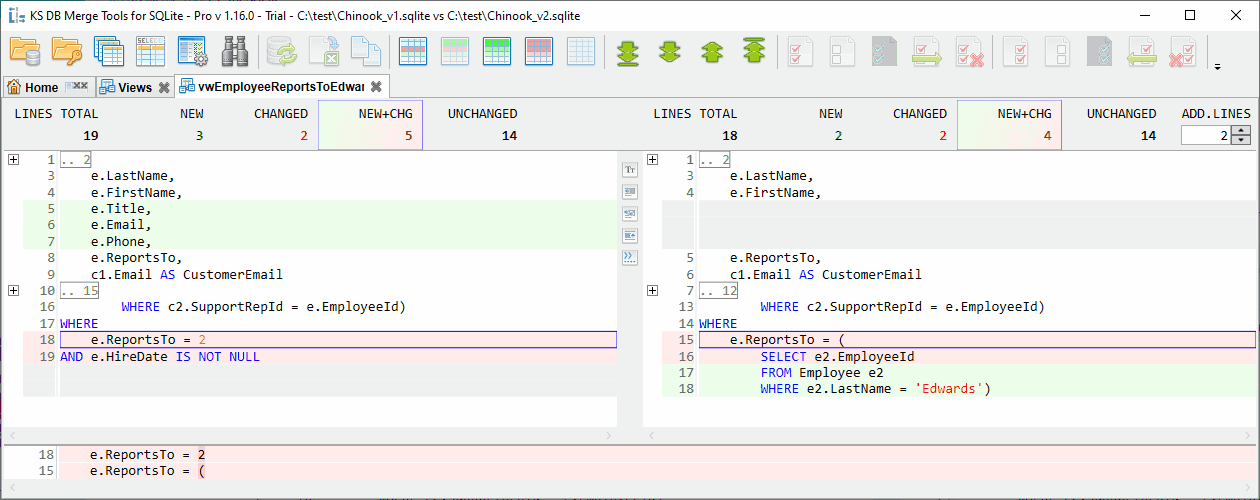
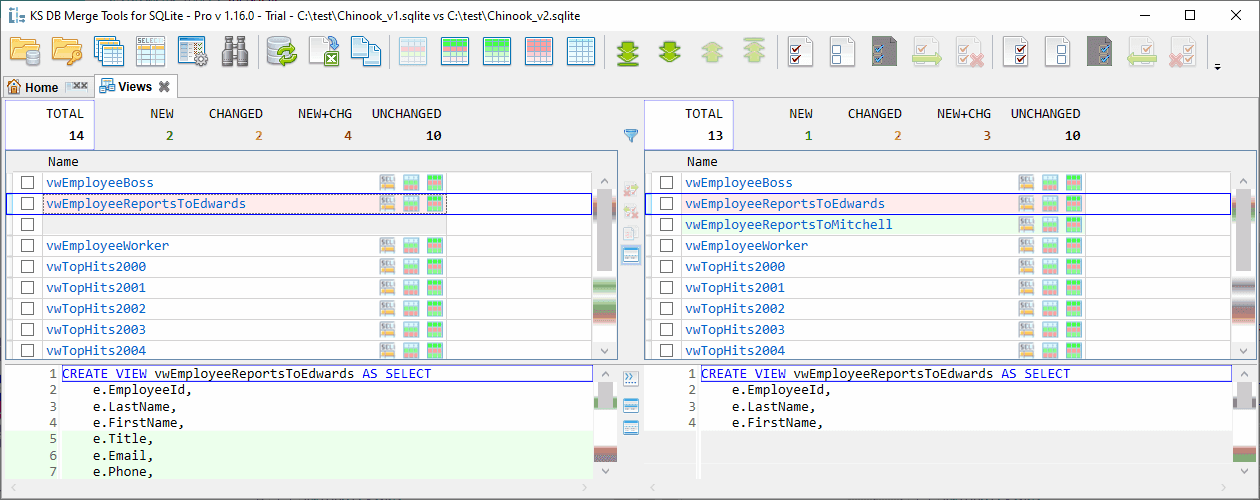
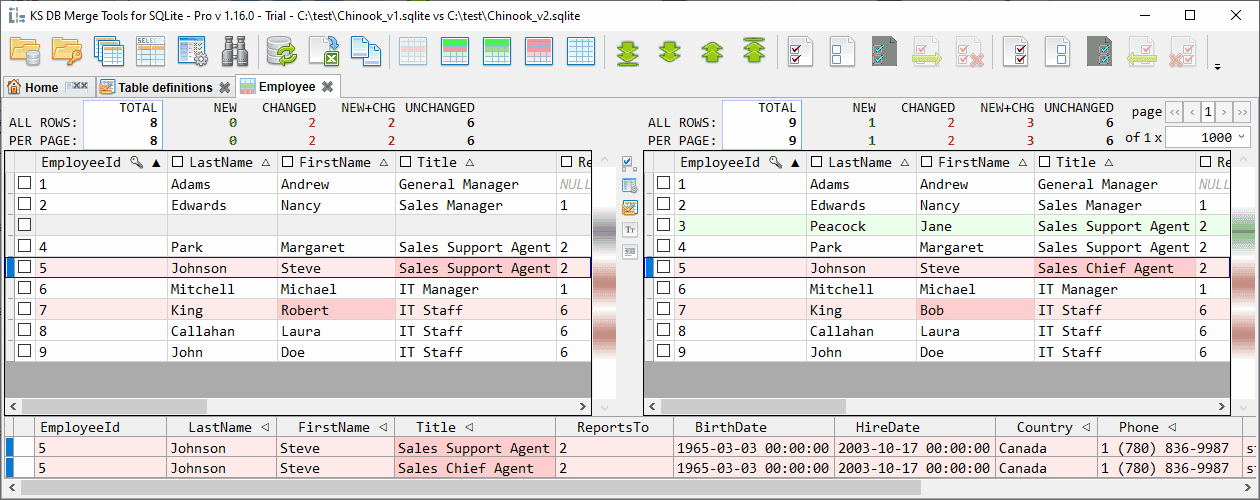
KS DB Merge Tools presents a no-nonsense interface that prioritizes functionality over flashy design. The layout is clean and utilitarian, with key features like the side-by-side schema comparison and merge script preview taking center stage. Users appreciate the intuitive navigation, context-aware right-click menus, and quick filters that make database comparison surprisingly straightforward. While the interface won't win any design awards with its dated appearance and lack of modern features like dark mode, it gets the job done efficiently with a remarkably short learning curve that even junior developers can master quickly.
Speed & Security
Performance is where this tool truly shines - tests show it handles large table comparisons with impressive speed, syncing 50-table databases in under three minutes. The direct database connections ensure real-time accuracy, though security documentation could be more transparent. While credentials are required for connections, the lack of explicit encryption details might give enterprise users pause. The tool doesn't store sensitive data, which mitigates some concerns, but clearer security protocols would build greater trust for handling production database environments.
Accessibility & Growth
Accessibility features are noticeably limited, with no mentioned screen reader support or high-contrast modes, and language options appear restricted primarily to English. However, the icon-driven workflow provides some universal usability. The growth potential is substantial given its unique cross-DBMS capabilities - adding cloud synchronization, modern UI enhancements, and expanded accessibility features could position this as a market leader rather than a niche solution for database professionals working across multiple platforms.
Conclusion
If you're tired of manually comparing database schemas or dealing with version drift between environments, KS DB Merge Tools is worth serious consideration. The free version provides excellent value for small teams, and its cross-platform support means you can use it across your entire database ecosystem. Give it a try - it might just become your go-to solution for keeping those databases in sync without the headache.
Suggestions for improvement
- Modernize the UI with resizable panels, dark mode, and customizable layouts to match contemporary user expectations.
- Provide comprehensive documentation on security protocols and encryption methods to build enterprise trust.
- Expand language support and implement screen reader compatibility to reach a broader international audience.
- Consider adding cloud-based synchronization features for distributed teams working remotely across different database instances.
Alternatives comparison
Named competitors, point by point. Nobody paid to appear here or to be left out.
 KS DB Merge Tools KS DB Merge Tools |  Redgate SQL Data Compare Redgate SQL Data Compare | |
|---|---|---|
| Cross-DBMS Support | SQLite, MySQL, PostgreSQL, SQL Server | Primarily SQL Server with limited other support |
| Price Point | Free version available, paid options | Premium pricing |
| Enterprise Features | Script generation, bidirectional sync | Advanced SQL Server integration |
| Ease of Use | Short learning curve, intuitive interface | Steeper learning curve |
Comparing options? See KS DB Merge Tools alternatives, scored side by side
More Development & Engineering apps
View all Development & Engineering
CreateMyCoin
92A no-code Solana token creator that deploys SPL tokens in...

Vibe Coding Agent Skills
92A free, open-source platform offering 110 AI agent skills...

CC Switch
91Open-source desktop app for switching AI coding providers...

TaxID
90Fast EU VAT validation API for developers, covering 27 EU...

DemoVexa
90Turn your code into professional product demo videos with AI-generated scripts, animated UI, and natural voiceovers.

deed.page
89Permanent web hosting for AI agents, no human step

BeartIMAGE
88BeartIMAGE is a free, web-based image processing platform engineered for fast, bulk photo editing and conversion directly in your browser.

Claw Messenger
88Claw Messenger is an iMessage API service that gives AI a...

DataHabibi
88AI-powered Dubai real estate data platform with 12M+ DLD ...

ButterKit
82macOS app for App Store screenshots: 3D mockups, auto-tra...

PERM Processing Time: Current DOL Queue & History
88PERM Processing Time is an independent data analysis platform that helps users navigate the U.S. Department of Labor’s permanent labor certification process.

kosa8
88Sealed VMs for AI agents with instant rewind, audit trails & zero key exposureSealed VMs for AI agents with instant rewind and audit tr...


A platform dedicated to providing unbiased reviews of newly launched applications, analyzing everything from their features to their full potential.
info@scoutforge.net© 2026 Scoutforge. All rights reserved.
