Is this your app?
Claim LogDog to manage its page, add your badge and see your traffic — free, and it stays free.
Cycling through all six. Tap any point to stop.
Measured on six things
A powerful debugging tool for iOS and Android developers offering real-time network monitoring and remote debugging without cables.
Growth
38Young product (domain 2025, first prototypes 2024) with steady changelog activity and a Reddit launch post. No third-party reviews, GitHub presence, or community metrics yet.
Screenshots
1 / 3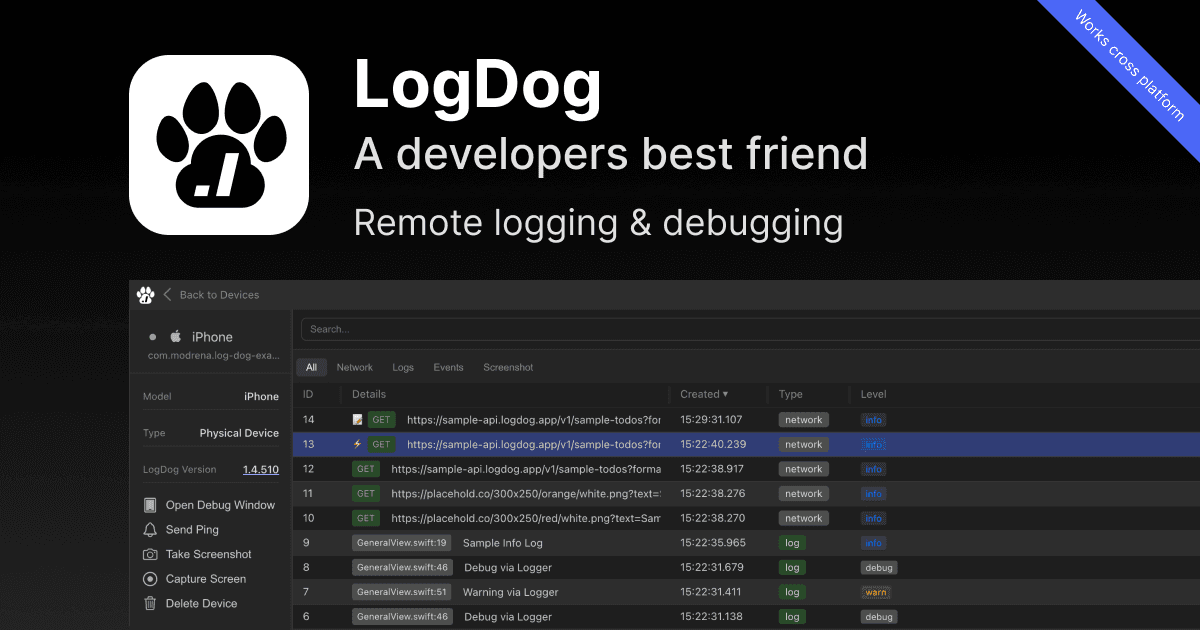
About this app
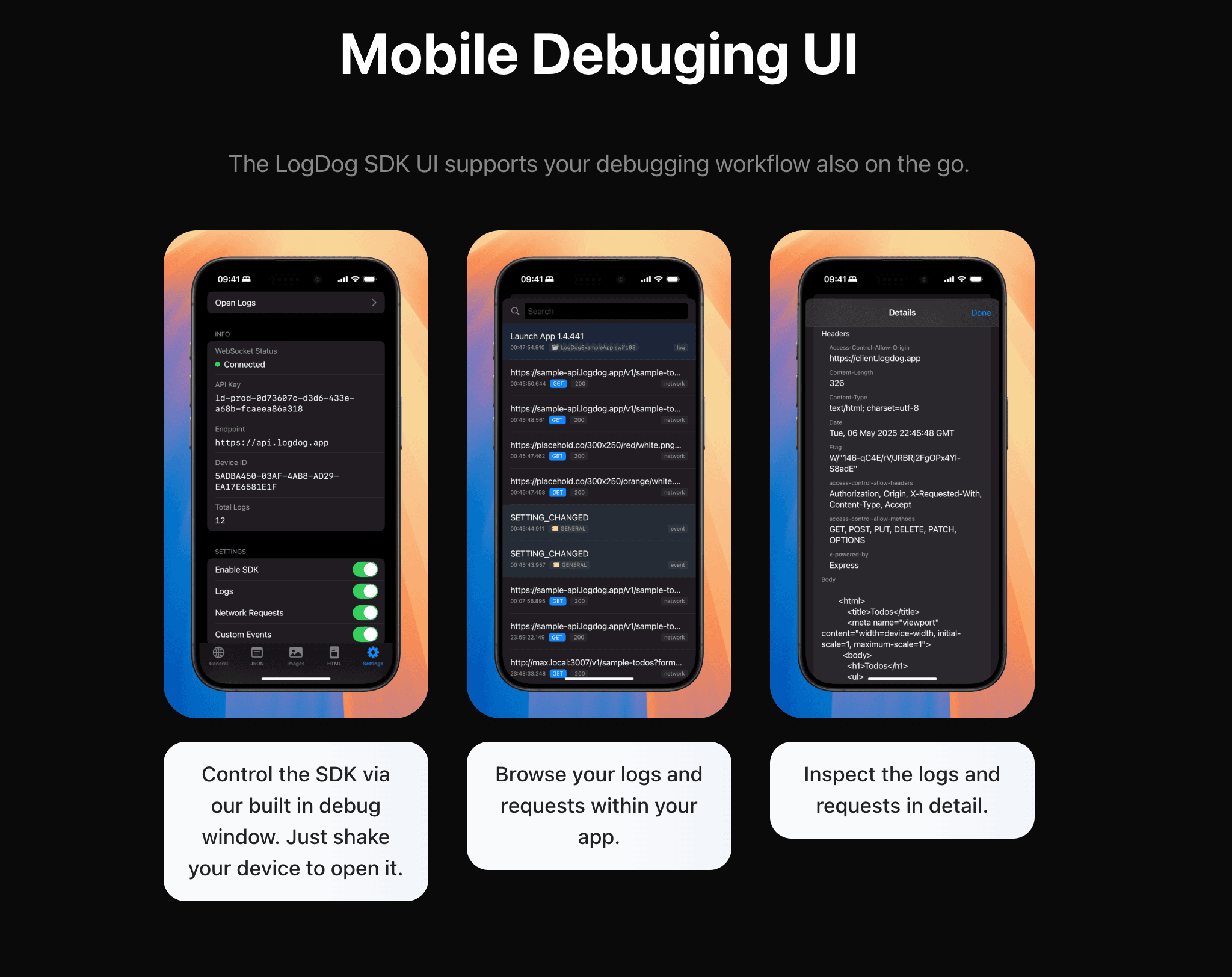
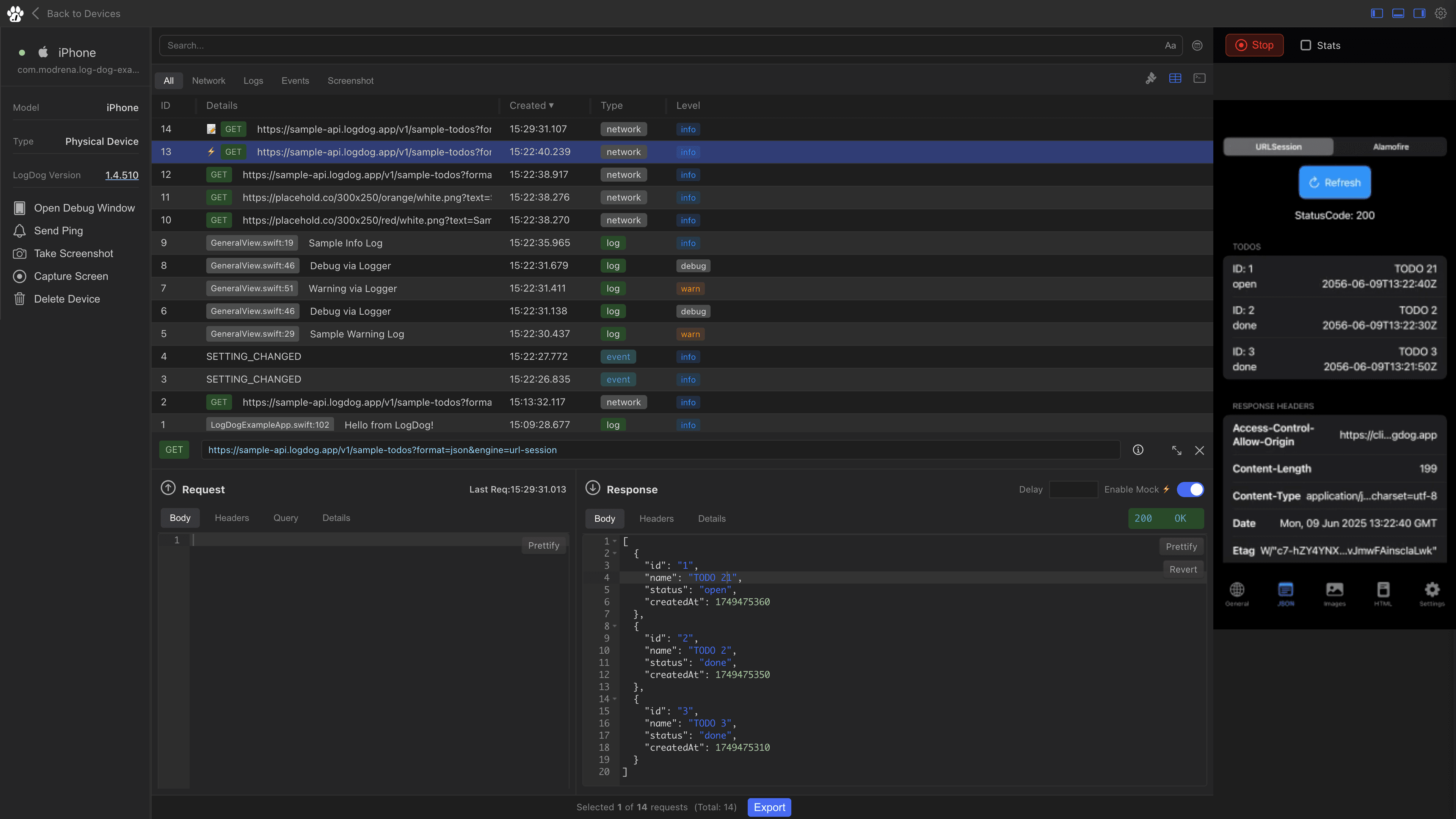
LogDog is a game-changing debugging tool designed specifically for mobile developers, providing real-time monitoring of network requests, logs, and events through a lightweight SDK. As a developer who's spent countless hours debugging, I can attest that LogDog eliminates the need for physical device access, working seamlessly with both debug and release builds. Its standout features include the intuitive shake-to-debug popup, a clean web dashboard for exporting requests and sharing sessions, and screenshot capabilities—all encrypted for security. Perfect for remote teams and QA engineers, it streamlines workflows with minimal performance impact, making it an essential tool for anyone tired of cable-based debugging limitations. The free tier makes it easy to start optimizing your mobile development process today.
Key features
- 1Real-time wireless monitoring of network requests, logs, and events via lightweight SDK
- 2Shake-to-debug popup with in-app browsing, mocks, and screenshots; works on debug and release builds
- 3Web dashboard for exporting (JSON/CSV/HAR), sharing public session links, and smart filtering
Target customer profile
Drawn from the product itself, not from a survey.
Demographic
Mobile App Developers
Pain points
Difficulty debugging production apps, need for physical device access, cumbersome cable-based debugging
Primary needs
Remote debugging capabilities, real-time monitoring, easy session sharing
Demographic
Development Teams
Pain points
Collaboration challenges in debugging, inconsistent testing environments, time-consuming bug reproduction
Primary needs
Shared debugging sessions, export capabilities, cross-platform support
Demographic
QA Engineers
Pain points
Difficulty reproducing bugs reported by users, lack of detailed network information, limited debugging access
Primary needs
Production environment debugging, detailed request logging, screenshot capabilities
Scout Review
Written by AI from measured evidence, scored out of 100.
LogDog delivers a focused wireless debugging experience for mobile devs that removes physical device hassles, with real-time monitoring, mocks, and sharing features that match its marketing claims. It sits in a competitive space against Flipper, adb, and BrowserStack but differentiates on shake-to-debug and production-build support. Scores reflect a competent early product: strong speed and usability, average design and accessibility, weaker security depth and growth traction.
Measure by measure
Usability
72Strong onboarding with sample app, quick SDK snippets, shake-to-debug, and session sharing. Free tier lowers the barrier; works across debug/release builds.
Design
58Average dark-themed dev-tool UI with clear hierarchy in device lists and mockups, but undermined by visible typos, cramped hero, and clashing cookie banner.
Speed
85Excellent Lighthouse scores (95 mobile / 97 desktop) with fast LCP and zero CLS. Lightweight SDK adds minimal bundle size per measured benchmarks.
Security
42HTTPS present and encryption claimed, but missing security headers and no published audits or compliance badges. Basic data control statements on site.
Accessibility
5887 Lighthouse score undercut by contrast, button naming, and landmark failures. Keyboard shortcuts in dashboard are a plus; no dedicated a11y docs or statements.
Growth
38Young product (domain 2025, first prototypes 2024) with steady changelog activity and a Reddit launch post. No third-party reviews, GitHub presence, or community metrics yet.
Improvement areas
- Fix visible typos and cramped hero layout on the landing page
- Strengthen security posture with headers, audits, or a dedicated security page
- Improve accessibility compliance and add community/review channels for growth
Design & Usability
LogDog's design lands in the middle of the pack for indie dev tools—solid dark theme and useful mockups, but the hero headline typo and cramped layout drag it down. Usability shines through quick integration paths and the shake-to-debug feature that directly solves the cable problem mentioned in the target customer pain points. The free tier and production-build support make it immediately testable without friction, putting it ahead of adb's technical barrier and on par with Flipper's setup demands.
Speed & Security
Speed is a clear strength with top-tier Lighthouse scores and documented lightweight SDK impact, easily beating heavier alternatives like BrowserStack's emulator overhead. Security is more average: HTTPS and encryption claims are present but lack the headers or audits that would push it into the good range. Compared to Flipper (open-source with community scrutiny) or adb (Google-maintained), LogDog's security posture feels early-stage but sufficient for its stated use case of encrypted session sharing.
Accessibility & Growth
Accessibility shows mixed signals—strong automated score but real failures on contrast and labels, typical for young tools without dedicated a11y focus. Growth is the weakest dimension: only 1.4 years old with changelog momentum but zero external reviews or community size, lagging behind established players like Flipper or BrowserStack. The product is clearly iterating (sample apps, dashboard improvements), so trajectory matters more than absolute numbers at this stage.
Conclusion
For teams tired of cables and inconsistent environments, LogDog offers a practical alternative worth testing on the free plan. Its lightweight approach and cross-platform dashboard make it a solid choice for indie and remote mobile developers, even if it still needs polish in a few areas.
Suggestions for improvement
- Fix the headline apostrophe and screenshot typos immediately—they're the first thing visitors see.
- Add SOC 2 or basic security headers and publish a short security page to build trust.
- Expand accessibility fixes (contrast, button names) and add an a11y statement.
- Build a public changelog RSS or community channel to accelerate visible growth signals.
Alternatives comparison
Named competitors, point by point. Nobody paid to appear here or to be left out.
 LogDog |  Flipper |  Android Debug Bridge (adb) |  BrowserStack Debugging | |
|---|---|---|---|---|
| Real-time wireless debugging without cables | Yes - SDK + web dashboard with shake-to-open | Yes - but requires more setup and desktop connection | No - requires USB/physical connection | Partial - emulator-based, not physical devices |
| Works with production/release builds | Yes - explicitly supports App Store/TestFlight builds | Limited - primarily debug builds | Limited - mainly debug; production harder | Yes - cloud testing on real devices |
| Session sharing and export | Yes - public links + JSON/CSV/HAR export | Partial - local sharing, limited export | No - command-line only, no built-in sharing | Yes - cloud reports and sharing |
Flipper
Facebook's open-source mobile debugging platform that requires more setup and lacks the shake-to-debug convenience.
Android Debug Bridge (adb)
Google's command-line tool that requires USB connection and more technical expertise to use effectively.
BrowserStack Debugging
Cloud-based testing platform that offers debugging but through emulators rather than physical devices.
Comparing options? See LogDog alternatives, scored side by side
Sources
What the review was written against. A verdict with no sources is an opinion.
More Development & Engineering apps
View all Development & Engineering
CreateMyCoin
92A no-code Solana token creator that deploys SPL tokens in...

Vibe Coding Agent Skills
92A free, open-source platform offering 110 AI agent skills...

CC Switch
91Open-source desktop app for switching AI coding providers...

TaxID
90Fast EU VAT validation API for developers, covering 27 EU...

DemoVexa
90Turn your code into professional product demo videos with AI-generated scripts, animated UI, and natural voiceovers.

deed.page
89Permanent web hosting for AI agents, no human step

FontPlop
89Browser-based font viewer & tester for TTF, OTF, WOFF, WO...

BeartIMAGE
88BeartIMAGE is a free, web-based image processing platform engineered for fast, bulk photo editing and conversion directly in your browser.

Claw Messenger
88Claw Messenger is an iMessage API service that gives AI a...

DataHabibi
88AI-powered Dubai real estate data platform with 12M+ DLD ...

ButterKit
82macOS app for App Store screenshots: 3D mockups, auto-tra...

PERM Processing Time: Current DOL Queue & History
88PERM Processing Time is an independent data analysis platform that helps users navigate the U.S. Department of Labor’s permanent labor certification process.


A platform dedicated to providing unbiased reviews of newly launched applications, analyzing everything from their features to their full potential.
info@scoutforge.net© 2026 Scoutforge. All rights reserved.
