Is this your app?
Claim Loglybase to manage its page, add your badge and see your traffic — free, and it stays free.
Cycling through all six. Tap any point to stop.
Measured on six things
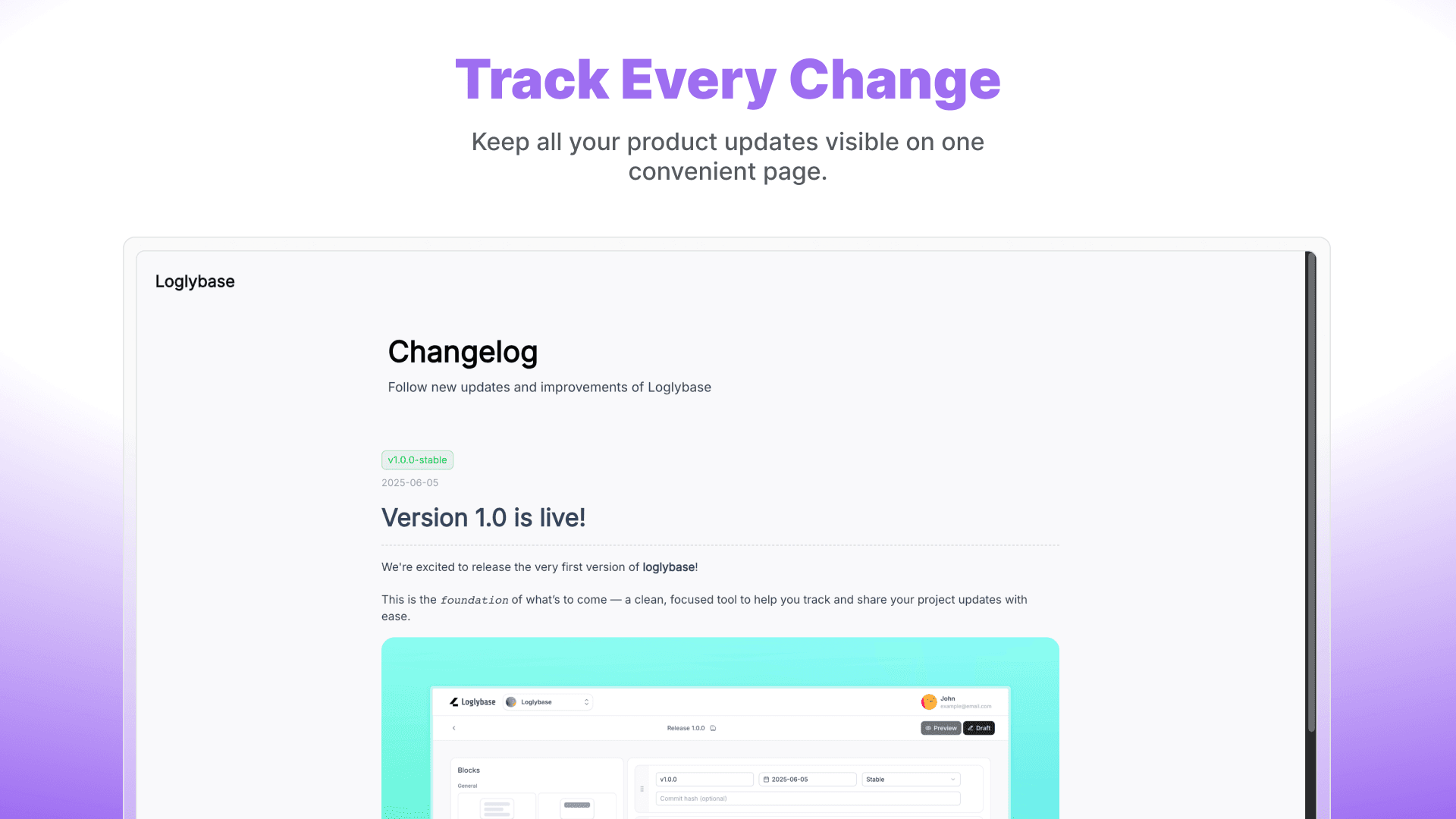
Automate changelog management for development teams with Git integration and customizable templates.
Speed
45Mobile Lighthouse 56/100 dragged down by 14.1s LCP; desktop stronger at 83/100. Nuxt SSR claimed but live site instability suggests optimization gaps.
Screenshots
1 / 4
About this app
Loglybase is a changelog management tool that automates the process of tracking and communicating software updates directly from your version control system. As someone who's dealt with messy release notes, I find Loglybase a game-changer for teams drowning in manual changelog tasks. It parses commit messages and pull requests to generate structured, readable update logs, saving developers hours of work. The platform supports customizable templates to maintain brand consistency and integrates smoothly with popular development tools, making it a solid pick for technical teams and stakeholders alike. While its dark-themed UI is developer-friendly and the markdown editor is a nice touch, it could improve accessibility for non-technical users. Overall, Loglybase excels in automation and workflow integration, though it has room to grow in areas like onboarding and language support.
Key features
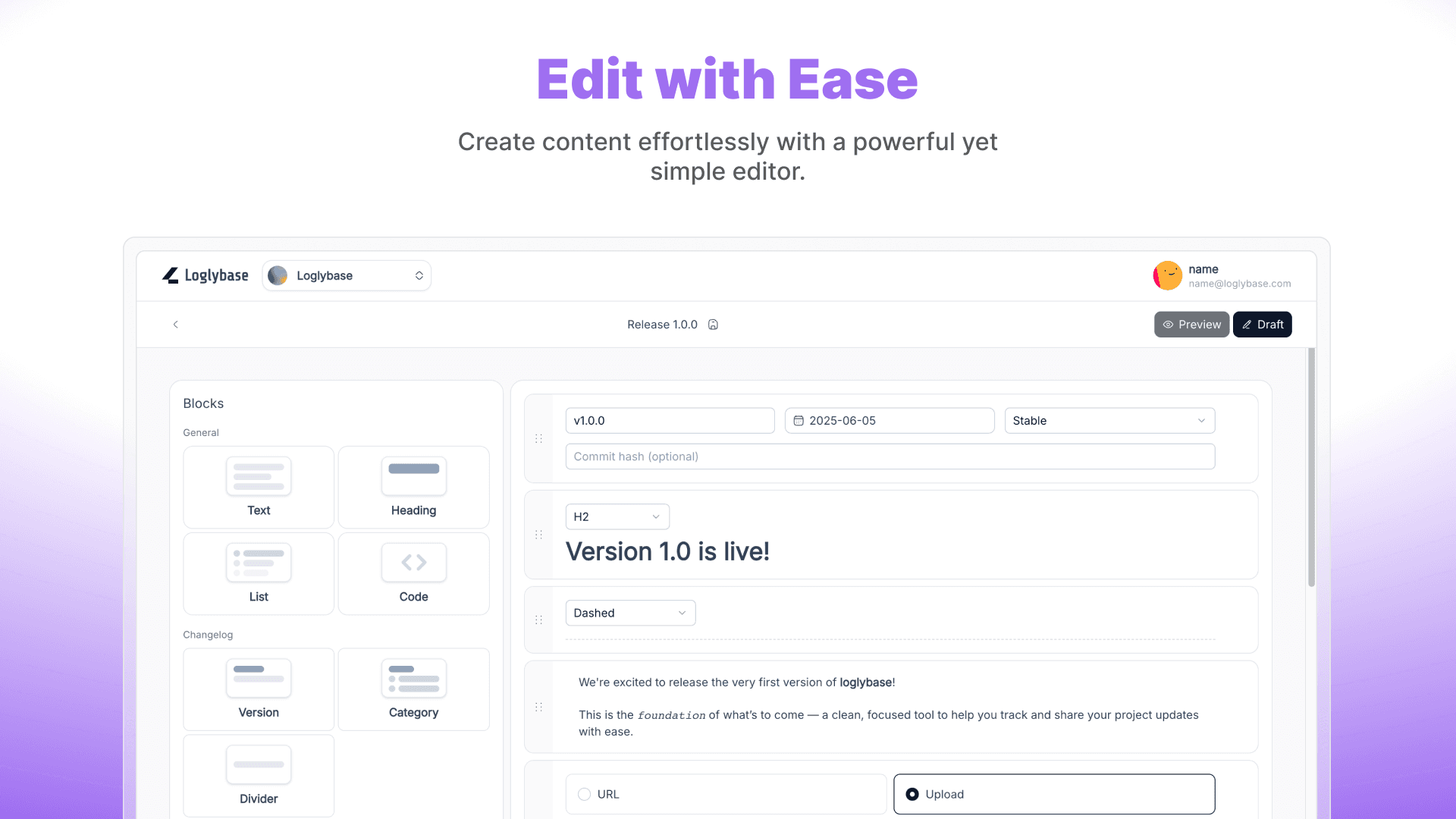
- 1Block-based editor with version, category, and heading blocks for structured posts
- 2GitHub/Google OAuth and self-hosted deployment via Docker + Prisma
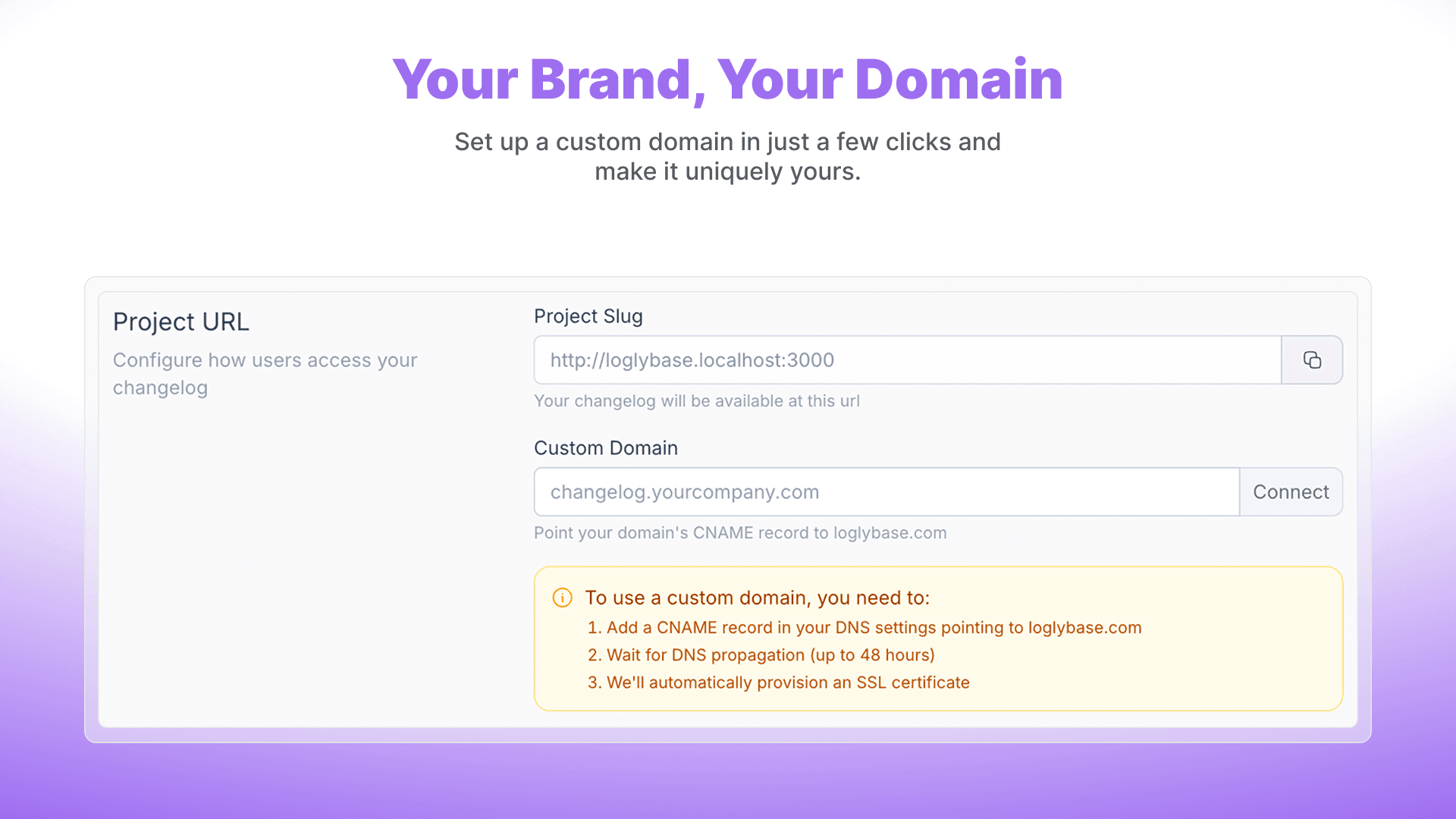
- 3Embeddable widgets and REST API for integration into existing sites
Target customer profile
Drawn from the product itself, not from a survey.
Demographic
Software Developers
Pain points
Manual changelog updates are time-consuming; inconsistent formatting across teams; difficulty tracking changes in large codebases
Primary needs
Automated changelog generation from Git; customizable templates; seamless integration with existing workflows
Demographic
Project Managers
Pain points
Lack of visibility into development progress; challenges communicating updates to non-technical stakeholders; disjointed release note processes
Primary needs
Clear, readable changelogs; collaboration features; easy sharing options for stakeholders
Demographic
DevOps Engineers
Pain points
Inefficient CI/CD pipeline integration; manual steps in deployment documentation; security concerns with change tracking
Primary needs
API access for automation; security compliance; integration with deployment tools
Scout Review
Written by AI from measured evidence, scored out of 100.
Loglybase carves a niche as an open-source, block-driven changelog platform that automates Git-to-publish workflows with a clean developer aesthetic. Its strengths in editor flexibility and self-hosting options appeal directly to the target audience of devs and small teams frustrated by manual release notes. Weaknesses in live-site reliability, missing compliance documentation, and modest traction keep it from challenging category leaders yet. The product is young but shows coherent direction.
Measure by measure
Usability
62Block editor and project workspaces make core tasks straightforward; docs cover blocks well. Onboarding relies on GitHub quick-start; live site 500 error hurts first impression.
Design
68Consistent purple branding, clean block editor, and high-contrast badges across screenshots create a polished developer-focused UI. Minor visual tension in hero mockup and duplicate CTAs noted.
Speed
45Mobile Lighthouse 56/100 dragged down by 14.1s LCP; desktop stronger at 83/100. Nuxt SSR claimed but live site instability suggests optimization gaps.
Security
58Security headers, CSRF, and OAuth listed in README; self-hosted option adds privacy control. No public audits or compliance badges found.
Accessibility
65Lighthouse 89/100 but specific contrast, alt text, and landmark failures. Multi-language support claimed; no dedicated a11y docs or statements.
Growth
4814-month-old domain, active GitHub with self-hosted release, one Reddit review, and HN mention. No large review platforms or funding signals yet.
Improvement areas
- Live site reliability and performance optimization (mobile LCP)
- Accessibility fixes and public compliance documentation
- Pricing transparency and onboarding materials beyond GitHub README
Design & Usability
Loglybase delivers a cohesive dark-themed, block-based editor that feels native to developers, with consistent purple accents and clear status indicators that make scanning published vs draft posts effortless. The sidebar layout cleanly separates content blocks from metadata, supporting the app's core promise of structured changelogs. Usability benefits from solid documentation on individual blocks and OAuth login options, though the current 500 error on the live site and below-the-fold CTA slightly slow down the path from landing to value. Overall it sits comfortably above basic markdown tools but lacks the polished onboarding flows seen in more mature SaaS peers.
Speed & Security
Performance is mixed: desktop Lighthouse scores are respectable thanks to Nuxt SSR claims, but mobile LCP of 14.1 seconds lands it in the weak band and the live site instability doesn't inspire confidence. Security posture relies on standard headers, CSRF protection, and the self-hosted privacy option rather than third-party audits, which is typical for an open-source project of this age. The combination keeps it functional for indie teams comfortable managing their own infra, but enterprise buyers will notice the absence of SOC 2 or similar attestations.
Accessibility & Growth
Accessibility scores well on automated checks yet fails concrete items like color contrast and image alt text, with no public WCAG statement to bridge the gap. Growth signals are modest for a 14-month-old product: an active GitHub repo, a single positive Reddit review, and an HN launch thread represent early traction without the review volume or community size of established alternatives. The open-source self-hosted path provides a clear growth vector for developers who value control over polished hosted experiences.
Conclusion
For teams already comfortable with self-hosting and Git-centric workflows, Loglybase offers a refreshing alternative to clunky manual processes. Larger organizations or those needing turnkey accessibility and security certifications may want to evaluate the listed alternatives first.
Suggestions for improvement
- Fix the live site 500 error and add a public status page.
- Publish an accessibility statement and fix the reported contrast/alt issues.
- Add a free tier or clear pricing page to lower adoption friction.
- Expand docs with onboarding videos and integration guides for popular CI tools.
Alternatives comparison
Named competitors, point by point. Nobody paid to appear here or to be left out.
 Loglybase |  Canny |  git-cliff |  Frill | |
|---|---|---|---|---|
| Automated changelog generation from Git commits/PRs | Yes, parses commits and PRs (per app description) | No, manual + user feedback focus | Yes, CLI tool for Git history | No, manual creation with embeds |
| Block-based visual editor | Yes, draggable blocks (Text, Heading, Version, etc.) | No, form-based editor | No, CLI/config only | No, standard rich text |
| Self-hosted / open source option | Yes, full OSS on GitHub with Docker | No, SaaS only | Yes, CLI tool | No, SaaS only |
| Custom domain & widget embeds | Yes, custom domains and embeddable widgets | Yes, custom domains and embeds | No, static output only | Yes, website embeds |
Canny
Offers product changelog features with strong user feedback integration and release note customization.
git-cliff
A command-line tool for generating changelogs from Git history, highly customizable but less UI-focused.
Frill
Provides changelog and announcement features with embeds for websites and user engagement tools.
Comparing options? See Loglybase alternatives, scored side by side
Sources
What the review was written against. A verdict with no sources is an opinion.
More Development & Engineering apps
View all Development & Engineering
CreateMyCoin
92A no-code Solana token creator that deploys SPL tokens in...

Vibe Coding Agent Skills
92A free, open-source platform offering 110 AI agent skills...

CC Switch
91Open-source desktop app for switching AI coding providers...

DemoVexa
90Turn your code into professional product demo videos with AI-generated scripts, animated UI, and natural voiceovers.

TaxID
90Fast EU VAT validation API for developers, covering 27 EU...

deed.page
89Permanent web hosting for AI agents, no human step

FontPlop
89Browser-based font viewer & tester for TTF, OTF, WOFF, WO...

Claw Messenger
88Claw Messenger is an iMessage API service that gives AI a...

PERM Processing Time: Current DOL Queue & History
88PERM Processing Time is an independent data analysis platform that helps users navigate the U.S. Department of Labor’s permanent labor certification process.

DataHabibi
88AI-powered Dubai real estate data platform with 12M+ DLD ...

BeartIMAGE
88BeartIMAGE is a free, web-based image processing platform engineered for fast, bulk photo editing and conversion directly in your browser.

ButterKit
82macOS app for App Store screenshots: 3D mockups, auto-tra...


A platform dedicated to providing unbiased reviews of newly launched applications, analyzing everything from their features to their full potential.
info@scoutforge.net© 2026 Scoutforge. All rights reserved.
