Cycling through all six. Tap any point to stop.
Measured on six things
AI music video maker for any song.
Security
52HTTPS with HSTS, SPF and DMARC, and Stripe handles checkout. But the header set is thin (no CSP, frame protection or Referrer-Policy) and no SOC 2/ISO or security page was found.
Screenshots
1 / 1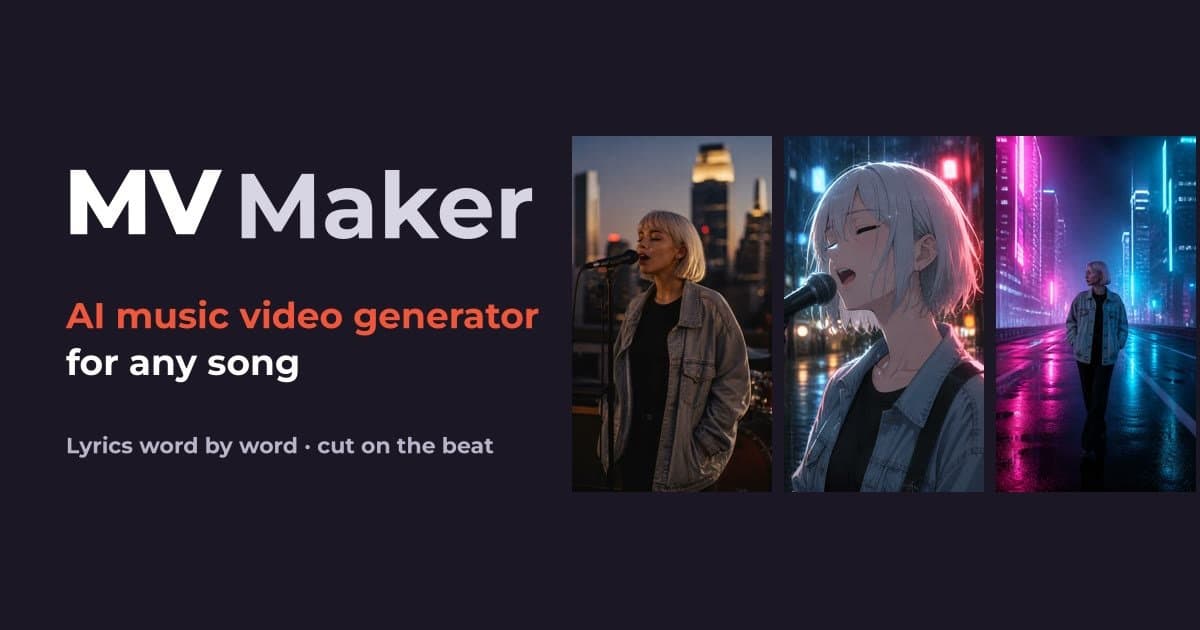
About this app
MV Maker is an AI music video maker. Upload a song or paste a TikTok or MP3 link. It finds the tempo, beats and chorus, times the lyrics word by word, and cuts every shot on the beat. AI can draw every shot with one singer throughout, or you can use your own photos and clips. The same project can also make a lyric video, a visualizer, or an 8-second Spotify Canvas. Download in 9:16, 16:9 or 1:1, or post to TikTok, YouTube, Instagram, Facebook and X. New accounts get 30 credits for 30 days. Plans start at $19.99/mo; packs start at $49.99. Media is never used to train models.
Key features
- 1Song-first beat detection: finds tempo, bars and chorus, then cuts every shot on the beat.
- 2Word-by-word lyric timing from the vocal, with per-word editing at no extra cost.
- 3AI-drawn shots with one consistent singer, or your own photos and clips placed on the beat.
- 4Multiple outputs from one project: 9:16, 16:9, 1:1, lyric video, visualizer, Spotify Canvas.
- 5One-click posting to TikTok, YouTube, Instagram, Facebook and X.
Target customer profile
Drawn from the product itself, not from a survey.
Demographic
Independent musicians and AI music makers releasing tracks
Pain points
No budget or editing skills for a professional-looking music video
Primary needs
Fast, affordable, beat-synced visuals that look polished on social media
Demographic
TikTok and Reels creators using trending sounds
Pain points
Manual beat-matching and lyric timing eats up hours per clip
Primary needs
Quick vertical videos with lyrics and cuts locked to the beat
Demographic
Everyday memory keepers with trip, wedding, or family photos
Pain points
Photo slideshows feel flat and don't sync to music
Primary needs
Turn personal photos and clips into a song-driven video with minimal effort
Demographic
Small shops and brands running social ads
Pain points
Product videos look amateur and take too long to produce
Primary needs
Music-synced promo videos in multiple formats without hiring an editor
Scout Review
Written by AI from measured evidence, scored out of 100.
MV Maker is a focused AI music video maker that does one thing well: turn a song into a beat-synced, lyric-timed video without a timeline. The landing page is polished and honest about what it does, the pricing is itemized per video rather than hidden behind vague credits, and the site is genuinely fast. Security headers are thin and there is no compliance story, which matters if you are selling to labels. Accessibility looks strong on automated checks but is unverified beyond that. Against CapCut, InVideo AI and Renderforest, the song-first approach is a real reason to pick it — if the output holds up.
Measure by measure
Usability
66One-field, one-button entry makes the first step obvious, and pricing shows exact credit cost before you spend. Long page with repeated CTAs and tiny unlabelled platform icons keep it from feeling tight.
Design
71Polished, intentional landing page: two-typeface system, real product mockups in step cards, and a scannable comparison table. Held back by low-contrast small text and an off-brand promo card palette.
Speed
88Lighthouse desktop 96/100 with LCP 281ms, CLS 0.008 and TBT 80ms. The marketing site is genuinely snappy; no lag complaints surfaced in the collected evidence.
Security
52HTTPS with HSTS, SPF and DMARC, and Stripe handles checkout. But the header set is thin (no CSP, frame protection or Referrer-Policy) and no SOC 2/ISO or security page was found.
Accessibility
79Lighthouse accessibility 100/100 on automated checks, plus an EN/中文 toggle and responsive layout. No public a11y statement, and automated checks only cover part of WCAG.
Growth
68Song-first beat and lyric sync is a real wedge against prompt-first AI video tools and manual timeline editors, aimed at specific segments with multiple output formats. Category is crowded but the angle holds.
Improvement areas
- Thin security headers (no CSP, frame protection or Referrer-Policy) and no public security page.
- No accessibility statement; low-contrast small text on dark background flagged in visual audit.
- Long landing page with repeated CTAs and tiny unlabelled platform icons under the hero.
- No public SOC 2/ISO or compliance documentation for label or agency buyers.
Design & Usability
MV Maker's landing page is a cut above the usual AI-tool template. A deliberate two-typeface system, real product mockups inside the step cards, and a highlighted comparison column make the value legible fast. Usability follows the same logic: one input, one button, and a pricing page that shows the exact credit cost before you commit. The friction is in the details — small low-contrast captions, an off-brand promo card, and tiny unlabelled platform icons that bury the one-click posting claim. It reads as a product built by someone who actually uses it, not a template with copy swapped in.
Speed & Security
Speed is the standout measured result: Lighthouse desktop 96/100, LCP 281ms, CLS 0.008, TBT 80ms. The marketing site loads instantly and no lag complaints surfaced. Security is the weaker half. HTTPS is enforced with HSTS, SPF and DMARC are present, and Stripe handles checkout, which covers the basics. But the header set is thin — no CSP, no frame protection, no Referrer-Policy, no Permissions-Policy — and there is no SOC 2, ISO, security page or bug bounty in the collected evidence. For a consumer tool handling uploaded media that is acceptable at this stage, but it is not a security story you can sell to a label or agency.
Accessibility & Growth
Accessibility scores 100/100 on Lighthouse's automated axe-core run, backed by an EN/中文 toggle and a responsive layout. Automated checks only cover part of WCAG, and no public accessibility statement was found, so the real-world experience for screen-reader users is unverified. Growth is the more interesting question. The wedge — starting from the song, finding tempo, bars and chorus, cutting on the beat, timing lyrics word by word — is a genuine differentiator against prompt-first tools like InVideo AI and manual timeline editors like CapCut and Renderforest. The segments named (musicians, TikTok creators, memory keepers, small brands) are specific, and the multiple output formats plus one-click posting widen the surface. The limit is that the category is crowded and the moat is execution, not structure.
Conclusion
If you are an independent musician or a creator who needs a polished vertical video fast and does not want to learn a timeline editor, MV Maker is aimed squarely at you and the pricing is transparent enough to try. If you are a label or agency that needs SOC 2 and a security page before procurement signs off, this is not there yet. The honest test is the output: upload a track, watch whether the cuts actually land on the beat, and decide from that. The site earns the click; the render has to earn the subscription.
Suggestions for improvement
- Publish a security page with your header roadmap and any planned SOC 2 or pen-test work.
- Add an accessibility statement and test the low-contrast captions with a real screen reader.
- Make the one-click posting platform icons larger and labelled under the hero.
- Show a short before/after render sample on the pricing page so buyers see output quality before paying.
Alternatives comparison
Named competitors, point by point. Nobody paid to appear here or to be left out.
 MV Maker |  CapCut |  InVideo AI |  Renderforest | |
|---|---|---|---|---|
| Beat-synced automatic cutting | Automatic: finds tempo, bars and chorus, cuts on the first beat of a bar | Manual timeline work; beat markers available but cuts placed by hand | Prompt-driven; not built around a song's beat structure | Template-based visualizer; timeline editor for sync |
| Word-by-word lyric timing | Automatic from the vocal, editable per word at no extra cost | Auto-captions available; timing adjustments manual | Text overlays from prompt; not song-lyric timed | Lyric video templates with manual timing |
| AI-generated visuals with consistent singer | Yes: AI draws every shot with one singer throughout | AI effects and avatars; not a full-song consistent singer | AI-generated clips from text prompts | Template stock assets; limited AI generation |
| Multi-format export (9:16, 16:9, 1:1, Canvas) | All from one project, plus 8-second Spotify Canvas loop | Multiple aspect ratios; Canvas not a built-in preset | Multiple formats for short clips | Multiple formats via templates |
| Pricing model | Credits per use; plans from $19.99/mo, packs from $49.99 | Freemium with Pro subscription | Subscription tiers with AI generation limits | Subscription tiers by export quality and features |
CapCut
Popular mobile and desktop editor with auto-caption and beat-sync tools, but requires manual timeline work for full music videos.
InVideo AI
Text-prompt-driven AI video generator that can produce short clips but isn't built around a full song's beat and lyric structure.
Renderforest
Template-based music visualizer and lyric video maker with a timeline editor and subscription pricing.
Comparing options? See MV Maker alternatives, scored side by side
More AI Generations apps
View all AI Generations
Uni-1 by Luma AI
92Uni-1 is an advanced multimodal text-to-image AI model th...

Gerty
91Private, local AI assistant for Mac that runs offline

LTX 2.3 AI Video Generator
91Fast, open-source AI video generator with 4K support, mul...

DemoVexa
90Turn your code into professional product demo videos with AI-generated scripts, animated UI, and natural voiceovers.

AI Vocals Generator
89Add AI singers or rappers to your own beat, get two takes...

Voqusa
89Transcribe social media video and audio links into text (free signup, 5 free credits, then pay-as-you-go)

All of Us
89Add deceased loved ones to photos with AI and see free pr...

PodRescale
89Every episode becomes two weeks of posts. In your voice. Posted for you.

Pixelimg
88A free online AI-powered tool that instantly converts ima...

Cantoro
88Custom AI songs with a name, heard free before paying $4....

tradutor de mangá com IA
88O tradutor de mangá com IA traduz capítulos em lote, personaliza textos e oferece edição visual para estúdios.

IraVoice
88Private on-device dictation for Apple-silicon Macs.


A platform dedicated to providing unbiased reviews of newly launched applications, analyzing everything from their features to their full potential.
info@scoutforge.net© 2026 Scoutforge. All rights reserved.
