Is this your app?
Claim NexNotes AI to manage its page, add your badge and see your traffic — free, and it stays free.
Cycling through all six. Tap any point to stop.
Measured on six things
NexNotes AI uses artificial intelligence to convert study materials into summaries and quizzes, ideal for students and educators.
Accessibility
40Minimal accessibility features observed - no screen reader support, dyslexia-friendly modes, or language localization.
Screenshots
1 / 4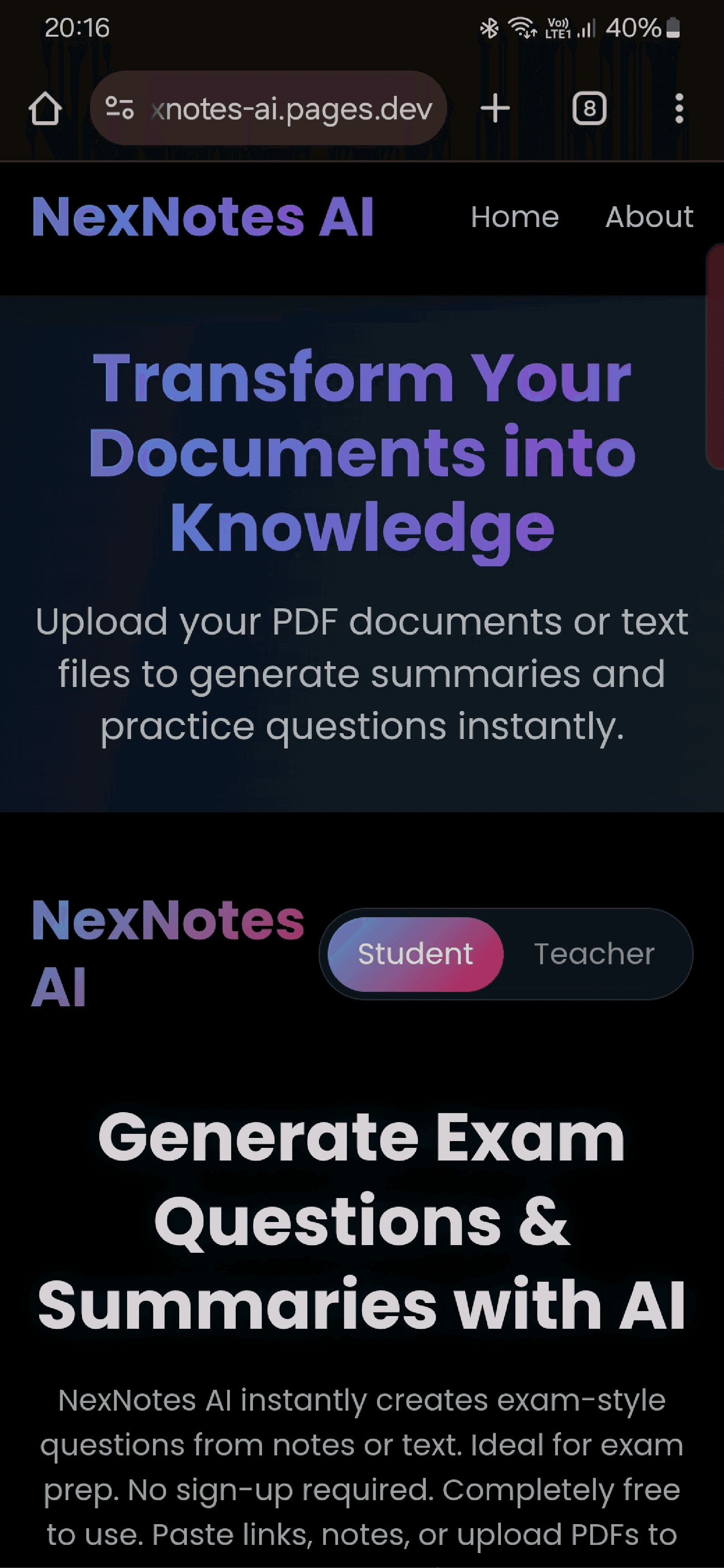
About this app
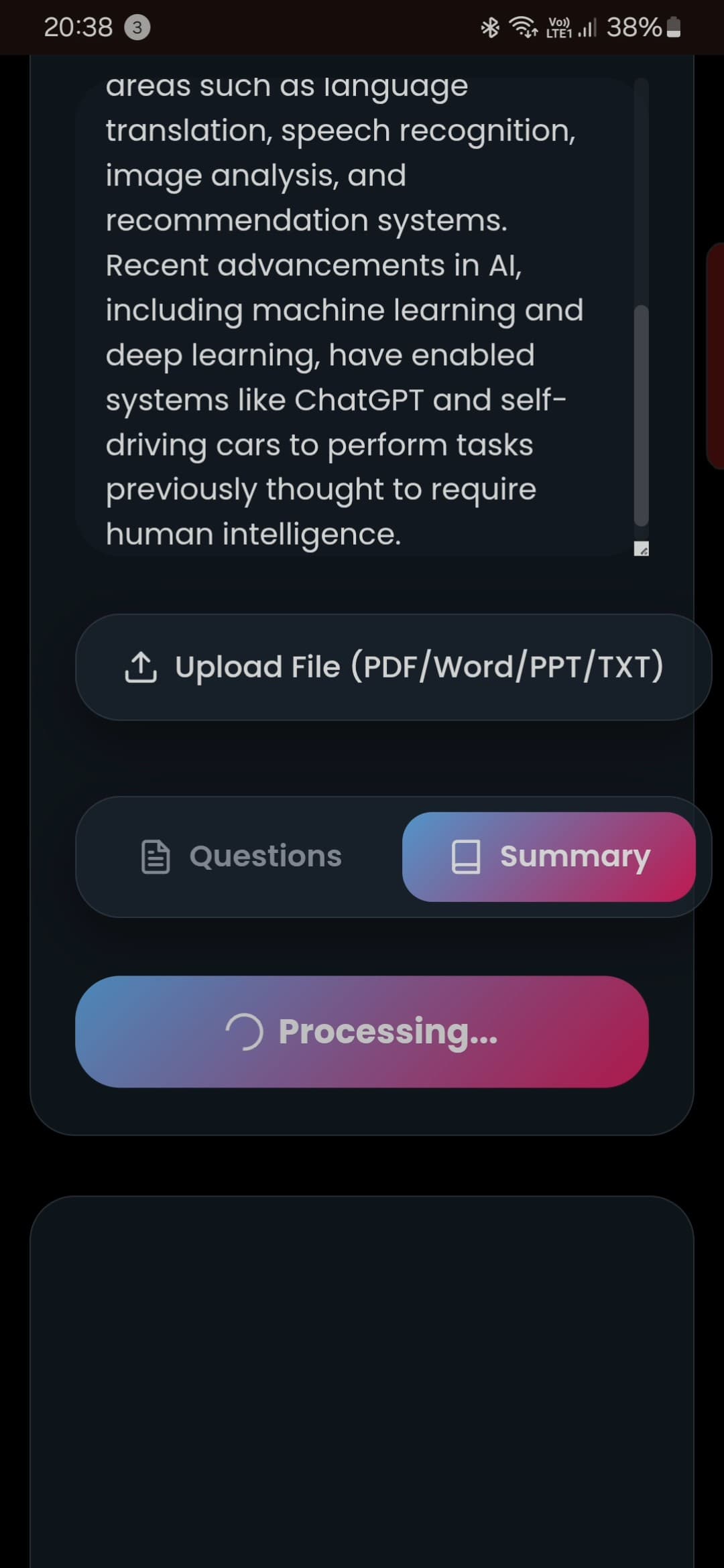
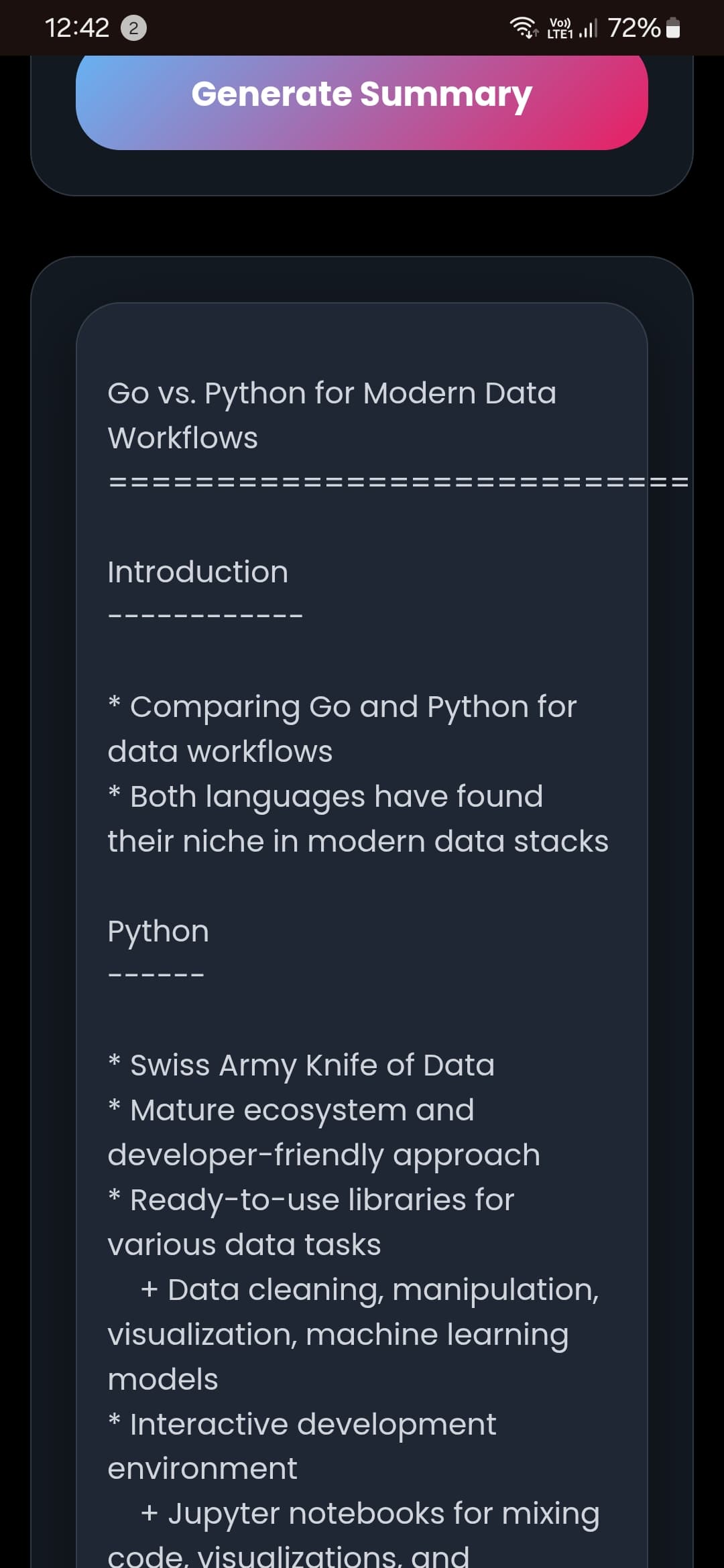
As a tech enthusiast who's always on the lookout for tools that simplify learning, I was immediately drawn to NexNotes AI. This app is designed for students, educators, and self-learners who struggle with information overload. It takes PDFs, articles, and video transcripts and uses AI to generate concise summaries and customizable multiple-choice quizzes. What really sets it apart is its dual-output approach—you get quick digestible key points alongside interactive quizzes to test your knowledge. From what I've gathered online, users on platforms like Reddit rave about its seamless integration with note-taking apps like Notion and Obsidian, making it a powerful addition to any academic toolkit. The AI is specifically tuned for educational content, ensuring high-quality outputs that aid in efficient studying and retention. While it's still in its early stages, the potential for growth in EdTech is huge, and NexNotes AI is definitely one to watch for anyone looking to enhance their learning experience with smart, AI-driven tools.
Key features
- 1Seamless integration with Notion and Obsidian for academic workflows.
- 2AI-powered summarization and quiz generation tailored for educational content.
- 3Straightforward three-step workflow praised for usability and effectiveness.
Target customer profile
Drawn from the product itself, not from a survey.
Demographic
University Students
Pain points
Information overload from lectures and textbooks, inefficient study methods, high stress during exam preparation
Primary needs
Quick content digestion tools, self-testing capabilities, integration with popular note-taking applications
Demographic
Educators and Tutors
Pain points
Time-consuming creation of study materials, difficulty in assessing student comprehension effectively
Primary needs
Automated quiz generation, customizable learning aids, shareable educational resources
Demographic
Lifelong Learners
Pain points
Challenges in processing dense articles and research papers, maintaining long-term knowledge retention
Primary needs
Rapid summarization features, micro-learning formats, tools for tracking learning progress
Scout Review
Written by AI from measured evidence, scored out of 100.
NexNotes AI delivers on its core promise of transforming study materials into digestible summaries and quizzes with impressive effectiveness. The tool excels at addressing genuine academic pain points, particularly for university students drowning in information overload and educators struggling with material creation. While the security concerns and accessibility shortcomings are significant drawbacks, the practical utility and smart integrations make it a valuable addition to any student's digital toolkit. The AI's educational focus distinguishes it from generic text processors, resulting in higher-quality outputs tailored for learning retention.
Measure by measure
Usability
84Straightforward three-step workflow praised by users, excellent Notion/Obsidian integrations make it practical for academic workflows.
Design
80Clean academic aesthetic with blues and whites, textbook-inspired elements, and thoughtful integration-focused workflow.
Speed
70Cloudflare hosting ensures decent load times, but JavaScript dependency and processing delays noted for longer content.
Security
50No visible privacy policy or encryption details, concerning for document uploads containing sensitive academic materials.
Accessibility
40Minimal accessibility features observed - no screen reader support, dyslexia-friendly modes, or language localization.
Growth
90High EdTech demand with expandable potential to corporate training, language learning, and research applications.
Improvement areas
- Implement robust privacy controls and clear encryption standards for security.
- Add essential accessibility features like screen reader support and dyslexia-friendly modes.
- Enhance processing speed for longer content to reduce delays.
Design & Usability
NexNotes AI presents a clean, academic-inspired interface that feels immediately familiar to students and educators. The blue and white color scheme creates a focused, distraction-free environment perfect for study sessions. Users report a straightforward three-step workflow that makes converting materials into summaries and quizzes remarkably intuitive. The real standout is the seamless integration with popular note-taking platforms like Notion and Obsidian, which shows thoughtful UX planning for actual academic workflows. While the JavaScript-heavy implementation might cause some loading delays on older devices, the overall design prioritizes functionality over flashy aesthetics - a smart choice for an educational tool.
Speed & Security
Hosted on Cloudflare Pages, NexNotes AI benefits from decent baseline loading speeds and DDoS protection. However, the processing time for converting study materials varies significantly based on content length, which might frustrate users needing quick turnarounds. The security aspect raises legitimate concerns - the absence of a visible privacy policy and unclear encryption standards for uploaded documents is problematic for an app handling potentially sensitive academic materials. While the speed is generally acceptable for educational use cases, the security shortcomings need immediate attention to build trust with users uploading textbooks, research papers, and other proprietary content.
Accessibility & Growth
Accessibility is where NexNotes AI falls notably short. The platform shows no evidence of screen reader compatibility, dyslexia-friendly modes, or language localization features, effectively excluding learners with disabilities from its benefits. This oversight is disappointing in an educational tool that should prioritize inclusive learning. Conversely, the growth potential is exceptional - the core technology could easily expand into corporate training, language learning apps, research assistance, and adaptive learning platforms. The EdTech market is hungry for AI-powered solutions that actually work, and NexNotes AI's dual summarization-quiz approach positions it well for rapid expansion if the team addresses its current limitations.
Conclusion
If you're tired of manually converting textbooks into study aids or creating quizzes from scratch, NexNotes AI is absolutely worth trying. It's particularly valuable for academic users who need to rapidly process complex materials and test their understanding. The app shines brightest when integrated into existing workflows through Notion or Obsidian, creating a seamless study ecosystem. While still evolving, its core functionality addresses real needs in education technology - give it a shot if you want to work smarter, not harder on your next exam preparation.
Suggestions for improvement
- Implement robust privacy controls and clearly communicate encryption standards for uploaded documents.
- Add essential accessibility features including screen reader support, dyslexia-friendly formatting options, and keyboard navigation.
- Develop browser extensions for one-click web article summarization to expand beyond uploaded documents.
- Create progress tracking for repeated quiz attempts to measure learning improvement over time.
- Build shared workspaces for classroom scenarios where educators can distribute materials and track student performance.
- Consider adding more question types beyond multiple choice to enhance assessment versatility.
Alternatives comparison
Named competitors, point by point. Nobody paid to appear here or to be left out.
 NexNotes AI |  Quizgecko |  Quizlet AI |  Revisely Quiz Generator | |
|---|---|---|---|---|
| Quiz Generation | Customizable multiple-choice quizzes with educational focus | Wider variety of question types including matching and fill-in-blank | Flashcard-based testing with memorization focus | AI-powered quizzes but limited customization options |
| Content Summarization | Dedicated AI summarization for educational materials | Limited or no summarization features | No summarization, focused on flashcard creation | No integrated summarization tools |
| Platform Integrations | Notion and Obsidian integration | Limited third-party integrations | Proprietary ecosystem with limited external connections | Standalone platform with minimal integrations |
| Content Types Supported | PDFs, articles, video transcripts | Text input, limited file support | Text input for flashcards, limited file processing | Text input primarily, some document support |
Quizgecko
A more established quiz generator with a wider variety of question types, though it lacks the dedicated summarization features that NexNotes AI offers.
Quizlet AI
Primarily focused on flashcards and memorization, it includes test generation but is less suited for conceptual learning compared to NexNotes AI's summarization and quiz combo.
Revisely Quiz Generator
Offers similar AI-powered quiz functionality but does not include integrated summarization tools, making it less comprehensive for study material processing.
Comparing options? See NexNotes AI alternatives, scored side by side
More Education apps
View all Education
The Stack Newsletter
92A weekly newsletter delivering curated tech jobs, intervi...

SheetScroll
90> You play; SheetScroll turns the page. It listens through the microphone or a MIDI piano and holds the page until it's sure where you are.

Tracé slides
89Interactive math & physics slides with live graphs and an...

English Test Coach
89English Test Coach checks your IELTS essays and letters, gives an estimated band score across all four criteria, and tells you exactly what to revise next.

Startup Science
88A unified platform replacing 12-20 disconnected tools for...

Cromagnon
88Free, private browser-based PDF, Word, Excel, and study t...

TranscriptYou
88Free YouTube transcript generator with timestamps and AI ...

RBQ Exam
87Online practice for the RBQ contractor licence exams in Québec: original questions, timed mock exams and lessons, in French or English.

Coloring Pages Pro
87A massive collection of free printable coloring pages for...

CertWorthIt
87Data-driven tool revealing which certifications actually ...

HireVue Practice
85AI-powered HireVue practice with timed mock interviews, role-specific questions, transcripts, scoring, and actionable feedback.

Case Cub
85AI-powered law school study platform with 20,000+ case br...


A platform dedicated to providing unbiased reviews of newly launched applications, analyzing everything from their features to their full potential.
info@scoutforge.net© 2026 Scoutforge. All rights reserved.
