Cycling through all six. Tap any point to stop.
Measured on six things
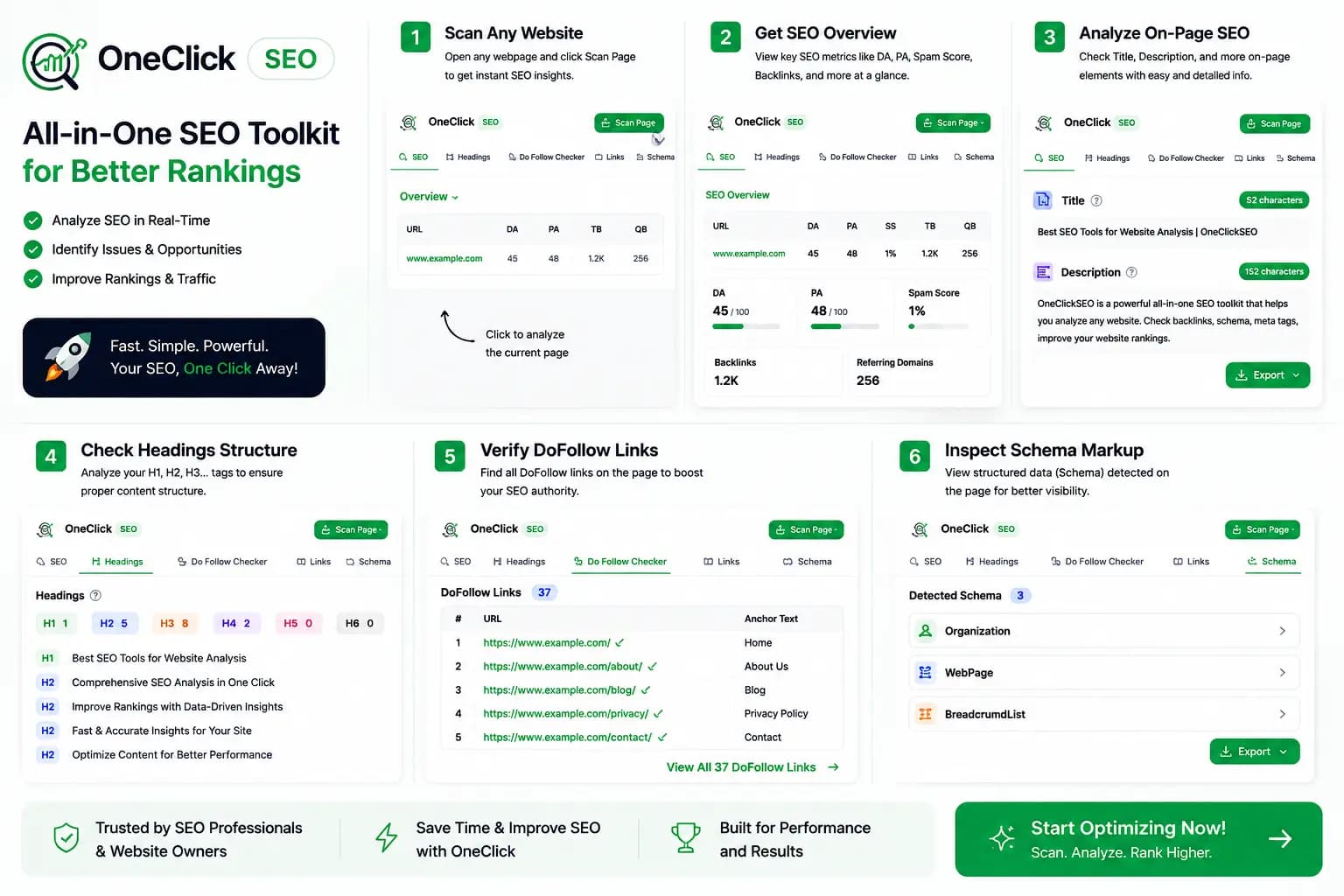
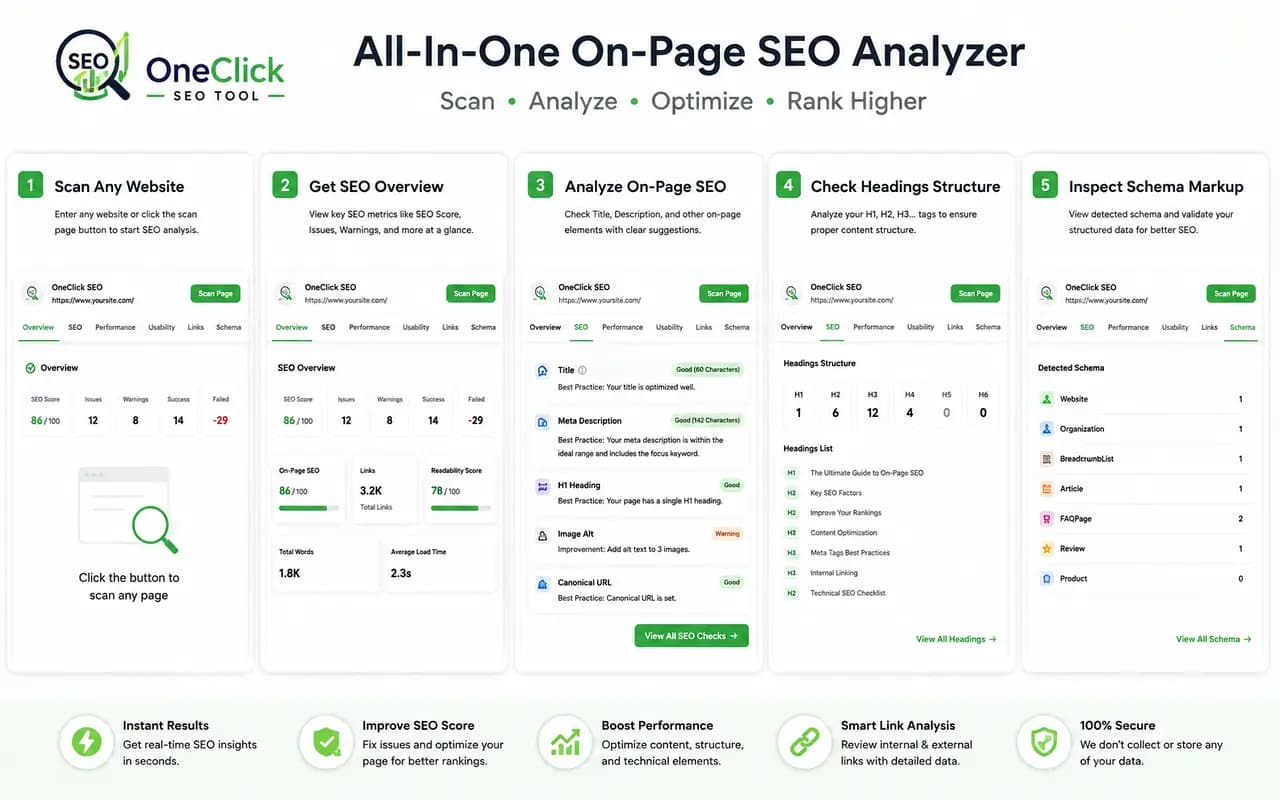
OneClick SEO is a free Chrome extension that helps you review the on-page structure of any website directly in your browser. It provides a clear overview of important page information, making it easier to understand how a webpage is organized for search engines.
Security
48HTTPS and HSTS are solid, but missing CSP, frame protection, and other headers put it behind peers.
Screenshots
1 / 4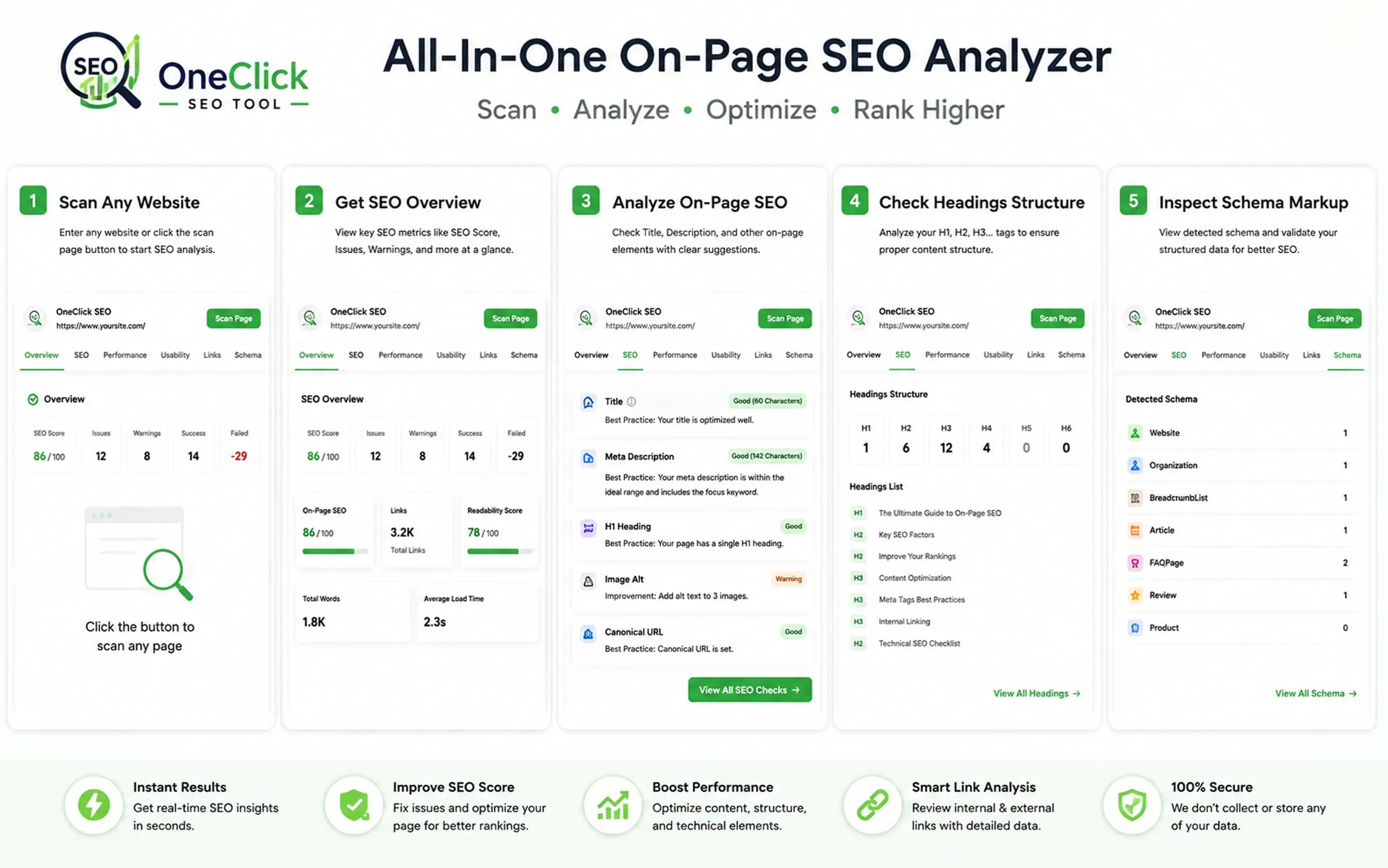
About this app
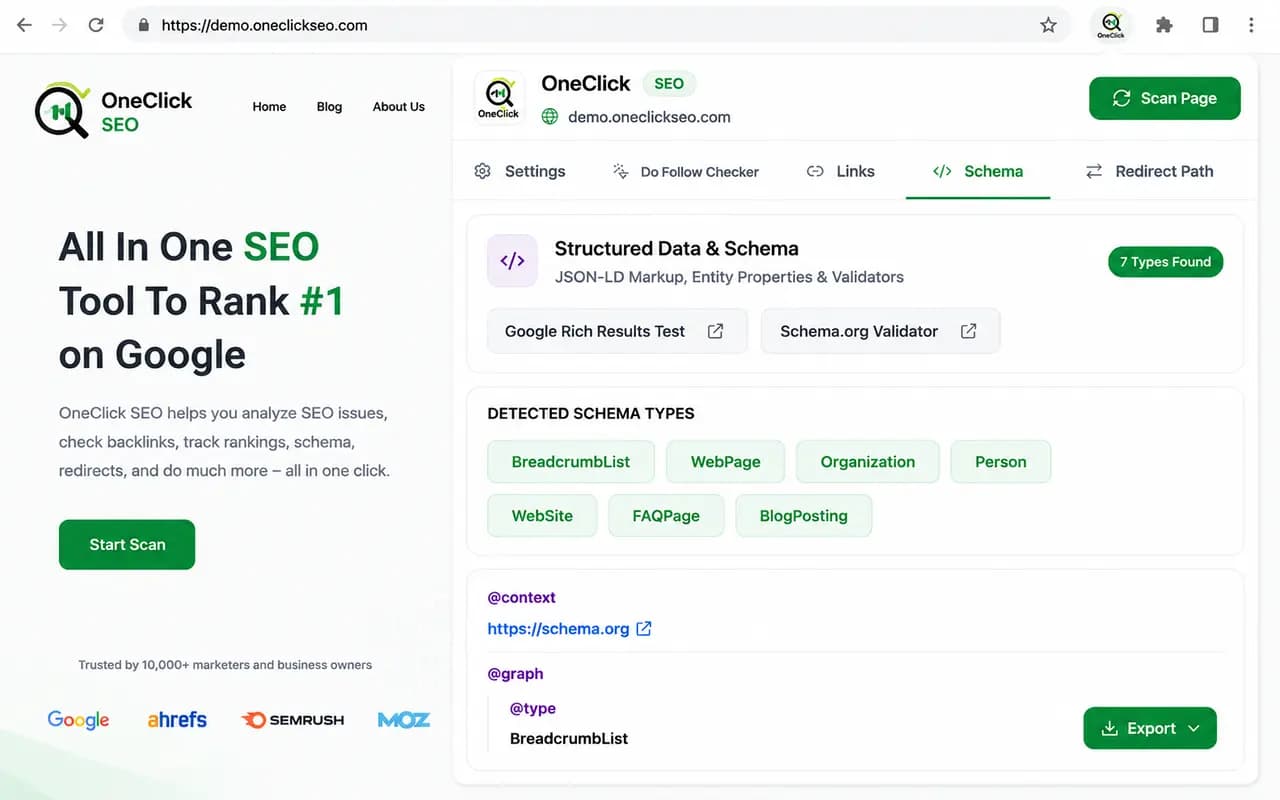
OneClick SEO is a free Chrome extension for instant website SEO analysis and browser-based website audits. Analyze any webpage locally in your browser without creating an account. The extension helps SEO professionals, marketers, developers, website owners, bloggers, and agencies review critical on-page SEO elements, including meta titles, meta descriptions, canonical tags, robots directives, heading structure (H1–H6), Schema.org structured data (JSON-LD), Open Graph, Twitter Cards, internal and external links, dofollow/nofollow links, redirect paths, HTTP status codes, image alt attributes, robots.txt, XML sitemaps, and indexing information. OneClick SEO performs all processing locally for complete privacy, delivering fast, lightweight, and secure SEO audits directly in Google Chrome. Improve technical SEO, on-page optimization, website structure, and search engine visibility with a simple, free SEO auditing tool.
Key features
- 122+ on-page SEO checks including meta tags, schema, links, and headings
- 2100% free with no signup and local browser-based processing for privacy
- 3Multi-browser support for Chrome, Firefox, and Edge with sub-2-second analysis
Target customer profile
Drawn from the product itself, not from a survey.
Demographic
SEO Professionals, Digital Marketers, Website Owners, Developers, Agencies, Bloggers, Small Businesses
Pain points
Time-consuming SEO audits, Poor search rankings, Missing technical SEO issues, Difficult keyword research, Expensive SEO tools, Low AI search visibility
Primary needs
Fast website audits, Keyword research, Rank tracking, Backlink analysis, Technical SEO insights, AI visibility tracking, Easy-to-use SEO toolkit
Scout Review
Written by AI from measured evidence, scored out of 100.
OneClickSEO is a promising free SEO audit extension that nails the basics: instant, private, no-signup analysis with a solid feature set covering meta tags, schema, links, and accessibility. The mobile performance is excellent, and the local-processing model is a genuine privacy win. However, it's a very new product with a landing page that has security gaps, accessibility inconsistencies, and a generic hero mockup that undermines its credibility. The desktop Lighthouse score and LCP also need attention. For a free tool, it's a solid choice for quick audits, but it faces stiff competition from established free alternatives. With polish on its own site and time to build trust, it could carve out a niche.
Measure by measure
Usability
64No signup and sub-2s analysis make it instantly usable, but tabbed UI and repeated scan buttons add friction.
Design
58Clean, consistent green-accented design with clear step cards, but generic hero mockup and repetitive CTAs hold it back.
Speed
78Excellent mobile Lighthouse score (91) with near-zero TBT, though desktop score (63) and 3.5s LCP leave room.
Security
48HTTPS and HSTS are solid, but missing CSP, frame protection, and other headers put it behind peers.
Accessibility
70Strong 90/100 Lighthouse score, but contrast, touch target, and ARIA issues show gaps in WCAG compliance.
Growth
55Free, private, instant SEO audit fills a real gap, but faces entrenched free tools and a crowded market.
Improvement areas
- Landing page missing critical security headers (CSP, frame protection, etc.)
- Accessibility gaps: touch targets, color contrast, and ARIA attribute issues
- Hero mockup doesn't match actual product UI, reducing credibility
Design & Usability
OneClickSEO presents a clean, functional design with a consistent green accent scheme that ties the homepage and extension UI together. The numbered step cards effectively communicate the workflow, and the tabbed extension interface keeps audit categories organized. However, the hero section's generic macOS mockup undermines credibility by not matching the actual product, and the repeated 'Add to Chrome' CTAs create visual noise. Usability is a clear strength: the no-signup, instant-analysis model removes barriers, and the sub-2-second scan time is genuinely impressive. The main friction comes from the tabbed UI requiring users to navigate multiple views for a complete picture, and the repetitive 'Scan Page' buttons dilute action hierarchy. Overall, it's a competent, approachable tool that prioritizes speed and simplicity over visual flair.
Speed & Security
Performance is a mixed bag. The mobile Lighthouse score of 91/100 with 5ms TBT is excellent, and the claimed sub-2-second analysis speed is a strong selling point for the extension. However, the desktop score drops to 63, and the 3.5s LCP on mobile is borderline — ironic for a tool that audits Core Web Vitals. Security shows a similar split: HTTPS and HSTS are properly enforced, and the local-processing architecture is a genuine privacy advantage. But the absence of CSP, frame protection, and other standard headers leaves the site itself exposed, and the 5/12 checklist score reflects that. For a tool that markets itself as 'secure,' the gap between its privacy pitch and its own security posture is notable.
Accessibility & Growth
Accessibility is a relative strength, with a 90/100 Lighthouse score and a feature set that includes dedicated accessibility checks. However, the failing audits — contrast, touch targets, ARIA misuse — are exactly the issues the tool claims to catch, which is a credibility problem. Growth potential is moderate: the free, private, no-signup model addresses a real pain point in a market dominated by expensive suites, and the multi-browser support (Chrome, Firefox, Edge) broadens reach. But the category is crowded with established free tools like Lighthouse and SEO Minion, and the product's youth (domain registered days ago) means it lacks the community and reviews to build trust quickly. The wedge is real but thin.
Conclusion
OneClickSEO is a solid first release that delivers on its core promise of fast, free, private SEO audits. The extension itself is lightweight and genuinely useful, and the multi-browser support is a smart move. But the landing page needs to match the product's quality — fix the security headers, tighten the accessibility issues, and replace that generic mockup with real screenshots. If the team iterates as quickly as the tool scans, this could become a go-to for quick on-page checks. For now, it's a competent free tool worth installing, but not yet a category disruptor. Watch this space — the foundation is solid.
Suggestions for improvement
- Replace the generic macOS hero mockup with actual extension screenshots to build trust
- Add missing security headers (CSP, X-Frame-Options, Referrer-Policy) to the landing page
- Fix accessibility issues: increase touch target sizes and improve color contrast
- Add a changelog or roadmap page to show active development and build community
Alternatives comparison
Named competitors, point by point. Nobody paid to appear here or to be left out.
 Oneclickseo | ||
|---|---|---|
| Pricing model | 100% free, no signup, no limits | Not specified |
| Data processing location | All processing local in browser for privacy | Not specified |
| Browser support | Chrome, Firefox, and Edge | Not specified |
| Analysis speed | Sub-2-second analysis claimed | Not specified |
| Account requirement | No signup required | Not specified |
Comparing options? See Oneclickseo alternatives, scored side by side
More Development & Engineering apps
View all Development & Engineering
Vibe Coding Agent Skills
92A free, open-source platform offering 110 AI agent skills...

CreateMyCoin
92A no-code Solana token creator that deploys SPL tokens in...

CC Switch
91Open-source desktop app for switching AI coding providers...

DemoVexa
90Turn your code into professional product demo videos with AI-generated scripts, animated UI, and natural voiceovers.

TaxID
90Fast EU VAT validation API for developers, covering 27 EU...

Webfetch
89Web scraping API that turns any URL into HTML, text, Mark...

deed.page
89Permanent web hosting for AI agents, no human step

FontPlop
89Browser-based font viewer & tester for TTF, OTF, WOFF, WO...

BeartIMAGE
88BeartIMAGE is a free, web-based image processing platform engineered for fast, bulk photo editing and conversion directly in your browser.

Claw Messenger
88Claw Messenger is an iMessage API service that gives AI a...

DataHabibi
88AI-powered Dubai real estate data platform with 12M+ DLD ...

ButterKit
82macOS app for App Store screenshots: 3D mockups, auto-tra...


A platform dedicated to providing unbiased reviews of newly launched applications, analyzing everything from their features to their full potential.
info@scoutforge.net© 2026 Scoutforge. All rights reserved.
