Cycling through all six. Tap any point to stop.
Measured on six things
Free AI prompt generator for ChatGPT, Claude, Gemini & more.
Security
52HTTPS enforced with CSP, SPF, and DMARC in place (6/12 header checks). Missing HSTS, frame protection, X-Content-Type-Options, Referrer-Policy, and Permissions-Policy; no security page or audit published.
Screenshots
1 / 1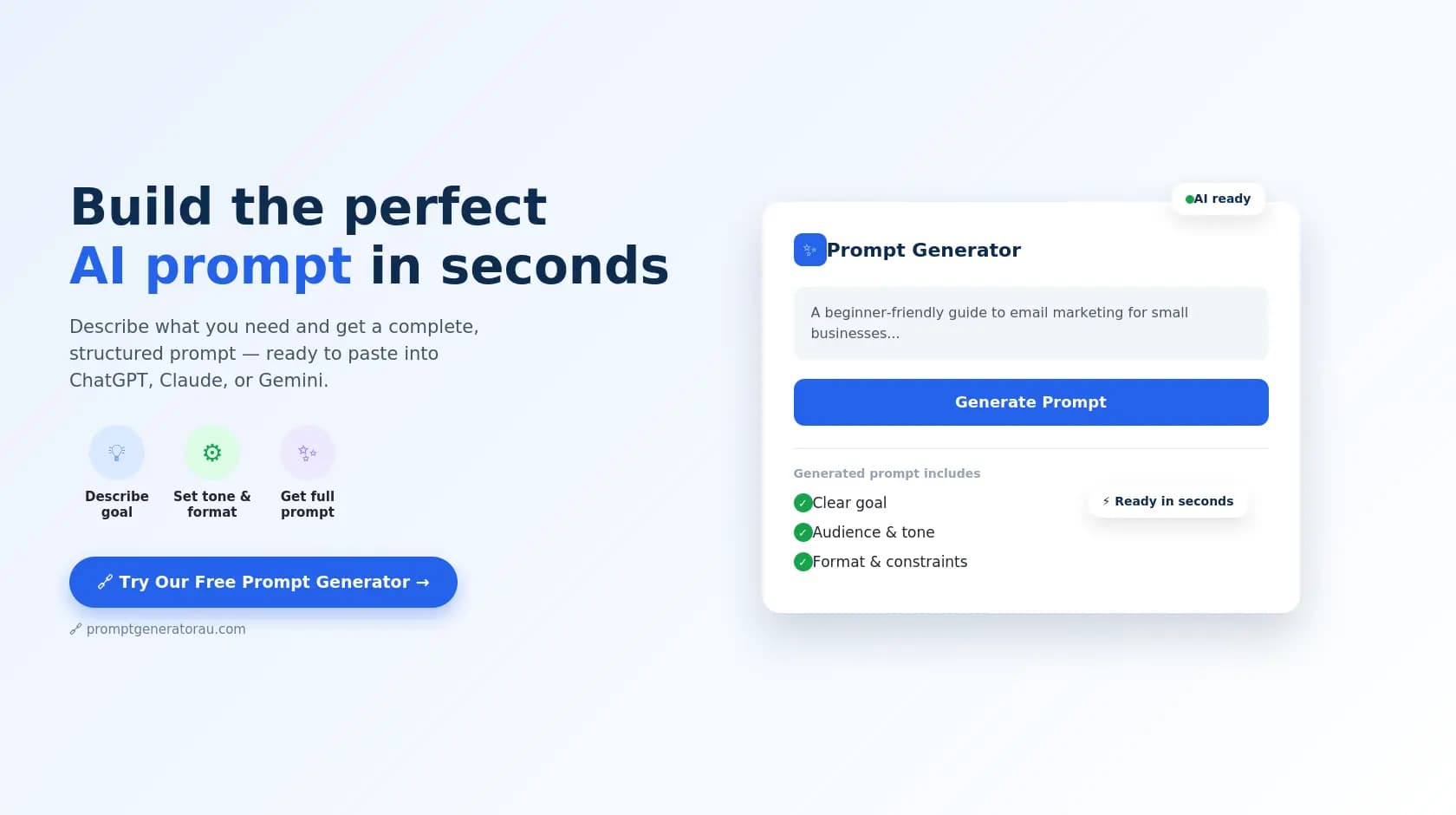
About this app
Prompt Generator AU is a free, no-sign-up web tool that turns rough ideas into structured, model-ready prompts for ChatGPT, Claude, Gemini, Grok, DeepSeek, Perplexity, Midjourney, and other leading AI platforms. You type in a short description of your task, pick a prompt type (like Writing & Content, Code & Technical, or Marketing & Business), a target model, a tone, and a detail level, and the generator instantly outputs an enhanced, ready-to-paste prompt. Beyond the core generator, the site offers dedicated sub-tools for ChatGPT, Claude, Gemini, and DeepSeek prompts, plus an image prompt generator, a video prompt generator, a Nano Banana prompt generator, an AI product description generator, and a prompt checker that scores prompt quality. It's aimed at content creators, marketers, developers, students, and entrepreneurs who want better AI output without learning prompt engineering from scratch. The interface is clean, works on a free tier of five generations per day without login...
Key features
- 1Free, no-signup prompt generator with 5 generations/day; four dropdowns (Prompt Type, Target Model, Tone, Detail Level) produce a structured, copy-ready prompt.
- 2Model-specific sub-tools for ChatGPT, Claude, Gemini, and DeepSeek, plus image, video, and Nano Banana prompt generators.
- 3AI prompt checker that scores prompt quality, and an AI product description generator for marketers and e-commerce sellers.
Target customer profile
Drawn from the product itself, not from a survey.
Demographic
Content creators, bloggers, and copywriters
Pain points
Generic AI responses, rewriting prompts endlessly, inconsistent tone
Primary needs
Fast, reusable prompts for articles, social posts, and ad copy
Demographic
Developers and technical writers
Pain points
Vague coding instructions, debugging loops, poorly scoped AI tasks
Primary needs
Structured technical and code prompts for multiple models
Demographic
Marketers and small business owners
Pain points
Limited time, tight budgets, no prompt engineering skills
Primary needs
Campaign, product description, and branding prompts on demand
Demographic
Students, educators, and researchers
Pain points
Unclear AI answers, difficulty framing academic or study tasks
Primary needs
Lesson, research, and study-friendly prompt generation
Scout Review
Written by AI from measured evidence, scored out of 100.
Prompt Generator AU is a free, no-signup prompt-structuring tool that turns a rough idea into a model-ready prompt via four dropdowns and a generate button. It is fast — Lighthouse 100/100 on mobile and desktop — and easy to start, with five free generations a day and a documented seven-step flow. The design is clean but wastes its hero's right panel on an empty placeholder and pads the page with eight near-identical category pills and repeated value-prop paragraphs. Security is half-finished: HTTPS, CSP, SPF, and DMARC are in place, but HSTS, frame protection, and three other headers are missing, and nothing is published about data handling. Accessibility scores 89/100 with real contrast, link-name, and select-label failures. Growth is the strongest dimension: a real problem, a specific free-and-broad wedge, but a crowded category and a very young domain. It is a competent, genuinely useful free tool that needs polish on the edges and a reason to exist beyond 'we support more models.'
Measure by measure
Usability
62No signup, 5 free generations/day, and a documented 7-step flow make it easy to start. Four ungrouped dropdowns and buried secondary tools add friction that a first-timer will feel.
Design
58Clean, consistent card styling and a clear step-by-step mental model, but the hero's empty right panel wastes prime space and eight identical category pills read as SEO filler, not navigation.
Speed
88Lighthouse 100/100 on both mobile and desktop: LCP 1.5s, CLS 0, TBT 0ms. Genuinely fast, lightweight, and snappy for a tool page — no lag complaints found.
Security
52HTTPS enforced with CSP, SPF, and DMARC in place (6/12 header checks). Missing HSTS, frame protection, X-Content-Type-Options, Referrer-Policy, and Permissions-Policy; no security page or audit published.
Accessibility
68Lighthouse a11y 89/100 with real failures: low color contrast, links without discernible names, and unlabeled select elements. Responsive and mobile-usable, but no WCAG statement or multi-language support.
Growth
58A real, common problem (bad prompts, generic output) with a specific wedge: free, no-signup, multi-model breadth plus a prompt checker. Differentiated enough to compete, but the category is crowded.
Improvement areas
- Hero's right 'Enhanced prompt' panel sits empty until generation — fill it with a live example or one-click demo to show value immediately.
- Four generator dropdowns are stacked with no grouping or help text; add labels and inline explanations for Prompt Type, Tone, and Detail Level.
- Security headers are half-configured (6/12) and no data-handling or security page exists; add HSTS, frame protection, and a privacy note.
- Three Lighthouse a11y failures (contrast, link names, select labels) and no WCAG statement or multi-language support.
Design & Usability
Prompt Generator AU's design is competent and consistent: soft-shadowed step cards, a clean logo, and a generator UI with clear button placement give it a polished, modern feel. The problem is what it does with the space it has. The hero's right panel — the 'Enhanced prompt' output area — sits empty with a star icon until you generate, wasting the most valuable real estate on the page. Below the fold, eight near-identical category pills (ChatGPT, Claude, Gemini, DeepSeek, Nano Banana...) read as an SEO keyword dump rather than a deliberate navigation pattern, and several long body paragraphs restate the same 'structured prompts, more models' pitch. Usability is stronger: no signup, five free generations a day, and a clearly documented seven-step flow make it easy to get a result in under a minute. But the four generator dropdowns (Prompt Type, Target Model, Tone, Detail Level) are stacked with no grouping or inline help, so a first-timer has to guess what 'Detail Level: Standard' actually changes. Secondary tools — image, video, prompt checker — are buried below dense text, which undercuts the breadth that is supposed to be the selling point.
Speed & Security
Speed is where this tool genuinely shines. A Lighthouse run scored 100/100 on both mobile and desktop, with an LCP of 1.5s, CLS of 0, and TBT of 0ms. For a browser-based generator that has to feel instant, that is exactly the right profile, and no user complaints about lag surfaced in the collected evidence. Security is a different story. The HTTP probe confirms HTTPS is enforced, a Content-Security-Policy is present, and both SPF and DMARC records exist — six of twelve checklist points. But HSTS is missing, frame protection is absent, and so are X-Content-Type-Options, Referrer-Policy, and Permissions-Policy. There is no security page, no SOC 2 or ISO claim, and no bug bounty. For a free tool that takes no login and stores no payment data, the risk surface is small, but the header hygiene is half-finished and the site publishes nothing about how it handles the prompts users type in.
Accessibility & Growth
Accessibility lands at a solid-but-imperfect 89/100 on Lighthouse, with three concrete failures: insufficient color contrast, links without discernible names, and select elements without associated labels. The site is responsive and works on mobile, but there is no accessibility statement, no WCAG conformance claim, and no multi-language support — English only. Growth is the more interesting question. The problem Prompt Generator AU names is real and widespread: people get generic AI output because they don't know how to structure a prompt. The wedge is specific — free, no signup, five generations a day, and breadth across ChatGPT, Claude, Gemini, DeepSeek, Grok, Perplexity, Midjourney, plus image, video, and Nano Banana generators and a prompt checker. That breadth is a genuine differentiator against PromptPerfect (optimization-focused) and AIPRM (a Chrome extension with a template library). But the category is crowded, the domain is only months old, and 'we support more models' is a feature competitors can copy in a weekend. The idea has room; the moat does not yet exist.
Conclusion
If you just want a better prompt without learning prompt engineering, Prompt Generator AU does the job and does it fast. The no-signup, five-a-day model is the right call for a utility like this, and the breadth of sub-tools — image, video, Nano Banana, prompt checker — gives it more surface area than most single-purpose competitors. What holds it back is not the core idea but the execution around it: an empty hero panel that could be showing a live example, four dropdowns that explain nothing, security headers left half-configured, and accessibility failures that are three lines of CSS and HTML away from being fixed. None of these are hard problems. Fix the contrast, label the selects, name the links, add HSTS and frame protection, and put a real example in that empty panel — and this stops being a decent free tool and starts being a genuinely good one. The foundation is there. The follow-through is not yet.
Suggestions for improvement
- Fill the hero's empty right panel with a live example prompt or a one-click demo so first-time visitors see the output before they type.
- Group the four generator dropdowns with labels and inline help text explaining what Prompt Type, Tone, and Detail Level actually change.
- Add the missing security headers (HSTS, X-Frame-Options, X-Content-Type-Options, Referrer-Policy, Permissions-Policy) and publish a short data-handling page.
- Fix the three Lighthouse a11y failures: raise color contrast, give links discernible names, and associate labels with the select elements.
Alternatives comparison
Named competitors, point by point. Nobody paid to appear here or to be left out.
 Prompt Generator AU |  PromptPerfect |  AIPRM for ChatGPT |  FlowGPT | |
|---|---|---|---|---|
| Pricing / free tier | Free, 5 generations/day, no signup required | Freemium with paid tiers; free usage limited | Free extension with paid Pro plans | Free community platform; optional paid features |
| Signup required | No — login only to save history | Account required for most features | Chrome extension install + account | Account required to save/share prompts |
| Multi-model support | ChatGPT, Claude, Gemini, Grok, DeepSeek, Perplexity, Midjourney + image/video | Multiple LLMs and image models | Focused on ChatGPT | Broad multi-model prompt library |
| Prompt library / community | No public library or community; generator-only | Optimization tool, limited public library | Large curated template library | Community-driven prompt discovery and sharing |
| Image / video prompt generation | Yes — image, video, and Nano Banana generators | Yes — supports image models | Primarily text/ChatGPT prompts | Yes — includes image prompt categories |
| Prompt quality scoring | Yes — dedicated AI prompt checker | Yes — core optimization/scoring focus | No dedicated scoring tool | No dedicated scoring tool |
PromptPerfect
A popular prompt optimization tool that refines and enhances prompts for multiple LLMs and image models.
AIPRM for ChatGPT
A Chrome extension offering a large library of curated ChatGPT prompt templates and customization options.
FlowGPT
A community-driven platform for discovering, sharing, and using AI prompts across a wide range of use cases.
Comparing options? See Prompt Generator AU alternatives, scored side by side
More AI Generations apps
View all AI Generations
Uni-1 by Luma AI
92Uni-1 is an advanced multimodal text-to-image AI model th...

Gerty
91Private, local AI assistant for Mac that runs offline

LTX 2.3 AI Video Generator
91Fast, open-source AI video generator with 4K support, mul...

DemoVexa
90Turn your code into professional product demo videos with AI-generated scripts, animated UI, and natural voiceovers.

AI Vocals Generator
89Add AI singers or rappers to your own beat, get two takes...

Voqusa
89Transcribe social media video and audio links into text (free signup, 5 free credits, then pay-as-you-go)

All of Us
89Add deceased loved ones to photos with AI and see free pr...

PodRescale
89Every episode becomes two weeks of posts. In your voice. Posted for you.

Pixelimg
88A free online AI-powered tool that instantly converts ima...

Cantoro
88Custom AI songs with a name, heard free before paying $4....

tradutor de mangá com IA
88O tradutor de mangá com IA traduz capítulos em lote, personaliza textos e oferece edição visual para estúdios.

IraVoice
88Private on-device dictation for Apple-silicon Macs.


A platform dedicated to providing unbiased reviews of newly launched applications, analyzing everything from their features to their full potential.
info@scoutforge.net© 2026 Scoutforge. All rights reserved.
