Cycling through all six. Tap any point to stop.
Measured on six things
One daemon, total control of your Linux servers
Speed
58Desktop Lighthouse 96/100 but mobile 70/100 with an 8.5s LCP — the hero gradient frame and screenshot are dragging largest paint on phones. CLS 0 and TBT 56ms are clean.
Screenshots
1 / 1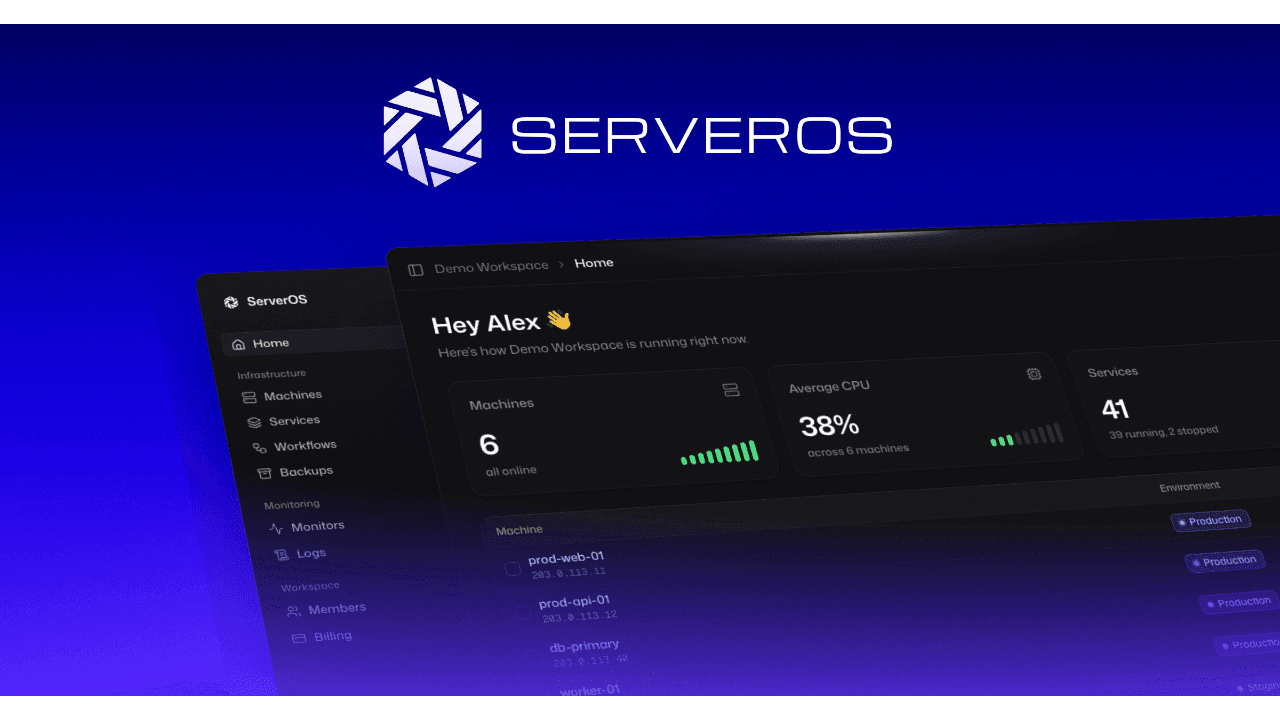
About this app
ServerOS is an open-source Linux server control panel that turns the VPS you already rent into a fully managed environment without giving up root access. Connect existing machines from providers like Hetzner, DigitalOcean, Vultr, or Linode, and ServerOS auto-discovers running sites, applications, and databases so you can manage everything from a single dashboard. You get Git-based deploys, continuous backups, and integrated monitoring alongside AI-powered incident analysis: when something breaks, an on-host AI agent reads your logs and system state, explains the root cause in plain English, and proposes a safe, step-by-step fix for you to approve. Nothing runs without your confirmation, and every action is logged.
Key features
- 1One-command curl install with checksum and release-signature verification; read-only first scan discovers existing sites, apps and databases.
- 2Git-based deploys, continuous backups, external uptime monitors and workflows (back up nightly, deploy on push, restart on crash).
- 3AI incident analysis: on-host agent reads logs and system state, explains root cause in plain English, proposes a fix you approve; every action logged.
Target customer profile
Drawn from the product itself, not from a survey.
Demographic
Engineering teams without a dedicated SRE function
Pain points
Production operations, deployments and incident response take time away from shipping code
Primary needs
Production-grade operations with Git deploys, backups and monitoring in one dashboard
Demographic
Developers running their own VPS on Hetzner, DigitalOcean, Vultr or Linode
Pain points
Managing servers means hours spent on deployments, updates, monitoring and fixing things that break
Primary needs
A managed environment on the servers they already rent, without giving up root access
Demographic
Teams that need to find and fix incidents quickly
Pain points
Digging through logs to find the cause of failed deploys, certificate errors and resource exhaustion
Primary needs
AI-assisted troubleshooting that explains the root cause and proposes fixes they approve, with every action logged
Scout Review
Written by AI from measured evidence, scored out of 100.
ServerOS is a credible, well-built take on the 'managed environment without giving up root' pitch. The design is disciplined and the install-script disclosure is a genuinely smart trust device. Docs are deep enough to actually onboard. Security is the standout: 12/13 headers, signed installer, on-server key, mutual TLS, open source. Speed is the weak link — desktop 96 but mobile 70 with an 8.5s LCP. Pricing cards need alignment work and the feature mockups need to be legible. Against Forge, Ploi and Coolify, the AI incident analysis with human approval is a real differentiator, not a sticker.
Measure by measure
Usability
68One-command install with copy button and expiring token, plus a deep docs site with guides, reference, API/MCP routes and an Ask AI assistant. Pricing comparison is the weak spot.
Design
71Coherent grotesk + monospace type system, restrained hero, and a genuinely product-literate install-script block. Undercut by unequal pricing cards and mockups scaled too small to read.
Speed
58Desktop Lighthouse 96/100 but mobile 70/100 with an 8.5s LCP — the hero gradient frame and screenshot are dragging largest paint on phones. CLS 0 and TBT 56ms are clean.
Security
7912/13 security headers (only Permissions-Policy missing), HSTS, CSP, DMARC, signed installer, on-server key that never leaves, mutual TLS, open-source daemon, dedicated /security page. No published SOC 2 or pen-test found.
Accessibility
80Lighthouse a11y 97/100 with one failing contrast audit; responsive layout, keyboard shortcuts in docs. No WCAG statement or multi-language support in the collected evidence.
Growth
66Real, specific wedge: managed convenience on the VPS you already rent, root intact, with AI incident analysis you approve. Differentiated from Forge/Ploi (deploy-only) and Coolify (DIY).
Improvement areas
- Mobile performance: 8.5s LCP drags the Lighthouse mobile score to 70/100 — trim or lazy-load the hero screenshot.
- Pricing page: unequal card heights, dead zones under feature lists, and feature rows that don't align across tiers.
- Third-party security validation: no SOC 2, ISO or published pen-test in the collected evidence; Permissions-Policy header missing.
Design & Usability
The homepage is disciplined: one grotesk, monospace for code, a quiet provider strip, and a hero that shows the actual product instead of describing it. The standout is the install-script block — full source, line numbers, commented disclosure of what the daemon touches — which is exactly the trust device a root-level agent needs. Usability follows through: a one-command curl install with a copy button and an expiring token, and a docs site with Quickstart, Guides, Reference, every API route and MCP tool, plus an Ask AI assistant. The cracks are in the pricing section: cards of unequal height with dead zones under short feature lists, and feature lists that don't align row-by-row, so comparing Essential to Pro means scanning each card separately. Feature mockups are also scaled so small their status detail is illegible, weakening the proof they exist to provide.
Speed & Security
Speed is split down the middle: desktop Lighthouse 96/100 but mobile 70/100 with an 8.5s LCP, CLS 0 and TBT 56ms. The hero's gradient-framed screenshot is almost certainly the largest-paint culprit on phones — trim or lazy-load it and mobile climbs fast. Security is the strongest dimension. The HTTP probe found 12 of 13 headers (only Permissions-Policy missing), with HSTS, CSP, frame protection, secure cookies, SPF and DMARC all in place. The installer verifies checksum and release signature, the daemon generates its own on-server key that never leaves the machine, and it holds a single outbound mutual-TLS connection. Panel and daemon are open source under AGPL-3.0, and there's a dedicated /security page. What's missing is third-party validation — no SOC 2, ISO or published pen-test in the collected evidence.
Accessibility & Growth
Accessibility scores 97/100 on Lighthouse with a single failing audit: insufficient background/foreground contrast. The layout is responsive, the docs expose keyboard shortcuts (⌘K, ⌘J), and the type system is disciplined. There's no WCAG conformance statement or multi-language support in the collected evidence, which keeps this out of the top band. Growth is a judgement on the idea, not traction. The wedge is specific: a managed environment on the VPS you already rent, root intact, with an AI agent that reads logs, explains root cause and proposes a fix you approve — every action logged. That's meaningfully different from Laravel Forge and Ploi (deploy-focused) and Coolify (self-host DIY). The category — server management for teams without an SRE — has headroom, and the open-source AGPL panel plus a free self-host tier lowers adoption friction. The honest limit: the AI-fix-on-prod pitch only converts if teams trust the approval flow, and the audit log is the thing that makes that trust plausible.
Conclusion
If you're running a Hetzner or DigitalOcean box and you're tired of SSHing in to read logs at 2am, this is worth the 14-day Pro trial — the install is one command and the first scan is read-only, so the downside is small. If you're on mobile-heavy traffic to your marketing site, expect a slow first paint until the hero image gets trimmed. The thing to watch is whether the AI-fix flow earns trust in practice; the audit log is the right foundation for that, but it's the part only real usage will validate.
Suggestions for improvement
- Trim or lazy-load the hero screenshot — mobile LCP is 8.5s and it's the biggest single speed win available.
- Align pricing feature lists row-by-row across Essential, Pro and Business so tiers can be compared at a glance.
- Scale up the feature mockups in 'Deploy, monitor and fix' and 'Everything else' so their status detail is legible.
- Add Permissions-Policy to close the last header gap, and publish a WCAG conformance statement for the a11y score.
Alternatives comparison
Named competitors, point by point. Nobody paid to appear here or to be left out.
 ServerOS |  Laravel Forge | Ploi | Coolify | |
|---|---|---|---|---|
| Pricing model | Free self-host (AGPL-3.0); Essential €6/mo, Pro €14/mo, Business €89/mo, Enterprise custom | Per-server subscription tiers starting around $12/mo | Per-server subscription tiers with a free trial | Free self-hosted open source; paid cloud tier available |
| Open source | Yes — panel and daemon open source under AGPL-3.0 | No — proprietary SaaS | No — proprietary SaaS | Yes — open source, self-hostable |
| AI incident analysis | Yes — on-host agent reads logs, explains root cause, proposes fix you approve; every action logged | No native AI incident analysis | No native AI incident analysis | No native AI incident analysis |
| Bring-your-own VPS with root retained | Yes — Hetzner, DigitalOcean, Vultr, OVHcloud, Scaleway; root retained | Yes — provisions and manages servers on your cloud account | Yes — manages servers on your own cloud account | Yes — self-hosted on your own servers |
| Git-based deploys and backups | Yes — push-to-deploy, continuous backups, workflows | Yes — Git deploys and scheduled backups | Yes — Git deploys and backups | Yes — Git deploys and database backups |
Laravel Forge
Server provisioning and deployment service for PHP and Laravel apps on your own cloud servers.
Ploi
Server management panel for deploying sites and apps on your own servers.
Coolify
Open-source, self-hostable platform for deploying apps and databases on your own servers.
Comparing options? See ServerOS alternatives, scored side by side
More Development & Engineering apps
View all Development & Engineering
Vibe Coding Agent Skills
92A free, open-source platform offering 110 AI agent skills...

CreateMyCoin
92A no-code Solana token creator that deploys SPL tokens in...

CC Switch
91Open-source desktop app for switching AI coding providers...

TaxID
90Fast EU VAT validation API for developers, covering 27 EU...

DemoVexa
90Turn your code into professional product demo videos with AI-generated scripts, animated UI, and natural voiceovers.

FontPlop
89Browser-based font viewer & tester for TTF, OTF, WOFF, WO...

deed.page
89Permanent web hosting for AI agents, no human step

Webfetch
89Web scraping API that turns any URL into HTML, text, Mark...

Denpex
89AI-powered GPU failure diagnosis for distributed ML training

BeartIMAGE
88BeartIMAGE is a free, web-based image processing platform engineered for fast, bulk photo editing and conversion directly in your browser.

Claw Messenger
88Claw Messenger is an iMessage API service that gives AI a...

DataHabibi
88AI-powered Dubai real estate data platform with 12M+ DLD ...


A platform dedicated to providing unbiased reviews of newly launched applications, analyzing everything from their features to their full potential.
info@scoutforge.net© 2026 Scoutforge. All rights reserved.
