Is this your app?
Claim StudyPDF to manage its page, add your badge and see your traffic — free, and it stays free.
Cycling through all six. Tap any point to stop.
Measured on six things
AI-driven platform converting PDFs into interactive study tools like flashcards and quizzes for enhanced learning.
Accessibility
60Basic keyboard navigation but no screen reader optimization and limited language support beyond English.
Screenshots
1 / 3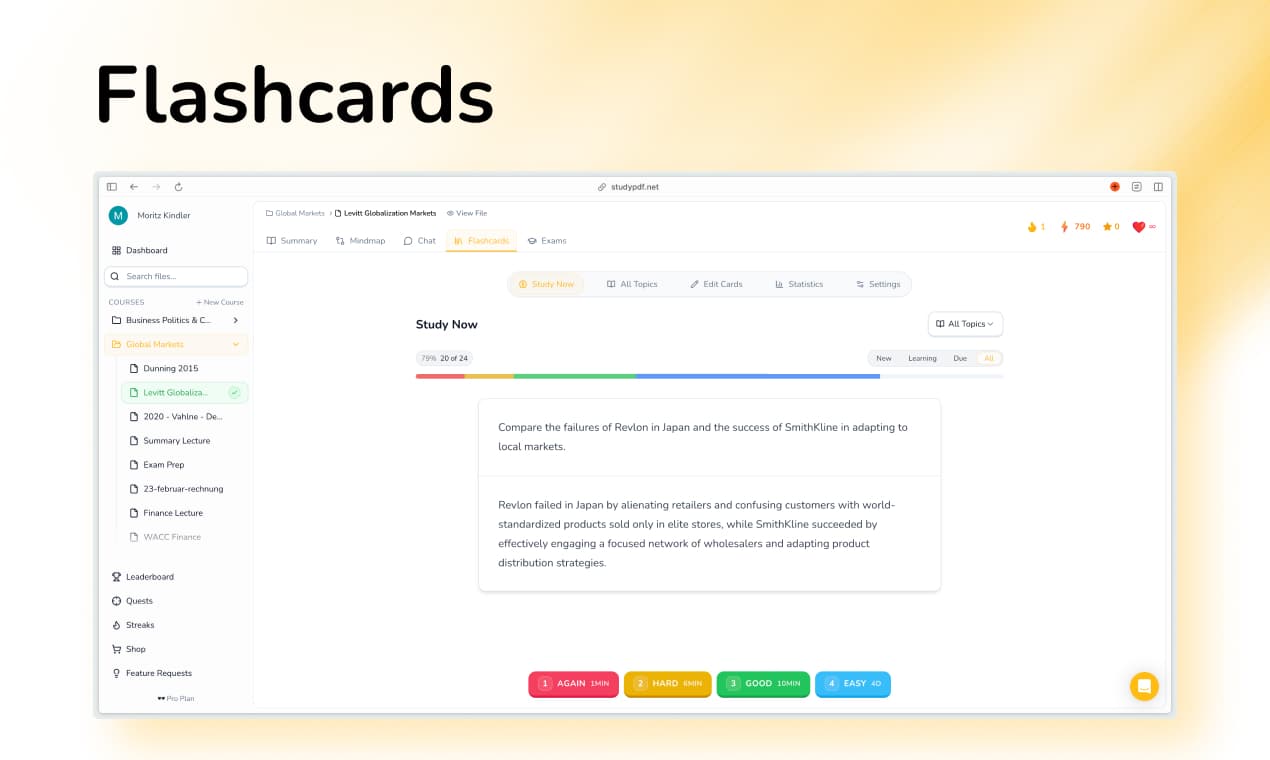
About this app
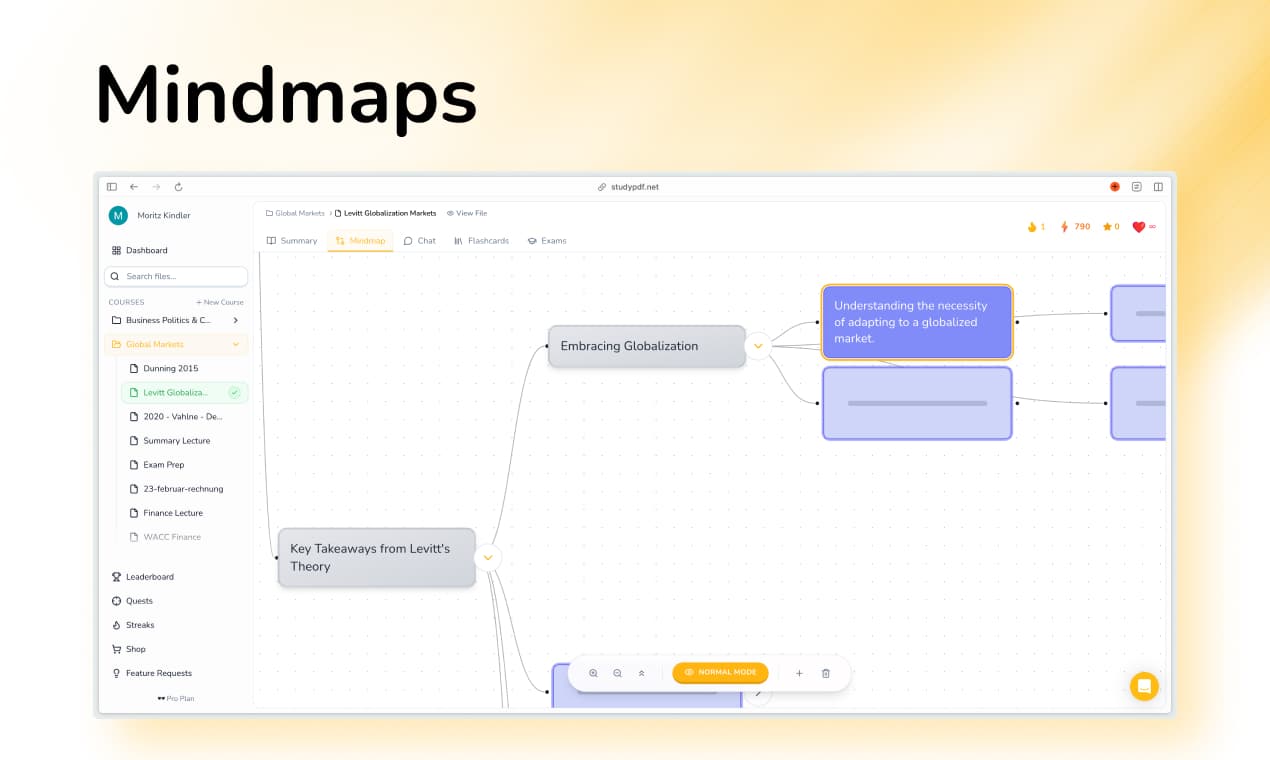
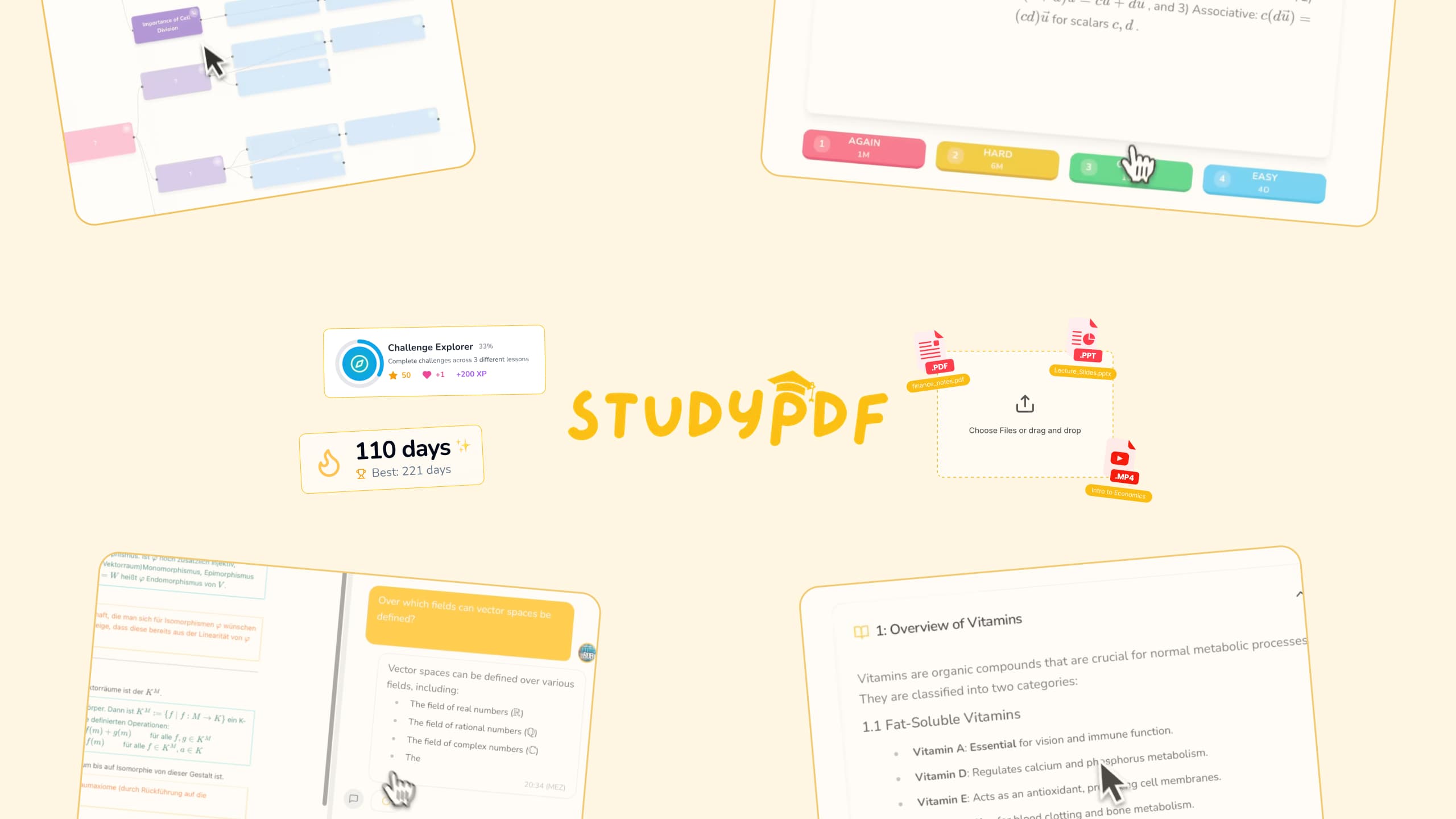
StudyPDF is an innovative AI-powered tool designed for students and lifelong learners, transforming static PDF documents into dynamic, interactive study materials such as flashcards, mind maps, and practice tests. It leverages scientifically proven techniques like spaced repetition to boost retention and efficiency. With features like an AI tutor for personalized feedback and progress tracking, it helps users identify and focus on weak areas. The platform is user-friendly, with a clean interface and mobile app support for Android, though it lacks iOS compatibility. While it excels in usability and speed, it could improve in areas like security transparency and accessibility. Ideal for exam prep and self-paced learning, StudyPDF offers a 7-day free Pro trial and has garnered over 20,000 users globally.
Key features
- 1AI-powered PDF conversion to interactive study tools like flashcards and mind maps for enhanced learning efficiency.
- 2Intuitive and clean interface with a straightforward workflow, making it easy for students to use on web and Android mobile.
- 3High-speed processing for most PDFs, typically under a minute, saving time in study preparation.
Target customer profile
Drawn from the product itself, not from a survey.
Demographic
University students
Pain points
Time-consuming note-taking, passive reading, lack of engagement with static materials
Primary needs
Efficient study tools, active recall methods, structured revision
Demographic
Professionals pursuing certifications
Pain points
Balancing study with work, limited time for exam prep
Primary needs
Quickly generate practice tests, track progress, focus on weak areas
Demographic
Self-learners
Pain points
Isolated learning, lack of feedback
Primary needs
AI tutoring, interactive content, motivation through gamified progress
Scout Review
Written by AI from measured evidence, scored out of 100.
StudyPDF successfully transforms the tedious process of studying from static PDFs into an engaging, interactive experience. Its AI-driven approach to creating flashcards, practice tests, and mind maps genuinely enhances retention and study efficiency. The platform excels where it matters most for students - saving time and personalizing the learning journey. However, the lack of security transparency and accessibility features means it's not yet the complete package for all learners.
Measure by measure
Usability
90Intuitive dashboard and mobile app mirroring web experience makes studying on-the-go seamless and efficient.
Design
80Clean, student-friendly interface with straightforward PDF conversion workflow, though mind map customization options are limited.
Speed
80Processes most PDFs in under a minute, though 100+ page documents may experience noticeable rendering delays.
Security
70Lacks explicit encryption details or clear data retention policies, creating uncertainty for sensitive academic content.
Accessibility
60Basic keyboard navigation but no screen reader optimization and limited language support beyond English.
Growth
90High demand in EdTech market with strong AI foundation, positioned for expansion into new features and markets.
Improvement areas
- Lack of iOS app support limits accessibility for Apple users, hindering mobile experience parity.
- Insufficient security transparency with no clear encryption or data policies, raising privacy concerns for sensitive content.
- Poor accessibility features, including no screen reader optimization and limited language support beyond English.
Design & Usability
StudyPDF delivers a clean, functional interface that prioritizes ease of use above all else. The dashboard is thoughtfully organized with quick upload buttons and clear tool selection, making the PDF conversion process remarkably straightforward. You simply drag your document, choose your preferred output format, and let the AI work its magic. The mobile app for Android maintains this seamless experience, though iOS users are conspicuously left out in the cold. While the interface excels in simplicity, power users might find the mind map and flashcard customization options somewhat limiting compared to dedicated tools in these categories.
Speed & Security
Performance-wise, StudyPDF handles most PDF conversions impressively fast, typically completing the process in under a minute for standard documents. However, when dealing with hefty 100+ page academic papers or complex textbooks, you might notice some processing delays that interrupt the study flow. On the security front, the platform leaves much to be desired in terms of transparency. There's no clear information about encryption standards, data retention policies, or compliance certifications, which is concerning given that users regularly upload sensitive academic materials and personal study content.
Accessibility & Growth
Accessibility remains StudyPDF's weakest area, offering only basic keyboard navigation and clear typography without proper screen reader support or comprehensive language options. The platform primarily caters to English-speaking visual learners, neglecting auditory learning needs and international students. Despite these limitations, the growth potential is substantial given the booming demand for AI-powered educational tools. The core technology is solid, and expanding into collaborative features, multilingual support, and enhanced accessibility could position StudyPDF as a market leader in the evolving EdTech space.
Conclusion
If you're a student or professional drowning in PDF textbooks and research papers, StudyPDF could be your academic lifesaver. The 7-day free Pro trial makes it risk-free to test whether this AI-powered approach fits your study style. Just be mindful of the privacy considerations if you're working with sensitive materials. For anyone tired of passive reading and ready to embrace active, efficient learning, this platform is definitely worth exploring.
Suggestions for improvement
- To reach its full potential, StudyPDF should prioritize developing an iOS app to match their Android offering, implement proper screen reader support and multilingual processing, and publish comprehensive security documentation.
- Adding collaborative study features would also significantly enhance its value for group learning scenarios.
- Addressing these areas would transform StudyPDF from a useful tool into an essential educational platform.
Alternatives comparison
Named competitors, point by point. Nobody paid to appear here or to be left out.
 StudyPDF |  Quizlet |  Anki |  MindMeister | |
|---|---|---|---|---|
| AI-Powered PDF Conversion | Yes - Full AI analysis and conversion | No - Manual creation only | No - Manual creation only | No - Manual creation only |
| Spaced Repetition | Yes - Integrated system | No - Basic flashcards only | Yes - Core feature | No - Manual scheduling |
| Mind Mapping | Yes - AI-generated maps | No - Not available | No - Not available | Yes - Specialized feature |
| Practice Test Generation | Yes - Automated creation | No - Manual creation only | No - Manual creation only | No - Not available |
| Mobile App Availability | Android only | iOS & Android | iOS & Android | iOS & Android |
Quizlet
Offers flashcard creation but lacks AI automation and integrated mind maps or exams.
Anki
Focuses on spaced repetition but does not include AI-generated content or PDF conversion features.
MindMeister
Specializes in mind mapping but lacks AI-driven PDF analysis and practice test generation.
Comparing options? See StudyPDF alternatives, scored side by side
More Education apps
View all Education
The Stack Newsletter
92A weekly newsletter delivering curated tech jobs, intervi...

SheetScroll
90> You play; SheetScroll turns the page. It listens through the microphone or a MIDI piano and holds the page until it's sure where you are.

Tracé slides
89Interactive math & physics slides with live graphs and an...

English Test Coach
89English Test Coach checks your IELTS essays and letters, gives an estimated band score across all four criteria, and tells you exactly what to revise next.

Startup Science
88A unified platform replacing 12-20 disconnected tools for...

Cromagnon
88Free, private browser-based PDF, Word, Excel, and study t...

TranscriptYou
88Free YouTube transcript generator with timestamps and AI ...

RBQ Exam
87Online practice for the RBQ contractor licence exams in Québec: original questions, timed mock exams and lessons, in French or English.

Coloring Pages Pro
87A massive collection of free printable coloring pages for...

CertWorthIt
87Data-driven tool revealing which certifications actually ...

HireVue Practice
85AI-powered HireVue practice with timed mock interviews, role-specific questions, transcripts, scoring, and actionable feedback.

Case Cub
85AI-powered law school study platform with 20,000+ case br...


A platform dedicated to providing unbiased reviews of newly launched applications, analyzing everything from their features to their full potential.
info@scoutforge.net© 2026 Scoutforge. All rights reserved.
