Is this your app?
Claim TeachFlow to manage its page, add your badge and see your traffic — free, and it stays free.
Cycling through all six. Tap any point to stop.
Measured on six things
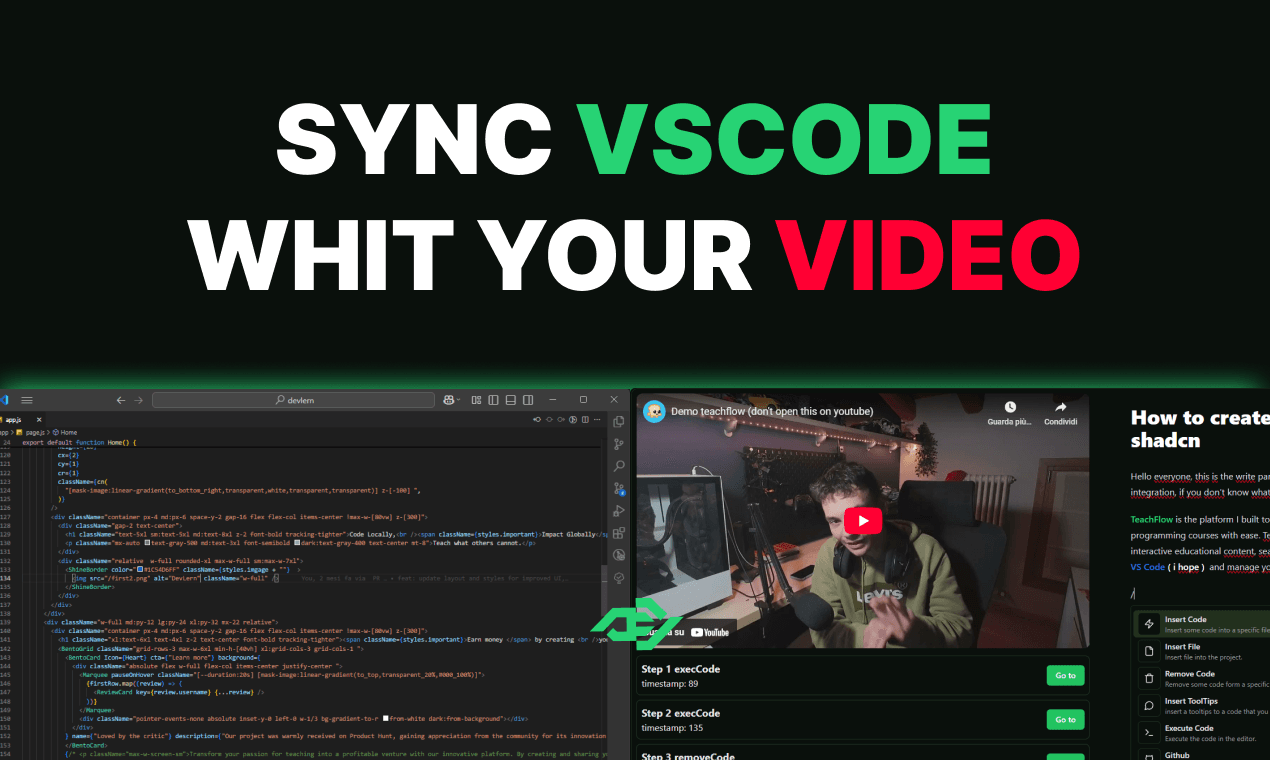
TeachFlow syncs YouTube coding tutorials with VS Code for real-time interactive learning, turning passive watching into active coding practice.
Accessibility
70Relies entirely on VS Code's existing accessibility features without additional enhancements for the video component.
Screenshots
1 / 4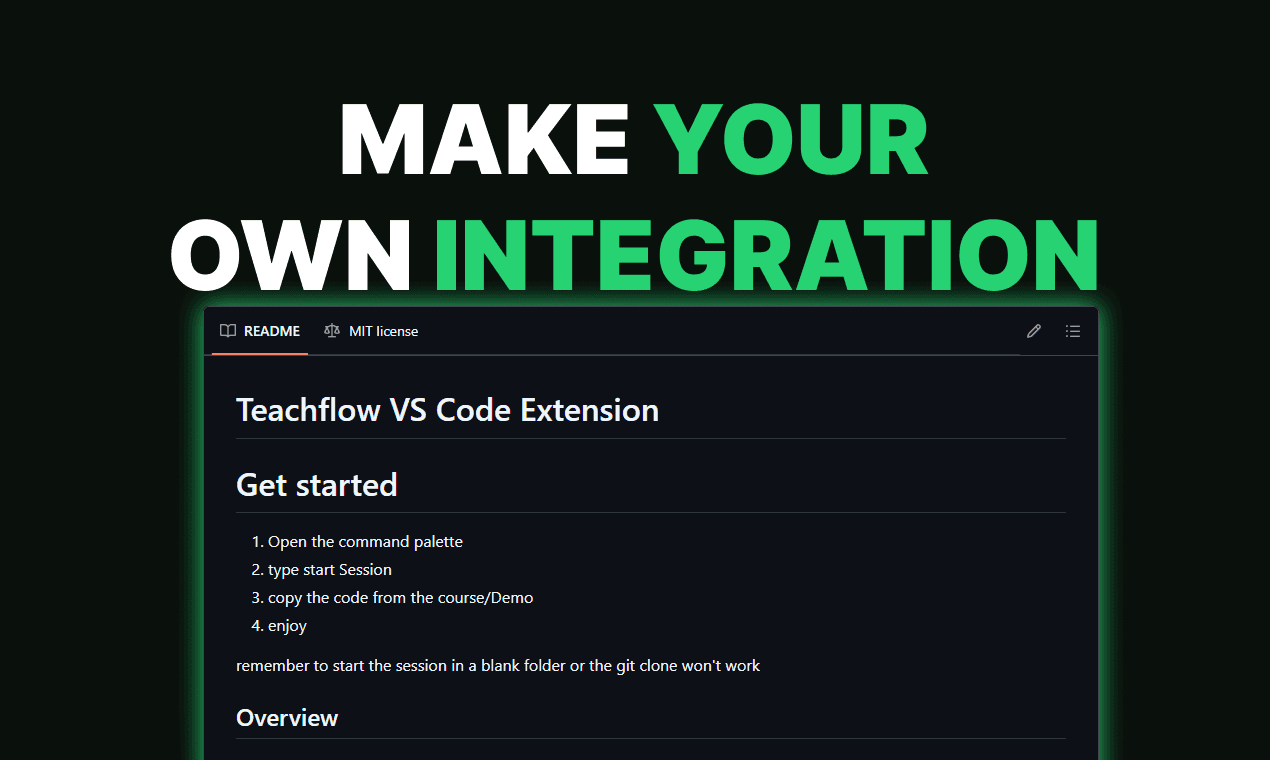
About this app
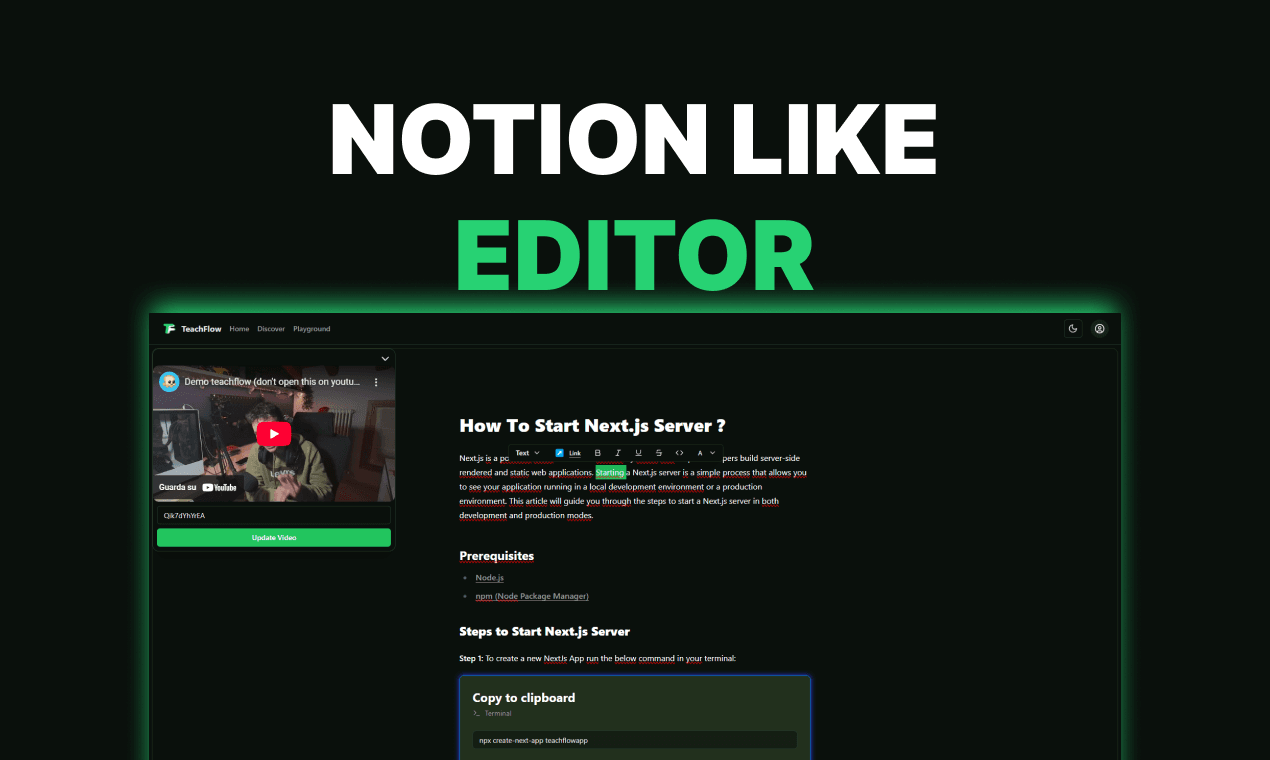
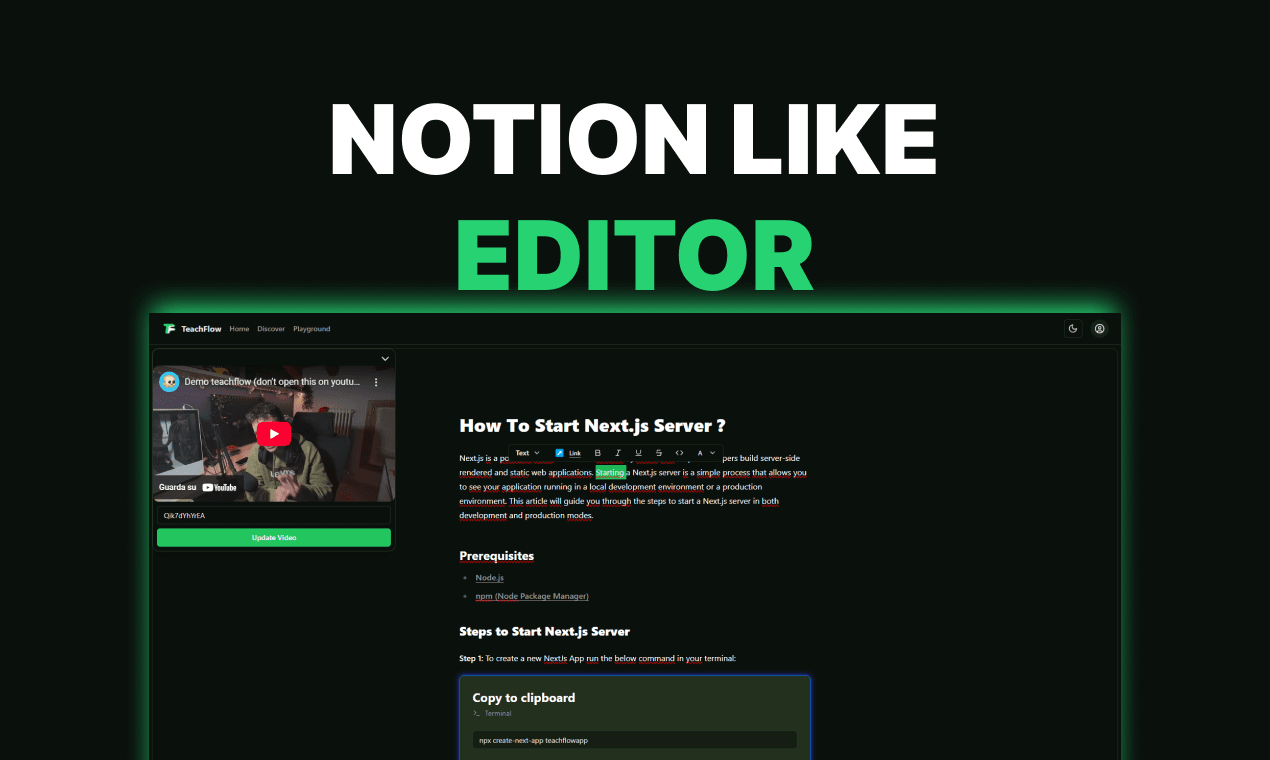
TeachFlow is an innovative open-source VS Code extension that addresses a common pain point in tech education: passive tutorial consumption. By integrating directly with YouTube, it allows users to code alongside video tutorials in real time, automatically pausing and syncing with their local editor. This transforms the learning experience from mere observation to hands-on practice, making it ideal for self-taught developers and coding educators. It features a minimalist UI that blends seamlessly with VS Code, though setup can have a slight learning curve. With strong community support and no major security issues, it's a promising tool for enhancing coding education, though it relies on YouTube's performance and could expand to other platforms in the future.
Key features
- 1Seamless VS Code integration with minimalist UI for native feel
- 2Real-time sync between YouTube videos and code editing for active learning
- 3Open-source transparency with community scrutiny for security
Target customer profile
Drawn from the product itself, not from a survey.
Demographic
Coding educators and YouTubers
Pain points
Low engagement in video tutorials, limited interactivity in web-based editors
Primary needs
Tools to create hands-on lessons without leaving VS Code
Demographic
Self-taught developers
Pain points
Passive learning from tutorials, difficulty applying concepts in real IDEs
Primary needs
Real-time practice in a familiar coding environment
Demographic
Students and learners in coding bootcamps
Pain points
Disconnect between instructional videos and practical coding exercises
Primary needs
Integrated tools for active learning and skill reinforcement
Scout Review
Written by AI from measured evidence, scored out of 100.
TeachFlow successfully addresses one of the most frustrating aspects of learning to code through video tutorials—the constant context switching between watching and doing. By creating a seamless bridge between YouTube content and hands-on practice in a professional IDE, it transforms passive consumption into active skill development. The tool particularly shines for self-taught developers who want to practice immediately alongside instructors and educators looking to create more engaging tutorial content. While it has some rough edges around setup and platform dependency, the core functionality delivers exactly what it promises.
Measure by measure
Usability
90Intuitive for experienced VS Code users with smooth real-time sync, though initial setup has a learning curve.
Design
80Clean VS Code integration with minimalist UI, though lacks custom visual enhancements beyond basic functionality.
Speed
80Fast local performance but dependent on YouTube's servers, causing occasional latency during timestamp jumps.
Security
80Open-source transparency provides community scrutiny, though requires file system access permissions.
Accessibility
70Relies entirely on VS Code's existing accessibility features without additional enhancements for the video component.
Growth
90High market demand for interactive coding education tools with strong potential for platform expansion.
Improvement areas
- Expand video platform support beyond YouTube to include Vimeo or Loom
- Enhance accessibility features specifically for video components
- Simplify initial setup process with better onboarding guidance
Design & Usability
TeachFlow's design philosophy embraces minimalism, seamlessly integrating with VS Code's existing interface without overwhelming users with unnecessary clutter. The extension adds a discreet video panel and sync controls that feel native to the coding environment. For developers already comfortable with VS Code, the navigation is immediately intuitive—the learning curve primarily affects initial setup rather than daily use. The real-time synchronization between video playback and code editing works remarkably well, creating that 'pair programming' feeling with tutorial creators. However, the setup process for linking YouTube videos could benefit from better onboarding guidance, as new users might find themselves searching for documentation.
Speed & Security
Performance-wise, TeachFlow operates efficiently within the local development environment, with minimal impact on VS Code's responsiveness. The extension's speed is largely constrained by YouTube's infrastructure rather than its own code—video buffering and timestamp jumping occasionally introduce latency that's beyond the developers' control. Security is handled transparently through the open-source model, allowing community review of the codebase. While the extension requires file system access to function properly, this is a reasonable trade-off for its core functionality. The lack of major security concerns reported by the community provides confidence in its safety for everyday use.
Accessibility & Growth
Accessibility is where TeachFlow shows its reliance on VS Code's established foundations. The extension inherits all of VS Code's screen reader support, keyboard navigation, and accessibility features but doesn't introduce any unique enhancements for its video synchronization components. This means users with visual or motor impairments get the same experience they would with standard VS Code, but the video elements don't receive special consideration. The growth potential, however, is substantial. With the booming demand for interactive learning tools and the ability to expand to other video platforms and IDEs, TeachFlow could become the standard for code-along tutorial experiences across the developer education landscape.
Conclusion
If you're tired of watching coding tutorials only to realize you've retained nothing, TeachFlow offers the perfect solution to turn viewing into doing. It's ideal for developers who learn best through immediate application and educators wanting to create more interactive content. The slight setup learning curve is well worth the payoff of having a synchronized coding partner in every tutorial you watch. For anyone serious about leveling up their coding skills through video content, this extension is a game-changer that makes learning stick.
Suggestions for improvement
- To enhance TeachFlow's value proposition, the development team should prioritize expanding beyond YouTube to include platforms like Vimeo, Loom, and custom video hosting solutions.
- Developing a mobile companion app would allow for code snippet practice on-the-go, extending learning beyond the desktop environment.
- Integration with educational platforms like GitHub Classroom could provide assignment tracking and progress analytics for structured learning environments.
- Finally, expanding IDE compatibility to include JetBrains products and Sublime Text would significantly broaden the user base beyond VS Code enthusiasts.
Alternatives comparison
Named competitors, point by point. Nobody paid to appear here or to be left out.
 TeachFlow TeachFlow |  Codecademy Codecademy |  Scrimba Scrimba | |
|---|---|---|---|
| IDE Integration | Deep VS Code integration | Browser-based editor only | Browser-based editor only |
| Local Development | Full local environment | Limited to browser sandbox | Limited to browser sandbox |
| Video Platform Support | YouTube only | Proprietary platform | Proprietary platform |
| Real-time Coding | Sync with external videos | Built-in interactive exercises | Built-in interactive exercises |
Codecademy
Structured lessons with in-browser coding, though it lacks deep integration with professional IDEs like VS Code.
Scrimba
Browser-based interactive coding courses with a built-in editor, but less flexible for local development setups.
Comparing options? See TeachFlow alternatives, scored side by side
More Education apps
View all Education
The Stack Newsletter
92A weekly newsletter delivering curated tech jobs, intervi...

SheetScroll
90> You play; SheetScroll turns the page. It listens through the microphone or a MIDI piano and holds the page until it's sure where you are.

Tracé slides
89Interactive math & physics slides with live graphs and an...

English Test Coach
89English Test Coach checks your IELTS essays and letters, gives an estimated band score across all four criteria, and tells you exactly what to revise next.

Startup Science
88A unified platform replacing 12-20 disconnected tools for...

Cromagnon
88Free, private browser-based PDF, Word, Excel, and study t...

TranscriptYou
88Free YouTube transcript generator with timestamps and AI ...

RBQ Exam
87Online practice for the RBQ contractor licence exams in Québec: original questions, timed mock exams and lessons, in French or English.

Coloring Pages Pro
87A massive collection of free printable coloring pages for...

CertWorthIt
87Data-driven tool revealing which certifications actually ...

HireVue Practice
85AI-powered HireVue practice with timed mock interviews, role-specific questions, transcripts, scoring, and actionable feedback.

Case Cub
85AI-powered law school study platform with 20,000+ case br...


A platform dedicated to providing unbiased reviews of newly launched applications, analyzing everything from their features to their full potential.
info@scoutforge.net© 2026 Scoutforge. All rights reserved.
