Cycling through all six. Tap any point to stop.
Measured on six things
TransMonkey is an AI-powered translation platform for documents, images, and videos, helping users convert multilingual content online.
Security
52HTTPS and HSTS are enforced and SPF is set, but CSP, frame protection, X-Content-Type-Options, Referrer-Policy, and DMARC are all missing — 5/12 on the header checklist. No published audit.
Screenshots
1 / 1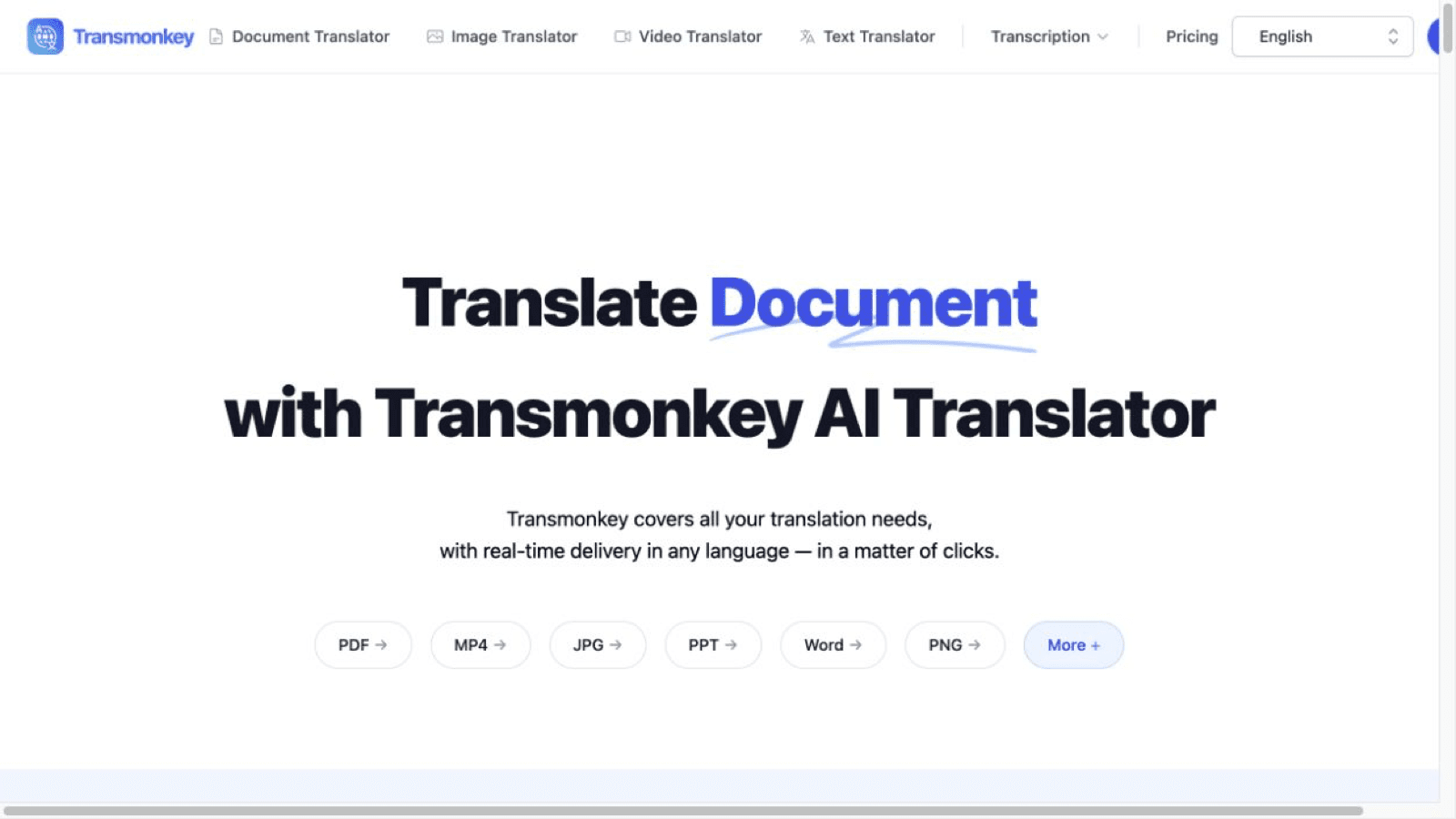
About this app
TransMonkey translates documents, images, and videos with AI while supporting complex media formats and preserving the structure of translated files.
Key features
- 1Document translation that preserves original layout across PDF, Word, PPT, and Excel, with support for files up to 1500K characters.
- 2Video translation with transcription, subtitle generation, and audio dubbing in 130+ languages, keeping background music intact.
- 3Image translation up to 10MB that removes original text and replaces it while preserving the background, plus Chrome, Workspace, and YouTube extensions.
Target customer profile
Drawn from the product itself, not from a survey.
Scout Review
Written by AI from measured evidence, scored out of 100.
TransMonkey is a competent AI translation suite covering documents, images, video, and text, with a clean homepage, a sensible credit-based pricing model, and genuinely good measured performance (Lighthouse mobile 78, desktop 88). It supports 130+ languages and integrates via Chrome, Google Workspace, and YouTube extensions. The problems are structural rather than fatal: a security posture that doesn't match its '100% privacy security' claim (5/12 on the header checklist, no published audit, no DMARC), accessibility defects in contrast and labeling, and a design language that repeats the same light-blue panel until the page feels templated. Growth is the open question — the problem is real, but the product spreads across six tools without owning one. It works. It's fine. 'Fine' is the honest word.
Measure by measure
Usability
63Four tools, a credit-based pricing page with clear conversions, and Chrome/Workspace/YouTube extensions make the workflow legible. The six-link nav plus 25-language selector crowds the top bar.
Design
71Clean card grid, clear file-type pills, and legible trust logos give the homepage a competent, modern feel. Uneven logo sizing and repeated light-blue panels make it read templated rather than crafted.
Speed
70Lighthouse mobile 78/100 (LCP 2.4s, CLS 0.002) and desktop 88/100 — solid for a media-heavy translation tool. TBT of 605ms shows real main-thread work during load.
Security
52HTTPS and HSTS are enforced and SPF is set, but CSP, frame protection, X-Content-Type-Options, Referrer-Policy, and DMARC are all missing — 5/12 on the header checklist. No published audit.
Accessibility
58Lighthouse a11y 86/100 with real failures: prohibited ARIA attributes, insufficient color contrast, and unlabeled select elements. 25+ interface languages and 130+ translation languages are a genuine plus.
Growth
58Real problem (multimedia translation across formats), broad positioning across document/image/video/text, and a credit model that scales with usage. No single wedge it owns versus the alternatives.
Improvement areas
- Security posture: missing CSP, frame protection, X-Content-Type-Options, Referrer-Policy, Permissions-Policy, and DMARC; no published SOC 2 or ISO audit.
- Accessibility defects: prohibited ARIA attributes, insufficient color contrast, and select elements without associated labels (Lighthouse 86/100).
- Positioning: six tools (document, image, video, text, transcription, subtitles) with no single wedge that differentiates it from the alternatives.
Design & Usability
TransMonkey's homepage is competent and modern: a clean card grid, file-type pills in the hero (PDF, MP4, JPG, PPT, Word, PNG), and a trust row that includes Apple, Google, Zoom, OpenAI, and Stripe. The visual audit rated the overall impression 'good', but flagged uneven trust-logo sizing and a repeated light-blue panel treatment that makes the Document, Image, Video, and Text sections feel templated. Usability holds up better than the design: four distinct tools, a pricing page with explicit credit conversions (1 credit = 1 minute of video, 1 image, or 500 document characters), and Chrome, Google Workspace, and YouTube extensions that meet users where they already work. The weak spot is navigation — six product links plus a 25-language selector crowd the top bar, and secondary 'Explore' CTAs get buried under long feature lists. Nothing here is broken; it's a product that works and looks fine, which is exactly the middle of the scale.
Speed & Security
Speed is a genuine strength. Lighthouse measured mobile performance at 78/100 with an LCP of 2.4s and a CLS of 0.002, and desktop at 88/100. For a site that advertises HD video translation and 10MB image handling, that's respectable. The 605ms mobile TBT is the one number that drags — there's real main-thread work happening before the page settles. Security is where the picture darkens. The HTTP probe confirms HTTPS and HSTS are enforced and SPF is configured, but CSP, frame protection, X-Content-Type-Options, Referrer-Policy, Permissions-Policy, and DMARC are all absent — a 5/12 on the header checklist. The site claims '100% privacy security' and 'minimal data collection', yet publishes no SOC 2, ISO 27001, or third-party audit detail in the fetched content. For a product that ingests users' documents, images, and video files, that gap between the marketing claim and the verifiable posture is the most consequential finding in this review.
Accessibility & Growth
Accessibility scores 86/100 on Lighthouse, which sounds strong until you read the failures: prohibited ARIA attributes, insufficient color contrast, and select elements with no associated labels. Those are real, fixable defects on a site whose entire purpose is making content legible across languages. On the plus side, the interface ships in 25+ languages and the product claims 130+ translation languages, which is meaningful reach. Growth is a judgement about the idea, not the traction. The problem TransMonkey names — translating documents, images, and video while preserving layout — is real and worth paying for; anyone who has manually rebuilt a translated slide deck knows the pain. The credit model scales sensibly with usage. But the positioning is broad rather than sharp: document, image, video, text, transcription, and subtitles, all at once, with no segment it demonstrably serves better than the alternatives. That's a competent, clearly positioned product (51-65 band) without a wedge that would let it outgrow the category.
Conclusion
If you need to translate a PDF without losing the layout, or dub a video without losing the background music, TransMonkey will probably do it, and the pricing is transparent enough to test cheaply — 50 credits for $6 is a low-risk trial. What it won't do is convince a security-conscious buyer: no SOC 2, no ISO, no DMARC, and a privacy claim that outruns its headers. For individual professionals and small teams translating marketing assets or course material, that tradeoff is often acceptable. For anyone handling regulated or confidential documents, it isn't yet. The product is real and the execution is solid; the trust infrastructure is the missing half.
Suggestions for improvement
- Publish a security page with SOC 2 or ISO 27001 status, data retention policy, and subprocessor list — the '100% privacy security' claim needs receipts.
- Add the missing security headers: CSP, X-Content-Type-Options, Referrer-Policy, Permissions-Policy, frame protection, and a DMARC record.
- Fix the three Lighthouse a11y failures: label the select elements, raise contrast on the light-blue panels, and remove prohibited ARIA attributes.
- Pick one wedge — e.g. video dubbing or layout-preserving document translation — and lead with it instead of listing six tools with equal weight.
Alternatives comparison
Named competitors, point by point. Nobody paid to appear here or to be left out.
 TransMonkey |  | |
|---|---|---|
| Core translation coverage | Document, image, video, and text translation plus transcription and AI subtitles in 130+ languages. | Not specified in the provided app details. |
| Layout / format preservation | Preserves original document layout; replaces image text while keeping the background; keeps background music in video dubbing. | Not specified in the provided app details. |
| Pricing model | Pay-as-you-go credits at $0.12 each (50 for $6) plus Pro Monthly $12/mo and Pro Yearly $8.3/mo (500 credits/month). | Not specified in the provided app details. |
| Integrations and extensions | Google Chrome extension, Google Workspace extension, and a YouTube video translator extension. | Not specified in the provided app details. |
| Measured performance | Lighthouse mobile 78/100 (LCP 2.4s, CLS 0.002, TBT 605ms); desktop 88/100. | Not specified in the provided app details. |
| Security and compliance signals | HTTPS and HSTS enforced, SPF set; CSP, frame protection, X-Content-Type-Options, Referrer-Policy, Permissions-Policy, and DMARC missing (5/12). | Not specified in the provided app details. |
| Accessibility | Lighthouse 86/100; fails on prohibited ARIA attributes, insufficient color contrast, and unlabeled select elements. Interface available in 25+ languages. | Not specified in the provided app details. |
Comparing options? See TransMonkey alternatives, scored side by side
More AI Generations apps
View all AI Generations
Uni-1 by Luma AI
92Uni-1 is an advanced multimodal text-to-image AI model th...

Gerty
91Private, local AI assistant for Mac that runs offline

LTX 2.3 AI Video Generator
91Fast, open-source AI video generator with 4K support, mul...

DemoVexa
90Turn your code into professional product demo videos with AI-generated scripts, animated UI, and natural voiceovers.

AI Vocals Generator
89Add AI singers or rappers to your own beat, get two takes...

Voqusa
89Transcribe social media video and audio links into text (free signup, 5 free credits, then pay-as-you-go)

All of Us
89Add deceased loved ones to photos with AI and see free pr...

PodRescale
89Every episode becomes two weeks of posts. In your voice. Posted for you.

Pixelimg
88A free online AI-powered tool that instantly converts ima...

Cantoro
88Custom AI songs with a name, heard free before paying $4....

tradutor de mangá com IA
88O tradutor de mangá com IA traduz capítulos em lote, personaliza textos e oferece edição visual para estúdios.

IraVoice
88Private on-device dictation for Apple-silicon Macs.


A platform dedicated to providing unbiased reviews of newly launched applications, analyzing everything from their features to their full potential.
info@scoutforge.net© 2026 Scoutforge. All rights reserved.
