

A platform dedicated to providing unbiased reviews of newly launched applications, analyzing everything from their features to their full potential.
info@scoutforge.net© 2026 Scoutforge. All rights reserved.
A platform dedicated to providing unbiased reviews of newly launched applications, analyzing everything from their features to their full potential.
info@scoutforge.net© 2026 Scoutforge. All rights reserved.
A platform dedicated to providing unbiased reviews of newly launched applications, analyzing everything from their features to their full potential.
info@scoutforge.net© 2026 Scoutforge. All rights reserved.
Cycling through all six. Tap any point to stop.
Measured on six things
Video to Text for MP4 Files and Links | Video Transcriber
HTTPS is enforced, but HSTS, CSP, frame protection, and all other security headers are missing. No SOC 2, ISO, or GDPR claims. Checklist: 2/13. Weak for a service handling user media.
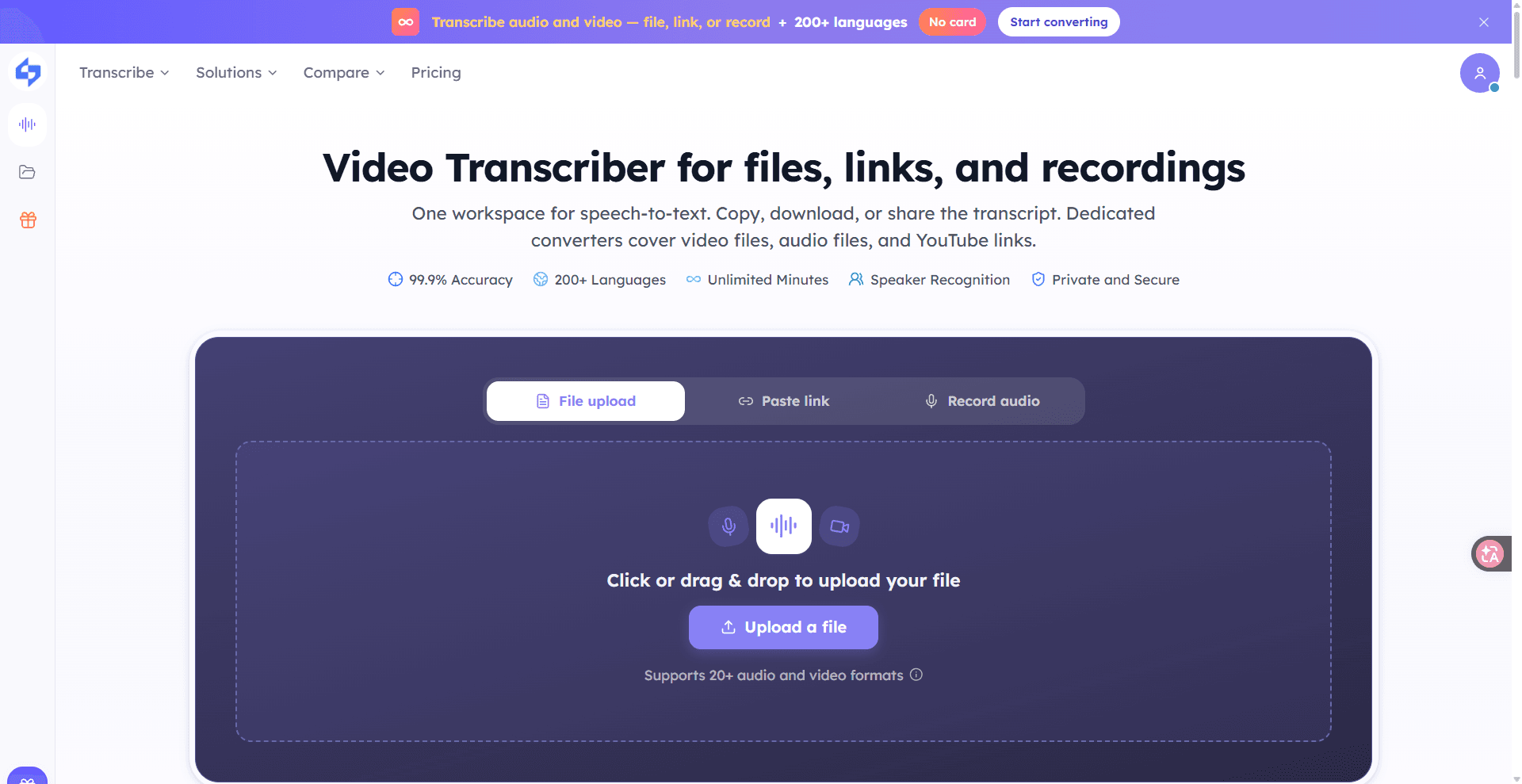
Use video to text on an MP4, MOV, WebM, or a public link. Copy or export TXT, DOCX, SRT, or VTT in the workspace. Private videos may fail.
Drawn from the product itself, not from a survey.
Written by AI from measured evidence, scored out of 100.
Video Transcriber is a fast, modern web app that turns video and audio into text with a generous free tier and aggressive pricing. It supports many formats, link pasting, and exports to TXT, DOCX, SRT, VTT, and CSV. The design is clean but cluttered with SEO spam, and the free plan's one-file-per-day cap is a hidden limitation. Security is the biggest weakness: only 2/13 security headers, no compliance claims, and no security page. Accessibility is good on automated checks but lacks a statement. Growth is plausible but unproven, with suspicious traction claims on a brand-new domain. It's a solid tool for casual users, but not ready for security-conscious teams.
Free tier with 90 minutes/month and no card lowers friction. Supports many formats and link pasting. Exports are solid, but PDF and translation are missing, and private videos may fail.
Clean, modern landing page with clear upload flow and pricing table. However, the page is cluttered with repetitive SEO keyword blocks that dilute visual hierarchy and feel spammy.
Lighthouse mobile performance 94/100 (LCP 1.7s, CLS 0.006, TBT 210ms) and desktop 99/100. Fast, snappy, and well-optimized for a web app.
HTTPS is enforced, but HSTS, CSP, frame protection, and all other security headers are missing. No SOC 2, ISO, or GDPR claims. Checklist: 2/13. Weak for a service handling user media.
Lighthouse accessibility score 97/100, with one contrast failure. No a11y statement or WCAG claim. Keyboard navigation and screen reader support not explicitly documented.
Real problem (video-to-text) with a clear wedge: aggressive pricing ($6/mo for 1,200 min) and broad format support. But the category is crowded and the site's unverified '30M files' claim smells like marketing fluff.
The design is clean and modern, with a clear upload flow and a well-structured pricing table. However, the homepage is bloated with repetitive SEO keyword blocks that make it feel less like a product and more like a landing page experiment. Usability is solid: the free tier offers 90 minutes/month without a card, supports 20+ formats, and allows link pasting and browser recording. Exports cover TXT, DOCX, SRT, VTT, and CSV, though PDF and translation are missing. The one-file-per-day cap on the free plan is a significant limitation that isn't obvious until you read the fine print. Overall, it's a competent tool with a few rough edges.
Speed is a clear strength: Lighthouse mobile performance 94/100 (LCP 1.7s, CLS 0.006, TBT 210ms) and desktop 99/100. The site loads fast and feels snappy. Security, however, is a weak spot. HTTPS is enforced, but HSTS, CSP, frame protection, and all other security headers are missing. The checklist score is 2/13. There's no SOC 2, ISO, or GDPR claim, and no security page or bug bounty. For a service that handles user-uploaded video and audio, this is a concerning gap. The lack of basic headers like X-Content-Type-Options and Referrer-Policy suggests security wasn't a priority during development.
Accessibility scores well on automated checks (97/100) but has one contrast failure and no accessibility statement or WCAG conformance claim. Keyboard navigation and screen reader support aren't documented. Growth potential is moderate: the problem is real and the pricing is aggressive ($6/month for 1,200 minutes), but the category is crowded with established players. The site claims 30 million files processed and 190 countries served, but the domain was registered in September 2026, making those numbers highly suspect. The wedge is price and format breadth, but without verified traction or a unique feature, it's hard to see how it wins long-term.
Conclusion
If you need a quick, cheap way to transcribe a video or audio file, Video Transcriber does the job. The free tier is genuinely useful, and the paid plans undercut many competitors. But if you're handling sensitive recordings or need compliance guarantees, look elsewhere. The missing security headers and lack of transparency around data handling are red flags. It's a promising start, but it needs to mature before it can be trusted with anything important.
Named competitors, point by point. Nobody paid to appear here or to be left out.
 video transcriber video transcriber | ||
|---|---|---|
| Free tier limits | 90 minutes/month, 1 file/day, 30 min/file | Unknown |
| Paid plan starting price | $6/month (billed yearly) for 1,200 minutes | Unknown |
| Export formats | TXT, DOCX, SRT, VTT, CSV (no PDF, no translation) | Unknown |
| Security headers / compliance | 2/13 headers, no SOC 2/ISO/GDPR claims | Unknown |
| Accessibility score (Lighthouse) | 97/100, one contrast failure | Unknown |
Comparing options? See video transcriber alternatives, scored side by side

An AI-powered patent drafting assistant that acts like a ...

AI writer that fact-checks before writing, with real sour...

Export all your Apple Voice Memos to one text file.

Build and export a base resume for free, then use AI to tailor it and a matching cover letter to each job from your real experience.

AI-powered macOS translation app with OCR, multi-engine comparisons, and keyboard-friendly design for professionals and learners.

An AI-powered WordPress plugin that automates content cre...

An AI-powered writing assistant that analyzes and fixes v...

A speech-to-text app that lets you dictate text into any computer app, boosting productivity with voice input.

Professional offline voice dictation software for Mac and Windows, boosting productivity with privacy-first speech-to-text.

An AI-powered transcription tool that converts audio and video to text in under a minute, supporting 98 languages and generating summaries and mind maps.

AI-powered platform that converts audio into videos, blogs, and social media assets for efficient content repurposing.

An integrated content platform for creators to publish, optimize, and monetize work using AI tools and automated distribution.
A platform dedicated to providing unbiased reviews of newly launched applications, analyzing everything from their features to their full potential.
info@scoutforge.net© 2026 Scoutforge. All rights reserved.
